
Beyond the Basics: Advanced Techniques to Master NoteTaking Apps for Maximum Impact

Ready to unlock the true potential of your note-taking app? At UltimateLifeHacks, we're dedicated to helping you conquer your daily chaos and boost productivity. This isn't your average guide to note-taking; discover Advanced Notetaking App Techniques that will transform how you capture, organize, and utilize information. Dive in and learn strategies that will redefine your efficiency – you'll be amazed at what you can achieve.
- Mastering Advanced Note-Taking App Features for Enhanced Productivity
- Advanced Note-Taking Strategies for Different Learning Styles
- Boosting Collaboration with Shared Notebooks and Real-Time Editing
- Integrating Note-Taking Apps with Other Productivity Tools
- Advanced Note-Taking for Specific Purposes
- Data Backup and Security Best Practices for Note-Taking Apps
- Advanced Tips for Long-Term Note Management and Knowledge Retention
-
Frequently Asked Questions
- What are some advanced note-taking app techniques beyond basic note creation?
- How can I use note-taking apps to improve my workflow and productivity?
- Which note-taking apps are best suited for advanced techniques?
- How can I effectively utilize the linking feature in note-taking apps?
- What are some tips for maintaining a well-organized note-taking system?
- Final Reflection: Unlocking Your Potential Through Advanced Note-Taking
- Unlock Your Note-Taking Powerhouse
Mastering Advanced Note-Taking App Features for Enhanced Productivity
Note-taking apps have revolutionized how we capture, organize, and retrieve information. While many users are comfortable with the basics – creating notes and lists – unlocking the true potential of these tools requires mastering advanced techniques. This article delves into sophisticated strategies to transform your note-taking app from a simple repository into a powerful productivity engine. We'll explore techniques that go beyond the rudimentary, focusing on methods to enhance organization, streamline information retrieval, and ultimately, maximize your impact. Learning these advanced notetaking app techniques will not only save you significant time but also drastically improve your workflow and knowledge management. This guide is designed for users who are already familiar with the fundamentals of their chosen note-taking app and are ready to take their productivity to the next level. We will cover strategies applicable to most popular note-taking applications, ensuring broad applicability and relevance for a wide range of users.
Leveraging Tagging and Keyword Systems for Superior Organization
Effective organization is paramount for any note-taking system. While simple folders can suffice for basic needs, complex projects and large volumes of information require more sophisticated approaches. Implementing a robust tagging and keyword system is key to navigating a vast digital library of notes. Instead of relying solely on folder structures, consider a multi-faceted approach combining both.
Think of tags as flexible labels you can apply to notes, allowing for cross-referencing and categorization beyond a rigid hierarchical structure. For example, a note about a project meeting could be tagged with #projectX, #teammeeting, and #Q3goals. Keywords, on the other hand, can be more descriptive and specific, acting as powerful search terms. Consistent use of both tags and keywords allows for quick and efficient retrieval of relevant information. Consider creating a standardized keyword list for recurring themes or topics to ensure consistency.
A well-structured tagging system enhances searchability and allows you to connect seemingly disparate notes based on shared themes or projects. The key is to establish a system that works for you and maintain consistency in your tagging practices. Experiment with different approaches until you find a workflow that optimizes your organization and information retrieval. This will undoubtedly improve your overall productivity and reduce the time spent searching for information.
Utilizing Advanced Search Operators for Efficient Information Retrieval
Most note-taking apps offer advanced search operators that go beyond simple keyword searches. Mastering these operators is crucial for quickly finding specific information within a large collection of notes. These operators often include:
| Operator | Description | Example |
|---|---|---|
AND |
Returns notes containing both terms | projectX AND budget |
OR |
Returns notes containing either term | meeting OR presentation |
NOT |
Excludes notes containing a specific term | projectX NOT cancelled |
"" (Quotes) |
Searches for an exact phrase | "project kickoff meeting" |
* (Wildcard) |
Matches any sequence of characters | project* (matches projectX, projectY, etc.) |
: (Prefix) |
Matches notes starting with a specific prefix | :meeting (matches meeting notes, etc.) |
Learning to effectively combine these operators dramatically increases the precision of your searches. For instance, searching for "Q3 report" AND budget NOT approved will pinpoint notes containing the exact phrase "Q3 report," related to the budget, and specifically those not yet approved. Experiment with different combinations to discover the most effective search strategies for your specific needs. This significantly reduces the time and effort spent sifting through numerous notes to find the information you need.
Mastering Nested Folders and Hierarchical Structures for Complex Projects
While tags and keywords provide flexibility, a well-defined folder structure remains essential for organizing large projects or bodies of knowledge. Nested folders, allowing for multiple levels of hierarchy, provide a powerful way to manage complex information. Think of it as a digital filing cabinet with folders within folders.
For example, you could create a main folder for "Project Alpha," with subfolders for "Design," "Development," "Testing," and "Marketing." Each subfolder could then contain further subdivisions as needed. This hierarchical approach provides a clear and logical structure for organizing large amounts of related information. Consistent naming conventions are vital for easy navigation.
Consider using a numbered system or consistent naming scheme to maintain order and prevent confusion. Remember that a well-organized folder structure, in conjunction with a robust tagging and keyword system, provides a powerful and adaptable system for managing large quantities of information efficiently. This structured approach significantly enhances your ability to locate specific information quickly, saving valuable time and improving overall productivity.
Advanced Note-Taking Strategies for Different Learning Styles
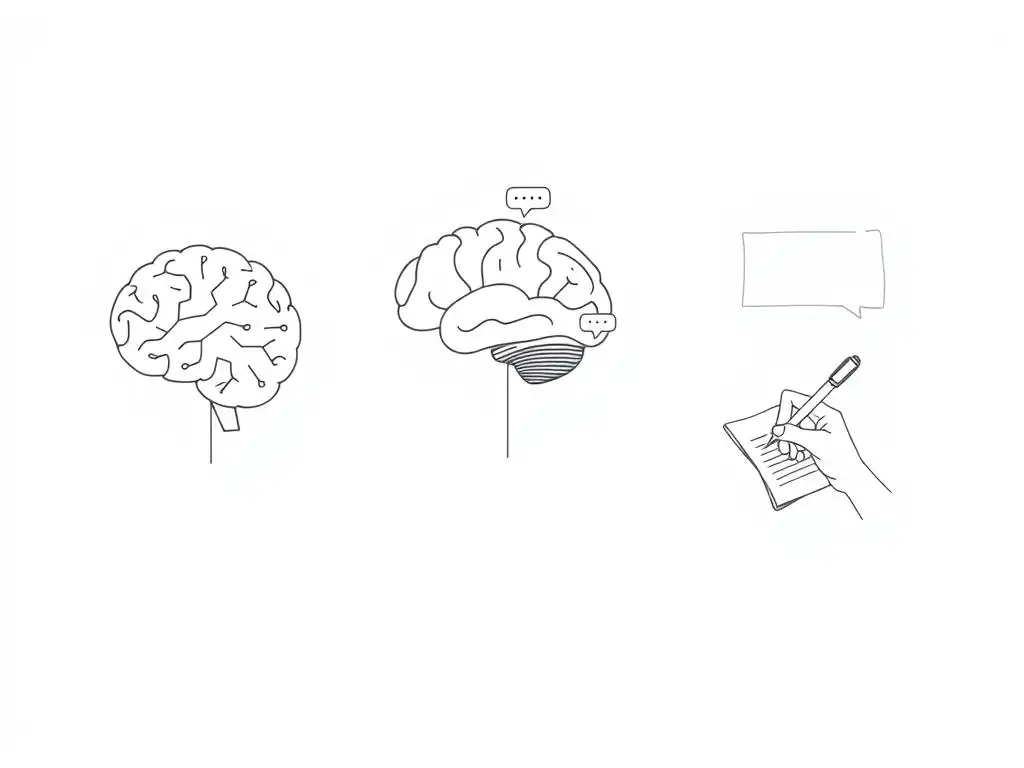
Mastering note-taking apps isn't just about jotting down information; it's about tailoring your approach to your unique learning style for optimal knowledge retention and recall. This section explores advanced techniques catering to visual, auditory, and kinesthetic learners, maximizing the impact of your chosen note-taking application. Effective implementation of these advanced notetaking app techniques will significantly boost your productivity and learning efficiency.
Visual Note-Taking Techniques and App Integration
Visual learners thrive on diagrams, mind maps, and colorful representations of information. Leveraging your note-taking app to its fullest potential means going beyond simple text. Many apps offer features specifically designed for visual learners. For instance, some apps allow you to:
- Create mind maps: Start with a central idea and branch out with related concepts and supporting details. This hierarchical structure enhances understanding and recall. Experiment with different mind map styles to find what works best for you. Some apps even allow for color-coding branches based on priority or topic.
- Insert images and diagrams: Illustrate complex ideas with visuals. A picture is truly worth a thousand words, especially when trying to grasp intricate concepts. Import images directly or use built-in drawing tools to create custom diagrams.
- Use different fonts and colors: Highlight key terms and concepts with bolding, italics, or different font colors. This visual cueing enhances focus and improves recall during review. Consider using a consistent color-coding system for different types of information (e.g., definitions in blue, examples in green).
- Employ visual cues: Use emojis, symbols, and other visual cues to represent ideas or concepts quickly. This can make your notes more engaging and easier to scan. For example, a 💡 could represent a key insight, while a 🤔 might indicate a question that needs further investigation.
Remember that consistent application of these advanced notetaking app techniques is key. Experiment with different visual elements within your notes to find a system that best suits your learning preferences and the material you're studying.
Auditory Note-Taking and Transcription Features for Enhanced Recall
Auditory learners benefit from listening and discussing information. For them, note-taking apps can be incredibly powerful when combined with audio recording and transcription features. This approach allows for a multi-sensory learning experience, leading to better comprehension and retention.
- Record lectures and meetings: Many note-taking apps allow you to record audio directly within the app itself, synchronizing audio with your written notes. This is particularly useful for lectures or meetings where you might miss key details while taking notes manually.
- Utilize transcription features: Some advanced apps offer automatic transcription of audio recordings, saving you significant time and effort. While transcription accuracy varies, even a partially transcribed recording can be a valuable resource for later review.
- Review notes alongside audio: Listen to the recording while reviewing your written notes. This dual-sensory approach reinforces learning and helps to identify any gaps in your notes or areas where you might have misconstrued information.
- Create audio summaries: After taking notes, summarize key points using audio recordings. This can be a highly effective method for consolidating information and improving recall, especially for longer sessions.
By combining auditory input with written notes, auditory learners can leverage the strengths of both modalities for a more comprehensive and effective learning experience, effectively utilizing advanced notetaking app techniques.
Kinesthetic Learning and Note-Taking Apps: Practical Applications
Kinesthetic learners learn best through hands-on activities and movement. While note-taking might seem like a passive activity, there are ways to incorporate kinesthetic elements to enhance learning.
- Use digital flashcards: Many note-taking apps integrate with or offer built-in flashcard features. The act of physically creating and reviewing flashcards engages kinesthetic learners.
- Organize notes physically: Even within a digital environment, you can organize your notes into folders and subfolders, physically arranging them in a way that makes sense to you. This act of organization is a kinesthetic engagement.
- Gesture-based input: Explore note-taking apps that allow for gesture-based input, like drawing diagrams or highlighting text with your finger. The physical interaction enhances engagement.
- Type your notes: The act of typing itself can be a form of kinesthetic learning for some, providing a physical engagement with the material.
While less directly linked to traditional kinesthetic learning, these advanced notetaking app techniques still offer ways to engage the physical body and improve retention through active participation in note creation and organization. The key is to find ways to make the note-taking process more interactive and less passive. Experiment with different methods to discover what works best for you.
This section explores how to leverage the collaborative features of advanced notetaking apps to enhance teamwork and productivity. Moving beyond simple file sharing, these apps offer sophisticated tools for real-time collaboration, transforming notetaking from a solitary activity into a dynamic, shared experience. Mastering these techniques is crucial for anyone seeking to optimize team workflows and boost collective knowledge creation. Effective collaboration hinges on seamless information exchange and the ability to work concurrently on the same document without version conflicts.
Shared workspaces within advanced notetaking apps provide a central hub for team projects and brainstorming sessions. Imagine a team working on a marketing campaign. Instead of emailing back and forth lengthy documents or using clunky shared drives, they can create a shared notebook.
Each member can contribute ideas, assign tasks, and track progress within the same digital space. This centralized approach minimizes confusion, ensures everyone is on the same page, and fosters a more fluid and efficient workflow. The ability to add comments, tag team members, and use threaded discussions directly within notes significantly reduces email traffic and improves communication clarity.
Features like real-time co-editing allow multiple users to work simultaneously on the same note, fostering spontaneous collaboration and rapid idea generation. This is particularly valuable during brainstorming sessions where immediate feedback and iterative refinement are key to generating innovative solutions. Consider the advantages of having a shared project notebook with sections for:
- Project Goals: Clearly defined objectives and deliverables.
- Task Assignments: Individual responsibilities and deadlines.
- Meeting Minutes: Detailed records of discussions and decisions.
- Resource Library: Links to relevant documents and research materials.
- Progress Tracking: Monitoring the advancement of tasks and milestones.
This structured approach ensures transparency, accountability, and efficient knowledge management within the team. By utilizing these shared workspaces effectively, teams can significantly streamline their collaborative processes and boost overall productivity. The ability to easily search and filter information within the shared notebook also simplifies the process of retrieving crucial data whenever needed. The result is a more organized and efficient approach to teamwork.
Implementing Version Control and Collaboration Features for Seamless Teamwork
Advanced notetaking apps often include robust version control and collaboration features to ensure seamless teamwork. This goes beyond simple real-time editing; it involves tracking changes, resolving conflicts, and maintaining a clear history of edits. This is particularly crucial in larger projects involving multiple contributors. Imagine a team working on a complex research paper. With traditional methods, merging different versions of the document could be a nightmare, often leading to lost work and frustrating conflicts. However, advanced notetaking apps typically implement features such as:
| Feature | Description | Benefit |
|---|---|---|
| Revision History | Allows you to view previous versions of a note and revert to earlier edits if needed. | Reduces the risk of losing work due to accidental deletions or incorrect edits. |
| Change Tracking | Highlights the specific changes made by each collaborator, making it easy to identify who made which edits. | Improves transparency and accountability within the team. |
| Conflict Resolution | Provides tools to easily resolve conflicts that may arise when multiple users edit the same section simultaneously. | Ensures a smooth collaborative workflow, even with multiple simultaneous edits. |
| Attribution | Clearly indicates which user made each edit, allowing for easy tracking of contributions. | Facilitates efficient feedback and improves team understanding of the contribution. |
These features minimize the risk of errors and ensure that everyone is working with the most up-to-date version of the document. This not only enhances the efficiency of collaboration but also reduces the likelihood of misunderstandings and ensures the final product reflects the collective input of the entire team. The ability to easily revert to previous versions provides a safety net, reducing the stress associated with collaborative work and fostering a more relaxed and productive environment.
Furthermore, the clear attribution of edits fosters a sense of accountability and transparency, which are essential for successful teamwork. By mastering these advanced collaboration features, teams can unlock the full potential of their notetaking apps and achieve a new level of collaborative efficiency.
Integrating Note-Taking Apps with Other Productivity Tools
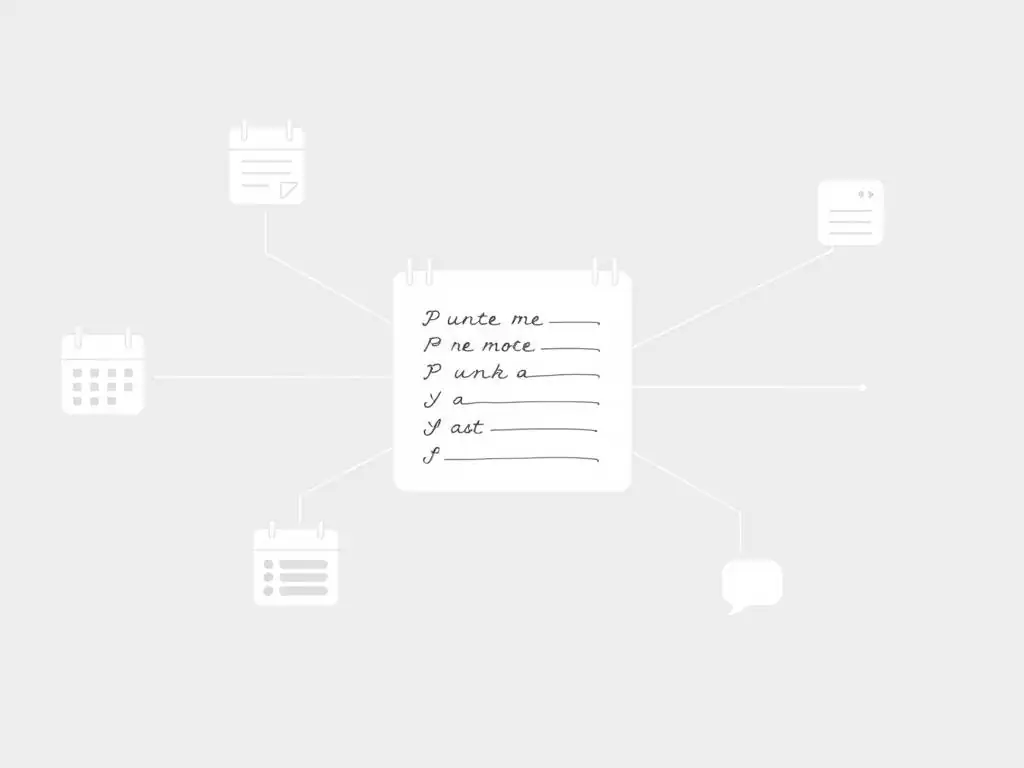
This section explores advanced strategies for maximizing the utility of your note-taking app by seamlessly integrating it with other productivity tools you already use. This interconnected approach significantly reduces friction and boosts overall efficiency, transforming your note-taking from a passive activity to a dynamic engine for productivity. Mastering these integrations is key to unlocking the true potential of "advanced notetaking app techniques."
Seamless Workflow Integration with Calendar and Task Management Apps
Integrating your note-taking app with your calendar and task management applications creates a powerful synergy. Instead of managing information across disparate platforms, you centralize everything within a unified system. This eliminates the need for constant context switching and reduces the risk of missed deadlines or forgotten tasks.
For example, imagine taking meeting notes directly within your note-taking app. You can then easily extract action items and deadlines, automatically adding them to your task manager. Simultaneously, create calendar events directly from meeting notes, linking them to the relevant notes for easy reference. This streamlined process ensures that all your information remains connected and readily accessible.
Consider these practical applications:
- Action Item Tracking: Use a consistent tagging system (e.g.,
#actionitem,#deadline:Oct26) within your notes to identify tasks. Many apps allow for exporting these tagged notes directly into your task manager. - Meeting Preparation: Before meetings, review relevant notes from previous sessions. Afterward, create a summary and add it to your calendar event as a note, along with action items and assigned responsibilities.
- Project Management: Use separate notes for each project, linking them to relevant calendar entries and tasks. This provides a centralized location for all project-related information.
Automating Note-Taking Processes Using IFTTT or Zapier
Automating repetitive tasks associated with note-taking frees up valuable time and mental energy. Services like IFTTT (If This Then That) and Zapier allow you to create "applets" or "zaps" that connect your note-taking app with other services, automating actions based on predefined triggers.
For instance, you could automatically save emails containing important information to your note-taking app. Another example: a new task added to your task management app could automatically trigger the creation of a corresponding note in your note-taking app. These automated workflows eliminate manual data entry, ensuring that all your information is consistently organized and updated.
Here's a table showcasing potential automation opportunities:
| Trigger | Action | Result |
|---|---|---|
| New email in inbox | Create a note in note-taking app with email subject and body | Automatically archives important emails and their content in your notes |
| New task added in Todoist | Create a note in Evernote with task details | Ensures all tasks are documented with relevant context |
| Website bookmark added | Create a note with bookmark URL and title | Centralizes research and web resources |
| Tweet mentioning your handle | Create a note with tweet content | Tracks mentions and feedback related to your work |
This automated approach significantly enhances workflow efficiency, allowing you to focus on higher-level tasks and strategic planning rather than mundane data entry. Think of the time saved! ⏱️
Connecting Note-Taking Apps to Your Other Software for Streamlined Workflow
Beyond calendar and task management, consider integrating your note-taking app with other software relevant to your workflow. The possibilities are vast and depend heavily on your specific needs and the apps you use. Connecting your note-taking app to specialized software can transform how you handle information and complete projects.
For example, if you're a researcher, integrating your note-taking app with a citation manager can significantly streamline your workflow. You can directly import citations into your notes, ensuring accuracy and consistency throughout your research process. Similarly, if you're a developer, integrating your note-taking app with code repositories like GitHub can help you track project progress, document code changes, and manage bug reports.
Consider these advanced integration strategies:
- CRM Integration: Link notes directly to customer profiles in your CRM, providing immediate access to relevant interactions and communications.
- Research Software Integration: Import research data and analyses directly into your notes, creating a comprehensive record of your findings.
- Design Software Integration: Connect notes to design files, documenting design iterations and rationale.
By strategically connecting your note-taking app to other software applications, you create a powerfully interconnected ecosystem that optimizes your productivity and minimizes data silos. This approach is crucial for anyone seeking to master "advanced notetaking app techniques" and unlock their full potential.
Advanced Note-Taking for Specific Purposes
This section delves into advanced note-taking strategies tailored to specific contexts, moving beyond basic note-taking to leverage the full potential of your chosen app for maximum productivity. We'll explore how to adapt your note-taking approach for academic research, business meetings, and personal reflection, highlighting techniques to dramatically improve efficiency and insight. Mastering these advanced techniques will transform your note-taking from a simple recording tool to a powerful engine for learning, productivity, and self-discovery. This is about achieving mastery in advanced notetaking app techniques.
Optimizing Note-Taking for Academic Research and Citation Management
Academic research demands a rigorous and organized approach to note-taking. Simple note-taking won't suffice; you need a system that seamlessly integrates with citation management. This involves more than just jotting down ideas; it's about building a robust, easily searchable knowledge base.
Consider using a hierarchical note-taking structure. For example, your main note could be titled "Research Paper: The Impact of Social Media on Adolescent Mental Health." Under this, you could create sub-notes for each source, meticulously detailing key findings and direct quotes. Within each source note, you can utilize tags for easy filtering and searching. For instance, tags like #socialmedia, #adolescentmentalhealth, #anxiety, #depression will allow you to quickly locate specific information.
Efficient citation management is crucial. Many note-taking apps integrate directly with citation managers like Zotero or Mendeley. This allows you to import citations directly into your notes, eliminating the need for manual data entry and significantly reducing the risk of errors. Always ensure you accurately record the source details—author, date, title, publication—to avoid plagiarism.
Here's a table illustrating a sample note structure:
| Level | Note Title | Tags | Content |
|---|---|---|---|
| Main | Research Paper: Social Media & Adolescent Health | #research, #socialmedia, #adolescent | Overview of research question and methodology |
| Sub | Source 1: Smith et al. (2023) | #anxiety, #socialmedia, #correlation | Summary of findings, direct quotes with page numbers, citation details |
| Sub | Source 2: Jones (2022) | #depression, #socialmedia, #caseStudy | Key findings, analysis, relevant quotes with page numbers, citation details |
Proper organization and tagging are key to successful academic research note-taking. This approach ensures easy access to information when writing your paper, saving you valuable time and reducing stress. Remember, the key is to create a system that works for you, allowing for efficient retrieval and utilization of information.
Structuring Notes for Effective Business Meeting Summaries and Action Items
Effective business meeting note-taking goes beyond simply recording what was said. It involves capturing key decisions, action items, and assigned responsibilities. The goal is to create a concise, actionable summary that can be easily shared and referenced later.
Employ a structured approach, using templates or pre-formatted notes to ensure consistency. Consider including sections for:
- Meeting Date & Time: Essential for context and future reference.
- Attendees: A record of who was present.
- Key Discussion Points: A bulleted list of the main topics discussed.
- Decisions Made: Clear and concise statements of decisions reached.
- Action Items: A table outlining each action item, the assigned person, and the deadline. Use checkboxes to track completion.
- Next Steps: A brief summary of the plan moving forward.
For example:
| Action Item | Assigned To | Deadline | Status |
|---|---|---|---|
| Finalize marketing proposal | John Doe | 2024-03-15 | ☑️ |
| Schedule client presentation | Jane Smith | 2024-03-22 | ☐ |
| Review Q1 financial reports | David Lee | 2024-03-29 | ☐ |
Using tables and checkboxes enhances clarity and facilitates tracking progress. Employing a consistent format across all meeting notes improves searchability and retrieval. This allows for efficient follow-up and ensures that nothing falls through the cracks. The use of clear, concise language is paramount for easy comprehension and dissemination of information. This sophisticated approach to meeting note-taking is a crucial component of advanced notetaking app techniques.
Personal Journaling and Reflection: Advanced Techniques for Self-Improvement
Personal journaling transcends simple diary entries. It's a powerful tool for self-discovery, growth, and improved well-being. Advanced techniques can transform it from a casual practice into a structured process for self-improvement.
Consider using prompts to guide your reflection. Examples include:
- What was my biggest accomplishment today?
- What was my biggest challenge today, and how did I overcome it?
- What am I grateful for today?
- What are my goals for tomorrow?
- What areas of my life need improvement?
Employing different note-taking methods can enhance the journaling experience. For example, you might use mind maps to explore complex thoughts or feelings. You could also incorporate gratitude journaling, where you focus on expressing appreciation for positive aspects of your life. This can significantly improve your emotional well-being.
Regular review of past journal entries can provide valuable insights into personal growth and patterns of behavior. Look for recurring themes or challenges, and identify areas where you can make positive changes. The consistent use of journaling, combined with these advanced techniques, provides a powerful pathway to personal growth and enhanced self-awareness. This is a crucial aspect of applying advanced notetaking app techniques to your personal life.
Data Backup and Security Best Practices for Note-Taking Apps
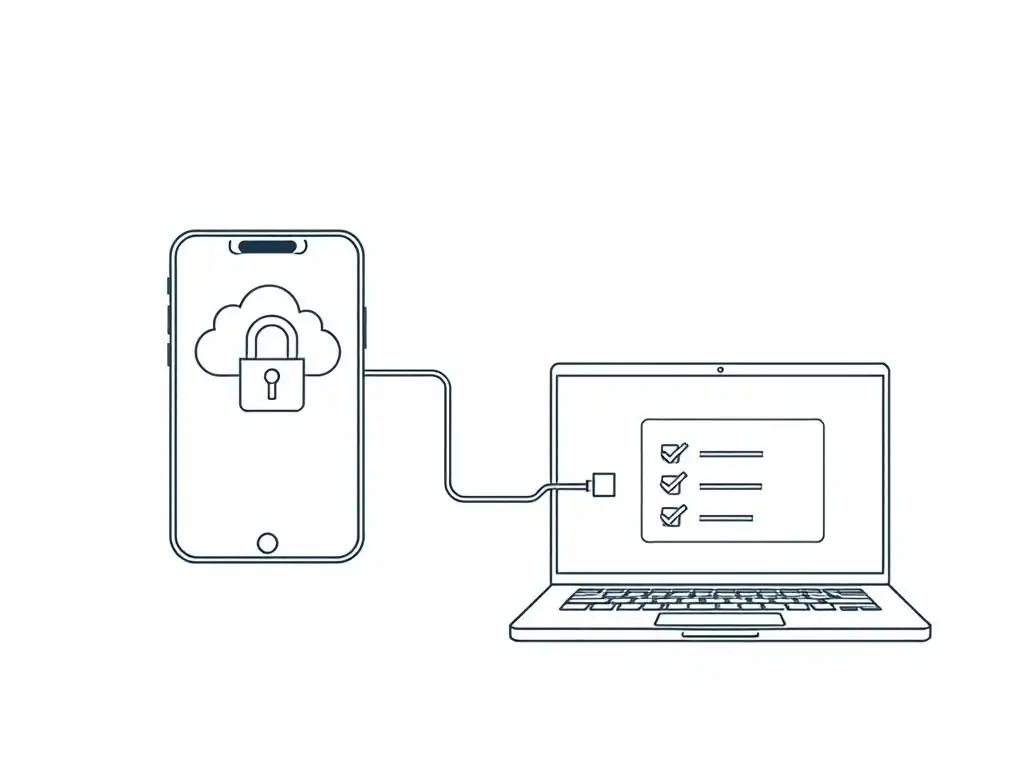
Mastering advanced note-taking app techniques isn't just about efficient organization; it's about safeguarding your valuable information. Data loss can be devastating, especially when dealing with critical notes for work, studies, or personal projects. This section focuses on robust backup and security strategies to protect your digital knowledge repository. Implementing these best practices will significantly reduce the risk of data loss and ensure the long-term accessibility of your notes. Think of it as building a secure vault for your most important thoughts and ideas.
Choosing Secure Cloud Storage Options for Your Important Notes
Selecting the right cloud storage provider is crucial for securing your notes. Consider factors beyond simple storage capacity. Look for providers that offer robust security features such as:
- End-to-end encryption: This ensures only you can access your data, even if the provider's servers are compromised. This is paramount for sensitive information.
- Two-factor authentication (2FA): Adding this extra layer of security significantly reduces the risk of unauthorized access, even if your password is stolen. This is a fundamental security practice for all online accounts, but especially important for cloud storage holding your notes.
- Regular security audits and updates: Reputable providers conduct regular security assessments and implement timely software updates to patch vulnerabilities. Check for transparency regarding their security practices.
- Data location and jurisdiction: Understand where your data is stored and the applicable data privacy laws. Choose a provider that aligns with your privacy preferences.
Consider the trade-offs between free and paid services. While free options might seem appealing, paid services often offer enhanced security features, larger storage capacities, and superior customer support. The cost of data loss far outweighs the cost of a premium subscription in most cases. Think of it as an investment in the security of your intellectual property.
Implementing Regular Backup Strategies to Prevent Data Loss
Relying solely on a single cloud storage provider is risky. A comprehensive backup strategy involves multiple layers of protection. Here's a robust approach:
- Multiple Cloud Storage Accounts: Distribute your notes across two or more different reputable cloud storage providers. This redundancy minimizes the impact of a single service failure or data breach. This is a key element of a robust data protection strategy.
- Local Backups: Regularly back up your notes to an external hard drive or USB drive. This provides an offline copy, protecting you from internet outages and cloud service disruptions. Consider using a version control system for even more granular backups.
- Scheduled Backups: Automate your backup process using your operating system's built-in tools or third-party backup software. This ensures regular, consistent backups without manual intervention. Set a schedule that aligns with your note-taking frequency.
- Version Control: Utilize the versioning features offered by some note-taking apps or external version control systems like Git. This allows you to revert to previous versions of your notes if needed, protecting against accidental deletions or corrupted files. This is especially useful for complex projects or lengthy documents.
Understanding Privacy Settings and Data Encryption in Note-Taking Apps
Your note-taking app itself plays a significant role in data security. Carefully review and adjust the privacy settings offered by your chosen app:
- Password Protection: Always use a strong, unique password for your note-taking app account. Avoid reusing passwords across different platforms. Consider using a password manager to generate and store strong passwords securely.
- Data Encryption: Check if your app uses encryption both in transit (data traveling between your device and the server) and at rest (data stored on the server). Strong encryption is essential to protect your notes from unauthorized access.
- Sharing Permissions: Be mindful of sharing settings. Only share notes with specific individuals or groups, and revoke access when no longer needed. Avoid sharing sensitive information unless absolutely necessary.
- App Permissions: Review the permissions your app requests when installing it. Ensure you only grant necessary permissions to avoid unnecessary data access.
By implementing these advanced note-taking app techniques, you'll not only improve your productivity but also significantly enhance the security and longevity of your valuable notes. Protecting your digital assets is just as important as creating them. 🤝
Advanced Tips for Long-Term Note Management and Knowledge Retention
This section delves into sophisticated strategies for managing your notes beyond the initial capture phase, focusing on long-term knowledge retention and effortless retrieval. We'll move beyond the basics of simply taking notes and explore how to transform your notes into a dynamic, ever-evolving knowledge base. Mastering these advanced techniques will significantly enhance your productivity and personal growth. The key to success lies in creating a system that's both robust and adaptable to your evolving needs.
Developing a Consistent Note-Taking System for Sustainable Productivity
Consistency is paramount in building a successful note-taking system. Sporadic note-taking leads to fragmented information and hinders knowledge retention. Consider these strategies to cultivate consistent note-taking habits:
- Time Blocking: Schedule specific times for note-taking, just as you would for any other important task. Treat it as a non-negotiable appointment with yourself. Even 15-20 minutes a day dedicated to reviewing and organizing notes can make a substantial difference.
- Contextual Note-Taking: Link your notes to specific projects, tasks, or goals. This contextual organization allows for easier retrieval and prevents information silos. Use tags, folders, or the note-taking app's built-in organizational features to establish clear connections. For example, notes related to a specific client project could be tagged with the client's name and the project's code.
- The "Two-Minute Rule": If a task or idea takes less than two minutes to jot down, do it immediately. This prevents information overload and ensures that small, valuable insights aren't lost.
- Regular Review Cycles: Schedule regular review periods (weekly, monthly, quarterly) to consolidate, refine, and update your notes. This process reinforces learning and prevents information decay. Think of it as a "knowledge spring cleaning."
Implementing a Review and Archiving System for Long-Term Knowledge Retention
A well-structured review and archiving system is crucial for turning your notes into a valuable long-term resource. Here's how to effectively manage your notes over time:
- Zettelkasten Method: This powerful system involves breaking down complex ideas into individual, interconnected notes. Each note acts as a building block, allowing you to build upon existing knowledge and create a vast network of related information. It's particularly effective for complex topics requiring deep understanding.
- Regular Purging: Periodically review your older notes and delete, archive, or consolidate redundant or irrelevant information. This prevents your note-taking app from becoming cluttered and unwieldy. Aim for a system that's both comprehensive and efficient.
- Version Control: Some advanced note-taking apps offer version control, allowing you to track changes and revert to previous versions if needed. This is invaluable for preserving the evolution of your ideas and ensuring data integrity.
- Cloud Storage and Backups: Regularly back up your notes to a cloud storage service to protect against data loss. This is essential for safeguarding your valuable knowledge base.
Leveraging Note-Taking Apps for Knowledge Management and Personal Growth
Advanced note-taking apps offer powerful features that can significantly enhance your knowledge management and personal growth. Explore these functionalities:
- Templates and Customizations: Utilize templates to standardize your note-taking process and ensure consistency across different projects. Customize your app's settings to optimize its functionality for your specific needs and workflow.
- Integrations and Automation: Explore integrations with other productivity apps to streamline your workflow. For instance, automate the process of transferring notes from meetings or lectures directly into your note-taking app.
- Advanced Search and Filtering: Leverage the advanced search and filtering capabilities of your note-taking app to quickly find specific information within your vast collection of notes. Effective searching is essential for retrieving relevant information when needed.
- Data Visualization and Analysis: Some apps offer data visualization tools that allow you to analyze your notes and identify trends or patterns. This can provide valuable insights into your learning process and areas for improvement. This feature can be particularly useful for tracking progress on long-term projects or goals. Think of it as gaining a birds-eye view of your knowledge landscape.
Using these advanced techniques will help you transform your note-taking app from a simple repository of information into a powerful engine for knowledge creation and personal growth. Remember, the goal is not just to take notes, but to actively manage and utilize that information to achieve your goals and unlock your full potential. This approach is essential for mastering advanced notetaking app techniques.
Frequently Asked Questions
What are some advanced note-taking app techniques beyond basic note creation?
Some advanced techniques include using templates for consistency, implementing a tagging system for easy retrieval, and leveraging linking features to connect related notes. Experiment with different methods to find what works best for you.
How can I use note-taking apps to improve my workflow and productivity?
By employing effective organizational strategies, such as folders and tags, you can streamline information retrieval. Employing templates for recurring tasks saves time and ensures consistency. Regular review and refinement of your system is crucial for long-term effectiveness.
Which note-taking apps are best suited for advanced techniques?
Many apps support advanced features. Popular choices include Notion, Evernote, Obsidian, and Roam Research. The best app for you will depend on your specific needs and preferred workflow.
How can I effectively utilize the linking feature in note-taking apps?
Linking allows you to create interconnected notes, forming a web of knowledge. This fosters a deeper understanding and makes it easier to recall information by following related ideas. Consistent linking is key to maximizing this benefit.
What are some tips for maintaining a well-organized note-taking system?
Regularly review and purge outdated or irrelevant notes. Establish a clear naming convention for files and folders. Consider using a hierarchical structure to organize your notes logically. Consistent application of your chosen system is crucial for long-term success.
Final Reflection: Unlocking Your Potential Through Advanced Note-Taking
Mastering advanced note-taking techniques isn't just about organization; it's about unlocking your cognitive potential and transforming how you learn, create, and achieve. The strategies explored in this article—from sophisticated tagging and linking to the strategic use of templates and automation—are more relevant than ever in our increasingly information-saturated world. The ability to effectively manage and synthesize information is no longer a luxury, but a necessity for success in any field.
The impact of effective note-taking extends far beyond simple task management; it shapes our understanding of complex ideas, fuels creative breakthroughs, and ultimately, empowers us to make a meaningful contribution to the world. The art of taking notes is the art of thinking.
This quote, though simple, encapsulates the profound connection between mindful note-taking and the development of clear, focused thought. I've personally witnessed this transformation in my own work, moving from scattered thoughts to a coherent, actionable framework through the application of these advanced techniques.
Now, it's your turn. Consider how you can integrate these advanced strategies into your daily workflow. Experiment with different methods, find what resonates with your unique learning style, and embrace the power of intentional note-taking. Don't just passively consume information; actively shape it, synthesize it, and use it to build a richer, more meaningful life. The journey to mastering advanced note-taking is a continuous process of refinement and discovery—a journey I encourage you to embark on today.
Unlock Your Note-Taking Powerhouse
Thank you for exploring the world of advanced note-taking! We hope you've discovered powerful techniques to transform your notes from simple records into dynamic learning and productivity tools. Now it's time to apply your new knowledge.
- Put your favorite new technique into practice immediately: Choose one advanced method from the article—such as the Cornell Method, mind mapping with digital tools, or a specific tagging system—and use it in your next note-taking session. You'll be amazed at how much smoother your workflow becomes!
- Share your insights: Discuss your favorite technique or a challenge you overcame in the comments below. Let's build a thriving community of note-takers!
- Expand your knowledge: Search online for tutorials and videos related to the methods that most interested you in the article. Deepen your understanding and discover even more ways to optimize your workflow.
Ready to unleash the full potential of your notes? Which advanced technique are you most excited to try first, and why?