
Stop Waiting: UltimateLifeHacks' Guide to Choosing the Perfect Graphics Card for a Blazing Fast PC

Tired of agonizingly slow load times and frustrating lag? At UltimateLifeHacks, we understand the struggle. That's why we've compiled the ultimate guide to choosing the Best graphics card for fast PC. Discover how upgrading your graphics card can dramatically transform your computing experience, unlocking a world of seamless speed and unparalleled performance. Ready to ditch the delays and embrace lightning-fast processing? Let's dive in!
- Understanding Your Needs: Finding the Best Graphics Card for Your PC
- Top Graphics Cards for a Fast PC: A Detailed Comparison
- Choosing the Right Graphics Card for Specific Tasks: Beyond Gaming
- Making the Purchase: Tips for Buying the Best Graphics Card
- Maximizing Your Graphics Card's Performance: Optimization Tips
-
Frequently Asked Questions
- What makes a graphics card crucial for a fast PC?
- How do I determine which graphics card is "best" for my needs?
- What are the key specifications to look for when choosing a graphics card?
- Are there significant differences between NVIDIA and AMD graphics cards?
- How can I ensure I'm getting the best possible price for my chosen graphics card?
- Final Reflection: Unlocking Your PC's Potential: Beyond the Graphics Card
- Unleash Your PC's Potential: Build Your Dream Rig Today!
Understanding Your Needs: Finding the Best Graphics Card for Your PC
Choosing the right graphics card can dramatically improve your PC's performance, transforming your digital experience from sluggish to spectacular. This UltimateLifeHacks guide will help you navigate the world of GPUs, ensuring you select the perfect card to meet your specific needs and budget. We'll explore key considerations, from budget constraints and gaming preferences to crucial system component compatibility, empowering you to make an informed decision and achieve blazing-fast PC performance.
This comprehensive guide will help you find the best graphics card for a fast PC, ultimately saving you time and frustration in your quest for optimal computing power. Forget waiting for your computer to load – let's get started! 🚀
Assessing Your Budget: Balancing Performance and Price for the Best Graphics Card
The price of graphics cards varies wildly, ranging from budget-friendly options suitable for everyday tasks to high-end behemoths designed for extreme gaming and professional applications. Before diving into specific models, honestly assess your budget. Remember that performance generally scales with price, but diminishing returns set in at the higher end.
Consider these points:
- Budget-friendly (<$200): Expect decent performance for casual gaming and everyday use. These cards are ideal for less demanding games at lower resolutions or for users primarily focused on productivity tasks.
- Mid-range ($200-$500): This sweet spot offers a great balance of price and performance. You can play most modern games at high settings and resolutions.
- High-end ($500+): These cards are powerhouses, capable of handling the most demanding games at maximum settings and high refresh rates. They are also suitable for professional workloads like video editing and 3D rendering.
Remember to factor in additional costs like power supply upgrades (potentially necessary for higher-end cards) and potential installation fees if you're not comfortable doing it yourself. A realistic budget ensures you get the most bang for your buck without overspending.
Defining Your Gaming Needs: Resolution, Frame Rate, and Game Titles
Your gaming preferences significantly impact your graphics card choice. High-resolution gaming (e.g., 4K) demands significantly more processing power than lower resolutions (e.g., 1080p). Similarly, higher frame rates (frames per second, or FPS) provide smoother, more responsive gameplay.
Consider these questions:
- What resolution do you primarily play at? (1080p, 1440p, 4K)
- What frame rate are you aiming for? (60 FPS, 120 FPS, 144 FPS or higher)
- What games do you play (or plan to play)? Demanding titles like Cyberpunk 2077 require much more powerful hardware than less graphically intensive games.
Creating a profile of your gaming habits helps narrow down suitable graphics card options. For example, if you primarily play esports titles at 1080p, a mid-range card may suffice. However, if you crave buttery-smooth 4K gameplay in AAA titles, a high-end card is essential.
Identifying Other System Components: CPU, RAM, and Power Supply Compatibility
A powerful graphics card is only as good as the rest of your system. Bottlenecks can occur if other components, such as your CPU, RAM, or power supply, can't keep up. Before purchasing a new graphics card, check the specifications of your existing components:
| Component | Compatibility Considerations |
|---|---|
| CPU | A powerful CPU is needed to fully utilize a high-end GPU. A weak CPU can limit performance. |
| RAM | At least 8GB of RAM is recommended, with 16GB or more preferred for high-end gaming. |
| Power Supply | Ensure your power supply has enough wattage to handle the graphics card's power requirements. |
It's crucial to ensure that your power supply unit (PSU) has sufficient wattage to support the graphics card's TDP (Thermal Design Power). Insufficient power can lead to system instability or even damage. Check the card's specifications for its power requirements and compare them to your PSU's capabilities. If necessary, upgrading your PSU before installing a new graphics card is strongly recommended.
Top Graphics Cards for a Fast PC: A Detailed Comparison
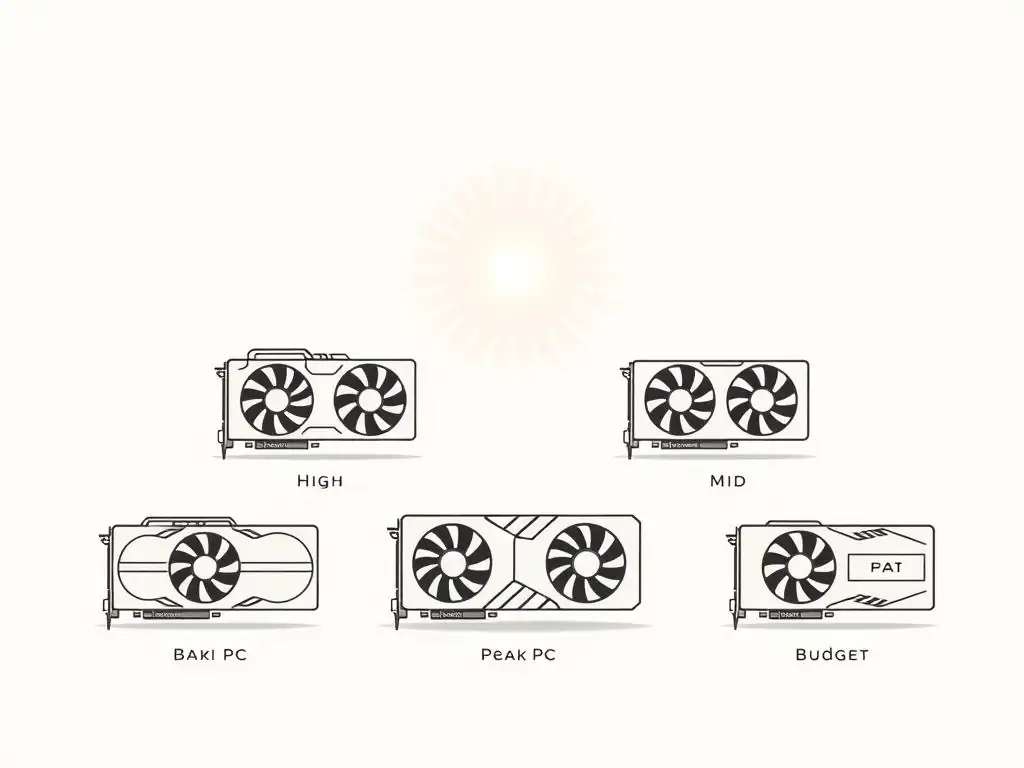
This section dives deep into the specifics of currently available top-tier graphics cards, comparing their performance and features to help you choose the best graphics card for a fast PC tailored to your needs and budget. We'll explore leading options from both NVIDIA and AMD, focusing on key performance indicators and price-to-performance ratios. Remember, the "best" card depends entirely on your individual requirements – gaming resolution, desired frame rates, and budget all play crucial roles.
NVIDIA GeForce RTX Series: High-End Performance and Ray Tracing Capabilities
NVIDIA's RTX series consistently delivers cutting-edge performance and innovative features, particularly excelling in ray tracing and DLSS (Deep Learning Super Sampling) technologies. These advancements significantly enhance visual fidelity and frame rates in supported games. Let's examine some prominent models:
RTX 4090: Flagship Performance for the Ultimate Gaming Experience
The RTX 4090 represents the pinnacle of NVIDIA's current GPU offerings. It boasts unparalleled raw power, effortlessly handling even the most demanding games at maximum settings and high refresh rates, even at 4K resolution. Expect consistently high frame rates and breathtaking visuals. However, its price point reflects its leading performance, making it a premium investment. Consider this card if you demand the absolute best and are willing to pay a premium for the ultimate gaming experience. Its immense power comes at the cost of high power consumption, so ensure your power supply is adequate.
RTX 4080: High-End Performance at a More Accessible Price Point
While not quite reaching the RTX 4090's extreme performance levels, the RTX 4080 still provides exceptional gaming capabilities at a more palatable price. It offers a significant performance boost over previous generations and delivers smooth, high-refresh-rate gameplay at 1440p and 4K resolutions. This card offers a sweet spot for many high-end gamers seeking a balance between performance and cost. It's a fantastic choice for those seeking top-tier performance without breaking the bank.
RTX 30 Series: Excellent Value for High-Resolution Gaming
Although newer generations exist, the RTX 30 series still offers excellent value for high-resolution gaming. Cards like the RTX 3070, RTX 3080, and RTX 3090 remain strong performers capable of delivering smooth gameplay at 1440p and 4K resolutions, depending on the specific model and game settings. These cards represent a great option for users seeking a balance between performance and affordability, especially considering their often-reduced prices compared to newer releases. They are still viable options for building a fast PC.
AMD Radeon RX Series: Competitive Performance and Innovative Features
AMD's Radeon RX series provides strong competition to NVIDIA, offering competitive performance and often innovative features at potentially more attractive price points. Let's look at some key models:
RX 7900 XTX: High-End Performance Rivaling NVIDIA's Offerings
The RX 7900 XTX is AMD's top-of-the-line offering, delivering high-end performance that rivals NVIDIA's top cards. It provides excellent frame rates at 4K resolution and boasts impressive features. While it might not always outperform the RTX 4080 or 4090 in every benchmark, it offers a compelling alternative with potentially better value, depending on pricing and specific game performance.
RX 7800 XT: Excellent Performance for 1440p and 4K Gaming
The RX 7800 XT provides a strong balance of performance and price. It delivers excellent frame rates at 1440p and 4K resolutions, making it an ideal choice for gamers who want a smooth experience at these resolutions without the extreme cost of flagship cards. It is a powerful contender for the title of best graphics card for a fast PC in its price range.
RX 6000 Series: Solid Performance at Competitive Prices
Similar to the RTX 30 series, the RX 6000 series still offers solid performance at competitive prices, presenting a budget-friendly option for building a fast PC. Cards like the RX 6700 XT and RX 6800 XT provide respectable performance for 1440p gaming and can even handle 4K gaming at lower settings. These cards represent a great value proposition for users on a tighter budget. They are a viable option for users prioritizing affordability without sacrificing significant performance.
This comparison provides a starting point for your research. Remember to check current benchmarks and reviews before making your final decision, as performance can vary depending on the specific game and settings. Choosing the *best graphics card for a fast PC* is a personal decision based on your needs and budget.
Choosing the Right Graphics Card for Specific Tasks: Beyond Gaming
Choosing the best graphics card for a fast PC isn't just about gaming. While gaming performance is a major factor for many, the optimal graphics card heavily depends on your primary computer usage. Different tasks demand different strengths from a GPU, focusing on various aspects like VRAM, processing power, and specific features. Let's explore the best options for tasks beyond gaming.
Graphics Cards for Video Editing and Content Creation: High VRAM and Processing Power
Video editing and content creation are incredibly demanding tasks. High-resolution videos, especially in formats like 4K and 8K, require substantial VRAM (Video Random Access Memory) to handle large files smoothly. Insufficient VRAM leads to stuttering, lag, and rendering delays, significantly hampering workflow efficiency. Furthermore, powerful processing power (measured in CUDA cores, stream processors, or similar metrics depending on the manufacturer) is crucial for accelerating encoding and decoding processes, making the difference between a project finishing in hours versus days.
For professional video editing, consider cards with at least 12GB of VRAM, preferably 16GB or more, depending on the resolution and complexity of your projects. Look for GPUs with a high number of CUDA cores or equivalent processing units for faster rendering times. Brands like NVIDIA's RTX series and AMD's Radeon Pro series often cater to this professional need with features optimized for video editing software like Adobe Premiere Pro and DaVinci Resolve.
Remember that higher-end cards will translate to a faster and more efficient workflow, directly impacting your productivity. The investment in a superior card will often pay for itself in time saved.
Graphics Cards for 3D Modeling and Animation: Professional-Grade Performance and Features
3D modeling and animation place different demands on a graphics card compared to video editing. While VRAM is still crucial for handling large 3D models and textures, the emphasis shifts towards raw processing power and specific features that accelerate rendering and simulation processes. Professional-grade 3D applications like Autodesk Maya, 3ds Max, and Blender benefit greatly from GPUs with robust compute capabilities and support for advanced rendering techniques like ray tracing and path tracing.
For optimal performance, seek GPUs with high CUDA core counts and support for technologies like NVIDIA OptiX or AMD Radeon ProRender. These features significantly accelerate rendering times, allowing for faster iteration and feedback loops during the creative process. The ability to handle complex shaders and physically based rendering (PBR) is also vital for achieving realistic and high-quality visuals. While VRAM requirements are similar to video editing, the focus on raw processing power and specialized features is paramount for 3D professionals. Investing in a card designed for professional 3D applications will lead to significant improvements in workflow efficiency.
Graphics Cards for Machine Learning and AI: Specialized GPUs and CUDA Cores
Machine learning and artificial intelligence tasks require specialized GPUs with a focus on parallel processing capabilities. These applications rely heavily on massive computational power to train and run complex algorithms. The number of CUDA cores, Tensor Cores (NVIDIA), or equivalent processing units is a critical factor, directly impacting the speed of model training and inference. Moreover, sufficient VRAM is essential to store and process large datasets used in machine learning.
For machine learning and AI, NVIDIA's Tesla and RTX series GPUs are often preferred due to their extensive CUDA core counts and optimized libraries for deep learning frameworks like TensorFlow and PyTorch. AMD's Radeon Instinct series also offers competitive options. However, the specific GPU choice will depend on the complexity of the models and datasets being used.
For example, training large language models requires significantly more computational resources than running smaller, pre-trained models. Choosing the right card involves careful consideration of the specific AI/ML workload, balancing processing power and VRAM needs for optimal performance. The speed of training and inference directly translates to quicker results and faster development cycles.
Choosing the best graphics card for a fast PC dedicated to AI/ML demands careful planning and consideration of specific needs.
Making the Purchase: Tips for Buying the Best Graphics Card
Choosing the best graphics card for a fast PC involves more than just looking at the specs. Savvy purchasing strategies can save you money and headaches. This section focuses on making informed decisions to maximize your investment.
Where to Buy: Finding the Best Deals and Avoiding Scams
Finding the best deal on a high-performance graphics card requires diligence. Avoid purchasing from untrusted sources. Reputable online retailers often offer competitive pricing and buyer protection. Always check customer reviews before committing to a purchase. Look for retailers with clear return policies and established reputations.
Be wary of deals that seem too good to be true; these often mask scams or the sale of refurbished/used cards without proper disclosure. Price comparison websites can be invaluable tools for identifying the best prices across different vendors. Remember to factor in shipping costs and potential taxes when comparing prices. Consider purchasing during sales periods like Black Friday or Cyber Monday for potential discounts.
A crucial aspect of finding the best graphics card for a fast PC is understanding the seller's reputation. Look for established retailers with a history of positive customer feedback. Check for reviews on independent sites and forums dedicated to PC hardware. These reviews often provide invaluable insights into the seller's reliability and customer service.
Understanding Warranties and Returns: Protecting Your Investment
A strong warranty is crucial when buying a graphics card, especially given their price point. Before purchasing, carefully review the warranty offered by the manufacturer and retailer. Understand the duration of the warranty, what it covers (manufacturing defects, accidental damage, etc. ), and the process for making a claim. Some retailers offer extended warranties for an additional fee. Assess whether this added protection is worthwhile based on your risk tolerance and budget.
Familiarize yourself with the retailer's return policy. Knowing the return window and conditions is essential in case the card arrives damaged or malfunctions. Keep all packaging and documentation in case a return or warranty claim becomes necessary. This proactive approach helps protect your investment and ensures peace of mind. Documenting the purchase with photos and order confirmation is also a good practice.
Installing Your New Graphics Card: A Step-by-Step Guide
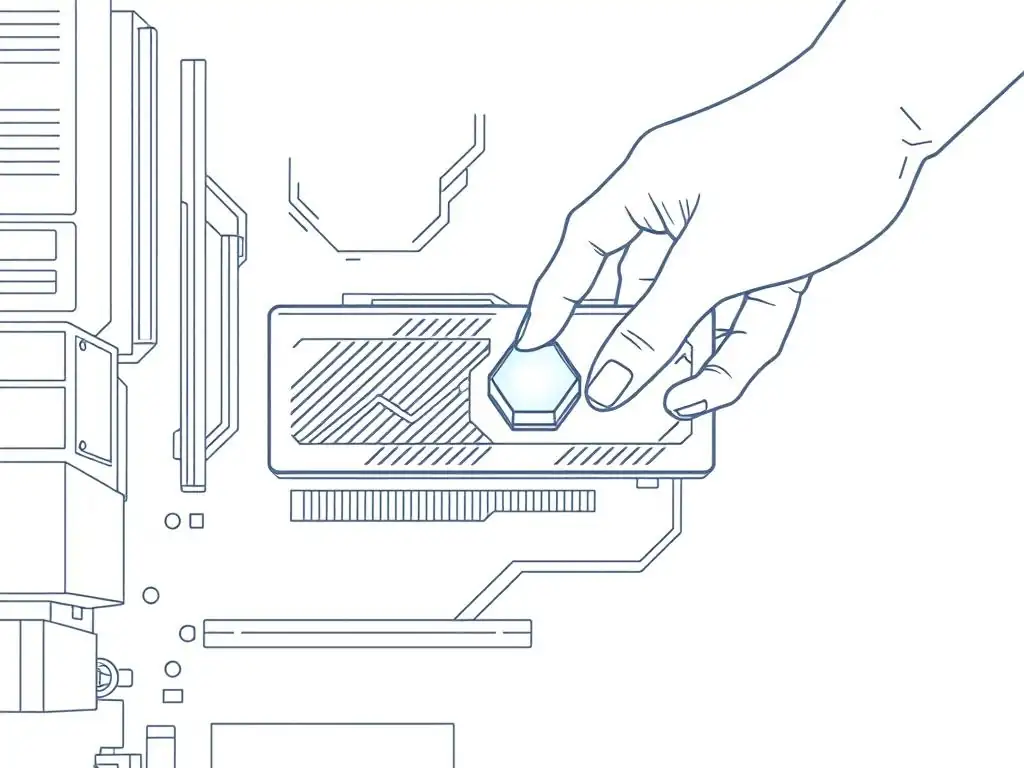
Installing a new graphics card might seem daunting, but with careful preparation and a methodical approach, it's a manageable task. Before beginning, always ensure your computer is completely powered off and unplugged. Ground yourself to prevent static electricity damage. Open your computer case carefully, following the manufacturer's instructions. Locate the PCIe x16 slot on your motherboard. This is usually the longest slot.
Carefully remove the existing graphics card (if applicable) by gently pressing the release clip. Align the new graphics card with the PCIe slot and firmly press it in until it clicks into place. Secure the card using the provided bracket screws. Reconnect all cables, ensuring everything is firmly seated. Replace the computer case side panel and power on your system.
Update your graphics card drivers from the manufacturer's website for optimal performance. This ensures you have access to the latest features and bug fixes. After installation, run benchmark tests to confirm the card is functioning correctly and achieving expected performance levels. This is crucial to verify that the best graphics card for a fast PC is indeed delivering the promised speed. If you encounter any issues, consult your motherboard and graphics card manuals for troubleshooting guidance.
Maximizing Your Graphics Card's Performance: Optimization Tips
This section focuses on squeezing every ounce of performance from your newly acquired graphics card, ensuring your investment translates directly into a blazing-fast PC experience. We'll explore several key optimization strategies, moving from simple, readily-implementable techniques to more advanced options for experienced users. Remember, even the best graphics card for a fast PC needs proper care and attention to truly shine.
Updating Drivers: Ensuring Optimal Performance and Stability
Outdated graphics drivers are a common culprit behind subpar performance. They can lead to compatibility issues, glitches, and significantly reduced frame rates. Regular driver updates are crucial for maintaining optimal performance and stability, unlocking the full potential of your graphics card. Think of it as regularly servicing your car's engine – essential for peak efficiency.
Manufacturers like NVIDIA and AMD release driver updates frequently, often including performance improvements, bug fixes, and new features. These updates are not merely cosmetic; they frequently incorporate optimizations tailored to specific games and applications, resulting in tangible boosts in FPS (frames per second) and overall responsiveness.
Checking for updates is a straightforward process. Typically, you can find the latest drivers on the manufacturer's website (NVIDIA or AMD). Alternatively, many use dedicated software utilities that automatically scan for and install the most recent drivers. This automated approach simplifies the process and ensures you're always running the best possible version. Remember to always back up your system before installing any major driver updates – a precautionary measure that can save you considerable hassle if anything goes wrong.
Overclocking (Advanced): Boosting Performance
Overclocking involves pushing your graphics card beyond its factory-set clock speeds, resulting in a potential increase in performance. However, this is an advanced technique that carries inherent risks. Improper overclocking can lead to instability, system crashes, and even hardware damage. Proceed with caution and only if you're comfortable with the risks involved. This is not recommended for novice users.
Before attempting to overclock, thoroughly research your specific graphics card model and its overclocking capabilities. Many online resources provide detailed guides and tutorials. Start with small incremental increases to the core clock and memory clock speeds, monitoring your system's stability after each adjustment. Utilize monitoring software to track temperatures and voltages, ensuring they remain within safe operating parameters. High temperatures can significantly reduce the lifespan of your GPU, and exceeding voltage limits can permanently damage the hardware.
A successful overclock can yield a noticeable performance improvement, measured in increased FPS in games and faster rendering times in applications. However, the gains are not always linear, and the potential risks should always be weighed against the potential rewards. Even a small, stable overclock can provide a worthwhile performance boost for the best graphics card for a fast PC.
Cooling Solutions: Keeping Your GPU Cool Under Pressure
Maintaining optimal temperatures is paramount for the long-term health and performance of your graphics card. High temperatures can throttle performance, leading to reduced clock speeds and instability. Effective cooling is therefore crucial, particularly when overclocking or running demanding applications.
Several cooling solutions are available, ranging from passive cooling (heat sinks) to active cooling (fans). Many high-end graphics cards come equipped with robust cooling systems, but upgrading to a more powerful cooler can significantly improve thermal performance, especially under heavy load.
Consider the following factors when choosing a cooling solution: noise levels, airflow, compatibility with your case, and thermal performance (measured in degrees Celsius or Fahrenheit). Ensure adequate airflow within your PC case to prevent heat buildup. Regular cleaning of dust and debris from your components is also vital for maintaining optimal cooling. A clean system runs cooler and more efficiently. Ignoring this aspect can negate the benefits of even the best graphics card for a fast PC. Proper cooling is a cornerstone of maximizing performance and longevity.
This detailed guide offers actionable steps to enhance the performance of your graphics card, transforming your PC into a high-performance machine. Remember, consistent maintenance and careful optimization are crucial for achieving peak performance and ensuring the longevity of your hardware investment.
Frequently Asked Questions
What makes a graphics card crucial for a fast PC?
A graphics card is essential for fast PC performance, especially when it comes to visual tasks. It handles the rendering of images and videos, significantly impacting gaming, video editing, and 3D modeling speed. Without a powerful graphics card, these processes will be slow.
How do I determine which graphics card is "best" for my needs?
The "best" graphics card depends entirely on your budget and intended use. Consider whether you primarily game, edit videos, or do 3D work. Research specific models within your budget that meet the requirements of your chosen applications.
What are the key specifications to look for when choosing a graphics card?
Pay close attention to the GPU (Graphics Processing Unit), VRAM (Video RAM), and clock speed. Higher numbers generally mean better performance, but also a higher price. Consider your monitor's resolution and refresh rate for optimal compatibility.
Are there significant differences between NVIDIA and AMD graphics cards?
Both NVIDIA and AMD produce high-quality graphics cards. NVIDIA generally commands a higher price point, while AMD often offers more value for your money. Both brands offer a range of performance levels to suit various budgets and needs. Ultimately, the best choice depends on individual needs and preferences.
How can I ensure I'm getting the best possible price for my chosen graphics card?
Shop around and compare prices from different retailers. Look for sales and deals, and consider buying a refurbished card from a reputable seller if you're on a tight budget. Reading reviews can also help you avoid overpriced or subpar products.
Final Reflection: Unlocking Your PC's Potential: Beyond the Graphics Card
The quest for the perfect graphics card is more than just a technical pursuit; it's a gateway to unlocking the full potential of your personal computing experience. In today's digitally driven world, seamless performance isn't a luxury—it's a necessity, impacting everything from creative workflows to everyday productivity. Choosing the right graphics card is a crucial step in ensuring your PC keeps pace with your ambitions.
The impact of powerful graphics processing extends far beyond gaming. It fuels advancements in fields like artificial intelligence, scientific research, and even medical imaging. The future is already here—it's just not very evenly distributed.
This quote, often attributed to William Gibson, perfectly encapsulates the disparity between those who have access to powerful technology and those who don't. Choosing the right graphics card, while seemingly a small decision, contributes to bridging that gap, empowering individuals to participate fully in the digital age.
So, what's your next step? Don't just passively consume information; actively engage with it. Consider your needs, research your options, and make an informed decision about the graphics card that best suits your individual requirements. This isn't just about buying a component; it's about investing in your future, empowering yourself with the tools to achieve your goals, and experiencing the thrill of a truly blazing-fast PC. Take control of your digital destiny—start building the PC of your dreams today.
Unleash Your PC's Potential: Build Your Dream Rig Today!
Thanks for exploring our guide on choosing the perfect graphics card! We hope you now feel confident navigating the world of GPUs and building a high-performance PC. Ready to take the next step?
- Start building your dream PC! Use your newfound knowledge to create your ideal component list—even if it's just a preliminary plan. This will help solidify your vision and provide a solid foundation for further research.
- Share your progress with the UltimateLifeHacks community! Let us know in the comments which graphics card you're considering and why. We love hearing about your PC-building experiences.
- Explore more of our tech guides! Deepen your understanding of PC building with our extensive library of articles covering everything from CPU selection to advanced cooling techniques.
What's the next component you plan to research after selecting your graphics card? Let's start a discussion!