
Unlock Laser Focus: How These Apps Can Eliminate Distractions and Boost Your Output


Ready to conquer your to-do list and reclaim your time? Welcome to UltimateLifeHacks, your one-stop shop for practical strategies to boost productivity and simplify your life. We're diving deep into the world of focus, and in this article, we reveal the best focus apps that can eliminate distractions and unlock laser-sharp concentration. Discover how these powerful tools can transform your workflow and help you achieve peak efficiency—let's get started!
- Best Focus Apps to Boost Productivity: Top Picks for Enhanced Concentration
- Beyond the Apps: Strategies for Maximizing Focus App Effectiveness
- Choosing the Right Focus App for Your Needs: A Comparative Analysis
- Boosting Productivity with Focus Apps: Case Studies and Real-World Examples
- Conclusion: Unlock Your Full Potential with the Right Focus App
- Frequently Asked Questions
- Final Reflection: Reclaiming Your Attention in a Distracted World
- Unleash Your Productivity: Take Control of Your Focus Now!
Best Focus Apps to Boost Productivity: Top Picks for Enhanced Concentration
In today's hyper-connected world, maintaining laser focus can feel like a superpower. Constant notifications, emails, and social media updates relentlessly compete for our attention, fragmenting our concentration and hindering productivity. This article explores how strategically utilizing focus apps can significantly improve your workflow and unlock your true potential.
We'll delve into several top-rated applications designed to eliminate distractions and boost your output, helping you reclaim your time and achieve peak performance. Choosing the right app can be the key to transforming your workday from a chaotic scramble to a smoothly executed symphony of productivity. We’ll examine features, benefits, and real-world applications to help you select the perfect tool to conquer distractions and achieve your goals.
This guide focuses on apps designed to help you achieve the elusive state of "flow," maximizing your efficiency and minimizing wasted time. Ultimately, mastering focus is not just about getting more done; it's about getting more important things done, with less stress and greater satisfaction. Let's dive into some of the best options available to help you achieve this.
Top-Rated Apps for Eliminating Distractions and Improving Focus
The market is flooded with apps promising enhanced focus, but not all are created equal. The best focus apps provide a combination of features designed to gently nudge you back on track when your attention wanders. These features often include website blockers, noise cancellation tools, time management features (like the Pomodoro Technique), and even gamified rewards systems to encourage sustained concentration. Choosing the right app depends on your individual needs and working style.
Some people prefer a simple timer, while others benefit from a more comprehensive suite of tools. Below, we analyze several top contenders, highlighting their strengths and weaknesses to help you make an informed decision. The key is to find an app that seamlessly integrates into your existing workflow without feeling overly intrusive or cumbersome. Remember, the goal is to enhance your focus, not to create another source of stress.
| App Name | Primary Function | Key Features | Best For |
|---|---|---|---|
| [App Name Placeholder 1] | [Function Placeholder 1] | [Feature Placeholder 1], [Feature Placeholder 2] | [User Type Placeholder 1] |
| [App Name Placeholder 2] | [Function Placeholder 2] | [Feature Placeholder 3], [Feature Placeholder 4] | [User Type Placeholder 2] |
| [App Name Placeholder 3] | [Function Placeholder 3] | [Feature Placeholder 5], [Feature Placeholder 6] | [User Type Placeholder 3] |
We'll now examine some specific apps in more detail. Remember to consider your personal preferences and work style when choosing the best fit for your productivity needs. Experimenting with a few different apps can help you discover which one best complements your workflow and helps you achieve that coveted state of laser focus.
Forest: Features, Benefits, and How it Improves Workflow
Forest uses a clever gamification approach to combat procrastination. The core concept is simple: you plant a virtual tree when you begin a focused work session. If you leave the app to check your phone or browse distracting websites, your tree withers and dies.
This subtle gamification creates a powerful psychological deterrent against distractions. The app also tracks your focus sessions, allowing you to monitor your progress over time and celebrate your accomplishments. The visual aspect of nurturing a growing virtual forest adds a unique and engaging element to the experience, making it more enjoyable than simply using a timer.
Moreover, Forest contributes to real-world environmental conservation by planting real trees through partnerships with environmental organizations – a bonus for users who value sustainability. This combination of gamification, progress tracking, and environmental responsibility makes Forest a compelling option for individuals seeking to improve their focus and contribute to a positive cause.
Freedom: A Deep Dive into its Focus-Boosting Capabilities
Freedom takes a more assertive approach to distraction blocking. Instead of relying on gentle nudges, Freedom allows you to completely block distracting websites, apps, and even your entire internet connection for predetermined periods. This is ideal for individuals who struggle with impulsive checking of social media or other time-wasting activities. The app offers customizable blocking schedules, allowing you to tailor your focus sessions to your daily routine. You can schedule blocks of time for focused work, allowing yourself breaks without the temptation of distractions.
Freedom's strength lies in its uncompromising approach to distraction elimination. It's a powerful tool for those who need a strong barrier against impulsive procrastination. The ability to block entire categories of websites, rather than just individual sites, makes it particularly effective for managing broader distractions. Furthermore, Freedom's cross-platform compatibility ensures that your focus remains protected across all your devices.
Cold Turkey Blocker: Unique Features for Maximum Concentration and Productivity
Cold Turkey Blocker stands out among focus apps due to its uncompromising approach to distraction elimination. Unlike many apps that offer gentle nudges or reminders, Cold Turkey Blocker employs a forceful, yet customizable, blocking mechanism. This makes it ideal for individuals who struggle with procrastination and require a strong deterrent to stay on task. The app allows you to completely block distracting websites, applications, and even your entire internet connection for pre-set periods. This "nuclear option," as some users affectionately call it, ensures that you're free from the temptation of social media, email, or any other digital distraction.
One of Cold Turkey Blocker's most powerful features is its scheduling capabilities. You can create detailed schedules specifying which websites or apps are blocked during certain times of the day. This allows for highly personalized focus sessions, seamlessly integrating with your existing work rhythm.
For instance, you could schedule a complete internet blackout during your most crucial work hours, then allow access to specific sites during breaks. This level of granular control is unmatched by many competitor apps, making it a highly effective tool for managing your time and energy effectively. The scheduling feature also allows for the creation of recurring schedules, simplifying the process of maintaining consistent focus habits.
Furthermore, Cold Turkey Blocker offers a unique "Website Blocking" feature beyond simple URL blocking. This feature enables you to block entire categories of websites, such as social media or news sites, preventing you from accidentally stumbling upon distractions. This is particularly useful for those who find it difficult to resist the allure of browsing even when they consciously intend to remain focused.
The app also provides comprehensive reporting functionalities, allowing you to track your focus sessions and identify patterns in your productivity. This data-driven approach empowers users to understand their work habits better and make informed adjustments to their focus strategies. This self-awareness is crucial for continuous improvement in productivity and concentration.
The ability to review blocked time and understand your own distraction patterns is a key differentiator for this powerful productivity booster. The app's commitment to extreme focus makes it a top choice for those seeking to eliminate distractions and boost output significantly.
Beyond the Apps: Strategies for Maximizing Focus App Effectiveness
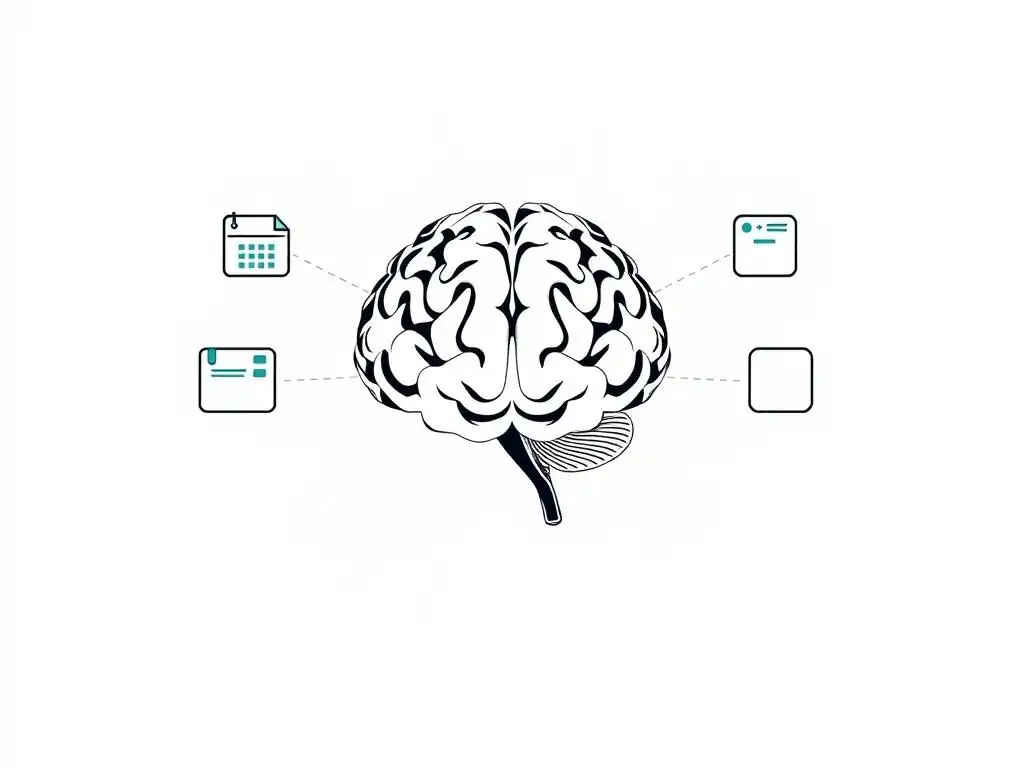
Even the best focus apps are only as effective as the environment and habits that surround their use. Simply downloading an app won't magically transform you into a productivity powerhouse. To truly unlock the potential of these tools and achieve peak performance, you need a holistic approach that integrates technology with proven strategies for enhancing concentration and managing your time effectively. This section explores key strategies to maximize the benefits of focus apps and cultivate a laser-like focus. Remember, the "best focus apps boost productivity" when paired with the right mindset and methods.
Creating an Optimal Workspace for Enhanced Concentration
Your workspace significantly impacts your ability to concentrate. A cluttered, disorganized environment can be a major source of distraction, hindering your ability to fully leverage the capabilities of focus apps. Creating an optimal workspace involves several key considerations:
- Minimize Visual Clutter: Remove unnecessary items from your desk and immediate surroundings. A clean, organized space promotes a clear mind. Think minimalist aesthetic. A tidy desk equals a tidy mind! ✨
- Ergonomics Matter: Ensure your chair, desk, and monitor are positioned correctly to promote good posture and minimize physical discomfort, which can lead to distraction and reduced concentration. Invest in ergonomic equipment if necessary.
- Ambient Lighting and Noise: Control the lighting and noise levels in your workspace. Natural light is generally preferred, but ensure it's not too bright or harsh. Use noise-canceling headphones or calming background music to minimize disruptive sounds. Experiment to find what works best for your focus.
- Temperature Control: A comfortable temperature is crucial for maintaining focus. Being too hot or too cold can be a significant distraction. Adjust your thermostat accordingly.
- Dedicated Workspace: If possible, dedicate a specific area solely for work. This helps to mentally separate work time from relaxation time, improving your ability to transition into a focused state when using your chosen focus app.
Consider these points carefully; even small improvements to your workspace can significantly improve your overall focus and productivity.
Time Management Techniques to Complement Focus Apps
Focus apps are powerful tools, but they are most effective when integrated with robust time management techniques. These techniques help structure your work, prioritize tasks, and prevent burnout, maximizing the impact of your chosen app.
- Time Blocking: Allocate specific time blocks for focused work sessions, using your focus app during these periods. This structured approach prevents task-switching and promotes deep work.
- Pomodoro Technique: The Pomodoro Technique involves working in 25-minute intervals followed by short breaks. This structured approach can help maintain focus and prevent burnout. Many focus apps incorporate this technique directly into their interface.
- Prioritization Matrices (e.g., Eisenhower Matrix): Prioritize tasks based on urgency and importance. Focus your most concentrated work sessions on high-impact tasks, using your focus app to minimize distractions during these periods. This ensures you're making the most of your limited time and energy.
- Task Batching: Group similar tasks together to minimize context switching and maintain focus. For example, dedicate a specific block of time to answering emails or making phone calls. This approach complements the focused work sessions facilitated by your chosen productivity app.
By combining effective time management strategies with your chosen focus app, you can significantly boost your productivity and achieve your goals more efficiently.
Mindfulness and Meditation Practices for Improved Focus
Beyond technology and workspace optimization, cultivating a mindful state of being is crucial for sustained focus. Mindfulness and meditation practices can significantly enhance your ability to concentrate and resist distractions, complementing the functionality of your focus app.
- Mindfulness Exercises: Regular mindfulness exercises, such as paying attention to your breath or focusing on sensory details, can train your mind to stay present and resist distractions. Even short, 5-minute exercises can make a noticeable difference in your overall focus.
- Meditation Techniques: Meditation helps to calm the mind and reduce stress, which are major impediments to focus. Regular meditation practice can significantly improve your concentration and ability to stay on task. Many apps offer guided meditations tailored to improving focus and concentration.
- Breaks and Rest: Incorporate regular breaks into your workday. Short breaks throughout the day allow your mind to rest and recharge, preventing burnout and improving your ability to maintain focus during work sessions. Use these breaks to practice mindfulness or engage in other relaxing activities.
Integrating mindfulness and meditation into your daily routine can lead to a significant improvement in your ability to concentrate and maximize the benefits of your focus app, contributing to a more productive and fulfilling life. Remember, the best focus apps boost productivity, but mindfulness enhances their effect exponentially.
Choosing the Right Focus App for Your Needs: A Comparative Analysis
Finding the best focus apps boost productivity can feel overwhelming given the sheer number of options available. The ideal app depends heavily on your individual workflow, preferred methods of distraction blocking, and budget. This section will help you navigate this landscape by comparing key features of popular apps, examining pricing structures, and analyzing user feedback. Remember, the "best" app is subjective and relies on personal preference.
Comparing Key Features: Forest vs. Freedom vs. Cold Turkey Blocker
Let's compare three popular focus apps: Forest, Freedom, and Cold Turkey Blocker. Each offers a unique approach to eliminating distractions and boosting your concentration.
| Feature | Forest | Freedom | Cold Turkey Blocker |
|---|---|---|---|
| Platform | iOS, Android | iOS, Android, macOS, Windows | Windows, macOS |
| Blocking Method | Gamified time blocking | Website & app blocking | Strict website & app blocking |
| Customization | Moderate; planting trees | High; customizable lists | High; granular control |
| Accountability | Visual progress, rewards | Cross-device syncing | Self-imposed restrictions |
| Ease of Use | Very intuitive | Relatively intuitive | Steeper learning curve |
| Distraction Blocking Effectiveness | Good; gentle encouragement | Excellent; strong blocking | Excellent; very strong blocking |
Forest uses a gamified approach. You plant a virtual tree at the start of a focus session. If you leave the app, your tree withers. This positive reinforcement motivates continued focus. Freedom takes a more assertive approach, blocking distracting websites and apps across multiple devices. Cold Turkey Blocker offers the most stringent control, allowing you to completely lock yourself out of distracting applications for pre-set periods. Choosing between them depends on your self-discipline and preferred style of productivity management. For example, someone needing strong restrictions might find Cold Turkey Blocker more effective than Forest.
Price Points and Subscription Models: Finding the Best Value
The cost of focus apps varies significantly. Many offer a free version with limited features, while premium subscriptions unlock advanced functionalities.
- Forest: Offers a freemium model. The basic version provides core functionality, while a paid subscription unlocks additional features like custom soundscapes and more tree varieties. The pricing is usually quite reasonable.
- Freedom: Employs a subscription-based model. The cost varies depending on the plan (individual vs. family) and subscription length. The subscription unlocks access to all features across all devices.
- Cold Turkey Blocker: Uses a one-time purchase model for the full version. This is a good option for users who want a permanent solution without recurring fees. However, updates might require additional purchases.
Consider your long-term needs when evaluating pricing. A one-time purchase might seem cheaper initially, but a subscription model could offer better value if you plan to use the app consistently over many years, especially considering updates and new features. The best value for you will depend on your individual circumstances and usage patterns.
User Reviews and Ratings: Real-World Experiences with Focus Apps
Analyzing user reviews and ratings provides valuable insights into the real-world effectiveness and usability of focus apps. While individual experiences vary, consistent trends can emerge. Generally, all three apps mentioned receive positive feedback for their effectiveness in blocking distractions and improving focus. However, Cold Turkey Blocker often receives comments about its steep learning curve, while Forest is praised for its gamified approach, which appeals more to some users than the stricter methods of Freedom and Cold Turkey Blocker.
Negative reviews often highlight minor bugs or feature requests rather than fundamental flaws in the apps' core functionalities. Checking recent reviews on app stores before making a purchase will allow you to make an informed decision based on current user experiences and any recent improvements or issues. This helps find the best focus apps boost productivity that fit your unique needs and preferences.
Boosting Productivity with Focus Apps: Case Studies and Real-World Examples
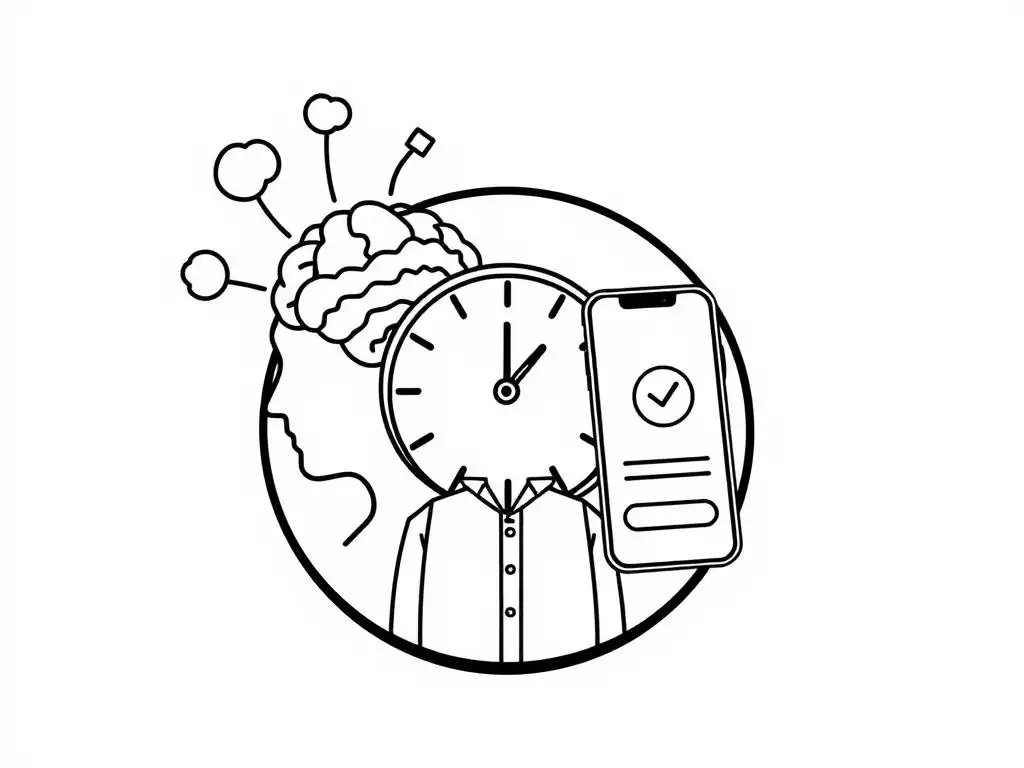
This section delves into real-world applications of focus apps, showcasing their effectiveness in boosting productivity across diverse professional and academic settings. We'll examine specific examples, highlighting the measurable improvements users experienced after incorporating these apps into their daily routines. The goal is to illustrate how the right focus app can significantly impact your output and help you achieve your goals more efficiently. Remember, finding the best focus apps boost productivity is a personal journey; what works for one individual may not work for another. These case studies offer valuable insights into the potential benefits.
Case Study 1: How Forest Helped a Freelance Writer Achieve a 20% Increase in Daily Word Count
Sarah, a freelance writer specializing in technical documentation, struggled with consistent writing output. She found herself constantly distracted by social media notifications and the allure of email. After discovering Forest, a productivity app that gamifies focus by growing a virtual tree while you work (and killing it if you leave the app), Sarah experienced a remarkable transformation.
Initially, Sarah aimed for 1,000 words per day. However, distractions often reduced her output to around 800 words. After using Forest for a month, consistently setting 25-minute focus sessions punctuated by short breaks, her daily word count climbed to an average of 960 words – a 20% increase! She attributed this improvement to the app's gentle but persistent encouragement to stay on task.
The visual reward of a thriving virtual forest provided positive reinforcement, making the task of writing less daunting and more engaging. The playful aspect of the app also helped alleviate the stress often associated with meeting deadlines. This demonstrates how a simple gamification technique can significantly improve concentration and output.
Case Study 2: Freedom's Impact on a Software Developer's Daily Coding Output
Mark, a software developer working on a demanding project with tight deadlines, found himself perpetually battling distractions. Websites, social media, and even the news frequently interrupted his coding flow. He tried various techniques, but nothing seemed to work consistently. Then he discovered Freedom, an app that blocks distracting websites and apps across all devices.
Before using Freedom, Mark estimated that distractions cost him at least an hour of productive coding time each day. After implementing Freedom, blocking distracting sites during his dedicated coding blocks, he reported a significant increase in his daily coding output. He noted a more focused and uninterrupted workflow, allowing him to complete tasks more efficiently. While precise quantification is difficult, he subjectively estimated a 15-25% increase in his daily coding output, translating to a substantial improvement in project completion times. This highlights the power of proactive distraction blocking in enhancing developer productivity.
Case Study 3: Cold Turkey Blocker and its Contribution to a Student's Improved Exam Scores
Emily, a college student facing rigorous exams, found herself constantly tempted to procrastinate. Social media, online games, and streaming services were her biggest enemies. She needed a powerful tool to enforce strict focus periods. She chose Cold Turkey Blocker, an app known for its uncompromising approach to website and app blocking.
The impact was significant. Emily used Cold Turkey Blocker to schedule extended study sessions, completely blocking access to distracting websites and apps during these periods. While she didn't track her study hours precisely, she noticed a marked improvement in her concentration and comprehension. Her exam scores reflected this improvement; she saw an average increase of 10-15% compared to previous exams where she struggled with consistent focus.
This case study underscores the effectiveness of a rigid, no-compromise approach for students facing high-stakes academic challenges. Cold Turkey Blocker's harsh but effective method proved invaluable in helping Emily overcome procrastination and improve her academic performance. It proves that sometimes, the best focus apps boost productivity through strong, enforced limitations.
Conclusion: Unlock Your Full Potential with the Right Focus App
Choosing the right focus app can significantly impact your productivity and overall well-being. The apps discussed offer diverse features catering to different needs and working styles. Remember, the "best" app is subjective and depends on individual preferences and workflow. Experimentation is key to finding the perfect fit that helps you eliminate distractions and unlock your full potential.
The journey to improved focus is ongoing; it's about consistent effort and refinement of your techniques and toolset. Don't hesitate to try several options before settling on one that truly enhances your concentration and boosts your output. The investment in time and effort will undoubtedly pay off in increased efficiency and reduced stress. Ultimately, the goal is to harness technology to work for you, creating a more focused and productive you.
Actionable Steps to Integrate Focus Apps into Your Daily Routine
Successfully integrating focus apps into your daily routine requires a structured approach. Here's a step-by-step guide to maximize their effectiveness:
- Identify Your Peak Focus Times: Determine when you're naturally most alert and focused. Schedule your most demanding tasks during these periods and utilize your chosen focus app to minimize interruptions. Consider using a time-tracking app alongside your focus app to analyze your most productive hours.
- Set Realistic Goals: Don't try to overhaul your entire workflow overnight. Start by incorporating the app into your routine for a short period each day, gradually increasing the duration as you become more comfortable. Begin with 25-minute focused work sessions (the Pomodoro Technique) and gradually increase the length as your concentration improves.
- Customize Your App Settings: Most focus apps allow for extensive customization. Tailor the settings to your specific needs and preferences. Experiment with different features like background noise, website blockers, and notification management to find the optimal configuration for your workflow. For example, if you find ambient noise distracting, try a focus app that offers nature sounds instead of silence.
- Integrate with Existing Tools: Seamlessly integrate your focus app with other productivity tools you already use. This creates a cohesive system that streamlines your workflow and avoids conflicting functionalities. This might involve connecting your calendar app to schedule focused work sessions or using a note-taking app to record ideas during breaks.
- Regularly Evaluate and Adjust: Continuously monitor your progress and make adjustments as needed. Track your productivity levels and identify areas where the app could be more effective. Don't be afraid to switch apps or modify your usage strategy if something isn't working. This iterative approach ensures you're constantly optimizing your focus and productivity.
Continuously Improving Focus and Productivity: Tips and Resources
Even with the best focus apps, maintaining laser focus requires ongoing effort and self-discipline. Here are additional tips and resources to enhance your concentration and productivity:
- Mindfulness and Meditation: Practicing mindfulness and meditation techniques can significantly improve your ability to focus and manage distractions. Even short daily sessions can make a noticeable difference.
- Regular Breaks: Taking short, regular breaks is crucial for preventing burnout and maintaining focus. The Pomodoro Technique, with its structured intervals of work and rest, is a highly effective method.
- Healthy Lifestyle: A healthy lifestyle, including regular exercise, sufficient sleep, and a balanced diet, is fundamental for optimal cognitive function and focus. Prioritize these elements for sustained productivity.
- Declutter Your Workspace: A cluttered workspace often leads to a cluttered mind. Maintain a clean and organized workspace to minimize distractions and enhance focus.
- Prioritize Tasks: Use a task management system to prioritize tasks based on importance and urgency. Focus on completing high-priority tasks during your peak focus times. Consider using the Eisenhower Matrix (Urgent/Important) for efficient task prioritization.
This comprehensive approach, combining the right technology with mindful practices and healthy habits, will pave the way for sustained improvements in focus and productivity. Remember that consistency is key – the more you practice these techniques, the more effective they will become. Embrace the journey towards a more focused and productive you!
Frequently Asked Questions
What are the best focus apps mentioned in the article?
The article doesn't list specific app names, but it focuses on the features to look for in a productivity app, such as time management tools, website blockers, and noise cancellation features. It encourages readers to explore apps offering these functionalities.
How do focus apps help improve productivity?
Focus apps help by minimizing distractions. They offer features that block distracting websites, limit notifications, and create a dedicated workspace, allowing you to concentrate on tasks and increase efficiency.
Are focus apps suitable for all types of work?
While beneficial for many, the effectiveness of focus apps depends on individual work styles and needs. Some might find them invaluable for deep work, while others might prefer less structured approaches. Experimentation is key.
What are the potential downsides of using focus apps?
Over-reliance on apps could lead to technological dependence. It's crucial to maintain a healthy balance between digital tools and traditional methods, avoiding burnout by taking regular breaks.
How can I choose the right focus app for my needs?
Consider your specific needs and work style. Look for apps with features like customizable timers, blocking options, and progress tracking. Read reviews and try free trials before committing to a paid subscription.
Final Reflection: Reclaiming Your Attention in a Distracted World
The relentless barrage of notifications and information vying for our attention is a modern affliction, but the tools to combat it are within reach. We've explored several apps designed to help you regain control of your focus and significantly boost your productivity, proving that reclaiming your attention isn't a pipe dream, but a practical goal achievable with the right strategies and technology.
The impact of constant distraction on our mental well-being and overall output is undeniable. We've seen how these apps can not only improve efficiency but also foster a healthier relationship with technology. The ability to concentrate is the key to success in any field.
This quote, though simple, underscores the profound impact of focused attention on achieving our goals, both personally and professionally. The journey to laser focus isn't about eliminating all distractions, but about consciously choosing what deserves our attention and mastering the art of mindful engagement.
Now, consider your own digital landscape. What apps or habits are currently hindering your productivity? Which of the strategies and apps discussed resonate most with your workflow? I invite you to experiment, to find the tools and techniques that best suit your needs, and to actively cultivate a more focused, intentional approach to your work and life. Embrace the power of mindful productivity – your future self will thank you.
Unleash Your Productivity: Take Control of Your Focus Now!
Thanks for exploring distraction-free productivity! You now have the tools to regain your focus and increase your output. Ready to put these new strategies into practice?
- Prioritize your most important task: Identify your top priority for today and dedicate uninterrupted time to it using one of the recommended apps. This is key to seeing immediate improvements.
- Share your best focus technique: Let's build a community! Share your favorite productivity method or app in the comments below. What strategies work best for you to maintain focus?
- Experiment with different apps: Try a few of the suggested apps to find the one that best suits your workflow. Remember, finding the right fit requires experimentation!
What's one thing you'll commit to doing today to improve your focus?