
Reclaim Your Day: Top Automation Tips for Digital Tasks


Feeling overwhelmed by your digital to-do list? Imagine a world where mundane tasks vanish, freeing up precious hours in your day. At UltimateLifeHacks, we're dedicated to helping you achieve peak productivity. This article dives deep into the art of automating digital tasks efficiently, showing you exactly how to reclaim your time and unlock a more streamlined, effective workflow. Ready to experience the difference? Let's get started!
- Automate Digital Tasks Efficiently: A Productivity Revolution
- Streamlining Your Email Management: Automate for Inbox Zero
- Automating Social Media Management: Save Time, Increase Engagement
- Automating Content Creation and Scheduling: Boost Your Productivity
- Automating Data Entry and Management: Minimizing Manual Labor
- Mastering File Organization and Management Through Automation
- Choosing the Right Automation Tools for Your Needs
- Measuring the Success of Your Automation Strategies
- Advanced Automation Techniques for Digital Task Management
-
Frequently Asked Questions
- What are some examples of digital tasks I can automate?
- How can I automate digital tasks efficiently without coding skills?
- What are the benefits of automating digital tasks?
- Are there any security risks associated with automating digital tasks?
- How do I choose the right automation tool for my needs?
- Final Reflection: Reclaiming Time, Reclaiming Life
- Reclaim Your Time: Automate Now!
Automate Digital Tasks Efficiently: A Productivity Revolution
Reclaiming your day doesn't mean working harder; it means working smarter. In today's digital age, we're bombarded with an endless stream of tasks – emails, social media updates, file management, and more. This constant influx can easily overwhelm even the most organized individual, leading to burnout and decreased productivity. This article explores how to effectively automate digital tasks, freeing up valuable time and mental energy for what truly matters.
We'll delve into practical strategies and specific examples to help you streamline your online workflows, ultimately boosting your efficiency and achieving a better work-life balance. Learning to automate digital tasks efficiently is no longer a luxury—it's a necessity for anyone striving for optimal productivity in the modern world. This guide will provide you with the tools and knowledge to transform your digital routine, making it more manageable, efficient, and even enjoyable.
Understanding the Benefits of Automating Digital Workflows
Automating digital workflows offers a multitude of benefits extending far beyond simply saving time. While time savings are significant – imagine reclaiming hours each week previously spent on repetitive tasks – the advantages reach deeper. Increased efficiency leads to reduced stress and improved focus. When mundane tasks are handled automatically, your mental energy is freed to tackle more complex and creative projects. This translates to improved job satisfaction and a greater sense of accomplishment. Furthermore, automation minimizes errors associated with manual data entry and repetitive actions, leading to greater accuracy and reliability in your work.
Consider the impact of automating email filtering. Instead of manually sorting through hundreds of emails daily, an automated system can filter spam, prioritize important messages, and even schedule responses. This not only saves time but also reduces the mental clutter associated with managing a constantly overflowing inbox. The cumulative effect of these small yet impactful changes can significantly improve your overall productivity and well-being. Think of it as a small investment of time upfront that yields substantial returns in the long run. The initial setup might require some effort, but the ongoing benefits far outweigh the initial investment.
Identifying Prime Candidates for Task Automation
Not all digital tasks are created equal. To maximize the impact of automation, focus your efforts on identifying tasks that are:
- Repetitive: Tasks performed frequently and consistently, like scheduling social media posts or sending recurring emails.
- Time-consuming: Tasks that eat up large chunks of your day, such as data entry or file organization.
- Error-prone: Tasks with a high risk of human error, such as manual data transcription or complex calculations.
- Low-value: Tasks that add little value to your overall output but still demand significant time.
Here's a table summarizing some prime candidates for automation:
| Task Category | Example Tasks | Potential Automation Tools |
|---|---|---|
| Social Media Management | Scheduling posts, engaging with followers | Buffer, Hootsuite, Later |
| Email Management | Filtering spam, auto-responding, scheduling emails | Gmail filters, Boomerang, Mailchimp |
| File Organization | Organizing documents, renaming files | Dropbox, Google Drive, cloud storage folder organization |
| Data Entry | Inputting data into spreadsheets, databases | Zapier, IFTTT, dedicated data entry software |
| Reporting & Analytics | Generating reports, analyzing data | Google Data Studio, Power BI, Tableau |
By carefully analyzing your daily routine, you can pinpoint the tasks most suitable for automation, maximizing your return on investment in time and effort. Remember, starting small with one or two tasks is a perfectly acceptable approach. You can gradually expand your automation efforts as you gain experience and confidence.
Assessing Your Current Digital Workflow for Automation Opportunities
Before diving into specific automation tools, take the time to thoroughly assess your existing digital workflow. This involves documenting your current processes, identifying bottlenecks, and pinpointing areas ripe for optimization. Use a simple flowchart or a list to map out each step of your daily digital tasks.
This visual representation will help you identify repetitive patterns and areas where automation can significantly improve efficiency. Consider using a timer to track how much time you spend on each task; this data will help prioritize which tasks to automate first. Remember, the goal is to identify the "low-hanging fruit"—the tasks that are easily automatable and will yield the biggest impact on your productivity.
A systematic assessment will ensure that your automation efforts are focused and effective, maximizing your return on investment. Don't be afraid to experiment and iterate; finding the perfect workflow might require some trial and error. The process of optimization is an ongoing one, and continuous improvement is key to long-term success.
Streamlining Your Email Management: Automate for Inbox Zero
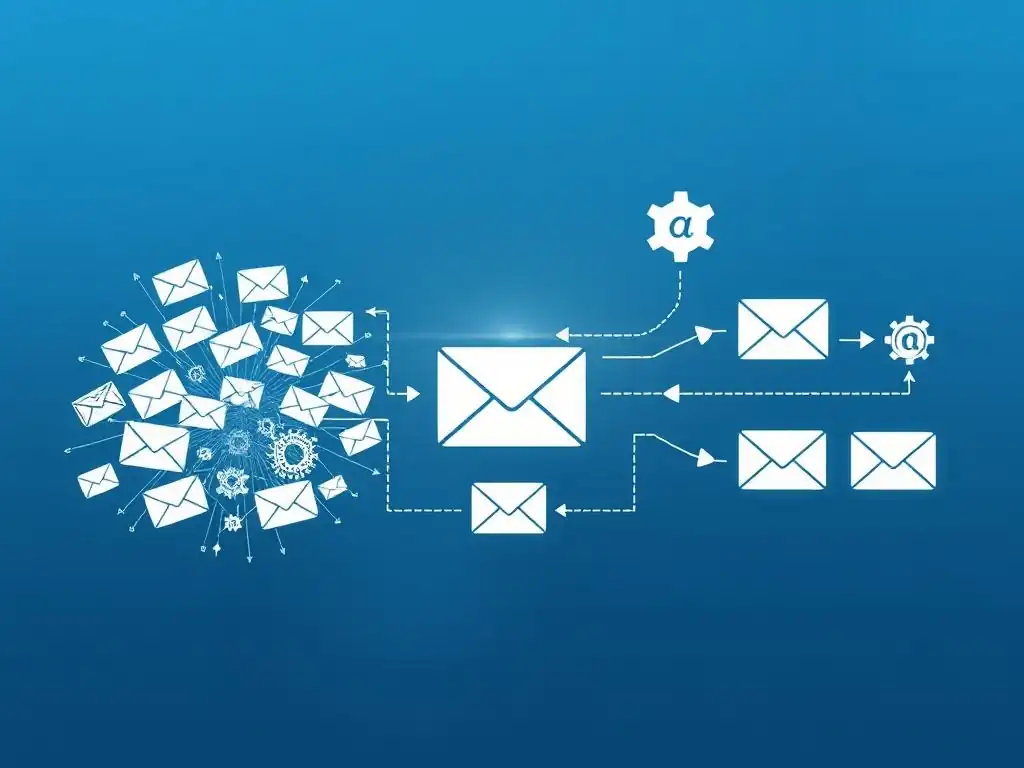
Email is often the biggest time suck in our digital lives. Constantly checking, responding, and sorting through messages can easily consume hours each day. However, a significant portion of this time can be reclaimed through automation. Efficiently automating digital tasks, especially email management, is key to regaining control of your schedule and achieving that elusive "Inbox Zero." Let's delve into some practical strategies.
Automating Email Filtering and Sorting for Efficient Management
The first step to conquering your inbox is intelligent filtering and sorting. Most email providers offer robust filtering capabilities. Instead of manually sifting through messages, you can automate the process. For example, you can create filters to:
- Automatically archive emails from newsletters or mailing lists you rarely read.
- Move emails from specific senders (e.g., social media notifications) directly to a designated folder.
- Flag important emails (like those from clients or your boss) for immediate attention.
- Assign labels or tags to categorize emails for easy retrieval later.
Setting up these filters takes a bit of initial time investment, but the long-term payoff is substantial. Consider implementing a system where you categorize emails based on urgency and importance using a matrix (e.g., Eisenhower Matrix). This allows you to prioritize tasks effectively, even with automated sorting. The more granular your filtering, the more efficiently your inbox will be managed. Think of it as creating a highly efficient system to automate digital tasks related to email organization.
Setting Up Automated Email Responses for Improved Communication
Automated email responses, or "out-of-office" replies, are not just for vacations. You can use them strategically to manage expectations and improve communication. For example:
- Scheduled Responses: Create a response that automatically replies to emails received outside of your working hours, letting senders know when they can expect a reply. This sets boundaries and manages expectations, preventing unnecessary after-hours stress.
- Specific Responses: Design automated responses for specific types of emails, such as inquiries about frequently asked questions. This frees up time for more complex issues and provides immediate answers to common questions.
- Acknowledgment Responses: Set up an auto-reply acknowledging receipt of an email and indicating when a full response will be sent. This builds trust and improves communication transparency.
Remember to tailor these responses to your specific needs and maintain a professional tone. Overuse can be counterproductive, so carefully consider when and how to utilize automated email responses to streamline your workflow and manage expectations effectively. This is a crucial step in automating digital tasks for better communication and reduced response times.
Utilizing Email Automation Tools for Scheduling and Follow-Ups
Beyond basic email filtering and automated responses, dedicated email automation tools offer advanced features. These tools can:
- Schedule emails: Send emails at optimal times to maximize engagement and open rates.
- Automate follow-ups: Send automated follow-up emails after a specific period, ensuring timely communication and increased response rates.
- A/B test email campaigns: Optimize your email marketing strategy by testing different subject lines and content to improve your results.
- Integrate with other tools: Connect your email automation tool with other applications for a seamless workflow.
Exploring these options can drastically improve your email efficiency. Many tools offer free plans or trials, allowing you to test their features before committing. Consider the features that best align with your needs and workflow when selecting an email automation tool. This strategic approach enhances your ability to automate digital tasks and optimize your email management for improved productivity and efficiency.
Automating your social media management is crucial for boosting productivity and maximizing your online presence. Instead of manually posting and engaging across multiple platforms, automation tools allow you to schedule content in advance, freeing up valuable time for other tasks. This section focuses on practical strategies to effectively automate your social media workflow, helping you to efficiently automate digital tasks.
Maintaining a consistent online presence is key to building a strong brand and engaging your audience. Scheduling tools allow you to create a content calendar and pre-schedule posts across various platforms like Facebook, Instagram, Twitter, and LinkedIn. This ensures regular updates, even when you're unavailable. Consider the following:
- Optimal Posting Times: Analyze your audience's activity to determine the best times to post for maximum engagement. Most social media analytics dashboards provide this data. Experimentation is key to finding what works best for your specific audience.
- Content Variety: Don't just schedule the same type of content repeatedly. Mix it up with images, videos, stories, and text-based posts to keep your audience engaged and avoid monotony. 😴
- Batching Content: Dedicate specific blocks of time to create and schedule social media content. This approach significantly reduces the mental load and improves efficiency. Think of it as "social media batch cooking"! 🧑🍳
Beyond scheduling posts, automating interactions significantly boosts engagement and fosters a sense of community. While complete automation of meaningful replies is still challenging, tools can help with initial automated responses and liking/commenting on relevant posts. However, remember the importance of maintaining a human touch. Over-reliance on automation can feel impersonal.
- Automated Welcome Messages: Set up automated welcome messages for new followers to instantly acknowledge their engagement. This is a simple yet effective way to show appreciation.
- Automated Thank You Replies: Schedule automatic replies to comments and mentions, expressing gratitude for the interaction. This helps build stronger relationships with your audience.
- Keyword Monitoring and Automated Responses: Use tools that monitor specific keywords or hashtags and automatically respond with pre-written messages. This is particularly useful for customer service or answering frequently asked questions. Remember to personalize responses whenever possible to avoid a robotic feel.
Numerous tools are available to help automate various aspects of social media management. Choosing the right tool depends on your specific needs and budget. Some popular options offer a variety of features, from scheduling and analytics to automated interaction and reporting. Consider these factors when selecting a tool:
| Feature | Importance Level | Example Tools |
|---|---|---|
| Scheduling | High | Hootsuite, Buffer, Later |
| Analytics | High | Each platform's built-in analytics, Sprout Social |
| Automated Replies | Medium | Many tools offer this, but use cautiously! |
| Cross-Platform | High | Most comprehensive tools handle multiple platforms simultaneously. |
| Budget | High | Prices vary significantly; choose a plan that fits your needs. |
Remember that while automation streamlines your workflow, it shouldn't replace genuine human interaction. Strive for a balance between automated tasks and authentic engagement to build a thriving online community and efficiently automate digital tasks. The key is to use these tools strategically, focusing on efficiency and maintaining a personal touch.
Automating Content Creation and Scheduling: Boost Your Productivity
Automating content creation and scheduling is a game-changer for boosting productivity. It frees up significant time and mental energy, allowing you to focus on higher-level tasks and strategic planning. Instead of spending hours manually creating and scheduling each piece of content, you can leverage automation tools to streamline the entire process. This allows for more efficient content creation and distribution, leading to a significant increase in output without sacrificing quality. The key is to strategically identify which tasks can be automated and which require a more human touch.
Automating Content Repurposing for Maximum Impact
Content repurposing, the process of transforming existing content into new formats, is a fantastic way to maximize your efforts. Instead of starting from scratch each time, you can repurpose a blog post into a series of social media updates, an infographic, a short video, or even a podcast episode. This significantly increases your reach and engagement with minimal extra work. For instance, a detailed blog post about "Automate digital tasks efficiently" can be easily repurposed into shorter, easily digestible tweets, Instagram captions, or LinkedIn posts, each tailored to the specific platform.
Tools exist that can even help automate the formatting and scheduling of this repurposed content across multiple platforms, saving you valuable time and effort. Effective repurposing also ensures consistent brand messaging and reinforces your expertise in the area of workflow automation. Consider the ROI: one piece of original content generating multiple pieces of engaging content across various platforms.
Scheduling Blog Posts and Other Content for Optimal Timing
Scheduling content for optimal timing is crucial for maximizing reach and engagement. Different platforms and audiences have different peak activity times. Automating this process ensures your content is delivered when your target audience is most likely to see it.
Scheduling tools allow you to pre-plan your content calendar weeks or even months in advance, ensuring a consistent flow of valuable information without the daily grind of manual posting. This allows you to maintain a regular publishing schedule, a critical component for building a strong online presence and improving your search engine optimization (SEO).
This method also allows for A/B testing of different posting times to determine the optimal schedule for each platform, further refining your content strategy and maximizing your efficiency in automating digital tasks. For example, scheduling a blog post about "efficiently automating digital tasks" for a weekday afternoon might yield better results than a weekend morning, depending on your target demographic.
Utilizing Content Automation Tools for Seamless Workflow
Numerous tools facilitate a seamless workflow for content automation. These range from simple scheduling tools to sophisticated platforms that integrate with other applications. Choosing the right tools depends on your specific needs and budget. Some tools offer features like automated image resizing, content formatting, and social media posting, all designed to streamline the entire process.
Consider the features that are most important to you; perhaps you need robust analytics, integrated social media scheduling, or advanced automation capabilities. Evaluating the cost versus the time saved is essential. Investing in a comprehensive content automation tool can significantly increase your productivity and free you to focus on the creative aspects of your work, ultimately resulting in a more efficient and sustainable content creation strategy. Think of it as an investment in your time – a valuable resource that can be leveraged to exponentially increase your output and impact.
Automating Data Entry and Management: Minimizing Manual Labor

This section focuses on how to automate data entry and management, freeing up valuable time and minimizing errors. Efficiently automating digital tasks, particularly repetitive data entry, is crucial for boosting productivity. We'll explore practical strategies and tools to streamline your workflows and reclaim your day. The core principle is to leverage technology to handle the mundane, allowing you to focus on higher-level tasks requiring your unique skills and judgment. This translates to increased efficiency and a significant reduction in the risk of human error.
Automating Data Entry with Software and Integrations
Manual data entry is a time-consuming and error-prone process. Fortunately, numerous software solutions and integrations exist to automate this task. Consider these options:
- Zapier/IFTTT: These platforms allow you to connect different apps and automate workflows between them. For example, you can automatically add new email contacts to your CRM or create tasks in your project management tool based on incoming emails. This significantly reduces manual data entry for lead generation and customer management.
- Dedicated Data Entry Software: Several software packages specialize in automated data entry. These often use Optical Character Recognition (OCR) technology to extract data from documents like invoices or receipts. This eliminates the need for manual typing, greatly speeding up the process. Many offer integrations with popular business applications.
- Custom Scripting (for advanced users): If you possess programming skills, you can create custom scripts to automate data entry tasks specific to your needs. This requires more technical expertise but offers unparalleled flexibility and control. This approach is ideal for highly specific and repetitive tasks not easily handled by off-the-shelf solutions.
The key to successful automation is identifying repetitive data entry points and choosing the right tool or combination of tools to address them. A careful assessment of your current workflow is essential before implementing any automated solution. Consider factors such as data volume, data source, and desired output.
Utilizing Spreadsheet Automation for Efficient Data Management
Spreadsheets are ubiquitous in many professional settings, and automating tasks within them can significantly improve efficiency. Here are some powerful techniques:
- Macros: Spreadsheets like Microsoft Excel and Google Sheets allow you to record and automate repetitive tasks using macros. This is ideal for tasks like formatting data, applying formulas, or generating reports. Macros can dramatically reduce the time spent on these routine operations. Think of automatically formatting hundreds of rows of data with a single click, instead of doing it manually row by row.
- Formulas and Functions: Mastering spreadsheet formulas and functions is crucial for automation. Functions like
VLOOKUP,INDEX, andMATCHallow you to efficiently retrieve and manipulate data. Combined with conditional formatting, you can create dynamic spreadsheets that automatically update and highlight important information. This allows for proactive identification of trends and anomalies in your data. - Add-ons and Extensions: Numerous add-ons and extensions enhance spreadsheet capabilities, providing advanced automation features. These can range from data cleaning tools to custom formula libraries, further streamlining your workflow and improving data management. Choosing the right add-ons depends on your specific needs and the complexity of your data.
Implementing Automated Data Backup and Security Protocols
Automating data backup and security is critical for protecting your valuable information. Data loss can be devastating, so implementing robust automated backups is non-negotiable.
- Cloud-Based Backup Services: Services like Dropbox, Google Drive, and OneDrive offer automated backups of your files. These services often include version history, allowing you to recover previous versions of your files if needed. This provides a simple, yet effective, automated backup solution.
- Scheduled Backups (local and network): For more control, you can schedule automated backups to a local hard drive or network storage. This requires configuring backup software, but it offers greater flexibility and customization options. Regular, automated backups are essential for disaster recovery.
- Data Encryption: Encrypting your data adds an extra layer of security, protecting it from unauthorized access even if a backup is compromised. Many backup services offer encryption features, and you can also use encryption software to protect your local backups. This critical step safeguards sensitive data from potential breaches.
Implementing these automated security protocols is a proactive measure that safeguards your data and minimizes the impact of potential data loss. Regularly reviewing and updating your backup and security strategy is crucial for maintaining data integrity and business continuity. Efficiently automating digital tasks also includes protecting the data itself.
Mastering File Organization and Management Through Automation
Efficient file management is crucial for productivity, and automation can significantly enhance this process. Manually organizing and searching for files consumes valuable time that could be better spent on other tasks. By automating these processes, you can reclaim hours each week and significantly reduce the stress associated with disorganized digital clutter. This section explores practical strategies to automate your file organization and management, allowing you to "Automate digital tasks efficiently."
Automating File Organization and Archiving for Easy Retrieval
Automating file organization involves strategically using software and tools to automatically sort, categorize, and archive files based on predefined rules. This eliminates the need for manual intervention and ensures consistent file structure. For instance, you can set up rules to automatically move downloaded files to specific folders based on file type (e.g., images to an "Images" folder, documents to a "Documents" folder). Similarly, you can automate archiving of older files based on date or size, moving them to a designated archive folder on your local drive or cloud storage.
This process can be further refined by implementing naming conventions. For example, using a consistent date-based naming system (YYYYMMDD) can streamline searching and retrieval. Consider using software that allows for the creation of custom metadata tags, enabling more sophisticated filtering and sorting. Properly configuring these automation tools can dramatically reduce the time spent searching for specific files. Consider the time saved – imagine never having to manually sift through hundreds of files again! That's the power of automating file organization.
Automating File Conversion and Formatting for Seamless Workflow
Inconsistencies in file formats can disrupt workflows and create extra work. Automating file conversion and formatting ensures consistency and saves considerable time. Many software applications offer built-in capabilities for batch conversion. For example, you can convert multiple image files from JPEG to PNG format with a single click. Similarly, you can automate the conversion of documents between different formats (e.g., PDF to Word, or vice versa) using specialized tools. This is particularly beneficial when dealing with large volumes of files received from various sources.
Beyond simple conversions, automation can handle more complex formatting tasks. Think about standardizing document headers, footers, or margins across a large set of documents. This eliminates the tedious task of manually adjusting each individual file. This level of automation contributes directly to "Automate digital tasks efficiently," boosting both your productivity and the quality of your output. The time saved translates to more time focused on higher-value tasks.
Utilizing Cloud Storage and Automation for Efficient File Management
Cloud storage services offer powerful integration with automation tools. Services like Dropbox, Google Drive, and OneDrive allow for the creation of automated workflows to sync files across multiple devices, automatically back up important data, and even trigger actions based on file changes. For example, you can set up a rule to automatically upload photos from your phone to a cloud storage folder, ensuring that your memories are safely backed up and easily accessible from anywhere.
Furthermore, cloud storage often integrates with other automation tools, enabling sophisticated workflows. You can, for example, automatically share files with collaborators based on predefined rules, or automatically trigger email notifications upon completion of a file upload or download. This level of integration streamlines collaboration and ensures that everyone has access to the most up-to-date information.
The seamless integration of cloud storage and automation tools is a powerful way to "Automate digital tasks efficiently" and optimize your entire digital workflow. Think of the peace of mind knowing your files are safely backed up and readily accessible, all without lifting a finger!
Choosing the Right Automation Tools for Your Needs

Automating digital tasks efficiently is key to reclaiming your day and boosting productivity. However, the sheer number of automation tools available can be overwhelming. This section focuses on helping you navigate this landscape and select the perfect tools for your specific needs. The process involves careful consideration of your current workflow, the types of tasks you want to automate, and your budget. Remember, the most efficient automation strategy isn't about using every tool; it's about using the right tools effectively. Choosing wisely ensures you maximize your return on investment (ROI) in terms of both time and money.
Comparing Different Automation Software and Platforms
The market offers a diverse range of automation software and platforms, each with its own strengths and weaknesses. Some cater to specific niches, like email marketing or social media management, while others offer more generalized automation capabilities. A crucial first step is to identify the type of automation you need. Are you primarily focused on automating repetitive tasks like data entry, scheduling social media posts, or managing emails? Or do you need more advanced functionalities such as web scraping, process orchestration, or integrating different applications?
Let's compare three popular categories:
| Category | Examples | Strengths | Weaknesses | Ideal Use Case |
|---|---|---|---|---|
| RPA (Robotic Process Automation) | UiPath, Automation Anywhere, Blue Prism | Powerful for automating complex, cross-application workflows. | Can be expensive and require significant technical expertise. | Automating intricate business processes across multiple systems. |
| Workflow Automation Tools | Zapier, IFTTT, Make (formerly Integromat) | Easy to use, wide range of integrations, suitable for various tasks. | Limited customization options for complex workflows. | Automating simple to moderately complex tasks across apps. |
| Programming-based Automation | Python with libraries like selenium, requests |
Highly customizable and powerful for unique automation needs. | Requires programming skills; steeper learning curve. | Building bespoke automation solutions for specific needs. |
Understanding these differences is vital to choosing a platform that aligns with your technical skills and automation goals. For instance, a small business owner might find workflow automation tools like Zapier more user-friendly than RPA software. Conversely, a large enterprise might require the robust capabilities of RPA to handle complex, cross-departmental processes.
Evaluating Features and Pricing of Automation Tools
Beyond comparing categories, carefully evaluating the features and pricing models of individual tools is crucial. Consider the following factors:
- Integrations: Does the tool integrate with the applications you use daily (e.g., Gmail, Slack, Salesforce, Google Sheets)? A robust integration ecosystem is essential for seamless automation.
- Ease of Use: How intuitive is the interface? Can you easily set up and manage your automations without extensive training? Some tools are designed for technical users, while others prioritize ease of use for non-programmers.
- Scalability: Can the tool handle an increasing volume of tasks as your needs grow? Consider future scalability when making your choice.
- Pricing: Automation tools offer various pricing models, including free plans, subscription-based plans, and enterprise solutions. Carefully compare pricing based on your expected usage and features required. Consider the total cost of ownership, including any potential implementation or training costs.
- Security: Ensure the tool employs robust security measures to protect your data. Look for features like encryption and access controls.
Don't be swayed solely by price. A cheaper tool might ultimately cost you more time and effort if it lacks essential features or is difficult to use. Prioritize functionality, ease of use, and scalability to ensure long-term efficiency.
Selecting the Best Automation Tools for Your Specific Digital Tasks
Finally, tailor your automation strategy to your specific digital tasks. For example:
- Email Management: Tools like SaneBox or Mailchimp can automate email filtering, scheduling, and responses.
- Social Media Management: Buffer or Hootsuite can automate scheduling and posting across various platforms.
- Data Entry: Consider RPA tools or even simple spreadsheet formulas to automate repetitive data entry tasks. This can significantly reduce manual effort and errors.
- Web Scraping: Tools like Octoparse or ParseHub can automate the extraction of data from websites, saving you considerable time and effort. This is useful for market research or data analysis.
Remember, the key is to start small, focusing on automating the most time-consuming and repetitive tasks first. Gradually expand your automation strategy as you gain experience and identify additional areas for improvement. Efficient automation is an iterative process; continuous refinement is key to maximizing its benefits. Don't be afraid to experiment and find the tools and techniques that best suit your workflow and goals. The ultimate reward is reclaiming your time and boosting your overall productivity.
Measuring the Success of Your Automation Strategies
Automating digital tasks efficiently is crucial for boosting productivity, but simply implementing automation isn't enough. You need a robust system for measuring its success. This involves carefully tracking key metrics, analyzing the collected data, and iteratively refining your strategies based on performance. Only through continuous monitoring and adjustment can you truly maximize the benefits of automation and ensure it aligns with your overall goals. Ignoring this crucial step can lead to wasted resources and missed opportunities for optimization. Let's delve into the specifics.
Tracking Key Metrics to Evaluate Automation Effectiveness
To effectively measure the success of your automation endeavors, you need to establish clear, quantifiable metrics. These metrics will provide concrete evidence of your automation's impact on efficiency and productivity. Key metrics to track include:
- Time saved: This is perhaps the most straightforward metric. Calculate the time previously spent on the automated task and compare it to the time now required (often near zero for fully automated tasks). For example, if you automated email responses and saved 2 hours per day, that's a significant win!
- Error reduction: Automation significantly reduces human error. Track the number of errors before and after automation implementation. A drastic decrease indicates a successful automation strategy. For instance, if your automated data entry system reduced errors from 5% to 0.5%, that's a substantial improvement.
- Increased throughput: Measure the increase in the number of tasks completed within a given timeframe. If your automated system processes 100 orders per hour compared to 50 manually, you’ve doubled your throughput.
- Cost savings: Consider the cost of manual labor versus the cost of maintaining your automation systems. This might include software subscriptions, hardware costs, and the time spent setting up and maintaining the automated system. A positive return on investment (ROI) is a crucial indicator of success.
- Customer satisfaction: For customer-facing tasks, measure changes in customer satisfaction scores (CSAT) or Net Promoter Scores (NPS). Automated responses or processes can improve customer experience, leading to higher satisfaction levels.
Analyzing Data to Identify Areas for Improvement in Automation
Simply collecting data isn't enough; you need to analyze it to pinpoint areas needing improvement. This involves regularly reviewing your chosen metrics and identifying trends or anomalies. For example:
- Unexpected spikes in errors: An increase in errors after a period of smooth operation might indicate a bug in your automated system or a change in the input data requiring adjustment.
- Plateaus in time savings: If time savings remain stagnant despite operational changes, it might suggest the automation is reaching its limits or requires further optimization.
- Decreased throughput: A drop in throughput could point to bottlenecks in the automated workflow or issues with system capacity.
- Negative ROI: If the costs associated with automation outweigh the savings, it's time to re-evaluate the strategy, possibly by simplifying the process or exploring alternative automation tools.
Tools like spreadsheet software or dedicated business intelligence (BI) platforms can greatly assist in data analysis, providing visualization tools to easily identify trends and patterns. Don't underestimate the power of visual representations; they can quickly reveal areas for improvement that might be missed with raw data alone. 📊
Refining Your Automation Strategies Based on Performance Data
Analyzing your data should lead to actionable insights. Use this information to refine your automation strategies. This might involve:
- Adjusting parameters: Tweak settings within your automation software to optimize its performance. For instance, you might adjust the thresholds for automated email responses or fine-tune the logic of a robotic process automation (RPA) workflow.
- Implementing new automation: Identify manual tasks still consuming significant time and explore opportunities to automate them. Prioritize tasks with high potential for time savings and error reduction.
- Improving data quality: Poor data quality can hinder automation effectiveness. Implement data cleaning and validation processes to ensure the accuracy and reliability of your input data.
- Retraining or replacing tools: If a particular tool consistently underperforms, consider retraining your team on its usage or exploring alternative solutions better suited to your needs.
- Iterative approach: Remember that automation is an iterative process. Continuously monitor, analyze, and adjust your strategies based on performance data to ensure ongoing optimization and maximize the benefits of automation. 🔄
By consistently applying this iterative approach, you'll not only automate digital tasks efficiently, but you'll also unlock their full potential for productivity gains and cost savings. Remember, continuous improvement is key to achieving long-term success in automation.
Advanced Automation Techniques for Digital Task Management
This section delves into more sophisticated strategies for automating your digital tasks, moving beyond basic scheduling and into the realm of interconnected workflows and custom solutions. Efficiently automating digital tasks requires understanding the power of integration and customization. We'll explore how to leverage existing tools and build bespoke solutions to truly optimize your digital life.
Integrating Automation Tools for a Seamless Workflow
Efficiently automating digital tasks often involves integrating multiple tools. Think of it like an assembly line, where each tool performs a specific function, seamlessly passing the output to the next. This approach minimizes manual intervention and maximizes efficiency. For instance, imagine a workflow where new emails are automatically categorized, prioritized, and then added to your task management system, all without you lifting a finger.
This requires careful selection and configuration of compatible applications. Consider factors like API access, data formats, and the overall complexity of the integration process. Some tools excel at integration, offering pre-built connectors or robust APIs. Others might require custom scripting or coding. The complexity should be weighed against the potential time savings.
Here's a table illustrating a potential workflow integration:
| Tool | Function | Data Output | Integration Method |
|---|---|---|---|
| Email Client (Gmail) | Receives and filters emails | Filtered emails (Subject, Sender) | Gmail API, Zapier/IFTTT |
| Zapier/IFTTT | Acts as intermediary | Task details (Description, Due Date) | Pre-built Integrations |
| Task Management (Todoist) | Receives and organizes tasks | Organized Task List | API or Webhooks |
| Calendar App (Google Calendar) | Schedules tasks based on priority | Calendar Events | API or Webhooks |
The key is to choose tools that work well together and to carefully plan the data flow between them. Thorough testing is crucial to ensure the entire workflow operates smoothly and without errors. Remember, the goal is to create a system that runs efficiently in the background, freeing you up to focus on higher-level tasks. Improperly configured integrations can lead to more problems than they solve.
Utilizing IFTTT and Zapier for Advanced Automation
IFTTT (If This Then That) and Zapier are popular automation platforms that allow you to connect different apps and services to create automated workflows, or "applets" and "zaps," respectively. While seemingly similar, their strengths lie in different areas. IFTTT excels in simpler, more readily available integrations, often requiring minimal technical expertise. Zapier, on the other hand, offers more robust functionality and a wider array of integrations, particularly useful for more complex automation scenarios.
For example, you could use Zapier to create a zap that automatically backs up your Google Drive files to Dropbox whenever a new file is added. This ensures data redundancy and peace of mind. Or, with IFTTT, you might create an applet that sends you a text message when your favorite online store has a sale on a product you're tracking. These seemingly small automations accumulate significant time savings over time.
The power of IFTTT and Zapier lies in their ability to connect disparate services effortlessly. They act as bridges between applications that might not otherwise communicate directly. By understanding the capabilities of both platforms, you can significantly enhance your digital task management and streamline numerous online workflows. Experimentation is key; try different combinations of apps to discover the automations that best suit your unique needs.
Creating Custom Automation Solutions for Unique Needs
Sometimes, pre-built solutions like IFTTT and Zapier aren't sufficient. You might need to create custom automation solutions tailored to your specific needs and workflows. This typically involves programming or scripting, which may require some technical expertise. However, the benefits of a truly customized automation system can be substantial.
For example, you might need to automate a complex data processing task, involving multiple steps and custom logic. This could involve using a scripting language like Python along with APIs from the relevant services. Or, you might create a small application to monitor specific website data and trigger actions based on changes. This could use web scraping techniques and a background process to monitor the website for changes.
While this approach demands more technical skill, the potential return on investment is high. Custom solutions allow you to automate tasks that are impossible or impractical to automate using pre-built tools. The level of automation achievable is limited only by your creativity and programming abilities. The key is to start small, focusing on one specific task at a time, and gradually expanding your automation capabilities as your skills and confidence grow. Remember, even small custom automations can significantly improve efficiency and free up valuable time.
Frequently Asked Questions
What are some examples of digital tasks I can automate?
You can automate many tasks, including email management, social media posting, data entry, file organization, and software updates. Focus on repetitive tasks that consume significant time.
How can I automate digital tasks efficiently without coding skills?
Many no-code/low-code automation tools are available. These platforms use visual interfaces to create automated workflows, eliminating the need for complex programming. Explore options like Zapier or IFTTT.
What are the benefits of automating digital tasks?
Automating digital tasks boosts productivity by freeing up your time for higher-value activities. It also reduces errors associated with manual work, resulting in increased accuracy and efficiency.
Are there any security risks associated with automating digital tasks?
Yes, there are potential risks. Ensure you use reputable automation tools and secure your accounts with strong passwords and two-factor authentication. Regularly review your automated workflows for security vulnerabilities.
How do I choose the right automation tool for my needs?
Consider your specific needs and technical skills. Some tools are simpler to use than others. Start by identifying the tasks you want to automate and research tools that offer those capabilities. Read reviews and compare features before making a decision.
Final Reflection: Reclaiming Time, Reclaiming Life
The relentless pace of the digital age demands efficiency, and automating digital tasks isn't just a convenience—it's a necessity. Failing to harness the power of automation leaves us drowning in a sea of emails, notifications, and administrative busywork, robbing us of precious time and mental energy that could be spent on more fulfilling endeavors. This isn't about replacing human connection; it's about strategically leveraging technology to reclaim our days.
The impact of automation on our lives extends far beyond increased productivity. It's about creating space for creativity, connection, and self-care. By streamlining repetitive tasks, we free ourselves to focus on what truly matters. As the philosopher Seneca once wisely observed, It is not that we have so little time, but that we lose so much.
Automating our digital lives isn't just about efficiency; it's about reclaiming the time we lose to unnecessary digital clutter, allowing us to live more intentionally and meaningfully.
Now, consider your own digital workflow. Where are you losing precious time? Which tasks could be automated to free up your mental and physical energy? I challenge you to identify just one area for improvement and implement a simple automation strategy this week. Even small changes can have a significant cumulative effect, leading to a more balanced, fulfilling, and ultimately, more joyful life. Take control of your digital world; reclaim your time, and reclaim your life.
Reclaim Your Time: Automate Now!
Thank you for exploring these automation tips! We hope you've discovered powerful ways to streamline your digital life and are ready to take control of your schedule.
- Prioritize one automation: Identify the most time-consuming digital task you currently face and implement a solution today. Even small improvements can significantly impact your productivity.
- Share your successes: Let us (and others!) know which automation worked best for you in the comments. Inspire others to reclaim their valuable time!
- Explore further: Expand your digital efficiency by researching automation tools and resources. There are many apps and online guides available to help you.
What's the first digital task you plan to automate this week to regain precious time in your day?