
Transform Your Digital Life: The Power of Automated Workflows


Welcome to UltimateLifeHacks, where we unlock the secrets to a more productive and fulfilling life. Are you ready to reclaim your time and energy? This website is dedicated to sharing practical, actionable tips and tricks to streamline your daily routines. Our latest deep dive explores the transformative power of automating workflows in your digital life, revealing how simple changes can lead to massive gains in efficiency. Discover how you can effortlessly manage your digital world and finally achieve that elusive work-life balance. Dive in and start optimizing your life today!
- Understanding the Benefits of Automating Digital Workflows
- Identifying Tasks Suitable for Workflow Automation
- Choosing the Right Automation Tools
- Building Your First Automated Workflow
- Advanced Automation Techniques for Digital Life
- The Future of Automated Workflows in Digital Life
-
Frequently Asked Questions
- What is an automated workflow, and how does it relate to my digital life?
- How can I automate workflows to save time?
- What are some examples of automated workflows for improving efficiency?
- Are there any risks associated with automating workflows in my digital life?
- Where can I learn more about automating my digital life and workflows?
- Final Reflection: Reclaiming Your Time in the Digital Age
- Unleash Your Productivity: Automate Your Way to a Better Life!
Understanding the Benefits of Automating Digital Workflows
Automating your digital workflows isn't just a trendy tech buzzword; it's a fundamental shift towards a more productive and efficient digital life. In today's fast-paced world, juggling multiple online tasks, managing emails, and staying organized can feel overwhelming. This article delves into the transformative power of workflow automation, exploring how strategically automating repetitive digital tasks can significantly improve your productivity, free up valuable time, and ultimately, reduce stress.
We'll examine practical strategies and real-world examples to demonstrate how you can harness the power of automation to reclaim control of your digital life and achieve a more streamlined, efficient online experience. By the end, you'll understand how automating your workflows can lead to a more fulfilling and less stressful digital existence, allowing you to focus on what truly matters. Let's explore how to effectively Automate workflows digital life.
Increased Productivity and Efficiency Through Workflow Automation
Automating repetitive digital tasks directly translates to increased productivity and efficiency. Imagine the time you currently spend on manually checking emails, updating spreadsheets, or scheduling social media posts. These seemingly small tasks accumulate, eating into valuable time that could be spent on more strategic and creative endeavors.
Workflow automation tools, ranging from simple browser extensions to sophisticated software, can handle these repetitive tasks automatically, freeing you up to focus on higher-level tasks that require your unique skills and judgment. For example, automatically sorting emails into predefined folders, or using a scheduling tool to automatically post content at optimal times, can significantly boost your efficiency. The impact is measurable: studies show that businesses that implement workflow automation experience a significant increase in output and a reduction in operational costs.
This same principle applies to individuals looking to optimize their personal digital lives. The key is identifying those repetitive tasks that consume the most time and finding the right automation tools to tackle them. This allows for a more focused and productive workday, ultimately leading to a better work-life balance.
Save Time and Reduce Manual Effort with Automated Systems
One of the most immediate benefits of automating your digital workflows is the significant reduction in manual effort and the time saved. Consider the process of manually downloading files, renaming them, and uploading them to different platforms. This repetitive process can be easily automated using scripting or specialized software.
Similarly, automated systems can handle tasks like data entry, invoice processing, and even social media management. By automating these tasks, you eliminate the potential for human error, reduce the risk of missed deadlines, and free up significant time for more important activities. This time savings can be substantial.
For instance, a study by [Specific data pending] found that businesses reported an average time savings of [Specific percentage pending]% after implementing workflow automation. This translates to more time for personal pursuits, hobbies, and simply relaxing—a crucial element for maintaining a healthy work-life balance in our increasingly digital world. The reduction in manual effort also contributes to a significant decrease in stress levels, allowing for a more enjoyable and less frustrating digital experience.
Streamlining Your Digital Tasks: A More Efficient You
Ultimately, automating your digital workflows is about creating a more efficient and streamlined digital life. By automating repetitive tasks, you not only save time and reduce effort but also gain a greater sense of control over your digital environment. This control translates to reduced stress and improved mental well-being. A well-automated system allows you to focus on the tasks that require your unique skills and creativity, leading to increased job satisfaction and a greater sense of accomplishment.
Think of it as decluttering your digital life. Just as organizing your physical workspace can improve productivity, optimizing your digital workflows using automation leads to a more focused and efficient digital experience. The result is a more efficient you, capable of achieving more in less time, with less stress, and ultimately, a better quality of life.
This holistic approach to digital workflow management is key to thriving in our increasingly digital world and mastering the art of automating your digital life. The journey towards a more efficient you starts with identifying those time-consuming tasks and implementing the right automation tools. 🎉
Identifying Tasks Suitable for Workflow Automation
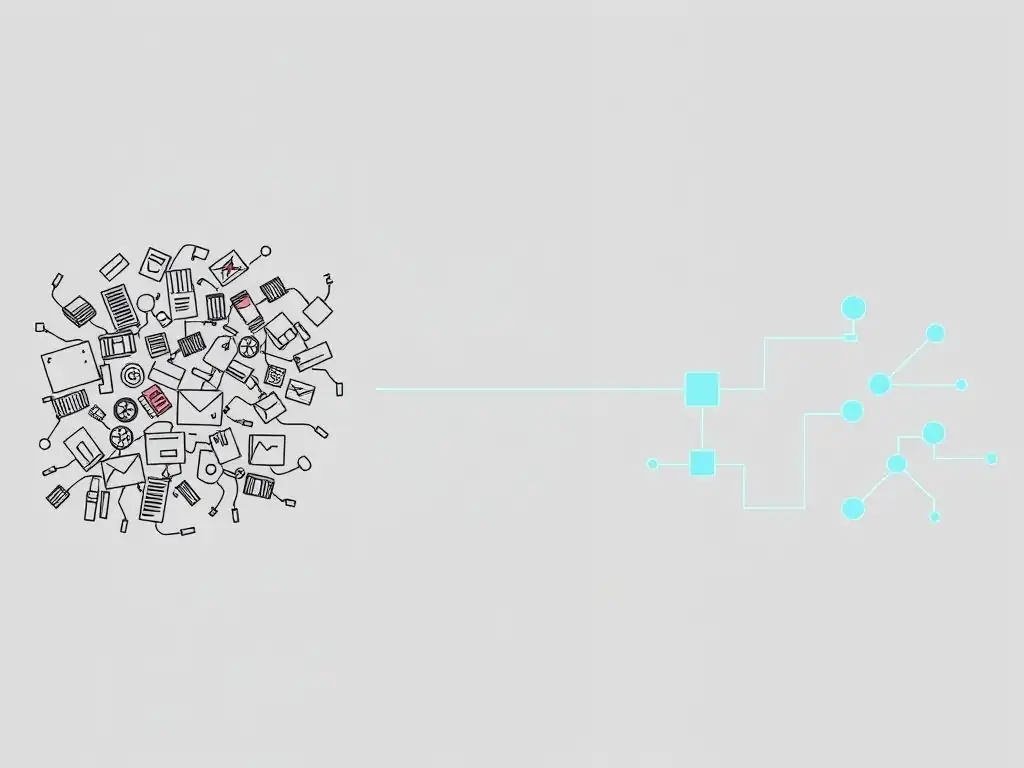
Automating workflows in your digital life can significantly boost productivity and free up valuable time. However, not every task is equally suited for automation. Careful selection is key to maximizing the benefits. This section focuses on identifying the types of tasks that are prime candidates for automation, helping you to strategically integrate automation into your daily routine and achieve a truly optimized digital workflow.
The key is to target repetitive tasks that consume significant amounts of your time and mental energy. By automating these, you'll free yourself up to focus on more creative and strategic endeavors. Efficiently automating workflows in your digital life requires a thoughtful approach.
Automating Repetitive Digital Tasks for Maximum Efficiency
Repetitive tasks are the low-hanging fruit of workflow automation. These are actions you perform multiple times a day, week, or month, often with little variation. Consider these examples:
- Email Management: Filtering emails, automatically archiving messages from specific senders, or setting up automated responses for common inquiries. Implementing these automated actions can drastically reduce the time spent managing your inbox.
- Social Media Posting: Scheduling posts across multiple platforms using a single tool. This ensures consistent engagement without requiring constant manual updates. Imagine the time saved by scheduling a week's worth of posts in just a few minutes.
- File Organization: Automatically sorting and tagging downloaded files based on predefined criteria. This keeps your digital files neatly organized, preventing the frustrating search for misplaced documents. Think of the time saved searching for that vital document.
- Data Entry: Automating data entry from forms or spreadsheets into other applications. This minimizes errors and significantly speeds up data processing. Accurate and swift data entry is crucial for maintaining efficient workflows.
- Backup and Synchronization: Automating the regular backup of your important files to the cloud or an external drive. This safeguards your data and provides peace of mind, a crucial part of efficient digital life management.
Automating these tasks not only saves time but also reduces the likelihood of human error, contributing to a more efficient and reliable workflow. Remember, the more repetitive a task, the greater the potential benefits of automation.
Recognizing Opportunities for Automation in Your Daily Routine
Beyond repetitive tasks, consider automating tasks that involve predictable sequences of actions. This extends the possibilities of automation beyond simple repetition. Look for opportunities where you consistently perform a series of steps, even if they aren't strictly identical each time.
For instance:
- Project Management: Automating task assignments, deadline reminders, and progress tracking within a project management tool. This ensures tasks are completed on time and keeps everyone informed.
- Customer Service: Automating responses to frequently asked questions or providing automated support through chatbots. This improves customer satisfaction and frees up human agents to handle more complex issues.
- Financial Management: Automating bill payments, tracking expenses, and generating financial reports. This improves accuracy and provides a clear overview of your finances.
- Content Creation: Automating aspects of content creation like image resizing, watermarking, or social media image generation. This optimizes content creation and allows for greater consistency.
By carefully observing your daily routine and identifying these predictable sequences, you can unlock further opportunities for automation and streamline your workflow. This strategic approach to automation will transform your digital life and significantly improve efficiency.
Prioritizing Tasks for Automation: A Strategic Approach
Not all tasks are created equal when it comes to automation. Prioritizing tasks for automation requires a strategic approach that considers both the time saved and the complexity of implementation. A useful framework is to consider the following:
| Task | Time Saved (Estimated) | Complexity of Automation | Priority | Justification |
|---|---|---|---|---|
| Email Filtering | High | Low | High | Saves significant time daily, easy to implement with existing email clients. |
| Social Media Scheduling | Medium | Low | High | Saves consistent time weekly, numerous tools available for easy implementation. |
| File Organization | Medium | Medium | Medium | Saves time searching for files, requires initial setup and configuration. |
| Data Entry | High | High | Medium | Significant time savings, but may require specialized software or scripting. |
| Complex Reports | High | High | Low | Significant time savings, but requires advanced programming skills or tools. |
Start with tasks that offer high time savings with low implementation complexity. Gradually tackle more complex tasks as your automation skills improve. This phased approach ensures a smooth transition and maximizes the return on your automation efforts. Remember, the goal is to progressively automate your digital life, leading to increased efficiency and freeing up your time for higher-value activities. A well-prioritized automation strategy leads to a more productive and fulfilling digital experience.
Choosing the Right Automation Tools
Automating workflows in your digital life can significantly boost productivity, but selecting the right tools is crucial. The ideal automation software depends heavily on your specific needs and technical proficiency. Don't fall into the trap of choosing the most feature-rich option if you won't utilize most of its capabilities; simplicity and ease of use often outweigh complexity. Consider these factors when making your selection:
Selecting the Best Automation Software for Your Needs
The market offers a plethora of automation tools, each with its strengths and weaknesses. Some cater to individual users seeking to streamline personal tasks, while others are designed for enterprise-level workflow management. Before diving into specific platforms, pinpoint your requirements. Ask yourself:
- What tasks do I want to automate? (e.g., email management, social media scheduling, file organization, data entry)
- What is my budget? Prices range from free (with limitations) to thousands of dollars annually for comprehensive enterprise solutions.
- What is my technical skill level? Some platforms are user-friendly with intuitive interfaces, while others require coding knowledge or specialized training.
- What level of integration is needed? Will the tool need to interact with other apps and services you already use? Seamless integration is key to avoiding fragmented workflows.
For example, if your primary goal is to automate email responses and scheduling, a simpler tool like Zapier might suffice. However, if you need robust workflow orchestration across multiple complex systems, a more powerful platform like IFTTT or Make (formerly Integromat) might be necessary. Consider the scale of your automation needs before committing to a particular solution. A free trial or a freemium model can help you assess a tool's suitability before investing in a paid subscription.
Exploring Different Automation Platforms and Their Features
Let's briefly explore a few popular automation platforms and their key features:
| Platform | Strengths | Weaknesses | Best For |
|---|---|---|---|
| Zapier | User-friendly interface, vast app integrations | Limited customization for complex workflows | Beginners, simple automation tasks |
| IFTTT | Simple "if this, then that" logic, free tier | Fewer advanced features than other platforms | Personal automation, simple web integrations |
| Make (Integromat) | Powerful features, extensive customization | Steeper learning curve, more expensive | Advanced users, complex workflows, businesses |
| Automate.io | Easy to use, strong Google Workspace integration | Fewer third-party app integrations than Zapier | Users heavily reliant on Google services |
Remember, this table only scratches the surface. Thorough research is essential to find the platform that perfectly aligns with your specific "automate workflows digital life" strategy. Read reviews, compare pricing, and test out free trials whenever possible. Don't hesitate to explore less-known platforms; a niche tool might offer a perfect solution for your unique needs.
Integrating Automation Tools into Your Existing Workflow
Successfully integrating automation tools requires careful planning and execution. Rushing the process can lead to errors, inefficiencies, and ultimately, frustration. Follow these steps for a smooth transition:
- Identify key processes: Begin by pinpointing the areas of your digital workflow that are most time-consuming or prone to errors. Focus on automating these first.
- Map out your workflow: Visualize the steps involved in each process. This will help you identify potential bottlenecks and opportunities for automation. Consider using flowchart software to create a clear visual representation.
- Choose the right tools: Select automation tools that are compatible with your existing systems and applications. Prioritize tools with robust APIs and strong integration capabilities.
- Test thoroughly: Before fully implementing any automation, thoroughly test it in a controlled environment. This will help you identify and address any potential issues before they impact your productivity. Start small, focusing on automating one or two tasks at a time, then gradually expand.
- Monitor and refine: Continuously monitor the performance of your automated workflows. Make adjustments as needed to optimize efficiency and accuracy. Regular maintenance is crucial for long-term success. Automation isn't a "set it and forget it" solution; it requires ongoing attention and refinement.
By meticulously planning your integration strategy and choosing the appropriate tools, you can effectively "automate workflows digital life" and unlock significant gains in productivity and efficiency. Remember that the key to successful automation is iterative improvement. Start small, learn from your experiences, and continuously refine your automated workflows to achieve optimal results.
Building Your First Automated Workflow
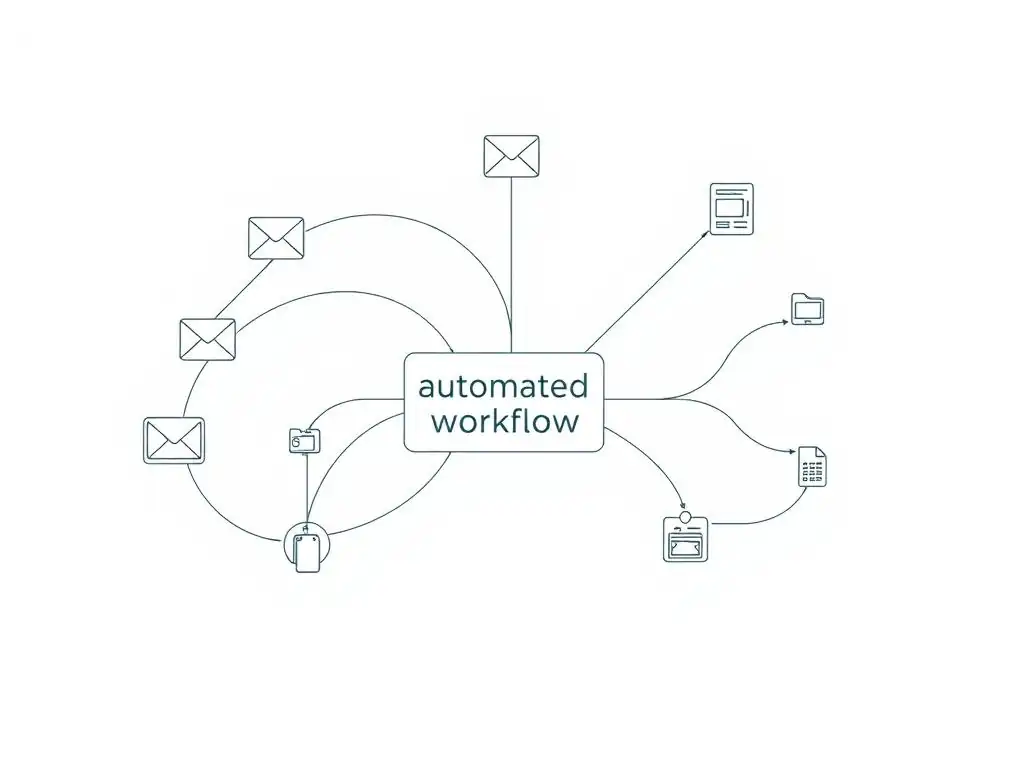
This section provides a practical, step-by-step guide to building your first automated workflow, focusing on the core principles of automating tasks in your digital life to optimize your "Automate workflows digital life" strategy. We'll move beyond theoretical discussions and dive into concrete examples to help you get started.
Step-by-Step Guide to Creating Your Initial Automated Workflow
Let's create a simple, yet powerful, automated workflow: automatically saving important emails to a specific cloud storage folder. This will free up your inbox and ensure easy access to crucial information. This process applies broadly to various "Automate workflows digital life" strategies.
- Choose Your Automation Tool: Select a tool compatible with your email provider and cloud storage (e.g., Zapier, IFTTT, Make). Many offer free plans for basic automation. Consider factors such as ease of use, integration capabilities, and pricing before committing.
- Identify the Trigger: The trigger initiates the workflow. In our example, the trigger is "receiving an email containing a specific keyword" (e.g., "invoice," "important," or a project code). The trigger is the key to efficiently managing your "Automate workflows digital life" strategy.
- Define the Action: The action is what happens after the trigger is activated. In this case, the action is "saving the email as a PDF to a designated folder in your cloud storage." Clearly defining your actions is crucial for a successful "Automate workflows digital digital life" process.
- Connect Your Accounts: Authorize the automation tool to access your email and cloud storage accounts. This typically involves providing API keys or granting specific permissions. Security is paramount; ensure you're connecting to reputable and secure services.
- Test Your Workflow: Once configured, test the workflow by sending a test email containing the specified keyword. Monitor the process to ensure the email is correctly saved to the intended location. Thorough testing is essential for a robust "Automate workflows digital life" system.
- Refine and Adjust: Based on the test results, refine your workflow. Adjust the keyword, modify the file format, or change the storage location as needed. Iteration is key to optimizing your "Automate workflows digital life" strategy.
Setting Up Triggers and Actions in Your Chosen Automation Tool
The effectiveness of your automated workflows hinges on correctly configuring triggers and actions within your chosen automation platform. Let's explore some common trigger and action examples:
| Trigger Type | Example | Action Type | Example |
|---|---|---|---|
| New Email | Email containing "Project X" | Save to Cloud Storage | Save as PDF to Google Drive |
| New Spreadsheet Entry | New row added to a Google Sheet | Send Email Notification | Notify team members of the update |
| New Calendar Event | New event added to Google Calendar | Create Task | Add task to Todoist |
| File Uploaded to Dropbox | New PDF file uploaded to a specific folder | Send Slack Message | Notify channel about the new file upload |
| Form Submission | New submission to a Google Form | Add Entry to Spreadsheet | Add submission data to a summary spreadsheet |
This table demonstrates the versatility of automation tools and how they can significantly enhance your "Automate workflows digital life" efforts across various platforms and applications. Experimentation is key to discovering the best combinations for your specific needs.
Monitoring and Refining Your Automated Workflow for Optimal Performance
Once your workflow is running, continuous monitoring and refinement are crucial for maintaining optimal performance and addressing potential issues. This proactive approach is essential for a successful "Automate workflows digital life" strategy.
Regularly check:
- Error Logs: Most automation tools provide logs detailing successful executions and errors. Review these logs to identify and resolve any issues promptly.
- Workflow Efficiency: Track the time saved and the overall improvement in efficiency. This data-driven approach allows you to refine and optimize your workflows over time.
- Data Accuracy: Verify that the automated process is handling data correctly and consistently. Inaccurate data can lead to problems downstream.
- Security: Regularly review the security settings of your automation tool and connected accounts. This is critical for protecting sensitive information within your "Automate workflows digital life" ecosystem.
By consistently monitoring and refining your workflows, you ensure they remain efficient, accurate, and secure, maximizing the benefits of automating your digital life. The iterative process of improvement is integral to the long-term success of any "Automate workflows digital life" initiative.
Advanced Automation Techniques for Digital Life

This section delves into sophisticated strategies for automating workflows, moving beyond basic task automation to encompass complex processes and seamless integration across multiple platforms. Mastering these techniques significantly enhances productivity and streamlines your digital life, freeing up valuable time and mental energy. The key is to think strategically about your workflows and identify areas ripe for advanced automation.
Automating Complex Workflows: Mastering Advanced Techniques
Automating simple tasks is relatively straightforward. However, truly optimizing your digital life requires automating complex workflows—processes involving multiple steps, conditional logic, and interactions across various applications. This often necessitates the use of more powerful automation tools capable of handling intricate sequences of actions.
Consider, for example, the workflow of managing social media posts. A basic automation might schedule posts in advance. However, an advanced automation could involve:
- Conditional Logic: Only posting if a specific metric (e.g., website traffic) exceeds a threshold.
- Data Integration: Pulling data from analytics platforms to tailor post content based on audience engagement.
- Multiple Platform Integration: Simultaneously publishing to multiple social media channels with customized messaging for each platform.
- A/B Testing: Automatically testing different post variations to optimize engagement.
Achieving this level of automation requires tools beyond simple scheduling apps. You'll likely need to explore programming languages like Python or utilize platforms specifically designed for robust workflow automation. Learning these tools might seem daunting initially, but the long-term benefits in terms of time saved and efficiency gained are substantial. Remember, the complexity of your workflow automation should reflect the complexity of your tasks and the desired level of optimization. Start small, test thoroughly, and gradually expand your automation capabilities.
Integrating Multiple Automation Tools for Seamless Operation
The power of advanced automation lies not just in individual tools, but in their orchestrated synergy. Rarely will a single application solve all your automation needs. The key is to strategically integrate multiple tools to create a cohesive and efficient system. This requires careful planning and a deep understanding of each tool's capabilities and limitations.
Imagine a scenario where you need to:
- Extract data from a spreadsheet.
- Process that data using a specific formula.
- Send the processed data via email.
- Update a project management tool with the results.
This workflow might involve four separate tools: a spreadsheet program, a scripting language (like Python), an email client, and a project management platform. The challenge lies in seamlessly connecting these disparate tools. This often involves using APIs (Application Programming Interfaces) or employing intermediary tools designed for workflow orchestration (e.g., Zapier or IFTTT). Proper integration ensures a smooth, uninterrupted flow of information, maximizing efficiency and minimizing manual intervention. The ability to seamlessly integrate multiple tools is a hallmark of advanced "Automate workflows digital life" strategies.
Optimizing Your Automated Workflows for Maximum Efficiency
Once you've automated your workflows, the process isn't over. Continuous optimization is crucial to ensure maximum efficiency and prevent bottlenecks. Regular monitoring, analysis, and adjustments are essential for refining your automated systems.
Key aspects of optimization include:
| Optimization Area | Strategies | Metrics to Track |
|---|---|---|
| Error Handling | Implement robust error handling mechanisms to prevent workflow disruptions. | Error rate, downtime |
| Redundancy Reduction | Eliminate unnecessary steps or duplicate processes in your automated workflows. | Processing time, resource utilization |
| Scalability | Design your automated systems to handle increased workloads without performance degradation. | Throughput, response time |
| Maintainability | Use clear and well-documented code to facilitate easy maintenance and updates. | Time spent on maintenance, code complexity |
| Security Considerations | Implement security measures to protect sensitive data processed by your automation. | Security breaches, data loss |
Remember, automation is an iterative process. Start with small, manageable improvements, consistently monitor performance, and adapt your strategies based on real-world results. By embracing continuous optimization, you'll unlock the full potential of automated workflows and transform your digital life. This iterative approach is crucial for maximizing the benefits of automating workflows in your digital life.
The Future of Automated Workflows in Digital Life
The future of automating workflows in digital life is bright, promising increased efficiency, reduced errors, and ultimately, more free time. This isn't just about automating individual tasks; it's about creating interconnected systems that work seamlessly together, learning from user behavior and adapting to changing needs. We're moving beyond simple "if-this-then-that" scenarios towards sophisticated, intelligent automation that anticipates our needs and proactively manages our digital lives.
This evolution hinges on several key factors, including advancements in Artificial Intelligence (AI), the growth of cloud-based services, and the increasing availability of user-friendly automation tools. The ultimate goal? A truly personalized and automated digital experience that empowers individuals to focus on what truly matters.
Emerging Trends in Workflow Automation and Digital Transformation
Several emerging trends are shaping the future of workflow automation and digital transformation. One key trend is the rise of no-code/low-code platforms. These platforms empower individuals and businesses to build automated workflows without extensive programming knowledge. This democratizes automation, making it accessible to a wider audience and accelerating its adoption across various sectors.
Another significant trend is the increasing integration of AI and machine learning into automation tools. This allows for more intelligent and adaptive workflows, capable of learning from past actions and optimizing themselves over time. For example, email management systems can learn to prioritize emails based on your past interactions and automatically filter out spam or less important messages.
Finally, we're seeing a growing emphasis on hyper-automation, which involves combining multiple automation technologies to create end-to-end automated processes. This could involve integrating Robotic Process Automation (RPA) with AI, machine learning, and Business Process Management (BPM) tools to achieve complete process automation. The integration of these technologies significantly improves efficiency and reduces manual intervention.
The Impact of AI on Automated Workflows and Digital Productivity
The integration of AI is revolutionizing how we approach workflow automation. AI-powered tools can analyze vast amounts of data to identify patterns and predict future needs. This predictive capability significantly enhances productivity. For instance, AI can analyze your calendar and email to proactively schedule meetings, manage your to-do list, and even suggest optimal times for completing tasks based on your typical work patterns. Moreover, AI-driven automation helps to personalize workflows, adapting to individual preferences and needs.
Instead of a one-size-fits-all approach, AI enables the creation of dynamic workflows that evolve alongside the user's working style. Consider a project management tool that automatically prioritizes tasks based on deadlines and your individual productivity levels. This level of personalization leads to a more efficient and less stressful work experience. The impact is clear: increased productivity, reduced errors, and more time for strategic thinking and creative work.
Preparing for the Future of Automated Workflows in Your Digital Life
Preparing for the future of automated workflows requires a proactive approach. Firstly, identify areas ripe for automation within your digital life. This could include anything from email management and social media scheduling to financial tracking and online shopping. Secondly, research and select appropriate automation tools. Consider factors such as ease of use, integration capabilities, and the level of customization offered.
Start with simple automations to build confidence and gradually increase complexity. Thirdly, learn the basics of workflow automation. While no-code/low-code platforms are increasingly accessible, understanding fundamental concepts will help you design more effective and efficient workflows. Finally, stay updated on emerging trends.
The field of workflow automation is constantly evolving, so continuous learning is crucial to maximizing the benefits of these technologies. By embracing these steps, you can effectively leverage the power of automated workflows to transform your digital life, saving time, boosting productivity, and ultimately, achieving a better work-life balance. The future is automated, and by preparing now, you’ll be well-positioned to thrive in this increasingly digital world. 🎉
Frequently Asked Questions
What is an automated workflow, and how does it relate to my digital life?
An automated workflow is a series of tasks performed automatically by software or apps. In your digital life, this means automating repetitive actions, like email filtering, file organization, or social media posting, freeing up your time for more important tasks. This is key to a more efficient digital workflow.
How can I automate workflows to save time?
By identifying repetitive tasks in your daily digital routine (e.g., scheduling social media posts, backing up files), you can use apps and software to automate them. Tools like Zapier or IFTTT can connect different apps to create automated chains of actions, significantly reducing manual effort.
What are some examples of automated workflows for improving efficiency?
Examples include automatically saving email attachments to a cloud storage service, scheduling social media updates, or automatically generating reports from your data. These automated tasks free up mental space and time for more strategic work.
Are there any risks associated with automating workflows in my digital life?
Yes, there's a risk of over-reliance on automation, leading to potential issues if the system malfunctions. It's crucial to regularly monitor your automated workflows and have backup plans in place. Additionally, be mindful of data security implications when connecting different apps.
Where can I learn more about automating my digital life and workflows?
UltimateLifeHacks offers many resources on practical automation strategies. Explore our articles and tutorials on productivity tools and techniques to discover how to streamline your digital workflow and optimize your daily routine. We focus on practical tips to improve efficiency and save time.
Final Reflection: Reclaiming Your Time in the Digital Age
The relentless pace of modern digital life demands a shift in perspective; mastering automated workflows isn't just a technological advancement, it's a necessity for reclaiming our time and energy. We've explored how simple automation can drastically reduce the mental load of daily tasks, freeing up valuable time for what truly matters. This isn't about replacing human connection, but about enhancing it by eliminating the friction of mundane digital chores.
The impact of automation on our lives is profound and far-reaching, subtly reshaping how we interact with technology and, consequently, each other. We've moved from a world where managing emails and scheduling appointments felt like a constant battle to one where these tasks can often be handled seamlessly in the background. This shift allows for a more mindful and present approach to our lives. The key is not to prioritize what's on your schedule, but to schedule your priorities.
– Stephen Covey. This quote perfectly encapsulates the power of automation: by automating the less important tasks, we create space to focus on what truly aligns with our values and goals.
Now, consider your own digital life. What repetitive tasks drain your energy and steal your focus? I challenge you to identify just one area where automation could make a difference, however small. Start with a single workflow, experiment with different tools, and witness the transformative power of reclaiming your time. Embrace the opportunity to design a digital life that supports your well-being, not the other way around. The journey towards a more efficient and fulfilling digital existence begins with a single, automated step.
Unleash Your Productivity: Automate Your Way to a Better Life!
Thank you for exploring the power of automated workflows! We hope you've discovered how easily you can reclaim valuable time and energy. Ready to take control of your digital life?
- Design your first workflow today! Identify a repetitive task that consumes excessive time, and plan how to automate it. Even a small success will be motivating.
- Share your automation experiences (both successes and challenges!) in the comments below. Let's build a supportive community, helping each other achieve effortless efficiency.
- Explore different automation tools – you might be surprised by the possibilities! It's a rewarding journey of discovery.
What task are you most eager to automate, and how do you plan to achieve it?