
The Entrepreneur's Edge: Designing a Home Office That Fuels Your Vision

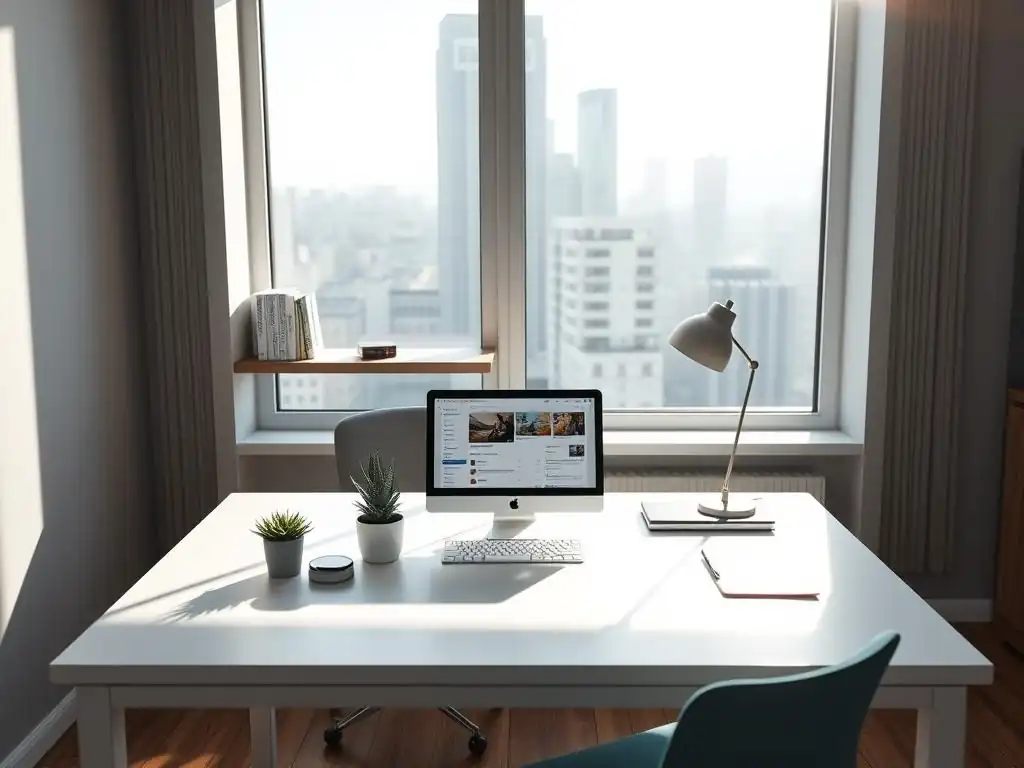
Welcome to UltimateLifeHacks, your ultimate resource for practical tips and tricks to conquer your day! Are you ready to unlock a new level of productivity and efficiency? We're diving deep into the world of home office productivity design tips, exploring how the right setup can transform your work life and fuel your entrepreneurial vision. Discover the secrets to creating a workspace that inspires creativity and boosts your bottom line – let's build your dream home office together!
- Designing Your Productive Home Office: Key Considerations for Maximum Efficiency
- Technology Integration for a Seamless Workflow: Home Office Tech Essentials
- Creating an Inspiring and Motivating Home Office Environment: Design for Focus
- Ergonomics and Well-being: Designing a Healthy Home Office Space
- Budget-Friendly Home Office Design: Maximizing Value and Efficiency
- Measuring Your Home Office Success: Tracking Productivity and Making Adjustments
-
Frequently Asked Questions
- What are the most important factors to consider when designing a productive home office?
- How can I maximize space in a small home office?
- What kind of lighting is best for a home office?
- How can I minimize distractions in my home office?
- What are some essential tools or technology for a productive home office?
- Final Reflection: Designing Your Dream Workspace, Designing Your Future
- Unleash Your Inner Architect: Design Your Dream Home Office Now!
Designing Your Productive Home Office: Key Considerations for Maximum Efficiency
Creating a thriving home office isn't just about having a desk and a chair; it's about crafting a space that fuels your entrepreneurial vision and maximizes your productivity. This article delves into the essential design elements that transform a simple room into a high-performance workspace, focusing on practical strategies to optimize your home office for peak efficiency. We'll explore everything from ergonomic furniture choices and strategic space planning to the crucial role of lighting in boosting focus and overall well-being.
By implementing these home office productivity design tips, you can significantly enhance your work experience and unlock your full potential. This guide is designed to help you create a space where you not only work but truly thrive.
Optimizing Space for Maximum Home Office Productivity: Layout and Furniture Selection
Effective space planning is paramount in creating a productive home office. The layout should support your workflow, minimizing unnecessary movement and maximizing comfort. Careful furniture selection plays a crucial role in achieving this. Consider the following aspects:
Ergonomic Chair Selection: The Herman Miller Aeron vs. Steelcase Leap
Investing in an ergonomic chair is non-negotiable. Two industry leaders often compared are the Herman Miller Aeron and the Steelcase Leap. Both offer exceptional lumbar support and adjustability. However, the Aeron’s breathable mesh is preferred by some for its comfort in warmer climates, while the Leap’s more traditional design might suit others better. The best choice depends on individual preferences and body type. Consider factors like adjustability of height, armrests, and lumbar support when making your decision. Remember, spending several hours a day in an uncomfortable chair can negatively impact posture and productivity.
Desk Design for Optimal Workflow: Standing Desks vs. Traditional Options
The choice between a standing desk and a traditional desk is a personal one, significantly impacting your posture and energy levels throughout the workday. Standing desks promote better posture and can increase energy levels for some, while traditional desks provide a more comfortable seated position. Consider incorporating a sit-stand desk converter for flexibility, allowing you to switch between sitting and standing throughout the day. Proper desk size is also key; ensure you have ample surface area for your work materials without feeling cramped.
Maximizing Storage Solutions: Utilizing Vertical Space and Smart Organization Systems (e.g., IKEA Alex Drawer Units)
Clutter is the enemy of productivity. Effective storage solutions are essential for maintaining a clean and organized workspace. Utilize vertical space with tall bookshelves or filing cabinets. Consider modular storage systems that can adapt to your changing needs. Products like IKEA Alex drawer units offer affordable and versatile storage options. Remember, a well-organized space promotes mental clarity and reduces the time spent searching for items. Efficient storage is an often-overlooked aspect of home office productivity design tips, yet it's crucial for maintaining a focused work environment.
Lighting for Focus and Well-being: Natural Light and Task Lighting Solutions
Lighting significantly impacts mood, focus, and overall productivity. A well-lit workspace is crucial for eye health and reducing eye strain. The combination of natural light and task lighting is ideal.
The Impact of Natural Light on Productivity: Designing for Sunlight Exposure
Natural light is a powerful productivity booster. Position your desk near a window to maximize sunlight exposure, but avoid direct glare. Strategically placed blinds or curtains can help regulate the amount of sunlight entering the room. Studies show that natural light improves mood, alertness, and cognitive function. Prioritizing natural light is a simple yet highly effective home office productivity design tip.
Task Lighting Essentials: Choosing the Right Lamps for Your Work Style (e.g., Philips Hue Smart Bulbs)
Task lighting provides focused illumination on your work surface, reducing eye strain and improving concentration. Choose lamps with adjustable brightness and color temperature. Smart bulbs, such as Philips Hue, offer customizable lighting options, allowing you to adjust the ambiance to suit your work style and mood. Ensure your task lighting is positioned to avoid glare and shadows on your work surface. This precise illumination is a key element in effective home office productivity design tips.
Technology Integration for a Seamless Workflow: Home Office Tech Essentials
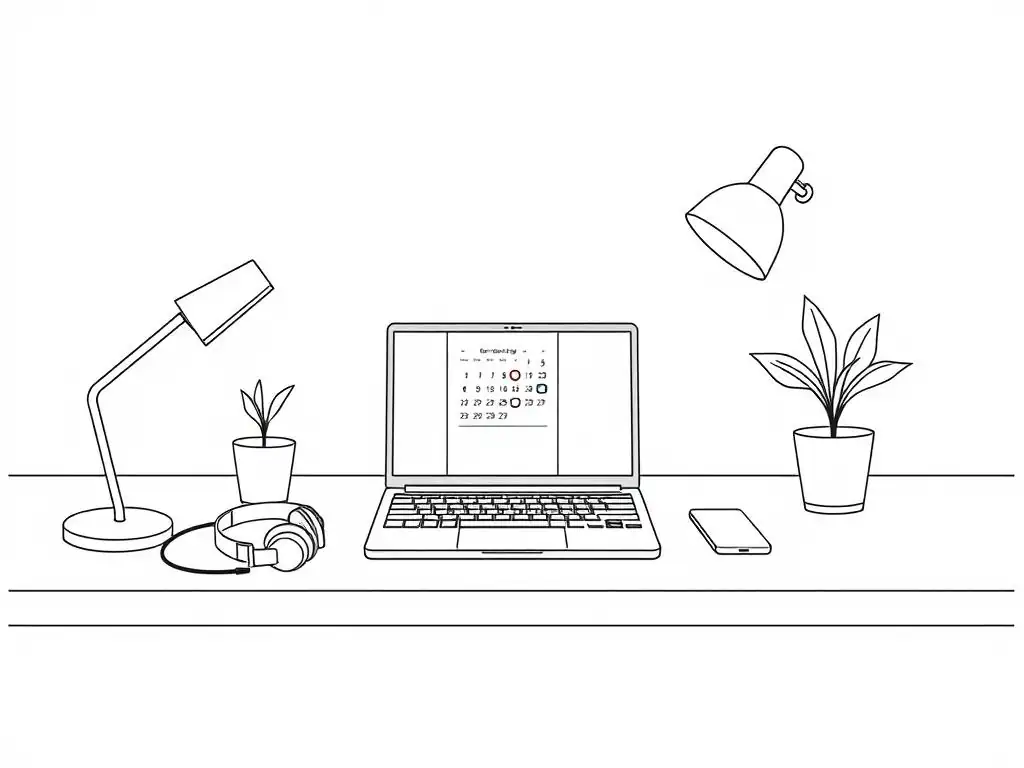
This section delves into the crucial role of technology in maximizing home office productivity. A well-equipped and strategically integrated tech setup isn't just about having the latest gadgets; it's about creating a seamless workflow that supports your entrepreneurial vision and enhances your "home office productivity design tips" strategy. We'll explore essential hardware and software, focusing on choices that optimize efficiency and minimize distractions.
Essential Tech for Home Office Productivity: High-Speed Internet and Reliable Devices
Reliable technology forms the bedrock of a productive home office. Without consistent high-speed internet and dependable devices, even the best organizational strategies will falter. Consider these critical components:
- High-Speed Internet: A minimum download speed of 100 Mbps is recommended for smooth video conferencing, large file transfers, and cloud-based software access. Consider upgrading to gigabit internet if you regularly handle large datasets or stream high-definition video. Consistent internet speed is crucial for uninterrupted workflow, minimizing frustration and maximizing efficiency. Poor internet connectivity directly impacts productivity, leading to wasted time troubleshooting and missed deadlines.
- Reliable Devices: Choose devices known for their reliability and performance. Investing in quality hardware upfront reduces the likelihood of costly repairs or replacements down the line. Consider the long-term cost of ownership when making purchasing decisions. This includes not only the initial purchase price but also factors such as warranty coverage, potential repair costs, and the device's lifespan.
Choosing the Right Router for Your Needs: Netgear Orbi vs. Eero Mesh Wi-Fi Systems
Selecting the right router significantly impacts your internet experience and overall productivity. Two popular mesh Wi-Fi systems are Netgear Orbi and Eero. The best choice depends on your home's size and the number of connected devices.
| Feature | Netgear Orbi | Eero Mesh Wi-Fi System |
|---|---|---|
| Coverage Area | Excellent, suitable for large homes | Good, suitable for medium to large homes |
| Setup Complexity | Slightly more complex | Relatively easy and intuitive |
| Price | Generally more expensive | Generally less expensive |
| Performance | Strong and consistent performance | Strong performance, potentially slight variations |
Netgear Orbi often provides superior range and performance in larger homes, while Eero offers a simpler setup process and is a good option for users who prioritize ease of use. Consider the specific needs of your home office and the number of devices you'll connect before making a decision.
Laptop vs. Desktop: The Best Choice for Your Home Office Setup
The choice between a laptop and a desktop depends largely on your individual workflow and preferences.
- Laptop: Offers portability, allowing you to work from different locations within your home or even take your work on the go. However, they might have less processing power and screen real estate compared to desktops.
- Desktop: Provides superior processing power, larger screen size, and enhanced customization options. However, they lack the portability of a laptop.
Consider your typical work tasks. If you frequently need to move around your home office or work remotely, a laptop might be more suitable. If you primarily work from a single location and require significant processing power and screen space, a desktop is likely the better choice.
Software and Apps for Enhanced Productivity: Streamlining Your Digital Workspace
The right software can transform your digital workspace from a chaotic mess into a well-oiled machine. Choosing the appropriate tools is critical for optimizing your workflow and boosting overall productivity.
Project Management Software: Asana vs. Trello vs. Monday.com
These three popular project management tools each offer unique features and approaches:
- Asana: Known for its robust features and suitability for larger teams and complex projects. It excels in task management, collaboration, and tracking progress.
- Trello: Offers a highly visual, Kanban-based approach. Its simplicity makes it ideal for individuals and smaller teams who prefer a more intuitive interface.
- Monday.com: Provides a highly customizable platform with a wide range of integrations. Its flexibility allows it to adapt to various project management styles and team needs.
The optimal choice depends on your project complexity, team size, and personal preferences. Experiment with free trials to determine which platform best fits your workflow.
Communication and Collaboration Tools: Slack, Zoom, and Microsoft Teams
Effective communication is paramount for success, especially when working remotely or collaborating with others. These tools are essential for maintaining seamless communication:
- Slack: Provides a centralized hub for team communication, file sharing, and project updates. Its intuitive interface and extensive integration options make it a popular choice for many businesses.
- Zoom: Facilitates video conferencing, allowing for face-to-face interactions, even when geographically separated. Its ease of use and reliability make it an excellent choice for virtual meetings and presentations.
- Microsoft Teams: Offers a comprehensive suite of communication and collaboration tools, including chat, video conferencing, file sharing, and task management. Its integration with other Microsoft products makes it a seamless addition to existing workflows.
Choosing the right combination of these tools depends on your specific communication needs and team structure. Consider factors such as team size, frequency of communication, and preferred communication styles when making your selection. Remember, efficient communication is a cornerstone of a productive home office environment.
Creating an Inspiring and Motivating Home Office Environment: Design for Focus
This section delves into the crucial role of design in fostering a productive home office environment. We'll explore how strategic design choices can directly impact your focus, creativity, and overall work satisfaction. Remember, your home office isn't just a workspace; it's a reflection of your personal brand and a vital component of your entrepreneurial success. Optimizing this space for home office productivity design is paramount. The right design can significantly enhance your ability to achieve peak performance and maintain a healthy work-life balance.
The Psychology of Color in Home Office Design: Choosing Colors that Boost Productivity
Color psychology plays a surprisingly significant role in shaping our mood, focus, and productivity. The colors surrounding you while you work subtly influence your energy levels and cognitive function. Selecting the right color palette for your home office is a critical step in creating a space that supports your goals. Choosing colors that promote concentration and reduce stress is crucial for maximizing your home office productivity design tips.
Impact of Color on Mood and Focus: Research-Based Color Palette Recommendations
Numerous studies have explored the impact of color on mood and cognitive performance. For instance, research suggests that blues and greens promote calmness and focus, making them ideal for tasks requiring concentration. Conversely, vibrant colors like red and orange can stimulate energy but might be too stimulating for sustained focus. A balanced approach is key.
Consider these research-backed color palette recommendations for different work styles:
| Color Palette | Ideal for | Potential Downsides |
|---|---|---|
| Cool Blues & Greens | Tasks requiring concentration and detail work | Can feel cold or uninspiring for some individuals |
| Warm Neutrals (Beige, Taupe) | Creating a calm and soothing atmosphere | Might feel bland or lack stimulation |
| Accents of Yellow & Orange | Boosting creativity and energy | Can be overwhelming if used excessively |
| Soft Grays & Whites | Clean and minimalist workspace | Might lack warmth or personality |
For optimal home office productivity design, consider incorporating a calming base color (like a soft blue or green) with energizing accents (like yellow or orange) to create a balanced and stimulating environment. Remember to avoid overly saturated or harsh colors that can be distracting. 🎨
Incorporating Plants and Natural Elements: Biophilic Design for a Calmer Workspace
Biophilic design, the incorporation of natural elements into interior spaces, is gaining popularity for its proven ability to reduce stress and enhance well-being. Introducing plants and natural materials into your home office can significantly improve your work experience and boost your productivity. This approach aligns perfectly with effective home office productivity design tips.
Benefits of Indoor Plants: Air Quality and Stress Reduction
Indoor plants offer a multitude of benefits for your home office environment:
- Improved Air Quality: Plants naturally filter the air, removing toxins and increasing oxygen levels. This leads to a healthier and more refreshing workspace. 🌿
- Reduced Stress and Anxiety: Studies show that the presence of plants can lower stress hormones and promote relaxation. The simple act of caring for plants can also be therapeutic.
- Increased Focus and Concentration: A calmer, more natural environment can improve your ability to concentrate on tasks, reducing distractions and mental fatigue.
- Enhanced Creativity and Inspiration: The visual appeal of plants can stimulate creativity and provide a sense of tranquility, fostering a more inspiring work environment.
To maximize the benefits of biophilic design, choose plants that thrive in indoor environments and require minimal maintenance. Consider a variety of sizes and textures to create a visually appealing and dynamic space. Remember, a well-designed home office is an investment in your overall well-being and professional success. Strategic application of these home office productivity design tips will lead to a more productive and enjoyable work experience.
Decluttering and Organization Strategies: Maintaining a Tidy and Efficient Workspace
Maintaining a clutter-free home office is paramount for boosting productivity. A disorganized space directly impacts focus and mental clarity, leading to wasted time searching for misplaced items and a general feeling of overwhelm. Effective decluttering and organization aren't about simply tidying up; they're about creating a system that supports your workflow and minimizes distractions. This involves a conscious effort to regularly purge unnecessary items and strategically organize what remains.
Think of it as an investment in your mental well-being and overall efficiency. The time spent organizing your workspace will be recouped tenfold through increased productivity and reduced stress levels. Many entrepreneurs find that dedicating just 15-20 minutes each day to tidying their workspace prevents larger, more time-consuming clean-up sessions later.
This proactive approach is crucial for maintaining a consistently productive environment. Furthermore, a clean and organized workspace contributes to a more professional image, particularly important for those hosting virtual meetings or clients in their home office. A visually appealing and well-organized space projects competence and professionalism, boosting your confidence and creating a positive first impression.
The KonMari Method and its Application to Home Office Organization
The KonMari Method, developed by Marie Kondo, offers a powerful approach to decluttering and organizing, focusing on keeping only items that "spark joy." While primarily known for its application to clothing, its principles are equally effective in organizing a home office. The core idea is to hold each item and assess its emotional impact. Does this file, this pen, this stack of papers bring you joy? If not, it's time to let it go.
This process isn't about ruthlessly discarding everything; it's about being intentional about what you keep and why. Applying this to a home office means carefully reviewing documents, supplies, and technology. Outdated software, unused stationery, and unnecessary paperwork can all be eliminated. Once you've decluttered, organizing becomes significantly easier. Consider using vertical storage solutions for files, drawer dividers for stationery, and designated spaces for frequently used items.
The goal is to create a system that intuitively guides you to the items you need, minimizing wasted time and maximizing efficiency. This mindful approach to organization promotes a sense of calm and control, fostering a more productive and enjoyable work experience. Remember, the KonMari Method isn't just about tidying; it's about cultivating a mindful relationship with your belongings and creating a workspace that supports your well-being and productivity. This approach directly contributes to improved home office productivity design, enhancing focus and reducing stress.
Ergonomics and Well-being: Designing a Healthy Home Office Space
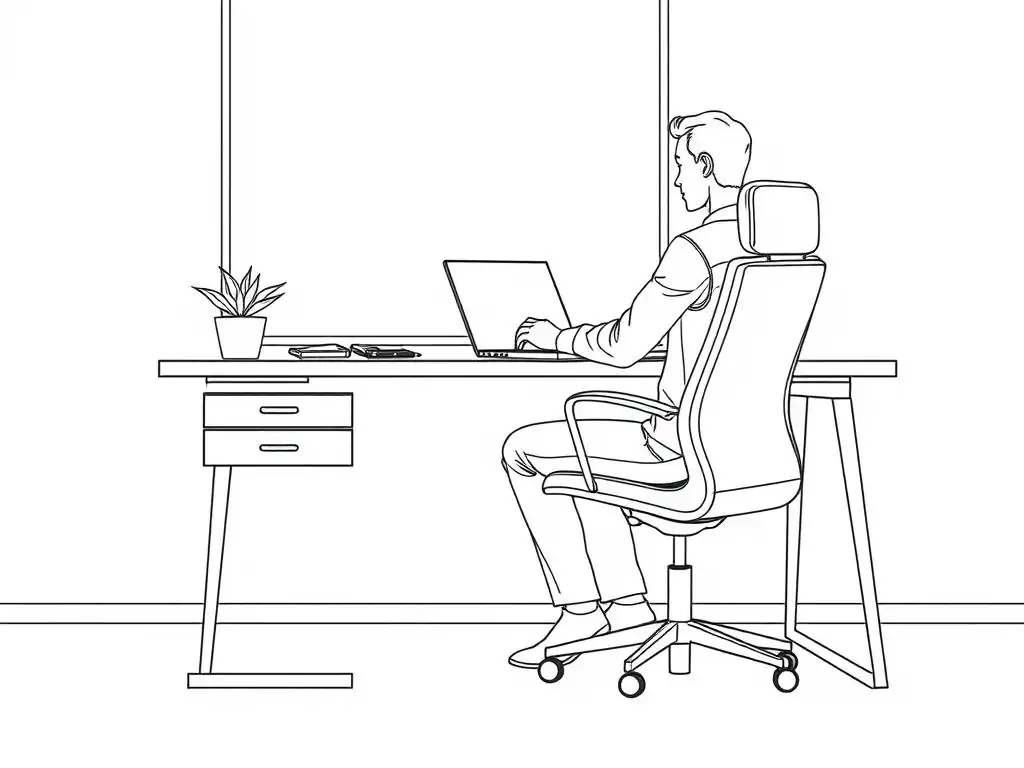
Creating a productive home office isn't just about aesthetics; it's fundamentally about prioritizing your physical and mental well-being. A poorly designed workspace can lead to chronic pain, reduced focus, and decreased overall productivity. This section focuses on ergonomic principles and strategies to build a home office that supports your health and fuels your entrepreneurial vision. Implementing these home office productivity design tips will yield significant long-term benefits.
Setting Up an Ergonomic Workstation: Preventing Pain and Improving Posture
A properly configured workstation is paramount for preventing musculoskeletal issues. This means carefully considering the placement and height of your monitor, keyboard, and chair. Poor posture, often a consequence of neglecting ergonomics, can lead to back pain, neck stiffness, and even carpal tunnel syndrome. Investing in ergonomic equipment is an investment in your health and long-term productivity. Think of it as preventative maintenance for your most valuable asset – you.
Ergonomic Keyboard and Mouse Selection: Reducing Strain and Discomfort
Choosing the right keyboard and mouse can significantly impact your comfort and productivity. Consider ergonomic keyboards designed to promote a natural wrist position, minimizing strain and discomfort. Similarly, vertical or ergonomic mice are designed to reduce wrist extension and pronation, which are common causes of repetitive strain injuries. Look for features like adjustable height and palm rests to further enhance comfort. A small investment here can prevent significant pain and lost workdays down the line.
Proper Monitor Placement and Height Adjustment: Optimizing Eye Strain and Neck Pain
Monitor placement is crucial for eye health and posture. The top of your monitor should be roughly at eye level to prevent neck strain. This reduces the need to crane your neck upwards or downwards, minimizing discomfort and fatigue. Consider using a monitor riser to achieve the optimal height. Furthermore, position your monitor an arm's length away to minimize eye strain. Remember, your eyes are working hard; give them the support they deserve.
Taking Regular Breaks: Incorporating Movement and Mindfulness into Your Routine
Even with the perfect ergonomic setup, prolonged periods of sitting can still take a toll. Regular breaks are essential for maintaining focus, preventing stiffness, and boosting overall well-being. Incorporating short movement breaks throughout the day can significantly improve your physical and mental state. These breaks don't need to be extensive; even a few minutes of stretching or walking around can make a difference.
The Pomodoro Technique and its Benefits for Productivity and Well-being
The Pomodoro Technique is a time management method that breaks work into 25-minute intervals (pomodoros) separated by short breaks. This structured approach encourages focused work sessions and provides regular opportunities for rest and rejuvenation. The short breaks built into the system help prevent burnout and maintain concentration, leading to improved productivity and a better work-life balance. This technique is a powerful tool for managing energy levels and preventing mental fatigue, contributing to a healthier and more sustainable work routine.
It's a simple yet effective home office productivity design tip that enhances both output and well-being. Consider incorporating this technique into your daily schedule to experience its benefits firsthand. This structured approach to work and rest is a great example of how mindful design can improve your overall home office experience. 💻🧘♀️
Budget-Friendly Home Office Design: Maximizing Value and Efficiency
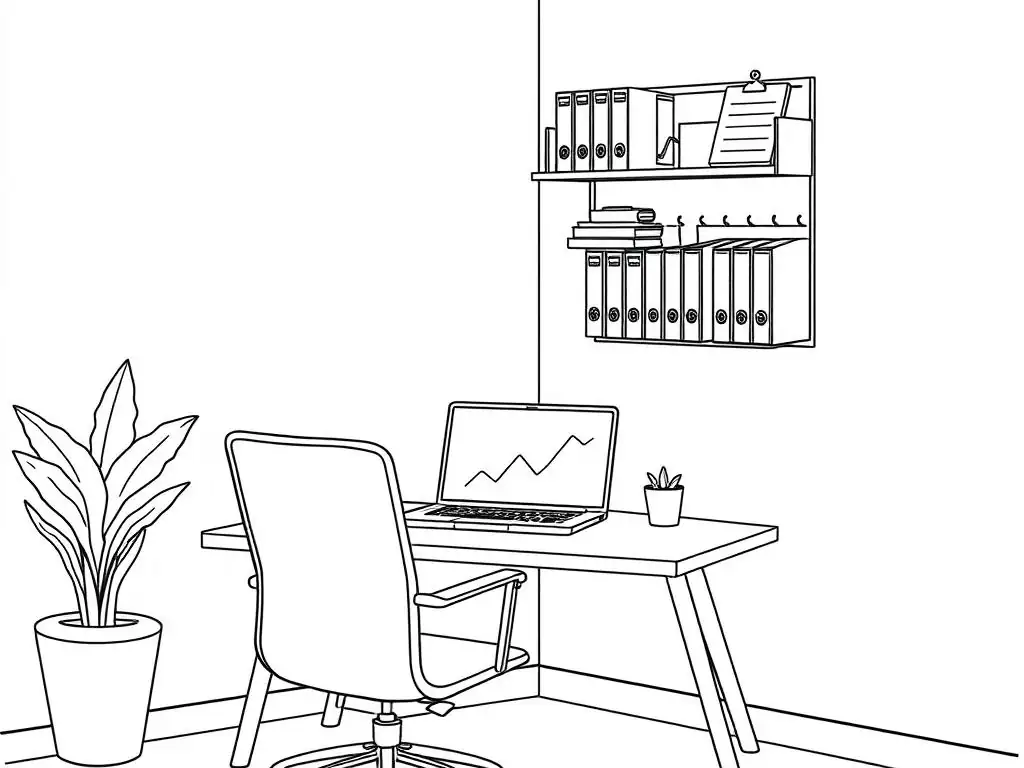
Creating a productive home office doesn't require a hefty investment. Smart planning and resourceful choices can yield a highly functional and inspiring workspace without breaking the bank. This section focuses on practical strategies for designing a productive home office on a budget, emphasizing both aesthetic appeal and enhanced productivity.
We'll explore cost-effective furniture options, DIY décor ideas, and creative repurposing techniques to help you achieve your ideal home office environment. Remember, maximizing value and efficiency is key to building a successful and affordable home office. This approach is especially crucial for entrepreneurs looking to minimize initial startup costs and maintain a healthy cash flow.
Affordable Furniture and Decor Options: Finding Quality without Breaking the Bank
Finding quality furniture and décor for your home office without emptying your wallet is entirely achievable. Many retailers offer stylish and functional pieces at competitive prices. Look for sales and discounts, especially during seasonal clearances. Consider purchasing gently used furniture from secondhand stores or online marketplaces. Often, you can find high-quality pieces at a fraction of their original cost. This approach aligns with sustainable practices and allows for significant savings.
For décor, explore affordable options like inexpensive prints, thrifted vases, or DIY projects (as discussed in the next section). Remember, a few well-chosen elements can significantly enhance the overall aesthetic and create a more inspiring workspace.
Consider these budget-friendly alternatives for essential home office furniture:
| Item | Affordable Option | Quality Considerations |
|---|---|---|
| Desk | Assembled desk from a large retailer | Check reviews for stability and durability before purchase. |
| Chair | Ergonomic chair from a budget-friendly brand | Prioritize lumbar support and adjustability. |
| Storage Solutions | Repurposed shelving units or affordable storage boxes | Ensure sufficient storage for your needs. |
| Lighting | LED desk lamp with adjustable brightness | Opt for energy-efficient options. |
Prioritizing functionality over extravagance ensures that your budget stretches further. Remember, the purpose of your home office is productivity – not showcasing expensive possessions.
Repurposing Existing Furniture: Transforming Old Pieces into Functional Office Items
Repurposing existing furniture is a fantastic way to add character to your home office while significantly reducing costs. A little creativity can transform old pieces into functional and stylish office items. This approach also contributes to sustainability by reducing waste and giving new life to existing items.
DIY Home Office Decor Ideas: Creative and Cost-Effective Solutions
DIY projects offer a wealth of opportunities to personalize your home office and reflect your unique style. Simple projects like painting existing furniture, creating custom artwork from repurposed materials, or crafting unique storage solutions can significantly enhance the space's aesthetic appeal. The internet is brimming with tutorials and inspiration for DIY home office decor. This approach not only saves money but also provides a deeply satisfying sense of accomplishment.
For instance, you could transform old crates into stylish storage units, or repurpose vintage maps into inspiring wall art. The possibilities are truly endless! Consider these ideas for inexpensive DIY projects:
- Repurposed Jars as Organizers: Clean and decorate old jars to hold pens, pencils, and other small office supplies.
- Fabric Scrap Coasters: Use fabric scraps to create unique and colorful coasters for your desk.
- Painted Mason Jar Lamps: Transform mason jars into charming desk lamps with a little paint and some LED tea lights.
Remember to prioritize your personal style and preferences when selecting DIY projects. The goal is to create a home office that is both functional and reflects your personality. This personalized touch will further enhance your productivity and job satisfaction. A well-designed and affordable home office can significantly boost your productivity and overall well-being.
Measuring Your Home Office Success: Tracking Productivity and Making Adjustments
Creating a productive home office isn't a one-time event; it's an ongoing process of refinement. To truly optimize your workspace and maximize your output, you need a system for measuring your success and making necessary adjustments. This involves tracking your productivity, identifying bottlenecks, and iteratively improving your home office design and workflow.
Ignoring this crucial step can lead to wasted time and diminished returns on your investment in creating the perfect home office. Effective tracking provides invaluable insights into how you work best, allowing you to tailor your environment for peak performance. Think of it as continuous improvement applied to your personal workspace.
Productivity Tracking Tools and Techniques: Monitoring Your Workflow
Numerous tools and techniques can help you monitor your workflow and measure your productivity. The key is finding a method that aligns with your work style and preferences. Some entrepreneurs swear by simple pen-and-paper trackers, meticulously logging their tasks and time spent on each. Others leverage sophisticated software solutions.
Let's explore some options:
- Time Tracking Apps: Many apps meticulously track time spent on specific tasks, providing detailed reports on where your time is going. This granular data offers valuable insights into potential time-wasting activities. Analyzing these reports can reveal surprising patterns and help you identify areas needing improvement.
- Task Management Software: Tools like Trello, Asana, or Monday.com allow you to organize tasks, set deadlines, and monitor progress. This provides a clear overview of your workload and helps to prioritize effectively. The ability to track completion rates adds another layer to measuring your home office productivity.
- Spreadsheet Tracking: A simple spreadsheet can be surprisingly effective. You can customize columns to track various metrics, such as tasks completed, time spent on each task, and any roadblocks encountered. This allows for a highly personalized approach to tracking your productivity.
- Pomodoro Technique: This time management method involves working in focused bursts (typically 25 minutes) followed by short breaks. Tracking your Pomodoro sessions helps to monitor your concentration levels and identify periods of peak productivity. This data can be used to schedule demanding tasks during your most productive times.
This data-driven approach to productivity monitoring is crucial for optimizing your home office environment. The insights gained can lead to significant improvements in your daily workflow and overall productivity. Remember, the goal isn't just to track; it's to use that data to improve.
Using Data to Improve Your Home Office Setup: Identifying Areas for Improvement
Once you've collected productivity data using your chosen method, the next step is to analyze it and identify areas for improvement within your home office setup. This might involve tweaking your physical environment or adjusting your workflow.
For example:
| Problem Area | Data Indication | Potential Solution |
|---|---|---|
| Distractions | Consistently low focus during certain hours | Redesignate that time for less demanding tasks, use noise-canceling headphones, or address the source of the distraction. |
| Poor Ergonomics | Frequent physical discomfort or fatigue | Invest in an ergonomic chair, adjust your desk height, or take regular breaks to stretch and move. |
| Inefficient Workflow | High time spent on low-priority tasks | Re-evaluate task prioritization, delegate tasks when possible, or implement time-blocking techniques. |
| Technology Issues | Frequent software crashes or slow internet speed | Upgrade your equipment, improve your internet connection, or optimize your software for better performance. |
| Lack of Organization | Difficulty locating files or materials | Implement a better filing system, both physical and digital, to improve accessibility and reduce wasted time. |
By carefully analyzing your productivity data and identifying recurring patterns, you can pinpoint the specific aspects of your home office setup that are hindering your efficiency. Addressing these issues—whether through ergonomic adjustments, workflow optimization, or improved technology—will directly translate to increased productivity and a more fulfilling work experience. Remember, the continuous cycle of tracking, analyzing, and adjusting is key to maintaining a thriving and productive home office. This iterative process ensures you're constantly refining your workspace to best support your needs and goals. This approach is crucial for long-term success and sustained productivity for any entrepreneur.
Frequently Asked Questions
What are the most important factors to consider when designing a productive home office?
The most crucial factors are ergonomics (comfortable chair, proper desk height), sufficient lighting, and a minimal, organized workspace to minimize distractions. Prioritize a space that supports your workflow and comfort.
How can I maximize space in a small home office?
Utilize multifunctional furniture, like a desk with built-in storage, and vertical space with shelves. Consider a wall-mounted desk to free up floor space. Declutter regularly to maintain efficiency.
What kind of lighting is best for a home office?
A combination of ambient, task, and accent lighting is ideal. Natural light is best, supplemented by adjustable desk lamps for focused work and soft overhead lighting to prevent eye strain.
How can I minimize distractions in my home office?
Create a dedicated workspace separate from living areas. Use noise-canceling headphones, communicate your work hours to family members, and utilize productivity apps to manage tasks and stay focused. Regular breaks are also crucial.
What are some essential tools or technology for a productive home office?
Invest in a comfortable and ergonomic chair, a high-quality monitor, and reliable internet. Consider productivity software like project management tools and note-taking apps to streamline your workflow. A good quality printer/scanner can also be very beneficial.
Final Reflection: Designing Your Dream Workspace, Designing Your Future
The way we design our home offices isn't just about aesthetics; it's a direct reflection of our ambition and a powerful catalyst for productivity. A thoughtfully designed workspace isn't a luxury, but a necessity for anyone striving to achieve their professional goals in today's increasingly competitive landscape. The right environment can unlock untapped potential and transform the way we approach work, fostering creativity and efficiency in equal measure.
The impact of a well-designed home office extends far beyond individual productivity; it shapes our overall well-being and contributes to a healthier work-life balance. The blurring lines between professional and personal life necessitate a space that supports both, fostering a sense of calm and focus amidst the demands of modern life. As architect Frank Lloyd Wright famously said, Form follows function – that has been misunderstood. Form and function should be one, joined in a spiritual union.
This perfectly encapsulates the essence of creating a home office that truly serves its purpose, becoming an extension of ourselves and our aspirations.
Now, consider your own workspace. Does it inspire you? Does it support your unique working style and needs? Take a moment to reflect on the principles discussed in this article and identify areas where you can make improvements, however small. Even subtle changes – a better chair, improved lighting, or a more organized filing system – can significantly impact your focus and overall well-being. Embrace the opportunity to design a home office that not only fuels your vision but also nurtures your soul, paving the way for a more fulfilling and productive future.
Unleash Your Inner Architect: Design Your Dream Home Office Now!
Thank you for exploring how to transform your home office into a productivity powerhouse! We hope you discovered practical ideas to improve your workspace. Now, let's put that knowledge into action.
Here's how to get started:
- Prioritize one key improvement: Identify the most impactful change you can make to your home office today. Is it better lighting? A more ergonomic chair? Or perhaps decluttering? Create a plan and get started!
- Share your transformation on social media! Use #UltimateLifeHacksHomeOffice and inspire others to create their own amazing workspaces. Before-and-after photos are always inspiring!
- Consider a simple mind map to visualize your ideal workspace. This exercise can spark surprisingly creative ideas.
What small change will you make this week to boost your home office productivity?