
The Remote Work Revolution: Maximizing Your Potential in a Home Office


Welcome to UltimateLifeHacks, where we unlock the secrets to a more efficient and fulfilling life. Are you ready to conquer the challenges of remote work and supercharge your productivity? Our latest article on Remote Work Productivity Tips reveals the strategies and techniques you need to thrive in your home office, transforming your workday from overwhelming to effortlessly effective. Dive in and discover how to reclaim your time and unlock your true potential!
- Setting Up Your Ideal Remote Work Space: Ergonomic Design for Maximum Productivity
- Essential Tech for Remote Work Productivity: Streamlining Your Workflow
- Software and Apps to Enhance Remote Work Productivity: Time Management and Collaboration Tools
-
Conquering Remote Work Challenges: Overcoming Distractions and Maintaining a Healthy Work-Life Balance
- Minimizing Distractions in Your Home Office: Creating a Dedicated Workspace and Setting Boundaries
- Effective Time Blocking Techniques for Remote Workers: Strategies for Prioritizing Tasks and Avoiding Burnout
- Maintaining a Healthy Work-Life Balance While Working Remotely: Tips for Avoiding Overwork and Promoting Well-being
- Boosting Your Remote Work Productivity with Effective Habits and Strategies
- The Future of Remote Work: Adapting and Thriving in the Evolving Landscape
-
Frequently Asked Questions
- How can I stay focused while working remotely?
- What are some essential tools for boosting remote work productivity?
- How do I maintain a healthy work-life balance while working remotely?
- What strategies can I use to improve communication with my remote team?
- How can I combat feelings of isolation while working remotely?
- Final Reflection: Embracing the Future of Work, One Home Office at a Time
- Unlock Your Remote Work Superpowers!
Setting Up Your Ideal Remote Work Space: Ergonomic Design for Maximum Productivity
The rise of remote work has fundamentally changed how we approach our careers. No longer tethered to a traditional office environment, millions now operate from home offices, demanding a new approach to productivity and well-being. This article delves into the crucial aspects of creating a productive home office environment, specifically focusing on ergonomic design principles to maximize your potential and minimize the risks associated with prolonged periods of sedentary work. We'll explore key elements like ergonomic seating, adjustable standing desks, and optimal lighting solutions – all vital components in transforming your home office into a haven of productivity and comfort.
Mastering these elements is key to achieving a healthy work-life balance while excelling in your remote work endeavors. This guide offers practical, actionable remote work productivity tips to help you thrive in your home office. Let's dive into creating the ultimate remote work sanctuary! 🚀
Ergonomic Chairs for Long Workdays
Investing in a high-quality ergonomic chair is arguably the single most important step towards maximizing your remote work productivity and minimizing health risks. Spending hours hunched over a laptop can lead to back pain, neck strain, and poor posture. An ergonomic chair, however, provides crucial support, promoting proper spinal alignment and reducing discomfort.
Consider these key features when selecting an ergonomic chair:
- Adjustable lumbar support: This feature is vital for maintaining the natural curvature of your spine. A chair without adjustable lumbar support will likely fail to provide adequate support for a variety of body types.
- Adjustable armrests: Armrests should be height-adjustable to allow your arms to rest comfortably at a 90-degree angle. This prevents strain on your shoulders and neck.
- Breathable fabric: Choosing a chair with breathable fabric helps to regulate body temperature and prevent excessive sweating, especially during longer workdays.
- Seat depth and width adjustments: Ensure the seat allows for proper thigh support without restricting blood circulation. The width should accommodate your body comfortably.
Remember, the best ergonomic chair is the one that fits your body and work style perfectly. Prioritize comfort and support above all else. Investing in a quality ergonomic chair is an investment in your long-term health and productivity. It's one of the most impactful remote work productivity tips you can implement.
Standing Desks for Enhanced Focus and Energy
While ergonomic chairs are essential, incorporating a standing desk into your home office setup offers significant benefits. Prolonged sitting has been linked to various health problems, and alternating between sitting and standing throughout the day can significantly improve energy levels, focus, and overall well-being.
Standing desks come in various forms:
- Manually adjustable desks: These require manual adjustment of the height. They are generally more affordable but less convenient than motorized options.
- Motorized standing desks: These allow for effortless height adjustment with the touch of a button, providing seamless transitions between sitting and standing.
- Converter stands: These are placed atop existing desks to convert them into standing desks. They are a more budget-friendly option for those who don't want to replace their current desk.
The benefits of incorporating a standing desk into your routine are numerous: improved posture, increased energy levels, reduced back pain, and potentially even boosted creativity and focus. It's a powerful remote work productivity tip that can significantly elevate your workday. Remember to gradually increase the time spent standing to avoid muscle fatigue.
Optimizing Your Home Office Lighting for Reduced Eye Strain
Proper lighting is often overlooked, yet it plays a crucial role in your comfort, productivity, and eye health. Poor lighting can lead to eye strain, headaches, and fatigue, negatively impacting your work performance.
Consider these lighting strategies for your home office:
- Natural light: Maximize natural light whenever possible. Position your desk near a window to benefit from the natural light and reduce reliance on artificial lighting.
- Layered lighting: Combine ambient, task, and accent lighting to create a well-lit and comfortable workspace. Ambient lighting provides general illumination, task lighting focuses on your work area, and accent lighting highlights specific features.
- Avoid glare: Use anti-glare screen protectors and position your monitor to minimize reflections from windows and lights.
- Color temperature: Opt for warmer light temperatures (2700-3000K) for a more relaxing atmosphere and cooler temperatures (5000-6500K) for tasks requiring more focus.
By carefully considering and optimizing your home office lighting, you can significantly reduce eye strain and improve your overall work experience. It's a simple yet effective remote work productivity tip that often gets overlooked. Prioritizing good lighting is a key component in creating a truly productive and comfortable remote work environment.
Essential Tech for Remote Work Productivity: Streamlining Your Workflow
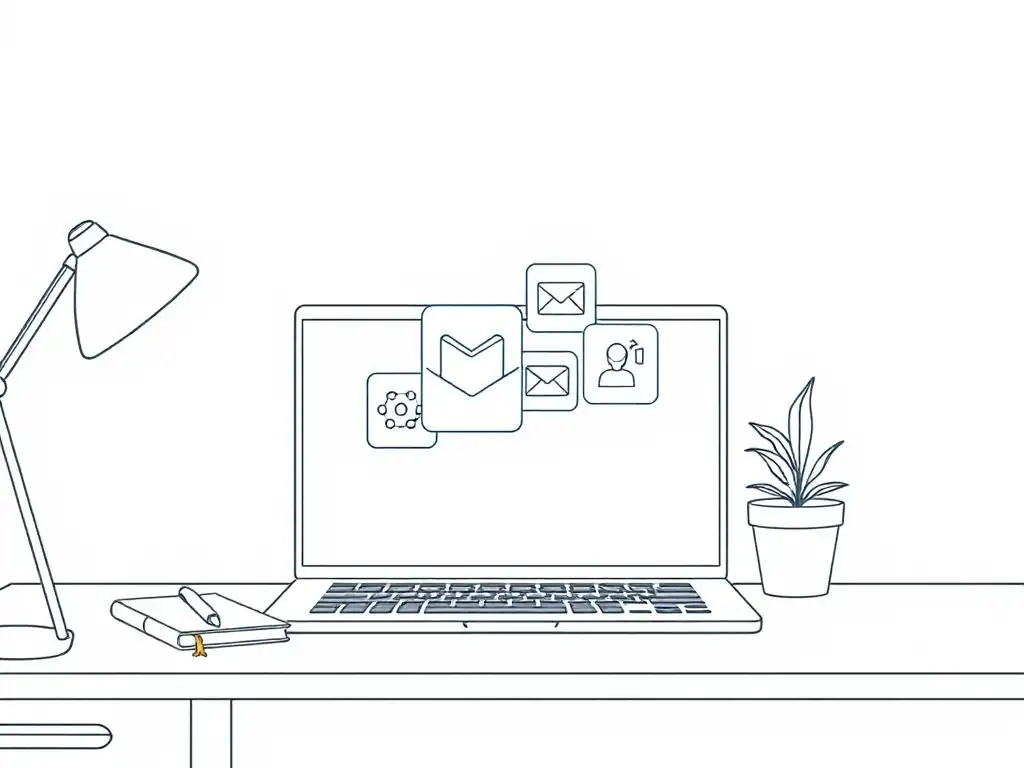
This section delves into the crucial technological components that underpin successful remote work. Investing wisely in these tools can significantly boost your productivity and overall work experience, transforming your home office from a potential distraction into a highly efficient workspace. We'll explore key tech choices, offering practical advice to help you optimize your remote work setup for peak performance. Remember, the right technology is an investment in your success as a remote worker.
High-Speed Internet: Choosing the Right Plan for Seamless Remote Work
Reliable, high-speed internet is the bedrock of any productive remote work setup. Slow internet speeds lead to frustration, missed deadlines, and decreased efficiency. Choosing the right plan requires careful consideration of your specific needs. Factors to consider include:
- Data Usage: Do you regularly participate in video conferences? Do you download or upload large files? Streaming video for entertainment after work hours also impacts your data consumption. Consider plans with ample data allowances to avoid unexpected overage charges.
- Upload Speed: While download speed is often highlighted, upload speed is equally critical for remote workers. Video conferencing, file sharing, and cloud-based applications all rely heavily on upload speed. A balanced plan with both high upload and download speeds is essential.
- Internet Type: Fiber optic internet generally offers the fastest and most reliable speeds, followed by cable and DSL. Availability varies by location, so research your options carefully. Consider comparing speeds and pricing from various providers in your area.
- Latency: Latency, or ping, measures the delay in data transmission. High latency can negatively impact real-time applications like video conferencing and online gaming. Opt for a provider with low latency for a smoother experience.
Here's a sample comparison of typical internet plans:
| Plan Name | Download Speed | Upload Speed | Monthly Price | Data Allowance | Latency (ms) |
|---|---|---|---|---|---|
| Basic Broadband | 25 Mbps | 5 Mbps | $40 | 500 GB | 20-30 |
| Premium Cable | 100 Mbps | 20 Mbps | $65 | 1 TB | 15-25 |
| Fiber Optic Pro | 1000 Mbps | 100 Mbps | $90 | Unlimited | 5-10 |
Remember to conduct thorough research on internet service providers (ISPs) in your area to compare plans and find the best fit for your budget and bandwidth requirements.
Noise-Cancelling Headphones: Boosting Focus - A Detailed Comparison
Noise-cancelling headphones are invaluable for maintaining focus in a busy home environment. They effectively block out distracting sounds, allowing you to concentrate on your work and improve productivity. However, the market offers a wide variety of options, so careful consideration is necessary.
Several key factors differentiate noise-cancelling headphones:
- Noise Cancellation Technology: Different technologies provide varying levels of noise reduction. Active Noise Cancellation (ANC) is the most common, actively counteracting ambient sounds. Look for headphones with advanced ANC features for optimal performance.
- Sound Quality: While noise cancellation is crucial, you'll also want headphones that deliver clear and crisp audio for calls and listening to music. High-fidelity audio enhances the overall work experience.
- Comfort: You'll be wearing these headphones for extended periods. Consider factors like earcup size, headband design, and weight to ensure long-lasting comfort. Look for adjustable features to personalize the fit.
- Microphone Quality: If you frequently participate in video conferences, a high-quality microphone is vital. Look for headphones with noise-reducing microphones to ensure clear communication.
- Battery Life: Longer battery life is preferable, especially during busy workdays. Consider a model with a long battery life, ideally more than 20 hours, to avoid interruptions.
Choosing the best noise-cancelling headphones involves carefully weighing these factors against your budget and individual preferences. Reading reviews and comparing specifications from different brands will help you make an informed decision.
Powerful Laptops and Desktops for Seamless Multitasking: Which is Right for You?
The choice between a laptop and a desktop for remote work depends on your individual needs and preferences. Both offer advantages and disadvantages:
- Laptops: Offer portability and flexibility, allowing you to work from various locations within your home. However, they may lack the processing power and expandability of desktops.
- Desktops: Typically offer greater processing power, better graphics capabilities, and more expandability options. However, they are less portable and require a dedicated workspace.
Consider these factors when deciding:
- Processing Power: For demanding tasks like video editing or software development, a powerful processor is crucial. Consider the CPU's clock speed and number of cores.
- RAM: Sufficient RAM ensures smooth multitasking and prevents system slowdowns. Aim for at least 8GB of RAM, with 16GB or more recommended for intensive tasks.
- Storage: Consider the type and amount of storage. Solid State Drives (SSDs) offer faster boot times and application loading compared to traditional Hard Disk Drives (HDDs).
- Graphics Card: If you work with graphics-intensive applications, a dedicated graphics card is essential.
- Budget: Laptops and desktops vary widely in price. Set a realistic budget before you begin your search.
Ultimately, the best choice depends on your specific workflow and budget. Carefully evaluate your needs and prioritize the features most important to your productivity. Consider your typical workload and the applications you use most frequently to determine the necessary specifications.
Software and Apps to Enhance Remote Work Productivity: Time Management and Collaboration Tools
This section delves into the digital tools crucial for maximizing your remote work productivity. Successfully navigating the remote work landscape requires leveraging technology to streamline workflows, enhance communication, and optimize your time. The right software can be the difference between a chaotic day and a highly productive one. We’ll explore essential categories: project management, communication & collaboration, and time management. Effective use of these tools is key to achieving your "remote work productivity tips" goals.
Project Management Software: Mastering Your Tasks
Effective project management is paramount for remote workers. Scattered tasks and unclear deadlines lead to stress and inefficiency. Choosing the right project management software can significantly improve organization and collaboration. Several popular options cater to different needs and team sizes.
Consider these features when selecting a project management tool:
- Task assignment and delegation: The ability to assign tasks to team members and track progress is essential for collaborative projects.
- Deadline setting and reminders: Automated reminders prevent missed deadlines and keep projects on track.
- Progress tracking and reporting: Visual representations of project progress allow for quick assessment and identification of potential bottlenecks.
- File sharing and collaboration: Centralized file storage and version control prevent confusion and ensure everyone works with the latest documents.
- Integration with other tools: Seamless integration with communication platforms and calendars enhances workflow efficiency.
Here's a comparison of three popular project management tools:
| Feature | Trello | Asana | Monday.com |
|---|---|---|---|
| Pricing | Free and paid plans | Free and paid plans | Free and paid plans |
| User Interface | Simple and intuitive | Relatively intuitive | More complex, but powerful |
| Collaboration | Excellent, Kanban board style | Excellent, various views available | Excellent, robust features for teamwork |
| Task Management | Card-based, visual | List-based, customizable | Highly customizable, various view options |
| Reporting | Basic | More comprehensive reporting options | Extensive reporting and analytics features |
Choosing the right software depends on your specific needs and team dynamics. Experiment with free trials to determine which platform best suits your workflow. Remember, a well-organized project is a key component of achieving your remote work productivity goals.
Communication and Collaboration Tools: Staying Connected
Effective communication is the backbone of any successful remote team. Without reliable tools, misunderstandings and delays can quickly derail projects. Choosing the right communication and collaboration tools is vital for maintaining seamless interaction and preventing information silos.
Several options provide various levels of functionality:
- Instant Messaging: Platforms like Slack and Microsoft Teams offer instant messaging, file sharing, and video conferencing capabilities. They facilitate quick communication and real-time collaboration.
- Video Conferencing: Tools like Zoom and Google Meet are indispensable for meetings, presentations, and informal check-ins. Face-to-face interaction helps build relationships and fosters a sense of community within a remote team.
- Email: While sometimes perceived as outdated, email remains a crucial tool for formal communication, sharing documents, and establishing a written record of discussions.
The key is to choose tools that complement each other and integrate seamlessly into your workflow. Avoid using too many platforms, as this can lead to confusion and inefficiency. Streamlining communication is a crucial step in boosting your overall remote work productivity.
Time Management Apps: Optimizing Your Schedule – A Feature Comparison
Time management is a critical skill for remote workers. Without structure, it's easy to lose track of time and become overwhelmed. Fortunately, numerous apps can help you regain control of your schedule and improve your focus.
Here's a comparison of several popular time management apps, highlighting their key features:
| App Name | Focus | Key Features | Pricing |
|---|---|---|---|
| Toggl Track | Time tracking | Simple interface, detailed reports, project tracking | Free & Paid |
| Clockify | Time tracking | Free, unlimited users, detailed reports, project tracking | Free |
| Forest | Focus & productivity | Gamified approach, prevents distractions, integrates with other apps | Free & Paid |
| Freedom | Focus & productivity | Blocks distracting websites and apps, customizable settings | Paid |
| Any.do | Task management & scheduling | Task lists, calendar integration, reminders, collaboration features | Free & Paid |
These apps offer a range of functionalities. Some focus solely on time tracking, while others incorporate task management and focus aids. Experiment to find the app that best fits your personal preferences and working style. Remember, mastering time management is a fundamental aspect of mastering remote work productivity. The right tool can significantly enhance your ability to prioritize tasks, meet deadlines, and ultimately, boost your overall productivity.
Conquering Remote Work Challenges: Overcoming Distractions and Maintaining a Healthy Work-Life Balance
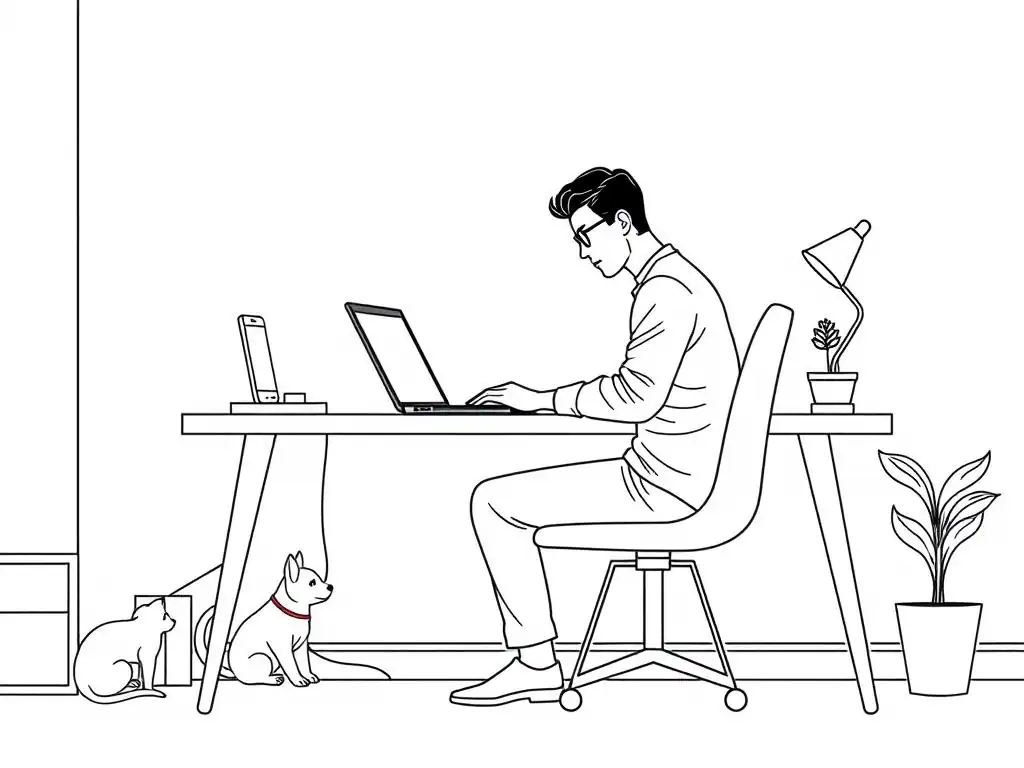
Remote work offers incredible flexibility, but it also presents unique challenges. Successfully navigating the remote work landscape hinges on proactively addressing potential pitfalls. This section focuses on minimizing distractions and fostering a healthy work-life balance, crucial components of maximizing your productivity and well-being while working from home. These strategies, tailored for the modern remote worker, will help you unlock your full potential and avoid the common traps of remote work. Mastering these techniques will significantly improve your efficiency and contribute to a more fulfilling professional and personal life.
Minimizing Distractions in Your Home Office: Creating a Dedicated Workspace and Setting Boundaries
One of the biggest hurdles for remote workers is the constant barrage of distractions inherent in a home environment. Successfully mitigating these distractions requires a multi-pronged approach. First, establishing a dedicated workspace is paramount. This isn't simply a corner of your bedroom; it's a designated area solely for work. This physical separation helps mentally switch between "work mode" and "home mode." Consider these factors when setting up your workspace:
- Location: Choose a quiet area away from high-traffic zones in your home.
- Ergonomics: Invest in a comfortable chair and a properly positioned monitor to prevent physical strain.
- Organization: Keep your workspace clean and organized to minimize visual clutter and improve focus. A clutter-free environment translates to a clutter-free mind.
Beyond the physical space, setting clear boundaries is essential. Communicate your work hours to family members and housemates, emphasizing the importance of uninterrupted time during those hours. Consider using visual cues, like a "Do Not Disturb" sign, to signal when you need focused work time. This proactive communication minimizes unexpected interruptions and fosters respect for your work schedule.
Furthermore, consider utilizing technology to your advantage. Website blockers can help you resist the temptation to browse social media or news sites during work hours. Similarly, notification management tools can help you control the influx of emails and messages, allowing you to focus on the tasks at hand. Remember, minimizing distractions is an ongoing process that requires consistent effort and adaptation.
Effective Time Blocking Techniques for Remote Workers: Strategies for Prioritizing Tasks and Avoiding Burnout
Effective time management is crucial for remote work productivity. Time blocking, a technique that involves scheduling specific blocks of time for particular tasks, is particularly effective in combating procrastination and promoting focus. Instead of simply making a to-do list, time blocking assigns specific time slots to each item, turning intentions into actions.
For example, you might schedule:
| Time Slot | Task | Priority | Notes |
|---|---|---|---|
| 9:00 AM - 10:30 AM | Respond to emails | High | Prioritize urgent client requests |
| 10:30 AM - 12:00 PM | Draft project proposal | High | Focus on key points and concise writing |
| 12:00 PM - 1:00 PM | Lunch Break | ||
| 1:00 PM - 3:00 PM | Client meeting | High | Prepare beforehand |
| 3:00 PM - 4:00 PM | Administrative tasks | Medium | Organize files, update calendar |
| 4:00 PM - 5:00 PM | Project research | Medium | Use reliable sources |
Remember to be realistic about how long tasks will take, and build in buffer time between tasks to accommodate unexpected delays. Prioritize tasks based on their urgency and importance, focusing on high-impact activities during your peak productivity hours. Regularly review and adjust your time blocks as needed, ensuring they align with your evolving priorities. Consistent application of time blocking techniques significantly reduces stress and prevents burnout by fostering a sense of control over your workday.
Maintaining a Healthy Work-Life Balance While Working Remotely: Tips for Avoiding Overwork and Promoting Well-being
The lines between work and personal life can easily blur when working remotely. Preventing burnout and maintaining a healthy work-life balance requires conscious effort and the implementation of strategies that prioritize your well-being. This includes setting clear boundaries between work and personal time. Establish a consistent start and end time for your workday, and stick to it as much as possible. This helps create a sense of routine and prevents work from encroaching on your personal time.
Furthermore, prioritize regular breaks throughout the day. Step away from your computer, stretch, walk around, or engage in a relaxing activity. Short breaks can significantly boost your productivity and prevent mental fatigue. Incorporate physical activity into your daily routine. Even a short walk or a quick workout can significantly improve your mood and energy levels. Regular exercise is vital for both physical and mental well-being.
Finally, make time for activities you enjoy outside of work. This could be anything from spending time with loved ones to pursuing hobbies or simply relaxing. Prioritizing these activities helps you recharge and prevents burnout. Remember, a healthy work-life balance is not a luxury; it's a necessity for long-term success and well-being in the remote work environment. Prioritizing self-care isn't selfish; it's essential for sustained productivity and overall happiness.
Boosting Your Remote Work Productivity with Effective Habits and Strategies
This section delves into practical, actionable strategies to significantly boost your remote work productivity. We'll explore techniques proven to enhance focus, manage time effectively, and reduce stress—all crucial components of a successful remote work setup. Mastering these habits will transform your home office from a potential distraction into a productivity powerhouse. Remember, consistent application is key to reaping the rewards of these strategies. Let's dive in!
The Pomodoro Technique for Enhanced Focus and Efficiency: A Step-by-Step Guide
The Pomodoro Technique is a time management method that breaks work into intervals, typically 25 minutes long, separated by short breaks. This structured approach combats procrastination and promotes sustained concentration. Here's a step-by-step guide:
- Choose a Task: Select a specific task you want to accomplish. Avoid multitasking; focus on one thing at a time.
- Set a Timer: Set a timer for 25 minutes. This is your "Pomodoro."
- Work Focused: During the 25 minutes, dedicate your full attention to the chosen task. Minimize distractions – silence notifications, close unnecessary tabs, and let your family know you need uninterrupted time.
- Take a Short Break: Once the timer goes off, take a 5-minute break. Step away from your workspace, stretch, grab a drink, or simply relax.
- Repeat: Repeat steps 1-4. After every four Pomodoros (approximately 2 hours of work), take a longer break of 15-20 minutes.
Pro Tip: Experiment with different Pomodoro lengths to find what works best for you. Some people find 50-minute Pomodoros with 10-minute breaks more effective. The key is consistency and finding a rhythm that suits your individual needs and energy levels.
| Pomodoro Number | Work Time (minutes) | Break Time (minutes) | Total Time (minutes) |
|---|---|---|---|
| 1 | 25 | 5 | 30 |
| 2 | 25 | 5 | 60 |
| 3 | 25 | 5 | 90 |
| 4 | 25 | 20 | 130 |
This structured approach helps maintain focus, prevents burnout, and allows for regular periods of rest, ultimately leading to improved remote work productivity. Consistent use of the Pomodoro Technique can drastically improve your ability to manage your time and complete tasks efficiently.
Prioritizing Tasks Effectively Using the Eisenhower Matrix: Urgent vs. Important
The Eisenhower Matrix, also known as the Urgent/Important Matrix, is a powerful tool for prioritizing tasks based on their urgency and importance. This helps you focus your energy on what truly matters, avoiding the trap of constantly reacting to urgent but less important matters. The matrix categorizes tasks into four quadrants:
- Quadrant 1: Urgent and Important: These are crises, deadlines, and pressing problems that require immediate attention. Examples: An urgent client request, a last-minute report due.
- Quadrant 2: Important but Not Urgent: These are tasks that contribute to your long-term goals but aren't immediately pressing. Examples: Strategic planning, professional development, preventative maintenance. This quadrant is often neglected but is crucial for proactive success.
- Quadrant 3: Urgent but Not Important: These are interruptions and distractions that often steal your time and energy. Examples: Unnecessary meetings, responding to non-critical emails.
- Quadrant 4: Neither Urgent nor Important: These are time-wasting activities that offer little value. Examples: Excessive social media use, aimless browsing.
By consistently analyzing your tasks through this lens, you can focus on Quadrant 2 activities, preventing them from becoming urgent crises later. This proactive approach significantly enhances remote work productivity and reduces stress. Remember, effective prioritization is a skill that improves with practice.
Regular Breaks and Mindfulness Techniques for Reducing Stress and Improving Productivity: The Power of Short Breaks
Regular breaks are not a luxury; they're a necessity for maintaining focus and preventing burnout, especially during extended periods of remote work. Short, frequent breaks are more effective than one long break. Incorporate mindfulness techniques into your breaks to further enhance their impact:
- Micro-breaks: Take 5-minute breaks every hour to stretch, walk around, or simply close your eyes and breathe deeply. This helps prevent mental fatigue and improves blood circulation.
- Mindfulness exercises: Practice deep breathing exercises, or engage in a short meditation session. Even a few minutes of focused breathing can significantly reduce stress levels.
- Nature breaks: If possible, step outside for a few minutes to enjoy fresh air and sunlight. Exposure to nature has been shown to improve mood and reduce stress.
- Movement breaks: Incorporate light exercise into your breaks, such as stretching, walking, or a quick workout. Physical activity boosts energy levels and improves focus.
Remember: The goal is to recharge and refocus, not to engage in further work-related activities during your breaks. Treat your breaks as essential components of your workday, not as optional extras. This mindful approach to breaks is crucial for sustained remote work productivity and overall well-being. 🧘♀️
The Future of Remote Work: Adapting and Thriving in the Evolving Landscape
The remote work revolution isn't slowing down; it's evolving. Understanding this evolution is crucial for maximizing your remote work productivity. The initial boom saw many companies hastily adopting remote work structures. Now, we're seeing a more refined approach, with a focus on long-term sustainability and optimized remote work strategies.
This means that simply having a laptop and a quiet corner isn't enough anymore. Successful remote workers are those who adapt and proactively shape their careers within this changing landscape. This includes embracing new technologies, refining communication strategies, and consistently upskilling to remain competitive.
The future of remote work favors individuals who are adaptable, tech-savvy, and possess a proactive approach to career development. Companies are increasingly looking for individuals who can seamlessly integrate into a virtual team, contribute effectively without constant oversight, and demonstrate initiative. This shift requires a conscious effort to stay updated on industry trends and best practices, ensuring your skills remain relevant and in demand.
Staying Ahead of the Curve: Developing In-Demand Skills for Remote Workers
The demand for specific skills within the remote work landscape is constantly shifting. To remain competitive, continuous learning is paramount. Some of the most sought-after skills currently include:
- Project Management Skills: Proficiency in tools like Asana, Trello, or Monday.com is essential for managing tasks and collaborating effectively within a remote team.
- Advanced Communication Skills: Mastering asynchronous communication (email, instant messaging) and virtual meeting etiquette is vital. This includes clear and concise writing, active listening skills, and the ability to build rapport remotely.
- Technical Proficiency: Depending on your field, this could involve specific software expertise, data analysis skills, or coding proficiency. For example, knowledge of cloud-based platforms (e.g., AWS, Azure, Google Cloud) is increasingly valuable.
- Cybersecurity Awareness: Protecting sensitive company data is crucial in a remote work environment. Understanding cybersecurity best practices, including password management and data encryption, is non-negotiable.
- Adaptability and Problem-Solving: The ability to quickly adjust to changing circumstances and independently solve problems is highly valued.
Investing time in developing these skills not only enhances your productivity but also significantly increases your marketability within the competitive remote work market. Consider online courses, workshops, or certifications to boost your skillset and stay ahead of the curve.
Networking and Building Relationships in a Remote Work Environment: Utilizing Online Platforms Effectively
Building professional relationships is often more challenging in a remote work setting, but it's equally crucial for career advancement and personal growth. Effective networking is key to securing opportunities and expanding your professional circle. Leveraging online platforms is essential for overcoming the geographical limitations of remote work.
Here's how to effectively network online:
- LinkedIn: Optimize your profile, actively engage with relevant content, join industry groups, and participate in discussions. Connect with individuals in your field and initiate conversations.
- Online Communities and Forums: Participate in industry-specific forums, online communities, and social media groups related to your profession. Share your expertise, ask questions, and engage with other professionals.
- Virtual Networking Events: Attend online conferences, webinars, and virtual networking events to connect with professionals in your field. Prepare talking points and actively participate in discussions.
- Online Courses and Workshops: Networking opportunities often arise within online learning environments. Engage with instructors and classmates to build connections.
Remember, genuine engagement and building authentic relationships are more important than simply accumulating connections. Focus on providing value, sharing your knowledge, and actively listening to others.
The Long-Term Benefits of a Successful Remote Work Career: Financial Freedom and Lifestyle Flexibility
A successful remote work career offers significant long-term benefits beyond just the convenience of working from home. The potential for increased financial freedom and lifestyle flexibility is substantial.
- Financial Freedom: Remote work often opens up opportunities for higher earning potential, especially with the ability to work for international companies or freelance on a global scale. Reduced commuting costs and increased time efficiency can also contribute to improved financial health.
- Lifestyle Flexibility: The ability to design your work schedule around your personal life is a significant advantage. This allows for better work-life balance, enabling you to pursue personal interests, spend more time with loved ones, and enjoy a greater sense of control over your daily routine. Location independence is another significant benefit, allowing you to live wherever you choose, opening up possibilities for travel and exploration.
However, it's crucial to acknowledge that achieving a successful and fulfilling remote work career requires discipline, proactive planning, and consistent effort. Effective time management, self-motivation, and a strong work ethic are essential for maximizing the long-term benefits of this increasingly popular work style. While the freedom and flexibility are enticing, success hinges on establishing a structured and productive work environment.
Frequently Asked Questions
How can I stay focused while working remotely?
Staying focused at home requires discipline and a dedicated workspace. Establish a routine, minimize distractions, and utilize productivity techniques like the Pomodoro method.
What are some essential tools for boosting remote work productivity?
Essential tools include project management software (Asana, Trello), communication platforms (Slack, Microsoft Teams), and noise-canceling headphones. Consider also time-tracking apps to monitor your workflow.
How do I maintain a healthy work-life balance while working remotely?
Setting clear boundaries between work and personal life is crucial. Define specific work hours, take regular breaks, and engage in relaxation activities outside of work.
What strategies can I use to improve communication with my remote team?
Regular check-ins, both individually and as a team, are vital. Utilize video conferencing for better connection and written communication for clarity and record-keeping.
How can I combat feelings of isolation while working remotely?
Schedule virtual coffee breaks with colleagues, participate in online communities, and maintain connections with friends and family outside of work. Remember to actively seek social interaction.
Final Reflection: Embracing the Future of Work, One Home Office at a Time
The shift to remote work isn't just a trend; it's a fundamental reshaping of how we approach our careers and lives. This new landscape demands adaptability, intentionality, and a commitment to maximizing productivity within the unique challenges and opportunities of a home office. We've explored strategies for effective time management, the creation of productive workspaces, and the importance of maintaining a healthy work-life balance—all crucial elements for thriving in this evolving world of work.
The impact of remote work extends far beyond individual productivity; it's fundamentally altering our societal structures and expectations. It's challenging traditional notions of the workplace, fostering a greater emphasis on results over presenteeism, and empowering individuals with greater control over their schedules and environments. This shift has been both exhilarating and challenging, demanding a constant reevaluation of our working habits and personal well-being. The future of work is not a place, but a connection.
This quote perfectly encapsulates the essence of successful remote work—it's about fostering meaningful connections, both professionally and personally, regardless of physical location.
Now, consider your own work habits. What strategies resonated most with you from this exploration of remote work productivity? What changes can you implement today to create a more fulfilling and productive work experience from your home office? Embrace this opportunity to redefine your relationship with work, prioritizing your well-being and maximizing your potential in this exciting new era. The future of work is being written now, and you have the power to shape your own chapter.
Unlock Your Remote Work Superpowers!
Thanks for exploring the world of remote work with us! We hope you've gained valuable insights into maximizing your potential while working from home. Now it's time to put that knowledge into practice.
- Create a dedicated workspace: Transforming a corner of your home into a productive and focused area can significantly improve your concentration and work-life balance.
- Share your remote work expertise: Join the conversation in the comments below! Share your best tip for success. We'd love to hear your experiences.
- Experiment with a new productivity method: Try the Pomodoro Technique or a similar method – find what works best for you. Small adjustments can significantly improve your workday.
Ready to embrace the ultimate remote work lifestyle? What's your biggest challenge, and how will you overcome it today?