
UltimateLifeHacks: Project Management Tools That Simplify Complex Projects


Welcome to UltimateLifeHacks, your gateway to a more efficient and fulfilling life! Are you overwhelmed by complex projects? We understand the struggle. That's why we're diving deep into proven strategies to help you simplify complex projects efficiently. Discover practical techniques and powerful tools that will transform your approach to project management, saving you valuable time and boosting your productivity. Ready to unlock your potential and conquer even the most daunting tasks? Let's get started!
- Streamlining Workflow: Choosing the Right Project Management Tool
- Simplify Complex Projects Efficiently with Task Management Features
- Boosting Team Collaboration: Enhancing Communication and Teamwork
- Mastering Project Reporting and Analysis for Improved Efficiency
- Simplify Complex Projects Efficiently: Case Studies and Best Practices
- Choosing the Right Project Management Tool for Your Needs: A Step-by-Step Guide
-
Frequently Asked Questions
- How can I simplify a complex project using the tools mentioned on UltimateLifeHacks?
- What are some common mistakes to avoid when simplifying complex projects?
- Which project management tools are best for simplifying complex projects?
- How can I effectively prioritize tasks within a complex project?
- How does simplifying complex projects improve efficiency and save time?
- Final Reflection: Mastering Complexity, Embracing Simplicity
- Unleash Your Project Powerhouse!
Streamlining Workflow: Choosing the Right Project Management Tool
Successfully navigating the complexities of modern projects requires more than just hard work; it demands strategic planning and the utilization of efficient tools. This article explores how the right project management tools can significantly help you simplify complex projects efficiently, ultimately boosting your productivity and minimizing stress. We'll delve into the key factors to consider when selecting a tool, examining crucial features and highlighting some top contenders in the market. Mastering project management isn't just about ticking off tasks; it's about optimizing your entire workflow for maximum impact, ensuring projects are delivered on time and within budget.
This guide will empower you to make informed decisions, leading to smoother project execution and a more fulfilling work experience. Let's explore how to transform project chaos into organized success. 🎉
Understanding Your Project Needs: Defining Scope and Complexity
Before diving into the plethora of project management tools available, it's crucial to understand the specific needs of your projects. This involves a thorough assessment of several key aspects:
- Project Scope: Clearly define the project's objectives, deliverables, and timelines. A well-defined scope acts as a roadmap, preventing scope creep and ensuring everyone is working towards the same goals. Consider using a Work Breakdown Structure (WBS) to break down complex projects into smaller, manageable tasks.
- Team Size and Structure: The size and structure of your team will influence the type of collaboration tools you need. A small team might thrive with a simpler tool, while larger teams may benefit from features like robust communication channels and access controls.
- Project Complexity: Evaluate the level of intricacy involved. Are there numerous interconnected tasks, dependencies, or potential risks? Highly complex projects often require more sophisticated tools with advanced features for task management and risk mitigation.
- Budget and Resources: Consider the cost of the project management tool, including any subscription fees or implementation costs. Align your choice with your available budget and resources.
Understanding these aspects will help you narrow down your options and choose a tool that truly aligns with your project requirements. Ignoring this crucial step often leads to selecting an inappropriate tool, hindering efficiency rather than improving it. Remember, the best tool is the one that seamlessly integrates into your workflow and enhances your team's productivity.
Evaluating Key Features: Task Management, Collaboration, and Reporting
Once you've assessed your project needs, it's time to evaluate the key features offered by different project management tools. Here are some critical aspects to consider:
| Feature | Importance | Considerations |
|---|---|---|
| Task Management | Essential for organizing and tracking tasks. | Look for features like task assignment, prioritization, dependencies, and progress tracking. |
| Collaboration | Crucial for teamwork and communication. | Consider features like real-time chat, file sharing, and integrated communication tools. |
| Reporting & Analytics | Provides insights into project progress and performance. | Evaluate the availability of customizable reports, dashboards, and progress visualizations. |
| Integration | Seamless connection with other tools (e.g., calendars, email). | Check for compatibility with tools your team already uses. |
| Security | Protection of sensitive project data. | Ensure the tool offers robust security features and data encryption. |
Choosing a tool with a strong emphasis on these features will significantly contribute to efficient project execution. For example, robust task management features can help prevent bottlenecks and delays, while effective collaboration tools can foster seamless teamwork and communication. Detailed reporting features provide valuable insights, allowing for proactive adjustments and informed decision-making.
Top Project Management Tools for Efficient Project Execution
The market offers a vast array of project management tools, each with its own strengths and weaknesses. Selecting the right one depends heavily on the specific needs of your projects and your team's preferences. Consider exploring tools that offer a balance of features, ease of use, and cost-effectiveness.
Some popular options include tools with features such as Kanban boards, Gantt charts, and time tracking capabilities – carefully weigh the pros and cons of each before committing. Remember that a trial period is often available, allowing you to test the tool before making a full commitment. Thorough research and careful evaluation are key to selecting the perfect tool to simplify complex projects efficiently.
Simplify Complex Projects Efficiently with Task Management Features
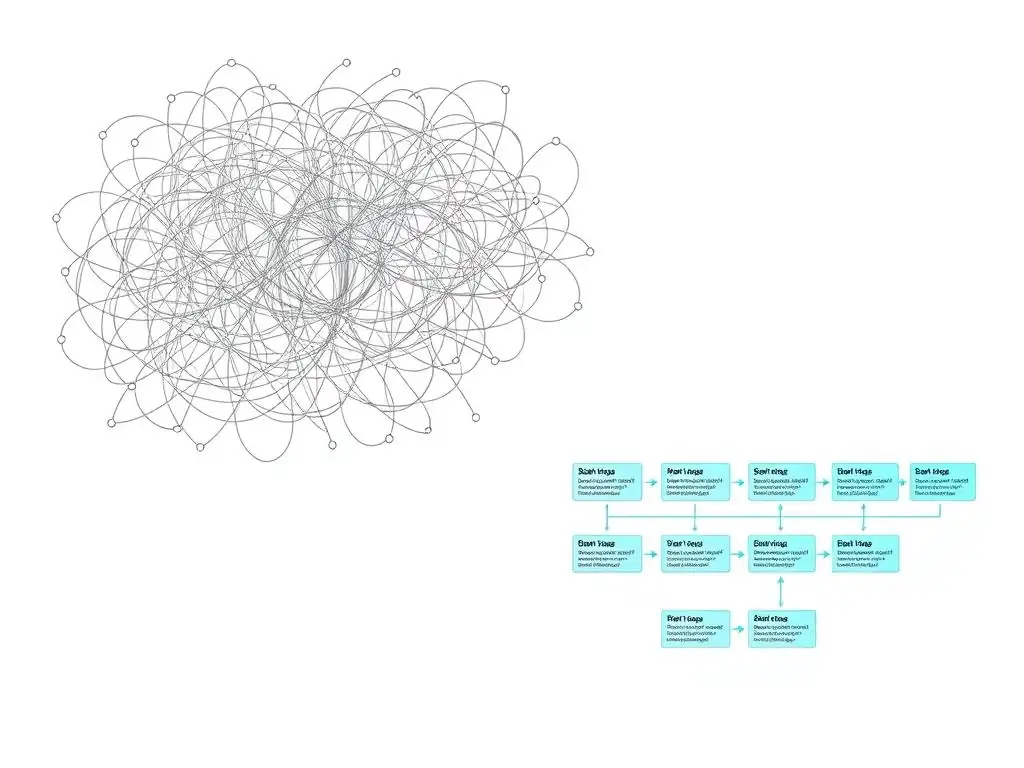
This section delves into the core functionality of project management tools: their task management capabilities. Effectively managing tasks is the bedrock of simplifying complex projects, allowing for better organization, clearer priorities, and ultimately, more efficient execution. The ability to break down large, overwhelming projects into smaller, manageable tasks is paramount. This approach fosters a sense of accomplishment as each task is completed, contributing to overall project momentum and reducing feelings of being overwhelmed. Successfully simplifying complex projects efficiently hinges on the robust task management features offered by modern project management software.
Prioritization Techniques: Mastering Task Assignment and Scheduling
Effective task management isn't just about listing tasks; it's about prioritizing them strategically. Many tools offer prioritization features, allowing you to assign urgency and importance levels to each task. This is crucial for simplifying complex projects efficiently. For instance, you might use a system like the Eisenhower Matrix (Urgent/Important), assigning tasks to quadrants based on their urgency and importance. This allows you to focus on high-impact tasks first, minimizing wasted effort on less critical items.
Furthermore, scheduling plays a vital role. Project management tools often incorporate calendar integration, allowing you to schedule tasks with specific deadlines and durations. This visual representation of your project timeline helps you identify potential bottlenecks and resource conflicts early on. Consider the impact of accurately scheduling tasks: Imagine a project with 10 interdependent tasks.
A delay in one task can cascade, impacting the entire project timeline. Effective scheduling, facilitated by the tools' features, helps mitigate this risk. Some tools even offer dependency tracking, automatically adjusting schedules when one task's completion impacts another. This automation is key to simplifying complex projects efficiently.
Visualizing Progress: Kanban Boards and Gantt Charts for Effective Tracking
Visual representations of project progress are invaluable for maintaining momentum and identifying potential roadblocks. Many project management tools integrate Kanban boards and Gantt charts, two powerful visualization tools.
Kanban boards provide a simple, intuitive way to track the progress of individual tasks through different stages (e.g., To Do, In Progress, Completed). The visual flow of tasks across the board provides a clear overview of the project's status, making it easy to identify bottlenecks or tasks that are falling behind schedule. This visual clarity is essential for simplifying complex projects efficiently. For example, a quick glance at a Kanban board can immediately highlight tasks stuck in the "In Progress" stage for an extended period, prompting timely intervention.
Gantt charts offer a more detailed, timeline-oriented view of the project. They visually represent tasks, their durations, dependencies, and milestones, providing a comprehensive picture of the project's schedule. This detailed visualization helps in identifying potential scheduling conflicts and optimizing resource allocation. The ability to easily adjust task durations and dependencies within the Gantt chart allows for proactive adjustments, further streamlining the project and simplifying complex projects efficiently. The visual clarity offered by both Kanban boards and Gantt charts is crucial for effective project oversight and proactive problem-solving.
Automated Reminders and Notifications: Staying on Schedule and Avoiding Delays
Procrastination is a common enemy of productivity. To counter this, many project management tools offer automated reminders and notifications. These features are crucial for simplifying complex projects efficiently by ensuring that tasks are completed on time and that deadlines are met.
Automated reminders can be set for specific tasks, ensuring that team members are alerted when a task is due or when a certain milestone needs to be reached. These reminders can be customized to suit individual preferences, with options for email, in-app notifications, or even SMS messages. This proactive approach ensures that tasks don't slip through the cracks, maintaining project momentum.
Notifications about progress updates, task completions, or even potential schedule conflicts can keep everyone informed and engaged. This transparency fosters better collaboration and helps in quickly addressing any issues that may arise. The combination of automated reminders and notifications provides a robust system for staying on schedule and preventing delays, ultimately simplifying complex projects efficiently. The proactive nature of these features significantly reduces the risk of project slippage and contributes to overall project success.
Boosting Team Collaboration: Enhancing Communication and Teamwork
Effective project management isn't just about task allocation; it's fundamentally about fostering seamless teamwork. Successfully simplifying complex projects efficiently hinges on clear, consistent, and readily accessible communication. When team members are on the same page, progress accelerates, and the risk of costly errors diminishes significantly. This section explores key strategies for boosting team collaboration through enhanced communication and teamwork.
Real-time Collaboration: Fostering Seamless Communication Within Teams
Real-time collaboration tools are invaluable for simplifying complex projects efficiently. They allow team members to communicate instantly, regardless of geographical location. Imagine a scenario where a crucial design element needs immediate feedback. With tools offering instant messaging and screen sharing capabilities, the team can collaboratively review and refine the design in real-time, significantly shortening the feedback loop and accelerating the project timeline.
This immediacy is crucial for addressing bottlenecks and preventing delays. The efficiency gains are substantial, as misunderstandings are immediately clarified, and decisions are made swiftly. The benefits extend beyond speed; the collaborative process itself fosters a stronger sense of shared ownership and accountability among team members.
The effectiveness of real-time collaboration depends heavily on choosing the right tools. Some platforms excel at integrated communication features, offering chat, video conferencing, and screen sharing all within a single interface. Others might integrate better with existing project management software, streamlining workflows further. Selecting the tools that best fit your team's specific needs and working style is paramount for maximizing their effectiveness in simplifying complex projects efficiently.
Disorganized communication is a major impediment to efficient project management. Scattered emails, fragmented instant messages, and disparate file repositories create confusion, delays, and ultimately, frustration. A centralized communication hub acts as a single source of truth for all project-related information, drastically simplifying complex projects efficiently. This eliminates the time wasted searching for information across multiple platforms and reduces the risk of crucial details being overlooked.
Consider the advantages: A centralized hub allows for easy tracking of discussions, decisions, and action items. This transparency ensures everyone is informed and aligned, minimizing misunderstandings and conflicts. Furthermore, a well-organized hub facilitates knowledge sharing and onboarding new team members.
New team members can quickly access all relevant project information, reducing their learning curve and accelerating their contribution to the project. The long-term benefits are substantial, leading to improved team cohesion, reduced errors, and ultimately, more successful project outcomes. The key is to choose a platform that integrates seamlessly with other project management tools to avoid creating another silo of information.
File Sharing and Version Control: Maintaining Order and Preventing Conflicts
Efficient file sharing and version control are essential for simplifying complex projects efficiently. Imagine the chaos of multiple team members working on the same document simultaneously, with conflicting versions and the potential for data loss. This scenario is not only frustrating but also detrimental to project progress. Robust file-sharing systems with version control capabilities eliminate this problem by allowing multiple users to access and modify files concurrently, while maintaining a clear history of all changes. This ensures that everyone is working with the most up-to-date version of the document, preventing confusion and ensuring data integrity.
The ability to revert to previous versions if needed is a crucial safety net, allowing for easy error correction and reducing the risk of irreversible data loss. Furthermore, these systems often incorporate features such as commenting and annotations, further enhancing collaboration and facilitating clear communication around specific revisions. This detailed approach to file management is critical for simplifying complex projects efficiently, and contributes to a smoother, more productive workflow. The time saved in avoiding conflicts and resolving version issues significantly boosts overall project efficiency. The peace of mind knowing your project data is safe and organized is invaluable.
Mastering Project Reporting and Analysis for Improved Efficiency

This section focuses on leveraging project reporting and analysis to streamline workflows and ultimately, simplify complex projects efficiently. Effective reporting isn't just about documenting progress; it's a crucial tool for proactive problem-solving and continuous improvement. By meticulously tracking key performance indicators (KPIs) and analyzing the resulting data, you can identify bottlenecks, predict potential issues, and make data-driven decisions to optimize your project management strategies.
Generating Comprehensive Reports: Tracking Progress and Identifying Bottlenecks
Generating comprehensive project reports requires a structured approach. Begin by defining the key metrics you'll track. This might include: task completion rates, budget adherence, resource allocation, and identified risks. Consider using a combination of visual representations like Gantt charts and tables to present this information clearly. For example, a Gantt chart visually depicts the timeline of tasks, highlighting any delays or overlaps. A table can simultaneously present quantitative data like the percentage of completed tasks versus the projected timeline. This dual approach allows for both a holistic overview and a granular examination of progress.
Remember to incorporate regular updates into your reporting process. Weekly or bi-weekly reports can ensure that potential issues are identified early, allowing for timely intervention and preventing minor setbacks from escalating into major problems. By consistently monitoring these metrics, you can promptly identify bottlenecks—areas where progress is significantly slower than expected. This allows for a swift response, whether it involves reallocating resources, revising timelines, or addressing unforeseen challenges. For instance, if a particular task consistently lags behind schedule, the report will highlight this, prompting an investigation into the root cause – perhaps insufficient resources or unforeseen complexities.
Data-Driven Decision Making: Utilizing Project Data for Continuous Improvement
The data collected through your comprehensive reports isn't merely for record-keeping; it's the foundation for data-driven decision-making. Analyzing this data provides valuable insights into project performance and identifies areas ripe for improvement. For example, consistent delays in a specific project phase might indicate a need for process refinement or additional training for the team members involved. Similarly, consistently exceeding the budget in a particular area suggests the need for more accurate cost estimations or a change in procurement strategies.
Let's illustrate with a concrete example: Suppose your reports consistently show that the testing phase of software development projects consistently runs over budget. By analyzing the data, you might discover that the root cause is insufficient testing resources or inadequate test planning. This data-driven insight allows you to implement targeted solutions, such as hiring additional testers or investing in more sophisticated testing tools to streamline the process and simplify complex projects efficiently.
This proactive approach minimizes future cost overruns and ensures smoother project execution. The key is to use the data to inform your decisions, rather than relying solely on intuition or guesswork.
Adapting Strategies: Refining Processes Based on Performance Analysis
The final, and perhaps most crucial, step is adapting your project management strategies based on the insights gained from data analysis. This iterative process of reporting, analysis, and adjustment is key to continuous improvement. Once you've identified areas for improvement, implement changes and then monitor their impact through subsequent reports. This feedback loop allows you to fine-tune your processes and optimize your project management approach over time.
For instance, if your analysis reveals that daily stand-up meetings are unproductive, you might experiment with alternative communication methods, such as asynchronous updates or weekly progress reports. Similarly, if resource allocation consistently proves inefficient, you might explore different scheduling techniques or project management methodologies like Agile or Kanban to better manage workload and resource utilization. This continuous cycle of analysis and adaptation is essential for optimizing efficiency and learning from past experiences.
This iterative approach not only improves project outcomes but also enhances the overall project management process, ultimately helping you simplify complex projects efficiently. Remember: continuous improvement is a journey, not a destination.
Simplify Complex Projects Efficiently: Case Studies and Best Practices

This section delves into practical applications of project management tools, showcasing how they streamline complex projects and boost efficiency. We'll explore real-world examples, expert advice, and common pitfalls to avoid, ultimately helping you simplify complex projects efficiently.
Real-World Examples: How Different Tools Helped Tackle Complex Projects
Let's examine how various project management tools successfully tackled diverse, complex projects. The key is selecting the right tool for the specific project's needs and team dynamics.
- Scenario 1: Software Development Project (Using Agile Methodology with Jira): A software development team faced the challenge of launching a new, feature-rich mobile application within a tight deadline. Using Jira, they implemented an Agile methodology, breaking down the project into smaller, manageable sprints. Jira's Kanban boards allowed for real-time tracking of tasks, identifying bottlenecks early on. This proactive approach resulted in a successful launch, staying within budget and meeting the deadline. The team reported a 20% increase in productivity compared to previous projects using less structured methods. 📊
- Scenario 2: Marketing Campaign (Utilizing Asana for Collaboration): A marketing team needed to coordinate a multi-faceted campaign involving content creation, social media engagement, email marketing, and paid advertising. Asana's shared task lists and collaborative features proved invaluable. Team members could assign tasks, track progress, and communicate seamlessly. The visual representation of the project timeline within Asana helped maintain focus and accountability, leading to a highly successful campaign that exceeded projected ROI by 15%. 🎉
- Scenario 3: Construction Project (Leveraging Gantt Charts in MS Project): A large-scale construction project involving multiple subcontractors and intricate scheduling required meticulous planning. Microsoft Project's Gantt charts provided a clear visual representation of the project timeline, dependencies, and critical paths. This allowed the project manager to proactively identify potential delays and adjust the schedule accordingly, minimizing disruptions and cost overruns. The project was completed on time and under budget, demonstrating the power of effective project planning and visualization. 🏗️
Tips and Tricks from Experts: Optimizing Tool Usage for Maximum Impact
Maximizing the benefits of project management tools requires more than simply selecting the right software; it demands strategic implementation and ongoing optimization. Here are some expert-backed tips:
- Regular Review and Adjustment: Project needs evolve. Regularly review your project plan and tool usage to ensure they remain aligned with your goals. Don't be afraid to adjust your approach as needed. This iterative process is crucial for simplifying complex projects efficiently.
- Effective Team Communication: Tools are only as good as the communication surrounding their use. Establish clear communication protocols, utilize in-app messaging features, and hold regular team meetings to discuss progress and address roadblocks.
- Data-Driven Decision Making: Leverage the data provided by your project management tool to make informed decisions. Track key metrics, identify trends, and use this information to optimize your workflows and improve future projects.
- Training and Onboarding: Ensure your team is adequately trained on the chosen tool. Proper onboarding helps avoid confusion and maximizes the tool's potential.
Avoiding Common Pitfalls: Troubleshooting and Problem Solving
Even with the best tools, challenges can arise. Here’s how to troubleshoot and prevent common issues:
- Feature Overload: Don't get bogged down in unnecessary features. Focus on the core functionalities that directly support your project goals. Overcomplicating the process can be counterproductive.
- Lack of Integration: Ensure your chosen tool integrates seamlessly with other systems you use (e.g., CRM, communication platforms). Data silos can lead to inefficiencies and communication breakdowns.
- Insufficient Training: As mentioned earlier, inadequate training can hinder effective tool usage. Invest in comprehensive training for your team to ensure everyone understands the tool's capabilities.
- Ignoring Data Analysis: Failing to analyze the data generated by your project management tool prevents you from identifying areas for improvement. Regularly review the data to optimize your processes and improve future project outcomes.
By carefully considering these points and applying the strategies discussed, you can effectively simplify complex projects efficiently and achieve outstanding results. Remember, the right tools combined with effective strategies are key to success.
Choosing the Right Project Management Tool for Your Needs: A Step-by-Step Guide
This section guides you through selecting the ideal project management tool to simplify complex projects efficiently. Choosing the right tool is crucial for maximizing productivity and minimizing stress. The process involves careful consideration of several key factors, ensuring the chosen solution aligns perfectly with your specific project needs and team dynamics. Ignoring these steps can lead to inefficient workflows and ultimately, project failure.
Assessing Your Budget and Team Size: Selecting a Suitable Solution
Budget and team size are fundamental considerations when choosing a project management tool. Small teams with limited budgets might find free tools sufficient, while larger teams managing complex projects often require paid solutions offering advanced features and scalability.
Let's analyze this further:
- Small Teams (1-5 members): Free tools often suffice. These typically offer basic task management, collaboration features, and simple reporting. However, limitations in features and scalability might become apparent as the project grows or the team expands. Consider carefully whether the limitations outweigh the cost savings.
- Medium-Sized Teams (5-20 members): The choice depends on project complexity and budget. Some robust free tools might suffice for less intricate projects, but paid options often provide better collaboration tools, advanced reporting, and better support. The cost-benefit analysis becomes crucial here.
- Large Teams (20+ members): Paid, enterprise-grade solutions are almost always necessary. These tools offer advanced features like resource management, complex task dependencies, robust reporting, and often, dedicated customer support – all essential for managing large-scale projects efficiently. The investment in a premium tool often translates to significant gains in productivity and reduced project risks.
Consider the following table summarizing the typical tool suitability based on team size and budget:
| Team Size | Budget | Suitable Tool Type | Considerations |
|---|---|---|---|
| 1-5 members | Low | Free, basic project management tools | Limited features, scalability might be an issue |
| 5-20 members | Medium to High | Free or Paid (depending on needs) | Evaluate features carefully, consider future growth |
| 20+ members | High | Paid, enterprise-grade solutions | Scalability, advanced features, robust support |
Free vs. Paid Tools: Weighing the Pros and Cons of Each Option
The choice between free and paid project management tools involves careful evaluation of your needs against the available options. Free tools offer an accessible entry point, but often come with limitations. Paid tools, while requiring an investment, usually provide more comprehensive features and better support, ultimately leading to simplifying complex projects efficiently.
Free Tools:
- Pros: Low cost (obviously! ), easy to start using, often sufficient for simple projects and small teams.
- Cons: Limited features, potentially lacking in scalability, may have insufficient support, could have security concerns, often include advertisements or upselling.
Paid Tools:
- Pros: Advanced features (e.g., Gantt charts, resource allocation, custom workflows), better support, greater scalability, enhanced security, often integration with other business tools.
- Cons: Requires a financial investment, might have a steeper learning curve, may require a contract.
Integrating with Existing Systems: Ensuring Seamless Workflow Integration
Seamless integration with existing systems is crucial for optimizing workflows and avoiding data silos. A project management tool that doesn't integrate well with your other software can create bottlenecks and hinder productivity. Before committing to a tool, carefully assess its compatibility with your existing CRM, communication platforms (like Slack or Microsoft Teams), and other business applications. This integration is key to simplifying complex projects efficiently.
Consider the following factors when assessing integration capabilities:
- API Access: Check if the tool offers an Application Programming Interface (API). A robust API allows for custom integrations and enhanced flexibility.
- Pre-built Integrations: Look for pre-built integrations with tools you already use. This saves time and effort in setting up connections.
- Data Import/Export: The ability to easily import and export data is vital for maintaining data consistency and facilitating migration if necessary. Consider the formats supported (CSV, XML, etc. ).
Choosing a project management tool that integrates seamlessly with your existing infrastructure contributes significantly to creating a streamlined, efficient, and ultimately, more successful project management process. This focus on integration is paramount for simplifying complex projects efficiently.
Frequently Asked Questions
How can I simplify a complex project using the tools mentioned on UltimateLifeHacks?
UltimateLifeHacks offers various project management tools and techniques to break down complex projects into smaller, manageable tasks. This allows for better organization and prioritization, leading to increased efficiency. Focusing on clear goals and deadlines is key.
What are some common mistakes to avoid when simplifying complex projects?
Common mistakes include underestimating the time required, lacking a clear plan, and failing to delegate effectively. Avoid micromanaging and ensure proper communication throughout the process. Regularly review progress and adjust as needed.
Which project management tools are best for simplifying complex projects?
UltimateLifeHacks suggests exploring tools like Trello, Asana, or Monday.com depending on your needs and team size. Consider features like task assignment, progress tracking, and collaboration tools for optimal workflow. Choosing the right tool depends on your specific project requirements.
How can I effectively prioritize tasks within a complex project?
Effective prioritization involves using techniques like the Eisenhower Matrix (urgent/important) or simply listing tasks by deadline and impact. Focus on high-impact, high-urgency tasks first, and delegate or eliminate less crucial ones. Regularly reassess priorities as the project evolves.
How does simplifying complex projects improve efficiency and save time?
Breaking down large projects into smaller, manageable tasks improves focus and reduces overwhelm. This streamlines the workflow, allowing for better time management and a clearer understanding of progress. Ultimately, this leads to faster completion and reduced stress.
Final Reflection: Mastering Complexity, Embracing Simplicity
The ability to simplify complex projects efficiently is no longer a luxury; it's a necessity in our fast-paced, interconnected world. The tools and strategies explored in this article—from agile methodologies to sophisticated software—are not merely technological advancements, but essential components of navigating the increasingly intricate demands of modern life, both personally and professionally. The efficient management of complexity directly translates to reduced stress, increased productivity, and ultimately, a greater sense of accomplishment.
The impact of effective project management extends far beyond the immediate task at hand; it shapes our approach to problem-solving, fosters collaboration, and influences our overall sense of control. The key is not to prioritize what's on your schedule, but to schedule your priorities.
This quote, often attributed to Stephen Covey, perfectly encapsulates the core message of this article: proactive planning and strategic tool selection are crucial for achieving meaningful results. The ongoing evolution of project management techniques reflects our collective desire for more streamlined processes and a greater capacity to handle the ever-growing complexities of our lives.
You now possess the knowledge to transform your approach to project management. Consider which tools and strategies resonate most with your personal style and the nature of your projects. Experiment, adapt, and refine your methods. Remember, the journey towards simplifying complexity is an ongoing process of learning, refinement, and ultimately, empowerment. Embrace the challenge, and watch as your productivity soars and your sense of accomplishment grows.
Unleash Your Project Powerhouse!
Thank you for exploring the world of simplified project management! We hope you've discovered helpful tools and techniques to tackle even the most challenging tasks. Now it's time to put your knowledge into practice.
- Get started: Choose a project management tool that appeals to you from the article and dedicate 15 minutes to experimenting with it. This small step can make a significant difference!
- Share your insights: Tell us—and the community—about your chosen tool in the comments below. Which features stood out to you?
- Embrace the challenge: Identify an area in your current workflow that could benefit from improved project management and brainstorm how to implement a new approach.
Ready to transform your projects from overwhelming to effortless? What project will you tackle first using your newly acquired project management skills?