
Escape the Digital Overwhelm: Create a Calm and Focused Workflow


Feeling overwhelmed by your digital to-do list? UltimateLifeHacks is your antidote to digital chaos. Discover practical strategies and proven techniques to transform your workflow from frantic to focused. Learn how to implement calm focused workflow techniques and reclaim your time – dive in and unlock a more efficient and fulfilling daily life.
- Understanding the Sources of Digital Overload
- Implementing Calm Focused Workflow Techniques for Enhanced Productivity
- Tools and Technologies for a Serene Digital Workflow
- Cultivating a Mindful Approach to Digital Work
- Maintaining a Calm and Focused Workflow Long-Term
-
Frequently Asked Questions
- How can I escape the feeling of digital overwhelm?
- What are some practical techniques for a calm and focused workflow?
- How can I improve my efficiency and productivity using calm workflow techniques?
- What role does mindfulness play in achieving a focused workflow?
- Are there any specific tools or apps that can help create a calm and focused workflow?
- Final Reflection: Reclaiming Your Focus in a Digital Age
- Unleash Your Focus: Design Your Ideal Workflow Today
Understanding the Sources of Digital Overload
Digital overload is a modern-day affliction, impacting productivity, well-being, and even our relationships. In today's hyper-connected world, we're bombarded with emails, notifications, messages, and endless streams of information. This constant influx can leave us feeling overwhelmed, stressed, and unable to focus on the tasks at hand. This article explores effective techniques to create a calm and focused workflow, helping you reclaim control over your digital life and achieve peak productivity.
We'll delve into identifying your personal digital distractions, understanding the impact of constant connectivity, and recognizing the warning signs of digital burnout – equipping you with practical strategies to build a more peaceful and efficient digital workspace. Mastering these "calm focused workflow techniques" will not only boost your productivity but also significantly improve your overall well-being. Let's begin our journey towards a more serene and productive digital existence.
Identifying Your Digital Distractions
The first step towards creating a calm and focused workflow is pinpointing the specific digital elements that disrupt your concentration. This involves honest self-reflection and a willingness to confront your digital habits. What apps, websites, or notifications constantly pull your attention away from your work? Is it the allure of social media, the incessant ping of email alerts, or the temptation to check news headlines?
To effectively identify your digital distractions, consider keeping a log for a week. Note down every instance where you find yourself straying from your tasks due to a digital interruption. Be specific! Instead of simply writing "social media," note down the exact platform (e.g., "Instagram," "TikTok") and the time spent. This detailed record will reveal patterns and help you prioritize which distractions to tackle first. You might be surprised at how much time seemingly small distractions consume throughout the day. For example:
| Day | Time | Distraction Source | Time Spent (minutes) | Task Interrupted |
|---|---|---|---|---|
| Monday | 10:00 AM | Email Notifications | 15 | Writing a report |
| Monday | 11:30 AM | YouTube | 20 | Client proposal |
| Tuesday | 2:00 PM | Social Media (Twitter) | 10 | Data analysis |
| Wednesday | 9:45 AM | News Website | 12 | Project planning |
Analyzing this data will provide invaluable insights into your personal digital weaknesses, paving the way for more effective strategies to manage distractions. Remember, even seemingly small interruptions can significantly impact your overall productivity and focus.
The Impact of Constant Connectivity
The constant connectivity offered by smartphones and other devices, while seemingly beneficial, can be incredibly detrimental to focus and well-being. The expectation of instant responses and the pressure to remain "always on" contribute to a state of perpetual mental alertness, hindering deep work and relaxation. This constant state of hyper-vigilance leads to increased stress levels, reduced cognitive function, and a decreased ability to concentrate on complex tasks.
Studies have shown a direct correlation between constant connectivity and increased levels of stress and anxiety. The constant stream of notifications triggers the release of cortisol, a stress hormone, leading to feelings of overwhelm and exhaustion. This, in turn, impacts our ability to focus, leading to decreased productivity and potentially even burnout.
Furthermore, the constant stimulation from our devices makes it harder to disconnect and engage in restorative activities, essential for maintaining mental and emotional well-being. This constant "on" state prevents our brains from achieving periods of necessary rest and rejuvenation, making us more susceptible to stress and mental fatigue.
Recognizing the Signs of Digital Burnout
Digital burnout is a state of emotional, physical, and mental exhaustion caused by excessive use of technology and constant digital connectivity. It's a real phenomenon with serious consequences, and it's crucial to recognize the signs before it significantly impacts your life. Symptoms can include:
- Irritability and impatience: Feeling easily frustrated or angered by technology or digital interruptions.
- Difficulty concentrating: Struggling to focus on tasks, even simple ones.
- Physical symptoms: Experiencing headaches, muscle tension, sleep problems, or digestive issues.
- Emotional exhaustion: Feeling emotionally drained, overwhelmed, and apathetic.
- Decreased productivity: Noticeably lower output and efficiency at work or in personal tasks.
Increased social media usageIncreased reliance on technology for emotional regulation.- Feeling overwhelmed by the amount of information
If you recognize several of these signs in yourself, it's crucial to take steps to mitigate digital overload and prioritize your well-being. Ignoring these warning signs can lead to more serious health problems, including anxiety, depression, and even physical illnesses. The good news is that by implementing the strategies discussed in the following sections, you can take control of your digital life and create a more balanced and fulfilling existence.
Implementing Calm Focused Workflow Techniques for Enhanced Productivity
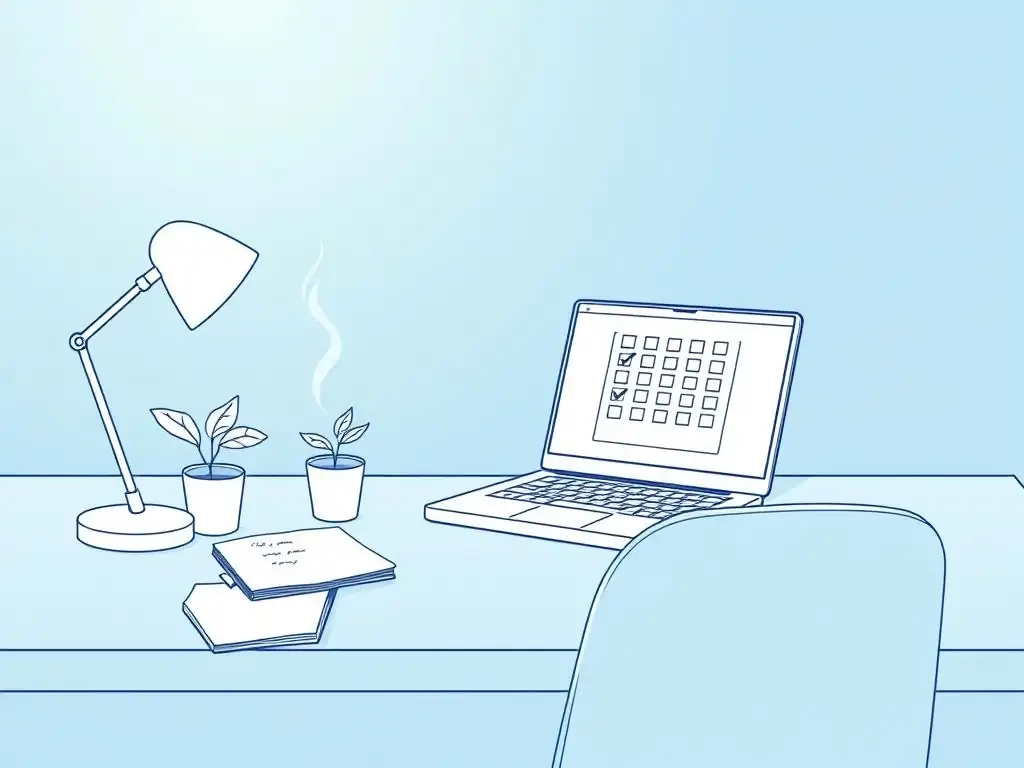
This section dives deep into practical strategies to cultivate a calm and focused workflow, directly impacting your productivity and reducing digital overwhelm. We'll explore techniques to regain control of your digital environment and reclaim your time and mental energy. Mastering these techniques is crucial for achieving a sustainable and effective workflow, transforming your digital experience from chaotic to calm. The key is to implement these strategies consistently, adapting them to your specific needs and preferences.
Declutter Your Digital Workspace
A cluttered digital workspace mirrors a cluttered mind. Before you can achieve a calm and focused workflow, you must declutter your digital environment. This involves more than just deleting unnecessary files; it's about establishing a system for organization and maintaining it.
Start by assessing your computer's files and folders. Are there redundant documents? Outdated projects? Unused programs? Ruthlessly delete or archive anything you don't need. Consider using a cloud storage service to consolidate files and free up hard drive space. This not only improves performance but also reduces visual clutter.
Next, organize your remaining files into logical folders using a consistent naming convention. For example, you could organize by project, client, or date. Implementing a clear folder structure significantly reduces the time spent searching for specific files. Think of it as creating a digital filing cabinet – efficient and easily navigable.
A well-organized desktop is equally important. Avoid scattering icons haphazardly. Group related icons into folders and keep the number of icons to a minimum. A clean desktop reduces visual distractions and promotes a sense of calm. Consider using virtual desktops to further segment your work based on tasks or projects. This allows you to focus on one area at a time without the visual noise of other unrelated tasks.
Finally, regularly review and purge your digital workspace to prevent clutter from accumulating again. Schedule a recurring task in your calendar, perhaps once a week or once a month, to declutter and maintain your organized system. This proactive approach ensures that your digital workspace remains a source of calm and focus, not frustration and overwhelm. Think of it as digital spring cleaning! 🧹
Master Your Inbox
Your email inbox is often the epicenter of digital chaos. An overflowing inbox can be a significant source of stress and distraction, hindering your ability to maintain a calm and focused workflow. Mastering your inbox involves more than just deleting emails; it's about establishing a system for managing and processing them efficiently.
The Inbox Zero method is a popular approach. The goal is not necessarily to reach zero emails, but to process each email quickly and decisively. This involves applying the following steps to each email:
- Delete: Immediately delete any irrelevant or unnecessary emails.
- Archive: Archive emails that you need to keep for reference but don't require immediate action.
- Delegate: Forward emails to the appropriate person if someone else can handle them.
- Defer: Schedule emails requiring action for a later time using a task management system.
- Do: If an email requires immediate action and can be completed in under two minutes, do it immediately.
Employing these steps systematically allows you to clear your inbox swiftly and efficiently. Remember to unsubscribe from unwanted newsletters and mailing lists to further minimize incoming emails. Consider using email filters to automatically categorize and sort incoming messages, reducing manual sorting.
Another key strategy is to dedicate specific times during your day to check and process your emails. Avoid constantly checking your email throughout the day, as this can lead to interruptions and disrupt your workflow. Scheduled email checks allow for focused attention, preventing email from becoming a constant distraction. This technique significantly contributes to a calmer and more focused work environment.
Tame Notifications
Constant notifications from various apps and programs are a major contributor to digital overwhelm. The incessant pings, chimes, and pop-ups disrupt concentration and fracture your focus. Taming notifications is crucial for creating a calm and focused workflow.
The first step is to identify which notifications are truly essential and which are merely distractions. Many notifications can be safely disabled without compromising important information. Review your notification settings for each app and selectively disable those that are not critical. Prioritize only essential notifications, like urgent messages or time-sensitive alerts.
Next, consider using the "Do Not Disturb" or "Focus" mode on your devices. These features allow you to temporarily silence all notifications or customize which notifications are allowed through. Using these features during focused work periods can significantly improve concentration and reduce interruptions.
Moreover, consider using dedicated focus apps or browser extensions that block distracting websites and limit access to social media during work sessions. These tools can help you create a distraction-free environment and maintain your focus on the task at hand. These tools are invaluable in establishing a calm and focused workflow, reducing the pull of digital distractions. The reduction in interruptions will lead to increased productivity and a sense of accomplishment.
Time Blocking and Scheduling
Time blocking, a cornerstone of effective time management and a key component of achieving a calm focused workflow, involves allocating specific time slots in your day for particular tasks. Instead of loosely scheduling tasks, you dedicate a predetermined block of time—say, 90 minutes—to focused work on a single project. This method combats context switching, a major productivity killer.
Context switching, the act of rapidly shifting between different tasks, forces your brain to constantly reorient itself, leading to decreased efficiency and increased mental fatigue. By dedicating uninterrupted blocks of time, you allow your brain to fully engage with the task at hand, leading to deeper concentration and higher-quality output. This technique is particularly beneficial for complex or demanding tasks requiring sustained mental effort.
For example, instead of vaguely planning to "work on the marketing report," you might schedule "9:00 AM - 10:30 AM: Marketing Report - Data Analysis," followed by "10:30 AM - 11:00 AM: Break," and then "11:00 AM - 12:30 PM: Marketing Report - Writing." This structured approach minimizes distractions and maximizes focus. The key is to be realistic about the time needed for each task, factoring in potential unforeseen delays.
Regularly review and adjust your schedule based on your actual productivity levels and task complexity. Over time, you'll refine your time blocks to optimize your workflow for peak performance and a greater sense of calm and control. Remember to incorporate regular breaks to prevent burnout and maintain focus throughout the day.
Experiment with different block lengths to find what works best for you; some find shorter, more frequent blocks ideal, while others prefer longer, more immersive sessions. The goal is to find a rhythm that fosters sustained concentration without leading to mental exhaustion.
Prioritization Techniques
Effective prioritization is crucial for a calm focused workflow. Without a clear understanding of what truly matters, you risk getting bogged down in less important tasks, leading to feelings of overwhelm and decreased productivity. Several techniques can help you effectively prioritize your workload.
The Eisenhower Matrix (also known as the Urgent/Important Matrix) is a popular method. This matrix categorizes tasks into four quadrants: Urgent & Important, Important but Not Urgent, Urgent but Not Important, and Neither Urgent nor Important. This visual representation helps you identify tasks requiring immediate attention (Urgent & Important), those that should be scheduled (Important but Not Urgent), those that can be delegated (Urgent but Not Important), and those that should be eliminated (Neither Urgent nor Important).
Another effective technique is the MoSCoW method. This stands for Must have, Should have, Could have, and Won't have. This approach helps you clearly define the essential tasks (Must have) and those that are desirable but not critical (Should have and Could have). The tasks categorized as "Won't have" are eliminated entirely.
This method is particularly useful for project management, allowing you to focus on the core elements while acknowledging the value of other features without getting bogged down in them. Regardless of the prioritization method you choose, consistency is key. Regularly review your priorities, adjusting them as needed to reflect changing circumstances and deadlines.
Learning to say "no" to non-essential tasks is also crucial for maintaining a calm and focused workflow. By focusing your energy on high-impact tasks, you'll experience a significant boost in productivity and a reduction in overall stress levels. This focused approach contributes significantly to a more peaceful and productive workday.
Tools and Technologies for a Serene Digital Workflow
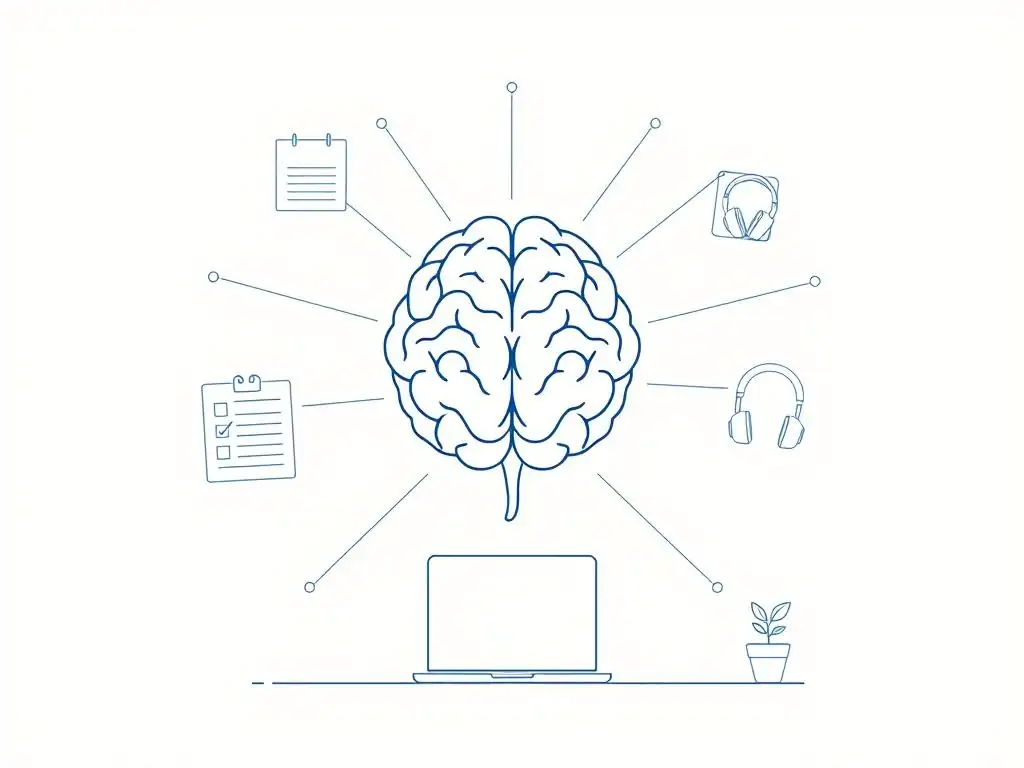
This section explores specific tools and technologies that can significantly contribute to a calm and focused workflow. We'll examine how strategic app usage, mindful technology integration, and helpful browser extensions can help you escape the digital overwhelm and cultivate a more peaceful and productive digital experience. Mastering these techniques is key to achieving your desired calm focused workflow techniques.
Productivity Apps
Productivity apps are not just about ticking off tasks; they're about creating a system that supports your mental well-being. Choosing the right apps can dramatically reduce stress and improve focus. Instead of feeling bombarded by notifications, a well-chosen app can provide a sense of control and calm.
Consider these key factors when selecting productivity apps:
- Simplicity: Avoid overly complex interfaces that add to cognitive overload. Look for clean designs and intuitive navigation.
- Integration: Choose apps that can integrate with each other and your existing workflow to avoid juggling multiple platforms.
- Mindfulness Features: Some apps include features like built-in breaks or guided meditations to promote mindfulness during your workday.
Here's a comparison of a few popular productivity apps, focusing on their features relevant to a calm and focused workflow:
| App Name | Strengths | Weaknesses | Mindfulness Features? |
|---|---|---|---|
| Focus To-Do | Simple interface, excellent task management | Limited collaboration features | No |
| Todoist | Robust task management, cross-platform compatibility | Can feel overwhelming with many projects | No |
| Forest | Gamified approach to focus, visually appealing | Requires consistent use to be effective | Yes |
| Freedom | Blocks distracting websites and apps | Can be restrictive if not used carefully | No |
Remember that the "best" app is subjective and depends on your individual needs and preferences. Experiment with different options to find what works best for you and contributes to your calm focused workflow techniques.
Mindful Technology Use
Mindful technology use goes beyond simply choosing the right apps. It's about cultivating a conscious relationship with your devices and technology in general. This involves intentional practices that minimize distractions and promote a sense of presence and calm.
Implementing mindful technology practices can involve:
- Scheduled Device-Free Time: Designate specific periods throughout the day (e.g., during lunch, before bed) where you completely disconnect from your devices. This allows for mental restoration and prevents digital burnout.
- Notification Management: Aggressively manage notifications. Turn off non-essential notifications, group similar notifications, and schedule specific times to check emails or social media.
- Designated Workspace: Create a dedicated workspace free of distractions. This could be a physical space or a virtual environment (e.g., a specific browser tab or app).
- Digital Detox: Periodically take longer breaks from technology to recharge and reconnect with yourself and the world around you. Even a weekend away from screens can make a significant difference.
By consciously integrating these practices into your daily routine, you’ll cultivate a more mindful relationship with technology, fostering a calmer and more focused workflow. This mindful approach is a crucial aspect of achieving your desired calm focused workflow techniques.
Browser Extensions
Browser extensions can be powerful allies in creating a serene digital workflow. They offer targeted solutions to common digital distractions and workflow inefficiencies.
Here are a few examples of helpful browser extensions:
- Website Blockers: These extensions allow you to block distracting websites during specific times or indefinitely. This helps maintain focus and prevents procrastination.
- Focus Mode Extensions: These extensions minimize visual clutter on web pages, creating a cleaner and more focused browsing experience.
- Readability Enhancers: Extensions that improve readability can reduce eye strain and improve comprehension, leading to a more comfortable and efficient workflow.
- Grammar and Spelling Checkers: These extensions help ensure clear and error-free communication, reducing the stress and time spent on editing.
Choosing the right extensions depends on your specific needs and challenges. Start by identifying your biggest digital distractions and then search for extensions designed to address those issues. A well-curated set of extensions can significantly contribute to a calmer and more focused digital experience, greatly enhancing your calm focused workflow techniques.
Cultivating a Mindful Approach to Digital Work
Digital overwhelm is often a symptom of a frantic, reactive approach to work. Cultivating a mindful approach, however, can significantly improve your calm focused workflow techniques and overall productivity. This involves intentionally engaging with your tasks, paying attention to your mental and emotional state, and responding rather than reacting. It's about shifting from a state of constant busyness to one of focused presence. This section explores practical strategies to integrate mindfulness into your digital workflow.
Mindfulness Exercises
Incorporating short mindfulness exercises throughout your workday can dramatically impact your ability to maintain a calm focused workflow. These exercises don't require extensive time commitments; even a few minutes can make a significant difference. Consider these techniques:
- Deep Breathing: Take 5-10 slow, deep breaths, focusing on the sensation of the air entering and leaving your body. This simple exercise can help calm your nervous system and center your attention. Try inhaling deeply through your nose, holding for a few seconds, and exhaling slowly through your mouth. Repeat several times. This is particularly effective when feeling stressed or overwhelmed by incoming emails or notifications.
- Body Scan Meditation: This involves systematically bringing your awareness to different parts of your body, noticing any sensations without judgment. Start with your toes and gradually move upwards, paying attention to any tension or relaxation. Even 2 minutes of this can help ground you and reduce feelings of anxiety.
- Mindful Movement: Short bursts of mindful movement, such as stretching or a brief walk, can help to alleviate physical tension and mental fatigue. Focus on the sensations in your body as you move. This is a fantastic way to transition between tasks and prevent burnout. A simple neck roll or shoulder stretch can do wonders.
- Nature Breaks: Even a short look at a natural scene—a plant, a picture of a landscape—can be surprisingly effective in reducing stress and improving focus. The calming effect of nature can help you return to your work feeling refreshed and ready to tackle tasks with renewed calm focused workflow techniques.
Incorporating Breaks and Restorative Activities
Regular breaks are crucial for maintaining a calm focused workflow. Prolonged periods of screen time lead to eye strain, mental fatigue, and decreased productivity. However, mindlessly scrolling through social media during breaks isn’t restorative. Instead, incorporate activities that truly help you recharge:
- The Pomodoro Technique: Work in focused bursts (e.g., 25 minutes) followed by short breaks (e.g., 5 minutes). This structured approach prevents burnout and promotes sustained concentration. Experiment with different timings to find what works best for you.
- Active Rest: Instead of passive breaks, engage in light physical activity like walking, stretching, or doing a few simple exercises. This improves blood circulation, reduces muscle tension, and boosts energy levels, promoting better concentration and a calm focused workflow.
- Mindful Consumption: Instead of grabbing a sugary snack, opt for a healthy and mindful meal or snack. Pay attention to the flavors, textures, and aromas of your food. This can improve your overall well-being and reduce stress-eating.
- Disconnect Completely: Schedule regular periods of complete disconnection from digital devices. This allows your mind to wander, reduces mental clutter, and helps you gain perspective. Use this time to engage in activities you enjoy, unrelated to work.
Setting Realistic Goals and Expectations
Overambitious goals and unrealistic expectations are major contributors to digital overwhelm. A calm focused workflow is built on achievable targets and a balanced perspective. Consider these strategies:
- Prioritization: Use techniques like the Eisenhower Matrix (urgent/important) to prioritize tasks effectively. Focus on high-impact activities first, leaving less crucial tasks for later or delegating them if possible.
- Time Blocking: Allocate specific time slots for different tasks. This helps you stay organized and prevents task-switching, a major productivity killer. Be realistic about how long tasks will take; overestimate rather than underestimate.
- Break Down Large Tasks: Overwhelming projects can feel insurmountable. Break them down into smaller, more manageable steps. This makes progress more visible and boosts motivation. Celebrate small victories along the way.
- Self-Compassion: Be kind to yourself. Perfectionism is a recipe for burnout. Accept that you won't always be productive, and that's okay. Focus on progress, not perfection, to foster a sustainable and calm focused workflow. Acknowledge your accomplishments and learn from your mistakes.
Implementing these techniques can significantly improve your digital workflow, leading to increased productivity, reduced stress, and a greater sense of calm and focus. Remember that consistency is key; make these practices a regular part of your routine to experience the long-term benefits. Remember to adjust these strategies to fit your individual needs and preferences for optimal results.
Maintaining a Calm and Focused Workflow Long-Term
Maintaining a calm and focused workflow isn't a one-time fix; it's an ongoing process requiring consistent effort and adaptation. Think of it as a garden—you need to tend to it regularly to ensure it thrives. Ignoring your workflow's needs will lead to weeds (distractions) overtaking your productive blossoms (tasks). The techniques discussed below will help you cultivate a sustainable, productive, and calm digital environment long after you've initially implemented them. This is crucial for preventing burnout and maintaining peak performance over the long haul. Mastering these strategies is key to achieving a truly calm focused workflow.
Regularly Review and Adjust Your Workflow
Regularly reviewing your workflow is paramount to its long-term success. What worked wonders a month ago might now be hindering your productivity. Life changes, priorities shift, and new tools emerge. A stagnant workflow is a recipe for digital overwhelm.
Consider scheduling a monthly review session. During this session, ask yourself these crucial questions:
- What's working well? Identify the strategies and tools that consistently boost your efficiency and contribute to a calm, focused environment. Celebrate these successes! 🎉
- What's not working? Be honest about the aspects of your workflow that are causing friction or leading to stress. Are there specific tools you're struggling with? Are certain tasks consistently taking longer than anticipated?
- What new tools or techniques could improve my workflow? The digital landscape is constantly evolving. Explore new apps, productivity methods, or automation tools that could streamline your processes.
- How can I better integrate self-care into my workflow? This is crucial for long-term sustainability. Are you taking enough breaks? Are you prioritizing your mental and physical health?
Document your findings and implement necessary changes. This iterative process ensures your workflow remains optimized and continues to support your need for a calm focused workflow techniques. Don't be afraid to experiment and adjust your approach as needed.
Building Sustainable Habits
Building sustainable habits is the cornerstone of a long-term calm and focused workflow. Simply implementing a new system once won't cut it; you need to integrate these changes into your daily routine to see lasting results. This requires mindful effort and consistent practice.
Here are some strategies for building lasting habits:
- Start small: Don't try to overhaul your entire workflow at once. Focus on incorporating one or two new habits at a time. Small, consistent steps lead to significant progress.
- Use a habit tracker: Many apps and even simple pen-and-paper methods can help you monitor your progress and stay accountable. Seeing your streak grow can be incredibly motivating.
- Reward yourself: Celebrate milestones and acknowledge your progress. This positive reinforcement helps solidify new habits.
- Find an accountability partner: Sharing your goals with a friend or colleague can provide extra motivation and support.
- Be patient and persistent: Building new habits takes time and effort. Don't get discouraged by setbacks; simply adjust your approach and keep moving forward. Consistency is key to achieving a truly calm focused workflow.
The Importance of Self-Care and Digital Wellbeing
Integrating self-care into your workflow isn't a luxury; it's a necessity. Neglecting your well-being will ultimately undermine your productivity and lead to burnout. A calm focused workflow requires a calm and focused you.
Consider these essential self-care practices:
- Regular breaks: Schedule short breaks throughout your workday to rest your eyes, stretch your body, and clear your mind. The Pomodoro Technique (25 minutes of work followed by a 5-minute break) is a popular and effective method.
- Mindfulness and meditation: Even a few minutes of daily mindfulness or meditation can significantly reduce stress and improve focus.
- Digital detox: Regularly disconnect from technology to give your mind a break from the constant stimulation. This could involve turning off notifications, limiting screen time, or taking a complete break from devices for a set period.
- Prioritize sleep: Adequate sleep is crucial for cognitive function and overall well-being. Aim for 7-9 hours of quality sleep each night.
- Healthy diet and exercise: Nourishing your body with healthy food and regular exercise will improve your energy levels and mental clarity.
By consistently incorporating these self-care practices into your routine, you'll not only improve your overall well-being but also cultivate a more sustainable and productive calm focused workflow. Remember, a balanced approach is key to long-term success.
Frequently Asked Questions
How can I escape the feeling of digital overwhelm?
The key is to prioritize and organize your digital tasks. Use tools like task management apps or simply a well-organized to-do list to gain control and reduce the feeling of being overloaded. Batch similar tasks together for increased efficiency.
What are some practical techniques for a calm and focused workflow?
Implement the Pomodoro Technique, take regular breaks, and minimize distractions like social media notifications. Mindfulness exercises can also significantly improve your focus and reduce stress.
How can I improve my efficiency and productivity using calm workflow techniques?
A calm workflow allows for deeper concentration, leading to higher quality work and fewer errors. Focus on one task at a time, completing it before moving on to the next, to avoid mental clutter and maximize efficiency.
What role does mindfulness play in achieving a focused workflow?
Mindfulness helps you stay present and avoid getting caught up in anxieties about future tasks or regrets about past mistakes. This allows for better concentration and a more peaceful work experience.
Are there any specific tools or apps that can help create a calm and focused workflow?
Yes, many apps can help! Consider using task management apps (like Todoist or Asana), focus/meditation apps (like Headspace or Calm), or even a simple timer for the Pomodoro Technique. Experiment to find what works best for you.
Final Reflection: Reclaiming Your Focus in a Digital Age
The relentless pace of the digital world demands a conscious effort to cultivate calm and focus; otherwise, we risk being perpetually overwhelmed. This isn't just about improving productivity; it's about reclaiming our mental well-being and fostering a sustainable relationship with technology. The techniques explored in this article—from mindful breaks to strategic task management—are not mere productivity hacks, but essential tools for navigating the complexities of modern life.
The pursuit of a calm and focused workflow is a journey, not a destination. It's a continuous process of self-discovery and adaptation, requiring consistent effort and self-compassion. The impact of constant digital stimulation on our attention spans and mental health is undeniable. As the philosopher Seneca once wisely observed, Every new beginning comes from some other beginning's end.
Embracing the principles outlined here—intentionality, mindfulness, and boundary setting—allows us to consciously end unproductive cycles and begin anew with greater clarity and purpose. This isn't just about managing our work; it's about managing our lives.
You now possess the knowledge and tools to cultivate a more peaceful and productive workflow. Consider which techniques resonate most deeply with you and begin integrating them into your daily routine. Experiment, adapt, and most importantly, be kind to yourself throughout the process. Remember, the journey towards a calm and focused life is a personal one, and the rewards—increased productivity, reduced stress, and a greater sense of well-being—are immeasurable. Begin today, and experience the transformative power of a mindful approach to your digital life.
Unleash Your Focus: Design Your Ideal Workflow Today
Thank you for exploring strategies for a calmer, more focused digital life! We hope you discovered practical ways to manage overwhelming tasks and boost your productivity. Now, let's put those ideas into action.
Here's how to design your ideal workflow:
- Prioritize one key task: Identify the most important task affecting your current workflow and make one improvement. This could involve setting dedicated work blocks or decluttering your digital workspace.
- Experiment with a new time-management technique: Try the Pomodoro Technique, time blocking, or another method—even for just a day. Observe its effectiveness and adjust accordingly.
- Share your key takeaway! What's one simple step you'll take to improve focus and reduce digital overload? Let's discuss it in the comments below.
What small change will you implement today to create a more peaceful and productive workday?