
Say Goodbye to Digital Overwhelm: Mastering Your Workflow for Optimal Results


Feeling overwhelmed by your digital to-do list? At UltimateLifeHacks, we understand the struggle. This website is your guide to reclaiming control of your time and energy. Discover how to optimize digital workflow efficiency and unlock unprecedented productivity. Learn the secrets to a streamlined digital life – ready to ditch the chaos and embrace effortless efficiency? Let's dive in!
- Understanding Your Current Digital Workflow: A Critical Assessment
- Streamlining Your Digital Workflow for Peak Efficiency
- Choosing the Right Tools for Optimized Digital Workflow Efficiency
- Refining Your Digital Workflow for Long-Term Success
- Advanced Techniques for Optimizing Digital Workflow Efficiency
- Maintaining a Balanced Digital Life: Avoiding Burnout
-
Frequently Asked Questions
- What is a digital workflow, and why should I optimize it?
- How can I identify bottlenecks in my digital workflow?
- What are some practical tools to optimize my digital workflow?
- How can I avoid digital overwhelm while optimizing my workflow?
- What is the biggest benefit of optimizing my digital workflow for productivity?
- Final Reflection: Reclaiming Your Time in the Digital Age
- Unlock Your Digital Potential: Take Control Now!
Understanding Your Current Digital Workflow: A Critical Assessment
Digital overwhelm is a modern plague. The constant influx of emails, notifications, and tasks can leave even the most organized individuals feeling stressed and unproductive. This article aims to equip you with practical strategies to optimize your digital workflow efficiency, reclaiming your time and boosting your productivity. We'll delve into a comprehensive assessment of your current workflow, identify bottlenecks, analyze your tools, and evaluate your organizational system.
By the end, you'll have a clear roadmap for streamlining your digital processes and achieving optimal results. This isn't just about managing your inbox; it's about mastering your entire digital ecosystem for a more focused and fulfilling life. Let's begin by understanding the current state of your digital workflow. Optimizing digital workflow efficiency isn't a one-size-fits-all solution; it requires a personalized approach based on your unique needs and habits.
Identifying Digital Workflow Bottlenecks: Where Time is Lost
Before we can optimize your digital workflow efficiency, we need to pinpoint the areas where you're losing the most time and energy. Think about your typical workday or week. Where do you experience the most frustration or delays? Common bottlenecks include:
- Overburdened Email Inbox: Are you spending hours each day sorting through emails, many of which are irrelevant or unimportant?
- Inefficient File Management: Do you struggle to find specific files when you need them? Is your file system disorganized and chaotic?
- Too Many Apps and Tools: Are you using a plethora of different applications that don't integrate well with each other? This can lead to duplicated effort and wasted time.
- Lack of Task Management: Are you relying on your memory to keep track of tasks, leading to missed deadlines and forgotten assignments?
- Constant Interruptions: Are notifications from various apps and platforms constantly distracting you from your work?
To effectively identify your bottlenecks, consider tracking your time for a week. Use a timer or app to record how long you spend on various digital tasks. This data will provide valuable insights into where your time is going and where improvements can be made. Analyze your findings to identify recurring patterns and areas for optimization. For instance, if you consistently spend two hours each day managing emails, that's a significant area for improvement. Remember, even small changes can lead to significant time savings in the long run. Optimizing digital workflow efficiency is a journey, not a destination.
Assessing Your Current Toolset: Efficiency Analysis and Gaps
Your choice of tools significantly impacts your digital workflow efficiency. Are you using the right tools for the job? Do your tools integrate seamlessly with each other? A comprehensive assessment of your current toolset is crucial. Consider the following:
- Email Client: Is your email client efficient and user-friendly? Does it offer features like filtering, automation, and scheduling?
- File Management System: Are you using cloud storage, a local file system, or a combination of both? Is your system organized and easy to navigate?
- Task Management App: Are you using a task management app to keep track of your tasks and deadlines? If so, is it effective and efficient? If not, perhaps consider exploring options.
- Communication Platforms: Are you using multiple communication platforms (e.g., Slack, Microsoft Teams)? If so, are they causing more confusion than collaboration?
- Note-Taking App: Do you have a reliable system for capturing and organizing your ideas and notes?
Analyze the strengths and weaknesses of each tool. Identify any gaps in your toolset – are there any tasks or workflows that aren't being effectively supported by your current tools? This evaluation will help you identify areas where new tools or strategies could significantly improve your efficiency.
Consider whether your tools integrate well, allowing for a smooth and streamlined workflow. For example, if your task management app doesn't integrate with your email client, you might find yourself manually transferring tasks, which leads to wasted time and potential errors. Optimizing digital workflow efficiency often involves finding the right tools and using them effectively.
Evaluating Your Digital Organization System: File Management and Information Retrieval
A well-organized digital system is the cornerstone of digital workflow efficiency. How effectively can you find information when you need it? A disorganized system leads to wasted time searching for files, documents, and information. Consider these aspects of your digital organization:
- File Naming Conventions: Do you use a consistent and logical system for naming your files? Clear and consistent naming conventions greatly improve searchability.
- Folder Structure: Is your folder structure intuitive and easy to navigate? Are files logically grouped together?
- Cloud Storage Utilization: Are you effectively leveraging cloud storage for backup, collaboration, and accessibility?
- Search Functionality: Do you know how to effectively utilize the search functionality within your file system and cloud storage?
- Regular Cleanup and Archiving: Do you regularly clean up your digital files and archive outdated or unnecessary information?
A poorly organized system can significantly impact your productivity. Think about how much time you spend searching for lost files each week. This time could be spent on more productive activities. Implementing a robust and efficient file management system is key to optimizing digital workflow efficiency. This might involve adopting a new file naming convention, reorganizing your folders, or investing in a more sophisticated file management tool. Regular archiving and cleanup are also crucial to prevent your system from becoming overwhelmed with unnecessary data. A clean and organized digital environment contributes significantly to a more focused and productive workflow.
Streamlining Your Digital Workflow for Peak Efficiency
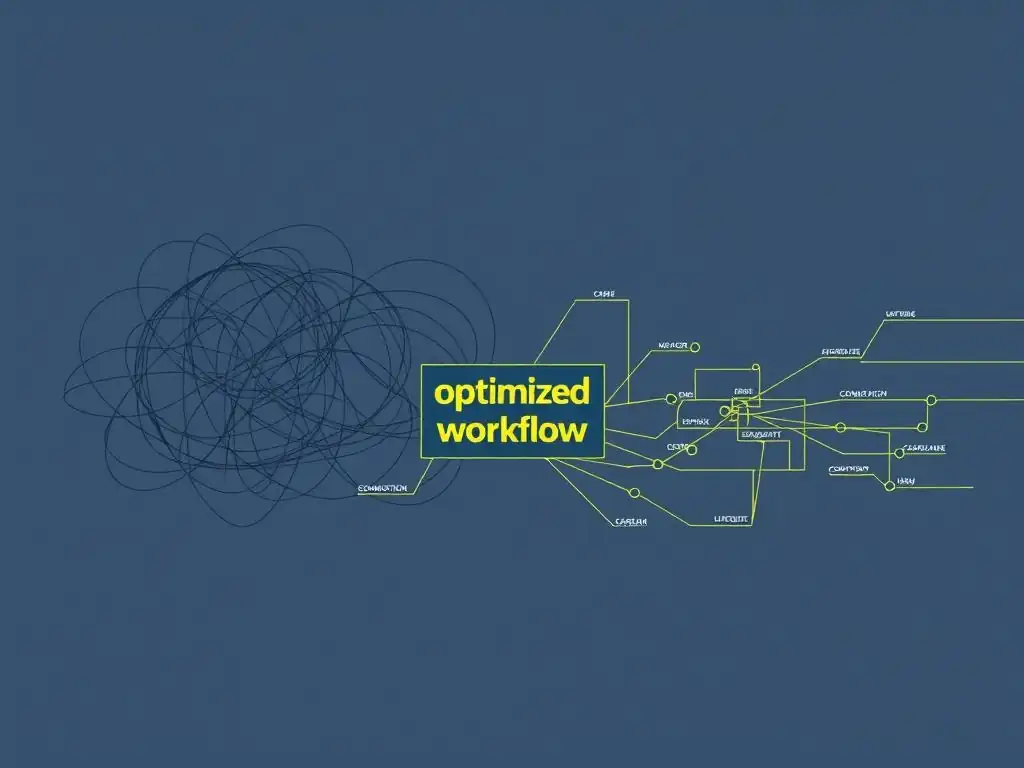
This section focuses on practical strategies to optimize your digital workflow efficiency, transforming how you manage digital tasks and information. We'll explore concrete methods to reduce digital clutter and boost productivity. The goal is to help you reclaim your time and mental energy, allowing you to focus on what truly matters. Efficient digital workflow management isn't just about using the right tools; it's about establishing a system that works for you.
Implementing a Robust File Management System
A chaotic file system is a productivity killer. Spending hours searching for misplaced documents directly impacts your workflow efficiency. A well-structured system, however, can save you countless hours annually. Consider these key elements for building a robust system:
- Consistent Naming Conventions: Use a standardized naming system for all your files. For example,
YYYYMMDD_Project Name_Description.filetype. This allows for easy sorting and searching. Inconsistent naming is a major contributor to digital clutter and wasted time. - Folder Structure: Organize your files into logical folders based on project, client, or topic. A hierarchical structure, with subfolders as needed, makes navigation significantly easier. Think about your typical workflow – how do you naturally group your information? Design your folder structure to reflect that.
- Regular Purging: Schedule regular time to delete unnecessary files. This prevents your system from becoming bogged down. The rule of thumb is: if you haven't accessed a file in six months, it's likely expendable. Consider cloud storage services for archiving less frequently used files.
- Cloud Storage Integration: Utilize cloud storage services like Dropbox, Google Drive, or OneDrive for backup and easy access across devices. This safeguards your data and allows seamless collaboration. Consider integrating cloud storage directly into your file management system for a more streamlined workflow.
Leveraging Automation Tools
Automation is key to optimizing digital workflow efficiency. Many repetitive tasks can be automated, freeing up your time for higher-level activities. Here are some examples:
- Zapier/IFTTT: These platforms allow you to connect different applications and automate workflows between them. For instance, you could automatically save emails with specific keywords to a designated folder, or add new contacts from your email to your CRM.
- Workflow Automation Software: Dedicated workflow automation software offers more sophisticated capabilities, often including task management, project tracking, and reporting features. These tools allow for complex automated processes tailored to your specific needs.
- Email Filters: Set up email filters to automatically sort incoming messages into different folders based on sender, subject, or keywords. This drastically reduces the time you spend manually managing emails.
| Automation Tool | Primary Function | Benefit to Workflow Efficiency |
|---|---|---|
| Zapier/IFTTT | Connects apps, automates simple workflows | Reduces manual data entry, streamlines processes |
| Workflow Automation Software | Comprehensive workflow management | Enables complex automation, improves team collaboration |
| Email Filters | Auto-sorts emails | Reduces email overload, improves response times |
Optimizing Email Management
Email is often a major source of digital overwhelm. Effective email management is crucial for optimizing digital workflow efficiency.
- Unsubscribe Strategically: Unsubscribe from unnecessary mailing lists to reduce inbox clutter. This simple act can significantly improve your email management and reduce distractions.
- Batch Processing: Instead of constantly checking and responding to emails throughout the day, dedicate specific blocks of time for email processing. This promotes focused work and minimizes interruptions.
- Use Canned Responses: For frequently asked questions, create canned responses to save time and ensure consistency. This is especially useful for customer service or frequently repeated communications.
- Prioritize Tasks: Use a system (like the Eisenhower Matrix) to prioritize emails based on urgency and importance. This ensures you focus on high-impact messages first.
Your inbox should be a tool, not a tyrant.
– Unattributed
By implementing these strategies, you can significantly improve your digital workflow efficiency, leading to reduced stress, increased productivity, and a greater sense of control over your digital life. Remember, optimizing your workflow is an ongoing process; continuous refinement and adaptation are key to long-term success.
Mastering Task Management Techniques
Effective task management is the cornerstone of optimizing digital workflow efficiency. The right techniques can transform a chaotic jumble of to-dos into a streamlined, manageable system. One popular method is the Getting Things Done (GTD) methodology, which emphasizes capturing all tasks, clarifying them, organizing them, reflecting on them, and engaging with them. This involves breaking down large projects into smaller, actionable steps, assigning deadlines, and prioritizing tasks based on urgency and importance. This approach helps prevent feeling overwhelmed by large projects and allows for better focus on immediate priorities.
Another effective technique is the Eisenhower Matrix, also known as the Urgent-Important Matrix. This method categorizes tasks based on their urgency and importance, helping you prioritize tasks that truly matter and delegate or eliminate less important ones. This prioritization significantly improves focus and prevents time being wasted on low-impact activities. For visual learners, Kanban boards offer a fantastic way to manage tasks.
These boards visually represent the workflow, allowing you to easily track progress, identify bottlenecks, and adjust your approach as needed. Whether you use digital Kanban tools or a physical whiteboard, the visual representation significantly enhances workflow visibility and control, contributing directly to optimizing digital workflow efficiency. Experiment with different techniques to find the one that best suits your working style and preferences. Remember that the key to success is consistency and regular review of your task management system.
Utilizing Calendar and Scheduling Tools for Enhanced Productivity
Calendars and scheduling tools are indispensable for optimizing digital workflow efficiency. They provide a centralized hub for managing appointments, deadlines, and projects, preventing scheduling conflicts and ensuring that time is allocated effectively. Beyond basic scheduling, many tools offer advanced features like recurring events, reminders, and time blocking. Time blocking, in particular, is a powerful technique for optimizing your day. By allocating specific blocks of time for specific tasks, you create a structured schedule that minimizes distractions and promotes focused work.
This structured approach significantly increases productivity and contributes to a more efficient workflow. Consider utilizing features such as color-coding for different project types or categories to enhance visual organization and quickly identify potential conflicts or overloaded days. Moreover, many calendar applications integrate with other productivity tools, creating a seamless workflow across different platforms. For example, integrating your calendar with your task management system allows you to schedule specific times for completing tasks, ensuring that deadlines are met and projects stay on track.
Choosing the right tool is crucial. Some popular options include Google Calendar, Outlook Calendar, and various specialized scheduling apps that cater to specific needs. Regardless of your choice, the key is to use the tool consistently and to leverage its features to maximize its effectiveness in optimizing your digital workflow efficiency. Regularly review your schedule to identify potential bottlenecks and adjust your approach as needed for continuous improvement.
Choosing the Right Tools for Optimized Digital Workflow Efficiency
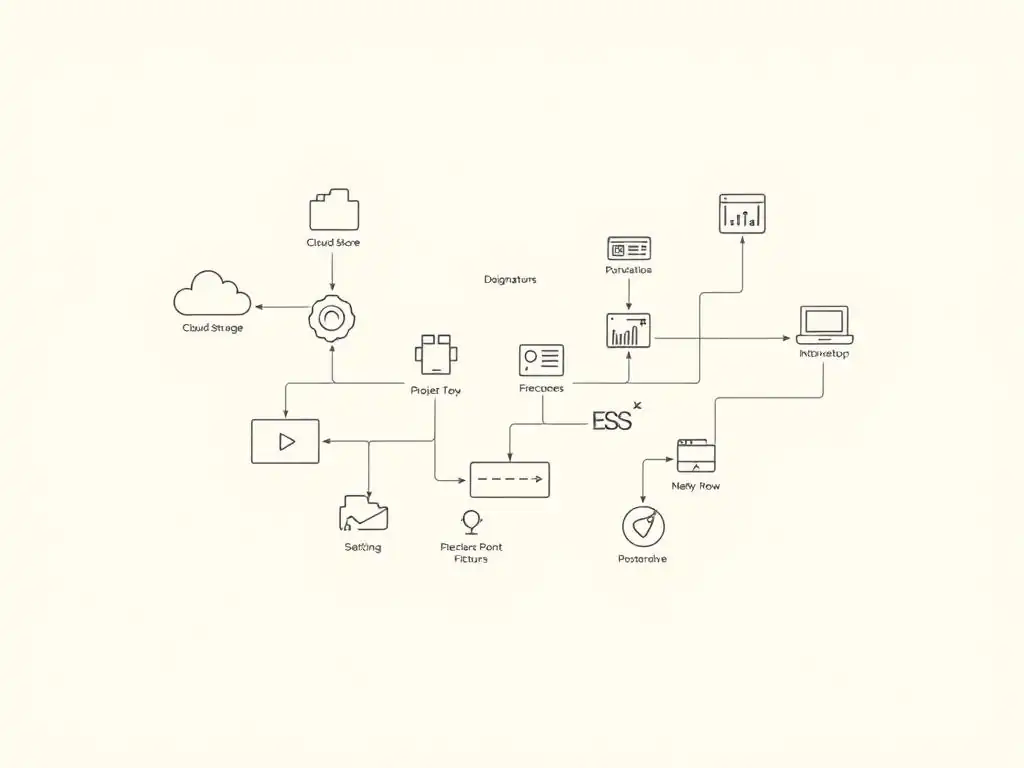
Optimizing digital workflow efficiency hinges on selecting the right tools. The sheer volume of available software can be overwhelming, but careful consideration of your specific needs and workflow style is key. This section will guide you through evaluating task management, note-taking, and project management software to create a streamlined digital ecosystem. Remember, the goal isn't to use every tool, but to strategically select those that best support your productivity. The right combination will significantly improve your overall digital workflow efficiency.
Selecting Task Management Software
Choosing the right task management software is crucial for optimizing digital workflow efficiency. The ideal software depends on your individual needs and preferences, but several key features should be considered. Do you need simple to-do lists, or complex project tracking with dependencies? Consider these factors:
- Simplicity vs. Complexity: Some applications, like Todoist or Any.do, offer a clean and intuitive interface perfect for simple task management. Others, like Asana or Trello, provide more advanced features for managing complex projects and collaborations. The best choice depends on the intricacy of your tasks.
- Platform Compatibility: Ensure the software seamlessly integrates with your preferred devices (desktop, mobile, tablet). Cross-platform compatibility is vital for maintaining consistent workflow across all your devices. This is critical for optimizing digital workflow efficiency.
- Collaboration Features: If you work collaboratively, consider applications with robust sharing and collaboration features. Features like shared lists, task assignments, and progress tracking are essential for team-based projects.
- Integration Capabilities: Look for software that integrates with other apps you regularly use (calendar, email, etc.). Seamless integrations significantly reduce manual data entry and improve overall efficiency. This is a key aspect of optimizing digital workflow efficiency.
Consider creating a simple table to compare different task management options:
| Software | Simplicity | Platform Compatibility | Collaboration Features | Integration Capabilities |
|---|---|---|---|---|
| Todoist | High | Excellent | Good | Good |
| Any.do | High | Excellent | Good | Good |
| Asana | Medium | Excellent | Excellent | Excellent |
| Trello | Medium | Excellent | Excellent | Good |
| Microsoft To Do | Medium | Excellent | Good | Excellent |
Remember, the best task management software isn't a one-size-fits-all solution. Experiment with free trials or free versions to find what works best for your workflow.
Evaluating Note-Taking Applications
Effective note-taking is paramount for optimizing digital workflow efficiency. A well-organized digital notebook can significantly reduce time spent searching for information and improve overall productivity. Key factors to consider when choosing a note-taking app include:
- Organization Features: How does the app handle organization? Does it offer folders, tags, search functions, and the ability to link notes? Robust organizational tools are crucial for efficient information retrieval. A poorly organized digital notebook can negate the benefits of digital note-taking.
- Formatting Options: Can you easily format your notes with headings, bullet points, bold text, and other formatting options? Rich text formatting allows for clearer and more easily digestible notes.
- Search Functionality: How effective is the search functionality? A powerful search function is essential for quickly finding specific information within your notes.
- Multimedia Support: Does the app support images, audio recordings, and other multimedia? Including multimedia can greatly enhance your note-taking experience, especially for visual learners or those who prefer audio recordings.
- Synchronization and Backup: Ensure the app synchronizes your notes across all your devices and offers reliable backup options. Losing your notes would be catastrophic for your workflow!
For example, Evernote is known for its robust organization features and cross-platform compatibility, while Notion offers a highly customizable and flexible workspace. Onenote integrates well with the Microsoft ecosystem. The best choice depends on your individual preferences and workflow.
Choosing the Best Project Management Software
Selecting the right project management software is vital for optimizing digital workflow efficiency, especially for complex projects or collaborative efforts. Factors to consider include:
- Project Views: Different project management software offers various project views (Kanban boards, Gantt charts, lists, etc.). Choosing software that aligns with your preferred project visualization method is crucial.
- Task Dependencies: Can you define dependencies between tasks? This is crucial for managing projects with sequential tasks.
- Resource Management: Does the software allow for resource allocation and tracking? This is essential for managing team projects and ensuring resources are utilized effectively.
- Reporting and Analytics: Does the software offer reporting and analytics features to track progress and identify potential bottlenecks? Data-driven insights can be invaluable for optimizing project workflows.
- Integrations: Does it integrate with other tools in your workflow (e.g., task management, communication platforms)? Seamless integration reduces manual data entry and streamlines the entire project management process. This is a crucial aspect of optimizing digital workflow efficiency.
Many project management tools offer free plans or trials, allowing you to test them before committing to a paid subscription. Carefully evaluate the features and functionality to ensure the software aligns with your specific project management needs and helps you optimize digital workflow efficiency. 🚀
Integrating Your Tools for Seamless Workflow
Integrating your chosen digital tools is crucial for optimizing workflow efficiency. A disjointed system, where different applications operate in silos, leads to wasted time and duplicated effort. The key is to create a cohesive ecosystem where data flows seamlessly between your various platforms.
This requires careful consideration of how each tool interacts with others. For instance, if you use a project management tool like Asana, integrating it with your calendar app (like Google Calendar or Outlook) allows for automatic scheduling of tasks and reminders, eliminating manual entry and reducing the risk of missed deadlines. This type of integration minimizes context switching and keeps everything centralized.
Furthermore, consider the power of automation. Many applications offer APIs or integrations that allow for automated tasks. For example, you could automate the process of sending email confirmations after a client project milestone is completed. This automation not only saves time but also ensures consistency and reduces the chance of human error. Think about the repetitive tasks you perform daily or weekly – can any of these be automated through clever integration of your tools? Exploring the integration capabilities of each tool is a key step in optimizing your digital workflow.
Effective integration also means understanding data formats and compatibility. Ensure that the tools you use can easily exchange information without requiring manual reformatting or data entry. For example, if you're using a CRM system, choose one that integrates smoothly with your email client and accounting software, allowing for a unified view of customer interactions and financial data. This holistic approach significantly reduces the time spent on administrative tasks, allowing you to focus on higher-value activities.
Poor integration, on the other hand, can create bottlenecks and slow down your entire workflow significantly. The investment in time and effort to properly integrate your tools will yield a substantial return in increased efficiency and reduced stress. Prioritize tools with robust integration options and explore available plugins or add-ons to enhance connectivity. The payoff is a streamlined, more efficient, and ultimately more enjoyable digital workflow.
Refining Your Digital Workflow for Long-Term Success
This section focuses on strategies to ensure your optimized digital workflow isn't a fleeting improvement, but a sustainable system that consistently boosts your productivity. We'll explore how to build lasting habits, regularly review and refine your system, and embrace the necessary flexibility for long-term success. Successfully optimizing digital workflow efficiency requires commitment and adaptation.
Building Sustainable Habits for Digital Organization
Building a truly effective digital workflow hinges on establishing sustainable organizational habits. It's not enough to simply implement a new system; you need to integrate it into your daily routine. Think of it like building muscle – consistency is key. Here's how to cultivate those crucial habits:
- Time Blocking: Dedicate specific times each day (or week) for tasks like email management, file organization, and project planning. Treat these blocks as important appointments you can't miss. For example, schedule 30 minutes each morning to process emails and prioritize tasks. This prevents inbox overload and ensures focused attention.
- The Two-Minute Rule: If a task takes less than two minutes, do it immediately. This prevents small tasks from piling up and becoming overwhelming. Responding to a quick email, filing a document, or deleting an unnecessary file are all prime candidates for this rule.
- Batch Similar Tasks: Group similar activities together. For instance, instead of switching between writing emails, making phone calls, and working on a presentation throughout the day, dedicate specific time blocks to each. This minimizes context switching and boosts focus. This technique significantly improves optimize digital workflow efficiency.
- Regular Backups: Data loss can be catastrophic. Establish a reliable backup system, whether it's cloud-based storage, external hard drives, or a combination of both. Schedule automatic backups to ensure your data is always safe and accessible. Consider the 3-2-1 rule: 3 copies of your data, on 2 different media, with 1 copy offsite.
- Gamification: Introduce elements of fun to make organization more engaging. Use productivity apps with reward systems, set personal challenges, or track your progress visually. Turning organization into a game can significantly improve adherence to your system.
Regularly Reviewing and Refining Your System
Even the best-designed digital workflow needs regular maintenance. What works perfectly today might become inefficient over time. Continuous review and refinement are crucial for sustained optimize digital workflow efficiency.
- Monthly Audits: Once a month, take some time to evaluate your system. Are there any bottlenecks? Are you using all your tools effectively? Are there any processes that can be streamlined or automated? A monthly audit allows for proactive adjustments.
- Feedback Mechanisms: Incorporate feedback loops into your workflow. This could involve reflecting on your daily or weekly productivity, analyzing your time tracking data, or seeking input from colleagues. Identify areas for improvement based on real-world experience.
- Tool Evaluation: Regularly assess the effectiveness of the tools you use. Are there newer, better options available? Are there any features you're not using? Staying updated with the latest productivity tools can significantly enhance your workflow.
Embracing Flexibility and Adaptability in Your Workflow
Life throws curveballs. A rigid digital workflow will crumble under unexpected changes. Adaptability is key to long-term success.
- Prioritization Matrix: Use a prioritization matrix (like the Eisenhower Matrix) to effectively manage your tasks, focusing on urgent and important items first. This allows you to adapt to changing priorities without losing focus.
- Contingency Planning: Have backup plans in place for unexpected disruptions. What happens if your internet goes down? What if a crucial tool malfunctions? Planning for these scenarios minimizes downtime and maintains productivity.
- Regular Self-Assessment: Periodically assess your own workflow habits and identify areas where you can improve. Are you procrastinating? Are you overwhelmed? Addressing these issues proactively prevents them from derailing your progress. Continuous self-assessment is crucial for maintaining optimize digital workflow efficiency. Remember, the goal is not perfection, but continuous improvement.
Measuring Your Progress and Celebrating Successes
Tracking your progress is crucial for maintaining motivation and identifying areas for improvement when optimizing your digital workflow efficiency. Don't just focus on the big picture; break down your goals into smaller, manageable milestones. This allows for more frequent celebrations of achievements, boosting morale and reinforcing positive habits.
For instance, instead of aiming for a completely streamlined workflow in a month, set weekly goals. One week might focus on mastering a specific software tool, while another could concentrate on decluttering your digital files. Each completed milestone, no matter how small, should be acknowledged. This could involve a simple mental pat on the back, a small reward (like a cup of tea and a short break), or even a note in a dedicated success journal.
Consider using productivity tracking apps or spreadsheets to quantify your progress. These tools allow you to visualize your achievements over time, providing concrete evidence of your improvements. For example, you could track the time spent on specific tasks, the number of emails processed, or the number of projects completed. The data collected can reveal patterns, highlighting areas where you're particularly efficient and areas needing further optimization.
Celebrating successes, both big and small, is essential for long-term adherence to improved workflow strategies. It's easy to get caught up in the constant pursuit of optimization and overlook the progress already made. Regular celebrations prevent burnout and reinforce the positive feelings associated with improved efficiency. This positive reinforcement is key to sustaining the changes you've implemented. Remember, optimizing your digital workflow is a journey, not a race. Enjoy the process and celebrate each step of the way! 🎉
Advanced Techniques for Optimizing Digital Workflow Efficiency

This section delves into advanced strategies to significantly boost your digital workflow efficiency. We'll explore techniques that go beyond basic organization, focusing on optimizing your cognitive processes and task management for peak performance. Mastering these methods will allow you to not only manage your digital workload but to truly optimize it, leading to increased productivity and reduced stress. The key is to integrate these techniques into your existing workflow, tailoring them to your specific needs and preferences.
Implementing the Pomodoro Technique for Focused Work
The Pomodoro Technique is a time management method that breaks down work into intervals, separated by short breaks. This structured approach combats digital distractions and promotes sustained focus. The core principle involves working in focused 25-minute bursts (Pomodoros), followed by a 5-minute break. After four Pomodoros, a longer break of 15-20 minutes is recommended.
This technique is particularly effective for optimizing digital workflow efficiency because it combats the tendency to get bogged down in lengthy, uninterrupted tasks. Instead of facing a daunting to-do list, you tackle it in manageable chunks. The short breaks prevent mental fatigue and maintain concentration levels, leading to higher-quality work and improved overall output.
For example, instead of spending three hours writing a report, you could break it down into six Pomodoros. Each Pomodoro might focus on a specific section: research, outlining, writing the introduction, developing the body paragraphs, crafting the conclusion, and finally, proofreading. The structured breaks allow for mental rejuvenation and a fresh perspective for each stage.
Consider using a timer app or even a simple kitchen timer to track your Pomodoros. Consistency is key to reaping the benefits of this technique. Experiment with adjusting the length of your work and break intervals to find what works best for your personal rhythm and energy levels. Remember, the goal is to find a sustainable system that enhances your focus and productivity.
Utilizing the Eisenhower Matrix for Prioritization
The Eisenhower Matrix, also known as the Urgent-Important Matrix, is a powerful tool for prioritizing tasks based on their urgency and importance. This method helps you categorize your tasks, preventing you from getting overwhelmed by less critical activities and ensuring that you focus on what truly matters.
The matrix uses a simple 2x2 grid:
| Important | Not Important | |
|---|---|---|
| Urgent | Do First | Delegate |
| Not Urgent | Schedule | Eliminate |
By categorizing your digital tasks into these four quadrants, you can gain clarity and focus your energy on high-impact activities. Tasks in the "Important and Urgent" quadrant demand immediate attention. "Important but Not Urgent" tasks should be scheduled for later, preventing them from becoming urgent. "Urgent but Not Important" tasks can often be delegated to others, freeing up your time for more crucial activities. Finally, "Not Important and Not Urgent" tasks should be eliminated entirely to avoid wasting valuable time and energy.
Let's say you have a looming deadline for a project (Urgent and Important), some long-term strategic planning (Important but Not Urgent), some emails that require a quick response (Urgent but Not Important), and some social media browsing (Not Important and Not Urgent). The Eisenhower Matrix helps you prioritize the project first, schedule the planning, delegate or quickly respond to emails, and eliminate the social media browsing. This structured approach significantly optimizes your digital workflow efficiency by ensuring you're focusing on the most valuable activities.
Batching Similar Tasks for Increased Efficiency
Batching similar tasks together significantly improves your workflow efficiency by minimizing context switching. Instead of constantly shifting between different types of work, you group similar activities and complete them consecutively. This reduces mental overhead, streamlines your process, and allows you to enter a state of flow, leading to increased productivity and better quality work.
For example, instead of alternating between checking emails, writing reports, and making phone calls throughout the day, you could batch similar tasks. Allocate a specific time block for answering emails, another for writing, and another for phone calls. This focused approach reduces mental clutter and makes you more efficient. The reduced cognitive load associated with context switching means you can perform each task more quickly and accurately.
Batching is particularly effective for optimizing digital workflow efficiency when dealing with repetitive tasks. Imagine you need to edit several photos, respond to numerous emails, or update several spreadsheets. By batching these similar actions, you improve your workflow and reduce the time spent transitioning between different activities.
This method is a simple yet powerful way to boost your productivity and reduce the feeling of being overwhelmed by your digital workload. Experiment with different batching strategies to see what works best for your individual workflow and preferences. The key is to find a system that minimizes distractions and maximizes your focus on the task at hand.
Leveraging Keyboard Shortcuts for Faster Workflows
Mastering keyboard shortcuts is a cornerstone of optimizing digital workflow efficiency. It drastically reduces the time spent navigating menus and clicking your mouse, freeing up cognitive resources for more complex tasks. Think of it as learning a new language – initially challenging, but ultimately rewarding with significant time savings. The initial investment in learning these shortcuts pays off exponentially over time.
Many applications, from email clients like Outlook and Gmail to design software such as Adobe Photoshop and Illustrator, and even web browsers like Chrome and Firefox, offer extensive keyboard shortcut libraries. These shortcuts allow for rapid navigation, file manipulation, and task execution. For example, instead of clicking through menus to save a file, a simple Ctrl + S (or Cmd + S on macOS) accomplishes the same task in a fraction of the second. This seemingly small time saving, multiplied across hundreds of actions per day, results in substantial gains in overall productivity.
Learning keyboard shortcuts isn't about memorizing every single one; it's about strategically mastering the most frequently used shortcuts within your daily workflow. Start by identifying the actions you perform most often and then search for the corresponding shortcuts. Most applications offer built-in help sections or online resources detailing their complete keyboard shortcut lists. Many websites also offer cheat sheets that you can print and keep handy as a reference.
Consider building a personalized keyboard shortcut cheat sheet tailored to your specific applications and needs. This allows you to focus on the shortcuts that directly impact your efficiency and avoid unnecessary memorization. You can organize your cheat sheet by application, grouping related shortcuts together for easier recall. Regularly reviewing and practicing your shortcuts will solidify your muscle memory and ensure they become second nature.
This proactive approach to learning keyboard shortcuts is key to effectively optimizing digital workflow efficiency. Furthermore, consistent practice is key; even dedicating 15 minutes a day to practicing specific shortcuts can yield significant improvements over time. Remember, the goal isn't perfection, but rather incremental improvement that cumulatively boosts your overall efficiency.
Maintaining a Balanced Digital Life: Avoiding Burnout
Digital overwhelm is a real threat in today's hyper-connected world. Constantly battling notifications, juggling multiple apps, and striving for peak productivity can quickly lead to burnout. Optimizing your digital workflow efficiency isn't just about getting more done; it's about creating a sustainable system that supports your overall well-being.
Ignoring this crucial aspect can negate any productivity gains you achieve. This section focuses on strategies to maintain a healthy balance between your digital life and your personal life, ensuring that technology serves you, not the other way around. Remember, a well-rested and mentally clear mind is far more productive than a stressed and exhausted one.
Setting Boundaries and Prioritizing Wellbeing
Setting clear boundaries between your work and personal life is paramount to avoiding digital burnout. This means establishing specific times for checking emails and responding to messages, and sticking to them. Consider using productivity apps that allow for scheduled "focus time" blocks, silencing notifications during these periods. Remember, your digital devices should enhance your life, not consume it. Prioritizing self-care is crucial.
This might involve incorporating mindfulness practices, regular exercise, or simply dedicating time to hobbies that disconnect you from screens. The goal is to cultivate a mindful approach to technology, recognizing when you need a break and actively choosing to take it. Treat your digital time like any other appointment – schedule it and honor it. Consider these examples:
- Designated "No-Tech" Time: Schedule at least one hour each day completely free from screens.
- Email Check Schedule: Limit email checks to three times a day (e.g., morning, midday, and end of workday).
- Social Media Breaks: Set time limits for social media usage using built-in app features or third-party apps.
- Weekend Digital Detox: Completely disconnect from work emails and social media for a portion of your weekend.
Incorporating Breaks and Downtime
Regular breaks are essential for maintaining focus and preventing burnout. The Pomodoro Technique, involving 25 minutes of focused work followed by a 5-minute break, is a popular method for optimizing workflow efficiency and preventing mental fatigue. However, the key is to make your breaks meaningful. Instead of mindlessly scrolling through social media during your breaks, engage in activities that truly refresh you. This could involve:
- Stepping away from your computer and going for a short walk.
- Stretching or practicing some light yoga.
- Listening to calming music.
- Engaging in a brief meditation session.
- Having a quick chat with a colleague or friend.
Avoid using your breaks as an opportunity to engage in more screen time. The goal is to give your mind and eyes a rest, allowing you to return to your work feeling refreshed and ready to tackle new tasks. Regular breaks are not a luxury; they are a necessity for sustaining long-term productivity and preventing digital fatigue. Think of it as preventative maintenance for your brain!
Regularly Decluttering Your Digital Space
Just as a cluttered physical space can be overwhelming, a cluttered digital space can significantly impact your productivity and mental wellbeing. Regularly decluttering your digital environment is vital for optimizing digital workflow efficiency and reducing stress. This includes:
- Deleting unnecessary files: Regularly review your computer's hard drive and remove files that are no longer needed. This frees up space and improves system performance.
- Organizing your digital files: Use a consistent and logical file-naming system to easily locate files when needed. Consider cloud storage for easy access and backup.
- Unsubscribing from unwanted emails: Unsubscribe from email newsletters and promotional emails you no longer find useful. This reduces inbox clutter and improves email management.
- Removing unused apps: Uninstall apps you no longer use from your phone and computer. This reduces screen clutter and improves device performance. A streamlined digital space improves focus and reduces decision fatigue.
By consistently decluttering your digital space, you create a more organized and efficient environment that supports improved focus and reduced stress. Think of it as spring cleaning for your digital life – a process that yields significant rewards in terms of both efficiency and mental clarity. Regular maintenance in this area is key to long-term success in managing your digital workflow.
Frequently Asked Questions
What is a digital workflow, and why should I optimize it?
A digital workflow is the sequence of steps you take to complete tasks using digital tools. Optimizing it means streamlining these steps to increase efficiency and reduce wasted time, leading to better productivity and less stress.
How can I identify bottlenecks in my digital workflow?
Track your daily tasks, noting time spent on each. Identify repetitive or time-consuming steps. Look for areas where technology could help automate or simplify processes. Analyze your tools to see if some are redundant or inefficient.
What are some practical tools to optimize my digital workflow?
Consider using project management software (Asana, Trello), note-taking apps (Evernote, OneNote), automation tools (Zapier, IFTTT), and cloud storage (Google Drive, Dropbox) to centralize and streamline your processes.
How can I avoid digital overwhelm while optimizing my workflow?
Start small by focusing on one area at a time. Prioritize tasks and delegate when possible. Regularly review and adjust your system to ensure it remains effective and doesn't become another source of stress.
What is the biggest benefit of optimizing my digital workflow for productivity?
The biggest benefit is reclaiming valuable time and mental energy. By streamlining your processes, you'll achieve more in less time, reducing stress and freeing up your cognitive capacity for more creative and strategic work.
Final Reflection: Reclaiming Your Time in the Digital Age
The relentless pace of the digital world often leaves us feeling overwhelmed, but mastering our workflows isn't just about efficiency; it's about reclaiming our time and mental clarity. This article explored practical strategies to navigate the digital deluge, from prioritizing tasks and utilizing automation tools to establishing mindful boundaries and embracing digital minimalism. These aren't just technical fixes; they are essential life skills in our increasingly interconnected world.
The impact of digital overwhelm extends far beyond missed deadlines and overflowing inboxes. It affects our mental well-being, our relationships, and our overall sense of fulfillment. The key is not to prioritize what's on your schedule, but to schedule your priorities.
– Stephen Covey. This quote perfectly encapsulates the shift in mindset required to truly optimize our digital workflows. By consciously choosing what we engage with and how we manage our digital spaces, we create room for what truly matters, fostering a more balanced and productive life.
You now possess the tools to transform your digital experience. Consider which strategies resonate most with you. Experiment, adapt, and refine your approach until you find a workflow that feels sustainable and empowering. Remember, the journey towards digital mastery is ongoing, a continuous process of learning and refinement. Embrace the challenge, and watch as you reclaim your time, energy, and ultimately, your life.
Unlock Your Digital Potential: Take Control Now!
Thank you for exploring strategies to overcome digital overwhelm! We hope you found valuable insights into streamlining your workflow and boosting your productivity. Now, let's put your newfound knowledge into practice.
- Start with one small change this week. Even a single improvement to your workflow can make a significant difference. Choose the strategy that appeals most to you and give it a try.
- Share this article with a friend or colleague who might also benefit from better digital organization. Let's build a supportive community focused on reducing stress and increasing efficiency!
- Try a new productivity app or tool. Experiment with one mentioned in the article, or one you've been interested in, to see if it complements your improved workflow and helps maintain focus.
What single step will you take today to create a more manageable and efficient digital life?