
From Chaos to Clarity: A StepbyStep Guide to Streamlining Digital Communication


Feeling overwhelmed by overflowing inboxes and scattered digital messages? At UltimateLifeHacks, we understand the struggle. This is why we're diving deep into the art of organizing digital communication efficiently. Discover practical strategies and proven techniques to reclaim your time and conquer digital chaos in our latest guide, "From Chaos to Clarity: A StepbyStep Guide to Streamlining Digital Communication"—a must-read for anyone seeking to boost their productivity and reclaim their focus. Ready to transform your digital life? Let's get started!
- Understanding Your Current Digital Communication Landscape
- Step 1: Declutter Your Digital Inbox
- Step 2: Centralize Your Communication Channels
- Step 3: Optimize Communication Tools for Efficiency
- Step 4: Establish Clear Communication Protocols
- Step 5: Regularly Review and Refine Your System
- Maintaining Organized Digital Communication for Long-Term Efficiency
-
Frequently Asked Questions
- How can I organize my overflowing inbox efficiently?
- What tools can help me organize my digital communication more effectively?
- How do I manage multiple communication channels without feeling overwhelmed?
- What's the best way to prioritize my digital communications?
- How can I improve my digital communication etiquette to save time?
- Final Reflection: Embracing the Calm After the Digital Storm
- Unlock Your Digital Zen: Take Control of Your Communication!
Understanding Your Current Digital Communication Landscape
Navigating the digital age often feels like wading through a sea of notifications, emails, and messages. In today's hyper-connected world, effective digital communication management is no longer a luxury, but a necessity for maintaining productivity and sanity. This step-by-step guide will help you transform your chaotic digital communication landscape into a streamlined, efficient system, allowing you to reclaim your time and focus on what truly matters.
We'll explore practical strategies to organize digital communication efficiently, focusing on actionable techniques that anyone can implement to improve their workflow and reduce stress. This guide is designed to help you conquer digital clutter and achieve a state of digital clarity, ultimately boosting your overall productivity and well-being. Learn how to effectively manage the influx of information and regain control over your digital life, improving your ability to "Organize digital communication efficiently."
Assessing Your Current Communication Tools and Platforms
Before we can streamline your digital communication, we need to understand the current state of your digital ecosystem. What tools and platforms are you currently using? This includes email clients (Gmail, Outlook, etc. ), messaging apps (WhatsApp, Slack, Teams, etc. ), social media platforms (Twitter, LinkedIn, Facebook, etc. ), project management software (Asana, Trello, Monday.com, etc. ), and any other platforms that contribute to your daily communication flow.
Create a comprehensive list of every platform you use for communication. Consider the frequency of use for each. Are you constantly checking your email, or is it more of a once-a-day task? Does a particular app dominate your attention, pulling you away from other crucial tasks? Understanding this frequency is crucial in identifying areas for improvement and optimization.
Consider the following questions:
- How many email accounts do you actively manage?
- Which messaging apps are essential for your work and personal life?
- Do you use any project management tools? If so, how effective are they?
- Are you subscribed to any newsletters or notifications that are no longer relevant?
This assessment will provide a clear picture of your current digital communication landscape, forming the foundation for the changes to come.
Identifying Communication Bottlenecks and Inefficiencies
Once you've assessed your communication tools, it's time to pinpoint the areas where things are slowing you down. Where are the bottlenecks? Are you spending excessive time searching for specific emails or messages? Are certain platforms constantly demanding your attention, disrupting your workflow? Are you overwhelmed by the sheer volume of notifications? This is where you'll identify the specific pain points that are hindering your productivity.
Think about your typical workday. Where do you find yourself wasting the most time? Are you constantly switching between applications? Are you struggling to keep track of conversations across multiple platforms? Consider the following potential bottlenecks:
- Overwhelmed Inbox: An overflowing inbox can be a major source of stress and inefficiency.
- Unorganized Files: Scattered documents and files make searching for information time-consuming.
- Inefficient Communication Flows: Poorly defined processes for communication can lead to delays and misunderstandings.
- Too Many Notifications: A constant barrage of notifications can be incredibly distracting.
Identifying these bottlenecks is the crucial first step towards creating a more efficient system. Remember to be honest and thorough in your self-assessment.
Analyzing Communication Flow and Processes
Now that you've identified your bottlenecks, let's analyze the flow and processes of your digital communication. How does information typically move through your system? Are there any redundant steps or unnecessary delays? Are there clear channels for different types of communication? Analyzing these aspects will reveal opportunities for simplification and optimization.
Consider creating a visual representation of your current communication flow, perhaps using a flowchart. This will help you to identify areas where processes can be streamlined or automated. For example, are you manually forwarding emails to different people or teams? Could this be automated using filters or rules? Are you using the right tools for the job? For instance, are you using email for quick questions when instant messaging would be more efficient?
By understanding the flow of information, you can identify opportunities to:
- Automate Repetitive Tasks: Use filters, rules, and automation tools to handle routine tasks.
- Centralize Information: Consolidate information from various sources into a single location.
- Establish Clear Communication Channels: Define clear channels for different types of communication.
- Improve Collaboration: Utilize tools that facilitate seamless collaboration with colleagues.
This thorough analysis will pave the way for implementing the practical strategies outlined in the following sections. Remember, optimizing your digital communication is an iterative process; continuous evaluation and adjustment are key to long-term success.
Step 1: Declutter Your Digital Inbox
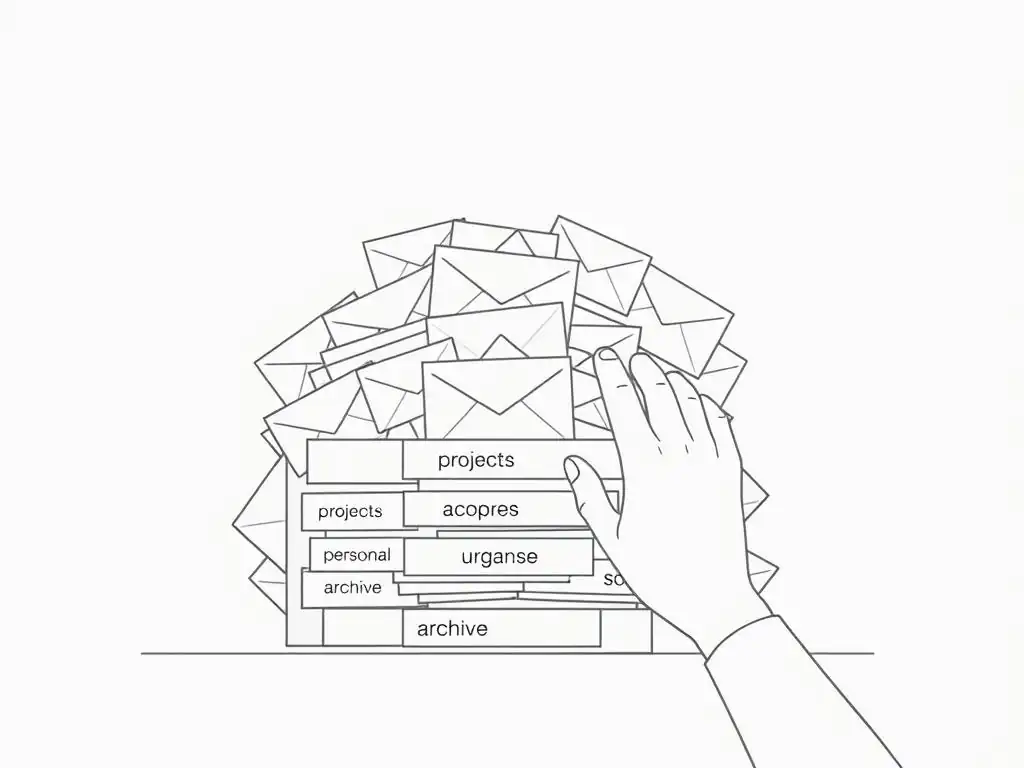
This initial step is crucial for anyone seeking to effectively organize digital communication. A cluttered inbox mirrors a cluttered mind, hindering productivity and increasing stress. The goal here isn't just to achieve zero inbox, but to cultivate a system where you can easily find what you need, when you need it. We'll explore practical strategies to transform your inbox from a chaotic mess into a well-oiled machine. Efficiently organizing your digital communication begins here.
Implementing Effective Email Management Strategies
Effective email management isn't about deleting everything; it's about strategic organization and prioritization. Think of your inbox as a triage center – you need to assess each email and assign it to the appropriate category for processing. Here's a breakdown of effective strategies:
- The Two-Minute Rule: If an email requires less than two minutes to respond to, handle it immediately. This prevents it from lingering and cluttering your inbox. This simple rule alone can dramatically reduce email backlog.
- The Archive Method: For emails that don't require immediate action but need to be kept for reference, archive them. Most email clients allow for powerful search functions, making archived emails easily retrievable when needed. This keeps your inbox clean without losing important information.
- The Delegation Strategy: If an email requires action from someone else, delegate it immediately. Forward it with clear instructions and a requested deadline. This removes the task from your plate and ensures timely completion.
- The "Someday/Maybe" Folder: Create a folder for emails requiring action at a later date or those that are less urgent. This prevents them from being lost while keeping your inbox focused on immediate priorities. Regularly review this folder to ensure nothing is unnecessarily lingering.
Utilizing Filters and Folders for Efficient Email Organization
Filters and folders are your secret weapons in the battle against email overload. They allow you to automatically sort incoming emails, preventing them from cluttering your main inbox. Think of them as your personalized email assistants.
| Filter Type | Description | Example |
|---|---|---|
| Keyword Filter | Filters emails based on specific words or phrases in the subject or body. | Filter emails containing "invoice" to a "Finance" folder. |
| Sender Filter | Filters emails based on the sender's email address or domain. | Filter all emails from "newsletter@example.com" to a "Newsletters" folder. |
| Importance Filter | Filters emails based on flagged importance levels (high, normal, low). | Prioritize high-importance emails. |
By strategically using filters and folders, you can create a system where emails are automatically categorized and prioritized. This significantly reduces the time spent manually sorting through your inbox. Experiment with different filter combinations to find the optimal setup for your workflow. Remember, the key is to create a system that works for you.
Dealing with Unsubscribes and Overcoming Email Overload
Email overload is a common problem, but it's easily mitigated with proactive unsubscribing. Unsubscribe from newsletters and promotional emails you no longer find valuable. This reduces the volume of unnecessary emails, freeing up mental space and improving focus. Many emails have an unsubscribe link at the bottom. Don't be afraid to use it!
Overcoming email overload is a continuous process. Regularly review your filters and folders, adjusting them as needed to maintain efficiency. Consider setting aside specific times of the day to check and respond to emails, rather than constantly checking throughout the day. This helps to regain control and prevent reactive email management, allowing you to proactively plan your day and truly organize digital communication efficiently. Remember, it's a journey, not a race. Celebrate small victories and focus on continuous improvement.
Step 2: Centralize Your Communication Channels
Centralizing your digital communication is crucial for efficiently organizing your digital life. Scattered emails, texts, messages across various platforms lead to missed information and wasted time. This step focuses on consolidating your communication into a manageable hub, significantly improving your ability to Organize digital communication efficiently.
Choosing the Right Communication Hub for Your Needs
The ideal communication hub depends on your individual needs and preferences. There's no one-size-fits-all solution. Consider these factors when making your choice:
- Frequency and Volume of Communication: Do you receive a high volume of messages daily, or is it more sporadic? A platform designed for high-volume communication might be better suited for a busy professional, while a simpler system might suffice for someone with less frequent interactions.
- Types of Communication: Do you primarily use email, instant messaging, or a combination? Some platforms excel at email management, while others prioritize instant messaging or collaboration features. Consider your primary communication methods when selecting a hub.
- Integration Capabilities: The best communication hubs integrate seamlessly with other apps and services you use. Look for platforms that offer integrations with calendar apps, task managers, and cloud storage services for a truly streamlined workflow.
- Security and Privacy: Data security and privacy are paramount. Choose a reputable platform with robust security features to protect your sensitive information. Consider end-to-end encryption if privacy is a major concern.
Consider these examples:
| Platform | Strengths | Weaknesses | Best For |
|---|---|---|---|
| Email Client (e.g., Outlook, Thunderbird) | Robust email management, extensive features | Can be overwhelming for high-volume users | Users prioritizing email communication |
| Dedicated Messaging App (e.g., Slack, Microsoft Teams) | Real-time communication, collaboration tools | Limited email capabilities | Teams and individuals needing real-time communication |
| Unified Communication Platform (e.g., Google Workspace, Microsoft 365) | Comprehensive suite of tools, integration | Can be expensive, requires learning curve | Businesses and individuals requiring a complete suite |
Choosing the right hub is a crucial step in effectively organizing your digital communication; carefully evaluate your needs before making a decision. The time invested in this selection will pay off in increased efficiency and reduced stress.
Integrating Different Communication Platforms
Once you've chosen your central hub, the next step is to integrate other communication platforms. This involves connecting your email accounts, instant messaging apps, and other relevant services to your chosen hub. This integration is key to organizing digital communication efficiently.
Effective integration minimizes context switching. Instead of jumping between different apps, you can manage all your communications from a single location. This reduces the cognitive load and prevents you from missing important messages. For example, if you use Slack for work communication and email for personal matters, integrating both into a unified platform allows you to monitor both streams concurrently, without the need to constantly toggle between applications.
Several strategies can help facilitate seamless integration:
- Utilize native integration features: Many communication platforms offer native integration with other services. Check your chosen platform's documentation to see which services it supports.
- Employ third-party integration tools: If native integration isn't available, consider using third-party tools that bridge the gap between different platforms. These tools often automate tasks, such as forwarding messages or syncing contacts.
- Develop a consistent communication strategy: Establish clear guidelines for using different communication channels. For instance, designate specific channels for work, personal matters, and different projects. This helps avoid confusion and ensures efficient message routing.
Remember, effective integration is a continuous process. As your communication needs evolve, you may need to adjust your integration strategy to maintain optimal efficiency. Regularly review your setup to ensure it remains relevant and effective.
Mastering Communication App Features for Seamless Workflow
Maximizing the efficiency of your chosen communication hub requires understanding and utilizing its features fully. This goes beyond simply sending and receiving messages. Mastering the features of your chosen app is pivotal to organizing digital communication efficiently.
Many communication platforms offer features designed to improve organization and workflow:
- Filtering and Sorting: Learn how to effectively filter and sort messages based on sender, subject, keywords, or other criteria. This allows you to prioritize important messages and quickly locate specific information.
- Labels and Tags: Use labels and tags to categorize messages for easy retrieval. This is especially useful for managing a large volume of communication. For example, you might use labels like "Project X," "Urgent," or "Client Communication."
- Automated Responses: Set up automated responses for frequently asked questions or during periods of unavailability. This frees up your time and ensures prompt responses to common inquiries.
- Search Functionality: Become proficient in using your app's search function. Knowing how to use advanced search operators can significantly speed up the process of finding specific messages.
- Notifications and Alerts: Customize your notification settings to receive alerts only for important messages. This prevents notification overload and ensures you focus on what truly matters.
By mastering these features, you can transform your communication app from a simple messaging tool into a powerful productivity engine. Regularly explore new features and updates to discover further ways to optimize your workflow. The more proficient you become, the more effectively you will organize digital communication efficiently.
Step 3: Optimize Communication Tools for Efficiency
This section focuses on refining your existing communication tools to maximize efficiency and minimize wasted time. We'll explore practical strategies to reclaim your focus and streamline your workflow, ultimately helping you organize digital communication efficiently. The key is to proactively manage your digital environment rather than letting it manage you.
Customizing Notification Settings to Minimize Distractions
The incessant pinging and buzzing of notifications can significantly disrupt concentration and productivity. Learning to strategically manage these alerts is crucial for organizing digital communication efficiently. Instead of being bombarded by every email, message, or social media update, curate your notifications to only receive alerts for truly urgent matters.
Consider these steps:
- Prioritize Apps: Identify the 2-3 communication apps most critical to your workflow (e.g., email, project management software, instant messaging). Focus your notification customization efforts on these.
- Time-Based Silencing: Schedule "focus time" blocks where notifications are completely disabled. This might be during dedicated work sprints or periods requiring deep concentration. Many apps offer "Do Not Disturb" modes or similar features.
- Customizable Alerts: Explore the notification settings within each app. You can often customize the type of alerts (sound, vibration, banner), frequency, and even the specific triggers for notifications. For example, prioritize emails from your boss or clients over newsletters.
- Categorize Notifications: If an app allows it, categorize notifications based on sender or content. This allows you to prioritize certain communications while muting others. For example, silence group chats unless directly mentioned.
Implementing these strategies will drastically reduce interruptions, allowing for deeper work sessions and improved focus. The result? More efficient communication and a significant boost in overall productivity.
Utilizing Automation Tools for Repetitive Tasks
Automating repetitive tasks frees up valuable time and mental energy, allowing you to focus on higher-level tasks that require your unique skills and judgment. This is a cornerstone of organizing digital communication efficiently.
Here are some examples of automation opportunities:
- Email Filters and Rules: Set up filters to automatically sort incoming emails into designated folders based on sender, subject, or keywords. This prevents important messages from getting lost in your inbox.
- Automated Responses: Utilize automated "out-of-office" replies or canned responses for frequently asked questions. This saves time and ensures consistent communication, even when you're unavailable.
- Social Media Scheduling: Use scheduling tools to plan and automate social media posts. This allows you to consistently engage your audience without constantly monitoring your accounts.
- Workflow Automation Tools: Explore tools that integrate with your communication platforms to automate tasks such as assigning tasks, sending reminders, or generating reports. These tools can significantly streamline your workflows.
By strategically automating these repetitive tasks, you can reclaim significant portions of your workday, allowing for more focused effort on strategic initiatives. This leads to a more organized and efficient digital communication system.
Leveraging Templates for Faster and More Consistent Communication
Templates are a powerful tool for boosting efficiency and ensuring consistency in your communication. They allow you to quickly create professional and well-structured messages without starting from scratch each time. This is vital for organizing digital communication efficiently.
Consider using templates for:
- Emails: Create templates for common email types like project updates, meeting requests, follow-ups, and thank-you notes.
- Social Media Posts: Develop templates for various social media platforms, ensuring consistent branding and messaging.
- Documents: Create templates for reports, presentations, or proposals to maintain a uniform format and save time on formatting.
- Instant Messages: Use pre-written responses for frequently asked questions or common scenarios.
The benefits of using templates extend beyond simply saving time. They ensure consistency in your communication, contributing to a more professional image and reducing the likelihood of errors or misunderstandings. This contributes directly to organizing digital communication efficiently and professionally. The time saved can be redirected towards more strategic and creative tasks, leading to a significant increase in overall productivity.
Step 4: Establish Clear Communication Protocols
This step focuses on proactively shaping your digital communication landscape. By establishing clear protocols, you'll significantly improve your ability to organize digital communication efficiently and prevent future chaos. Think of this as building the infrastructure for a well-oiled communication machine. This section will delve into defining your communication goals, crafting a consistent style guide, and implementing a robust tracking and management system.
Defining Communication Goals and Objectives
Before diving into specific strategies, it's crucial to define what you want to achieve with your digital communication. What are your primary objectives? Are you aiming to improve response times, enhance collaboration, reduce misunderstandings, or boost overall productivity? Clearly articulating these goals is paramount.
For example, a marketing team might aim to streamline client communication to reduce response times by 50% within three months. This quantifiable goal allows for effective measurement of progress. A software development team, on the other hand, might prioritize clear internal communication to minimize bugs and improve project delivery timelines. Their goal might be to reduce project delays by 20% by implementing a standardized communication protocol.
Consider these questions when defining your goals:
- What are the biggest communication challenges you currently face?
- What are the key performance indicators (KPIs) you'll use to measure success?
- What are the desired outcomes of improved communication? (e.g., increased efficiency, improved team morale, stronger client relationships)
- What resources (time, tools, training) are available to support these objectives?
Creating a Consistent Communication Style Guide
A consistent communication style guide ensures uniformity and clarity across all digital channels. This isn't just about grammar and spelling; it encompasses tone, format, and preferred communication methods. Imagine the clarity gained when everyone on your team understands the preferred method for urgent matters versus routine updates.
A comprehensive style guide should include:
- Preferred communication channels: Specify when email, instant messaging, project management software, or other tools should be used. For example, urgent issues might necessitate instant messaging, while detailed project updates are best suited for project management software.
- Tone and language: Define the appropriate tone (formal, informal, friendly, professional) for different audiences and contexts. This ensures consistent brand messaging and prevents misinterpretations.
- Formatting guidelines: Establish standards for subject lines, email signatures, document formatting, and the use of emojis 😜 or other visual elements. Consistency reduces ambiguity and improves readability.
- Response time expectations: Outline expected response times for different communication channels and urgency levels. This sets realistic expectations and promotes accountability.
Implementing a System for Tracking and Managing Communication
A robust system for tracking and managing communication is essential for maintaining order and efficiency. This involves selecting the right tools and establishing workflows to ensure no message gets lost in the digital shuffle. This is crucial for organizing digital communication efficiently.
Consider these options:
- Project management software: Tools like Asana, Trello, or Monday.com offer centralized communication hubs, task management features, and progress tracking capabilities.
- Shared inboxes: Utilizing a shared inbox for team communication ensures that all messages are addressed and no one is overloaded.
- Communication logs: Maintaining a log of important communications provides a historical record for reference and troubleshooting.
- Automated workflows: Setting up automated email responses or notifications can streamline routine communication tasks and improve response times.
| Tool | Strengths | Weaknesses | Best Use Case |
|---|---|---|---|
| Project Management Software | Centralized communication, task management | Can be complex to implement and manage | Complex projects, team collaboration |
| Shared Inbox | Ensures all messages are addressed | Requires clear delegation and workflow | High-volume customer service, team communication |
| Communication Logs | Provides historical record | Requires manual maintenance | Auditing communication, resolving discrepancies |
By implementing these protocols, you'll move from a chaotic digital communication environment to a streamlined and efficient system. Remember, the key is consistency and proactive planning. This structured approach is invaluable for organizing digital communication efficiently and maximizing your productivity.
Step 5: Regularly Review and Refine Your System
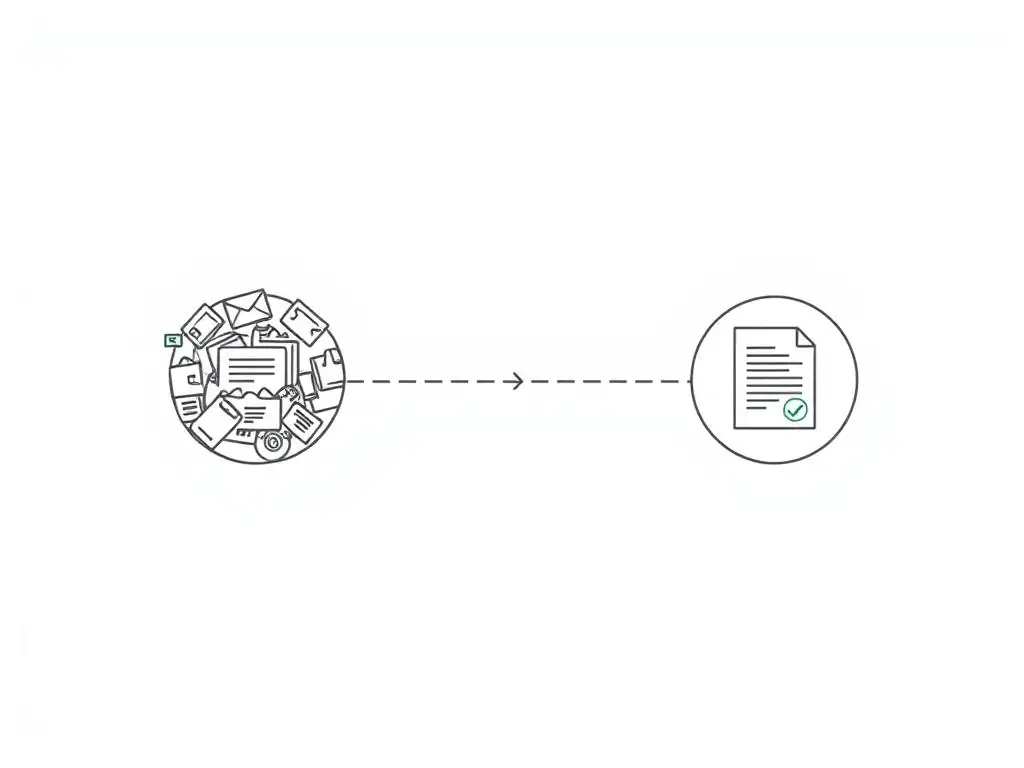
Regular review and refinement are crucial for maintaining an efficient digital communication system. A static system quickly becomes outdated and ineffective as your needs and technological landscape evolve. Think of it as preventative maintenance for your digital workflow – addressing small issues before they snowball into major productivity drains. This proactive approach ensures you continue to "Organize digital communication efficiently" and maximize the benefits of your chosen strategies.
Monitoring Your Communication Efficiency Metrics
To effectively refine your system, you need quantifiable data. Start by establishing key performance indicators (KPIs) relevant to your communication goals. These metrics will vary depending on your profession and communication style, but some common examples include:
- Response Time: How quickly do you typically respond to emails, messages, or other communications? Aim for consistent and timely responses to avoid delays and maintain professional relationships. Tracking your average response time helps pinpoint areas where you might be falling behind.
- Email Inbox Zero Rate: While achieving true inbox zero daily might be unrealistic for some, strive for a manageable inbox. Monitor the percentage of days you end with a clear inbox or a significantly reduced number of unread messages. This reflects your ability to process information efficiently.
- Meeting Efficiency: For those with many meetings, measure the effectiveness of each meeting. Did you achieve your objectives? Were there unnecessary participants? Tracking meeting efficiency helps identify areas for improvement, such as better agenda setting or shorter meeting durations.
- Project Completion Time: If your communication is project-based, track the time taken from initial communication to project completion. Analyze bottlenecks and delays to understand where improvements can be made in your communication processes.
The table below provides a sample framework for tracking these metrics over a month:
| Metric | Week 1 | Week 2 | Week 3 | Week 4 | Average | Goal |
|---|---|---|---|---|---|---|
| Average Response Time (Emails) | 2 hrs | 1.5 hrs | 2.5 hrs | 1 hr | 1.75 hrs | < 1 hr |
| Inbox Zero Rate (%) | 60% | 75% | 80% | 90% | 76% | > 80% |
| Avg Meeting Duration (mins) | 45 | 30 | 50 | 35 | 40 | < 30 |
| Project Completion Time (days) | 7 | 5 | 6 | 4 | 5.5 | < 5 |
Regularly reviewing this data allows you to identify trends and areas needing attention. Remember, these are just examples; tailor your metrics to your specific needs and communication style.
Identifying Areas for Improvement and Optimization
Analyzing your communication efficiency metrics reveals areas ripe for optimization. For instance, a consistently high average response time might indicate a need for better email management techniques, such as using filters, prioritizing tasks, or scheduling dedicated email response times. A low inbox zero rate might suggest a need for more robust archiving or delegation strategies. Prolonged meeting durations might require refining meeting agendas or implementing time-boxing techniques.
By pinpointing these weaknesses, you can proactively address them. This might involve adopting new tools, refining existing workflows, or adjusting your communication habits. Remember that continuous improvement is a journey, not a destination. Embrace experimentation and don't be afraid to try different approaches until you find what works best for you.
Adapting Your System to Evolving Needs and Technologies
The digital landscape is constantly evolving. New communication tools, platforms, and technologies emerge regularly. To maintain efficiency, your system must adapt. Regularly evaluate new tools and technologies to see if they can enhance your workflow. This might involve exploring new email clients, project management software, or communication platforms. Consider the following:
- New Communication Platforms: Are there newer platforms that better suit your communication needs? Exploring alternatives can lead to significant improvements in efficiency.
- Automation Tools: Can you automate repetitive tasks, such as sending follow-up emails or scheduling appointments? Automation frees up valuable time and reduces the risk of human error.
- Integration Capabilities: Can your existing tools integrate with each other to streamline workflows? Seamless integration minimizes the need for manual data entry and reduces the chance of errors.
Adapting your system involves more than just adopting new tools; it also includes adjusting your strategies to accommodate changes in your responsibilities and communication demands. For instance, a change in role might necessitate a shift in communication priorities and the tools you utilize. Staying flexible and adaptable ensures your system remains a powerful tool for organizing digital communication efficiently, even amidst constant change. Remember, the goal is to continuously refine your approach to maximize productivity and minimize stress.
Maintaining Organized Digital Communication for Long-Term Efficiency
Maintaining a streamlined digital communication system isn't a one-time fix; it requires ongoing effort and adaptation. Think of it like gardening – you plant the seeds (establish your system), nurture the growth (implement strategies), and regularly weed (review and update) to ensure a thriving and productive digital landscape. Failing to maintain your system will lead to the slow creep of digital clutter, negating the initial benefits and ultimately hindering your productivity. Successfully organizing digital communication efficiently requires a commitment to consistent management.
Strategies for Ongoing Digital Communication Management
The key to long-term success lies in implementing sustainable strategies. These aren't about quick fixes but rather about integrating organizational habits into your daily workflow. Consider these practical approaches:
- Regular Email Triage: Don't just passively receive emails. Implement a system of triage – delete, archive, or respond immediately. Aim for a "zero inbox" approach at the end of each day or week. This dramatically reduces the mental load associated with managing your inbox. Think of it like clearing your physical desk each day – you feel much better knowing you're starting fresh.
- Scheduled Communication Blocks: Allocate specific times in your day or week for checking and responding to emails, messages, and other forms of digital communication. This prevents constant interruptions and allows you to focus your attention on the task at hand. This is particularly beneficial for preventing context switching and improving focus.
- Leveraging Automation: Utilize tools that automate tasks like email filtering, unsubscribing from unwanted newsletters, and scheduling social media posts. Automation frees up valuable time and mental energy for more important tasks. This is crucial for optimizing your workflow and organizing digital communication efficiently.
- Utilizing Folders and Labels: A well-structured folder system within your email client and cloud storage is essential. Use clear and consistent naming conventions. Leverage labels to categorize emails and documents for easy retrieval. This simple strategy drastically improves the speed and efficiency of finding specific information.
The Importance of Regular System Reviews and Updates
Your digital communication system isn't static; your needs and workflows will evolve over time. Regular reviews are crucial to ensure your system remains effective and efficient. Think of it as a performance review for your organizational system!
- Quarterly Review: At least every three months, take some time to evaluate your system. Are your folders still relevant? Are your labels still effective? Are there any new tools or techniques that could improve your workflow?
- Annual Overhaul: Once a year, conduct a more thorough review. This is an opportunity to make significant changes, purge unnecessary data, and update your strategies based on your evolving needs and technological advancements. This is the perfect time to identify and remove any lingering inefficiencies.
- Adapting to Change: Be prepared to adjust your system as your communication patterns and technological tools change. New apps, services, and communication platforms constantly emerge, and your system must adapt to remain relevant and efficient. Staying agile and adaptable is essential for long-term success.
Tips for Staying Organized and Productive in the Long Run
Maintaining a streamlined digital communication system is a marathon, not a sprint. Consistency and mindful habits are key to long-term success.
- Consistency is Key: The most important aspect of long-term organization is consistency. Sticking to your system, even when faced with challenges, is crucial. Think of it like brushing your teeth—a small, consistent effort yields significant results.
- Mindful Consumption: Be selective about the digital information you consume. Unsubscribe from irrelevant newsletters, limit social media usage, and be mindful of the time you spend on less productive digital activities. Curating your digital intake is as important as organizing it.
- Regular Backups: Regularly back up your important data to prevent data loss. This provides peace of mind and ensures that your hard work isn't lost. 💾 This is a crucial step in protecting your digital assets and maintaining a sense of control.
- Continuous Learning: The digital landscape is constantly evolving. Stay updated on new tools, techniques, and best practices to optimize your workflow and maintain your edge in organizing digital communication efficiently. This ensures your system remains at the forefront of efficiency. Embrace the journey! 🚀
Frequently Asked Questions
How can I organize my overflowing inbox efficiently?
Use a folder system to categorize emails, archive regularly, and unsubscribe from unnecessary mailing lists. Prioritize emails based on importance and set aside specific times for checking your inbox.
What tools can help me organize my digital communication more effectively?
Consider using email management tools like Gmail's filters and labels, task management apps (e.g., Todoist, Asana), and communication platforms (e.g., Slack, Microsoft Teams) that offer robust organization features.
How do I manage multiple communication channels without feeling overwhelmed?
Consolidate wherever possible. Schedule specific times to check each platform and turn off notifications during focused work periods. Use communication protocols to ensure clarity and efficiency.
What's the best way to prioritize my digital communications?
Employ the Eisenhower Matrix (urgent/important) to categorize messages. Focus on high-impact tasks and delegate or eliminate lower-priority communications. Regular review of your priorities is key.
How can I improve my digital communication etiquette to save time?
Use clear and concise language, avoid unnecessary attachments, and respond promptly to important messages. Set expectations for response times and use subject lines effectively to categorize emails.
Final Reflection: Embracing the Calm After the Digital Storm
The relentless influx of digital communication threatens to overwhelm us daily, yet mastering its flow is not an impossible feat. Successfully navigating this digital deluge is no longer a luxury; it's a necessity for maintaining productivity, mental well-being, and ultimately, a sense of control in our increasingly interconnected world. The strategies outlined in this guide offer a pathway to reclaiming that control.
The impact of streamlined digital communication extends far beyond individual productivity; it shapes our collective experience. It influences how we collaborate, how we learn, and how we connect with others. The ability to efficiently manage information directly impacts our ability to engage meaningfully with the world around us. As the philosopher Seneca once wisely stated, Every new beginning comes from some other beginning's end.
This applies perfectly to our digital lives; by consciously organizing our communication, we create space for new opportunities and more fulfilling interactions.
Now, consider your own digital landscape. What small changes can you implement today to bring more clarity and calm to your inbox, your notifications, and your overall digital experience? Start small, perhaps by unsubscribing from one unwanted email list or dedicating just fifteen minutes to organizing a single folder. Each step you take, no matter how seemingly insignificant, contributes to a larger shift towards a more intentional and fulfilling digital life. Embrace the journey from chaos to clarity – your future self will thank you for it.
Unlock Your Digital Zen: Take Control of Your Communication!
Thank you for exploring practical strategies to manage your digital communication. We hope you discovered actionable steps to streamline your inbox and regain focus. Now, it's time to apply what you've learned.
- Implement one new strategy from this article this week. Start small—focus on mastering one tip before moving on to others. This focused approach produces the best results.
- Share this article with a friend or colleague who is also struggling with digital overload. Helping others often helps ourselves!
- Consider creating a visual workflow chart based on the tips you've chosen—this will clarify the process.
What simple change will you make today to improve your digital communication? Let's discuss in the comments!