Ditch the Spreadsheet: Budgeting Apps That Make Saving Simple
😊 Stop wrestling with spreadsheets! Discover the best budgeting apps for saving money, streamlining your finances, and freeing up valuable time. This…
Read article

Take control of your finances with the best budgeting apps—your pocket-sized path to smarter money management. Whether you’re tracking every penny or building a stress-free savings habit, these tools turn complex spreadsheets into intuitive, automated dashboards that sync with your spending in real time. From zero-based budgeting to expense categorization and bill reminders, the right app helps you maximize every dollar without the mental math. Perfect for busy pros, side hustlers, and families alike, these mobile solutions boost financial wellness by offering instant insights, goal tracking, and even credit-score monitoring. Stop guessing where your money goes—leverage powerful algorithms, envelope methods, or AI-driven alerts to cut overspending and accelerate savings. With user-friendly interfaces and bank-level security, you’ll turn daily financial decisions into effortless wins. Ready to optimize your routine? Discover apps that fit your lifestyle, from free versions to premium, and transform your phone into a financial coach that keeps you on track—anytime, anywhere.
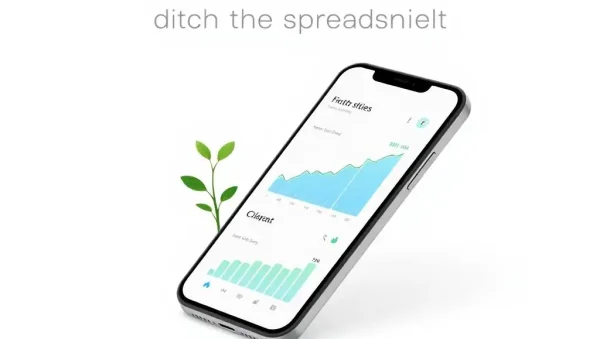
😊 Stop wrestling with spreadsheets! Discover the best budgeting apps for saving money, streamlining your finances, and freeing up valuable time. This…
Read article
🤔 Achieve your long-term financial goals faster! This article reveals the best budgeting apps for longterm savings, streamlining your finances and optimizing…
Read articleWelcome to the UltimateLifeHacks guide on the best budgeting apps—your shortcut to smarter money management without the spreadsheet headache. Whether you’re a seasoned saver or just starting your financial wellness journey, these mobile tools turn complex budgeting into a simple, daily habit. We’ve tested dozens of apps to find the ones that truly save you time, reduce financial stress, and help you reach your goals faster. Below, you’ll find actionable insights, feature breakdowns, and real-world tips to pick the perfect app for your lifestyle.
Forget manual entries—modern budgeting apps like Mint, YNAB (You Need A Budget), and PocketGuard sync directly with your bank accounts, credit cards, and investment portfolios. They automatically categorize every transaction into groceries, dining, subscriptions, and more, giving you a real-time snapshot of your cash flow. This automation is a massive life hack: you save at least 30 minutes weekly that would otherwise go to data entry, and you eliminate human error. Look for apps that offer instant transaction alerts and customizable categories to match your spending patterns.
What you can expect here is a deeper dive into each app’s tracking accuracy, sync speed, and bank compatibility. We’ll highlight which app handles cash transactions best, which one offers the most robust budgeting categories, and how to set up recurring bill reminders so you never miss a due date. By the end, you’ll know exactly which tool gives you the clearest picture of your money with the least effort, turning your smartphone into a passive financial guardian.
Your financial data is sensitive, so the best budgeting apps use 256-bit AES encryption—the same standard used by banks—and require two-factor authentication (2FA) for login. Apps like Personal Capital and EveryDollar also let you add a PIN or biometric lock (Face ID or fingerprint) on the app itself, so even if your phone is lost, your budget stays private. We prioritize apps that never store your actual bank credentials; instead, they use read-only access tokens via secure APIs like Plaid or Yodlee.
This section covers what security red flags to avoid (like apps asking for your full banking password) and how to enable extra layers like allow-listed devices or session timeouts. Expect a comparison of each app’s privacy policies, including whether they sell anonymized data to third parties. We’ll also share a quick checklist to verify if an app has been audited by independent security firms, ensuring your monthly budget stays as safe as your vault.
Not all budgeting apps follow the same philosophy. YNAB champions the zero-based budgeting method, where every dollar is assigned a job—spending, saving, or debt repayment—until your income minus expenses equals zero. On the other hand, Goodbudget uses the classic envelope system, letting you allocate digital cash to categories like “Eating Out” or “Transport,” and you can only spend what’s physically in each envelope. Both methods boost mindful spending, but they require different levels of hands-on tracking and discipline.
Here, we break down which app fits your personality: if you prefer flexibility and forgiving rollovers, choose YNAB; if you want strict spending limits per category, Goodbudget is your match. We’ll also explore hybrid apps like Mint that blend auto-tracking with simple budgeting buckets. You’ll learn how to migrate from one method to another, the pros and cons of each approach, and practical tips to avoid overspending when you’re mid-month and tempted to dip into next month’s envelope.
The best budgeting apps act as your personal money coach, sending push notifications when you’re close to exceeding a category limit, when a bill is due, or when a large transaction is detected. Apps like Cleo even use AI to send witty nudges like “You’ve spent $50 on coffee this month—want to try $40 next week?” Beyond alerts, they can automate savings: Chime and Qapital round up your purchases to the nearest dollar and stash the spare change into a savings account. This micro-saving technique builds an emergency fund without you even noticing.
Expect a detailed guide on customizing notification thresholds so you’re not bombarded with alerts. We’ll compare which app offers the best recurring bill reminder calendar, how to set up a “safe-to-spend” number after bills and savings are deducted, and which apps allow you to automate weekly transfers to a high-yield savings account. By leveraging these smart features, you’ll turn budgeting from a passive task into an active habit that grows your wealth on autopilot—perfect for your ultimate life-hacks toolbox.
Budgeting is more than tracking expenses—it’s about hitting milestones like paying off debt, building a vacation fund, or saving for a down payment. Apps like Personal Capital and YNAB offer goal-setting dashboards where you input a target amount and deadline, and they show a live progress bar, projected completion date, and how much you need to save monthly. They also generate visual reports—pie charts, line graphs, and cash flow analyses—so you can see spending trends over months, which reveals hidden leaks like that $15 monthly subscription you forgot about.
In this section, we’ll show you how to set SMART financial goals within each app, link multiple accounts to get a net worth overview, and interpret your monthly “spending by category” report to make informed cutbacks. Expect tips on using historical data to create a more realistic budget next month, and how to share progress with a partner or accountability buddy. These reports are not just numbers—they’re powerful motivators that turn your budgeting app into a vision board for financial independence, keeping you focused on the long-term wins, not just daily pennies.
Yes, for most people. Free apps like Mint and PocketGuard offer robust tracking, bill reminders, and basic budgeting. Paid apps like YNAB add advanced features like zero-based budgeting, credit score tracking, and dedicated coaching. If your financial situation is simple, free apps work fine; if you need strict discipline or have multiple income streams, the paid version is worth the cost.
Most apps support thousands of banks via secure APIs like Plaid or Yodlee. Before downloading, check the app’s supported institutions list on their website. Credit unions and smaller regional banks may have limited compatibility, but you can usually manually add cash transactions or link via CSV import as a workaround.
Yes, many apps offer round-up features, recurring transfer automation, and “save the change” options. For example, Chime rounds up purchases to the nearest dollar and transfers the difference to savings. Qapital lets you set rule-based savings like “save $5 every day” or “save 10% of your paycheck.” These small automatic actions add up to hundreds monthly.
Start by exporting your transaction history from the old app as CSV or QFX files. Then, import them into the new app if it supports bulk uploads. Most apps allow manual entry of previous month’s balances for continuity. Aim to switch at the beginning of a month to avoid mixed data, and spend a week testing the new app before deleting the old one.
Absolutely. Apps like YNAB, Goodbudget, and Honeydue allow multiple users to sync transactions, share budget categories, and comment on specific spending. Each person gets their own login, but the budget is joint. This is a great life hack for couples to stay transparent about finances and work toward shared goals without constant manual reconciliation.