
Effortless Digital Workflow: The Smart Way to Get More Done


Welcome to UltimateLifeHacks, your destination for practical strategies to conquer daily challenges and unlock peak productivity. Are you drowning in digital clutter and struggling to optimize digital workflow efficiency? We understand the frustration. Discover how simple tweaks can transform your chaotic digital life into a streamlined, efficient system, leaving you with more time and energy for what truly matters. Dive in and explore the secrets to effortless productivity—starting with our insightful article on Effortless Digital Workflow: The Smart Way to Get More Done.
- Understanding Your Current Digital Workflow: A Crucial First Step
- Streamlining Your Digital Workflow for Maximum Efficiency
- Choosing the Right Tools for Optimized Digital Workflow Efficiency
- Advanced Techniques for Digital Workflow Optimization
- Measuring and Improving Your Digital Workflow Efficiency
-
Frequently Asked Questions
- What is a digital workflow, and why should I optimize it?
- How can I identify bottlenecks in my current digital workflow?
- What tools can help me optimize my digital workflow efficiency?
- Are there any simple changes I can make to improve my digital workflow immediately?
- How can I measure the success of my digital workflow optimization efforts?
- Final Reflection: Unlocking Your Potential Through Effortless Digital Workflows
- Unlock Your Productivity Potential: Take Control of Your Digital Life!
Understanding Your Current Digital Workflow: A Crucial First Step
Optimizing digital workflow efficiency 1 is paramount in today's fast-paced digital world. This article will guide you through a strategic process to streamline your digital tasks, saving you valuable time and boosting your overall productivity. We'll move beyond superficial tips and delve into a practical, step-by-step approach to analyzing your existing workflow, identifying bottlenecks, and implementing effective solutions. By the end, you'll have a clear roadmap to a more efficient and effortless digital experience, enabling you to achieve more with less stress. This isn't about simply adding more tools; it's about strategically using what you have and identifying areas for improvement. Let's begin by understanding where you currently stand.
Assessing Your Current Productivity Levels: Where are you now?
Before we can optimize, we need a baseline. How productive are you really? This isn't about self-criticism; it's about honest self-assessment. Consider these key areas:
- Task Completion Rate: How many of your daily/weekly digital tasks do you consistently complete on time? Are there recurring delays? Quantify this as much as possible. For example, "I complete 80% of my assigned tasks on time, with a 20% backlog."
- Time Spent on Tasks: Track how long each digital task takes. Use a timer or productivity app to gain accurate insights. Are you spending excessive time on certain activities? Identify these "time sinks."
- Stress Levels: How stressed do you feel managing your digital workload? High stress levels often indicate workflow inefficiencies. Rate your stress on a scale of 1-10 (1 being minimal stress, 10 being extremely stressed).
- Use of Technology: Are you utilizing technology effectively? Are you familiar with keyboard shortcuts, automation tools, or other productivity-enhancing features of your software?
This self-assessment will provide a crucial foundation for identifying areas ripe for improvement. Remember, even small changes can have a significant impact on your overall efficiency. The goal is to create a sustainable system, not a temporary fix.
Identifying Bottlenecks in Your Digital Workflow: Pinpointing Inefficiencies
Once you've assessed your productivity, it's time to pinpoint the bottlenecks – the specific points in your workflow where things slow down or get stuck. These bottlenecks can manifest in various ways:
- Cluttered Digital Environment: A disorganized desktop, overflowing inbox, or chaotic file system can significantly impede progress. How organized is your digital workspace? Rate it on a scale of 1-5 (1 being extremely disorganized, 5 being impeccably organized).
- Inefficient Software Usage: Are you using your software to its full potential? Are you relying on inefficient methods or workarounds? Are there specific software features that, if learned, could significantly reduce your workload?
- Lack of Automation: Are there repetitive tasks you could automate? Even small automations can free up considerable time over the long term.
- Poor Communication: Do delays arise from inefficient communication methods? Are you relying on slow or unreliable channels for exchanging information?
- Unclear Priorities: Are you struggling to prioritize tasks effectively? Are you constantly switching between tasks, leading to reduced focus and increased completion time?
Identifying these bottlenecks is crucial. Addressing them directly will yield the most significant improvements in your digital workflow efficiency. Consider using a flowchart or mind map to visualize your current workflow and highlight these problem areas.
Analyzing Your Digital Tools and Software: Are they working for you, or against you?
Your digital tools are your weapons in the battle for productivity. Are they sharp and effective, or dull and cumbersome? A critical step in optimizing your digital workflow involves evaluating your current software and applications.
| Software/Tool | Purpose | Efficiency Rating (1-5) | Notes |
|---|---|---|---|
| Email Client | Communication, Task Management | ||
| Project Management Tool | Task organization, collaboration | ||
| Cloud Storage | File storage, accessibility | ||
| Note-Taking App | Information capture, organization | ||
| Word Processor | Document creation, editing |
This table allows for a systematic review. Rate each tool's efficiency and note any areas for improvement. Are there better alternatives? Could integration between tools improve efficiency? Are you using all the features of your existing tools? Addressing these questions will pave the way for a more streamlined and effective digital workflow. Remember, the right tools, used effectively, are invaluable assets in optimizing your digital workflow efficiency.
1 This is a key phrase for optimizing search engine results. Further variations and synonyms will be incorporated throughout the article.
Streamlining Your Digital Workflow for Maximum Efficiency

This section dives deep into practical strategies to optimize your digital workflow efficiency, focusing on techniques to significantly reduce time spent on administrative tasks and boost overall productivity. We'll explore proven methods for managing email, organizing files, and automating repetitive processes, transforming your digital experience from chaotic to controlled. The goal? To reclaim your valuable time and focus on what truly matters.
Optimizing Email Management: Taming the Inbox Beast
The inbox: a digital wasteland for many. Untamed emails can quickly become overwhelming, stealing precious hours each day. However, with a structured approach, you can conquer this digital beast and reclaim control. The key is a multi-pronged strategy combining inbox zero techniques with smart filtering and prioritization.
First, unsubscribe ruthlessly. Identify newsletters and promotional emails you no longer need and unsubscribe immediately. This significantly reduces incoming volume. Many email providers offer easy unsubscribe options, and using a service like Unroll.me can help manage multiple subscriptions at once.
Next, implement the "two-minute rule." If an email requires less than two minutes to respond to, handle it immediately. This prevents emails from piling up and becoming overwhelming. This simple act can dramatically reduce your inbox clutter.
Finally, utilize filters and folders. Create filters to automatically sort emails into specific folders based on sender, subject, or keywords. This helps categorize your emails and prioritize what needs your attention first. For example, filter all emails from your boss into a "High Priority" folder, while newsletters can be relegated to a separate folder for later review. This automated sorting allows you to focus on urgent matters efficiently.
Consider using email scheduling tools to send emails at optimal times, maximizing their impact and avoiding inbox overload during peak hours. This helps you manage your time effectively, ensuring your messages are read when most likely to be acted upon. Think of it as optimizing your email delivery for maximum efficiency.
Mastering File Organization: A System for Effortless Retrieval
A disorganized digital file system is a productivity killer. Wasting time searching for misplaced files is frustrating and inefficient. A well-structured system, however, ensures effortless retrieval, saving you significant time and stress in the long run.
The foundation of an effective system lies in a clear and consistent folder structure. This might involve organizing by project, client, date, or a combination thereof. The key is consistency; choose a system that works for you and stick to it. Avoid creating numerous nested folders; aim for a flat, easily navigable structure.
Furthermore, employ descriptive file names. Avoid generic titles like "Document1.docx." Instead, use clear and concise names that accurately reflect the file's content. This makes it easier to locate files quickly, without having to open each one to check its contents. Consider using keywords relevant to the file's contents to aid in searches.
Consider utilizing cloud storage services which offer robust search functionalities. These services often allow for full-text searching within files, dramatically reducing the time needed to locate specific information. The ability to search across multiple files simultaneously provides a significant boost to your workflow efficiency.
Finally, regularly review and purge your files. Delete unnecessary documents, and archive older files to external drives or cloud storage to maintain a clean and efficient system. This regular decluttering prevents your file system from becoming unwieldy and difficult to navigate. Think of it as digital spring cleaning for your workflow.
Automating Repetitive Tasks: Leverage Automation Tools for Time Savings
Automating repetitive tasks is a cornerstone of optimizing digital workflow efficiency. Many tasks you perform daily can be automated, freeing up your time for more strategic and creative work. This involves identifying repetitive actions and leveraging appropriate tools.
For example, social media scheduling tools can automate the posting of content across various platforms, saving you significant time and ensuring consistent engagement. These tools often offer analytics dashboards, allowing you to monitor the performance of your automated posts and refine your strategy.
Similarly, many email marketing platforms offer automation features. These allow you to send automated email sequences based on user actions, such as welcome emails or abandoned cart reminders. This automation significantly boosts your marketing efficiency and customer engagement.
Furthermore, consider using workflow automation software. These platforms allow you to automate complex workflows, involving multiple steps and applications. This can include tasks like automatically creating and assigning tasks, generating reports, or updating spreadsheets. These tools can significantly boost productivity by streamlining complex processes. The key is to identify which repetitive tasks are consuming the most time and prioritize their automation. This investment in automation will yield significant returns in terms of time saved and increased efficiency.
Implementing Cloud Storage Solutions: Secure and Accessible Data Management
Cloud storage has revolutionized how we manage digital assets, offering unparalleled accessibility and security benefits for optimizing digital workflow efficiency. Choosing the right cloud storage solution is crucial, however, as different providers cater to varying needs and budgets. Factors to consider include storage capacity, data security features (encryption, access controls), collaboration tools, and integration with existing software. For example, a small business might opt for a solution like Google Drive for its ease of use and seamless integration with Google Workspace, while a larger enterprise might require a more robust and customizable solution with advanced security features.
The transition to cloud storage often involves a careful migration strategy. This includes backing up existing data, ensuring data integrity during the transfer, and testing the new system's functionality. A phased approach, starting with less critical data, can minimize disruption and allow for thorough testing. Moreover, establishing clear data governance policies is essential; this includes defining access permissions, data retention policies, and procedures for data recovery in case of system failures or accidental deletions. Regular backups, both within the cloud storage system and potentially to an external hard drive, are crucial to safeguard against data loss.
Beyond simple file storage, cloud storage solutions often incorporate powerful collaboration tools. Features like real-time co-editing, shared folders, and version control significantly enhance teamwork and project management. This collaborative aspect directly contributes to optimizing digital workflow efficiency by reducing bottlenecks and improving communication. For instance, teams working on a shared document can simultaneously contribute and track changes, eliminating the need for multiple email exchanges or version control confusion.
This streamlined approach saves considerable time and effort, ultimately boosting productivity. Careful consideration of these collaborative tools during the selection process is vital to maximizing the benefits of cloud storage. Finally, consider integrating your cloud storage with other productivity tools you already use for a truly seamless workflow. This integration can dramatically boost efficiency.
Choosing the Right Tools for Optimized Digital Workflow Efficiency
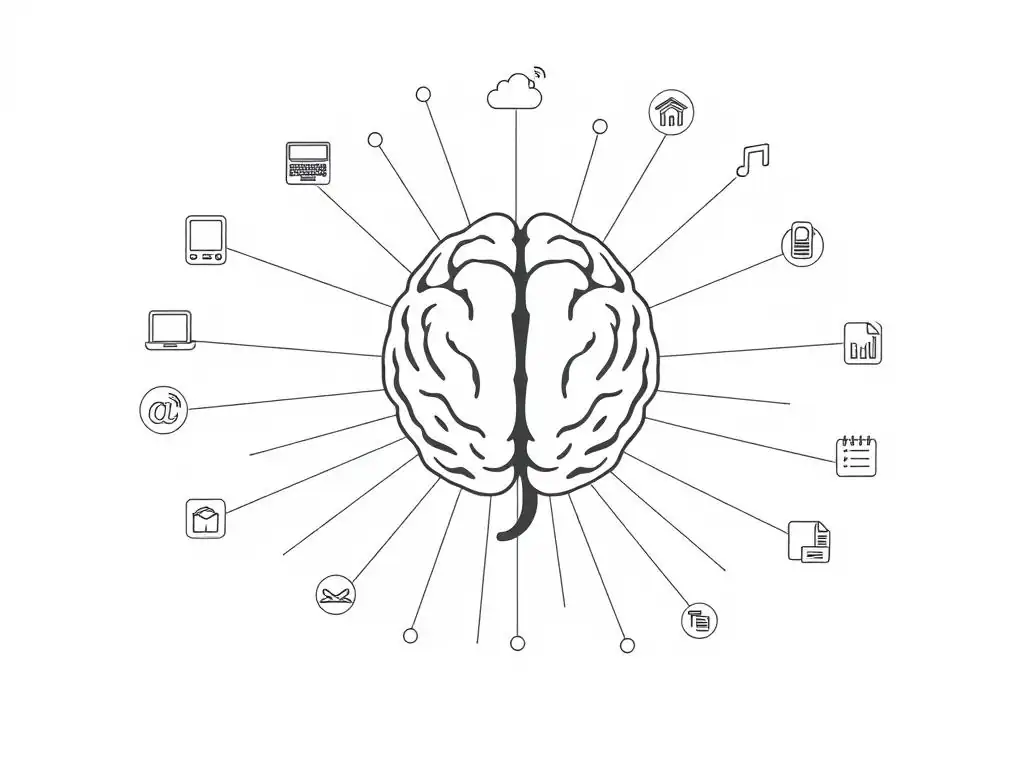
Optimizing digital workflow efficiency hinges on selecting the right tools. The sheer number of available applications can be overwhelming, but a strategic approach can significantly improve your productivity. This section focuses on identifying key criteria for tool selection and provides examples to illustrate the process. Remember, the "best" tool is subjective and depends heavily on individual needs and preferences. The goal is to find tools that seamlessly integrate into your existing workflow, rather than creating new bottlenecks.
Selecting Productivity Apps: A Guide to the Best Tools for Your Needs
Choosing the right productivity apps is crucial for optimizing digital workflow efficiency. Consider these factors when evaluating potential tools:
- Functionality: Does the app offer the specific features you need? This could include task management, note-taking, calendar integration, email management, or file organization capabilities. For example, a simple to-do list app might suffice for basic task management, while a more robust project management tool would be necessary for complex projects.
- Integration: Can the app integrate with other tools you already use? Seamless integration minimizes context switching and streamlines your workflow. Look for apps that offer integrations with popular services like Google Calendar, Gmail, Dropbox, or Slack.
- User-Friendliness: How intuitive and easy is the app to use? A complex interface can negate any productivity gains. Prioritize apps with a clean, user-friendly design and a straightforward learning curve.
- Platform Compatibility: Ensure the app is compatible with the devices and operating systems you use (Windows, macOS, iOS, Android). Cross-platform compatibility allows for consistent access to your data and tasks regardless of the device.
- Cost: Consider the pricing model. Many productivity apps offer free plans with limited features, while others require a paid subscription for full access. Weigh the cost against the benefits and choose a solution that fits your budget.
Here's a simplified table comparing three popular productivity apps across key features:
| Feature | App A (Example) | App B (Example) | App C (Example) |
|---|---|---|---|
| Task Management | ⭐⭐⭐⭐⭐ | ⭐⭐⭐⭐ | ⭐⭐⭐ |
| Note-Taking | ⭐⭐⭐ | ⭐⭐⭐⭐⭐ | ⭐⭐ |
| Calendar Integration | ⭐⭐⭐⭐ | ⭐⭐⭐⭐ | ⭐⭐⭐⭐⭐ |
| Collaboration | ⭐⭐ | ⭐⭐⭐⭐ | ⭐⭐⭐ |
| Price | Free/Paid | Paid | Free |
Remember to thoroughly test any app before committing to long-term use. Many offer free trials or freemium models, allowing you to explore their functionalities before purchasing a full license.
Integrating Your Digital Tools: Seamless Workflow Integration for Maximum Efficiency
Integrating your digital tools is paramount for optimizing digital workflow efficiency. A fragmented system leads to wasted time and decreased productivity. Effective integration should enable seamless data flow between different apps, reducing manual data entry and minimizing context switching.
Consider these strategies for successful tool integration:
- Utilize APIs and Integrations: Many productivity apps offer APIs (Application Programming Interfaces) or pre-built integrations with other tools. Leverage these features to automate tasks and create a connected workflow. For instance, automatically syncing tasks from your project management software to your calendar.
- Adopt a Central Hub: Designate a central hub for your workflow, such as a project management platform or a comprehensive note-taking app. This central point acts as a single source of truth for all your tasks, projects, and information.
- Automate Repetitive Tasks: Identify repetitive tasks that can be automated using tools like Zapier or IFTTT. Automating these tasks frees up valuable time and reduces the risk of errors. Examples include automatically saving emails to a specific folder or creating calendar events from email notifications.
- Use Keyboard Shortcuts: Mastering keyboard shortcuts for your frequently used apps dramatically speeds up your workflow. This eliminates the need for constant mouse clicks, saving precious seconds that accumulate over time.
The key to effective tool integration is not simply using many tools, but using them together in a coordinated and efficient manner.
Utilizing Project Management Software: Streamlining Collaboration and Tasks
Project management software is essential for streamlining collaboration and tasks, particularly in team settings. Choosing the right software depends on the complexity of your projects and the size of your team. Consider these factors when selecting a project management tool:
- Task Management Capabilities: Does the software allow for clear task assignment, prioritization, and tracking of progress? Look for features like Gantt charts, Kanban boards, or simple to-do lists, depending on your preferred methodology.
- Collaboration Features: Does the software facilitate seamless communication and collaboration among team members? Features like shared workspaces, real-time chat, and file sharing are crucial for effective teamwork.
- Reporting and Analytics: Does the software provide insightful reports and analytics on project progress, team performance, and resource allocation? This data can help identify bottlenecks and improve future project planning.
- Integration with Other Tools: Does the software integrate with other tools you already use, such as communication platforms, calendar apps, or productivity tools? Seamless integration minimizes context switching and improves overall efficiency.
By carefully selecting and integrating your digital tools, you can significantly optimize digital workflow efficiency, leading to increased productivity and reduced stress. Remember to regularly evaluate your tools and adapt your workflow as needed to maintain peak performance.
Advanced Techniques for Digital Workflow Optimization
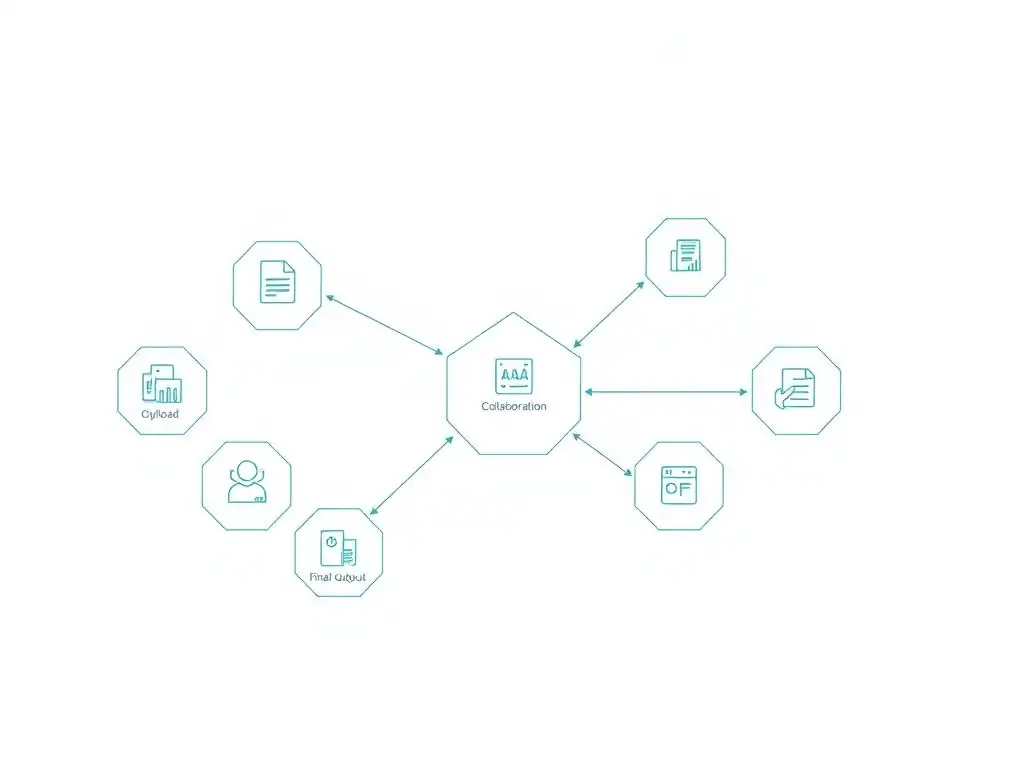
This section delves into sophisticated strategies to significantly enhance your digital workflow efficiency, moving beyond the basics to achieve peak productivity. We'll explore techniques to optimize communication, prioritize tasks strategically, and build a sustainable system for long-term success. Optimizing digital workflow efficiency isn't a one-time fix; it's an ongoing process of refinement and adaptation.
Improving Communication & Collaboration: Boosting Team Productivity
Effective communication is the bedrock of any efficient digital workflow, particularly within teams. Poor communication leads to delays, duplicated efforts, and frustration. Optimizing this aspect requires a multifaceted approach.
Consider implementing a centralized communication hub. This could be a project management tool like Asana or Trello, or a dedicated Slack channel for specific projects. This centralizes all project-related discussions, files, and updates, eliminating the chaos of scattered emails and instant messages. Think of it as a single source of truth for your team's activities.
Another key element is establishing clear communication protocols. Define how and when different types of communication should occur. For instance, urgent matters might require immediate Slack messages, while less pressing updates can be handled via email or project management system comments. Regular team meetings, even short ones, can also significantly improve workflow efficiency by allowing for quick problem-solving and alignment of efforts.
Finally, encourage open and honest feedback. Regular check-ins and retrospectives, where team members can share their experiences and suggest improvements to the workflow, are vital for continuous optimization. Actively seeking feedback demonstrates a commitment to improvement and fosters a more collaborative and productive environment. The goal is to create a system where information flows seamlessly, fostering a sense of shared responsibility and collective ownership.
Prioritizing Tasks Effectively: Focusing on High-Impact Activities
Efficient workflow hinges on prioritizing tasks effectively. Simply tackling tasks as they arise often leads to wasted time and energy on low-impact activities. Mastering prioritization techniques is crucial for optimizing digital workflow efficiency.
The Eisenhower Matrix (urgent/important) is a classic and effective method. Categorize tasks into four quadrants: Urgent and Important (Do First), Important but Not Urgent (Schedule), Urgent but Not Important (Delegate), and Neither Urgent nor Important (Eliminate). This framework helps you focus on high-value tasks while delegating or eliminating less impactful ones.
Another helpful technique is the Pareto Principle (80/20 rule). Identify the 20% of tasks that yield 80% of the results. Prioritize these high-impact activities to maximize your output. This requires careful analysis and understanding of your workflow to identify these key tasks. Tools like time-tracking software can help you identify which activities consume the most time and whether their output justifies the investment.
Finally, consider using a task management system with prioritization features. Many tools allow you to tag tasks with priority levels (high, medium, low) or assign due dates, making it easier to focus on the most critical items. Regularly reviewing and adjusting your priorities is vital; what's crucial today might be less so tomorrow. Prioritization is a dynamic process that requires continuous monitoring and adaptation.
Building a Sustainable Digital Workflow System: Long-Term Efficiency Strategies
Building a truly efficient digital workflow isn't a sprint; it's a marathon. Sustainability requires a long-term perspective and a commitment to continuous improvement. Optimizing digital workflow efficiency for the long haul involves several key strategies.
Regularly review and refine your processes. What worked well last month might be outdated now. Analyze your workflow for bottlenecks and inefficiencies. Are there repetitive tasks that could be automated? Are there tools or techniques that could streamline your processes? Continuous evaluation and adaptation are essential for maintaining efficiency.
Document your workflow. A well-documented workflow serves as a valuable resource for onboarding new team members and ensuring consistency. It also provides a framework for future improvements. Consider creating flowcharts or detailed written instructions to capture your processes. This documentation will prove invaluable as your team grows or your workflow evolves.
Invest in the right tools. The right technology can significantly boost your efficiency. Explore project management software, automation tools, and other productivity applications that can help streamline your workflow. However, remember that more tools don't automatically equate to better efficiency; choose tools that truly address your specific needs and integrate seamlessly with your existing systems. The key is to find a balance between functionality and ease of use. Remember, technology should serve you, not the other way around.
Measuring and Improving Your Digital Workflow Efficiency
This section focuses on quantifiable methods to assess and enhance your digital workflow efficiency. Optimizing digital workflow efficiency isn't just about feeling more productive; it's about demonstrably improving your output and reducing wasted time. We'll explore practical strategies to track your progress, analyze the results, and maintain momentum without succumbing to burnout.
Tracking Your Progress: Monitoring Key Metrics for Improvement
Effective optimization begins with accurate measurement. Ignoring data leads to guesswork, hindering real progress. Instead, focus on concrete metrics that directly reflect your digital workflow's performance. Consider these key indicators:
- Task Completion Rate: Calculate the percentage of tasks completed within their allocated timeframe. This reveals bottlenecks and areas needing improvement. For example, if you consistently fail to meet deadlines for email responses, you might need to adjust your email management strategy.
- Time Spent on Tasks: Use time-tracking tools or apps to log the time invested in specific activities. This helps identify time-consuming tasks and pinpoint areas ripe for automation or streamlining. Analyzing this data can reveal surprising insights; you might discover you spend far more time on seemingly insignificant tasks than anticipated.
- Number of Interruptions: Count the number of times your workflow is interrupted daily. This highlights potential distractions that impact focus and efficiency. Common culprits include social media notifications, unnecessary meetings, and impromptu requests from colleagues.
- Error Rate: Track the frequency of errors made during your digital workflow. A high error rate might suggest the need for improved processes, better training, or additional quality checks. This metric is especially valuable for tasks requiring high accuracy, such as data entry or financial reporting.
| Metric | Measurement Method | Example | Target Improvement |
|---|---|---|---|
| Task Completion Rate | Track completed tasks against scheduled tasks | 80% of tasks completed on time | Increase to 90% within one month |
| Time Spent on Tasks | Time-tracking software or manual logging | 2 hours spent on email, 1 hour on reports | Reduce email time by 30 minutes, reports by 15 min |
| Number of Interruptions | Manual counting or interruption-tracking software | 15 interruptions per day | Reduce to 5 interruptions per day |
| Error Rate | Error logs or quality checks | 2 errors per 100 tasks | Reduce error rate to 1 per 100 tasks |
Remember, consistent monitoring is crucial. Regularly reviewing these metrics will provide a clear picture of your digital workflow's efficiency and pinpoint areas needing attention. The key is to choose metrics relevant to your specific tasks and goals.
Analyzing Results and Adjusting Your Strategy: Continuous Optimization for Success
Once you've collected data, analyzing the results is critical to optimize digital workflow efficiency. This involves identifying patterns, pinpointing bottlenecks, and strategizing for improvement. Don't just look at the numbers; consider the why behind them.
For instance, a consistently low task completion rate might indicate:
- Unrealistic deadlines: Are you setting overly ambitious goals? Adjust your timelines to ensure realistic expectations.
- Lack of prioritization: Are you focusing on less important tasks before tackling high-priority items? Implement a prioritization system (e.g., Eisenhower Matrix).
- Insufficient resources: Do you lack the necessary tools or information to complete tasks effectively? Request support or acquire the needed resources.
- Poor time management: Are you struggling to manage your time effectively? Explore time management techniques like the Pomodoro Technique.
Analyzing your time spent on tasks can reveal opportunities for automation. Repetitive tasks are prime candidates for automation using software or macros. A high interruption rate suggests the need for better boundary setting and communication strategies. Perhaps you need to schedule dedicated focus time or implement notification management techniques. By systematically analyzing your data and making targeted adjustments, you can significantly improve your digital workflow's efficiency. Remember, optimization is an iterative process; continuous monitoring and adjustment are key to long-term success.
Maintaining Momentum and Avoiding Burnout: Sustainable Productivity Habits
Sustaining improved workflow efficiency requires more than just initial improvements; it demands establishing sustainable habits. Ignoring burnout risks negating all your hard work. Here's how to maintain momentum and avoid burnout:
- Prioritize self-care: Adequate sleep, regular exercise, and mindful breaks are essential for sustained productivity. Ignoring self-care leads to decreased focus and increased errors.
- Set realistic goals: Avoid overwhelming yourself with too many tasks. Break down large projects into smaller, manageable steps.
- Regularly review and adjust: Don't assume your optimized workflow remains effective indefinitely. Regularly review your metrics and adjust your strategies as needed.
- Embrace flexibility: Life throws curveballs. Build flexibility into your workflow to accommodate unexpected events and maintain a healthy work-life balance.
- Celebrate successes: Acknowledge and celebrate your achievements, no matter how small. Positive reinforcement helps maintain motivation and prevents burnout.
Remember, optimizing digital workflow efficiency is a journey, not a destination. By consistently tracking your progress, analyzing your results, and prioritizing sustainable habits, you can achieve lasting improvements in your productivity and overall well-being. The key is to make optimization a continuous process, adapting your strategies as needed to maintain momentum and avoid burnout. This approach ensures you reap the long-term benefits of a truly optimized digital workflow.
Frequently Asked Questions
What is a digital workflow, and why should I optimize it?
A digital workflow is the sequence of steps you take to complete tasks using digital tools. Optimizing it means streamlining these steps to increase efficiency and productivity. This saves you time and reduces frustration.
How can I identify bottlenecks in my current digital workflow?
Look for tasks or processes that consistently take longer than expected, require multiple steps, or involve unnecessary software switching. Track your time to pinpoint areas needing improvement. Analyze repetitive actions for automation opportunities.
What tools can help me optimize my digital workflow efficiency?
Many tools can help! Consider project management software (e.g., Asana, Trello), automation tools (e.g., Zapier, IFTTT), cloud storage (e.g., Google Drive, Dropbox), and specialized apps for specific tasks. Choosing the right tools for your needs is crucial.
Are there any simple changes I can make to improve my digital workflow immediately?
Yes! Start by organizing your files using a clear naming convention. Prioritize tasks effectively and batch similar tasks together. Learn keyboard shortcuts for frequently used applications. These small changes can make a big difference.
How can I measure the success of my digital workflow optimization efforts?
Track key metrics like time spent on tasks, number of tasks completed, and the frequency of errors. Compare these metrics before and after implementing changes. Regularly review and adjust your workflow based on these measurements.
Final Reflection: Unlocking Your Potential Through Effortless Digital Workflows
The pursuit of optimized digital workflow efficiency isn't just a trend; it's a necessity in our increasingly digital world. Mastering this skill isn't about working harder, but working smarter, freeing up valuable time and mental energy for what truly matters. The ability to seamlessly navigate the digital landscape directly impacts productivity, creativity, and overall well-being.
The impact of streamlined digital workflows extends far beyond individual productivity; it's reshaping entire industries and the way we interact with technology. The constant evolution of software and tools necessitates a continuous adaptation and refinement of our digital processes. This ongoing learning and improvement is crucial for staying ahead of the curve and maximizing our potential. The key is not to prioritize what's on your schedule, but to schedule your priorities.
- Stephen Covey. This quote perfectly encapsulates the essence of effective workflow management – focusing on what truly matters and building a system that supports those goals.
You now possess the knowledge and tools to embark on your journey towards effortless digital workflows. Take the time to assess your current processes, identify bottlenecks, and implement the strategies discussed throughout this article. Don't be afraid to experiment, iterate, and tailor your approach to your unique needs and preferences. The rewards – increased productivity, reduced stress, and a greater sense of control over your digital life – are well worth the effort. Embrace the power of optimization and unlock your full potential.
Unlock Your Productivity Potential: Take Control of Your Digital Life!
Thank you for exploring effortless digital workflows! We hope you gained valuable insights into streamlining your processes and reclaiming your time. Now, let's put that knowledge into action.
- Implement one new workflow improvement today. Start small—focus on one area, such as email, file management, or task lists, and apply a strategy from the article. Even a small change can make a big difference!
- Share your favorite productivity tip with friends or colleagues on social media. Let's build a community of efficient digital professionals! What simple trick has most improved your workflow?
- Explore additional productivity resources at UltimateLifeHacks.org—discover even more ways to optimize your daily routine. You might find amazing time-saving secrets!
What small change can you make this week to significantly improve your digital workflow? Let us know in the comments!