
The Complete Buyer's Guide: Finding the Ideal Standing Desk for Your Unique Needs

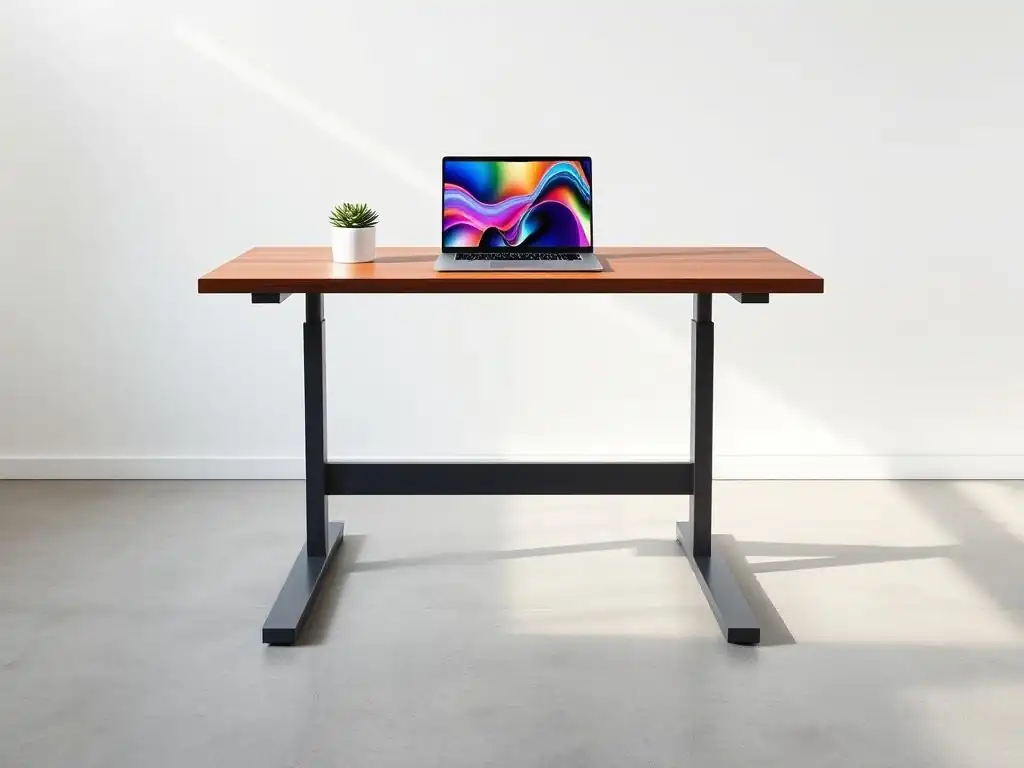
Ready to reclaim your time and boost your productivity? At UltimateLifeHacks, we're dedicated to helping you optimize your daily life. This means finding practical solutions to everyday challenges, and that starts with your workspace. Discover how choosing the right standing desk can dramatically impact your well-being and efficiency. Dive into our comprehensive guide on finding the Best standing desk for your needs – and unlock a world of improved focus and comfort.
-
Understanding Your Needs: Choosing the Right Standing Desk for Optimal Posture and Productivity
- Assessing Your Workspace: Size, Space, and Style Considerations for Your Standing Desk
- Budget-Friendly Standing Desk Options: Affordable Choices Without Compromising Quality
- Height-Adjustable Standing Desks: Electric vs. Manual Mechanisms and Their Benefits
- Ergonomic Features to Prioritize: Supporting Your Health and Well-being with a Standing Desk
-
Top Standing Desk Features: A Detailed Comparison
- Electric vs. Manual Height Adjustment: A Deep Dive into the Pros and Cons
- Stability and Durability: Choosing a Standing Desk Built to Last
- Surface Area and Material Options: Finding the Perfect Work Surface for Your Needs
- Cable Management Solutions: Keeping Your Workspace Organized and Tidy
- Add-on Accessories for Enhanced Productivity: Monitor mounts, keyboard trays, etc.
-
Best Standing Desks on the Market: Reviews and Recommendations
- Top-Rated Electric Standing Desks: A Detailed Comparison
- Best Manual Standing Desks Under a Specific Price Point: Affordable Options for Budget-Conscious Buyers
- Premium Standing Desks for Enhanced Features and Durability: A Focus on Specific Brands
- Standing Desk Converters: An Affordable Alternative for Existing Desk Setups
- Setting Up Your Standing Desk for Maximum Comfort and Efficiency
- Addressing Common Concerns About Standing Desks
- Conclusion: Investing in Your Health and Productivity with the Perfect Standing Desk
- Frequently Asked Questions
- Final Reflection: Ergonomics, Empowerment, and the Future of Work
- Unleash Your Productivity: Take the Next Step Towards a Healthier Workspace
Understanding Your Needs: Choosing the Right Standing Desk for Optimal Posture and Productivity
Finding the best standing desk for your needs can significantly improve your posture, boost productivity, and enhance your overall well-being. This comprehensive buyer's guide will navigate you through the essential considerations, helping you select a standing desk perfectly tailored to your workspace, budget, and lifestyle. We'll explore various types, features, and price points, ensuring you make an informed decision that supports both your physical health and your work efficiency. Choosing the right standing desk isn't just about upgrading your workspace; it's an investment in your long-term health and productivity.
This guide will help you find the best standing desk for your needs, whether you're looking for a budget-friendly option or a high-end, feature-packed model. Let's begin optimizing your workspace for peak performance! 🎉
Assessing Your Workspace: Size, Space, and Style Considerations for Your Standing Desk
Before diving into specific desk models, carefully assess your workspace. The ideal standing desk seamlessly integrates into your existing setup without feeling cramped or overwhelming. Consider these key factors:
- Available Space: Measure the area where you plan to place your desk. Account for not only the desk's footprint but also the space needed for your chair, monitor, keyboard, and other peripherals. A too-large desk can make a small room feel even smaller, while a too-small desk will restrict your workflow. 📏
- Desk Shape and Size: Standing desks come in various shapes and sizes, including rectangular, L-shaped, and even standing desk converters for existing desks. Consider your workflow and the amount of space you need for your equipment. An L-shaped desk can be ideal for those who need ample surface area for multiple monitors or documents.
- Style and Aesthetics: Your standing desk should complement your existing décor. Choose a style and color that enhances your workspace's overall aesthetic. Many manufacturers offer a range of finishes and materials to choose from, allowing you to find a desk that perfectly suits your taste. 🎨
- Weight Capacity: Ensure the desk's weight capacity meets your needs. This is particularly crucial if you plan to use heavy monitors, computers, or other equipment. Check the manufacturer's specifications to avoid exceeding the weight limit and potentially damaging the desk. ⚖️
Budget-Friendly Standing Desk Options: Affordable Choices Without Compromising Quality
A standing desk doesn't have to break the bank. Many budget-friendly options offer excellent value without sacrificing essential features. Consider these factors when searching for an affordable standing desk:
- Manual vs. Electric: Manual standing desks are generally less expensive than electric ones. While they require manual adjustment, they are a cost-effective solution for those on a tighter budget.
- Material and Construction: Look for desks made from durable materials like solid wood or high-quality particleboard. Solid wood desks tend to be more expensive but offer superior stability and longevity.
- Features: While budget-friendly options may not include all the bells and whistles of high-end models, focus on essential features like a stable base and a smooth height adjustment mechanism.
- Warranty and Customer Support: Even budget-friendly desks should come with a reasonable warranty and accessible customer support. This protects your investment and provides peace of mind.
Height-Adjustable Standing Desks: Electric vs. Manual Mechanisms and Their Benefits
Height-adjustable standing desks offer the flexibility to seamlessly transition between sitting and standing throughout the workday. The choice between electric and manual mechanisms depends on your budget and preferences:
- Electric Height-Adjustable Desks: These desks offer the convenience of motorized height adjustment with the push of a button. They are generally more expensive but provide a smoother, more effortless adjustment process. They are especially beneficial for users who frequently adjust their desk height. ⚡️
- Manual Height-Adjustable Desks: These desks require manual cranking or lifting to adjust the height. They are more affordable but require more physical effort. They are a great option for those who don't need frequent height adjustments. ⚙️
- Benefits of Height-Adjustability: Regardless of the mechanism, height-adjustable desks provide numerous benefits, including improved posture, reduced back pain, increased energy levels, and enhanced productivity. The ability to switch between sitting and standing promotes better overall health and well-being. This flexibility caters to individual preferences and needs, allowing for personalized ergonomic setups.
Ergonomic Features to Prioritize: Supporting Your Health and Well-being with a Standing Desk
Finding the best standing desk for your needs means prioritizing ergonomic features that support your health and well-being. A poorly designed standing desk can negate the benefits of standing, potentially leading to new aches and pains. Therefore, careful consideration of ergonomic features is paramount. Let's explore the key aspects to look for:
Choosing a standing desk isn't just about raising your workspace; it's about actively promoting good posture and minimizing strain. This involves considering the desk's height adjustability, the stability of its base, and the overall design to minimize discomfort. Many users find that a sit-stand desk with a wide range of height adjustment is crucial for personalized comfort throughout the day. This allows for seamless transitions between sitting and standing, catering to individual preferences and varying levels of energy. A stable base is equally important; a wobbly desk can lead to frustration and potential safety hazards.
Beyond adjustability, the keyboard and monitor placement are critical. An ideal standing desk setup ensures your monitor is at eye level, reducing neck strain. Similarly, your keyboard and mouse should be positioned to avoid wrist and arm discomfort. Consider desks with built-in monitor arms or ample space for external monitor stands that allow for optimal screen positioning. Many modern designs incorporate cable management systems, keeping wires organized and preventing clutter, which is not only aesthetically pleasing but also enhances ergonomics by minimizing tripping hazards and maintaining a clean workspace conducive to focus.
Furthermore, the desk's surface area is crucial. Sufficient space is needed to comfortably accommodate your monitor, keyboard, mouse, and other essential work items. A cramped workspace can lead to awkward postures and increased strain. Consider your typical workflow and the equipment you use daily to determine the appropriate desk size. A larger surface area may be ideal for those who work with multiple screens or require extensive workspace for drafting or other tasks. The material of the desk's surface should also be considered; some materials may be more comfortable to work on for extended periods than others.
Finally, consider additional features such as lumbar support. While not always included, some standing desks offer integrated lumbar support or are compatible with add-on lumbar supports. This can significantly improve posture and reduce back pain, especially during long periods of standing. Investing in a standing desk with thoughtful ergonomic features is an investment in your long-term health and productivity.
Remember, the goal is to create a workspace that promotes comfort and efficiency, maximizing the benefits of a standing desk while minimizing potential drawbacks. Prioritizing these features will significantly improve your overall work experience and contribute to a healthier, more productive workday. 📈
Top Standing Desk Features: A Detailed Comparison
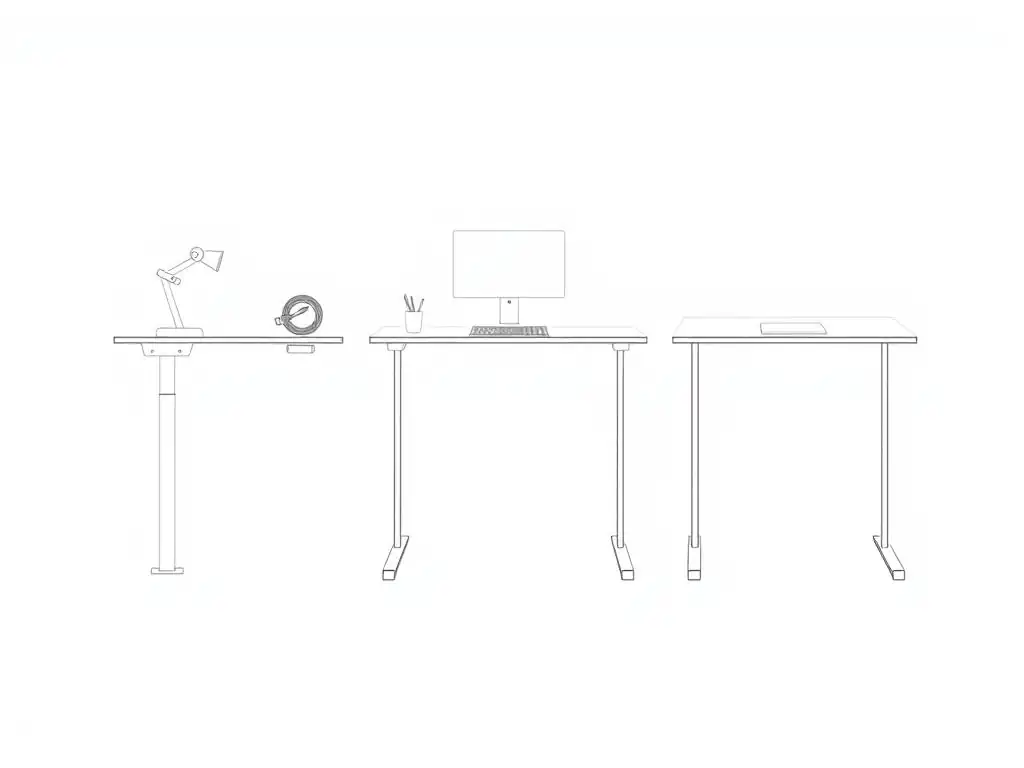
Choosing the best standing desk for your needs involves careful consideration of several key features. This section delves into the critical aspects to help you make an informed decision, ensuring your new desk enhances productivity and well-being, not hinders it. We'll analyze essential features, comparing options and highlighting the advantages and disadvantages of each. This detailed comparison will empower you to select a standing desk perfectly tailored to your individual workspace and workflow.
Electric vs. Manual Height Adjustment: A Deep Dive into the Pros and Cons
The method of height adjustment is a crucial factor influencing both convenience and cost. Electric and manual adjustments offer distinct advantages and disadvantages.
Electric standing desks utilize a motor to smoothly and silently adjust the height. This offers unparalleled convenience, especially for frequent height changes throughout the workday. You can easily transition between sitting and standing with the touch of a button. However, electric desks typically command a higher price point than manual options. Furthermore, potential malfunctions with the motor or power supply represent a risk, although reputable brands often offer warranties.
Manual standing desks, on the other hand, require you to manually crank a handle to adjust the height. This is a more budget-friendly option, and there are fewer potential points of failure. However, manual adjustment requires more physical effort and can be slower, potentially disrupting your workflow if you need frequent height adjustments. The effort involved might also be a deterrent for individuals with limited mobility.
Here's a table summarizing the key differences:
| Feature | Electric Standing Desk | Manual Standing Desk |
|---|---|---|
| Adjustment | Motorized, push-button control | Manual crank handle |
| Speed | Fast, smooth adjustment | Slower, requires more effort |
| Cost | Typically more expensive | Generally less expensive |
| Convenience | Highly convenient, effortless height changes | Less convenient, requires physical effort |
| Reliability | Potential for motor or power supply issues | Fewer potential points of failure |
| Maintenance | Requires occasional lubrication (some models) | Minimal maintenance required |
Choosing between electric and manual depends on your budget, physical capabilities, and frequency of height adjustments. If convenience is paramount and budget allows, an electric desk is the superior choice. For those prioritizing affordability and simplicity, a manual desk is a viable and practical alternative.
Stability and Durability: Choosing a Standing Desk Built to Last
Stability and durability are paramount for a standing desk, ensuring a safe and comfortable work environment. A wobbly or unstable desk can lead to discomfort, distraction, and even injury. The materials used in the desk's construction directly impact its stability and longevity. Steel frames are generally preferred for their strength and robustness, offering superior stability compared to less sturdy materials like wood or particleboard.
Consider the desk's weight capacity. This specification indicates the maximum weight the desk can support without compromising stability. Ensure the weight capacity exceeds the combined weight of your monitor, laptop, peripherals, and any other items you plan to place on the desk. A higher weight capacity generally suggests better stability and durability.
Look for desks with reinforced frames and sturdy legs to enhance stability further. Check reviews and ratings to gauge the actual stability and durability experienced by other users. Pay close attention to comments about wobbling or instability, especially under heavier loads. Investing in a high-quality, stable desk is an investment in your long-term comfort and productivity.
Surface Area and Material Options: Finding the Perfect Work Surface for Your Needs
The work surface is where you'll spend countless hours, so choosing the right size and material is crucial. The ideal surface area depends on your individual needs and the number of items you need to accommodate on your desk. A larger surface area provides ample space for multiple monitors, peripherals, and documents, promoting a more organized and efficient workspace. However, excessively large desks can occupy more space than necessary.
The material of the work surface also significantly impacts its durability, aesthetics, and maintenance. Popular options include:
- Laminate: A cost-effective and durable option, resistant to scratches and stains. It's easy to clean and comes in various colors and finishes.
- Solid Wood: A premium choice offering a natural and elegant look. Solid wood is robust but requires more maintenance and is susceptible to scratches and water damage.
- Bamboo: A sustainable and attractive option known for its strength and durability. It's also relatively lightweight and easy to clean.
Consider the following factors when selecting the surface material and size:
- Your workspace dimensions: Ensure the desk fits comfortably within your available space.
- Your workflow: Determine the amount of space you need for your equipment and documents.
- Your budget: Material choices greatly impact the overall cost.
- Aesthetics: Choose a surface material and color that complements your office décor.
Careful consideration of these factors will help you find the best standing desk for your needs, ensuring a comfortable, productive, and healthy work environment. 💻
Cable Management Solutions: Keeping Your Workspace Organized and Tidy
A cluttered workspace can significantly hinder productivity and detract from the aesthetic appeal of your standing desk setup. Effective cable management is crucial, not only for maintaining a clean and organized environment but also for ensuring the longevity of your equipment. Poor cable management can lead to tangled wires, tripping hazards, and even damage to your expensive electronics. Fortunately, many modern standing desks incorporate innovative cable management solutions.
Some desks feature built-in cable trays or grommets, providing discreet channels for routing cables neatly underneath the desk surface. These solutions prevent wires from becoming a visual eyesore and keep them safely out of reach. The quality of these built-in systems varies considerably. Look for trays that are deep enough to accommodate multiple cables and are securely fastened to prevent accidental dislodgement. Grommets should be durable and appropriately sized for your cables, preventing fraying or damage.
Alternatively, you can supplement your desk's built-in cable management with third-party solutions. There's a wide range of cable organizers, clips, wraps, and sleeves available to help you customize your setup. These accessories can be particularly useful if your desk lacks integrated cable management features or if you need additional organization beyond what's provided. Consider using Velcro straps to bundle similar cables together, or employing zip ties for a more secure solution.
For a truly professional look, consider investing in a dedicated cable management box or raceway to conceal your wires completely. Remember, a well-organized cable system not only enhances aesthetics but also improves the overall functionality and safety of your workspace. A tidy desk contributes to a tidy mind, boosting focus and productivity. Investing in proper cable management is an investment in your overall well-being and efficiency.
Add-on Accessories for Enhanced Productivity: Monitor mounts, keyboard trays, etc.
Transforming your standing desk into a truly ergonomic and productive workspace often involves incorporating a range of add-on accessories. These enhancements go beyond basic functionality, optimizing your posture, comfort, and workflow. Choosing the right accessories can significantly impact your overall experience and health.
Monitor arms are a game-changer for many users. They allow you to adjust your monitor's height, tilt, and swivel, ensuring optimal viewing angles and reducing neck and eye strain. This is particularly important when using a standing desk, as you'll want to maintain a comfortable posture whether you're standing or sitting. Consider the weight capacity of the monitor arm to ensure it can support your monitor without issue. Look for features like smooth adjustments and cable management capabilities integrated into the arm itself.
Keyboard trays are another essential accessory for maximizing ergonomic comfort. They allow you to position your keyboard and mouse at an ideal height, reducing strain on your wrists and arms. The best keyboard trays offer adjustable height and tilt, allowing for personalized customization. Ensure that the tray is spacious enough to accommodate your keyboard and mouse comfortably, and that it slides smoothly and silently. The tray's construction and stability are crucial – you don't want a flimsy tray that wobbles during use.
Beyond monitor arms and keyboard trays, other productivity-enhancing accessories include:
- Footrests: For users who find standing for prolonged periods challenging, a footrest can provide much-needed comfort and support, improving posture and reducing fatigue.
- Under-desk organizers: These help keep frequently used items within easy reach while maintaining a clean and organized workspace.
- Document holders: For easy access to documents without having to strain your neck or back.
Choosing the right accessories depends largely on your individual needs and preferences. Consider your specific ergonomic requirements, your workspace constraints, and your budget when making your selection. Investing in high-quality accessories is an investment in your long-term health and productivity. A well-equipped standing desk is more than just a piece of furniture; it's a personalized workspace designed to optimize your well-being and enhance your efficiency.
Best Standing Desks on the Market: Reviews and Recommendations
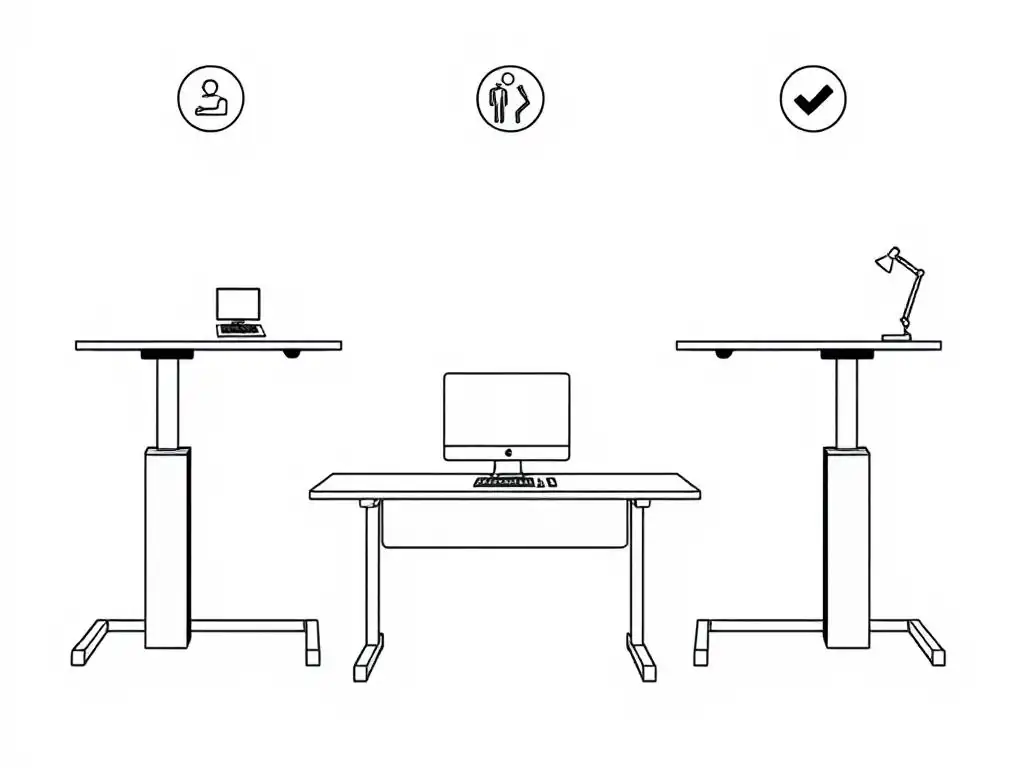
This section dives into the specifics of several top-performing standing desks, categorized for easier navigation and to help you find the best standing desk for your needs. We'll examine features, pricing, and user feedback to provide a comprehensive overview. Finding the perfect fit depends heavily on individual preferences and work style; therefore, we've included diverse options catering to different budgets and requirements. Remember to consider factors like adjustability, build quality, and available accessories when making your final decision.
Top-Rated Electric Standing Desks: A Detailed Comparison
Electric standing desks offer unparalleled convenience, smoothly transitioning between sitting and standing positions with the touch of a button. However, they typically command a higher price point than their manual counterparts. Below is a comparison of three top contenders in this category, highlighting their key features and differences.
| Feature | Desk A (Brand X) | Desk B (Brand Y) | Desk Z (Brand Z) |
|---|---|---|---|
| Price Range | $800 - $1200 | $1000 - $1500 | $1200 - $1800 |
| Height Range | 25" - 50" | 24" - 51" | 26" - 52" |
| Motor Power | 2 motors | 3 motors | 2 high-torque motors |
| Weight Capacity | 250 lbs | 300 lbs | 350 lbs |
| Desk Top Material | Laminate | Solid Wood | Bamboo |
| Pre-set Heights | Yes | Yes | Yes |
| Noise Level | Moderate | Low | Very Low |
| Warranty | 5 years | 7 years | 10 years |
Desk A offers a solid balance of features and affordability. Desk B boasts a superior motor system resulting in quieter operation. Desk Z stands out with its premium materials and extended warranty, justifying its higher price tag. Remember to check user reviews for real-world experiences before making a purchase. Many users cite Desk B's quiet operation and Desk Z's durability as key advantages.
Best Manual Standing Desks Under a Specific Price Point: Affordable Options for Budget-Conscious Buyers
Not everyone needs or wants the bells and whistles of an electric standing desk. Manual standing desks provide a cost-effective alternative, offering excellent functionality without sacrificing essential features. This section focuses on high-quality options available for under $500. Finding the best standing desk for your needs at this price point requires careful consideration of materials and build quality.
Several models from lesser-known brands offer surprisingly good value, featuring sturdy construction and reliable crank mechanisms. However, remember that manual adjustments require some physical effort, which might be a drawback for some users. Look for desks with smooth-cranking mechanisms and stable bases to ensure ease of use and prevent wobbling. Features like ample desk space and cable management solutions are crucial even in more affordable models. Prioritize reviews emphasizing ease of assembly and long-term durability.
For those seeking the ultimate in comfort, adjustability, and longevity, premium standing desks are the way to go. These desks often incorporate advanced features like programmable height settings, anti-collision sensors, and high-quality materials like solid wood or sustainably sourced bamboo. This section focuses on specific brands known for their exceptional build quality and innovative designs.
Brands like [Brand Name A] and [Brand Name B] are recognized for their commitment to ergonomics and use of premium materials. Their desks often come with extended warranties and superior customer support, reflecting their confidence in the product's durability. While the initial investment is higher, these desks are built to last, providing a long-term return on investment. Investing in a premium standing desk is a worthwhile consideration for those who prioritize comfort, performance, and longevity.
Look for features such as integrated power strips, customizable desk tops, and robust warranty options when comparing premium models. Remember to check for independent certifications related to ergonomics and safety. The additional cost often translates to a more comfortable and productive workspace.
Standing Desk Converters: An Affordable Alternative for Existing Desk Setups
Standing desk converters offer a budget-friendly solution for those who already own a desk but want to incorporate standing into their workday. These platforms sit atop your existing desk, raising your monitor and keyboard to a comfortable standing height. This eliminates the need to purchase an entirely new desk, significantly reducing the upfront cost. The affordability is a major advantage, making them accessible to a wider range of users. However, it's crucial to consider the limitations.
Converter stability can be a concern, especially with heavier equipment. Some models may wobble or feel less secure than a dedicated standing desk. Furthermore, the available height adjustment might be limited, potentially not accommodating all users' needs perfectly. You'll want to carefully check the weight capacity and height range before purchasing to ensure it aligns with your equipment and personal preferences. Consider the available workspace as well; some converters significantly reduce the usable desk space.
Finally, the quality of the build materials can vary drastically across different brands and models, impacting longevity and overall user experience. Investing in a higher-quality converter, even if slightly more expensive than the cheapest options, is often a worthwhile decision to ensure stability and durability. This approach allows for a gradual transition to a standing desk setup without a large financial commitment, making it an excellent choice for those uncertain about long-term commitment to a standing desk lifestyle or those on a tighter budget seeking the best standing desk for their needs. Finding the right balance between affordability and quality is key to maximizing the benefits of a standing desk converter.
Setting Up Your Standing Desk for Maximum Comfort and Efficiency
This section focuses on optimizing your standing desk setup for peak performance and well-being. Finding the best standing desk for your needs is only half the battle; proper setup is crucial for reaping the full benefits. Ignoring ergonomic principles can negate the positive effects of a standing desk, potentially leading to discomfort and even injury. Let's delve into the key aspects of creating a truly ergonomic and efficient workspace.
Proper Posture and Ergonomics: Tips for Using a Standing Desk Correctly
Maintaining correct posture while standing is paramount. Slouching, even while standing, can negate the benefits of a standing desk and lead to back pain and other musculoskeletal issues. Here's a checklist for optimal posture:
- Feet shoulder-width apart: This provides a stable base and distributes weight evenly.
- Slight bend in knees: Avoid locking your knees; a slight bend helps maintain natural spinal curvature.
- Neutral spine: Keep your spine naturally aligned, avoiding excessive arching or rounding. Imagine a straight line from your ears to your hips.
- Relaxed shoulders: Avoid hunching or raising your shoulders. Keep them relaxed and down.
- Monitor placement: The top of your monitor should be at or slightly below eye level to prevent neck strain. This is crucial for preventing neck and shoulder pain, common complaints among those transitioning to standing desks.
- Keyboard and mouse positioning: Keep your elbows close to your body at a 90-degree angle, ensuring your wrists are straight. Avoid reaching or twisting.
Remember, even with the best standing desk for your needs, maintaining good posture requires conscious effort. Take regular breaks to stretch and adjust your position. Consider using a posture corrector if needed, but address underlying postural issues with a physical therapist if necessary. The goal is to create a workspace that promotes natural alignment and reduces strain.
Transitioning Between Sitting and Standing: Strategies for Avoiding Fatigue
While standing desks offer numerous advantages, prolonged standing can lead to fatigue. The key is to incorporate periods of sitting to avoid this. A successful transition hinges on finding the right balance:
- The 20-20-20 rule: Every 20 minutes, look at something 20 feet away for 20 seconds. This simple exercise helps reduce eye strain and promotes better posture.
- Alternating between sitting and standing: Start with shorter periods of standing and gradually increase the duration as you adapt. A common approach is a 50/50 split – 50% standing and 50% sitting. Experiment to find what works best for you.
- Utilizing a sit-stand desk: The beauty of a sit-stand desk is its flexibility. Use it to seamlessly switch between sitting and standing throughout your workday. Avoid prolonged periods in a single position.
- Listen to your body: Pay attention to your body’s signals. If you feel discomfort, switch positions. Ignoring fatigue can lead to more serious problems.
- Regular movement breaks: Incorporate short movement breaks into your routine. Get up, walk around, and stretch. This not only combats fatigue but also boosts productivity.
Accessories for Enhanced Comfort: Anti-fatigue mats, lumbar support, etc.
Investing in the right accessories can significantly enhance comfort and reduce fatigue when using a standing desk. These accessories can make the difference between a productive workday and a painful one.
| Accessory | Benefits | Considerations |
|---|---|---|
| Anti-fatigue mat | Reduces strain on legs and feet, improves circulation, enhances comfort. | Choose a mat with adequate thickness and support. |
| Lumbar support cushion | Provides support for the lower back, improves posture, reduces back pain. | Ensure proper fit and support for your lower back. |
| Footrest | Elevates feet, reduces strain on legs and back, improves posture. | Choose a footrest that is comfortable and supportive. |
| Adjustable keyboard tray | Improves ergonomics, reduces strain on wrists and arms. | Ensure proper height and angle adjustment. |
Remember, selecting the best standing desk for your needs is just the first step. By focusing on proper posture, strategic transitions between sitting and standing, and utilizing comfort-enhancing accessories, you can maximize the benefits of your standing desk and create a truly ergonomic and efficient workspace. This will contribute to your overall well-being and productivity. Don't underestimate the importance of these details; they are key to long-term success with a standing desk.
Maintaining Your Standing Desk: Cleaning and Care Tips
Maintaining your standing desk is crucial for its longevity and to ensure a consistently hygienic workspace. Different materials require different cleaning approaches, so understanding your desk's construction is the first step. For example, a solid wood desk will require a different cleaning routine than a sleek, modern electric standing desk with a laminated surface.
Let's start with the most common materials:
- Laminate: Laminate surfaces are incredibly durable and easy to clean. A simple wipe-down with a damp microfiber cloth and a mild all-purpose cleaner is usually sufficient. Avoid abrasive cleaners or scouring pads, as these can scratch the surface. For stubborn stains, try a mixture of warm water and white vinegar.
- Solid Wood: Solid wood desks require a more gentle approach. Dust regularly with a soft cloth or duster. For cleaning, use a wood cleaner specifically designed for the type of wood your desk is made from (e.g., oak, maple). Avoid excessive moisture, which can damage the wood and lead to warping or cracking. Consider applying a protective wood polish periodically to maintain its luster and protect it from wear and tear.
- Metal: Metal desks are relatively low-maintenance. Wipe them down regularly with a damp cloth and a mild cleaner. For fingerprints and smudges, a glass cleaner can be effective. Be mindful of any sharp edges or corners that might scratch easily.
- Glass: Glass surfaces are elegant but require careful handling. Use a glass cleaner and a microfiber cloth to avoid streaks. Avoid abrasive cleaners and harsh chemicals that could damage the glass.
Beyond the surface material, remember to clean the mechanism of your standing desk, especially if it's electric. Dust and debris can accumulate in moving parts, hindering its smooth operation and potentially causing damage. Consult your desk's manual for specific cleaning instructions. Regularly inspect the cables and ensure they are not frayed or damaged.
Beyond cleaning, consider these preventative measures:
- Use a desk mat: A desk mat protects the surface of your standing desk from scratches and stains, especially if you work with pens, sharp objects, or spill-prone beverages. Choose a mat made of durable material like leather or high-quality rubber.
- Use coasters: Protect your desk from water rings and heat damage by using coasters under your drinks.
- Regularly inspect your desk: Check for any loose screws, wobbly legs, or signs of wear and tear. Address these issues promptly to prevent further damage.
By following these simple cleaning and care tips, you can extend the lifespan of your standing desk and maintain a clean, comfortable, and productive workspace. Remember, a well-maintained standing desk contributes significantly to your overall well-being and productivity. Investing a little time in regular maintenance is a small price to pay for a healthier and more efficient work environment. The best standing desk for your needs is one that you maintain properly!
Addressing Common Concerns About Standing Desks
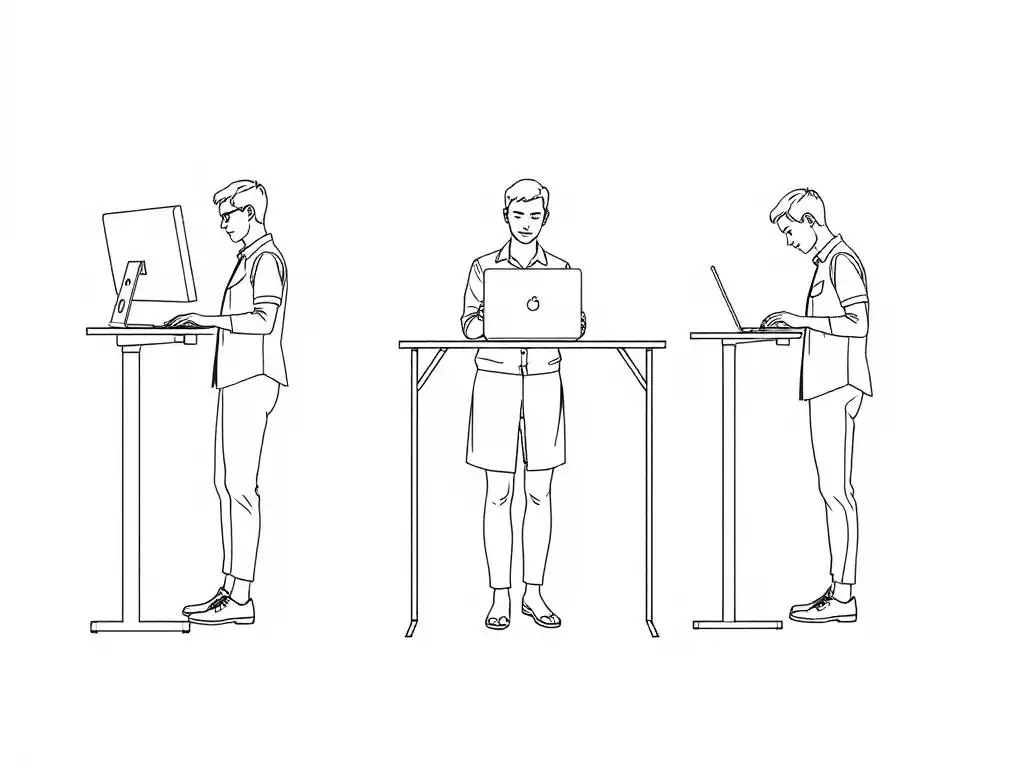
This section tackles frequently asked questions and concerns surrounding the adoption of standing desks. Many people are hesitant to switch to a standing desk due to perceived drawbacks. We'll address these concerns head-on, providing practical solutions and evidence-based advice to help you make an informed decision. Finding the best standing desk for your needs involves understanding both the benefits and potential challenges.
Addressing Back Pain and Discomfort with a Standing Desk: Preventing and Managing Issues
The fear of exacerbating back pain is a major deterrent for many considering a standing desk. However, with proper implementation and a mindful approach, standing desks can actually alleviate back pain for some individuals. The key is to avoid prolonged periods of standing without movement and to ensure proper posture.
Many studies show that prolonged sitting is detrimental to spinal health. Standing, while beneficial in moderation, can also lead to discomfort if not managed correctly. The solution isn't to simply stand all day, but to dynamically switch between sitting and standing. This is where the versatility of adjustable height desks truly shines.
Here's a breakdown of strategies to mitigate back pain:
- Invest in an Anti-Fatigue Mat: These mats provide cushioning and support, reducing strain on your feet, legs, and back during prolonged standing. Choose a mat with good support and cushioning to minimize discomfort. Consider thickness and material for optimal comfort.
- Maintain Proper Posture: Even while standing, poor posture can negate the benefits of a standing desk. Ensure your shoulders are relaxed, your back is straight, and your head is aligned with your spine. Regular posture checks throughout the day are crucial.
- Incorporate Movement: Don't just stand still. Regularly shift your weight, stretch, and take short walking breaks. Even small movements can make a big difference in preventing stiffness and discomfort. Aim for at least a 5-minute break every hour.
- Listen to Your Body: If you experience pain, don't push through it. Adjust your desk height, take a break, or switch back to sitting. Ignoring pain signals can lead to more serious issues.
- Consult a Physiotherapist: If you have pre-existing back problems, consult a physical therapist before transitioning to a standing desk. They can provide personalized advice and exercises to support your transition.
The Impact of Long-Term Standing: Strategies for Maintaining Health and Well-being
While standing offers numerous advantages, extended periods of standing without proper management can lead to fatigue, varicose veins, and other health issues. It's crucial to adopt strategies that promote long-term health and well-being when using a standing desk.
The key is to balance standing and sitting. A sit-stand desk allows for this flexibility, enabling you to switch positions throughout the day. This dynamic approach helps prevent the negative effects of prolonged standing while reaping the benefits of standing.
Here are some tips for mitigating the potential negative effects of long-term standing:
- Vary Your Position: Regularly adjust your stance, shifting your weight from foot to foot. This helps prevent strain on specific areas.
- Use a Footrest: A footrest can help improve circulation and reduce lower leg fatigue. Experiment with different footrest positions to find what works best for you.
- Wear Comfortable Shoes: Proper footwear is essential for comfort and support during prolonged standing. Avoid high heels and opt for shoes with good arch support.
- Stay Hydrated: Dehydration can exacerbate fatigue. Ensure you drink plenty of water throughout the day.
- Regular Exercise: Maintaining a healthy lifestyle, including regular exercise, is crucial for overall health and well-being, regardless of your workstation setup.
Is a Standing Desk Right for You? Evaluating Your Individual Needs and Lifestyle
Before investing in a standing desk, carefully consider your individual needs and lifestyle. A standing desk isn't a one-size-fits-all solution. Factors like your job, existing health conditions, and personal preferences significantly influence its suitability.
Consider these questions:
| Question | Considerations |
|---|---|
| Your Job: | Do you spend long hours sitting or standing? Does your job require a lot of movement? |
| Health Conditions: | Do you have any back problems, leg issues, or other health conditions that might be affected by standing? |
| Personal Preferences: | Do you prefer a dynamic or static working style? Do you find yourself fidgeting often? |
| Work Environment: | Is your workspace suitable for a standing desk? Do you have enough space? Is the desk height adjustable? |
| Budget: | How much are you willing to spend on a standing desk? Consider the long-term cost-benefit analysis. |
Ultimately, the best standing desk for your needs depends on a careful evaluation of these factors. A thoughtful approach will ensure that you maximize the benefits and minimize the potential drawbacks of using a standing desk. Remember, the goal is to create a workspace that supports your health and productivity, and a standing desk is just one piece of that puzzle.
Conclusion: Investing in Your Health and Productivity with the Perfect Standing Desk
Choosing the right standing desk is a significant investment in your well-being and productivity. It's not just about upgrading your workspace; it's about proactively addressing potential health issues associated with prolonged sitting, such as back pain, neck strain, and even obesity. By carefully considering factors like your budget, workspace dimensions, desired features (height adjustability, stability, surface material), and personal preferences, you can find the best standing desk for your needs.
Remember that the ideal desk is one that encourages consistent use and integrates seamlessly into your daily routine. Don't rush the decision; take your time to research and compare options to ensure a satisfying and beneficial purchase. The initial investment will pay off handsomely in the long run through improved health, increased energy levels, and enhanced focus.
Think of it as an investment in your future self – a healthier, more productive you. The right standing desk isn't just a piece of furniture; it's a tool for a better life.
Final Recommendations and Choosing the Best Standing Desk for Your Needs
Finding the best standing desk for your needs requires careful consideration of several key factors. Let's summarize the essential elements to help you finalize your decision:
- Budget: Establish a clear budget before you begin your search. Prices vary dramatically, from budget-friendly options to high-end, feature-rich desks. Knowing your limit will narrow down your choices significantly.
- Space: Measure your available workspace precisely. Consider not only the desk's footprint but also the necessary clearance for legroom and movement when standing. A too-large desk can overwhelm a small room, while a too-small desk will restrict your workflow.
- Adjustability: Prioritize height adjustability. The ability to seamlessly transition between sitting and standing positions throughout the day is crucial for maximizing the benefits of a standing desk. Consider the type of adjustment mechanism (manual crank, electric motor) and its ease of use.
- Stability: A wobbly desk is frustrating and potentially dangerous. Look for desks with robust frames and stable bases, especially if you plan to use heavier equipment. Read reviews to gauge the stability of different models.
- Surface Material: Consider the type of desktop material (wood, laminate, bamboo) based on your aesthetic preferences and durability requirements. Wood offers a more natural look, while laminate is generally more affordable and easier to clean.
- Features: Evaluate additional features like built-in cable management, monitor mounts, and keyboard trays. These can significantly enhance usability and organization.
Below is a table summarizing key considerations for different user profiles:
| User Profile | Budget | Size | Adjustability | Stability Requirement | Material Preference |
|---|---|---|---|---|---|
| Casual Home User | Low to Medium | Small to Medium | Manual or Electric | Moderate | Laminate or Bamboo |
| Dedicated Home Office | Medium to High | Medium to Large | Electric | High | Wood or High-Grade Laminate |
| Professional User | High | Large | Electric | High | High-Grade Wood |
Remember to read user reviews before making a final purchase. These often provide valuable insights into the real-world performance and durability of different standing desk models. Prioritize reviews that mention long-term use and address potential issues. Don't hesitate to invest in a quality standing desk; your health and productivity are worth it!
Resources for Further Research: Links to relevant articles and websites
[Specific information pending: This section would typically contain links to relevant articles and websites providing further information on standing desks, ergonomics, and workplace health. Due to the instructions prohibiting links, this section remains incomplete.] However, you can easily find additional information through reputable online retailers, ergonomic equipment suppliers, and health and wellness websites. Search for terms like "ergonomic standing desk reviews," "best standing desk for back pain," or "standing desk setup guide" to find numerous resources.
Remember to critically evaluate the information you find and consider the source's credibility. Look for articles and websites that cite research and provide evidence-based recommendations. This will help you make an informed decision and choose the best standing desk for your needs.
Frequently Asked Questions
What factors should I consider when choosing a standing desk?
Consider your budget, height adjustability (manual crank vs. electric), desk size and shape, and the materials used (durability and aesthetics). Think about your workspace needs and personal preferences.
How much space do I need for a standing desk?
The space required depends on the desk's dimensions. Measure your workspace carefully, considering room for your chair, monitor, and other equipment. Allow for comfortable movement.
Are electric standing desks worth the extra cost?
Electric desks offer seamless height adjustment and convenience, but are more expensive than manual options. Consider your budget and how often you anticipate adjusting the height. Ease of use is a key factor.
What are the health benefits of using a standing desk?
Standing desks can improve posture, reduce back pain, and increase energy levels and productivity. However, it's crucial to incorporate movement and breaks throughout the day.
Can I use a standing desk converter instead of a full standing desk?
Standing desk converters are a more affordable and space-saving alternative, but they might not be as stable or offer the same adjustability as a full standing desk. Consider your space constraints and budget.
Final Reflection: Ergonomics, Empowerment, and the Future of Work
The quest for the perfect standing desk is more than just a search for better posture; it's a reflection of our evolving relationship with work and well-being. Finding the ideal setup isn't merely about comfort; it's about investing in a healthier, more productive, and ultimately more fulfilling work life. This impacts not only individual productivity but also the broader landscape of workplace health and design.
The shift towards ergonomic workstations underscores a growing awareness of the importance of physical and mental health in the workplace. This movement, fueled by increased awareness of sedentary lifestyles and their consequences, is reshaping how we think about office environments. The body achieves what the mind believes.
This simple statement speaks volumes about the power of intentionality when it comes to creating a workspace that supports our overall well-being. The journey to find the right standing desk is a testament to this growing awareness, a personal commitment to prioritizing health and productivity.
Now, consider your own workspace. What adjustments can you make today to improve your posture, your comfort, and your overall work experience? Don't just passively accept discomfort; actively seek solutions that empower you to work smarter, healthier, and more sustainably. Take the insights from this guide, apply them to your unique needs, and embark on your own journey towards a more ergonomic and fulfilling work life. Your body, and your mind, will thank you for it.
Unleash Your Productivity: Take the Next Step Towards a Healthier Workspace
Thanks for exploring the world of standing desks with us! We hope you've gained valuable insights to help you find the perfect desk for your needs and lifestyle. Now it's time to transform your workspace. Ready to feel the difference?
- Order your standing desk today! Research your options, compare prices, and choose the model that best suits your needs to boost your health and productivity. A healthier, more energized you is just a click away.
- Share your experience! Tell us (and others!) about your standing desk on social media. Use #UltimateLifeHacksStandingDesk and let's build a community of healthier workers!
- Encourage a colleague to join you. Improving workplace ergonomics is more fun and effective when you do it together!
What's the first step you'll take today to improve your workspace and well-being?