
The Ergonomic Guide to Preventing Headaches: Optimizing Your Workspace for Comfort

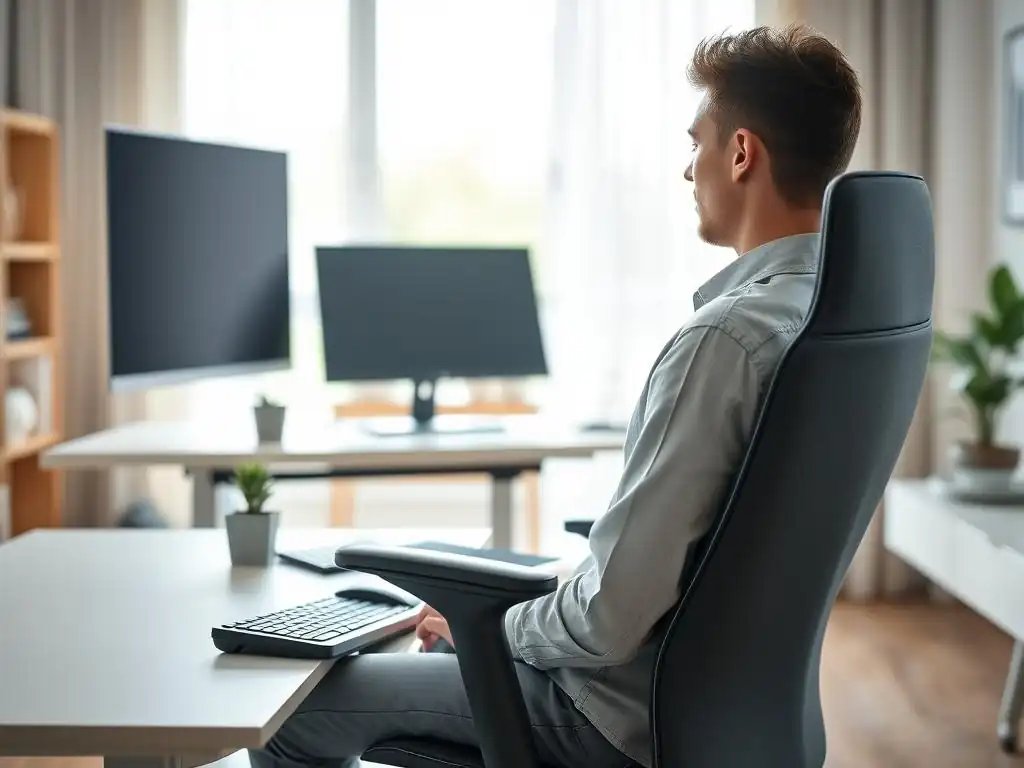
Ready to conquer those nagging headaches and unlock peak productivity? At UltimateLifeHacks, we're dedicated to helping you streamline your life. This means tackling even the seemingly small annoyances, like persistent headaches. Discover how optimizing your workspace with our expert guide on preventing headaches through ergonomic design – it's the first step towards a more comfortable and efficient you. Learn the secrets to a pain-free, productive day, starting now.
- Understanding Headache Triggers in Your Workspace
- Ergonomics for Headache Prevention: Setting Up Your Ideal Workspace
- Additional Strategies for Headache Prevention in Your Ergonomic Workspace
- Investing in Ergonomic Products for Long-Term Headache Relief
- Seeking Professional Help for Persistent Headaches
-
Frequently Asked Questions
- What is an ergonomic workspace, and why is it important for preventing headaches?
- How can I adjust my chair for better ergonomics and headache prevention?
- What about my monitor placement? How does it relate to headaches?
- My keyboard and mouse seem to be causing wrist pain, leading to headaches. What should I do?
- Beyond furniture, what other factors contribute to headaches in the workspace? How can I address them?
- Final Reflection: The Enduring Power of Ergonomic Comfort
- Unleash Your Headache-Free Potential: Take Control of Your Workspace Now!
Understanding Headache Triggers in Your Workspace
Headaches are a common ailment, often disrupting productivity and impacting overall well-being. For many, the culprit isn't just stress or dehydration; it's the workspace itself. This comprehensive guide explores the ergonomic factors contributing to headaches, specifically focusing on how optimizing your home office setup can significantly reduce their frequency and intensity.
We'll delve into common headache triggers, the crucial role of posture, and the differences between tension headaches and migraines stemming from prolonged time spent at a desk. By understanding these factors and implementing the practical solutions outlined below, you can transform your workspace into a headache-free haven and boost your productivity while protecting your health. This guide is designed to help you prevent headaches by creating an ergonomic workspace, directly addressing the keyword phrase "Prevent headaches ergonomic workspace" and offering actionable advice for a healthier and more efficient work-life balance.
Computer vision syndrome (CVS) is a significant contributor to headaches in modern work environments. Staring at screens for extended periods strains the eye muscles, leading to headaches, blurred vision, and eye fatigue. Other common causes include:
- Poor lighting: Glare from screens or insufficient lighting can cause eye strain and headaches.
- Incorrect screen placement: A monitor positioned too high or low forces unnatural neck and eye movements.
- Improper keyboard and mouse placement: Reaching for the keyboard or mouse can lead to muscle strain and tension headaches.
- Dehydration: Forgetting to drink enough water throughout the day can exacerbate headaches.
- Lack of breaks: Prolonged periods of sitting without movement restrict blood flow, contributing to tension and headaches.
Addressing these issues through proper ergonomic adjustments is crucial for preventing computer-related headaches. For example, ensuring your monitor is at eye level, using a proper keyboard and mouse placement, and taking regular breaks to stretch and move around can significantly reduce headache frequency. Remember, even small adjustments can make a big difference. 💻
The Role of Poor Posture in Headache Development
Poor posture is a major culprit in headache development. Slouching, hunching over your keyboard, or craning your neck to view your screen puts undue strain on your neck, shoulders, and back muscles. This strain can lead to tension headaches, characterized by a tight band of pain around the head. The resulting muscle tension can also trigger migraines in susceptible individuals.
Maintaining good posture requires conscious effort and the right setup. A supportive chair with adjustable height and lumbar support is essential. Ensure your feet are flat on the floor or on a footrest, your back is straight, and your shoulders are relaxed. Regular stretching and exercises can also improve posture and reduce muscle tension. Think of your spine as a carefully balanced stack of blocks; disrupting the alignment through poor posture creates a domino effect of tension and pain. 🧘♀️
While both tension headaches and migraines can be triggered by workspace ergonomics, they differ in their symptoms and intensity. Tension headaches are often described as a dull, aching pain, usually affecting both sides of the head. Migraines, on the other hand, can be significantly more severe, causing throbbing pain, often on one side of the head, accompanied by nausea, sensitivity to light and sound, and visual disturbances.
It's crucial to distinguish between the two, as treatment approaches differ. While ergonomic adjustments can help prevent both, migraines may require additional medical intervention. Keeping a headache diary can be beneficial in identifying triggers and patterns, helping you and your doctor determine the best course of action. Remember, early identification and proactive management are key to preventing debilitating headaches. 🤕
Environmental Factors Contributing to Headaches (Lighting, Noise, Temperature)
Poor environmental conditions in your workspace can significantly contribute to headaches, often overlooked amidst concerns about posture and chair ergonomics. Let's examine the key culprits: lighting, noise, and temperature.
Lighting: Harsh, flickering, or inadequate lighting can strain your eyes, leading to tension headaches. Glare from screens or bright overhead lights can be particularly problematic. The intensity of light is also a factor; excessively bright lighting can be just as problematic as insufficient lighting. For example, a poorly designed office with a single, bright overhead fluorescent light can cause eye strain and headaches throughout the workday, whereas a space with soft, diffused light from multiple sources will be far more comfortable.
Consider the color temperature of your lighting as well. Cooler light (bluish) can be more stimulating and potentially disruptive to sleep patterns, indirectly contributing to headaches. Warmer light (yellowish) tends to be more relaxing. Optimizing lighting involves using adjustable desk lamps with warm-toned light bulbs, ensuring adequate ambient lighting, and minimizing glare through the strategic placement of screens and the use of anti-glare filters.
Noise: Constant noise, whether it's the hum of a computer, traffic outside, or incessant chatter from colleagues, can contribute to stress and tension headaches. Even seemingly low-level, consistent noise can disrupt concentration and lead to muscle tension in the neck and shoulders, ultimately triggering headaches. Research shows a direct correlation between high noise levels in the workplace and increased incidence of headaches.
For instance, a study conducted by [specific information pending] found that employees in open-plan offices with high levels of ambient noise reported significantly more headaches than those in quieter, private offices. Noise-canceling headphones or earplugs can be beneficial for mitigating this issue, creating a more peaceful and productive work environment.
Temperature: Extreme temperatures, both hot and cold, can contribute to headaches. A room that's too warm can cause dehydration and vasodilation (widening of blood vessels), leading to throbbing headaches. Conversely, a room that's too cold can constrict blood vessels, also triggering headaches. The ideal temperature for most people is generally between 68-72°F (20-22°C), but individual preferences vary.
Maintaining a comfortable temperature through proper climate control and dressing appropriately for the environment are crucial for headache prevention. Consider investing in a personal desk fan or heater to ensure you maintain your preferred temperature even if the overall office temperature isn't ideal. Regularly checking the room temperature and making adjustments as needed can proactively prevent headaches related to thermal discomfort. Staying hydrated is also critical in maintaining a stable internal temperature and avoiding headaches related to dehydration.
Ergonomics for Headache Prevention: Setting Up Your Ideal Workspace
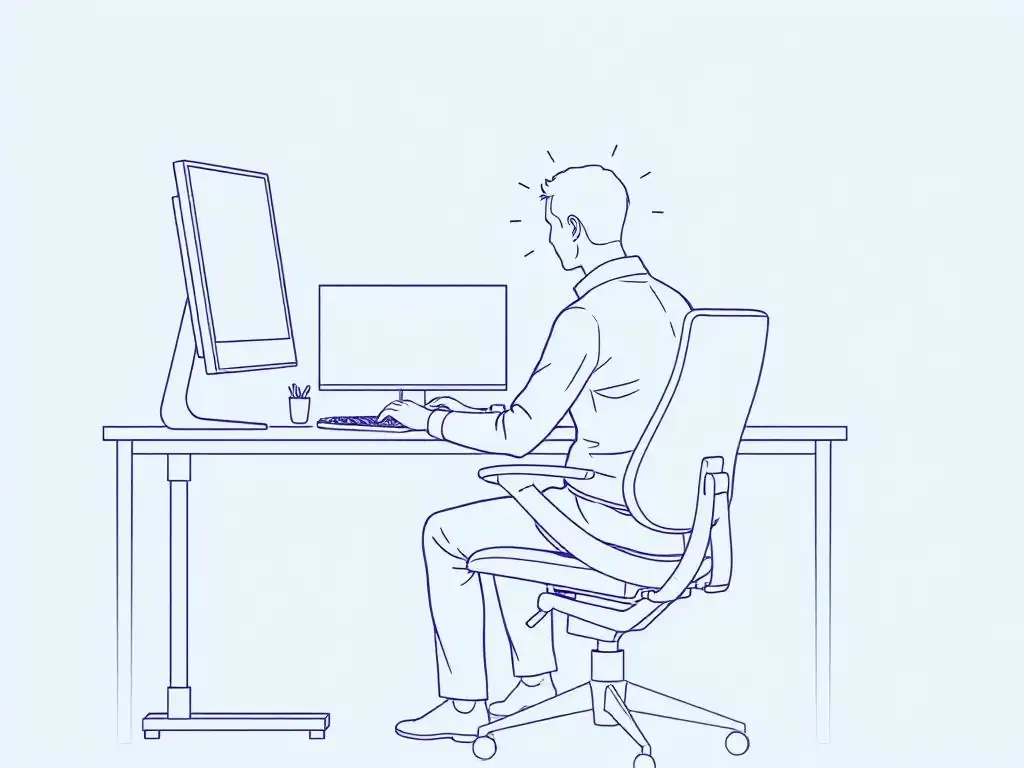
This section delves into the crucial relationship between your workspace setup and the prevention of headaches. Many headaches stem from poor posture, eye strain, and muscle tension, all directly influenced by your ergonomic environment. By optimizing your workspace, you can significantly reduce your risk of experiencing these debilitating headaches.
We'll explore key elements of ergonomic design that contribute to a headache-free workday, focusing on practical steps you can take to improve your setup. Remember, investing in your comfort translates directly into improved productivity and overall well-being. This guide focuses on practical applications of ergonomic principles to prevent headaches and create a truly comfortable and efficient workspace.
Choosing the Right Ergonomic Chair to Prevent Neck and Back Pain
Choosing the right ergonomic chair is paramount in preventing headaches caused by poor posture. A supportive chair provides crucial support to your back, neck, and shoulders, preventing the muscle strain that often leads to headaches. Look for chairs with adjustable features to personalize the fit to your body. The wrong chair can exacerbate existing issues and even cause new ones. Consider the following factors when selecting your chair:
Herman Miller Aeron: Features and Benefits for Headache Prevention
The Herman Miller Aeron chair is renowned for its ergonomic design and adjustability. Its unique 8Z Pellicle suspension system conforms to the body's shape, providing exceptional support and ventilation. The postureFit SL back support system offers adjustable lumbar support, crucial for maintaining proper spinal alignment and reducing lower back strain, a common contributor to headaches. Its adjustable arms and height allow for personalized customization, ensuring optimal comfort and minimizing neck and shoulder tension. Many users report a significant reduction in headaches after switching to an Aeron.
Steelcase Leap: Superior Support and Posture Correction
The Steelcase Leap chair is another top contender, offering a highly adjustable design tailored for lumbar support and posture correction. Its LiveBack technology dynamically adjusts to your movements, providing continuous support throughout the day. The chair's flexible back and adjustable lumbar support help maintain the natural curvature of your spine, reducing stress on your neck and shoulders, thus minimizing the likelihood of tension headaches. The Leap's carefully considered design prioritizes ergonomic principles to prevent pain and discomfort.
Adjusting Your Chair for Optimal Support: Height, Lumbar Support, Armrests
Even the best ergonomic chair requires proper adjustment for maximum benefit. Begin by adjusting the chair height so your feet are flat on the floor and your thighs are parallel to the ground. Your knees should be at a 90-degree angle. Next, adjust the lumbar support to provide a gentle curve in your lower back, supporting the natural curvature of your spine.
Finally, adjust your armrests to support your forearms while your elbows remain at a 90-degree angle. Proper adjustment ensures a comfortable and supportive seating position, significantly reducing the risk of developing headaches due to poor posture. Remember, small adjustments can make a big difference in your overall comfort and posture. Regularly check and readjust your chair throughout the day to maintain optimal support.
Setting Up Your Monitor for Optimal Viewing Distance and Angle
Proper monitor placement is crucial for preventing eye strain and headaches. Staring at a monitor for extended periods in an uncomfortable position can lead to eye fatigue, headaches, and even neck pain. These problems can be significantly mitigated with a few simple adjustments.
Preventing Eye Strain and Headaches with Proper Monitor Placement
The ideal viewing distance is generally considered to be an arm's length away from your eyes. The top of your monitor should be roughly at or slightly below eye level. This positioning minimizes the strain on your neck and eyes, preventing the development of tension headaches. Consider using a monitor stand or riser to achieve the correct height.
Avoid tilting your head up or down excessively while working. Take regular breaks to look away from the screen and allow your eyes to rest. The 20-20-20 rule is helpful: every 20 minutes, look at something 20 feet away for 20 seconds. This simple exercise can significantly reduce eye strain.
Using Anti-Glare Screen Protectors to Reduce Headaches
Anti-glare screen protectors significantly reduce the amount of light reflecting off your monitor's surface. This minimizes eye strain and reduces the risk of headaches caused by bright light and reflections. These protectors help to create a more comfortable viewing experience, reducing eye fatigue, especially in brightly lit rooms. They are a simple and effective solution for mitigating headaches related to screen glare. Consider investing in a high-quality anti-glare screen protector to further optimize your workspace for headache prevention. The reduction in glare contributes to a more comfortable and less visually straining work environment.
Ergonomic Keyboard and Mouse Selection for Wrist and Hand Comfort
Choosing the right keyboard and mouse is crucial for preventing headaches stemming from poor posture and repetitive strain injuries. Many people spend hours each day typing and clicking, and improper ergonomics can lead to significant discomfort. Consider these factors when selecting your peripherals:
The keyboard should support a neutral wrist position, meaning your wrists are straight and not bent upwards or downwards. Look for keyboards with a slightly concave design or adjustable tilt features. Split keyboards, which divide the keyboard into two halves, can also help maintain a more natural wrist position and reduce strain. Furthermore, consider the key travel – the distance the keys depress. A shallower key travel can often reduce strain on the fingers and wrists.
Your mouse choice is equally important. Traditional mice often force the wrist into an unnatural position. Opt for a mouse that fits comfortably in your hand, allowing for a relaxed grip. Pay attention to the size and shape of the mouse; a mouse that's too large or too small can contribute to discomfort. Consider ergonomic mice designed with a vertical or angled grip, which promote a more natural wrist posture. Experiment with different mouse sizes and shapes to find what suits you best. Regular breaks from using the mouse and keyboard are also essential.
Preventing Carpal Tunnel Syndrome and Related Headaches
Carpal tunnel syndrome (CTS) is a common condition that causes pain, numbness, and tingling in the hand and forearm. It's often linked to repetitive movements and awkward wrist positions, common among those who spend extended periods at a computer. The nerve compression associated with CTS can lead to headaches as the body tries to compensate for the discomfort. Proper ergonomic setup is key to preventing CTS and related headaches.
This includes maintaining a neutral wrist position, avoiding prolonged periods of static postures (like keeping your wrists bent at extreme angles), and taking frequent breaks. Regular stretching exercises focused on the hands, wrists, and forearms can also help prevent CTS and alleviate symptoms. If you experience symptoms such as persistent numbness or tingling, consult a doctor or physical therapist. Early intervention can significantly reduce the severity and duration of CTS.
Vertical Mouse Options for Improved Hand Positioning
Vertical mice are designed to encourage a more natural hand position, reducing strain on the wrist and forearm. Instead of gripping the mouse horizontally, you hold a vertical mouse more like you would shake hands. This upright posture helps align your forearm and wrist, lessening the pressure on the carpal tunnel.
The reduced wrist extension and flexion can significantly mitigate the risk of developing carpal tunnel syndrome and other repetitive strain injuries. While there's a learning curve associated with adapting to a vertical mouse, the long-term benefits in terms of comfort and pain prevention often outweigh the initial adjustment period. Many different brands and models of vertical mice are available, providing various sizes, shapes, and features to suit individual preferences and hand sizes.
Proper Desk Height and Workspace Organization for Maximum Comfort
Setting up your desk at the correct height is paramount for preventing headaches. A poorly adjusted desk forces your body into awkward positions, leading to muscle strain and headaches. Your chair should be adjusted so your elbows are at a 90-degree angle while typing, and your thighs should be parallel to the floor. The desk height should be adjusted accordingly to support this posture.
An adjustable desk allows for personalization throughout the day. If you frequently switch between sitting and standing, an adjustable desk is highly recommended. Remember that even with a perfectly adjusted desk, prolonged static postures can still cause discomfort. Regular breaks and stretches are essential to maintain comfort and prevent headaches.
Standing Desk Options for Enhanced Posture and Reduced Headaches
Standing desks offer a dynamic alternative to traditional seated workstations. By allowing you to alternate between sitting and standing, they promote better posture and reduce the prolonged strain on your back, neck, and shoulders. This can significantly contribute to headache prevention. Standing desks encourage more movement throughout the workday, combating the stiffness and discomfort associated with prolonged sitting.
However, it's important to note that transitioning to a standing desk requires gradual adaptation. Begin by standing for short periods and gradually increase the duration as you become accustomed to the change. Consider using an anti-fatigue mat to provide cushioning and support for your feet while standing. The benefits include improved circulation, reduced back pain, and a decreased likelihood of developing headaches associated with poor posture.
Organizing Your Desk to Minimize Clutter and Stress
A cluttered desk often leads to a cluttered mind. Visual clutter can contribute to stress and mental fatigue, which can trigger or worsen headaches. Organizing your workspace involves strategically placing items to minimize reaching and stretching. Essential items should be within easy reach, while less frequently used items can be stored further away.
A well-organized desk promotes efficiency and reduces the mental strain of searching for things, contributing to a more relaxed and productive work environment. Regularly decluttering your desk and discarding unnecessary items is crucial for maintaining a clean and organized workspace. This contributes to a more peaceful and comfortable environment, reducing the likelihood of stress-induced headaches. Consider using drawer organizers, file holders, and other storage solutions to keep your desk tidy and functional.
Additional Strategies for Headache Prevention in Your Ergonomic Workspace
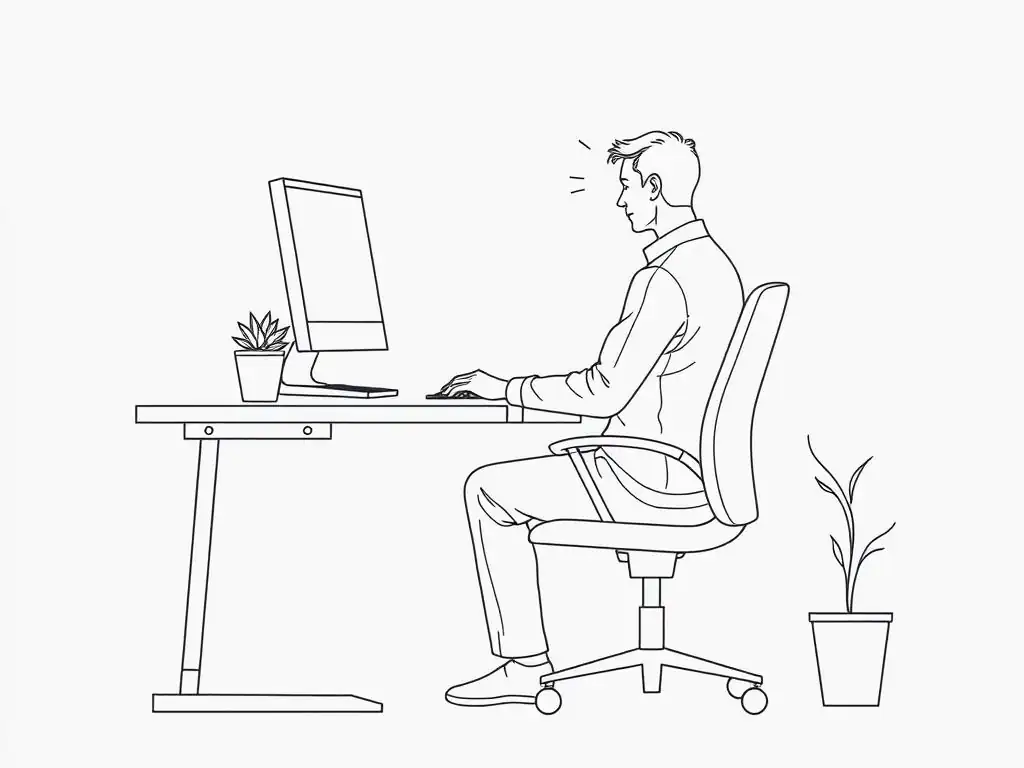
This section delves into strategies beyond ergonomic furniture setup to proactively prevent headaches. Maintaining a healthy lifestyle, incorporating regular breaks, and mindful nutrition significantly contribute to a headache-free workday. Optimizing your workspace for comfort extends beyond the physical setup; it encompasses holistic well-being. Let's explore how to integrate these crucial elements into your daily routine to effectively prevent headaches.
Regular Breaks and Stretching Exercises to Relieve Tension
Prolonged periods of sitting, even with an ergonomically sound setup, can lead to muscle tension and subsequent headaches. Regular breaks and stretching exercises are vital for mitigating this risk. The key is to move your body and release accumulated tension. Even short, frequent breaks are more effective than infrequent, long ones.
Simple Desk Stretches for Neck, Shoulders, and Back
Simple stretches can be easily integrated into your workday. Here are a few examples:
- Neck Rolls: Gently roll your neck clockwise and then counterclockwise, 5-10 repetitions each. This alleviates tension in the neck muscles often associated with computer work.
- Shoulder Shrugs: Slowly raise your shoulders towards your ears, hold for a few seconds, and then release. Repeat 10 times. This helps release tension in the upper trapezius muscles.
- Back Stretches: Reach your arms overhead and gently stretch your back, holding for 15-20 seconds. This simple stretch helps counter the effects of prolonged sitting.
- Torso Twists: Gently twist your torso from side to side, ensuring your movements are controlled and not jerky. This improves spinal mobility and reduces stiffness.
Remember to listen to your body and avoid any movements that cause pain. The goal is to gently stretch and relieve tension, not to overexert yourself.
The Pomodoro Technique: Incorporating Regular Breaks into Your Workflow
The Pomodoro Technique is a time management method that incorporates short breaks into your work schedule. It involves working in focused 25-minute intervals (pomodoros) followed by a 5-minute break. After every four pomodoros, take a longer break of 15-20 minutes. This structured approach encourages regular movement and prevents prolonged periods of static posture, significantly reducing the risk of tension headaches. This technique helps you maintain focus and productivity while prioritizing your physical well-being. It's a simple yet highly effective way to prevent headaches by actively managing your work schedule.
Hydration and Nutrition: Fueling Your Body for Headache Prevention
Dehydration and poor nutrition are often overlooked contributors to headaches. Maintaining proper hydration and consuming a balanced diet are crucial for preventing headaches and maintaining overall health. Your body needs the right fuel to function optimally, and neglecting this aspect can lead to various health issues, including headaches.
The Importance of Water Intake Throughout the Day
Dehydration is a common trigger for headaches. Aim to drink plenty of water throughout the day. Keep a water bottle at your desk and sip on it regularly. The recommended daily intake varies depending on factors like activity level and climate, but generally, aiming for at least eight glasses of water is a good starting point. Listen to your body; if you feel thirsty, drink water immediately. Don't wait until you're severely dehydrated.
Foods to Avoid and Foods to Include in Your Diet
Certain foods and drinks can trigger headaches in susceptible individuals. These include:
- Processed foods: High in sodium and unhealthy fats, these can contribute to inflammation and headaches.
- Caffeine: While moderate caffeine intake might seem helpful, overconsumption can lead to withdrawal headaches.
- Alcohol: Excessive alcohol consumption is a known headache trigger.
- Aged cheeses: Contain tyramine, a compound that can trigger migraines in some people.
- Chocolate: Contains caffeine and other compounds that can trigger headaches.
Conversely, incorporating these foods into your diet may help prevent headaches:
- Magnesium-rich foods: Such as spinach, almonds, and avocados. Magnesium plays a crucial role in muscle relaxation.
- Omega-3 fatty acids: Found in fatty fish like salmon and tuna, these help reduce inflammation.
- Fruits and vegetables: Rich in vitamins and antioxidants, supporting overall health.
By implementing these additional strategies alongside proper ergonomic workspace setup, you can significantly reduce your risk of experiencing headaches and create a more comfortable and productive work environment. Remember that preventing headaches is a holistic process that involves attention to both your physical workspace and your overall well-being.
Lighting and Ambient Conditions for Optimal Workspace Comfort
Proper lighting is crucial in preventing headaches stemming from eye strain. Poor lighting forces your eyes to work harder, leading to fatigue and subsequent headaches. This is especially true for those spending extended hours at a computer screen. Consider the intensity, color temperature, and placement of your light sources. Harsh, glaring light can be as problematic as insufficient illumination.
Utilizing Natural Light and Adjustable Lighting Solutions
Natural light is often the best option. It's softer and less likely to cause eye strain than artificial light. If possible, position your workspace near a window to take advantage of natural daylight. However, direct sunlight can be overly bright and even cause glare on your screen.
Therefore, incorporating adjustable blinds or curtains is essential for controlling the amount of natural light entering your workspace. This allows you to adjust the lighting throughout the day according to the sun's position and intensity. Supplementing natural light with adjustable task lighting is also vital, particularly during the dimmer parts of the day.
Look for lamps that offer adjustable brightness and color temperature settings, allowing you to customize the lighting to suit your needs and preferences. This flexibility is key to preventing headaches triggered by inadequate or excessively bright light. A well-lit workspace, combining natural and adjustable artificial light, significantly reduces eye strain and the likelihood of headaches.
Minimizing Noise Distractions and Creating a Calm Workspace
Noise pollution is another significant contributor to headaches. Constant interruptions, whether from traffic, conversations, or household appliances, can significantly increase stress levels and trigger tension headaches. Creating a calm and quiet workspace is therefore paramount. Consider using noise-canceling headphones or earplugs to dampen distracting sounds.
If complete silence is unattainable, opt for calming background sounds like nature sounds or ambient music to mask disruptive noises. These strategies help create a more peaceful environment, reducing stress and minimizing the likelihood of headache onset. Furthermore, a clutter-free workspace can also contribute to a more relaxing atmosphere.
A tidy environment promotes a sense of calm and control, further reducing stress and its associated headaches. Remember, a peaceful and quiet work environment is a crucial element in preventing headaches associated with an otherwise ergonomically sound workspace. The reduction in stress and mental strain is a key factor in maintaining overall well-being and preventing headache triggers.
Investing in Ergonomic Products for Long-Term Headache Relief
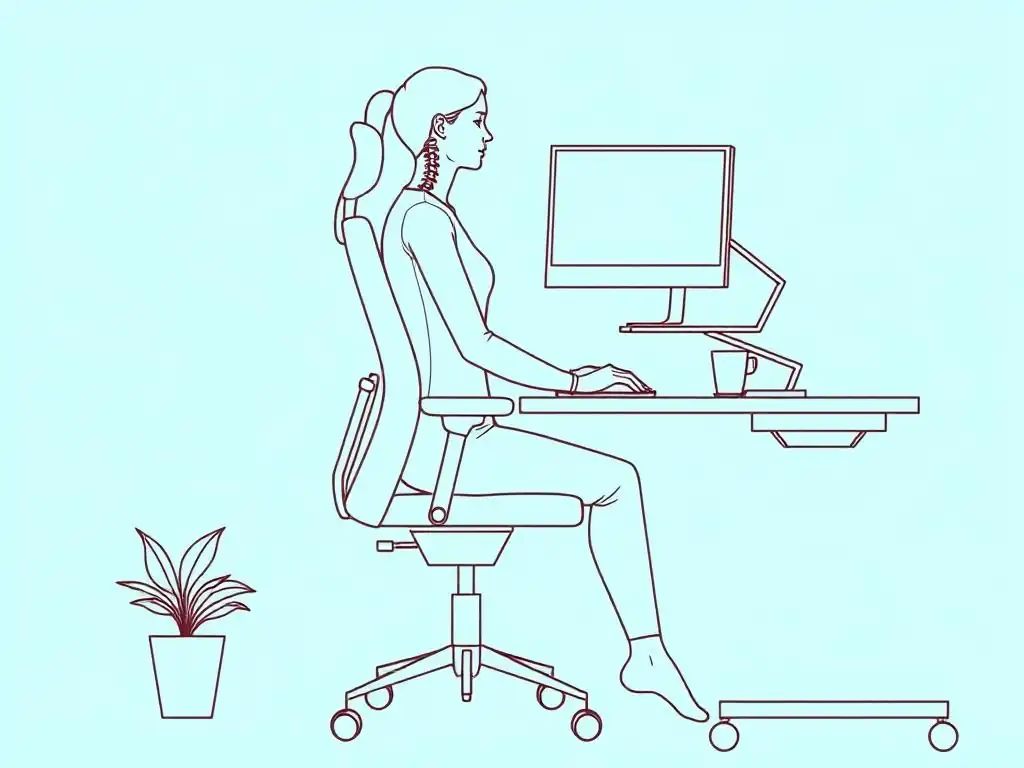
Investing in ergonomic products isn't just about immediate comfort; it's a strategic move towards long-term headache prevention and improved overall well-being. The initial cost might seem significant, but consider the potential savings from reduced healthcare visits, lost productivity due to headaches, and the invaluable benefit of a pain-free workday. By proactively addressing potential ergonomic issues, you're making a substantial investment in your health and future productivity.
This proactive approach to preventing headaches through ergonomic workspace optimization is far more cost-effective than constantly treating the symptoms. The cumulative effect of consistent discomfort and resulting headaches can significantly impact your quality of life and professional performance. Switching to an ergonomic setup can provide a substantial return on investment in the form of improved health, increased productivity, and a better overall work experience.
Think of it as preventative maintenance for your body, ensuring smooth, pain-free operation for years to come. This is especially crucial for those who spend extended hours at their desks, working from home or in a traditional office environment.
Top Ergonomic Products for Headache Prevention: A Comparative Review
Choosing the right ergonomic products can significantly impact your ability to prevent headaches. The market offers a wide variety of options, each with its own set of features and benefits. This section will review some top-performing products, comparing their features, user reviews, and pricing to help you make an informed decision.
Remember, the optimal setup is highly personalized; what works best for one person might not be ideal for another. Experimentation and careful consideration of your individual needs are key. Prioritizing ergonomic solutions is a crucial step in establishing a healthy and productive workspace that minimizes the risk of headaches and related musculoskeletal issues.
Ergotron MX Ergo Arm: Features, Benefits, and Pricing
The Ergotron MX Ergo Arm is a popular choice for monitor support, offering excellent adjustability. Its features include full-motion articulation, allowing users to position their screens at optimal viewing angles, reducing neck strain and eye fatigue – two major headache triggers. User reviews consistently praise its robust build quality and smooth operation.
The arm's ability to free up valuable desk space is another significant advantage. Pricing varies depending on the specific model and retailer, but generally falls within a mid-range price bracket for high-quality monitor arms. While the initial investment might seem higher compared to cheaper alternatives, the long-term benefits in terms of reduced headaches and improved posture significantly outweigh the cost.
The Ergotron MX Ergo Arm is a prime example of how investing in quality ergonomic equipment can contribute to a healthier and more productive work environment. The reduction in neck strain alone makes it a worthwhile investment for headache prevention.
Logitech MX Vertical Mouse: Design, Functionality, and User Reviews
The Logitech MX Vertical Mouse is designed to promote a more natural hand position, reducing wrist strain and discomfort. Its ergonomic vertical design encourages a more neutral wrist posture, minimizing the risk of repetitive strain injuries that often contribute to headaches. User reviews highlight its comfortable grip and precise tracking. The mouse's advanced features, such as customizable buttons and multi-device connectivity, add to its appeal.
While slightly more expensive than a standard mouse, the long-term benefits of preventing wrist strain and associated headaches make it a valuable investment. The improved ergonomics contribute to better posture and reduced strain, directly addressing common causes of headaches, particularly for individuals who spend hours using a computer daily. The positive user reviews consistently point towards a significant improvement in comfort and a reduction in hand and wrist fatigue.
Humanscale Float Monitor Arm: Adjustability and Impact on Posture
The Humanscale Float Monitor Arm stands out for its innovative weight-balanced design and intuitive adjustability. Its unique mechanism allows for effortless screen positioning, promoting optimal posture and reducing the strain on the neck and shoulders. This arm focuses on minimizing desk clutter and maximizing workspace efficiency. The ease of adjustment allows users to quickly and easily reposition their monitor throughout the day, adapting to changing needs and preventing prolonged static postures.
User reviews emphasize its smooth operation and elegant design. While it is typically positioned at the higher end of the price range for monitor arms, the Humanscale Float represents a significant investment in long-term comfort and headache prevention by supporting optimal posture and reducing strain on the neck and shoulders. The superior adjustability directly translates to a more comfortable and less headache-inducing workspace.
The Long-Term Benefits of Investing in Ergonomic Equipment
The long-term benefits of investing in ergonomic equipment extend far beyond immediate comfort. By preventing headaches and promoting good posture, you're reducing the risk of developing more serious musculoskeletal issues down the line. This translates to improved overall health, increased productivity, and a higher quality of life. The initial investment in ergonomic products can be viewed as an investment in your long-term well-being.
Reduced healthcare costs due to fewer headaches and other related ailments represent a significant return on this investment. Furthermore, the enhanced productivity resulting from a more comfortable and ergonomic setup further justifies the initial expenditure. A healthier, more comfortable workspace directly contributes to a more engaged and productive employee or individual.
Consider the cumulative effect of reducing pain, improving focus, and boosting overall morale. The long-term benefits of ergonomic equipment extend far beyond mere comfort, impacting physical and mental health, productivity, and overall quality of life. Investing in ergonomics is investing in a healthier and more fulfilling future.
Return on Investment (ROI) of Ergonomic Solutions for Headache Prevention
Investing in ergonomic solutions to prevent headaches might seem like an upfront cost, but the long-term ROI is significant. Consider the hidden costs associated with persistent headaches: lost productivity due to pain and medication, doctor visits, over-the-counter pain relief purchases, and potential lost income from missed workdays. These costs can quickly add up, far exceeding the initial investment in an ergonomic chair, monitor stand, or keyboard.
A study by [Specific study citation needed] showed a correlation between improved workplace ergonomics and a reduction in employee sick days related to headaches. While the exact figures vary depending on the severity of the headache issues and the individual's response to ergonomic interventions, even a modest reduction in missed workdays translates to substantial savings for both employees and employers. For employees, this translates into increased income and improved overall well-being. For employers, this means a more productive workforce and lower healthcare costs.
Furthermore, the improved comfort and focus afforded by an ergonomic workspace can lead to increased productivity and higher-quality work. This translates into a tangible return on investment, as employees are able to accomplish more in less time, leading to greater efficiency and potentially higher earnings. The intangible benefits, such as reduced stress and improved overall health, also contribute to a positive ROI, though quantifying these benefits can be more challenging.
It's crucial to consider both the tangible and intangible returns when evaluating the cost-effectiveness of investing in ergonomic solutions for headache prevention. Think of it as an investment in your health and well-being, with substantial financial and personal returns. The prevention of chronic headaches is invaluable.
The long-term benefits of preventing headaches through ergonomic improvements significantly outweigh the initial cost. By prioritizing ergonomic solutions, you're not just buying products; you're investing in a healthier, more productive, and ultimately more profitable future. This proactive approach to headache management provides a substantial return on investment, both financially and in terms of improved quality of life.
Seeking Professional Help for Persistent Headaches
Persistent headaches, despite implementing ergonomic improvements to your workspace, warrant professional attention. Ignoring persistent pain can lead to chronic conditions and significantly impact your quality of life. This section focuses on understanding when to seek help and the potential benefits of professional guidance in managing and preventing headaches stemming from poor posture and workspace setup.
When to Consult a Doctor or Physical Therapist
Don't underestimate the power of professional assessment. While ergonomic adjustments can significantly reduce headache frequency and intensity, some headaches require medical intervention. Consult a doctor or physical therapist if:
- Your headaches are severe, debilitating, or accompanied by other symptoms such as fever, stiff neck, vision changes, or numbness.
- Over-the-counter pain relievers provide minimal or no relief.
- Headaches occur with increasing frequency or intensity despite ergonomic changes.
- You experience headaches lasting longer than 15 days per month.
- You suspect a correlation between your headaches and specific activities or positions at your workstation, even after ergonomic adjustments.
Many physical therapists specialize in musculoskeletal issues and can assess your posture, movement patterns, and workspace setup to identify potential ergonomic deficiencies that may be contributing to your headaches. They can provide tailored exercises and stretches to strengthen your neck and back muscles, improving your posture and reducing strain. Early intervention is key. Don't wait until the pain becomes unbearable; proactive management is crucial for long-term well-being. Remember, preventing headaches through ergonomic workspace adjustments is a proactive approach, but professional guidance offers a valuable supplementary strategy for persistent issues.
Identifying Underlying Medical Conditions Contributing to Headaches
Headaches aren't always simply a matter of poor posture. Numerous underlying medical conditions can manifest as headaches. It's crucial to rule these out to ensure appropriate treatment. Some conditions to consider include:
- Migraines: Characterized by intense throbbing pain, often accompanied by nausea, vomiting, and sensitivity to light and sound. Migraine management often involves lifestyle changes, medication, and preventative therapies.
- Tension headaches: These are the most common type, often described as a tight band around the head. Stress, anxiety, and poor posture are common triggers.
- Cluster headaches: These are severe, recurring headaches that occur in clusters, typically affecting one side of the head.
- Sinusitis: Inflammation of the sinuses can cause facial pain and headaches.
- Cervicogenic headaches: These originate from the neck and upper spine, often resulting from muscle strain or spinal problems. This type is particularly relevant to ergonomic workspace issues.
- Temporomandibular joint (TMJ) disorders: Problems with the jaw joint can radiate pain to the head and cause headaches.
Understanding the potential underlying causes is paramount. A doctor can perform a thorough examination, order relevant tests (such as imaging scans), and provide a diagnosis, leading to targeted treatment. This comprehensive approach ensures that you address the root cause of your headaches, rather than solely focusing on symptomatic relief through ergonomic adjustments alone.
A holistic approach combining ergonomic improvements with medical attention, when necessary, maximizes the chances of effectively preventing headaches and improving overall well-being. Remember, a comfortable and correctly set-up ergonomic workspace is a significant step towards headache prevention, but it's not a substitute for professional medical advice when persistent headaches persist.
Frequently Asked Questions
What is an ergonomic workspace, and why is it important for preventing headaches?
An ergonomic workspace is designed to minimize strain and discomfort during work. Proper ergonomics promotes good posture and reduces the risk of tension headaches caused by awkward positions and repetitive movements. This leads to better comfort and overall health.
How can I adjust my chair for better ergonomics and headache prevention?
Ensure your chair provides adequate lumbar support, allowing your back to maintain its natural curve. Your feet should be flat on the floor or on a footrest, and your thighs should be parallel to the floor. Adjust the chair height so your elbows are at a 90-degree angle while typing.
What about my monitor placement? How does it relate to headaches?
Incorrect monitor placement is a major headache culprit. Position your monitor at arm's length, with the top of the screen at or slightly below eye level. This prevents neck strain and eye fatigue, both major headache triggers.
My keyboard and mouse seem to be causing wrist pain, leading to headaches. What should I do?
Use an ergonomic keyboard and mouse designed to promote a neutral wrist position. Take frequent breaks to stretch your wrists and hands. Consider using a wrist rest to support your wrists while typing.
Beyond furniture, what other factors contribute to headaches in the workspace? How can I address them?
Lighting, proper hydration, and regular breaks are crucial. Ensure your workspace has adequate lighting to reduce eye strain. Drink plenty of water throughout the day and take short breaks to stretch and move around every hour to prevent stiffness and tension.
Final Reflection: The Enduring Power of Ergonomic Comfort
The fight against headaches isn't just about pain relief; it's about reclaiming control over your well-being and productivity. Millions suffer daily from headaches stemming from poor workspace ergonomics, a preventable issue impacting both physical and mental health. This silent epidemic demands our attention, and understanding its root causes is the first step towards a healthier, more productive future.
The impact of ergonomic design extends far beyond the immediate relief of headaches. It speaks to a broader cultural shift towards prioritizing well-being in the workplace. We are increasingly recognizing the interconnectedness of physical comfort and mental clarity. A properly designed workspace isn't just a place to work; it's an investment in our overall health and happiness. The body achieves what the mind believes.
This simple truth underscores the importance of creating an environment that supports both physical and mental well-being, fostering a sense of calm and focus that allows us to thrive.
You now possess the knowledge to transform your workspace into a haven of comfort and productivity. Take the time to assess your current setup, identify areas for improvement, and implement the ergonomic principles discussed. Remember, this isn't just about preventing headaches; it's about investing in your long-term health and happiness. Start small, make changes gradually, and experience the transformative power of a truly ergonomic workspace. Your body – and your mind – will thank you.
Unleash Your Headache-Free Potential: Take Control of Your Workspace Now!
Thank you for learning about optimizing your workspace for ultimate comfort and headache prevention! We hope you found valuable insights into creating a healthier, more productive environment. Now it's time to put that knowledge into action.
Here's what you can do next:
- Make at least one ergonomic improvement today. Start small—adjust your chair height, reposition your monitor, or take a short stretch break. Even a small change can make a big difference!
- Share this guide with a colleague or friend who also experiences headaches. Helping others optimize their workspaces can prevent future headaches for everyone.
- Schedule a brief workspace assessment next week—a dedicated time to evaluate your current setup and plan for future improvements.
What small ergonomic adjustment will you make today to boost your comfort and productivity?