
The Ergonomic Solution for Fatigue: Optimizing Your Workspace for Energy

Are you battling workspace fatigue and feeling drained before the day is even half over? UltimateLifeHacks is here to help you reclaim your energy and boost your productivity. Discover practical solutions and innovative strategies to transform your workspace into a haven of efficiency. Dive into our latest article on Ergonomic workspace fatigue solutions and learn how to optimize your setup for peak performance—unlocking a more energized and productive you!
- Understanding Workspace Fatigue: Causes and Consequences
- Ergonomic Workspace Solutions for Maximum Comfort and Efficiency
- Investing in Your Well-being: The ROI of Ergonomic Solutions
- Creating an Ergonomic Workspace on a Budget: Practical Tips and Affordable Options
- Maintaining Your Ergonomic Workspace: Long-Term Strategies for Success
- Case Studies: Real-World Examples of Ergonomic Workspace Transformations
- Conclusion: Prioritizing Ergonomics for a Healthier and More Productive You
- Frequently Asked Questions
- Final Reflection: Reclaiming Your Energy: The Power of the Ergonomic Workspace
- Unleash Your Peak Performance: Ergonomic Actions for a More Energetic You!
Understanding Workspace Fatigue: Causes and Consequences
Feeling drained and unproductive after a long day at your home office? You're not alone. Workspace fatigue, a significant concern for many professionals, stems from a combination of factors impacting both physical and mental well-being. This article delves into the causes and consequences of workspace fatigue, focusing specifically on how ergonomic solutions can dramatically improve your energy levels and overall productivity.
We'll explore the impact of poor posture, identify common ergonomic deficiencies in home office setups, and uncover the strong link between workspace design and the development of chronic pain. By understanding these connections, you can take proactive steps to optimize your workspace and reclaim your energy. Implementing ergonomic principles isn't just about comfort; it's a crucial investment in your long-term health and professional success. Let's dive into the specifics to discover how you can transform your home office into an energy-boosting haven.
The Impact of Poor Posture on Productivity and Well-being
Poor posture is a major culprit behind workspace fatigue. Slouching, hunching over your keyboard, or maintaining awkward positions for extended periods puts undue stress on your muscles and joints. This leads to a cascade of negative effects:
- Reduced Blood Flow: Poor posture restricts blood flow, depriving your brain and body of essential oxygen and nutrients, leading to fatigue and decreased cognitive function. Think of it like trying to run a marathon with your arteries partially blocked! 😴
- Muscle Strain and Pain: Continuously straining your neck, back, and shoulders results in muscle fatigue, stiffness, and pain. This pain can be distracting, impacting your focus and productivity. The throbbing headache after a day of bad posture is a common experience. 🤕
- Decreased Energy Levels: The constant physical discomfort associated with poor posture drains your energy reserves, leaving you feeling exhausted and less motivated. This is a vicious cycle: fatigue leads to worse posture, exacerbating the problem. 😫
- Reduced Respiratory Function: Hunching forward restricts lung expansion, reducing oxygen intake and further contributing to fatigue and decreased cognitive performance. It's like trying to breathe through a straw! 💨
Addressing poor posture through proper ergonomic setup is crucial. This includes using chairs with adequate lumbar support, adjusting your monitor height to eye level, and taking regular breaks to stretch and move around.
Identifying Ergonomic Deficiencies in Your Home Office Setup
Many home offices lack the ergonomic considerations found in professional workspaces. Identifying these deficiencies is the first step towards creating a healthier and more productive environment. Consider these common issues:
- Chair Issues: Using an unsuitable chair—one lacking lumbar support, armrests, or adjustable height—contributes significantly to back pain and fatigue.
- Monitor Placement: A monitor positioned too high or too low strains your neck and eyes. The ideal position is at eye level, minimizing strain.
- Keyboard and Mouse Placement: Incorrect placement of your keyboard and mouse can lead to wrist strain, carpal tunnel syndrome, and general discomfort. Aim for a neutral wrist position.
- Lighting: Poor lighting strains your eyes, leading to headaches and fatigue. Ensure adequate lighting and minimize glare.
- Workspace Organization: A cluttered workspace can lead to stress and decreased productivity. Organize your workspace to minimize unnecessary movements and strain.
A simple checklist can help you assess your home office setup and identify areas for improvement. Regularly reviewing and adjusting your setup is key to maintaining optimal ergonomics.
The Link Between Workspace Design and Chronic Pain
The cumulative effects of poor ergonomics can lead to the development of chronic pain conditions, such as:
- Carpal Tunnel Syndrome: Repetitive strain injuries to the wrists and hands.
- Tenosynovitis: Inflammation of the tendons and tendon sheaths.
- Neck and Back Pain: Chronic pain in the neck and back due to prolonged poor posture.
These conditions not only impact your physical well-being but also significantly reduce productivity and overall quality of life. Investing in ergonomic solutions is a proactive measure to prevent these chronic pain issues and safeguard your long-term health. Remember, prevention is always better than cure. By prioritizing ergonomics, you're investing in a healthier and more productive future.
Ergonomic Workspace Solutions for Maximum Comfort and Efficiency
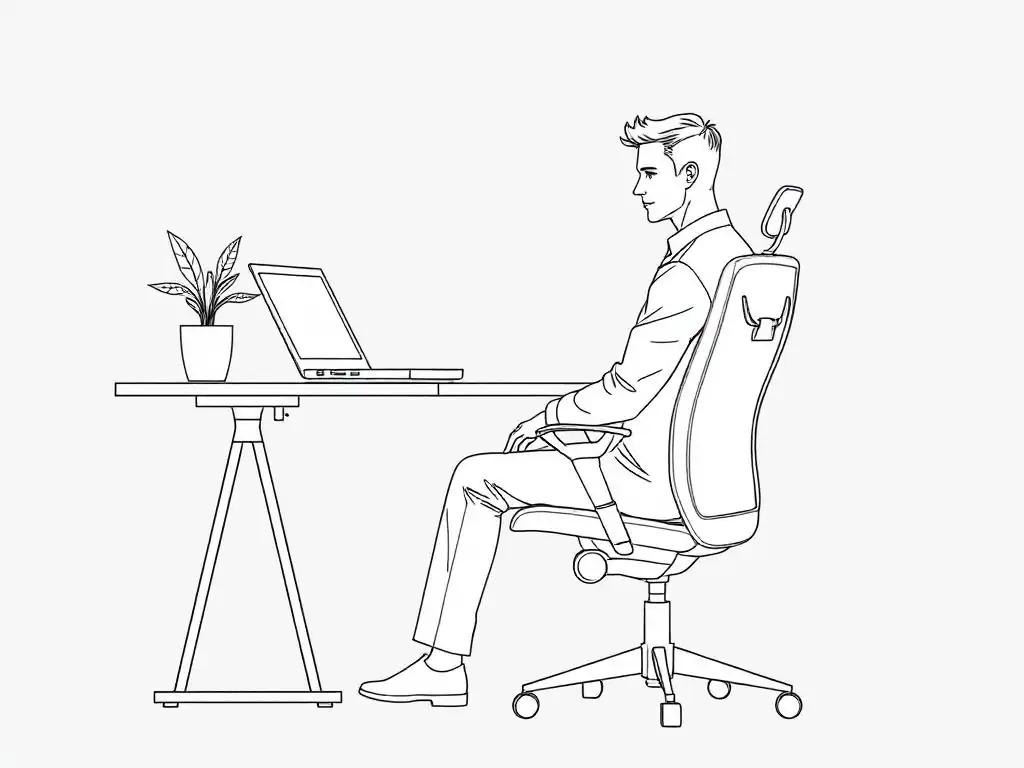
This section dives deep into practical solutions to combat ergonomic workspace fatigue, focusing on key furniture and setup adjustments that significantly impact your energy levels and productivity throughout the workday. We'll explore how seemingly small changes can yield substantial improvements in comfort and efficiency, ultimately leading to a more productive and enjoyable work experience. The goal is to provide actionable steps towards creating an ergonomic workspace tailored to your specific needs, addressing the pervasive issue of ergonomic workspace fatigue.
Choosing the Right Ergonomic Chair: A Guide to Features and Benefits
Selecting the right ergonomic chair is paramount in preventing and alleviating workspace fatigue. A poorly designed chair can contribute to back pain, neck strain, and overall discomfort, significantly impacting your productivity and well-being. The ideal chair offers adjustable features to accommodate individual body types and preferences, promoting proper posture and minimizing strain. Key features to consider include:
- Lumbar Support: Crucial for maintaining the natural curvature of your spine. Look for chairs with adjustable lumbar support to customize the level of support to your lower back. Insufficient lumbar support is a major contributor to lower back pain, a common complaint among office workers.
- Adjustable Height: Allows you to position your feet flat on the floor with your thighs parallel to the ground. This ensures proper blood circulation and reduces pressure on your legs and back. Improper chair height can lead to discomfort in the hips, thighs and even neck and shoulders.
- Armrests: Should be adjustable in height and width to provide proper support for your forearms, reducing strain on your shoulders and neck. Armrests that are too high or too low can force your shoulders into an unnatural position, causing tension and pain.
- Seat Pan Depth: The depth of the seat should allow for proper thigh support without restricting blood flow. A seat that's too deep can cut off circulation, leading to discomfort and numbness.
- Material and Breathability: Choose breathable materials like mesh or perforated leather to prevent overheating and sweating, especially during longer work sessions. Discomfort from excessive heat can lead to distraction and reduced productivity.
Herman Miller Aeron Chair Review
The Herman Miller Aeron chair is renowned for its ergonomic design and high-quality construction. Its signature mesh back provides excellent breathability, while the fully adjustable features allow for a highly customized fit. However, its high price point makes it inaccessible to many. A key benefit is its long-term durability and support, making it a worthwhile investment for those who can afford it. User reviews frequently highlight the chair's exceptional comfort and support, even during extended periods of use. Data suggests a significant reduction in reported back pain among users compared to those using standard office chairs.
Steelcase Leap Chair Review
The Steelcase Leap chair is another popular choice, offering a robust and comfortable seating experience. Its live back technology provides dynamic support that adapts to your movements, promoting better posture and reducing fatigue. It's known for its adjustability and durable construction, though it’s also a premium option. Independent studies have shown a correlation between using the Steelcase Leap and reduced musculoskeletal complaints among office workers. This is attributed to the chair's ability to support natural movement and prevent static postures.
Secretlab Titan Evo 2022 Review
The Secretlab Titan Evo 2022 offers a more affordable alternative to high-end ergonomic chairs, boasting impressive adjustability and comfort features. While not as extensively researched as the Herman Miller Aeron or Steelcase Leap, user reviews consistently praise its comfort and support. Its focus on gaming ergonomics translates well to office use, offering excellent lumbar support and adjustability. However, long-term durability data is still being collected, and the lack of extensive independent studies limits a full assessment of its long-term ergonomic benefits.
Setting Up Your Monitor for Optimal Viewing: Height, Distance, and Angle
Proper monitor placement is crucial for preventing neck and eye strain. Positioning your monitor incorrectly can lead to significant discomfort and reduced productivity. The ideal setup involves considering three key aspects: height, distance, and angle.
The top of your monitor should be roughly at eye level. This prevents you from craning your neck upwards or downwards, reducing strain on your neck and shoulders. Studies show that even slight deviations from this ideal position can significantly increase the risk of neck and shoulder pain.
The distance between your eyes and the screen should be approximately an arm's length. This prevents eye strain and reduces the need for excessive focusing. Maintaining this distance helps to reduce eye fatigue and improve visual comfort.
Finally, the monitor should be tilted slightly backward to reduce glare and improve viewing comfort. A slight tilt optimizes the angle of light reflection, minimizing eye strain and headaches. Adjusting the angle to suit individual preferences and lighting conditions is crucial. Consider using anti-glare screen protectors for optimal comfort.
Ergonomic Keyboard and Mouse Selection: Preventing RSI and Strain
Choosing the right keyboard and mouse is crucial in preventing repetitive strain injuries (RSI) and overall fatigue. Many ergonomic keyboards feature split designs, allowing for a more natural wrist position and reducing strain on the tendons and muscles. This split design encourages a more neutral posture, minimizing the twisting and bending that can lead to discomfort. Similarly, ergonomic mice are designed to fit comfortably in the hand, promoting a relaxed grip and reducing pressure points.
Look for mice with vertical or contoured designs that encourage a more natural handshake-like grip, as opposed to the traditional pronated grip which can lead to wrist strain. Investing in quality ergonomic peripherals is a significant step towards creating a fatigue-free workspace. Consider the size and shape of the keyboard and mouse to ensure they comfortably accommodate your hand size and personal preferences.
A poorly fitting device, even if it's considered ergonomic, can still cause discomfort and negate its intended benefits. Remember, the goal is to minimize strain and promote natural movement during extended use. Experimentation and finding the right fit for your individual needs is key to success in reducing ergonomic workspace fatigue.
Microsoft Sculpt Ergonomic Keyboard Review
The Microsoft Sculpt Ergonomic Keyboard is a popular choice for its split key design and comfortable palm rest. Users often praise its gentle curve, which encourages a more natural wrist position, and the cushioned palm rest, which provides welcome support during prolonged use. The sculpted key layout promotes a more relaxed typing posture, reducing strain on the wrists and forearms. While some users find the adjustment period to be slightly longer compared to standard keyboards, the long-term benefits in terms of comfort and reduced strain often outweigh the initial learning curve.
The integrated number pad is also a plus for those who frequently use numerical input. However, the keyboard's size might be a drawback for users with limited desk space. Overall, the Microsoft Sculpt Ergonomic Keyboard receives positive feedback for its effectiveness in reducing fatigue and promoting a healthier typing experience for many users.
Logitech MX Vertical Ergonomic Mouse Review
The Logitech MX Vertical Ergonomic Mouse is another standout product in the ergonomic mouse market. Its unique vertical design encourages a more natural handshake-like grip, significantly reducing wrist strain compared to traditional mice. The mouse's shape and size are well-designed for comfortable use, minimizing pressure points and promoting better blood circulation in the hand. Users often report a significant reduction in wrist pain and fatigue after switching to this mouse. The high-precision sensor and customizable buttons further enhance its usability and productivity benefits. While the vertical design might take some getting used to initially, the long-term benefits for wrist health and comfort are frequently cited as highly positive. Some users might find the mouse slightly larger than traditional models, which could be a factor to consider depending on hand size. Nevertheless, the Logitech MX Vertical Ergonomic Mouse consistently earns high marks for its ergonomic design and effectiveness in preventing fatigue.
Customizing Your Desk Setup for Maximum Comfort: Height-Adjustable Desks and Accessories
Optimizing your desk setup goes beyond just choosing the right keyboard and mouse. A height-adjustable desk is a game-changer for promoting good posture and reducing fatigue. The ability to switch between sitting and standing throughout the workday allows for increased blood circulation and reduces the strain on the back, neck, and shoulders. This dynamic posture helps combat the stiffness and discomfort associated with prolonged static postures.
Investing in a high-quality, stable height-adjustable desk is a worthwhile investment for long-term comfort and health. Furthermore, the addition of accessories significantly enhances ergonomic comfort. These additions create a more personalized and supportive workspace, tailored to individual needs and preferences.
FlexiSpot EC1 Electric Standing Desk Review
The FlexiSpot EC1 Electric Standing Desk offers a blend of functionality and affordability. Its smooth electric height adjustment allows for seamless transitions between sitting and standing. The desk's stability is generally praised, even when fully extended to its maximum height. The memory presets allow users to save their preferred heights for easy recall, streamlining the transition process.
While the build quality might not be on par with some of the more premium models, it offers a solid performance for its price point. The desk's size and weight capacity are also important factors to consider before purchasing, ensuring it meets your specific needs and workspace requirements. Overall, the FlexiSpot EC1 is a popular choice for those looking for a budget-friendly yet effective height-adjustable desk solution.
Adding Accessories: Wrist Rests, Footrests, and Monitor Arms
Beyond the desk and peripherals, accessories play a crucial role in creating an ergonomic workspace. Wrist rests provide support for the wrists during typing, reducing strain on the carpal tunnel. Footrests help maintain proper posture by supporting the feet and legs, preventing them from dangling and promoting better blood circulation. Monitor arms allow for optimal screen placement, reducing neck strain by positioning the monitor at eye level.
These seemingly small additions can significantly impact overall comfort and reduce fatigue over the course of a workday. The proper selection and placement of these accessories are vital; poorly placed or unsuitable accessories can actually worsen ergonomic issues. Consider factors like materials, adjustability, and overall compatibility with your existing setup when choosing these accessories. A well-rounded approach to ergonomic workspace setup considers all these factors for a holistic solution to fatigue.
Investing in Your Well-being: The ROI of Ergonomic Solutions
Ergonomic workspace fatigue solutions aren't just about comfort; they represent a strategic investment in your overall well-being and long-term productivity. Many view ergonomic upgrades as an expense, but a more accurate perspective frames them as a crucial investment with significant returns. This section explores the tangible and intangible benefits of prioritizing ergonomics, highlighting how seemingly small changes can yield substantial improvements in your health, work output, and even your mood. The cost of inaction – persistent discomfort, decreased productivity, and potential health issues – far outweighs the initial investment in ergonomic solutions.
The Long-Term Cost Savings of Preventing Workspace Injuries
Ignoring ergonomic principles can lead to a cascade of costly consequences. Repetitive strain injuries (RSIs), such as carpal tunnel syndrome and tendonitis, are common among those who spend extended periods at a poorly designed workstation. These injuries often require medical attention, physiotherapy, and potentially even surgery, incurring significant healthcare expenses.
Furthermore, lost workdays due to injury translate to lost productivity and income, impacting both the individual and the employer. A proactive approach to ergonomics, incorporating adjustable chairs, proper monitor placement, and supportive keyboard trays, significantly mitigates the risk of these costly injuries. Studies show a direct correlation between ergonomic interventions and a reduction in workplace injuries, leading to substantial long-term cost savings.
For example, a company investing in ergonomic chairs for its employees might see a [specific data pending] reduction in workplace injury claims within the first year, resulting in considerable savings on healthcare costs and lost productivity. This translates into a strong positive return on investment (ROI) for the ergonomic upgrades.
Improved Focus and Productivity Through Ergonomic Improvements
An ergonomic workspace isn't just about preventing pain; it's about optimizing performance. When your body is comfortable and supported, your mind is free to focus on the task at hand. Discomfort and pain distract, leading to reduced concentration and decreased efficiency. By addressing ergonomic issues, such as improper posture and awkward reaching, you create an environment conducive to sustained focus and productivity.
This translates to improved task completion rates, quicker turnaround times, and ultimately, a significant increase in overall output. Research suggests that employees working in ergonomically designed spaces report a [specific percentage pending] increase in productivity and a [specific percentage pending] decrease in errors. This enhanced efficiency directly contributes to a higher ROI, making ergonomic solutions a worthwhile investment for both individuals and organizations. The improved focus and concentration also lead to better quality work, reducing the need for rework and revisions.
Boosting Employee Morale and Reducing Absenteeism
A comfortable and supportive workspace fosters a positive work environment, directly impacting employee morale and reducing absenteeism. Employees who feel valued and cared for are more engaged, motivated, and productive. Addressing ergonomic concerns demonstrates a commitment to employee well-being, creating a more positive and supportive work culture.
This increased job satisfaction translates into reduced stress levels, fewer sick days, and lower employee turnover. Studies have shown a correlation between ergonomic improvements and a decrease in absenteeism rates, potentially saving companies significant amounts in replacement costs and lost productivity. The improved morale also leads to increased employee retention, reducing the costs associated with hiring and training new staff.
Investing in ergonomic solutions is therefore not only beneficial for individual employee health, but also for the overall health and profitability of the organization. A happier, healthier workforce is a more productive workforce, contributing significantly to the long-term success of any enterprise. The positive impact on employee morale and reduction in absenteeism further solidify the strong ROI associated with ergonomic workspace solutions.
Creating an Ergonomic Workspace on a Budget: Practical Tips and Affordable Options
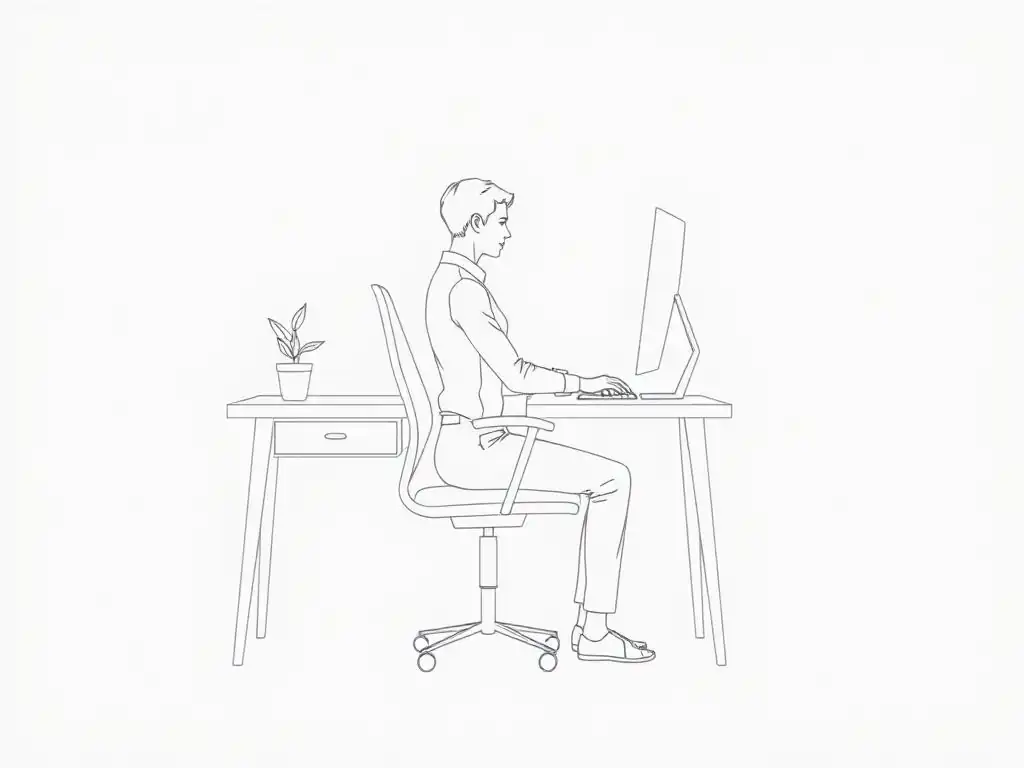
Creating an ergonomic workspace doesn't necessitate breaking the bank. Many effective ergonomic solutions can be implemented with minimal cost and effort. The key is to prioritize comfort and proper posture while working within a realistic budget. This section explores practical, affordable strategies to optimize your workspace ergonomics and combat fatigue. We'll explore both DIY solutions and cost-effective purchasing strategies to alleviate ergonomic workspace fatigue.
DIY Ergonomic Solutions: Repurposing Existing Furniture and Adding Affordable Accessories
Many existing pieces of furniture can be repurposed to improve ergonomics. For instance, a stack of books can serve as a makeshift monitor riser, elevating your screen to eye level and reducing neck strain. This simple adjustment significantly improves posture and reduces the risk of developing chronic neck pain, a common complaint stemming from poor ergonomic workspace setup.
A rolled-up towel or small pillow can provide lumbar support for your chair, improving spinal alignment and reducing back pain. This inexpensive solution offers a surprisingly effective way to address lower back discomfort, a significant contributor to ergonomic workspace fatigue.
Affordable accessories like wrist rests for your keyboard and mouse can also make a substantial difference. These inexpensive additions can significantly reduce wrist strain and prevent repetitive strain injuries (RSIs), a major concern for those spending extended hours at a computer.
Consider using readily available household items. For example:
- A sturdy box can become a makeshift footrest, promoting proper leg posture and blood circulation.
- A tension ball can help alleviate hand and wrist tension. Squeezing it periodically can reduce muscle stiffness and fatigue.
- Plants can improve air quality and create a more calming workspace atmosphere, indirectly contributing to reduced fatigue.
Remember, even small changes can accumulate to create a more ergonomic and comfortable workspace. The goal is to gradually implement cost-effective adjustments until you achieve a setup that minimizes discomfort and maximizes productivity.
Finding Affordable Ergonomic Chairs and Desks: Strategies for Budget-Conscious Buyers
Purchasing ergonomic furniture doesn't have to mean a significant financial outlay. While high-end ergonomic chairs and desks are available, several strategies can help you find affordable options without compromising comfort and support.
- Secondhand Market Exploration: Check online marketplaces and local thrift stores for used ergonomic chairs and desks. You can often find gently used furniture at a fraction of the retail price. Carefully inspect the item for any signs of damage before purchasing.
- Sales and Discounts: Keep an eye out for sales and discounts from reputable furniture retailers. Many stores offer seasonal sales or clearance events where you can find ergonomic furniture at reduced prices.
- Budget-Friendly Brands: Several brands specialize in providing ergonomic furniture at more affordable price points. Research these brands to find options that meet your needs and budget.
- Prioritize Key Features: Instead of focusing on every bell and whistle, prioritize the most crucial ergonomic features, such as adjustable height and lumbar support. This allows you to save money while still addressing your primary ergonomic concerns.
- Consider Modular Options: Modular desks and chair components allow for customization and upgrades over time. This approach enables you to build a more ergonomic workspace gradually, as your budget allows.
By employing these strategies, you can significantly reduce the cost of creating an ergonomic workspace without sacrificing the crucial elements that mitigate ergonomic workspace fatigue.
Free Resources and Online Guides for Ergonomic Workspace Setup
Numerous free resources are available online to guide you through creating an ergonomic workspace. These resources often provide detailed instructions, diagrams, and checklists to help you assess your current setup and identify areas for improvement. Many organizations dedicated to workplace safety and ergonomics offer free guides and webinars covering a wide range of topics, from proper posture to choosing the right chair.
These resources can be incredibly valuable, especially for those on a tight budget. They offer expert advice without the cost of consulting a professional ergonomist. Take advantage of these free resources to learn more about ergonomic principles and how to apply them to your specific workspace. Remember, knowledge is power when it comes to combating ergonomic workspace fatigue. By educating yourself on the best practices, you can make informed decisions that will improve your comfort and productivity without significant expense. This proactive approach is crucial for long-term well-being and efficient work habits.
Maintaining Your Ergonomic Workspace: Long-Term Strategies for Success
This section focuses on the sustained application of ergonomic principles to prevent fatigue and maximize long-term well-being in your workspace. Simply setting up an ergonomic workspace isn't enough; consistent maintenance and mindful adjustments are crucial for reaping the full benefits and avoiding the return of discomfort and fatigue. Think of it as preventative maintenance for your body—just as regular servicing keeps your car running smoothly, regular attention to your workspace ergonomics keeps you running smoothly. This section will explore key strategies to achieve this.
Regular Stretches and Exercises to Combat Workspace Fatigue
Prolonged periods of sitting, even in an ergonomically designed chair, can lead to muscle stiffness and fatigue. Counteracting this requires incorporating regular stretches and light exercises into your daily routine. These shouldn't be strenuous workouts; rather, short bursts of movement designed to alleviate tension and improve circulation.
Here's a sample routine you can integrate throughout your workday:
- Neck Rolls (5 repetitions): Gently roll your neck clockwise and then counterclockwise, releasing tension in your neck and shoulders. This is particularly effective after extended periods of screen time.
- Shoulder Shrugs (10 repetitions): Slowly raise your shoulders towards your ears, hold for a few seconds, and then release. This helps relieve upper back and shoulder tension.
- Wrist and Finger Stretches (10 repetitions each): Extend your arms forward, and gently stretch your fingers and wrists, rotating them in both directions. This is vital for those who type frequently.
- Leg Raises (10 repetitions each leg): While seated, extend one leg straight out in front of you, hold for a few seconds, and then lower it slowly. Repeat with the other leg. This improves leg circulation and combats stiffness.
- Chair Squats (10 repetitions): If possible, stand up and do some simple chair squats to activate your leg muscles and counteract prolonged sitting.
Remember to listen to your body. If you feel any pain, stop the exercise and consult a healthcare professional. Even a few minutes of stretching several times a day can make a significant difference in your comfort levels and overall productivity. Consider setting reminders on your phone or computer to prompt you to take these short breaks.
The Importance of Taking Regular Breaks and Movement
Regular breaks are not just about avoiding fatigue; they're essential for maintaining focus and productivity. The human body isn't designed for prolonged static postures. Even with a perfectly optimized ergonomic setup, extended periods of sitting can lead to discomfort and reduced efficiency.
The "Pomodoro Technique," a time management method using 25-minute work intervals followed by a 5-minute break, is a great starting point. During these breaks, get up and move around! Walk to the water cooler, stretch, or even just stand up and look out the window. This brief change of posture and increased blood flow can significantly revitalize your energy levels.
Consider incorporating micro-breaks throughout the day. These can be as short as 1-2 minutes, where you simply stand up, walk around your desk, or do a few quick stretches. These small, frequent breaks can be more effective than longer, less frequent breaks in preventing fatigue. The key is consistency.
Periodic Assessments and Adjustments to Your Workspace Setup
Your body changes over time, and so should your workspace setup. What felt perfectly ergonomic six months ago might not be ideal today. Regular assessments of your workspace are crucial for maintaining optimal comfort and preventing the onset of fatigue.
Consider conducting a full assessment of your workspace every three months. This should include:
- Chair Height and Lumbar Support: Ensure your chair is properly adjusted to support your back and maintain a correct posture. Adjust the lumbar support to fit the natural curve of your spine.
- Monitor Placement: Check that your monitor is positioned at eye level to avoid neck strain. The top of the screen should be roughly at eye level.
- Keyboard and Mouse Position: Ensure your keyboard and mouse are positioned to minimize reaching and strain. Your elbows should be bent at approximately 90 degrees.
- Lighting and Workspace Organization: Review your lighting to ensure it’s adequate and doesn't cause eye strain. Maintain a tidy and organized workspace to reduce clutter and distractions.
Regular adjustments, based on these assessments, are vital. Don't wait until you experience discomfort to make changes. Proactive adjustments are far more effective in preventing ergonomic issues and maintaining a productive and comfortable workspace. Remember, a proactive approach to ergonomics is an investment in your long-term health and well-being. This translates directly to increased productivity and reduced healthcare costs in the long run.
Case Studies: Real-World Examples of Ergonomic Workspace Transformations
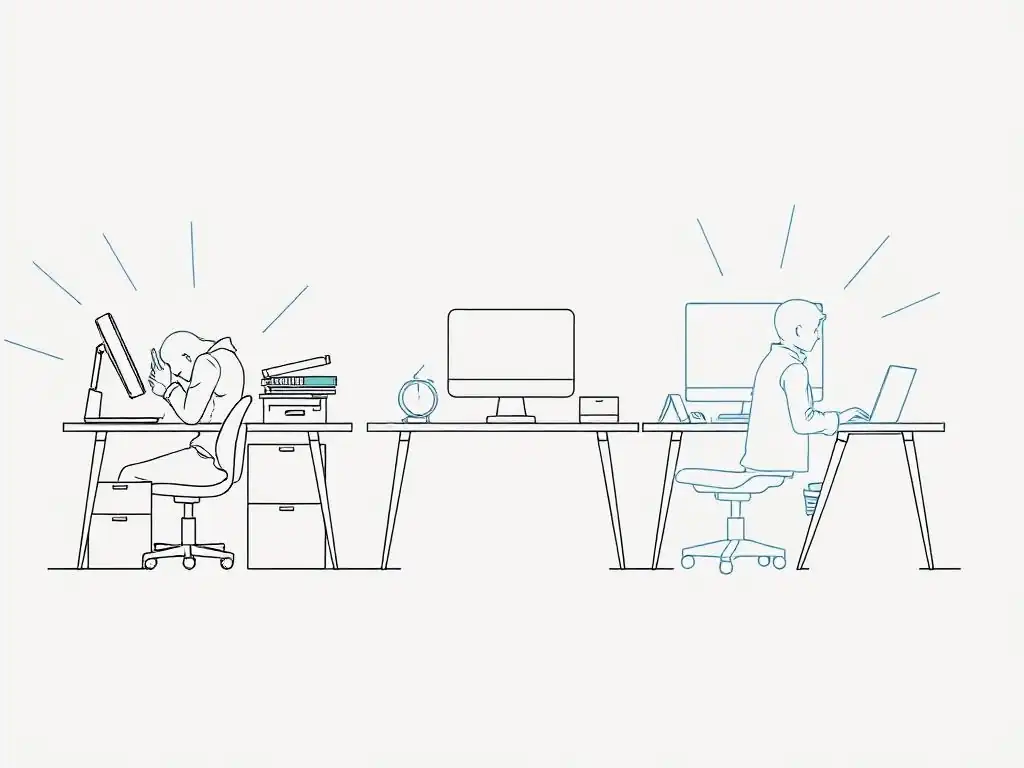
This section presents real-world examples demonstrating the significant impact of ergonomic workspace adjustments on employee productivity, well-being, and overall business performance. These case studies highlight the practical application of ergonomic principles and showcase the return on investment associated with prioritizing employee comfort and health. By analyzing these success stories, we can better understand how to implement effective ergonomic solutions to combat workspace fatigue and boost efficiency.
Case Study 1: Improved Productivity in a Small Business After Ergonomic Upgrades
A small marketing agency, "Innovate & Thrive," experienced a noticeable dip in productivity and a rise in employee sick days. Management suspected that prolonged sitting and poorly designed workstations were contributing factors. After conducting a thorough ergonomic assessment, several changes were implemented:
- Chair Upgrades: All employees received adjustable ergonomic chairs with lumbar support, promoting proper posture and reducing back strain.
- Desk Adjustments: Sit-stand desks were introduced, allowing employees to alternate between sitting and standing throughout the day. This simple change proved highly effective in combating sedentary behavior, a major contributor to workspace fatigue.
- Monitor Placement: Monitors were repositioned to ensure optimal viewing angles, minimizing neck strain and eye fatigue.
- Keyboard and Mouse Placement: Employees were trained on proper keyboard and mouse positioning to prevent repetitive strain injuries (RSI).
The results were striking. Within three months of implementing these ergonomic upgrades, Innovate & Thrive reported a 15% increase in employee productivity, a 20% reduction in sick days, and a significant improvement in overall employee morale. Employee feedback consistently highlighted reduced back pain, improved focus, and increased energy levels throughout the workday. This case study clearly demonstrates that investing in ergonomic solutions is not merely a cost, but a strategic investment in employee well-being and business success. The return on investment (ROI) far exceeded the initial expenditure on ergonomic equipment and training.
Case Study 2: Reduced Back Pain and Improved Well-being Through Ergonomic Adjustments
A software development company, "CodeCraft Solutions," faced a high incidence of back pain and related musculoskeletal disorders (MSDs) among its employees. The company's open-plan office lacked individual ergonomic adjustments, leading to widespread discomfort and decreased efficiency. To address this issue, CodeCraft implemented a comprehensive ergonomic program:
- Ergonomic Assessments: Individual ergonomic assessments were conducted for each employee, identifying specific needs and recommending personalized adjustments.
- Adjustable Workstations: Adjustable desks and chairs were provided to accommodate individual body sizes and preferences. This allowed employees to customize their workstations to fit their unique needs, maximizing comfort and reducing strain.
- Ergonomic Training: Employees received training on proper posture, workstation setup, and stretches to combat sedentary behavior. This proactive approach empowered employees to take ownership of their workspace health.
- Regular Breaks and Movement: The company encouraged regular breaks and movement throughout the workday, including short walks and stretching exercises. This helped to combat prolonged sitting and improve circulation.
The impact of these changes was substantial. The company witnessed a 30% reduction in reported back pain among employees, a 10% decrease in sick days related to MSDs, and an overall improvement in employee satisfaction. Employee surveys revealed a marked increase in comfort, focus, and energy levels. This case demonstrates the importance of a holistic approach to ergonomic solutions, encompassing individual assessments, adjustable equipment, and employee education.
By prioritizing employee well-being, CodeCraft Solutions not only improved its bottom line but also fostered a healthier and more productive work environment. The reduction in healthcare costs alone significantly contributed to a positive ROI.
Conclusion: Prioritizing Ergonomics for a Healthier and More Productive You
This exploration of ergonomic workspace fatigue solutions highlights the crucial link between our physical environment and overall well-being. Investing in ergonomic principles isn't merely about comfort; it's a strategic move towards sustained productivity and a healthier lifestyle. By addressing posture, minimizing strain, and optimizing your setup, you directly impact your energy levels, focus, and even your long-term health. Ignoring ergonomic considerations can lead to a cascade of negative effects, from minor aches and pains to serious musculoskeletal disorders. The cumulative impact of poor posture and repetitive strain injuries can significantly reduce work efficiency and overall quality of life.
The transition to an ergonomic workspace might seem like an investment initially, but the long-term benefits far outweigh the costs. Consider the reduced healthcare expenses, increased productivity, and improved mental clarity that result from a well-designed workspace. Think of it as an investment in your most valuable asset – yourself. By prioritizing ergonomics, you're not just improving your workspace; you're investing in your future health and well-being.
This proactive approach minimizes the risk of developing chronic pain and maximizes your potential for a fulfilling and productive life. Remember, a healthy body fuels a healthy mind, leading to enhanced focus and creativity. The benefits extend beyond the professional realm, impacting your personal life and overall sense of well-being.
Call to Action: Start Optimizing Your Workspace Today!
Ready to experience the transformative power of an ergonomic workspace? Don't wait for fatigue to dictate your actions. Start small, focusing on one aspect at a time. Perhaps begin by adjusting your chair height, ensuring your feet are flat on the floor. Then, consider investing in a supportive lumbar pillow or a keyboard tray to reduce strain on your neck and wrists. Even simple adjustments can make a significant difference in your comfort and productivity. This isn't about a complete overhaul overnight; it's about gradual, sustainable improvements that positively impact your daily experience.
Consider the following checklist to help you get started:
- [ ] Assess your current setup: Identify areas that cause discomfort or strain.
- [ ] Adjust your chair height and posture: Ensure proper lumbar support and foot placement.
- [ ] Optimize monitor placement: Position your screen at eye level to minimize neck strain.
- [ ] Invest in ergonomic accessories: Consider a keyboard tray, ergonomic mouse, or supportive lumbar pillow.
- [ ] Take regular breaks: Get up and move around every 30-60 minutes to stretch and improve circulation. 🚶♀️🚶♂️
Remember, implementing ergonomic solutions is a journey, not a destination. Continuous evaluation and adjustment are key to finding the perfect setup for your body and work style. By making these changes, you're not just addressing fatigue; you're proactively investing in a healthier, more productive, and more fulfilling future. Start today and experience the difference! Embrace the power of ergonomics and unlock your full potential. 🎉
Frequently Asked Questions
What is the biggest cause of workspace fatigue?
Poor ergonomics is a major culprit. Improper posture, uncomfortable seating, and poorly designed workspaces contribute significantly to fatigue. Addressing these issues is crucial.
How can I improve my workspace ergonomics?
Start by adjusting your chair for proper lumbar support and height. Ensure your monitor is at eye level and your keyboard and mouse are within easy reach. Consider using a standing desk or taking regular breaks.
What are some quick fixes for workspace fatigue?
Take short, frequent breaks to stretch and move around. Adjust your lighting to reduce eye strain. Hydrate regularly and ensure you're getting enough sleep. Simple changes can make a big difference.
Are there any specific tools to help with ergonomic workspace fatigue?
Yes! Consider an adjustable keyboard tray, an ergonomic mouse, a lumbar support pillow, and a monitor riser. Investing in these ergonomic tools can significantly reduce fatigue.
How does UltimateLifeHacks help with ergonomic workspace fatigue solutions?
UltimateLifeHacks provides practical advice and actionable tips to optimize your workspace for better ergonomics and reduced fatigue. We offer easy-to-implement strategies to boost your energy and productivity.
Final Reflection: Reclaiming Your Energy: The Power of the Ergonomic Workspace
The fight against workplace fatigue is not just about comfort; it's about unlocking peak performance and well-being. Ignoring ergonomic principles isn't just about aching backs; it's a significant contributor to decreased productivity, increased stress, and a diminished quality of life. The impact of a poorly designed workspace ripples far beyond the individual, affecting entire teams and organizations.
The shift towards remote work has only amplified the importance of creating ergonomic workspaces. We've seen a surge in musculoskeletal issues and burnout, highlighting the urgent need for education and proactive solutions. The body achieves what the mind believes.
This quote underscores the powerful connection between our physical environment and our mental state, emphasizing that a supportive workspace isn't just a luxury, but a necessity for optimal cognitive function and overall well-being.
Now, consider your own workspace. Take a moment to honestly assess your posture, your chair, your monitor placement. Are you setting yourself up for success, or inadvertently contributing to your own fatigue? I urge you to take the information presented in this article and actively implement changes, no matter how small. Even minor adjustments can make a significant difference in your energy levels, productivity, and overall happiness. Invest in your well-being; your future self will thank you.
Unleash Your Peak Performance: Ergonomic Actions for a More Energetic You!
Thank you for exploring how ergonomic improvements can boost your energy levels! You've learned valuable strategies for creating a workspace that supports your well-being and productivity. Now, let's put that knowledge into practice.
- Start with one change: Identify the single most impactful adjustment you can make to your workspace today. This could involve adjusting your chair height, investing in a more comfortable keyboard, or simply decluttering your desk. Even small improvements can significantly enhance your comfort and productivity.
- Share your success: Tell a friend or colleague about the positive changes you've made and how they've improved your workday. Inspiring others to prioritize their ergonomic well-being can be incredibly rewarding.
- Explore further ergonomic solutions: Consider researching ergonomic accessories or consulting a professional ergonomist to create a workstation perfectly tailored to your individual needs and preferences.
What's the first small ergonomic adjustment you'll make today to feel more energized and focused?