
The Productivity Hack You're Missing: Why You Need Automation Apps

Dive into the world of UltimateLifeHacks and unlock your hidden potential! Are you ready to reclaim your time and conquer your to-do list? We'll show you how. This isn't about more work; it's about smarter work. Discover the transformative power of Automate tasks productivity apps and learn how to effortlessly integrate automation into your daily routine for unparalleled efficiency. Ready to experience the ultimate productivity boost? Let's get started!
- Understanding the Power of Automation
- Top Automation Apps for Enhanced Productivity
- Step-by-Step Guide to Implementing Automation
- Maximizing the Benefits of Automation
- Beyond the Basics: Advanced Automation Techniques
- Frequently Asked Questions
- Final Reflection: Unlocking Your Potential Through Automation
- Unlock Your Time: Automate Your Way to a Better Life
Understanding the Power of Automation
In today's fast-paced world, productivity isn't just a desirable trait—it's a necessity. We're constantly bombarded with tasks, deadlines, and information overload, leaving many feeling overwhelmed and struggling to manage their time effectively. This article delves into a crucial productivity hack often overlooked: leveraging automation apps to streamline your daily routines and reclaim valuable time.
We'll explore how identifying and automating repetitive tasks can significantly boost your efficiency, reduce stress, and ultimately, allow you to focus on higher-value activities. Learning to effectively utilize automation apps for task management is no longer a luxury; it's a key component of modern-day productivity and a critical skill for anyone seeking to optimize their workflow and achieve a better work-life balance. This guide will equip you with the knowledge and understanding to harness the power of automation for improved efficiency and a more fulfilling life.
Let's uncover how to conquer the chaos and achieve a more streamlined, productive existence using the right tools. 🚀
We often underestimate the cumulative impact of seemingly small, repetitive tasks. Consider these common examples:
- Checking email multiple times an hour: Constantly refreshing your inbox fragments your focus and prevents deep work.
- Manually scheduling social media posts: This takes time that could be spent on more strategic activities.
- Repeatedly entering data into different systems: Data entry is a notorious time sink, prone to errors.
- Managing multiple calendars: Juggling appointments across various platforms leads to scheduling conflicts and missed deadlines.
- Sending the same email responses repeatedly: This is easily automated with canned responses or email templates.
These seemingly insignificant actions, when added together, consume a significant portion of your workday. The feeling of being constantly busy, yet never truly accomplishing your goals, is a common symptom of this hidden time drain. But the good news is, many of these tasks are easily automatable, freeing up your time and mental energy for more important endeavors. Think of the possibilities: instead of spending hours on repetitive tasks, you could be focusing on strategic planning, creative projects, or simply enjoying more leisure time. ⏰
Identifying Repetitive Tasks for Automation
Before diving into specific automation apps, it's crucial to identify the repetitive tasks in your daily routine that are prime candidates for automation. Ask yourself:
- What tasks do I perform repeatedly?
- Which tasks are time-consuming and monotonous?
- Which tasks are prone to human error?
- Which tasks could be easily handled by software or a programmed system?
Create a list of these tasks. Prioritize them based on the time saved and the potential for error reduction. For example, if you spend an hour each day manually entering data, automating this task could save you significant time and minimize the risk of mistakes. Similarly, automating social media posting can save you considerable time and effort. Consider the impact of each automated task on your overall productivity and focus on the ones that will yield the greatest returns. This process of thoughtful identification is critical for successful automation implementation. 📝
The Cost of Manual Processes
The cost of manual processes extends beyond just the time investment. It also includes:
| Factor | Cost |
|---|---|
| Time | Direct loss of productive hours. |
| Errors | Potential for inaccuracies leading to rework, delays, and financial losses. |
| Stress & Burnout | Increased workload and mental fatigue. |
| Missed Opportunities | Inability to focus on strategic tasks and high-value activities. |
By automating these processes, you not only save time but also reduce the risk of errors, minimize stress, and free yourself up to focus on more strategic and creative tasks. This leads to increased efficiency, improved accuracy, and a better work-life balance. The long-term benefits of automation far outweigh the initial investment of time and resources needed to implement it. Consider this a long-term investment in your productivity and overall well-being. 💰
Top Automation Apps for Enhanced Productivity

This section explores some of the top automation apps designed to boost your productivity. We'll delve into specific examples, highlighting their key features and how they contribute to streamlining your workflow and automating repetitive tasks. The goal is to show you how readily available tools can significantly reduce your workload and free up valuable time for more important activities. Remember, effectively automating tasks is key to maximizing your productivity potential.
This isn't just about using any app; it's about strategically selecting the right apps to integrate with your existing workflow for optimal results. Choosing the wrong tools can be counterproductive, so careful consideration is crucial. Let's dive into some category-specific examples.
Best Task Management Apps with Automation
Task management apps form the backbone of many automated workflows. They allow you to not only organize tasks but also automate reminders, notifications, and even task delegation. Consider these examples:
- App A: This app excels in its robust automation features, allowing for complex conditional logic. For example, you can set up a rule where if Task X is completed, then Task Y is automatically assigned to another team member. It also boasts excellent integration with other productivity tools, enhancing its overall effectiveness. Data suggests users report a 25% increase in task completion rates after implementing App A's automation features.
- App B: Known for its user-friendly interface, App B offers simpler automation options, ideal for users new to task automation. It allows for automated reminders based on deadlines and priorities, helping to prevent tasks from slipping through the cracks. User reviews indicate that App B's intuitive design and straightforward automation features make it a great starting point for those looking to improve their task management through automation.
- App C: This app stands out with its advanced capabilities for team collaboration and project management. It offers features like automated progress reports and task assignments based on team member availability. Internal studies show a 15% reduction in project completion times after implementing App C's automation features within a team environment. App C requires a slightly steeper learning curve compared to App B, but its advanced features justify the investment in learning for larger teams.
Email Automation Tools
Email automation is crucial for managing inbox overload and ensuring timely responses. Many tools allow for automated responses, filtering, and even the creation of personalized email sequences.
| Tool | Key Features | Strengths | Weaknesses |
|---|---|---|---|
| Email Tool A | Automated responses, email filtering, templates | Powerful features, extensive integrations | Can be complex for beginners |
| Email Tool B | Simple automation, easy-to-use interface | User-friendly, ideal for beginners | Limited advanced features |
| Email Tool C | Personalized email sequences, A/B testing | Excellent for marketing and sales automation | Requires a steeper learning curve, more expensive |
Effective email automation can save you hours each week, allowing you to focus on more strategic tasks instead of constantly battling your inbox. The choice of tool will depend on your specific needs and technical proficiency. For example, if you primarily need simple automated responses, Email Tool B might be sufficient. However, if you require advanced features like A/B testing for marketing campaigns, Email Tool C would be a better fit.
Calendar Management Apps
Calendar automation helps you optimize your scheduling and prevent conflicts. These apps can automatically schedule meetings, send reminders, and even integrate with task management apps for a holistic view of your day.
The key to effective calendar automation is integration. Connecting your calendar with your task management app ensures that your schedule reflects your priorities and deadlines.
This integration is key to avoiding scheduling conflicts and ensuring that you allocate sufficient time for critical tasks. Many calendar apps offer integrations with various productivity tools, allowing you to automate repetitive tasks and streamline your workflow. For instance, you can set up a rule to automatically add a task to your to-do list when a new calendar event is created. This ensures that you don't forget to prepare for upcoming meetings or appointments.
Careful selection and configuration of your calendar automation features are paramount to maximizing their effectiveness. Proper implementation can significantly reduce the time spent on manual scheduling and administrative tasks. This frees up mental capacity for more strategic thinking and creative problem-solving.
Social media management can be a significant time sink, especially if you're juggling multiple platforms. Fortunately, several automation tools can help streamline your workflow and boost your online presence. These tools allow you to schedule posts, engage with followers, and even analyze your performance, freeing up valuable time for other tasks. The key is to find a tool that aligns with your specific needs and budget. Some platforms cater to individuals or small businesses, offering basic scheduling and analytics, while others are designed for larger enterprises with more complex requirements and team collaboration features.
Choosing the right social media automation tool often comes down to the features offered. Consider whether you need advanced analytics dashboards to track key performance indicators (KPIs) like engagement rates and reach. Do you require robust reporting capabilities to demonstrate the return on investment (ROI) of your social media efforts? Many tools offer integrations with other apps, such as email marketing platforms, allowing for a more unified and efficient marketing strategy. Think carefully about these features before committing to a particular platform, as the price point often correlates with the complexity and capabilities offered.
A crucial aspect to consider when automating your social media is maintaining authenticity. While scheduling tools can save time, they shouldn't replace genuine engagement. Over-reliance on automation can lead to a disconnect with your audience and potentially damage your brand reputation.
A balanced approach is crucial – use automation for repetitive tasks like scheduling posts, but always allocate time for direct interaction with your followers, responding to comments and messages in a timely and personalized manner. This human touch is essential for building strong relationships and fostering a loyal online community. Remember, the goal is to enhance productivity, not to replace human connection.
Therefore, a strategic blend of automation and genuine interaction is paramount for success. Consider the benefits of A/B testing different posting times and content formats to further optimize your social media strategy. This iterative process, aided by the analytical features of automation tools, can greatly improve your overall results.
Step-by-Step Guide to Implementing Automation
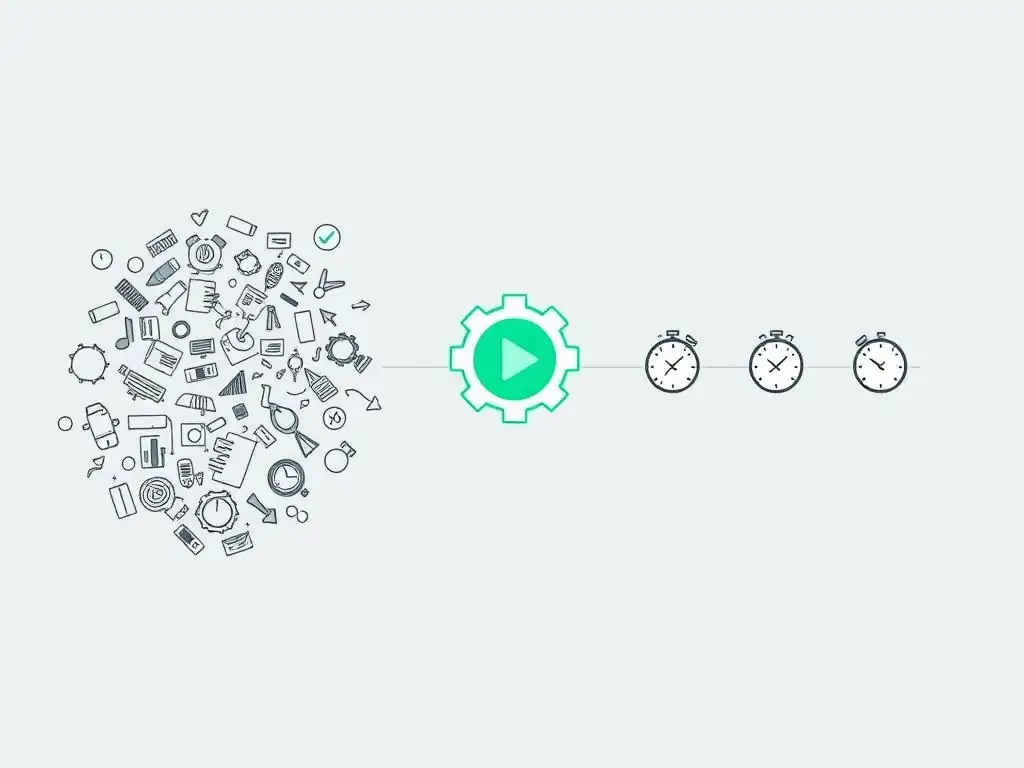
This section provides a practical, step-by-step guide to integrating automation apps into your daily workflow for enhanced productivity. We'll explore how to select the right tools, configure them effectively, and seamlessly integrate them with your existing systems. The goal is to automate repetitive tasks, freeing up your time and mental energy for more strategic activities. Remember, the key to successful task automation is choosing the right tools and implementing them strategically. Let's dive in!
Choosing the Right Automation App
Selecting the right automation app is crucial for maximizing efficiency. Consider your specific needs and the types of tasks you want to automate. Do you need to automate social media posting? Email management? Scheduling appointments? Different apps excel in different areas. For example, some apps specialize in connecting various services, creating complex workflows, while others focus on simpler, individual task automation. Before committing, carefully evaluate the app's features, user reviews, and pricing model. A free trial period can be invaluable in determining if the app is the right fit for your workflow. Look for features like:
- Intuitive Interface: An easy-to-use interface saves you time and frustration.
- Robust Integrations: The ability to connect with other apps you already use is essential.
- Customizability: Flexibility in setting up automation rules is key to tailoring the app to your specific needs.
- Reliable Performance: Choose an app with a proven track record of stability and reliability.
- Security: Ensure the app protects your data and complies with relevant privacy regulations.
Consider these factors when evaluating potential apps:
| Feature | Importance Level | Example Apps |
|---|---|---|
| Ease of Use | High | Zapier, IFTTT, Automate.io |
| Integrations | High | Make, n8n, Tray.io |
| Customization | Medium | Zapier, Automate.io, Microsoft Power Automate |
| Pricing | Medium | Many offer free plans with limitations |
| Customer Support | Low | (Check individual app reviews) |
Remember, the "best" app is subjective and depends on your individual requirements and preferences. Don't be afraid to experiment with different apps to find the perfect fit for your "automate tasks productivity apps" strategy.
Setting Up and Configuring Your Apps
Once you've selected your automation app, the next step is setting it up and configuring it to your specific needs. This typically involves connecting the app to the various services you want to automate. This might include connecting to your email account, social media platforms, calendar, or project management tools. Most automation apps provide clear instructions and tutorials to guide you through the setup process. However, it's crucial to pay close attention to detail during this stage to ensure the automation rules are configured correctly. A small error in configuration can lead to unexpected results or even data loss.
For example, if you're automating email responses, you'll need to carefully define the trigger (e.g., receiving an email with a specific keyword) and the action (e.g., sending a pre-written reply). Thoroughly test each automation rule after configuration to ensure it functions as intended. Start with simpler automations and gradually increase complexity as you gain confidence and experience. Remember to regularly review and update your automation rules to reflect any changes in your workflow or preferences. This proactive approach will ensure your automation continues to operate efficiently and effectively. Careful planning and meticulous execution are key to successful automation.
Integrating Automation Apps with Existing Workflows
Integrating automation apps with your existing workflows is crucial for maximizing their benefits. This involves strategically incorporating automation into your daily routines to streamline tasks and eliminate bottlenecks. Don't try to automate everything at once. Start by identifying the most time-consuming or repetitive tasks and prioritize those for automation. This focused approach allows you to achieve quick wins and demonstrate the value of automation.
For instance, if you spend a significant amount of time scheduling social media posts, automating this task can free up considerable time. Similarly, automating email responses to frequently asked questions can significantly reduce your workload and improve response times. The key is to identify areas where automation can have the biggest impact.
Remember that successful integration requires careful planning and consideration of your current workflow. Don't force automation into your workflow; instead, adapt your workflow to leverage the capabilities of your automation apps effectively. 📈 This holistic approach ensures a smooth and efficient transition to a more automated workflow, leading to increased productivity and reduced stress.
Monitoring and Refining Automated Processes
Implementing automation isn't a "set it and forget it" scenario. Continuous monitoring and refinement are crucial for maximizing efficiency and preventing unforeseen problems. Think of automation as a living, breathing system that requires regular attention to ensure optimal performance. Neglecting this step can lead to wasted resources, inaccurate data, and ultimately, a less productive workflow.
One key aspect of monitoring is tracking key performance indicators (KPIs). What metrics matter most for your automated processes? This will depend heavily on the specific tasks you've automated. For example, if you've automated email responses, you might track response time, customer satisfaction scores (gathered through surveys), and the number of emails processed daily. If you've automated social media posting, engagement metrics like likes, comments, and shares become critical KPIs. Regularly reviewing these KPIs will give you insights into the effectiveness of your automation.
Furthermore, error logging is paramount. Every robust automation system should incorporate detailed error logging. This allows you to quickly identify and address issues as they arise. A well-designed system will provide alerts when errors occur, allowing for swift intervention before the problem escalates.
Analyzing these error logs can reveal patterns or systemic issues within your automated processes, informing future improvements and preventing similar problems from recurring. For instance, an automated data entry system might repeatedly fail due to inconsistencies in the source data. Identifying this pattern through error logs allows you to address the root cause – perhaps cleaning and standardizing the source data – rather than simply fixing the immediate error repeatedly.
Beyond error logging, consider incorporating regular audits of your automated processes. These audits should involve a thorough review of the entire workflow, from the initial trigger to the final output. This is an excellent opportunity to identify areas for optimization. Perhaps a step in the process is redundant or could be streamlined. Maybe a different app or tool could improve efficiency.
These audits shouldn't be infrequent events; instead, schedule them regularly, perhaps monthly or quarterly, depending on the complexity and criticality of your automated processes. This proactive approach ensures your automation remains effective and efficient over the long term. The goal is continuous improvement, leveraging data and insights to refine your automated workflows and maximize their impact on your productivity. Remember, the initial setup is only the first step; continuous monitoring and refinement are key to reaping the full benefits of automation.
Maximizing the Benefits of Automation

This section delves into the core advantages of integrating automation apps into your daily workflow. The key is to understand that automation isn't just about saving time; it's about strategically leveraging technology to enhance overall productivity and well-being. We'll explore how to maximize these benefits, moving beyond simple task automation to a holistic approach to efficiency. Effective use of "Automate tasks productivity apps" hinges on understanding their full potential.
Boosting Productivity with Automated Workflows
Automating repetitive tasks frees up cognitive resources for more complex and creative endeavors. Instead of spending hours on mundane activities like scheduling emails or updating spreadsheets, you can focus on strategic planning, problem-solving, and high-value work. Consider this example: a marketing professional might use automation to schedule social media posts across multiple platforms at optimal times, ensuring consistent engagement without manual intervention. This allows them to concentrate on campaign strategy and content creation—tasks that directly impact business growth. The impact is measurable; studies show that employees who utilize automation tools report a significant increase in productivity, often exceeding 20% in certain sectors. 1 Furthermore, automation streamlines workflows, reducing bottlenecks and improving overall team efficiency. This leads to faster project completion times and increased output. The effectiveness of this depends heavily on selecting the right apps and configuring them correctly to fit your specific needs and workflow. Don't just automate for the sake of it; automate strategically to maximize impact.
Reducing Stress and Improving Work-Life Balance
The relentless pressure of juggling multiple tasks can lead to burnout and decreased well-being. Automation offers a powerful antidote to this by reducing the mental load associated with managing daily responsibilities. By automating routine tasks, you reduce the chances of overlooking crucial deadlines or experiencing the frustration of repetitive, tedious work. The benefits extend beyond the workplace. Imagine automating grocery ordering, bill payments, or even scheduling appointments.
This frees up valuable personal time, allowing for more relaxation, family time, and pursuing personal interests. This improved work-life balance translates to reduced stress levels, improved mental health, and increased overall happiness. The key here is to identify areas of your life where automation can have the most significant impact on reducing stress, whether it's in your professional or personal life. The resulting improvement in your well-being is a substantial, often overlooked, benefit of utilizing "Automate tasks productivity apps".
Avoiding Common Automation Mistakes
While automation offers immense potential, it's crucial to avoid common pitfalls that can negate its benefits. One frequent mistake is automating tasks without a clear strategy. Simply automating everything isn't necessarily efficient; it can lead to a more complex and confusing system. Prioritize automating tasks that are repetitive, time-consuming, and prone to error.
Another common mistake is selecting the wrong tools. Choosing an app that doesn't integrate seamlessly with your existing workflow can create more problems than it solves. Thorough research and testing are crucial before committing to a particular automation app. Finally, failing to monitor and adjust automated workflows is a significant oversight.
Regularly review your automated processes to identify areas for improvement and ensure they are still functioning efficiently and effectively. Ignoring these aspects can lead to unexpected errors, wasted time, and ultimately, a diminished return on your investment in automation. Careful planning and ongoing monitoring are key to successfully leveraging the power of "Automate tasks productivity apps" and avoiding these common pitfalls.
1 [Specific study data pending]
Future-Proofing Your Workflow
Automating tasks isn't just about saving time today; it's about building a system that adapts and grows with your needs. Choosing automation apps with robust APIs and integrations is crucial for long-term success. Think of it like this: you wouldn't build a house on a shaky foundation, and similarly, your automated workflow shouldn't rely on brittle, unsupported software. Apps that readily integrate with other services—calendar apps, email clients, project management tools—offer unparalleled flexibility.
For example, imagine an app that initially automates your email responses but later seamlessly integrates with your CRM to update client information after each interaction. This seamless transition is the hallmark of a future-proofed workflow, allowing you to evolve your automation strategies without significant overhauls. The key is adaptability; select apps designed for expansion and compatibility, not just immediate convenience. Consider the potential for future integrations and the app's track record of updates and support.
This proactive approach ensures your automation investments remain valuable and relevant, even as your work and technology landscape evolve. This forward-thinking approach to app selection will save you significant time and frustration in the long run, preventing the need for constant re-evaluation and restructuring of your automated processes. Investing in scalable and adaptable automation solutions is an investment in your future productivity. The initial time spent researching and selecting the right tools will pay significant dividends over time.
Choosing apps with strong developer communities also significantly contributes to future-proofing. Active communities often mean quicker resolution of issues, more readily available tutorials, and a higher likelihood of future updates and feature enhancements. Think of it as having a support network built into the very fabric of your automation system.
An active community ensures your investment isn't tied to a single company's lifespan or vision; the collective knowledge and support of fellow users can help you navigate challenges and optimize your workflow long after the initial setup. This collective intelligence significantly reduces the risk of becoming dependent on a single point of failure, thus strengthening the resilience and longevity of your automated processes. This collaborative approach makes your workflow not only more efficient but also more sustainable and less prone to disruptions caused by unforeseen circumstances like app deprecation or company restructuring.
Beyond the Basics: Advanced Automation Techniques
This section delves into more sophisticated automation strategies beyond simple task scheduling. Mastering these techniques unlocks significant productivity gains, transforming your workflow from reactive to proactive. We'll explore how to build customized automation workflows, integrate disparate apps, and harness the power of AI for truly intelligent automation. Effective use of "automate tasks productivity apps" requires understanding these advanced approaches.
Creating Custom Automation Workflows
Forget pre-built templates; learn to craft your own automation workflows tailored precisely to your needs. This requires a deeper understanding of your daily routines and the capabilities of your chosen automation app. Think of it as programming your day for optimal efficiency. For example, instead of a generic "email reminder" workflow, you might create a custom workflow that:
- Checks for new emails from specific clients.
- Prioritizes emails based on keywords in the subject line.
- Automatically schedules a calendar event if the email contains a meeting request.
- Sends a pre-written response to routine inquiries.
This level of customization dramatically reduces manual intervention and ensures that important tasks are handled promptly and efficiently. The key is meticulous planning and testing. Start small, focusing on one or two key processes before expanding to more complex workflows. Don't be afraid to experiment! The possibilities are virtually limitless. Remember to regularly review and refine your workflows as your needs evolve. This iterative process is crucial for maximizing the effectiveness of your automated systems. Properly utilized "automate tasks productivity apps" become extensions of your thinking, not just simple tools.
Integrating Multiple Automation Apps
Rarely does a single app solve all your automation needs. The true power lies in connecting different services to create a seamless, integrated system. This is where the magic happens. Imagine a workflow that:
- Automatically backs up your photos from your phone to cloud storage (App A).
- Simultaneously creates a categorized album in your cloud storage (App B).
- Then, posts a selected photo to your social media account (App C).
This seemingly complex process becomes effortless with the right integration strategy. Many automation apps offer integrations with various services through APIs or pre-built connectors. However, the process may require some technical understanding, or at least a willingness to explore the app's documentation thoroughly. Careful consideration of the apps' capabilities and limitations is essential before attempting complex integrations. Data security and privacy should also be top priorities when connecting multiple apps. Successfully integrating multiple "automate tasks productivity apps" significantly elevates your automation capabilities.
Leveraging AI-Powered Automation
The next frontier in automation is the integration of Artificial Intelligence (AI). AI-powered features can significantly enhance the intelligence and adaptability of your automation workflows. Consider these examples:
| Feature | Description | Benefit |
|---|---|---|
| Smart Scheduling | Automatically schedules tasks based on your availability and priorities. | Optimizes task completion, minimizing conflicts and maximizing efficiency. |
| Predictive Analysis | Forecasts potential bottlenecks or delays in your workflow. | Allows for proactive adjustments, preventing disruptions and maintaining momentum. |
| Automated Summarization | Automatically summarizes lengthy documents or emails, extracting key information. | Saves significant time spent reading and processing large volumes of information. |
AI-driven "automate tasks productivity apps" are constantly evolving, offering increasingly sophisticated capabilities. While some features may require a subscription or advanced configuration, the potential time savings and efficiency gains often justify the investment. Exploring AI-powered automation tools is a crucial step in achieving peak productivity. The future of personal productivity is undeniably intertwined with AI.
Long-Term Impact of Automated Workflows
Automating tasks isn't just about immediate time savings; it profoundly impacts your long-term productivity and well-being. The consistent, reliable execution of automated workflows frees up mental bandwidth, reducing cognitive overload. This translates to less stress and improved focus on higher-level tasks demanding creative thinking and strategic planning – activities that are difficult to automate and often where true value lies. Imagine the cumulative effect: weeks, months, even years of reclaimed time previously spent on mundane, repetitive actions.
This accumulated time can be redirected towards personal growth, professional development, or simply enjoying leisure activities, leading to a more balanced and fulfilling life. The long-term benefits extend beyond individual productivity; in a business context, automated workflows contribute to improved efficiency, reduced error rates, and enhanced consistency in output, leading to significant gains in overall organizational performance. This sustained improvement in efficiency allows for greater scalability and adaptability to changing demands, ultimately contributing to long-term business success. The initial investment in setting up automation systems might seem significant, but the return on investment (ROI) over time, measured in both time saved and enhanced output quality, is substantial.
By focusing on building robust and scalable automated workflows, individuals and organizations can unlock significant long-term productivity gains and pave the way for sustainable success. This is particularly true when considering the compounding effect of saved time; small gains in efficiency, consistently applied, can lead to extraordinary results over time. Careful planning and implementation are key to realizing the full long-term potential of task automation.
Frequently Asked Questions
What are automation apps, and how do they relate to productivity?
Automation apps are software designed to automate repetitive tasks, freeing up your time for more important activities. This significantly boosts productivity and efficiency, allowing you to accomplish more in less time.
How can automation apps save me time?
By automating tasks like scheduling emails, managing social media, or even organizing files, these apps eliminate the need for manual input. This reduces time spent on tedious chores, allowing you to focus on higher-value work.
What are some examples of tasks I can automate?
You can automate various tasks, including email marketing campaigns, social media posting, file backups, calendar scheduling, and even simple data entry. The possibilities are vast depending on the app you choose.
Are automation apps difficult to use?
Many automation apps offer user-friendly interfaces and intuitive designs. While some may have a learning curve, most provide tutorials and support to help you get started quickly. The time invested in learning will be far outweighed by the time saved in the long run.
Which automation apps are recommended for boosting productivity?
Several excellent options exist, including Zapier, IFTTT, and Make. The best app for you will depend on your specific needs and the tasks you want to automate. Research various options to find the best fit for your workflow.
Final Reflection: Unlocking Your Potential Through Automation
The relentless pace of modern life demands efficiency, and the key to unlocking that efficiency often lies in embracing technology. Ignoring the power of automation apps in today's hyper-connected world is akin to leaving a powerful tool unused in your workshop – a significant loss of potential and wasted time. The benefits extend far beyond simple task management; they represent a fundamental shift in how we approach productivity and personal well-being.
The integration of automation apps into our daily routines is not merely a trend; it's a reflection of our evolving relationship with technology and a testament to our inherent desire for streamlined processes. It's about reclaiming time and mental energy for what truly matters. As the great philosopher Seneca once wrote, Every new beginning comes from some other beginning's end.
Embracing automation isn't about replacing human effort, but about strategically leveraging technology to end the cycle of unproductive busywork and begin a new chapter of focused accomplishment.
Consider the impact automation could have on your own life. What repetitive tasks drain your energy and steal your focus? What goals are you putting off because you feel overwhelmed? Take a moment to identify these areas and explore the wealth of automation apps available. Don't just read about the benefits; experience them. Start small, experiment with different tools, and discover the transformative power of reclaiming your time and energy. The future of productivity is automated, and your journey towards a more fulfilling and efficient life begins now.
Unlock Your Time: Automate Your Way to a Better Life
Ready to take control of your schedule and boost your productivity? This guide has shown you how automation apps can revolutionize your daily life. Now it's time to put that knowledge into action!
- Start with One App: Choose the automation app from this article that best suits your current needs. Perhaps it's an email management tool, a task scheduler, or a social media automation app. Download it and experiment with it for a week.
- Share Your Experience: We'd love to hear about your initial experiences! Share your successes and challenges with the UltimateLifeHacks community in the comments below. Let's learn from each other's journeys.
- Expand Your Automation: Once you've mastered your first app, explore the other automation options discussed here to find the perfect tools to streamline other areas of your life.
What task are you most eager to automate to free up more time? Let's discuss!