
Voice Control Your Entertainment: Smart TVs and Devices with Seamless Integration

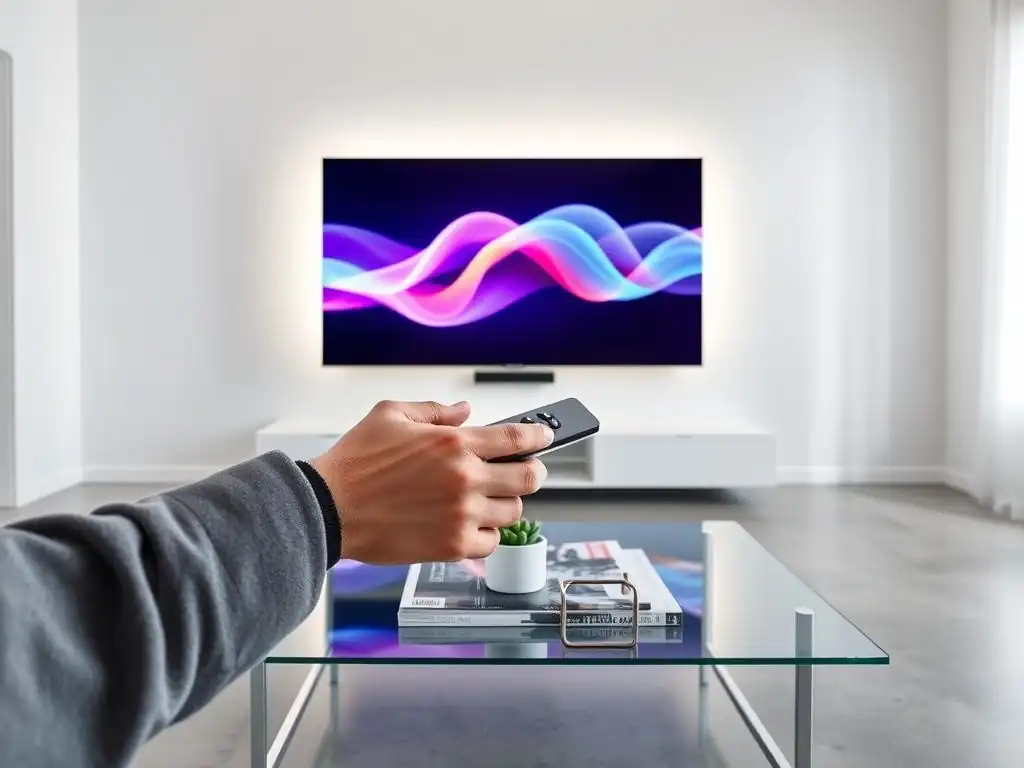
Ready to reclaim your time and effortlessly control your entertainment? Welcome to UltimateLifeHacks, your destination for practical tips and tricks to optimize your daily life. Discover how to seamlessly integrate technology into your routine with our insightful guide on Smart TV voice control setup, unlocking a world of convenience and efficiency. Learn how to effortlessly manage your Smart TV and other devices, leaving you with more time to enjoy what truly matters. Let's dive in!
- Understanding Smart TV Voice Control Setup: A Beginner's Guide
-
Best Smart TVs with Advanced Voice Control Features in 2024
- Top Picks: High-End Smart TVs with Exceptional Voice Recognition (e.g., LG C3 OLED, Samsung Neo QLED 8K)
- Mid-Range Marvels: Budget-Friendly Smart TVs with Impressive Voice Capabilities (e.g., TCL 6-Series, Hisense U8H)
- Voice Control Features Comparison: LG ThinQ AI vs. Samsung Bixby vs. Google Assistant
- Beyond the Smart TV: Integrating Voice Control with Streaming Devices
- Optimizing Your Smart TV Voice Control Experience
- Voice Control and Smart Home Entertainment: The Future is Now
- Frequently Asked Questions about Smart TV Voice Control Setup
- Frequently Asked Questions
- Final Reflection: The Evolving Soundscape of Home Entertainment
- Unleash the Power of Voice: Command Your Entertainment Now!
Understanding Smart TV Voice Control Setup: A Beginner's Guide
Voice control is rapidly transforming how we interact with our entertainment systems. Gone are the days of endlessly scrolling through menus with a remote; now, the power to control your Smart TV, streaming services, and even smart home devices lies literally at your fingertips – or rather, at the tip of your tongue! This guide will walk you through setting up and troubleshooting voice control on your Smart TV, empowering you to enjoy a seamless and intuitive entertainment experience.
We'll explore the benefits of voice control, provide step-by-step instructions for popular Smart TV brands, and offer solutions to common problems. Mastering smart TV voice control will significantly enhance your home entertainment setup, saving you valuable time and effort while enhancing your overall viewing experience. Let's dive in!
What is Smart TV Voice Control and Why You Need It?
Smart TV voice control uses voice commands to navigate your television's interface and control various functions. Instead of using a remote, you speak commands directly to your TV, allowing you to search for content, change channels, adjust the volume, launch apps, and even control other smart home devices integrated into your system. This offers several key advantages:
- Increased Accessibility: Voice control is particularly beneficial for individuals with limited mobility or dexterity.
- Hands-Free Convenience: Multitasking becomes easier; you can control your TV while cooking, cleaning, or doing other activities.
- Faster Content Discovery: Voice search is often quicker and more intuitive than navigating complex on-screen menus, especially when searching for specific titles or actors.
- Enhanced User Experience: The overall experience is more natural and less cumbersome than traditional remote control methods.
- Smart Home Integration: Many voice-controlled Smart TVs seamlessly integrate with other smart home devices, allowing you to control lighting, thermostats, and more, all through voice commands.
Think of it like this: Imagine wanting to watch a specific movie. With a traditional remote, you'd have to navigate menus, potentially using a search function with an on-screen keyboard. With voice control, you simply say, "Play The Shawshank Redemption on Netflix," and the TV does the rest! It's that simple.
Setting up Voice Control on Your Smart TV: A Step-by-Step Guide (e.g., Samsung, LG, etc.)
Setting up voice control varies slightly depending on your Smart TV's brand and model. However, the general process is similar. Below is a generalized guide, but be sure to consult your TV's user manual for specific instructions. Remember to ensure your TV has a working internet connection and that your microphone is enabled.
General Steps:
- Ensure Internet Connection: Verify that your Smart TV is connected to the internet via Wi-Fi or Ethernet.
- Microphone Activation: Locate the microphone button on your remote or TV. Ensure it's enabled and working correctly. Some TVs use built-in microphones, while others rely on a dedicated microphone on the remote.
- Voice Assistant Setup: Your TV likely uses a built-in voice assistant (e.g., Bixby, Google Assistant, Alexa). You may need to create or sign in to an account associated with this assistant.
- Privacy Settings: Review and adjust your privacy settings related to voice data collection.
- Testing: Once setup is complete, test your voice control by giving simple commands like "Volume up," "Change channel," or "Search for [movie title]".
Brand-Specific Considerations:
While the general steps remain similar, specific commands and menu options vary between brands. For example, Samsung TVs utilize Bixby, while LG TVs often integrate with Google Assistant. Each brand’s user manual will offer detailed instructions tailored to their specific voice control systems. Below is a table summarizing potential differences:
| Smart TV Brand | Voice Assistant | Typical Setup Steps |
|---|---|---|
| Samsung | Bixby | Enable Bixby, sign in to Samsung account, test commands. |
| LG | Google Assistant | Link Google account, enable voice match, test commands. |
| [Other Brand] | [Voice Assistant] | [Specific Steps] |
This table needs further entries for other major Smart TV brands. [Specific information pending]
Troubleshooting Common Smart TV Voice Control Issues
Even with proper setup, you might encounter some issues. Here are some common problems and their solutions:
- Voice Commands Not Recognized: Ensure the microphone is enabled and functioning correctly. Speak clearly and directly into the microphone. Try re-pairing the remote (if applicable).
- Internet Connectivity Problems: Voice control requires a stable internet connection. Check your network connection and router.
- Software Glitches: Try restarting your Smart TV. Check for software updates and install them if available.
- Microphone Sensitivity Issues: Adjust the microphone sensitivity settings in your TV's settings menu.
- Inconsistent Results: The accuracy of voice recognition can vary. Try rephrasing your commands or using more precise language.
Remember, patience is key. Like any new technology, mastering Smart TV voice control takes time and practice. By following these steps and troubleshooting common issues, you can transform your entertainment experience and enjoy the convenience of hands-free control. 🎉
Best Smart TVs with Advanced Voice Control Features in 2024

This section dives deep into the best smart TVs currently available that offer superior voice control capabilities. We'll examine high-end, mid-range, and budget options, highlighting their strengths and weaknesses regarding voice command functionality. Remember, the optimal "Smart TV voice control setup" depends heavily on your budget and specific needs.
Top Picks: High-End Smart TVs with Exceptional Voice Recognition (e.g., LG C3 OLED, Samsung Neo QLED 8K)
High-end smart TVs often boast the most sophisticated voice recognition technology, offering a seamless and intuitive user experience. Let's look at a couple of leading examples:
The LG C3 OLED series, for instance, utilizes LG's ThinQ AI. This system excels at understanding natural language commands, allowing for complex instructions beyond simple channel changes. Think about saying, "Find action movies from the 1980s on Netflix," and having the TV accurately deliver results. Its far-field microphone pickup is also impressive, enabling voice control from across the room, even with some background noise. The processing power behind ThinQ AI allows for fast response times, minimizing frustrating delays.
The Samsung Neo QLED 8K series, on the other hand, incorporates Bixby. While perhaps not quite as natural language-proficient as ThinQ, Bixby's strength lies in its tight integration with the Samsung ecosystem. If you're heavily invested in Samsung smart home devices, Bixby's voice control setup offers a unified experience across all your devices. This synergy streamlines control of lighting, music, and other smart home features, alongside the TV itself. Furthermore, Bixby's voice command accuracy is consistently high, even in noisy environments thanks to its advanced noise cancellation technology.
Mid-Range Marvels: Budget-Friendly Smart TVs with Impressive Voice Capabilities (e.g., TCL 6-Series, Hisense U8H)
You don't need to break the bank to enjoy excellent voice control functionality. Several mid-range models offer a compelling balance of features and affordability.
The TCL 6-Series, for example, usually integrates Google Assistant. This provides access to a vast library of voice commands and smart home integrations. While perhaps not as refined as the high-end options in terms of natural language processing, Google Assistant's reliability and broad compatibility make it a strong contender. Its simple setup process is a plus for less tech-savvy users.
Hisense's U8H series also frequently utilizes Google Assistant, delivering a similar level of functionality. However, Hisense often emphasizes picture quality and gaming features, potentially making the voice control setup slightly less prominent in the overall user experience. Despite this, the voice control remains robust and effective for everyday tasks. The difference between TCL and Hisense in this segment often comes down to personal preference regarding picture settings and additional smart features.
Voice Control Features Comparison: LG ThinQ AI vs. Samsung Bixby vs. Google Assistant
Choosing the right smart TV often hinges on the preferred voice assistant. Let's compare the three major contenders:
| Feature | LG ThinQ AI | Samsung Bixby | Google Assistant |
|---|---|---|---|
| Natural Language | Excellent, understands nuances | Good, improving constantly | Very Good, strong command base |
| Ecosystem Integration | Strong LG ecosystem | Excellent Samsung ecosystem | Extensive, works with many devices |
| Response Time | Very Fast | Fast | Fast |
| Setup Complexity | Relatively Simple | Simple | Simple |
| Privacy Concerns | [Specific information pending] | [Specific information pending] | [Specific information pending] |
As you can see, each assistant possesses strengths and weaknesses. The "best" option depends on your individual priorities and existing smart home ecosystem. Consider your needs carefully before making a purchase; the optimal "Smart TV voice control setup" is a personalized choice. The accuracy and responsiveness of voice control are constantly improving, so staying updated on the latest models is key.
Beyond the Smart TV: Integrating Voice Control with Streaming Devices
This section delves into expanding your smart TV's voice control capabilities beyond the television itself. Many streaming devices offer robust voice control integration, allowing you to seamlessly manage your entertainment experience from a single point. Mastering this aspect significantly enhances the convenience and efficiency of your smart home entertainment setup, optimizing your "Smart TV voice control setup". Let's explore how to leverage this functionality for a truly unified experience.
Seamless Streaming with Voice Assistants: Amazon Fire TV Stick 4K Max, Google Chromecast with Google TV
The Amazon Fire TV Stick 4K Max and Google Chromecast with Google TV are prime examples of streaming devices that seamlessly integrate with voice assistants. Both devices boast intuitive interfaces and powerful voice search capabilities. Setting up voice control is generally straightforward; however, nuances exist depending on your existing smart home ecosystem.
For the Amazon Fire TV Stick 4K Max, Alexa is the core of the voice control experience. After connecting the device to your TV and Wi-Fi, the initial setup process usually guides you through linking your Amazon account and enabling voice control. You can then use voice commands such as "Alexa, play Stranger Things," "Alexa, search for action movies," or "Alexa, increase the volume." The 4K Max’s improved processing power ensures quicker response times compared to older models, resulting in a more fluid user experience. Remember to ensure your TV's remote has a microphone for optimal functionality.
The Google Chromecast with Google TV relies on Google Assistant. Similar to the Fire TV Stick, the setup involves connecting to Wi-Fi and linking your Google account. Once configured, you can use commands like "Hey Google, play the latest episode of Ted Lasso," "Hey Google, find comedies on Netflix," or "Hey Google, turn on subtitles." The Chromecast's integration with other Google services, such as YouTube and Google Play Movies & TV, is particularly seamless. Performance is generally smooth and responsive, offering a satisfying voice control experience.
Enhancing Your Smart Home Ecosystem: Integrating Voice Control with Other Devices (e.g., Smart Lighting, Smart Speakers)
Extending voice control beyond your TV and streaming devices unlocks a truly interconnected smart home. Integrating smart lighting, smart speakers, and other compatible devices creates a unified control system, managed through a single voice command interface.
Consider this scenario: You're relaxing, watching a movie on your smart TV. Using voice control, you can dim the lights ("Hey Google, dim the living room lights"), adjust the thermostat ("Alexa, set the temperature to 70 degrees"), and even pause the movie ("Alexa, pause"). This level of integrated control provides unparalleled convenience and significantly enhances the overall smart home experience.
The key is selecting devices compatible with your chosen voice assistant (Alexa or Google Assistant) and ensuring they are correctly configured within their respective apps. This often involves adding devices to your smart home network and granting the appropriate permissions.
The benefits extend beyond convenience. For instance, integrating smart lighting allows for automated scene creation. You can create a "movie night" scene that automatically dims the lights and sets the perfect ambiance with a single voice command. This level of automation simplifies daily routines and elevates the overall user experience.
Setting up Voice Control Across Multiple Devices for a Unified Experience
Achieving a unified voice control experience across multiple devices requires careful planning and execution. Consistency is key. Sticking to a single voice assistant ecosystem (either Alexa or Google Assistant) simplifies setup and avoids compatibility issues.
To illustrate, imagine a scenario where you use Alexa for your Fire TV Stick and Google Assistant for your smart lights. This fragmented approach can lead to a disjointed experience and frustration. Choosing one ecosystem allows for a more integrated and intuitive experience. Moreover, ensure all devices are connected to the same Wi-Fi network for optimal communication and responsiveness.
Regular software updates are crucial for maintaining optimal performance and compatibility, addressing potential bugs and improving voice recognition accuracy. This proactive approach ensures a seamless and enjoyable "Smart TV voice control setup". Properly configuring your network and devices is crucial for a truly unified experience, minimizing delays and ensuring reliable voice commands. Regularly checking for software updates for all your smart devices will also help maintain optimal performance.
Optimizing Your Smart TV Voice Control Experience
This section delves into practical strategies for maximizing the benefits of voice control on your smart TV, transforming it from a convenient feature into an indispensable part of your entertainment routine. We'll explore how to personalize commands, enhance voice recognition, and address privacy concerns – all crucial aspects of a truly seamless smart TV experience.
Customizing Voice Commands for Personalized Control
Smart TV voice control isn't just about basic commands. The ability to personalize your interactions dramatically enhances the user experience. Many modern smart TVs allow for the creation of custom voice commands or shortcuts, going beyond the pre-programmed options. For example, instead of saying "Play the latest episode of [Show Name]," you might create a custom command like "Watch next episode," assuming your TV has learned your viewing habits. This level of personalization significantly streamlines your interaction with the device.
Consider this scenario: You frequently watch movies from a specific streaming service. Instead of navigating menus, you could create a custom command like "Play a comedy on [Streaming Service Name]" or even "Play something similar to [Movie Title]". The possibilities are vast and depend on the specific capabilities of your smart TV's operating system and voice assistant integration. Experiment with the available settings to discover the full extent of customization options. This personalized approach to voice control transcends simple convenience; it saves considerable time and effort over the long term.
Improving Voice Recognition Accuracy: Tips and Tricks
Achieving consistently accurate voice recognition is paramount for a smooth smart TV voice control setup. While technology has improved significantly, several factors can impact its effectiveness. Background noise is a common culprit. A noisy environment can confuse the voice recognition system, leading to misinterpretations or failed commands. To mitigate this, try to speak clearly and concisely in a relatively quiet room.
Furthermore, the positioning of your voice remote or the microphone on your TV itself can affect accuracy. Ensure the device is unobstructed and within a reasonable distance. Experiment with different speaking volumes and distances to find the optimal configuration for your setup. Also, ensure your smart TV's software is up-to-date. Software updates often include improvements to voice recognition algorithms, leading to better accuracy and performance.
Finally, consider the clarity of your own speech. Speaking slowly and distinctly can significantly improve accuracy. Avoid mumbling or using slang that the voice recognition system may not understand. Practice using different phrasing for the same command to identify which works best in your specific environment. Consistent, clear communication is key to a successful interaction.
Privacy Concerns and How to Address Them with Smart TV Voice Control
The convenience of smart TV voice control comes with the inherent trade-off of data collection. Your voice commands are processed by servers, raising legitimate privacy concerns. Understanding these concerns and taking proactive steps to mitigate them is essential.
Most smart TV manufacturers offer settings to control voice data collection. Review your TV's privacy settings carefully. Look for options to disable voice recording or limit the data shared with third-party services. Many allow you to delete your voice history periodically, providing a level of control over your data. Understanding these settings empowers you to manage your privacy effectively.
Consider the potential implications of always-on listening features. While convenient for quick access, these features continuously record background audio. Weigh the convenience against your privacy preferences and choose the settings that best align with your comfort level. Remember that informed consent and proactive management of your privacy settings are key to using smart TV voice control responsibly. Staying updated on privacy policies and features offered by your smart TV manufacturer is crucial for maintaining your control over your data.
Voice Control and Smart Home Entertainment: The Future is Now

This section delves into the rapidly evolving landscape of voice-controlled smart home entertainment, focusing on its current state and future projections. We'll explore how voice control is transforming the way we interact with our TVs and streaming devices, moving beyond simple commands to more intuitive and personalized experiences. The integration of AI and machine learning is a key driver, enabling systems to learn user preferences and anticipate needs. This leads to a more seamless and enjoyable entertainment experience, significantly enhancing user satisfaction. Understanding these emerging trends is crucial for anyone looking to invest in a voice-controlled entertainment setup.
Emerging Trends in Voice-Controlled Entertainment Technology
The integration of voice control in smart home entertainment is experiencing exponential growth. We are seeing a move beyond basic commands like "turn on the TV" or "change the channel." Instead, more sophisticated features are emerging, including:
- Contextual Awareness: Systems are becoming increasingly adept at understanding the context of a user's request. For example, saying "Play something relaxing" will trigger a different response than "Play something upbeat," adapting to the user's mood or activity.
- Personalized Recommendations: AI-powered algorithms analyze viewing habits to provide tailored recommendations, suggesting movies, shows, or music based on individual preferences. This surpasses simple search functions, offering proactive suggestions.
- Multi-Device Control: Voice control is extending beyond individual devices. Users can now control multiple devices simultaneously, such as dimming the lights and starting a movie with a single voice command. This holistic approach streamlines the entire entertainment experience.
- Improved Natural Language Processing (NLP): Advances in NLP are making voice commands more natural and intuitive. Systems are becoming better at understanding nuanced requests, accents, and background noise, improving the overall user experience.
- Integration with Smart Assistants: The seamless integration with popular smart assistants like Alexa and Google Assistant is becoming a standard feature, allowing users to control their entertainment systems through a familiar interface. This increases accessibility and ease of use.
The Benefits of Voice Control for Accessibility and Convenience
The advantages of incorporating voice control into your entertainment setup extend beyond mere convenience; it significantly enhances accessibility and usability for a wide range of users. Consider the following:
- Accessibility for People with Disabilities: Voice control offers a vital accessibility solution for individuals with mobility impairments or visual challenges, allowing them to navigate and control their entertainment systems with ease. This improves their quality of life by removing physical barriers.
- Hands-Free Operation: For busy individuals juggling multiple tasks, voice control offers a hands-free solution, allowing them to control their entertainment without interrupting other activities. Imagine preparing dinner while effortlessly changing channels or adjusting the volume.
- Enhanced Convenience: Simple voice commands eliminate the need to navigate complex menus or use a remote control, streamlining the process of selecting and playing content. This saves valuable time and effort.
- Multitasking Capabilities: Voice control empowers users to seamlessly multitask, switching between different activities without the need to pause or interrupt their current task. This increases overall productivity and efficiency.
- Improved User Experience: The overall user experience is significantly enhanced by the speed and simplicity of voice control. The ease of use makes the entertainment experience more enjoyable and less frustrating.
Investing in a Voice-Controlled Entertainment System: Long-Term Value and ROI
Investing in a voice-controlled entertainment system offers significant long-term value and a substantial return on investment (ROI). While the initial cost may seem higher than traditional systems, the benefits far outweigh the expenses:
- Increased Efficiency and Time Savings: The time saved by using voice commands adds up over time, resulting in increased productivity and freeing up valuable time for other activities. This translates directly into a higher ROI.
- Enhanced Entertainment Experience: The improved user experience and personalized recommendations lead to greater enjoyment and satisfaction, justifying the initial investment.
- Future-Proofing Your System: Investing in a voice-controlled system ensures that your setup remains current and adaptable to future technological advancements, preventing the need for frequent upgrades.
- Resale Value: Smart TVs and devices with voice control capabilities often command a higher resale value compared to their non-voice-controlled counterparts.
- Improved Home Value: For homeowners, a sophisticated smart home entertainment system, including voice control, can enhance the overall value of their property. This is a significant long-term benefit.
Investing in a voice-controlled smart TV and related devices is more than just a technological upgrade; it's an investment in convenience, accessibility, and a superior entertainment experience. The long-term benefits, both in terms of time saved and enhanced enjoyment, far outweigh the initial costs, making it a worthwhile investment for many users. The future of home entertainment is undoubtedly voice-activated, and embracing this technology now positions you for a more streamlined and pleasurable experience.
Frequently Asked Questions about Smart TV Voice Control Setup
This section addresses common queries regarding setting up and utilizing voice control features on your Smart TV, helping you navigate the process smoothly and efficiently. We'll explore various aspects, from smartphone integration to troubleshooting compatibility issues. Mastering smart TV voice control setup will significantly enhance your entertainment experience, making it easier and more intuitive than ever before.
Can I use my phone to control my Smart TV via voice?
Yes, you can often control your Smart TV using your phone's voice assistant, even if the TV itself lacks built-in voice control capabilities. This usually involves using a dedicated app from the TV manufacturer or a third-party app that acts as a bridge between your phone and the TV. For instance, many Smart TVs from Samsung, LG, and Sony have companion apps that allow for voice control through your phone's microphone.
The process generally involves pairing your phone with the TV via Bluetooth or Wi-Fi, then using the app to send voice commands. However, the specific process may vary depending on your phone's operating system (Android or iOS), the TV brand, and the app used. Some apps offer more comprehensive control than others; some may only allow basic functions like volume adjustment and channel changes, while others may let you navigate menus and launch specific apps.
Therefore, it’s crucial to check the app's features and user reviews before downloading and using it. Remember to check the specifications of both your phone and your Smart TV to ensure compatibility before attempting this method. This approach offers a flexible alternative for those seeking voice control without direct integration on their TV.
Which voice assistants are compatible with most Smart TVs?
The most prevalent voice assistants compatible with many Smart TVs include Amazon Alexa, Google Assistant, and Apple Siri. However, compatibility isn't universal. While some Smart TVs come with built-in support for multiple assistants, others might only support one or none. For example, many newer Samsung TVs integrate Bixby and Alexa, while some LG models primarily work with Google Assistant.
The availability of voice assistant integration also depends heavily on the Smart TV's operating system (e.g., webOS, Tizen, Roku TV). Before purchasing a Smart TV, carefully check its specifications to confirm compatibility with your preferred voice assistant. This ensures seamless integration with your existing smart home ecosystem and avoids potential frustration with incompatible devices. Consider your existing smart home setup; choosing a Smart TV that aligns with your preferred voice assistant enhances the overall smart home experience.
What if my Smart TV doesn't have built-in voice control? (Solutions and Workarounds)
If your Smart TV lacks built-in voice control, several workarounds exist. The simplest solution is to use a voice-enabled streaming device like an Amazon Fire TV Stick, Google Chromecast with Google TV, or an Apple TV. These devices offer robust voice control functionality through Alexa, Google Assistant, or Siri, respectively, and connect easily to most TVs. These external devices often provide a more comprehensive voice control experience than some built-in TV systems, offering more features and smoother integration with other smart home devices.
Another option involves purchasing a universal remote with voice control. These remotes often work with various TV brands and can significantly improve accessibility. Remember to check the compatibility of the universal remote with your specific TV model. Finally, as mentioned previously, using your smartphone's voice assistant through a companion app is another viable alternative.
This strategy provides a flexible solution, particularly useful if your TV's manufacturer offers a dedicated app for voice control. The choice depends on your budget and the level of control you require. Weighing these options helps you find the best solution for your specific needs and existing technology.
Frequently Asked Questions
How do I set up voice control on my Smart TV?
Most Smart TVs require you to connect to your home Wi-Fi network and then link the TV to a compatible voice assistant like Alexa or Google Assistant through the TV's settings menu. Follow the on-screen prompts for a step-by-step guide.
Which voice assistants are compatible with Smart TVs?
Many Smart TVs support Amazon Alexa and Google Assistant. Some brands may also offer their own proprietary voice control systems. Check your TV's specifications to confirm compatibility.
Can I control my other smart home devices with my Smart TV's voice control?
Depending on your Smart TV's capabilities and the voice assistant integration, you may be able to control other compatible smart home devices like lights or speakers. This typically requires setting up the devices within the same smart home ecosystem.
What if my Smart TV doesn't have built-in voice control?
Some older models might lack built-in voice control. You could consider using a separate voice-enabled smart speaker like an Amazon Echo or Google Home to control your TV through the speaker's voice commands.
What are the benefits of using voice control for my Smart TV?
Voice control offers hands-free operation, allowing you to change channels, adjust volume, and search for content without using the remote. This makes navigation more convenient and intuitive, especially for those with mobility limitations.
Final Reflection: The Evolving Soundscape of Home Entertainment
The seamless integration of voice control into our smart TVs and devices is no longer a futuristic fantasy; it's the present reality shaping how we interact with our entertainment. This shift represents a fundamental change in how we consume media, moving beyond the limitations of remotes and keyboards to a more intuitive, personalized experience. The convenience and accessibility offered by voice commands are transforming the home entertainment landscape at an unprecedented rate.
The impact of voice-activated technology extends far beyond mere convenience; it's reshaping our relationship with technology itself. It's fostering a more natural and less mediated interaction, allowing us to engage with our entertainment in a more fluid and intuitive way. This shift reflects a broader societal trend towards prioritizing ease of use and accessibility. The future of technology is about making technology disappear,
a sentiment that perfectly encapsulates the subtle yet profound impact of voice control. This technology is not just about controlling our TVs; it's about creating a more seamless and integrated home environment.
Consider the implications of this technology for yourself. How can you leverage the power of voice control to enhance your own entertainment experience? Think beyond simply changing channels; explore the possibilities of personalized playlists, hands-free gaming, and effortless content discovery. Embrace the future of home entertainment, and let the sound of your voice unlock a world of possibilities. The journey towards a more intuitive and accessible entertainment experience is just beginning, and your voice is key to shaping its future.
Unleash the Power of Voice: Command Your Entertainment Now!
Welcome to the world of voice-controlled entertainment! You've just learned how to simplify your viewing experience and enjoy seamless control over your smart devices. Ready to take the next step?
- Transform your living room: Begin by choosing a voice assistant that best suits your existing technology. Consider factors like the other smart devices you own and the overall ecosystem you prefer. This is the first step towards effortlessly controlling your entertainment.
- Share your voice-control success: Tell your friends how much easier controlling your entertainment has become! Share your favorite smart device or voice command tips on social media – let's build a community of voice-command users!
- Explore advanced features: Dive deeper into your chosen voice assistant's capabilities. You might be surprised by the hidden features that can significantly improve your daily life!
What new voice command are you most excited to try today?