
The Digital Declutter: How to Eliminate Unnecessary Tech From Your Life


Feeling overwhelmed by the constant influx of digital information? Are you ready to reclaim your time and mental energy? At UltimateLifeHacks, we're dedicated to helping you optimize your daily life. This article on decluttering your digital life efficiently, part of our Digital Minimalism series, unveils practical strategies to regain control of your tech and boost your productivity. Discover how to streamline your digital world and unlock a more focused, efficient you—let's begin!
- Understanding the Need to Declutter Your Digital Life Efficiently
-
Practical Steps to Declutter Your Digital Life Efficiently
- Step 1: Audit Your Digital Possessions: Apps, Accounts, and Files
- Step 2: Unsubscribe from Unnecessary Emails and Notifications
- Step 3: Delete Unused Apps and Software: A Streamlined Approach
- Step 4: Organize Your Digital Files: Cloud Storage and Efficient File Management
- Step 5: Curate Your Social Media Presence: A More Mindful Approach
- Step 6: Set Boundaries and Time Limits for Digital Consumption
- Step 7: Regularly Review and Maintain Your Digital Space: Prevention is Key
- Maintaining a Decluttered Digital Life: Long-Term Strategies
- Frequently Asked Questions
- Final Reflection: Reclaiming Your Digital Sanctuary
- Rediscover Your Digital Freedom: Take Control of Your Tech!
Understanding the Need to Declutter Your Digital Life Efficiently
In today's hyper-connected world, our digital lives often feel as cluttered as our physical spaces. We're bombarded with notifications, emails, and an endless stream of information, leaving us feeling overwhelmed, stressed, and ultimately, less productive. This article explores the crucial need for digital decluttering – a process of strategically removing unnecessary technology and digital distractions from your life to reclaim your time, energy, and mental clarity.
Efficiently decluttering your digital life isn't just about deleting old files; it's about consciously curating your digital environment to support your goals and well-being. By implementing the strategies outlined below, you can significantly improve your focus, reduce stress, and boost your overall productivity, achieving a more balanced and fulfilling life – a true embodiment of digital minimalism and a powerful step towards mastering your time.
This guide will equip you with practical techniques to effectively declutter your digital life, addressing the pervasive issue of digital overload and enabling you to reclaim control over your technology, not the other way around. Learning to effectively declutter your digital life is a key step towards achieving a more mindful and productive existence.
The Overwhelming Impact of Digital Clutter on Productivity
Digital clutter manifests in various forms, each significantly impacting productivity. Think about the countless unread emails piling up in your inbox, the numerous unused apps cluttering your phone's home screen, or the constant stream of notifications vying for your attention. These digital distractions fragment our attention, leading to context switching and reduced focus. Studies show that even the mere presence of a smartphone within view can impair cognitive function and reduce productivity. 1 The constant buzzing and beeping of notifications trigger a dopamine response, creating a cycle of distraction and procrastination. This constant state of "partial attention" prevents deep work and inhibits the ability to engage in tasks requiring sustained concentration. The result? Missed deadlines, incomplete projects, and a pervasive sense of overwhelm. To combat this, we need to proactively address the sources of this digital noise and implement strategies to regain control over our digital environments. This is where the power of a digital declutter comes into play.
Identifying Sources of Digital Noise: Apps, Notifications, and More
Identifying the sources of digital noise is the first crucial step towards decluttering your digital life efficiently. This involves a thorough audit of your digital possessions. Start by examining your smartphone:
- Unused Apps: How many apps do you have installed that you haven't used in the last month, or even longer? These are prime candidates for deletion. Deleting unused apps not only frees up storage space but also reduces visual clutter and the temptation to use them.
- Notification Overload: Many apps bombard us with incessant notifications. Take control by disabling unnecessary notifications for most apps. Prioritize notifications only from apps that require immediate attention, such as messaging apps or calendar reminders.
- Email Management: An overflowing inbox is a major source of digital stress. Unsubscribe from unwanted newsletters and mailing lists. Implement a system for managing your emails, such as using folders, labels, or prioritizing emails based on importance.
- Social Media: Social media platforms are notorious for their addictive nature. Consider limiting your time on social media or uninstalling apps that consistently distract you. Schedule specific times for checking social media instead of passively scrolling throughout the day.
- Desktop Clutter: A cluttered desktop can mirror a cluttered mind. Organize your desktop files into folders and regularly delete unnecessary documents.
Recognizing the Signs of Digital Overload: Stress, Anxiety, and Inefficiency
The signs of digital overload are often subtle but can significantly impact our well-being and productivity. Recognizing these signs is crucial for identifying the need for a digital declutter. These indicators can include:
- Increased Stress and Anxiety: Constantly checking emails and social media can lead to feelings of stress and anxiety, especially if you're constantly bombarded with negative news or overwhelming information.
- Difficulty Focusing and Concentrating: Digital distractions fragment our attention, making it difficult to focus on tasks that require sustained concentration. This can lead to decreased productivity and a sense of being overwhelmed.
- Sleep Disturbances: The blue light emitted from screens can disrupt our sleep patterns, leading to fatigue and reduced cognitive function.
- Reduced Productivity: Digital clutter and distractions lead to decreased productivity and a sense of being constantly behind schedule. This can result in missed deadlines and incomplete projects.
- Irritability and Frustration: Feeling constantly overwhelmed and bombarded with information can lead to increased irritability and frustration.
By recognizing these signs and taking proactive steps to declutter your digital life, you can significantly improve your mental health, reduce stress, and enhance your overall productivity. The journey towards a more peaceful and efficient digital existence begins with acknowledging the problem and committing to a plan of action.
1 [Specific study and citation pending]
Practical Steps to Declutter Your Digital Life Efficiently
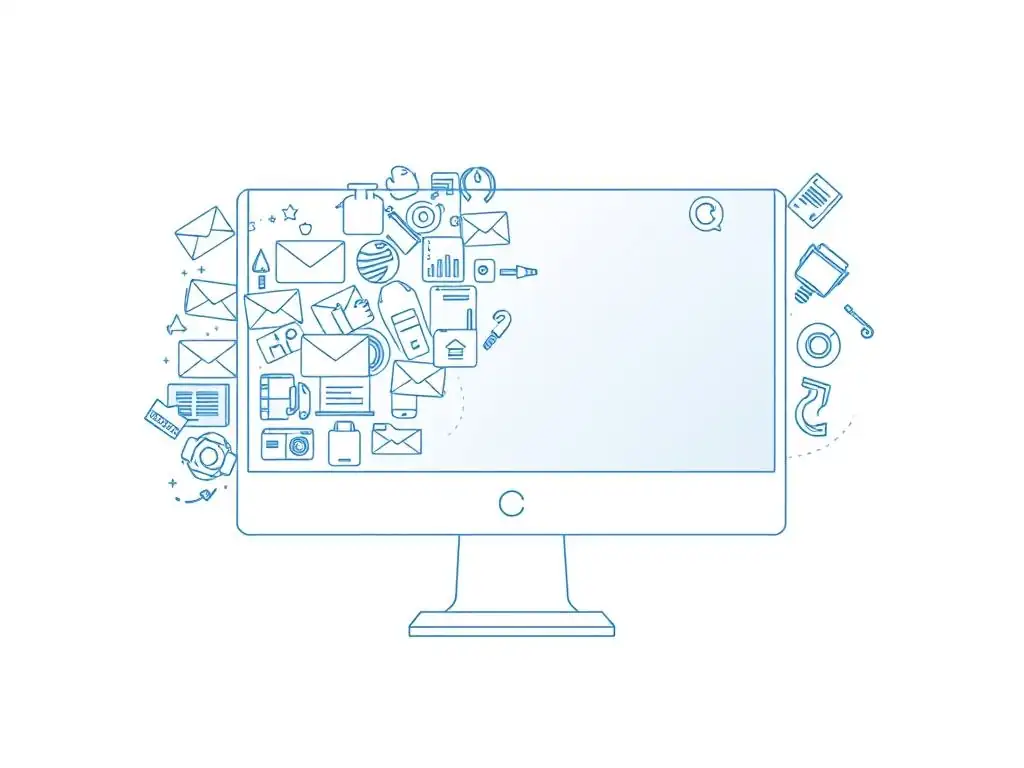
This section provides a practical, step-by-step guide to decluttering your digital life efficiently. We'll focus on actionable strategies to help you regain control of your online presence and reduce digital distractions. Efficient decluttering isn't about deleting everything; it's about strategically removing the unnecessary to optimize your digital experience. This process will help you reclaim valuable time and mental energy.
Step 1: Audit Your Digital Possessions: Apps, Accounts, and Files
The first step in decluttering your digital life efficiently is a thorough audit. Think of it as a digital spring cleaning. This involves taking stock of all your digital assets: apps, online accounts, and files stored on your devices and in the cloud. This seemingly daunting task is made easier by breaking it down into manageable chunks.
Start with your smartphone. Go through each app, asking yourself: When was the last time I used this? Do I really need this? If the answer is "a long time ago" or "no," it's a candidate for deletion. Don't feel pressured to delete everything at once; work through your apps in categories (games, social media, productivity, etc.) to make the process less overwhelming. You might be surprised by how many apps you haven't touched in months!
Next, tackle your online accounts. This includes social media, email subscriptions, online shopping accounts, and any other services you've signed up for. Again, ask yourself: Do I actively use this account? Is this account essential? If not, consider deleting it or at least archiving it. Many services allow for account deactivation, giving you the option to reactivate later if needed.
Finally, audit your files. This includes documents, photos, videos, and other files stored on your computer, external hard drives, and cloud storage. Organize your files into logical folders and delete any duplicates or unnecessary files. Consider using cloud storage to consolidate your files and make them easily accessible across devices. Remember, efficient file management is key to a decluttered digital life. Think about using a cloud-based storage system to declutter your computer's hard drive as well.
Step 2: Unsubscribe from Unnecessary Emails and Notifications
An overflowing inbox and constant barrage of notifications are significant sources of digital clutter. These interruptions disrupt focus and contribute to feelings of overwhelm. Efficiently managing your email subscriptions and notifications is crucial for reclaiming your attention.
Start by unsubscribing from unwanted email newsletters and promotional emails. Most emails have an unsubscribe link at the bottom. Be ruthless: unsubscribe from anything you don't actively read or find valuable. This will significantly reduce the number of emails you receive daily.
Next, review your notification settings on your devices and apps. Turn off notifications for apps that don't require immediate attention. Prioritize notifications for essential apps, such as messaging and calendar reminders. You might also consider using a notification management app to customize and control your notifications more efficiently. The goal is to reduce the constant stream of distractions and focus on what truly matters. A quiet, less cluttered notification system is a huge step towards a more peaceful digital life.
Step 3: Delete Unused Apps and Software: A Streamlined Approach
After auditing your apps and software, the next step is to delete anything unused. This process is crucial for decluttering your digital life efficiently, freeing up storage space and improving your device's performance.
Before you start deleting, create a backup of any important data. This precaution will safeguard your information in case you accidentally delete something you need. Then, systematically delete unused apps from your phone and computer. Remember the criteria from Step 1: If you haven't used an app in months, it's likely unnecessary.
For software, the process is similar. Uninstall any programs you no longer need. This could include old games, trial software, or applications you downloaded but never used. Regularly reviewing and uninstalling unused software keeps your system clean and efficient. This also helps to improve your computer's speed and performance. A streamlined system is a more efficient system. Remember to empty your recycle bin or trash to permanently delete the files. This is a simple but effective way to declutter your digital life efficiently.
Step 4: Organize Your Digital Files: Cloud Storage and Efficient File Management
Efficiently decluttering your digital life necessitates a robust system for managing your files. Think of it as a digital spring cleaning for your documents, photos, and videos. The first step is leveraging cloud storage services. These services offer not only backup and security but also a centralized location to access your files from any device. Services like Google Drive, Dropbox, and iCloud provide ample storage space, often with tiered plans to accommodate various needs. However, simply moving files to the cloud isn't enough; you need a structured approach.
Consider implementing a clear folder structure. Instead of dumping everything into a single folder, create categories based on project, type of file, or date. For instance, you might have folders for "Work Projects," "Personal Documents," "Photos - 2023," and so on. Using a consistent naming convention is also crucial. Avoid ambiguous names like "Document1" or "Image2." Instead, opt for descriptive names like "Project X Proposal.pdf" or "Family Vacation - July 2023.jpg." This seemingly small detail significantly improves searchability and overall organization.
Regularly review and purge obsolete files. You'll be surprised how much digital clutter accumulates over time. Delete files you no longer need, and consider archiving less frequently accessed documents to an external hard drive or a less accessible cloud folder. This proactive approach prevents your cloud storage from becoming another digital dumping ground. Remember, efficient file management is an ongoing process, not a one-time task. Regularly auditing your files ensures your system remains organized and prevents future digital clutter build-up. This is key to decluttering your digital life efficiently.
Social media platforms can be significant contributors to digital clutter, both in terms of time consumption and mental energy. Decluttering your social media presence involves a mindful curation process, rather than a complete abandonment. Begin by identifying the platforms that genuinely add value to your life. Are you actively engaged, or are you passively scrolling through endless feeds, feeling overwhelmed and unfulfilled? Be honest with yourself.
Once you've identified the platforms you want to keep, focus on unfollowing or muting accounts that don't align with your goals or values. This could include accounts that trigger negative emotions, promote negativity, or simply consume your time without offering any real benefit. Consider the time you spend on each platform. Are the benefits outweighing the costs? If not, it's time to make a change.
Furthermore, regularly review your posts and content. Are there old posts or photos that no longer reflect who you are or what you value? Archive or delete them. A curated social media presence reflects your current self and priorities, promoting a sense of clarity and control. This mindful approach minimizes distractions and allows you to engage more meaningfully with the content that truly matters. This contributes significantly to decluttering your digital life efficiently and improving your overall well-being.
Step 6: Set Boundaries and Time Limits for Digital Consumption
The final, and perhaps most crucial, step in efficiently decluttering your digital life involves setting boundaries and implementing time limits for your digital consumption. This isn't about completely disconnecting; it's about regaining control over your time and attention. Start by identifying your peak digital consumption periods. Are you constantly checking your phone during meals, before bed, or during work breaks?
Next, establish specific time limits for each platform or activity. Use built-in features like screen time tracking on your devices to monitor your usage and hold yourself accountable. Consider incorporating digital detox periods into your routine – perhaps an hour each evening free from screens, or a full day each week dedicated to offline activities. These breaks allow you to recharge and refocus, reducing the overwhelming feeling often associated with constant digital engagement.
Implementing these boundaries might require some experimentation to find what works best for you. It's a process of continuous refinement. Start small, set realistic goals, and gradually increase the duration of your digital detox periods as you gain confidence and experience. Remember, the goal isn't to eliminate technology entirely; rather, it's to cultivate a more mindful and intentional relationship with it, freeing up valuable time and mental space. This is a critical element in decluttering your digital life efficiently and reclaiming control of your time.
Step 7: Regularly Review and Maintain Your Digital Space: Prevention is Key
Regular digital decluttering isn't a one-time event; it's an ongoing process. Think of it like spring cleaning, but for your digital life. Just as you wouldn't let your physical home become overrun with clutter, you shouldn't let your digital space become a chaotic mess. Consistent maintenance is crucial for long-term efficiency and mental clarity. Failing to do so can lead to a rapid accumulation of digital debris, negating the benefits of your initial decluttering efforts. This ultimately defeats the purpose of decluttering your digital life efficiently.
One effective strategy is to schedule recurring reviews. Perhaps dedicate 30 minutes every Sunday evening or the first Friday of each month to assess your digital environment. This dedicated time allows for a focused approach, preventing the task from becoming overwhelming. During these reviews, you can quickly delete unnecessary files, unsubscribe from unwanted emails, and generally tidy up your digital spaces. This proactive approach significantly reduces the time and effort required for larger, more intensive decluttering sessions in the future.
Consider using a calendar reminder or setting a recurring task in your task management system to ensure you don't forget these crucial maintenance periods. Consistency is key here. The more frequently you perform these smaller cleanups, the less likely you are to face a monumental digital mess down the line. Remember, prevention is far easier and more efficient than cure when it comes to managing your digital life.
By establishing this routine, you’ll significantly improve your ability to declutter your digital life efficiently, saving time and mental energy in the long run. This proactive approach also contributes to a more organized and productive workflow, allowing you to focus on what truly matters. The small investment of time each week or month pays significant dividends in terms of reduced stress and improved efficiency. This is a vital component of successfully and sustainably decluttering your digital life efficiently.
Maintaining a Decluttered Digital Life: Long-Term Strategies
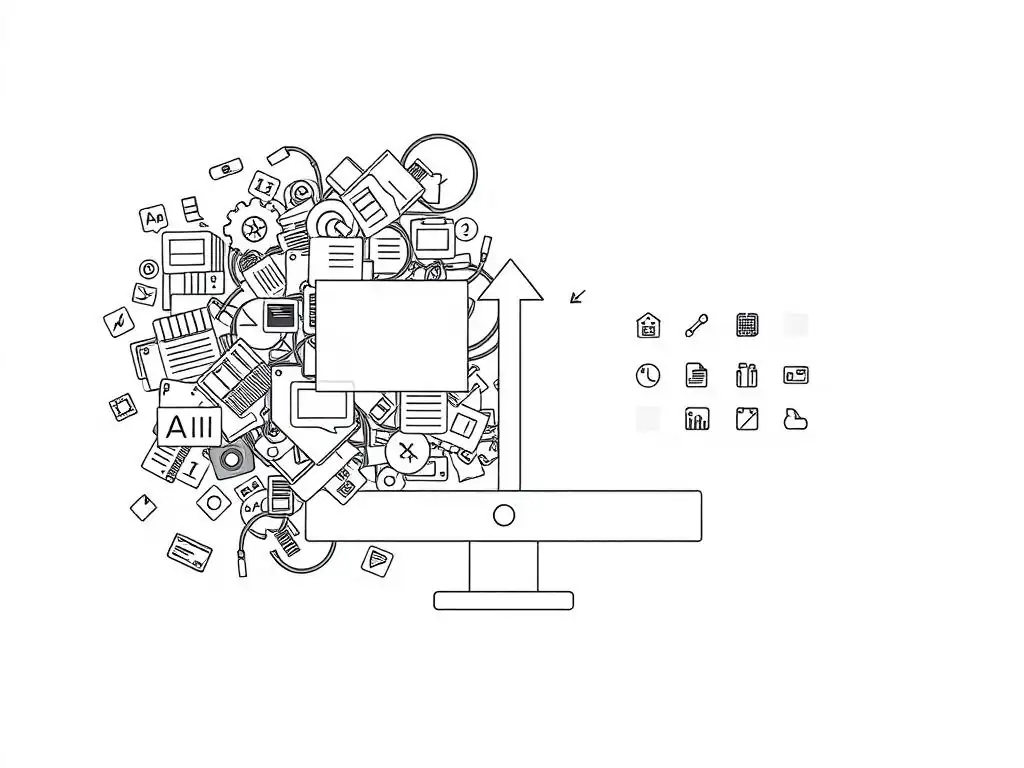
This section focuses on proactive strategies to prevent future digital clutter, ensuring your tech detox efforts are sustainable. Maintaining a decluttered digital environment isn't a one-time event; it's an ongoing process requiring consistent effort and mindful habits. Think of it as digital spring cleaning, but instead of doing it once a year, you're performing small, regular maintenance tasks. This approach to decluttering your digital life efficiently leads to lasting results.
Strategies for Preventing Future Digital Clutter
Preventing future digital clutter requires a multi-pronged approach. It's not just about deleting files; it's about changing how you interact with technology. Here are some key strategies:
- The "One In, One Out" Rule: For every new app, subscription, or digital file you acquire, delete or unsubscribe from an existing one. This prevents the accumulation of unused resources. For example, if you download a new productivity app, uninstall an older one you rarely use. This simple rule ensures a balanced digital ecosystem.
- Regular Digital Audits: Schedule regular time – perhaps monthly or quarterly – to review your digital possessions. This includes checking your email inbox, cloud storage, and various apps for unused files, subscriptions, and accounts. Think of it as a preventative health check for your digital life. Identify and delete unnecessary items promptly.
- Mindful App Downloads: Before downloading any app, ask yourself: Do I really need this? Will it significantly improve my productivity or enjoyment? If the answer is no, resist the temptation to download it. Many apps promise efficiency but end up adding to your digital noise. Prioritize quality over quantity.
- Unsubscribe Aggressively: Unsubscribe from unwanted newsletters, promotional emails, and notifications. Overwhelmed inboxes are a major source of digital clutter. Many email providers have built-in tools to help manage subscriptions. Use them!
- File Naming Conventions: Implement a consistent and logical file-naming system. This will make it much easier to find files later and reduce the temptation to create duplicates. A well-organized file structure is crucial for efficient digital organization.
Tools and Techniques for Efficient Digital Organization
Efficient digital organization is key to maintaining a decluttered digital life. Several tools and techniques can streamline this process, making it easier to declutter your digital life efficiently.
- Cloud Storage Organization: Utilize folders and subfolders within your cloud storage (e.g., Google Drive, Dropbox, iCloud) to categorize files logically. Use descriptive names for your folders and regularly review their contents to remove outdated or unnecessary files. Consider color-coding folders for visual organization.
- Email Management Systems: Implement a robust email management system. This might involve using filters, labels, and folders to categorize emails efficiently. The goal is to process emails quickly and move them out of your inbox promptly. Consider using the inbox zero method.
- Password Managers: Utilize a password manager to securely store and manage your online passwords. This eliminates the need to write down passwords, reducing paper clutter and improving security. A strong password manager can significantly improve your digital security hygiene.
- Bookmark Management: Organize your bookmarks efficiently using a bookmark manager or by creating folders within your browser. Regularly review and delete outdated or irrelevant bookmarks. A well-organized bookmark system can save you valuable time searching for information.
- Note-Taking Apps: Use a note-taking app to centralize your notes, ideas, and to-do lists. This helps to reduce the number of sticky notes and scattered documents. A well-organized note-taking system is a powerful tool for maintaining clarity and focus.
The Benefits of a Decluttered Digital Environment: Improved Focus and Wellbeing
A decluttered digital environment offers significant benefits beyond simply having a tidier digital space. It directly impacts your focus, productivity, and overall wellbeing.
- Reduced Stress and Anxiety: A cluttered digital space often mirrors a cluttered mind. Removing unnecessary digital items can significantly reduce stress and anxiety, leading to a more peaceful and productive work environment. Studies show a link between digital clutter and increased stress levels.
- Improved Focus and Concentration: When your digital environment is organized and free from distractions, it's easier to focus on tasks and avoid information overload. A clear digital space promotes mental clarity and enhances concentration.
- Increased Productivity: With less time spent searching for files or managing unnecessary digital items, you can dedicate more time to productive tasks. This translates to increased efficiency and improved output. The time saved can be significant.
- Enhanced Wellbeing: A decluttered digital environment contributes to a more balanced and healthier relationship with technology. This can lead to improved sleep, reduced eye strain, and a more mindful approach to technology usage. A more mindful digital life improves overall wellbeing.
- Improved Mental Clarity: A clean digital space often leads to a clearer mind. The absence of digital distractions allows for better focus and improved cognitive function. This can significantly enhance problem-solving capabilities and creativity. Regular digital decluttering directly contributes to improved mental clarity.
The process of decluttering your digital life efficiently is an investment in your mental wellbeing and productivity. By implementing these long-term strategies and utilizing the suggested tools, you can create a sustainable and fulfilling digital environment. Remember, a decluttered digital life is a more productive and peaceful life.
Frequently Asked Questions
What is digital decluttering, and why should I do it?
Digital decluttering is the process of organizing and removing unnecessary digital files, accounts, and subscriptions from your devices and online presence. It improves efficiency, reduces stress, and enhances productivity by freeing up mental space and improving device performance.
How do I start decluttering my digital life efficiently?
Begin by identifying areas needing attention: emails, photos, apps, and files. Then, create a realistic schedule and tackle one area at a time. Prioritize deleting unnecessary or outdated items first.
What are some quick wins for decluttering my digital life?
Unsubscribe from unwanted emails, delete unused apps, and clear your desktop of unnecessary files. Batch process similar tasks, such as deleting old photos or unsubscribing from newsletters.
How can I organize my digital files for better efficiency?
Use a consistent naming convention for files and folders. Consider cloud storage for easy access and backup. Utilize folders to categorize files by project, date, or type.
How do I know when I've successfully decluttered my digital life?
You'll feel a sense of control and reduced stress. Your devices will run faster, and finding information will be easier. You'll have more time and mental energy for important tasks.
Final Reflection: Reclaiming Your Digital Sanctuary
The relentless influx of digital information and notifications is no longer a futuristic fantasy; it's the overwhelming reality of modern life. This constant barrage impacts our mental well-being, productivity, and even our relationships. The need to declutter our digital lives isn't just a trend; it's a crucial step towards reclaiming our time, focus, and inner peace.
The journey towards a more streamlined digital existence is deeply personal. It's about recognizing the subtle ways technology subtly consumes our attention and energy, and consciously choosing what truly serves us. The real voyage of discovery consists not in seeking new landscapes, but in having new eyes.
– Marcel Proust. This quote resonates deeply because decluttering our digital lives isn't about deleting everything; it's about cultivating a mindful relationship with technology, seeing it with fresh eyes and prioritizing what truly adds value to our lives. This process of mindful selection allows us to create a digital environment that supports our goals and well-being, rather than hindering them.
Now, consider your own digital landscape. What apps drain your energy? Which subscriptions are gathering dust? What digital spaces could benefit from a good spring cleaning?
Take this opportunity to audit your digital life, not with the goal of ruthless elimination, but with the intention of creating a sanctuary – a space that supports your well-being and empowers you to live more intentionally. Begin small, choose one area to focus on, and experience the liberating feeling of reclaiming your digital space. The journey towards a decluttered digital life is ongoing, but the rewards – increased focus, reduced stress, and a greater sense of control – are well worth the effort.
Rediscover Your Digital Freedom: Take Control of Your Tech!
Thank you for exploring the world of digital decluttering! We hope you gained valuable insights into simplifying your tech life and reclaiming your time and energy. Now it's time to put those insights into action.
Here's how you can begin your journey towards a more mindful digital life:
- Prioritize your digital detox: Identify three apps or devices you use excessively. Completely delete them for a week and observe how you feel. This is a crucial first step towards a healthier relationship with technology.
- Share your experience: Tell us (or your friends!) about your experience. What surprised you the most? What benefits did you discover from simplifying your technology use?
- Explore mindful technology use: Consider setting daily limits on screen time or designating specific times for checking emails and social media.
What unexpected benefits are you most excited about as you declutter your digital life?