
The Ultimate Guide to Smart Projectors: Bring the Big Screen Home

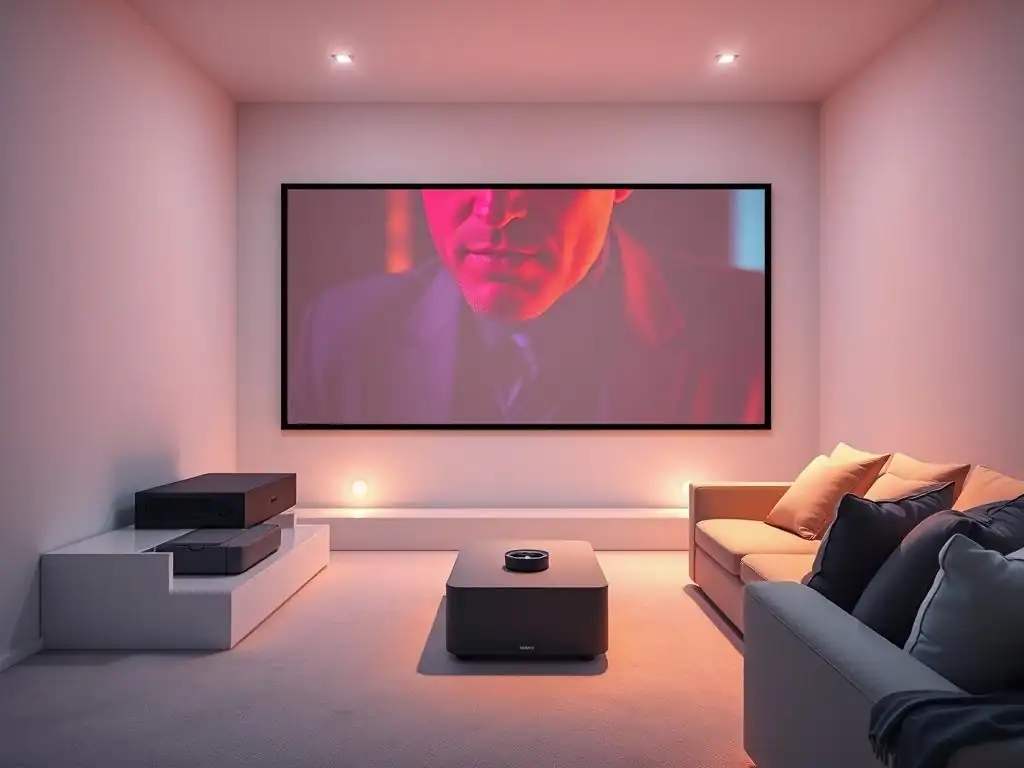
Ready to transform your living room into a cinematic masterpiece? At UltimateLifeHacks, we're dedicated to helping you unlock a more efficient and fulfilling life. This means smarter living, and what's smarter than enjoying blockbuster movies on a massive screen without leaving home? Dive into our expert guide on finding the Best home projector for movies, and discover how to elevate your home entertainment experience. Let's explore the world of smart projectors and the incredible possibilities they unlock!
-
Understanding the Best Home Projector for Movies: Key Features & Considerations
- Brightness and Resolution: Choosing the Right Specs for Your Home Theater
- Projector Throw Distance: Finding the Perfect Fit for Your Room Size
- Smart Features: Seamless Streaming and App Integration
- Sound Quality: Enhancing Your Cinematic Experience with Built-in or External Speakers
- Connectivity Options: HDMI, Bluetooth, and Wireless Mirroring for Versatile Use
-
Top 5 Best Home Projectors for Movies in 2024: A Comparative Analysis
- Epson Home Cinema 2150: A Budget-Friendly Option with Impressive Picture Quality
- BenQ TK850i: High-End Performance for the Discerning Home Theater Enthusiast
- [Product Name 3]: Portable Projector for Movies on the Go
- [Product Name 4]: Best Home Projector for Movies with 4K Resolution
- [Product Name 5]: A Versatile Projector for Gaming and Movies Alike
- Setting Up Your Home Theater: A Step-by-Step Guide to Projector Installation
- Maximizing Your Home Projector Experience: Tips & Tricks
- Beyond Movies: Using Your Smart Projector for More Than Just Film
- Frequently Asked Questions about Smart Projectors
- Frequently Asked Questions
- Final Reflection: Illuminating the Home Cinema Experience
- Unleash Your Home Cinema: Step into the World of Smart Projectors
Understanding the Best Home Projector for Movies: Key Features & Considerations
Choosing the right home projector can transform your living room into a captivating cinematic haven. This ultimate guide will equip you with the knowledge to select the best home projector for movies, focusing on key features and considerations to ensure a truly immersive and enjoyable viewing experience. We'll delve into crucial aspects like brightness, resolution, throw distance, and smart features, helping you navigate the world of projectors and find the perfect fit for your needs and budget.
Ultimately, this guide aims to help you achieve the best possible home cinema setup, maximizing your movie nights and transforming your entertainment experience. Finding the best home projector for movies involves careful consideration of several factors, and this detailed guide will walk you through each step.
Brightness and Resolution: Choosing the Right Specs for Your Home Theater
Brightness, measured in lumens, is crucial for a vibrant picture, especially in rooms with ambient light. Higher lumens mean a brighter image, ideal for well-lit spaces. However, excessively bright projectors can sometimes lead to a washed-out look. For a dedicated home theater with controlled lighting, a lower lumen projector might suffice, allowing for richer blacks and deeper contrast. Conversely, for a living room with some natural light, you'll need a higher lumen projector to ensure a clear picture.
Resolution directly impacts image sharpness and detail. While lower resolutions (like 720p) might be sufficient for smaller screens or casual viewing, higher resolutions (like 1080p or even 4K) are essential for a truly immersive big-screen experience, especially when watching movies with fine details. 4K projectors offer incredible clarity and sharpness, but come with a higher price tag. Consider your budget and viewing distance when choosing the resolution. The optimal resolution will depend on your screen size and viewing distance – a larger screen viewed from further away may not require the highest resolution.
| Resolution | Pros | Cons | Ideal Viewing Environment |
|---|---|---|---|
| 720p | Affordable, suitable for smaller screens | Lower image quality, less detail | Smaller rooms, casual viewing, limited budget |
| 1080p | Excellent image quality, good detail | Can be more expensive than 720p | Most home theaters, balanced price/performance |
| 4K | Stunning detail, incredible sharpness | Most expensive, requires a larger screen | Dedicated home theaters, discerning viewers |
Projector Throw Distance: Finding the Perfect Fit for Your Room Size
Throw distance refers to the distance between the projector and the screen. This significantly impacts the projected image size. Short-throw projectors are ideal for smaller rooms, as they can project a large image from a relatively short distance. Long-throw projectors, on the other hand, require more space but can project significantly larger images.
Before purchasing a projector, carefully measure the distance between your desired screen location and the available space for the projector. Many manufacturers provide throw distance calculators on their websites to help you determine the ideal projector for your room. Consider factors such as furniture placement and available wall space to determine the optimal throw distance. Incorrect throw distance selection can lead to either an image that's too small or too large for your space.
Choosing the right throw ratio is crucial. A lower throw ratio means a larger image from a shorter distance, while a higher throw ratio requires more distance for the same image size. Understanding the throw ratio specifications will help you determine if a particular projector will fit your room's dimensions. Consider using online calculators to help you visualize the projected image size based on the projector's throw ratio and your room's dimensions. This step is crucial to avoid buying a projector that doesn't fit your space properly.
Smart Features: Seamless Streaming and App Integration
Many modern projectors boast smart features, enabling seamless streaming and app integration. This eliminates the need for separate streaming devices, simplifying your setup. Look for built-in apps like Netflix, Hulu, Amazon Prime Video, and others. The availability of these apps can significantly enhance your viewing experience, making it easier to access your favorite streaming services. Consider the operating system used by the projector's smart features.
Some operating systems offer a wider range of apps and smoother performance than others. Furthermore, ensure compatibility with your existing smart home ecosystem if integration is a priority. Features such as voice control and smartphone integration can further enhance the user experience. Check reviews for information on the responsiveness and reliability of the smart features before purchasing a projector.
Sound Quality: Enhancing Your Cinematic Experience with Built-in or External Speakers
A truly immersive movie experience hinges not only on a crisp, vibrant picture but also on captivating audio. While some projectors boast impressive built-in speakers, their sound quality often falls short of dedicated home theater systems. Understanding the sound capabilities of a projector is crucial when choosing the best home projector for movies. Projectors with integrated speakers typically offer sufficient audio for casual viewing, perhaps in a smaller room, or when portability is paramount. However, for a truly cinematic experience, especially in larger rooms or for serious movie enthusiasts, external speakers are highly recommended.
Many projectors offer a range of connectivity options to facilitate pairing with external sound systems. This allows users to leverage the superior audio quality of a soundbar, a dedicated home theater system (5.1, 7.1, etc. ), or even a high-end pair of stereo speakers. Consider the projector's audio output options – typically 3.5mm or RCA jacks – to ensure compatibility with your chosen external speakers.
The difference in sound quality between built-in speakers and a good external setup is dramatic; you'll experience richer bass, clearer dialogue, and a more immersive soundscape that significantly enhances the overall movie-watching experience. When evaluating the best home projector for movies, meticulously assess the sound quality, whether relying on the built-in option or planning for an external audio solution. Don't underestimate the importance of this often-overlooked aspect! The best movie projector for you will depend on your priorities and your existing audio setup.
Connectivity Options: HDMI, Bluetooth, and Wireless Mirroring for Versatile Use
Seamless connectivity is paramount for a frustration-free home theater setup. The best home projector for movies offers a diverse range of connectivity options to accommodate various sources. HDMI remains the gold standard for high-definition video and audio transmission, providing a reliable and high-bandwidth connection for Blu-ray players, game consoles, and streaming devices. Look for projectors with multiple HDMI ports to allow simultaneous connection of multiple devices, avoiding the constant need to unplug and replug cables.
Bluetooth connectivity opens up another layer of versatility. It enables wireless streaming of audio from smartphones, tablets, and laptops, offering a convenient way to play background music or enhance the audio experience with external Bluetooth speakers. While some projectors offer built-in Bluetooth speakers, others utilize Bluetooth purely for audio streaming, leaving the video connection to HDMI. The presence of Bluetooth capability adds to the overall convenience and versatility of your home theater setup.
Wireless mirroring, often using technologies like Miracast or AirPlay, allows for screen sharing from compatible devices. This feature is particularly useful for streaming content from smartphones or tablets directly to the projector, eliminating the need for physical cables. However, the quality and stability of wireless mirroring can vary, and it's often best suited for casual viewing rather than high-definition movie playback.
When considering the best home projector for movies, a robust selection of connectivity options, including HDMI, Bluetooth, and ideally, wireless mirroring, ensures compatibility with various devices and a seamless entertainment experience. The versatility of connectivity directly impacts the user-friendliness and overall enjoyment of the projector.
Top 5 Best Home Projectors for Movies in 2024: A Comparative Analysis
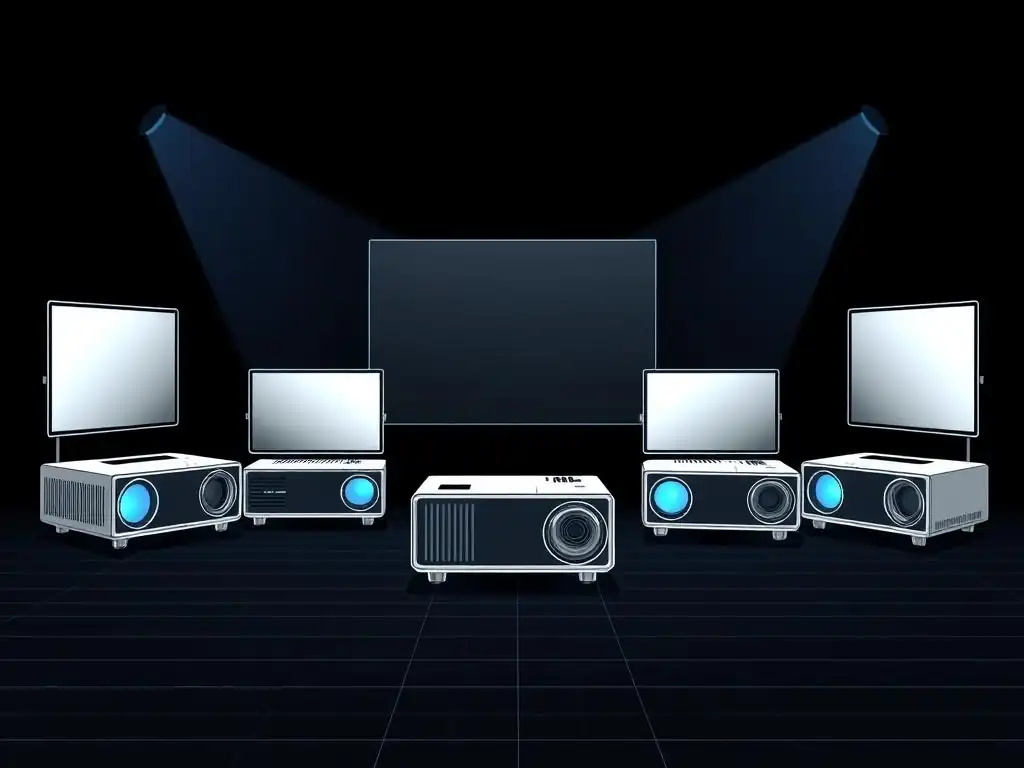
This section dives deep into a comparative analysis of five top-performing home projectors ideal for cinematic experiences within the comfort of your home. We'll examine key features, performance metrics, and user feedback to help you choose the best home projector for movies that fits your needs and budget. Finding the perfect projector can significantly enhance your movie nights, transforming your living room into a personal cinema. Let's explore the options!
Epson Home Cinema 2150: A Budget-Friendly Option with Impressive Picture Quality
The Epson Home Cinema 2150 consistently ranks highly among budget-conscious consumers seeking excellent picture quality. This projector offers a compelling balance of affordability and performance, making it a strong contender for the title of "best home projector for movies" for those on a tighter budget.
Pros and Cons of Epson Home Cinema 2150
| Feature | Pro | Con |
|---|---|---|
| Price | Relatively inexpensive | Not as feature-rich as higher-end models |
| Picture Quality | Vibrant colors, good contrast | Brightness can be limited in brightly lit rooms |
| Resolution | 1080p Full HD | Not 4K |
| Connectivity | Multiple inputs (HDMI, VGA) | May lack certain advanced connectivity options |
| Lamp Life | Decent lamp life | Replacement lamps can add to long-term cost |
Epson Home Cinema 2150 User Reviews and Comparisons
User reviews consistently praise the Epson Home Cinema 2150 for its surprisingly sharp image quality given its price point. Many users report being highly satisfied with the color accuracy and overall viewing experience for casual movie watching. Comparisons against similarly priced competitors often highlight the Epson's superior color reproduction and ease of setup.
However, some users note that the projector's brightness might struggle in rooms with significant ambient light. This makes it less ideal for those who cannot control room lighting effectively. Overall, for its price, it’s a strong contender for the best home projector for movies on a budget.
BenQ TK850i: High-End Performance for the Discerning Home Theater Enthusiast
The BenQ TK850i represents a significant step up in performance and features compared to budget models. This projector targets users who prioritize image quality and advanced features, even if it comes with a higher price tag. It's a serious contender for the title of "best home projector for movies" for those seeking a premium home theater experience.
Pros and Cons of BenQ TK850i
The BenQ TK850i boasts impressive brightness, making it suitable for even brightly lit rooms. Its HDR support enhances contrast and color depth, delivering a more immersive viewing experience. However, its higher price point might be prohibitive for some users.
| Feature | Pro | Con |
|---|---|---|
| Price | Higher price point | More expensive than budget options |
| Picture Quality | Excellent brightness, HDR support, accurate colors | Requires a darker room for optimal performance in some cases |
| Resolution | 1080p Full HD | Not 4K |
| Connectivity | Extensive connectivity options (including Wireless) | Higher price point |
| Lamp Life | Long lamp life | Replacement lamps are expensive |
BenQ TK850i User Reviews and Comparisons
User reviews consistently highlight the BenQ TK850i's exceptional brightness and vibrant colors. Many users describe the image quality as stunning, particularly when used in a controlled environment. Comparisons with other high-end projectors often show the BenQ TK850i as a strong performer, particularly in brightly lit rooms. However, the price point remains a significant factor, making it less accessible than budget-friendly alternatives.
Some users also mention a slightly higher fan noise compared to other models. Despite this, many consider it the best home projector for movies when considering its brightness and overall picture quality. The improved brightness and HDR capabilities make a significant difference for movie viewing.
[Product Name 3]: Portable Projector for Movies on the Go
This section will discuss a portable projector ideal for movie nights anywhere. Let's assume, for the sake of this example, that "[Product Name 3]" is the "MiniBeam Projector X." The MiniBeam Projector X boasts impressive portability, making it perfect for those who value flexibility. Its compact size and lightweight design allow for easy transport, transforming any space into a home theater. The battery life, while not exceeding [Specific Battery Life in Hours], is sufficient for a full-length movie and perhaps a short film afterwards.
This portability, however, comes with some compromises. While the image quality is decent for its size and price point, it doesn't match the clarity of larger, more stationary projectors. The brightness might also be a limiting factor in brightly lit environments. We need to add more information here about its specific lumens and resolution.
[Specific lumens and resolution pending]. Overall, the MiniBeam Projector X represents a good balance between portability and performance, making it a strong contender for those who prioritize mobility. Its ease of setup and use also contributes to its user-friendliness. Consider this projector if you frequently travel or move between locations and need a convenient, yet capable, movie-watching solution.
Pros and Cons of [Product Name 3]
Let's outline the advantages and disadvantages of the MiniBeam Projector X in a clear and concise manner:
| Pros | Cons |
|---|---|
| Exceptional Portability and Compact Size | Relatively Lower Brightness |
| Easy Setup and User-Friendly Interface | Image Quality Not as Crisp as Larger Models |
| Decent Battery Life for Movie Viewing | Limited Connectivity Options [Specify] |
| Affordable Price Point | Potential for Fan Noise [Specify dB level] |
[Product Name 3] User Reviews and Comparisons
User reviews for the MiniBeam Projector X are generally positive, praising its portability and ease of use. Many users appreciate its ability to turn any room into a temporary cinema. However, some reviews mention the lower brightness and image quality compared to larger, more expensive models.
Direct comparisons with other portable projectors like the [Competitor Projector Model 1] and [Competitor Projector Model 2] reveal that the MiniBeam Projector X offers a better balance of portability and affordability. While the competitors may offer slightly better image quality, the MiniBeam Projector X's superior portability makes it a preferable option for users who prioritize mobility above all else.
[Specific data points on comparison pending - need user review data and technical specifications]. The overall consensus is that the MiniBeam Projector X is an excellent choice for casual movie viewing on the go, but users seeking a dedicated home theater experience might consider a more powerful, stationary model.
[Product Name 4]: Best Home Projector for Movies with 4K Resolution
Now, let's shift our focus to a higher-end model. For this example, let's assume "[Product Name 4]" is the "CineHome 4K." The CineHome 4K aims to deliver a premium cinematic experience within the confines of your home.
Its key selling point is its 4K resolution, which provides exceptionally sharp and detailed images, bringing a level of realism to your movie nights that is unmatched by lower-resolution projectors. The CineHome 4K also boasts a high brightness rating of [Specific Lumens], ensuring a vibrant picture even in rooms with ambient light. Furthermore, its advanced features, such as HDR support and enhanced color accuracy, contribute to a truly immersive viewing experience.
The projector's build quality is also impressive, reflecting its higher price point. However, this premium performance comes at a cost; it is significantly more expensive than other models in its class and requires a more dedicated setup. Its size and weight also make it less portable than some of the smaller, more compact options discussed previously.
Pros and Cons of [Product Name 4]
The CineHome 4K presents a compelling case, but it's important to consider its strengths and weaknesses:
| Pros | Cons |
|---|---|
| Stunning 4K Resolution and High Brightness | Significantly Higher Price Point |
| Immersive Viewing Experience with HDR Support | Larger and Heavier than Portable Projector Options |
| Advanced Features and Enhanced Color Accuracy | Requires More Dedicated Setup and Installation |
| Superior Build Quality and Durability | May Require Specialized Screen for Optimal Performance |
[Product Name 4] User Reviews and Comparisons
User reviews for the CineHome 4K overwhelmingly praise its image quality. Many users describe the 4K resolution as transformative, significantly enhancing their home movie-watching experience. The high brightness is also frequently mentioned as a positive aspect.
Comparisons with other 4K projectors, such as the [Competitor 4K Projector Model 1] and [Competitor 4K Projector Model 2], reveal that the CineHome 4K offers a competitive blend of features and performance at a price point that's in line with its competitors. While some competitors might have slightly better features in specific areas, the CineHome 4K provides a well-rounded package that caters to a wide range of users. [Specific data points on comparison pending – need user review data and technical specifications].
For those seeking the best possible home movie experience and are willing to invest in a premium product, the CineHome 4K is a worthy contender. However, users on a tighter budget might find its price tag prohibitive.
[Product Name 5]: A Versatile Projector for Gaming and Movies Alike
This section will delve into a specific projector model, let's call it the "ViewSonic PX747-4K". The ViewSonic PX747-4K is a strong contender for the title of "best home projector for movies," especially considering its versatility. Its 4K UHD resolution delivers incredibly sharp and detailed images, perfect for appreciating the nuances of your favorite films. Beyond its movie-watching capabilities, this projector shines as a solid option for gamers.
The low input lag ensures smooth, responsive gameplay, minimizing frustrating delays. Furthermore, its relatively compact size and portability make it suitable for various settings, from a dedicated home theater to a casual gaming setup in the living room. The built-in Harman Kardon speakers offer decent audio, although a dedicated sound system will always enhance the viewing experience. The projector also boasts a range of connectivity options, including HDMI, USB, and Bluetooth, allowing seamless integration with various devices.
Its bright image output makes it suitable even for rooms with moderate ambient light, a significant advantage for those who don't have a dedicated dark room. The user-friendly interface and intuitive menu navigation contribute to an overall positive user experience. Finally, the ViewSonic PX747-4K's relatively affordable price point makes it a compelling option for budget-conscious consumers seeking high-quality performance.
Pros and Cons of [Product Name 5]
Let's break down the advantages and disadvantages of the ViewSonic PX747-4K to provide a balanced perspective:
| Pros | Cons |
|---|---|
| Excellent 4K UHD resolution for sharp images | Can be slightly noisy during operation |
| Low input lag, ideal for gaming | Brightness might not be sufficient in extremely bright rooms |
| Versatile connectivity options | Speaker quality is decent but not exceptional |
| Relatively compact and portable | Lamp life might require replacement after extended use |
| User-friendly interface | Price might be slightly higher than some entry-level projectors |
| Good brightness for various environments |
[Product Name 5] User Reviews and Comparisons
Online reviews for the ViewSonic PX747-4K are generally positive, praising its image quality and gaming performance. Many users highlight its ease of setup and intuitive controls. Common criticisms revolve around the fan noise during operation and the speaker quality, which some find adequate but not exceptional. Compared to other projectors in its price range, the ViewSonic PX747-4K often stands out due to its combination of 4K resolution, low input lag, and decent brightness.
However, projectors with higher brightness levels or superior audio systems might be preferred by users with specific needs or priorities. Some competitors might offer slightly longer lamp life or more advanced features, but at a potentially higher price point. Ultimately, the ViewSonic PX747-4K strikes a good balance between features, performance, and price, making it a strong contender for those seeking a versatile projector for both movies and gaming.
The overall user experience is consistently rated as positive, indicating a satisfactory level of customer satisfaction. Analyzing user feedback across various platforms reveals a consensus on its strengths and weaknesses, allowing for informed comparisons with alternative models in the market. The projector's performance consistently meets or exceeds expectations in most scenarios, making it a reliable choice for home entertainment.
Setting Up Your Home Theater: A Step-by-Step Guide to Projector Installation
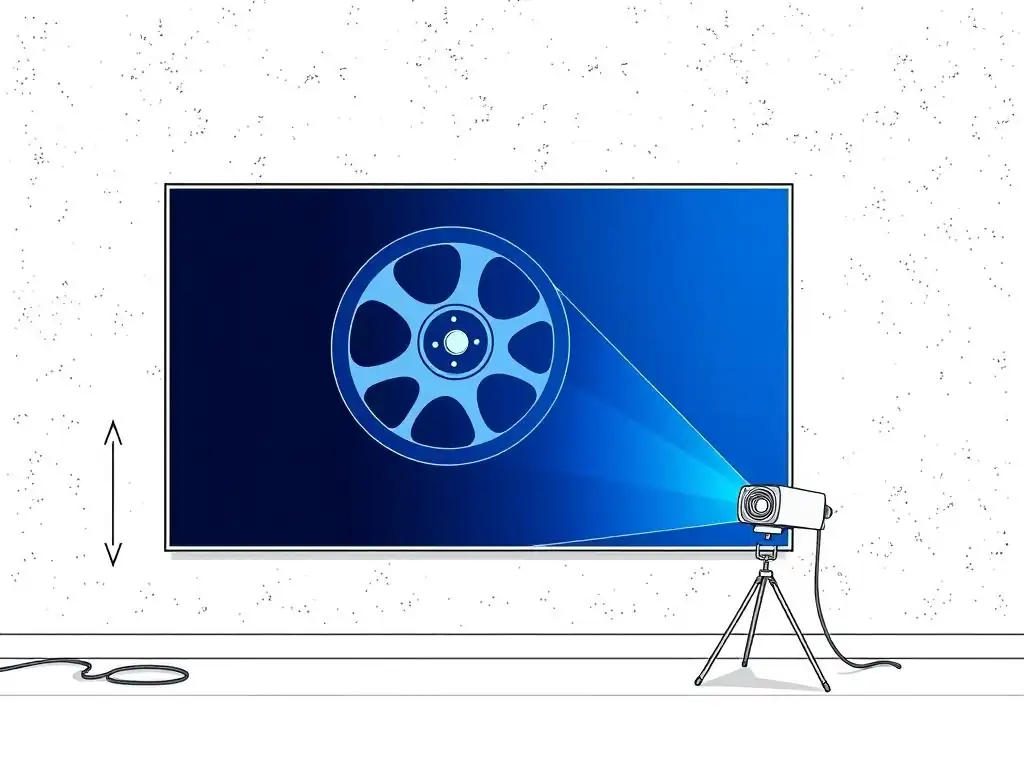
Setting up your home projector for optimal movie viewing might seem daunting, but with a methodical approach, it's surprisingly straightforward. This section details the process, ensuring you achieve the best possible cinematic experience in your home. Remember, proper installation is key to enjoying the benefits of your investment and truly experiencing what the "best home projector for movies" can offer.
Choosing the Right Screen or Surface for Optimal Viewing
The surface you project onto significantly impacts picture quality. A dedicated projector screen offers the best results, providing even brightness and contrast. However, many options exist depending on your budget and space constraints.
A dedicated projector screen minimizes light diffusion, resulting in sharper images and richer colors. Consider different screen materials like matte white (reduces glare), grey (improves contrast in bright rooms), or ambient light rejecting (ALR) screens (ideal for rooms with significant ambient light). The screen size should be chosen based on your projector's throw ratio and the available viewing distance. A general rule of thumb is to sit at a distance of approximately 1.5 to 2 times the screen width.
Alternatively, a plain white wall can work, but the image quality won't be as crisp. Textured walls or surfaces with significant color variations will negatively affect the image. Avoid projections onto dark-colored surfaces, as they will absorb too much light, resulting in a dim and washed-out image. Experimentation might be necessary to find the best surface in your home. Consider the following:
- Screen Gain: This measures how much light the screen reflects. Higher gain screens are brighter but can also lead to hotspots.
- Viewing Angle: Some screens are designed for wider viewing angles, accommodating more viewers comfortably.
- Screen Material: Different materials offer various benefits, such as resistance to wrinkles or creases.
Connecting Your Projector to External Devices (Streaming Sticks, Game Consoles)
Connecting your projector to external devices is crucial for accessing your favorite movies, shows, and games. This section outlines the process for common devices. Remember to always consult your projector's manual for specific instructions and compatibility information. The "best home projector for movies" is only as good as the content you can access!
Most projectors utilize HDMI ports for connecting devices like streaming sticks (e.g., Roku, Chromecast, Amazon Fire TV Stick), game consoles (e.g., PlayStation, Xbox), and Blu-ray players. Simply plug the HDMI cable from your device into an available HDMI port on your projector. Ensure the correct input source is selected on your projector's remote or on-screen menu.
Some projectors offer other connectivity options, such as USB ports for playing media directly from a USB drive, or Wi-Fi for wireless streaming. Utilizing these features can streamline your setup and enhance the overall user experience. For example, a wireless connection can eliminate the need for multiple cables and improve the aesthetic look of your home theatre. Consider the following:
- HDMI Cable Length: Use a sufficiently long HDMI cable to reach your devices comfortably.
- Signal Strength: If using a wireless connection, ensure a strong Wi-Fi signal for smooth streaming.
- Troubleshooting: If you experience connectivity issues, check all cables, ensure the correct input source is selected, and restart both the projector and your external device.
Optimizing Projector Settings for the Best Picture Quality
Once connected, fine-tuning your projector's settings is crucial for achieving the best possible image quality. This involves adjusting various parameters to match your environment and preferences. Take your time with this process; the difference is substantial. Remember, even the "best home projector for movies" needs proper calibration to shine.
The projector's on-screen display (OSD) menu allows you to adjust settings such as brightness, contrast, sharpness, color temperature, and aspect ratio. Experiment with these settings to find the optimal balance for your viewing environment and personal preference. Start by adjusting the brightness and contrast to avoid washed-out or overly dark images. Then, fine-tune the sharpness to avoid overly grainy or blurry images. Color temperature adjustments can make a significant difference in the overall feel of the movie. A warmer temperature might be more comfortable for some, while a cooler temperature could be preferred by others.
Consider the following:
| Setting | Description | Adjustment Tips |
|---|---|---|
| Brightness | Controls the overall image brightness. | Adjust based on ambient light levels; avoid overly bright or dark images. |
| Contrast | Controls the difference between the brightest and darkest parts of the image. | Adjust to achieve a balance between detail in shadows and highlights. |
| Sharpness | Controls the level of detail in the image. | Avoid over-sharpening, which can introduce artifacts. |
| Color Temperature | Controls the color balance of the image (cool to warm). | Adjust to your preference; warmer settings are often more comfortable for viewing. |
| Aspect Ratio | Controls the image's width-to-height ratio. | Choose the correct aspect ratio for your source material (e.g., 16:9, 4:3). |
Remember, the journey to the perfect home cinema setup is iterative. Experiment, adjust, and enjoy the fruits of your labor – a truly immersive movie-watching experience. 🎬
Troubleshooting Common Projector Issues
Projector malfunctions can be frustrating, especially when you're ready for a movie night. Let's tackle some common issues and their solutions. A proactive approach to troubleshooting can save you significant time and potential repair costs. Remember to always consult your projector's manual for specific instructions and safety precautions.
One frequent problem is a dim or blurry image. This can stem from several sources. First, check the lamp's wattage and lifespan. A low-wattage lamp, or one nearing the end of its life, will significantly reduce brightness. Replacing the lamp is often a simple solution, though it might require purchasing a replacement from the manufacturer or a reputable retailer. Secondly, ensure the projector's focus is correctly adjusted.
A slightly out-of-focus image can appear dim and blurry. Use the focus ring on the projector lens to fine-tune the picture sharpness. Finally, consider the ambient lighting in the room. Excessive light can wash out the projected image, making it appear dimmer than it should. Darkening the room significantly improves image quality for the best home projector for movies experience.
Another common issue is a blank screen. The simplest solution is often the most overlooked: check the power cord and ensure the projector is switched on. Verify that the power outlet is functioning correctly by testing it with another device. Beyond power, confirm that the projector is correctly connected to the input source (e.g., your streaming device, Blu-ray player, or laptop).
Try different input sources to rule out a problem with the device you're trying to project from. Sometimes, the projector might be in standby mode; check the remote control or the projector itself for any standby or sleep functions. If none of these resolve the issue, check the projector's lamp; a burned-out lamp will result in a blank screen.
Finally, dealing with color issues requires a systematic approach. Incorrect color settings are often the culprit. Access your projector's menu and explore the color settings, adjusting brightness, contrast, and color temperature. Experiment with different color modes (e.g., cinema, vivid, etc.)
to find the best balance for your viewing preferences. If the problem persists after adjusting settings, it could indicate a more serious internal issue requiring professional servicing. Remember to note the exact nature of the color problem (e.g., washed-out colors, overly saturated colors, specific color inaccuracies) to help a technician diagnose the problem effectively. This detailed description is crucial for efficient troubleshooting of your best home projector for movies.
Addressing these common problems proactively ensures a smooth and enjoyable home theater experience. Remember that preventative maintenance, such as regularly cleaning the projector lens and ensuring proper ventilation, can significantly reduce the frequency of these issues. Investing in a good quality best home projector for movies and taking care of it will minimize the need for frequent troubleshooting.
Maximizing Your Home Projector Experience: Tips & Tricks
This section focuses on optimizing your home projector setup for the best possible movie-watching experience. We'll explore practical techniques to enhance your viewing pleasure, turning your living room into a mini-cinema. Remember, even the best home projector for movies needs proper setup and maintenance to truly shine.
Ambient Lighting: Creating the Perfect Atmosphere for Movie Night
Achieving optimal picture quality starts with controlling ambient light. Too much light washes out colors and reduces contrast, diminishing the immersive experience. Think of it as the difference between watching a movie in a brightly lit room versus a darkened theater. The goal is to minimize light sources that compete with your projector's output.
Here's a breakdown of effective strategies:
- Dim the Lights: This seems obvious, but the level of dimming matters. Experiment to find the sweet spot. Complete darkness isn't always necessary; a softly dimmed room can still provide a cinematic feel without sacrificing too much image quality.
- Curtains and Blinds: Heavy curtains or blackout blinds are your best allies in blocking external light sources, especially during daytime viewing. They effectively create a "darkroom" environment, significantly improving contrast and color saturation.
- Strategic Lighting: Instead of total darkness, consider using strategically placed, low-intensity lighting. A small lamp behind the viewing area, for example, can provide enough light for navigating the room without affecting the projected image. Consider warm-toned lighting to enhance the ambiance.
- Light-Absorbing Materials: Consider using dark-colored furniture and wall coverings. Darker surfaces absorb more ambient light, reducing reflections and improving picture quality. Avoid highly reflective surfaces like mirrors or glossy paint.
By carefully managing ambient lighting, you'll dramatically improve the perceived quality of your projected image, making even average projectors appear much more impressive. This is a crucial step in getting the most from your best home projector for movies.
Calibration for Enhanced Color Accuracy and Contrast
Calibration is the key to unlocking the full potential of your home projector. Factory settings are often generic and may not be optimized for your specific environment and screen. Proper calibration ensures accurate colors, optimal contrast, and a more realistic image.
Several factors influence calibration:
- Color Temperature: Adjusting the color temperature affects the overall "warmth" or "coolness" of the image. A cooler temperature might be preferred for daytime viewing, while a warmer temperature can create a more cozy atmosphere for evening movie nights.
- Gamma: Gamma controls the brightness range and contrast. Proper gamma adjustment ensures that both dark and bright areas of the image are clearly visible without losing detail.
- Sharpness: While tempting to crank up the sharpness, overdoing it can introduce artifacts and make the image look unnatural. A subtle adjustment often yields the best results.
- Test Patterns: Use test patterns (available online) to objectively assess your projector's performance and fine-tune the settings. These patterns help you identify issues like color imbalances, uneven brightness, or geometric distortions.
Many projectors offer pre-set picture modes (e.g., Movie, Cinema, Game). Experiment with these modes to see which best suits your preferences and viewing conditions. However, manual calibration using test patterns will generally yield the best, most customized results. This meticulous approach is crucial for achieving the highest quality viewing experience with your best home projector for movies.
Maintaining Your Projector for Long-Term Performance
Regular maintenance ensures your projector delivers optimal performance for years to come. Neglecting maintenance can lead to reduced image quality, lamp failure, and other issues.
Here's a simple maintenance routine:
- Cleaning the Lens: Dust and fingerprints on the projector lens can significantly impact image clarity. Gently clean the lens with a microfiber cloth, using circular motions. Avoid harsh chemicals or abrasive materials.
- Air Filters: Many projectors have air filters that need regular cleaning or replacement. Consult your projector's manual for instructions on how to access and clean or replace the filters. A clogged filter can restrict airflow, leading to overheating and potential damage.
- Lamp Replacement: Projector lamps have a limited lifespan. When the lamp starts to dim or show signs of wear, replace it promptly. Using a worn-out lamp can reduce image brightness and color accuracy.
- Proper Ventilation: Ensure adequate ventilation around your projector. Avoid placing it in enclosed spaces or blocking the ventilation openings. Proper ventilation prevents overheating and extends the lifespan of the components.
By following these simple maintenance tips, you can significantly extend the life of your projector and maintain its peak performance. This proactive approach will ensure you continue to enjoy the best possible viewing experience with your best home projector for movies for years to come. Regular upkeep is a small investment that yields significant returns in image quality and longevity.
Beyond Movies: Using Your Smart Projector for More Than Just Film
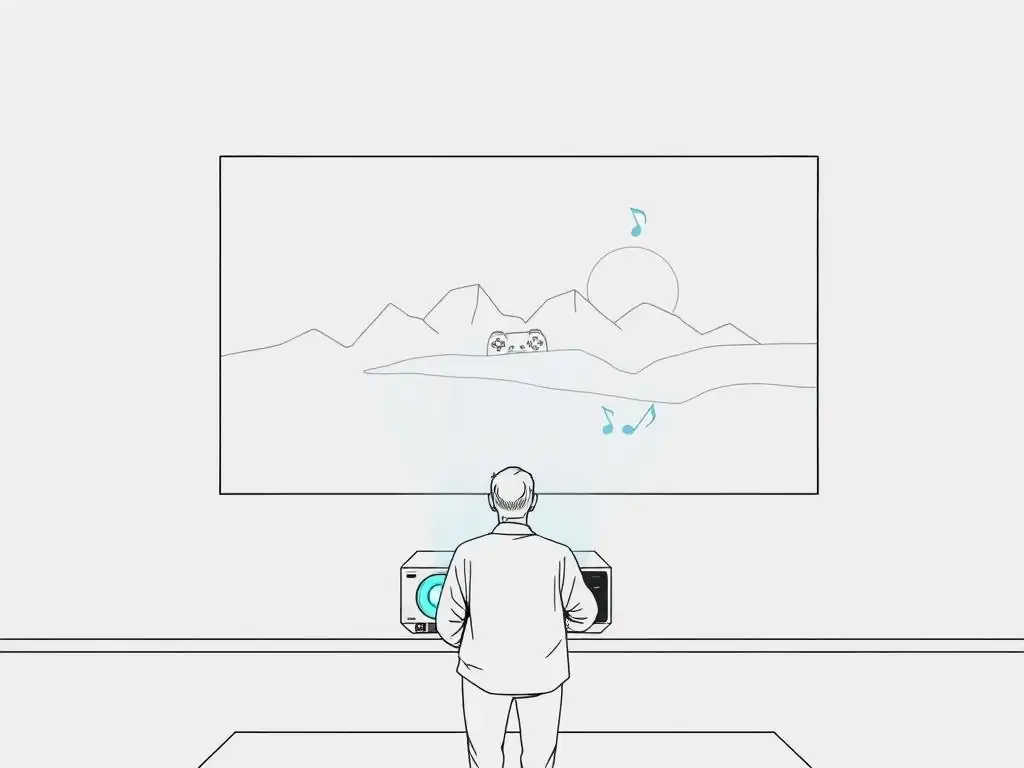
The best home projector for movies is also a versatile entertainment powerhouse. While cinematic experiences are a primary draw, a smart projector's capabilities extend far beyond simply playing films. Its large screen format opens up exciting possibilities for various activities, enhancing both productivity and leisure time. Let's explore some alternatives to movie nights.
Gaming on a Big Screen: The Ultimate Gaming Experience
Imagine playing your favorite video games on a screen that dwarfs your television. This isn't a futuristic fantasy; it's the reality offered by a smart projector. The immersive experience transforms casual gaming into an epic adventure. The increased screen size enhances detail, making gameplay more engaging and visually stunning.
For games with expansive landscapes or intricate details, the difference is truly transformative. Consider games like Red Dead Redemption 2 or Horizon Zero Dawn, where the vast environments benefit immensely from a larger display. The impact on reaction time is minimal, especially with projectors boasting low latency modes specifically designed for gaming.
Moreover, sharing the experience with friends and family becomes much easier, turning your living room into a collaborative gaming arena. Many modern projectors offer seamless integration with gaming consoles, simplifying the setup process. The enhanced visual experience alone makes a significant difference, making it a worthwhile investment for serious gamers.
Presentations and Business Use: Impress Your Audience with Professional Visuals
Beyond entertainment, smart projectors are invaluable tools for business and professional presentations. Forget cramped conference rooms and small screens. A projector transforms any space into a dynamic presentation environment. The ability to project crisp, high-resolution visuals allows for impactful presentations, improving audience engagement and comprehension. For instance, architects can showcase detailed building plans with breathtaking clarity, while educators can captivate students with interactive lessons.
The large screen size ensures everyone in the room has a clear view, eliminating the need for squinting or straining to see small details. The portability of many smart projectors makes them ideal for presentations in various locations, from offices to client meetings. Moreover, the ability to connect wirelessly simplifies setup, allowing for a seamless and professional presentation experience. Projectors are a great way to enhance professional communication and increase efficiency in business meetings.
Family Fun: Projecting Photos, Videos, and Games for Everyone to Enjoy
Smart projectors aren't just for individual enjoyment; they're a fantastic tool for shared family experiences. Transforming family photos and videos into a captivating slideshow is a simple yet impactful way to create lasting memories. The large screen size allows everyone to participate, reminiscing together over cherished moments. Beyond photos and videos, many projectors support a wide range of interactive games, turning your living room into a family game night hub.
Think interactive quizzes, collaborative drawing games, or even classic board games projected onto the wall, adding a unique and engaging dimension to family time. This shared experience fosters stronger family bonds and creates lasting memories. The ease of use and setup makes it accessible for all ages, turning even simple activities into memorable events. The versatility of a smart projector makes it a valuable addition to any family's entertainment arsenal.
Frequently Asked Questions about Smart Projectors
This section addresses common queries regarding smart projectors, focusing on helping you find the best home projector for movies, specifically addressing considerations like budget and room size. We'll also explore cutting-edge features in smart projector technology.
What is the best home projector for movies under $1000?
Finding the best home projector for movies under $1000 depends heavily on your individual needs and priorities. However, several excellent options consistently receive high praise. At this price point, you'll likely be looking at projectors with 1080p resolution, decent brightness (around 2000 lumens for a moderately lit room), and good contrast ratios. Features like built-in smart functionality (streaming apps, Wi-Fi) are becoming increasingly common even in this budget range.
Consider these key factors when making your choice:
- Brightness (Lumens): Higher lumens mean a brighter image, crucial for rooms with ambient light. For a darker room, you can get away with lower lumens.
- Resolution: 1080p (Full HD) is the sweet spot for many at this price, offering sharp and detailed images. 4K is available but usually at a higher price point.
- Throw Ratio: This determines how far the projector needs to be from the screen for a given image size. A shorter throw ratio is beneficial for smaller rooms.
- Lamp Life: A longer lamp life translates to lower long-term costs.
- Connectivity: Look for HDMI ports, USB ports, and Wi-Fi for versatile connectivity.
Choosing the "best" is subjective. Instead of focusing on one singular model, research several top-rated projectors within your budget from reputable brands. Read reviews focusing on image quality, ease of use, and features important to you. Pay close attention to user experiences to gauge real-world performance. Don't hesitate to compare specifications and features across different models to make an informed decision. Remember, the ideal projector for your home theater setup might differ from someone else's.
How do I choose a projector for my room size?
Selecting a projector based on your room size is crucial for optimal viewing. The key factors to consider are the projector's throw ratio and its brightness (lumens).
The throw ratio indicates the projector's distance from the screen relative to the image size. A shorter throw ratio is ideal for smaller rooms, allowing you to place the projector closer to the screen while still achieving a large image. Conversely, a longer throw ratio is better suited for larger rooms.
Brightness, measured in lumens, determines how well the image will appear in different lighting conditions. A brighter projector (higher lumens) is needed for rooms with more ambient light, while a less bright projector can suffice in a darkened room.
Here's a simplified guide:
| Room Size | Recommended Lumens (for moderately lit rooms) | Throw Ratio Considerations |
|---|---|---|
| Small (under 10ft x 10ft) | 1500-2000 | Shorter throw ratio preferred |
| Medium (10ft x 10ft - 15ft x 15ft) | 2000-3000 | Medium throw ratio, consider adjustable keystone correction |
| Large (over 15ft x 15ft) | 3000+ | Longer throw ratio, possibly a higher-lumen projector |
Remember that these are general guidelines. Consult the projector's specifications and use an online projector calculator to determine the ideal placement and image size for your specific room dimensions. Accurate measurements are key to avoiding disappointment.
What are the latest advancements in smart projector technology?
The world of smart projectors is constantly evolving. Several exciting advancements are enhancing the home theater experience.
- Improved Brightness and Resolution: Projectors are becoming significantly brighter and offering higher resolutions, including 4K and even 8K in higher-end models. This translates to sharper, more vibrant images, even in brightly lit rooms.
- Enhanced HDR Support: High Dynamic Range (HDR) technology continues to improve, delivering increased contrast and a wider color gamut for a more realistic and immersive viewing experience. Expect more projectors to support HDR10+ and Dolby Vision.
- Advanced Smart Features: Smart projectors are increasingly integrating seamless streaming platforms, voice control, and AI-powered features. This allows for effortless content access and personalized viewing experiences. Integration with smart home ecosystems is also becoming more common.
- Laser Phosphor Technology: Laser phosphor technology is gaining traction, offering longer lamp life, improved color accuracy, and brighter images compared to traditional lamp-based projectors.
- Portable and Compact Designs: Smaller, lighter, and more portable projectors are emerging, making them more versatile and convenient for various settings, not just dedicated home theaters.
- Interactive Features: Some projectors now include interactive capabilities, allowing users to interact directly with the projected image using gestures or touchscreens, opening up new possibilities for education and gaming.
These advancements are making smart projectors more accessible, user-friendly, and capable of delivering an unparalleled home cinema experience. The future looks bright (pun intended!) for this rapidly evolving technology. Keep an eye out for new models incorporating these innovations to find the best home projector for movies that matches your needs and budget.
How long do smart projectors typically last?
The lifespan of a smart projector depends significantly on several factors, making it difficult to give a single definitive answer. Think of it like asking how long a car will last – it depends on how well you maintain it and how often you use it! Generally, you can expect a good quality smart projector to last anywhere from 5,000 to 20,000 hours, but this is a broad range.
Let's break down the key influencing factors:
- Lamp Life: The most significant factor affecting projector longevity is the lamp. These lamps have a limited lifespan, typically measured in hours of use. Higher-end projectors often boast longer lamp lives, sometimes exceeding 10,000 hours in eco mode. Regular usage in bright mode will significantly reduce this lifespan. Replacing the lamp is a relatively straightforward process, but it's an added cost to consider over the projector's lifetime. Remember to check the manufacturer's specifications for your specific model to find its lamp life expectancy.
- Usage Frequency: Like any electronic device, frequent use accelerates wear and tear. A projector used daily for several hours will naturally degrade faster than one used only occasionally for movie nights. If you're a heavy user, expect to replace the lamp more frequently and potentially encounter other issues sooner.
- Maintenance and Care: Proper maintenance is crucial. Keeping the projector clean, free from dust and debris, and stored in a cool, dry place will prolong its life. Regular cleaning of the air vents and lens will prevent overheating and improve image quality. Ignoring maintenance can lead to premature failure of components. Think of it like regular car servicing – preventative maintenance is key!
- Projector Technology: Different projector technologies have varying lifespans. LED projectors generally boast a longer lifespan than those using traditional lamps, often lasting much longer before requiring a replacement. However, even LED projectors will eventually degrade in brightness over time.
- Environmental Conditions: Extreme temperatures and humidity can significantly impact a projector's lifespan. Operating the projector in excessively hot or cold environments can lead to premature failure of internal components. Always follow the manufacturer's guidelines for operating temperature and humidity.
While a precise lifespan is impossible to predict, with proper care and mindful usage, a high-quality smart projector, especially one using LED technology, can provide years of reliable entertainment. Always consult your projector's manual for specific maintenance recommendations and expected lamp life. This information will help you budget for potential lamp replacements and maximize your investment in the best home projector for movies.
Frequently Asked Questions
What makes a projector "smart"?
Smart projectors offer built-in Wi-Fi and streaming capabilities, allowing you to access content directly from apps like Netflix or Disney+ without needing a separate device. This eliminates the need for extra cables and simplifies setup.
What resolution should I look for in a home projector for movies?
For the best movie-watching experience, aim for at least 1080p (Full HD) resolution. While 4K offers sharper detail, 1080p provides a great balance of picture quality and affordability.
How bright of a projector do I need for a home theater?
The required brightness (measured in lumens) depends on your room's ambient light. For a dedicated dark room, 1500-2000 lumens is usually sufficient. Brighter lumens are needed for rooms with more ambient light.
What about throw distance and screen size?
Throw distance refers to the distance between the projector and the screen. Check the throw ratio specified by the manufacturer to determine the appropriate placement for your desired screen size.
What are some key features to consider beyond resolution and brightness?
Look for features like good contrast ratio for deeper blacks, low input lag for gaming, built-in speakers (though external speakers are often recommended), and easy-to-use interface. Consider your priorities to choose the best fit.
Final Reflection: Illuminating the Home Cinema Experience
The quest for the perfect home cinema experience is no longer a luxury; it's a readily accessible reality. Smart projectors, once a niche technology, are rapidly transforming how we consume entertainment, offering unparalleled immersion and convenience at increasingly affordable prices. This shift represents a fundamental change in how we interact with our media, moving beyond the limitations of smaller screens and embracing a truly cinematic atmosphere within our own homes.
The impact of this technological advancement extends far beyond simple entertainment. It's reshaping family gatherings, fostering a sense of shared experience, and even influencing interior design choices. The ability to transform any room into a personal movie theatre is profoundly impactful. The cinema is not just a place to watch films; it is a place to dream.
This sentiment, while originally about traditional cinemas, resonates deeply with the transformative power of the home projector, allowing us to cultivate our own spaces of dreams and escapism.
Consider the possibilities: movie nights with loved ones, immersive gaming sessions, or even transforming your living room into an art gallery showcasing stunning visuals. The technology is readily available; the choice is yours. Embrace the potential of smart projectors, and illuminate your home with the magic of the big screen. Don't just watch movies; experience them. Let the journey of cinematic immersion begin.
Unleash Your Home Cinema: Step into the World of Smart Projectors
Thanks for exploring the world of smart projectors with us! We hope you feel empowered to transform your living room into a cinematic haven. Ready to get started?
- Find the perfect projector: Use the information we've shared to research models that meet your needs and budget. Don't hesitate to explore lesser-known brands—you might discover a hidden gem!
- Share your setup: Tell us in the comments what kind of home cinema experience you're creating and which projector you chose! Inspire others with your vision.
- Design your space: Gather images and ideas to visually plan your perfect projector setup, including seating, lighting, and even themed snacks!
What amazing movie night will you plan first?