
The Ultimate Guide to Adjustable Standing Desks for Ergonomic Excellence

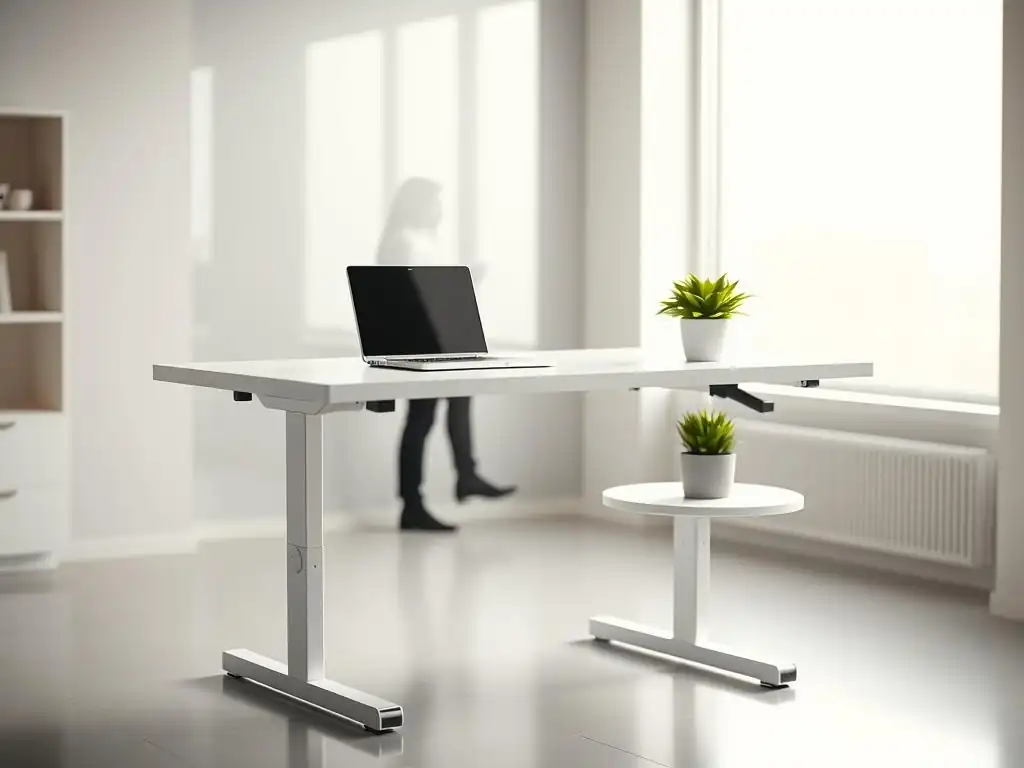
Ready to transform your workspace and unlock peak productivity? At UltimateLifeHacks, we're dedicated to sharing practical strategies for a more efficient and fulfilling life. This guide dives deep into the world of ergonomic excellence, exploring the best standing desk for ergonomics and how the right setup can revolutionize your daily routine. Discover how a simple change can dramatically impact your health, focus, and overall well-being—the secrets are waiting to be uncovered. Let's get started!
- Understanding the Benefits of a Height Adjustable Standing Desk for Improved Posture and Productivity
- Finding the Best Standing Desk for Ergonomics: Key Features to Consider
- Top Picks: Best Standing Desks for Ergonomics in 2024
- Setting Up Your Ergonomic Standing Desk for Optimal Comfort and Performance
- Addressing Common Concerns About Standing Desks
- Maintaining Your Standing Desk for Longevity and Optimal Performance
- Frequently Asked Questions
- Final Reflection: Ergonomics: Investing in Your Well-being, Today and Tomorrow
- Unlock Your Ergonomic Potential: Take the Next Step!
Understanding the Benefits of a Height Adjustable Standing Desk for Improved Posture and Productivity
Finding the best standing desk for ergonomics is crucial for anyone spending significant time at a desk, whether it's for work or personal projects. This ultimate guide will explore the multifaceted advantages of adjustable standing desks, focusing on how they contribute to better posture, increased productivity, and improved overall health.
We'll delve into the science behind their effectiveness, comparing sit-stand workstyles, and helping you choose the perfect ergonomic standing desk to meet your individual needs. Ultimately, this guide aims to equip you with the knowledge necessary to make an informed decision and transform your workspace into an ergonomic haven, boosting both your physical well-being and your work efficiency.
The benefits extend far beyond simply standing; an adjustable desk allows for dynamic movement and personalized comfort throughout the day, paving the way for a healthier and more productive you. We'll cover everything from choosing the right height to understanding the long-term impact on your health and productivity.
Ergonomics and Back Pain Relief: Choosing the Best Standing Desk for Your Needs
Back pain is a pervasive problem, particularly among desk workers. Prolonged sitting can lead to muscle strain, spinal misalignment, and a host of other issues. A height-adjustable standing desk offers a powerful solution by allowing you to alternate between sitting and standing throughout the workday. This dynamic posture reduces the strain on your back, promoting better spinal alignment and reducing the risk of chronic pain.
Choosing the best standing desk for your needs involves considering several factors. The desk's height adjustment range is crucial – it should accommodate both seated and standing positions comfortably. Consider also the stability of the desk; a wobbly desk can negate the ergonomic benefits. The size of the desk should also match your workspace and the equipment you use.
For example, those who frequently use multiple monitors might need a wider desk. Finally, the build quality and materials used play a significant role in the desk's longevity and overall ergonomics. A well-constructed desk will provide superior support and stability, enhancing the positive impact on your posture. Investing in a high-quality, adjustable standing desk is an investment in your long-term health and comfort.
Boosting Productivity with an Adjustable Standing Desk: A Comparison of Sit-Stand Workstyles
Many studies suggest that incorporating a standing desk can significantly boost productivity. But how does alternating between sitting and standing actually impact work output? A comparison of purely seated workstyles versus sit-stand workstyles reveals some interesting trends. While purely seated work can lead to fatigue and reduced focus, sit-stand workstations allow for increased energy levels and improved concentration.
The simple act of changing posture can revitalize the mind and body, leading to improved alertness and enhanced cognitive function. Furthermore, the ability to adjust your posture throughout the day caters to individual preferences and energy levels. Some individuals might find themselves more productive standing in the morning, while others prefer to sit in the afternoon.
The flexibility offered by an adjustable standing desk allows for personalized work routines, optimizing productivity based on individual needs and preferences. This adaptability is a key factor in maximizing the benefits of a sit-stand workstation. The data suggests that a well-implemented sit-stand strategy can lead to a noticeable increase in overall productivity and a reduction in feelings of fatigue and sluggishness.
The Science Behind Standing Desks and Their Impact on Health
The positive impact of standing desks isn't just anecdotal; there's substantial scientific evidence supporting their benefits. Studies have shown a correlation between prolonged sitting and an increased risk of various health problems, including obesity, heart disease, and type 2 diabetes. Conversely, incorporating standing into your workday can help mitigate these risks.
Standing burns more calories than sitting, contributing to weight management. Furthermore, standing promotes better blood circulation, reducing the risk of cardiovascular issues. The improved posture associated with standing desks can also alleviate back pain and improve overall musculoskeletal health.
The science clearly demonstrates that regular movement and changes in posture, facilitated by an adjustable standing desk, are beneficial for both physical and mental well-being. The integration of a standing desk into a daily routine is a proactive step towards a healthier and more energetic lifestyle, supporting a more balanced and sustainable approach to work and overall health. The long-term health benefits, combined with the potential for increased productivity, make the investment in a quality adjustable standing desk a worthwhile endeavor.
Finding the Best Standing Desk for Ergonomics: Key Features to Consider
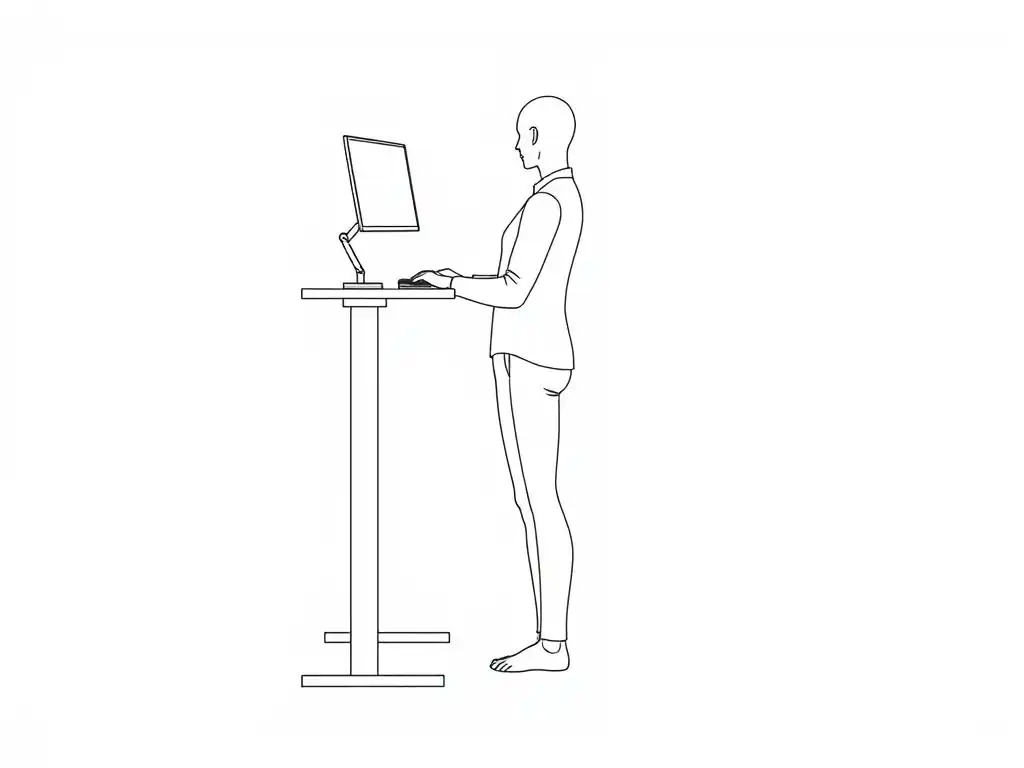
This section delves into the crucial features you should prioritize when searching for the best standing desk for ergonomics. Choosing the right desk significantly impacts your posture, comfort, and overall productivity. Ignoring these key features can negate the benefits of a standing desk and even lead to new ergonomic problems. We'll explore the critical aspects to ensure your investment enhances, not hinders, your well-being.
Motorized vs. Manual Standing Desks: A Detailed Comparison
The first major decision is whether to opt for a motorized or manual standing desk. Both offer adjustable height, but their functionality and price points differ significantly.
Motorized Standing Desks:
- Pros: Effortless height adjustment with the touch of a button; programmable height presets for quick transitions; smoother, quieter operation; often come with advanced features like collision detection and memory settings. They are generally more convenient, especially for frequent height adjustments throughout the day.
- Cons: Higher initial cost; potential for mechanical failure; reliance on electricity; can be heavier and more complex to assemble.
Manual Standing Desks:
- Pros: Lower initial cost; no electricity required; simpler design, less prone to mechanical issues; often more durable and robust in construction. They are a more budget-friendly option.
- Cons: Requires manual cranking to adjust height; can be strenuous, especially for frequent adjustments; slower adjustment process; may not be suitable for users with limited mobility.
| Feature | Motorized Standing Desk | Manual Standing Desk |
|---|---|---|
| Adjustment | Electronic, effortless | Manual cranking |
| Speed | Fast, smooth | Slower |
| Cost | Higher initial investment | Lower initial investment |
| Maintenance | Potential for mechanical issues, requires electricity | Less prone to mechanical issues, no electricity needed |
| Convenience | Highly convenient | Less convenient, requires physical effort |
Choosing between motorized and manual depends heavily on your budget, physical capabilities, and frequency of height adjustments. For users who frequently switch between sitting and standing, a motorized desk offers superior convenience. However, a manual desk is a viable and cost-effective alternative for those who adjust their desk less often.
Top Features to Look for in an Ergonomic Standing Desk: Adjustable Height Range, Stability, and Build Quality
Beyond the motor type, several other features are paramount for ergonomic excellence. These impact both comfort and the longevity of your desk.
- Adjustable Height Range: A wide adjustable height range is crucial to accommodate various body heights and preferred working positions. Aim for a range that allows you to comfortably work both sitting and standing. The ideal range should be at least 24-48 inches. A smaller range might restrict your optimal posture.
- Stability: A wobbly desk is a recipe for discomfort and potential injury. Look for a sturdy base and frame, capable of supporting your equipment and withstanding daily use. Pay close attention to reviews mentioning stability issues.
- Build Quality: Invest in a desk made from high-quality materials. Durable materials ensure longevity and resistance to wear and tear. Check for reinforced corners, sturdy legs, and a robust frame. Cheap materials often lead to early problems.
Consider these factors carefully. A desk with a limited height range might force you into uncomfortable postures, while instability can lead to frustration and back pain. A poorly constructed desk will not last, negating your investment.
Desk Size and Shape: Finding the Perfect Fit for Your Workspace and Workflow
The size and shape of your standing desk are equally important considerations. The best standing desk for ergonomics is one that perfectly complements your workspace and workflow.
- Desk Size: The ideal desk size depends on your needs and the amount of equipment you use. Consider the space available in your home office and the number of monitors, peripherals, and documents you need to accommodate. A cramped desk can lead to poor posture and reduced productivity.
- Desk Shape: Rectangular desks are the most common, offering a large, continuous work surface. L-shaped desks provide additional workspace, ideal for those who need more room for multiple monitors or documents. Standing desks also come in other shapes, such as curved or corner desks, offering unique aesthetic and practical benefits.
Careful consideration of both size and shape is crucial. A desk that's too small can lead to cramped conditions and uncomfortable posture, hindering productivity. Conversely, an overly large desk might waste space and create an inefficient workflow. Measure your space carefully before purchasing to ensure a proper fit. Think about your workflow and how you use your desk to determine the optimal size and shape.
Top Picks: Best Standing Desks for Ergonomics in 2024
This section dives into specific product recommendations, carefully selected for their ergonomic features and overall value. We've considered factors like adjustability range, stability, build quality, and user reviews to bring you the best standing desks for ergonomics in 2024. Remember, the "best" standing desk is subjective and depends on individual needs and preferences. However, these options represent excellent choices across different price points and space constraints.
Let's start with a premium option known for its exceptional ergonomics and build quality. This standing desk boasts a robust, heavy-duty frame, ensuring unwavering stability even at its maximum height. The smooth, motorized height adjustment allows for seamless transitions between sitting and standing, minimizing disruption to your workflow.
The large surface area provides ample space for multiple monitors and accessories, promoting a more organized and efficient workspace. It's also designed with cable management features, keeping your workspace tidy and professional. User reviews consistently praise its quiet operation and the overall feeling of quality.
This desk is an investment, but its longevity and ergonomic benefits justify the cost for many users seeking the ultimate in comfort and productivity. The desk's advanced features, including programmable height presets and anti-collision technology, further enhance the user experience. One particularly noteworthy feature is the integrated footrest, which significantly improves lower back support and alleviates strain during prolonged standing periods.
[Product Name 2]: A Budget-Friendly Option Without Compromising Ergonomics
Finding a balance between affordability and ergonomic excellence can be challenging, but this product manages to achieve this successfully. While lacking some of the advanced features found in premium models, such as programmable presets or anti-collision systems, this standing desk still offers excellent value for its price. It features a sturdy construction, a smooth manual crank mechanism for height adjustment (though slightly more effort is required compared to electric models), and a spacious desktop.
User reviews generally highlight its affordability and solid performance for its price point. While the manual adjustment might be a minor inconvenience for some, many users find it a worthwhile trade-off for the cost savings. This makes it an excellent entry point for individuals seeking the benefits of a standing desk without breaking the bank.
It's a perfect option for those prioritizing functionality and affordability over advanced features. The desk's simple design also means it's easy to assemble, saving you valuable time and effort.
[Product Name 3]: The Best Standing Desk Converter for Limited Space
Space is a premium commodity for many, especially in smaller homes or apartments. This standing desk converter offers a fantastic solution for those with limited space. Instead of a full replacement for a traditional desk, this converter sits atop your existing desk, transforming it into a standing desk with minimal footprint. It's lightweight and easily adjustable, allowing for quick transitions between sitting and standing.
The design is compact yet sturdy, providing enough space for a laptop and essential accessories. User reviews often emphasize its portability and ease of use. This option is ideal for those who rent, frequently move, or simply need a space-saving solution.
It’s a great way to experience the benefits of a standing desk without the commitment or space requirements of a full-sized model. The converter’s relatively low cost also makes it an accessible option for those on a tighter budget, further enhancing its appeal for space-conscious individuals. The simple, yet effective design prioritizes practicality and convenience.
This detailed analysis should help you choose the best standing desk for ergonomics to fit your specific needs and budget. Remember to prioritize your comfort and well-being when selecting your new standing desk! 💻💪
Setting Up Your Ergonomic Standing Desk for Optimal Comfort and Performance
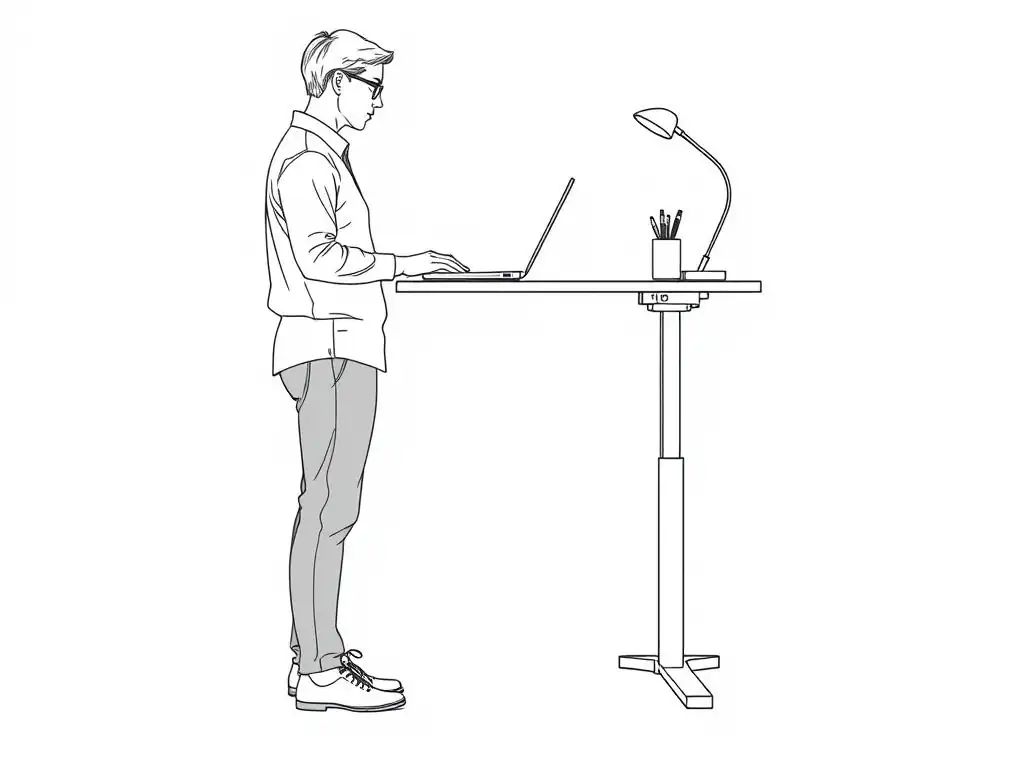
This section delves into the crucial aspects of optimizing your adjustable standing desk for peak ergonomic performance. Simply purchasing the best standing desk for ergonomics isn't enough; proper setup is key to reaping its benefits. Neglecting this crucial step can negate the positive impacts on posture and well-being. We'll explore the key elements to consider, ensuring you maximize comfort and productivity. Remember, the goal is to create a workspace that supports your body's natural alignment, minimizing strain and promoting long-term health.
Ergonomic Chair Selection: The Perfect Complement to Your Standing Desk
While a standing desk encourages movement, you'll still spend time sitting, whether taking breaks or during focused work periods. Therefore, selecting an ergonomic chair is just as crucial as the desk itself. Don't compromise on comfort and support. Look for a chair with adjustable features such as:
- Lumbar support: This crucial feature provides support for your lower back, preventing slouching and promoting proper spinal alignment. A chair without adequate lumbar support can lead to back pain, even when using a standing desk.
- Seat height adjustment: Allows you to position your feet flat on the floor, ensuring proper leg and hip alignment. Incorrect seat height can lead to discomfort and strain in your legs and back.
- Armrests: Adjustable armrests can provide support and reduce strain on your shoulders and neck. However, ensure they don't interfere with your keyboard and mouse positioning.
- Headrest (optional but beneficial): A headrest can be particularly helpful for extended periods of sitting, providing support for your neck and head.
Consider chairs with breathable mesh backs to improve airflow and prevent overheating. Investing in a high-quality ergonomic chair will significantly enhance your overall workspace comfort and reduce the risk of musculoskeletal issues. Prioritize comfort and adjustability—your body will thank you.
Essential Accessories for an Ergonomic Workstation: Monitor Arms, Keyboard Trays, Anti-Fatigue Mats
Beyond the desk and chair, several accessories can significantly improve your ergonomic setup. These aren't merely optional extras; they're essential components for achieving optimal comfort and preventing strain.
| Accessory | Benefit | Considerations |
|---|---|---|
| Monitor Arm | Allows for optimal screen height and positioning, reducing neck strain. | Choose a monitor arm with a sufficient weight capacity for your monitor. |
| Keyboard Tray | Enables optimal keyboard and mouse positioning, reducing wrist and shoulder strain. | Ensure the tray is adjustable in height and tilt to accommodate your posture. |
| Anti-Fatigue Mat | Provides cushioning and encourages subtle movement while standing, reducing fatigue. | Choose a mat with sufficient cushioning and a non-slip surface. |
Consider adding a document holder to keep frequently used documents at eye level, preventing neck strain from constantly looking down. These accessories work synergistically to create a truly ergonomic setup, going beyond just having the best standing desk for ergonomics. Proper accessories are investments in your long-term health and productivity.
Proper Desk Setup for Maximum Comfort: Positioning Your Monitor, Keyboard, and Mouse
Even with the best standing desk for ergonomics and the right accessories, incorrect positioning negates their benefits. Follow these guidelines for optimal setup:
- Monitor Placement: The top of your monitor should be at or slightly below eye level. This prevents neck strain from looking up or down.
- Keyboard and Mouse Positioning: Your elbows should be bent at a 90-degree angle, with your wrists straight and relaxed. Avoid reaching or hunching. The keyboard and mouse should be close enough to avoid stretching.
- Lighting: Ensure adequate lighting to reduce eye strain. Avoid glare from windows or overhead lights. Consider using a desk lamp for task lighting.
Remember to take regular breaks and change your posture frequently, even when using a standing desk. Regular stretching and movement are crucial for maintaining comfort and preventing stiffness. A well-positioned setup, combined with movement breaks, makes your standing desk a true asset for your health and productivity. Consider your personal needs and preferences when setting up the workspace. Experiment to find what works best for you.
Addressing Common Concerns About Standing Desks
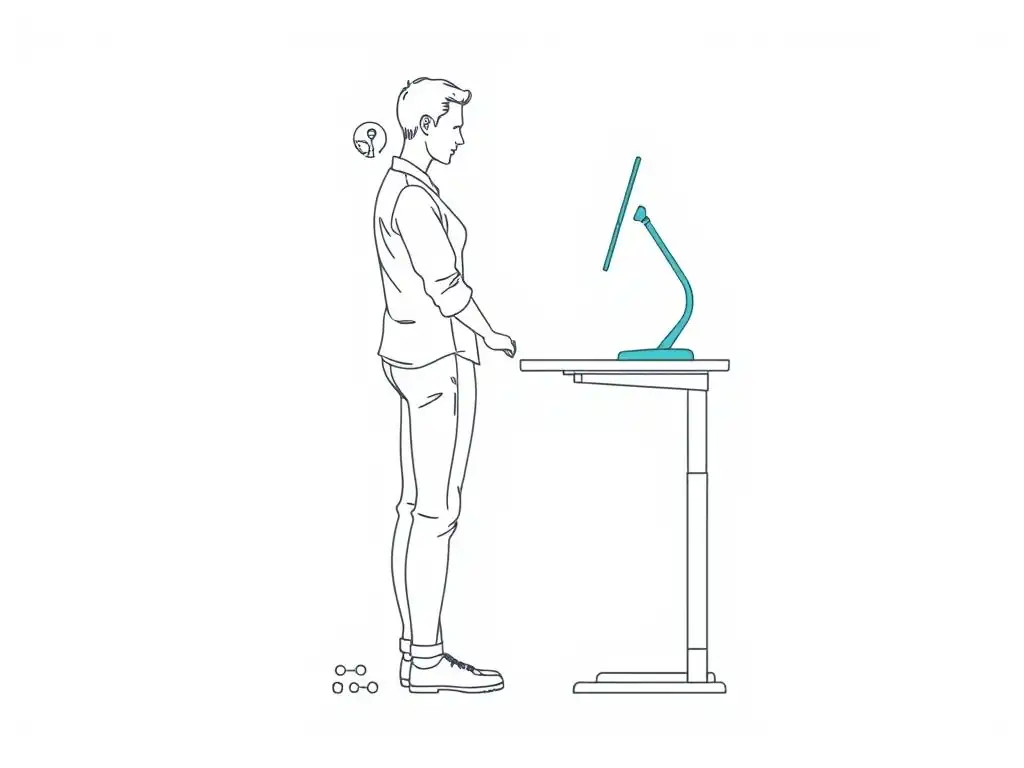
Many people are hesitant to switch to a standing desk due to concerns about potential drawbacks. Let's address some of the most common worries and provide solutions to mitigate them. The perceived downsides often outweigh the significant ergonomic benefits of a well-chosen and properly used standing desk, leading to missed opportunities for improved posture and increased energy levels throughout the workday. This section aims to dispel these myths and empower you to make an informed decision. Finding the best standing desk for ergonomics means understanding and addressing these concerns proactively.
Dealing with Fatigue and Foot Pain While Using a Standing Desk: Solutions and Recommendations
Prolonged standing can indeed lead to fatigue and foot pain. However, this is easily mitigated with the right approach. The key is to avoid static postures. Instead of standing rigidly in one spot for hours, incorporate movement and support.
Consider these solutions:
- Anti-fatigue mats: These specialized mats provide cushioning and encourage subtle movement, reducing pressure on your feet and legs. Look for mats with good support and a non-slip surface. Different materials offer varying levels of comfort and support, so consider your individual needs and preferences. For example, some individuals find memory foam mats provide superior comfort, while others prefer the durability and easier cleaning of rubber mats. Experimentation is key to finding the best standing desk for ergonomics in relation to your individual needs.
- Footrests: A footrest allows you to change your stance periodically, reducing strain on your lower body. Experiment with different positions—slightly elevated, flat, or angled—to find what works best for you. Ideally, a footrest should allow for a degree of adjustability to accommodate various heights and preferences. The correct footrest can make a considerable difference in alleviating discomfort and promoting long-term comfort.
- Regular movement: Even small movements, like shifting your weight from one foot to the other or taking short walking breaks, can significantly reduce fatigue and pain. Set reminders to move every 30-60 minutes to prevent stiffness and discomfort. Integrating short stretches or light exercises into your workday can also contribute to overall well-being and reduce the feeling of stiffness.
- Appropriate footwear: Wear comfortable, supportive shoes with good arch support. Avoid high heels or flat shoes that offer minimal support. Shoes designed for standing or walking for extended periods can significantly improve comfort levels.
Remember, the goal is to find a balance between standing and sitting throughout the day. This dynamic approach is crucial for achieving optimal ergonomic benefits and preventing discomfort.
Transitioning to a Standing Desk Gradually: Tips for Avoiding Discomfort and Injury
Abruptly switching to a standing desk can cause significant discomfort and even injury. Gradually transitioning is crucial for your body to adapt.
Here's a phased approach:
- Start slowly: Begin by standing for only 15-30 minutes at a time, gradually increasing the duration each day or week. Listen to your body and don't push yourself too hard, especially in the initial stages. A gradual transition minimizes the risk of injury and allows for better adaptation.
- Alternate between sitting and standing: Use a combination of sitting and standing throughout the day. This approach allows your body to adjust without experiencing excessive strain. Experiment with different ratios to determine the ideal balance for your personal needs and preferences. For instance, you might start with a 30-minute standing period for every hour of sitting, gradually increasing the standing time.
- Pay attention to your posture: Maintain good posture while standing, ensuring your back is straight and your shoulders are relaxed. Avoid hunching or leaning over. Proper posture is paramount in maximizing the benefits of a standing desk and preventing back pain.
- Listen to your body: If you experience any discomfort, reduce the amount of time you spend standing. Don't ignore pain signals—they are your body's way of indicating that something isn't right. Prioritizing your well-being is crucial for successful integration of a standing desk into your daily routine.
The Long-Term Benefits of Investing in an Ergonomic Standing Desk
Investing in the best standing desk for ergonomics offers substantial long-term benefits beyond immediate comfort. While the initial cost might seem significant, the long-term return on investment is considerable, both in terms of health and productivity.
- Improved posture: Regular use of a standing desk promotes better posture, reducing the risk of back pain, neck pain, and other musculoskeletal issues. This can lead to a significant improvement in overall health and well-being over time.
- Increased energy levels: Many users report increased energy levels and reduced fatigue after switching to a standing desk. This is partly due to increased blood circulation and reduced sedentary behavior. The enhanced energy levels can lead to increased productivity and a more positive work experience.
- Reduced risk of chronic diseases: Studies have shown a correlation between prolonged sitting and an increased risk of chronic diseases such as obesity, heart disease, and type 2 diabetes. By incorporating more standing into your workday, you can mitigate these risks and promote overall health.
- Enhanced productivity: While it might seem counterintuitive, many individuals find that using a standing desk enhances their productivity. The increased energy levels and improved focus can lead to a more efficient and productive workday. The improved posture and reduced discomfort can also contribute to a more focused and productive work environment.
The long-term benefits of an ergonomic standing desk far outweigh the initial investment, contributing to a healthier, more energetic, and ultimately more productive you. Choosing the right desk is a significant step towards a healthier and more fulfilling lifestyle.
Maintaining Your Standing Desk for Longevity and Optimal Performance
Maintaining your adjustable standing desk is crucial not only for its longevity but also for ensuring it continues to provide the ergonomic support it was designed for. Neglecting routine maintenance can lead to premature wear and tear, impacting its functionality and potentially even causing injury. This section details practical steps to keep your standing desk in top condition, maximizing its lifespan and your investment. Regular upkeep is key to achieving the best standing desk for ergonomics.
Cleaning and Care Tips for Your Adjustable Standing Desk
Regular cleaning prevents dust and grime buildup, which can affect the smooth operation of moving parts and compromise the desk's aesthetic appeal. Here's a simple cleaning routine:
- Weekly Cleaning: Use a slightly damp microfiber cloth to wipe down the desk surface. Avoid harsh chemicals or abrasive cleaners, as these can damage the finish. For stubborn stains, try a mild soap solution. Remember to unplug the desk before cleaning any electrical components.
- Monthly Deep Clean: Pay particular attention to the mechanism that raises and lowers the desk. Use compressed air to remove dust and debris from the moving parts. Check for any loose screws or bolts and tighten them as needed.
- Specific Material Care: The cleaning method will vary depending on the material of your desk. For example, a wood desk might require a specialized wood cleaner, while a laminate desk can be cleaned with a damp cloth. Always refer to the manufacturer's instructions for specific cleaning recommendations.
- Protecting the Surface: Use a desk pad or protector to safeguard the surface from scratches and stains, especially if you work with pens, laptops, or other items that could potentially damage the finish. This preventative measure significantly extends the lifespan of your best standing desk for ergonomics.
Troubleshooting Common Issues with Standing Desks: Noisy Motors, Wobbly Legs, etc.
Even the best standing desks can experience minor issues over time. Knowing how to address common problems can save you time and money on potential repairs.
- Noisy Motor: A noisy motor often indicates a need for lubrication. Check your manufacturer's instructions for recommended lubricants and application methods. Excessive noise could also point to a more serious mechanical problem requiring professional attention.
- Wobbly Legs: Wobbly legs usually result from uneven flooring or loose screws. Adjust the leveling feet (if present) to compensate for uneven surfaces. Tighten any loose screws or bolts to secure the legs firmly to the desk frame.
- Slow or Sticking Movement: This might be caused by dust or debris accumulating within the lifting mechanism. Try cleaning the moving parts with compressed air or a soft brush. If the problem persists, contact customer support for assistance.
- Control Panel Malfunction: If the control panel is unresponsive, check the power connection. If the issue continues, it may require a replacement control unit or professional repair.
Warranty and Customer Service: Choosing a Reliable Brand
Choosing a brand with a comprehensive warranty and responsive customer service is paramount. This ensures you have support if any problems arise. Consider these factors when researching your purchase:
| Feature | Importance |
|---|---|
| Warranty Length | Longer warranties indicate higher quality and confidence in the product. Aim for at least 5 years. |
| Warranty Coverage | Check what components are covered and what is excluded. Some may exclude damage from misuse. |
| Customer Support | Look for companies that offer multiple contact methods (phone, email, online chat) and have positive customer reviews. |
| Return Policy | A generous return policy provides peace of mind if you're not entirely satisfied. |
Prioritizing these aspects when selecting your standing desk ensures a positive experience and a long-lasting investment in your ergonomic workspace. Choosing the best standing desk for ergonomics means considering not just initial features, but also long-term support and maintenance.
Frequently Asked Questions
What are the benefits of using a standing desk for ergonomics?
Using a standing desk can significantly improve your posture and reduce back pain, promoting better overall health and increased productivity. It encourages movement and reduces the negative effects of prolonged sitting.
How do I choose the best standing desk for my needs?
Consider factors like height adjustability, stability, surface area, and build quality. Think about your budget and the features that are most important to you, such as a built-in memory function or cable management system.
What is the ideal height for a standing desk?
The ideal height depends on your individual height and preferences. However, a good starting point is to ensure your elbows are bent at a 90-degree angle when typing while standing. Experiment to find what works best for you.
Are there any potential downsides to using a standing desk?
Some users experience leg fatigue or foot pain initially. Gradually increasing standing time and using an anti-fatigue mat can help mitigate these issues. It's also important to continue incorporating sitting breaks into your routine.
Where can I find the best standing desks for ergonomics?
Many retailers offer a wide selection of standing desks, ranging from budget-friendly options to high-end models. Research and compare different brands and models to find the best fit for your budget and needs. Check reviews from other users to gain valuable insights.
Final Reflection: Ergonomics: Investing in Your Well-being, Today and Tomorrow
The pursuit of ergonomic excellence isn't just a trend; it's a fundamental shift in how we approach work and well-being. Investing in an adjustable standing desk is not merely about comfort; it's a proactive measure to safeguard your physical and mental health for years to come, impacting productivity and overall quality of life.
The impact of prolonged sitting on our bodies is undeniable, and the rise of adjustable standing desks reflects a growing awareness of this crucial issue. The shift towards a more active work environment is more than just a workplace upgrade; it's a cultural change that prioritizes health and well-being. The body achieves what the mind believes.
This quote speaks volumes about the power of intentionality in our daily routines, and choosing an ergonomic setup is a powerful statement of self-care.
Now, consider your own workspace. What adjustments can you make today to improve your posture and reduce strain? Perhaps it's investing in a quality standing desk, or maybe it's simply incorporating more movement breaks into your workday. Take this opportunity to prioritize your health; your future self will thank you for it. The journey to ergonomic excellence is a personal one, and the first step is always the most important.
Unlock Your Ergonomic Potential: Take the Next Step!
Thank you for exploring the world of adjustable standing desks! We hope this guide has provided you with the information you need to improve your workspace. Now, let's put that knowledge into practice.
- Invest in your well-being: Choose an adjustable standing desk that meets your needs and budget. Consider the desk's size, height adjustability, and overall quality. This is crucial for realizing the benefits we've discussed.
- Share your ergonomic journey: Tell your friends and colleagues about your experience with an adjustable standing desk. Encourage them to prioritize their health and comfort at work.
- Experiment with your posture: Vary your standing and sitting positions throughout the day. Note how different postures impact your comfort and productivity. Share your observations in the comments below!
Ready to experience the transformative power of ergonomic excellence? What's the first change you'll make to your workspace today?