
Digital Workflow
Streamline your digital life and reclaim hours of lost time with our Digital Workflow hacks—practical, battle-tested strategies to automate repetitive tasks, organize projects effortlessly, and master communication tools. From optimizing your digital workspace for zero clutter to implementing effective email and messaging protocols, we cut through the noise to help you focus on what truly matters. Whether you’re juggling multiple client updates or simply drowning in browser tabs, these productivity tips turn chaos into clarity, boosting your efficiency without the burnout. 🚀 Ready to work smarter, not harder? Dive in and transform your daily routine into a high-speed, low-stress engine. 🔥
 Improving Digital Workflow: Optimizing Digital Workspace
 Improving Digital Workflow
 Improving Digital Workflow: Effective Digital Communication Strategies
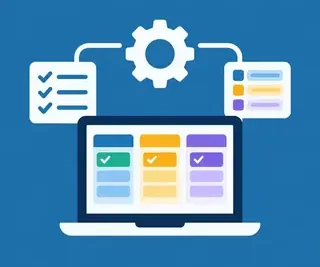 Improving Digital Workflow: Managing Digital Projects & Tasks
Master Your Digital Workflow with UltimateLifeHacks
Welcome to the Digital Workflow hub at UltimateLifeHacks, where we turn chaotic digital chaos into streamlined productivity. Here, you’ll discover actionable life hacks to save time, reduce friction, and optimize daily routines across your software, devices, and digital habits. Whether you’re juggling multiple projects, drowning in emails, or struggling to find files, these subcategories offer step-by-step strategies, tool recommendations, and psychological tricks to reclaim hours each week. Dive in to transform your digital environment from a source of stress into a well-oiled machine of efficiency.
📋 Improving Digital Workflow: Managing Digital Projects & Tasks
This subcategory zeroes in on project planning, task prioritization, and workflow automation. Expect to learn how to break large projects into manageable subtasks using Kanban boards, time-blocking methods, and smart to-do lists. We cover tools like Trello, Asana, and Notion, plus advanced techniques such as the Eisenhower Matrix and "eating the frog." You’ll also get hacks for automating repetitive administrative work with Zapier or IFTTT, ensuring your digital task management becomes proactive, not reactive.
💬 Improving Digital Workflow: Effective Digital Communication Strategies
Communication inefficiencies are a major time drain. Here, we teach you to cut email clutter, master asynchronous messaging, and run shorter, more productive meetings. Discover rules for when to use Slack vs. email vs. quick calls, plus templates for status updates and feedback. We also cover "inbox zero" methods, batching email checks, and setting communication boundaries with colleagues and clients. These life hacks reduce context-switching and help you maintain focus, turning your inbox and chat apps from distractions into powerful collaboration tools.
⚡ Improving Digital Workflow
This core section provides a holistic overview of digital workflow optimization, from morning startup routines to evening shutdown protocols. You’ll find evidence-based strategies for reducing digital friction, such as keyboard shortcut mastery, browser tab management, and batch processing of low-value tasks. We also explore deep work principles and "single-tasking" to boost cognitive efficiency. Expect practical checklists and habit-building frameworks that you can implement today, helping you save minutes every hour and measure your productivity gains over time.
🖥️ Improving Digital Workflow: Optimizing Digital Workspace
Your digital workspace—desktop, folders, cloud storage, and browser—directly impacts your mental clarity. This subcategory teaches you how to declutter your computer, organize files with naming conventions, and set up a friction-free cloud architecture. Learn to create a "zero desktop" policy, use search-based indexing effectively, and automate backups. We also cover multi-monitor setups, ergonomic keyboard shortcuts, and distraction-free writing environments. The goal is to make your virtual desk as clean and functional as a physical one, reducing time spent hunting for what you need.
Frequently Asked Questions
What is the quickest win for improving digital workflow?
The fastest win is to implement a "Two-Minute Rule" combined with batching. If a digital task takes under two minutes (like replying to a short email), do it immediately. For everything else, batch similar tasks—like checking emails or updating spreadsheets—into two to three dedicated time blocks per day. This reduces context-switching and can reclaim up to 60 minutes daily.
Which project management tool is best for a solo entrepreneur?
For solo entrepreneurs, Notion is ideal because it combines task lists, project boards, note-taking, and databases in one. Trello is simpler if you prefer visual Kanban boards. Avoid heavy tools like Asana initially, as they add overhead. Start with a single board, list your top three projects, and use the "Now/Next/Later" framework to keep focus.
How do I stop digital distraction during deep work?
Use a combination of digital and physical blockers. Turn off all non-essential notifications on your phone and desktop, and use apps like "Cold Turkey" or "Freedom" to block distracting websites during deep work sessions. Set your chat status to "Do Not Disturb" and schedule a 90-minute focused block each morning. Keep your phone in another room—it reduces willpower depletion.
What is the best way to organize digital files for quick retrieval?
Adopt a "flat hierarchy" with a consistent naming convention. Avoid deep nested folders (max three levels). Name files with date-first format (YYYY-MM-DD_Project_Description) so sorting is chronological. Use tags and smart folders in cloud drives like Google Drive or Dropbox. Commit to a weekly 10-minute cleanup to purge duplicates and old downloads.
Can automation really save hours in digital workflow?
Yes, but only if applied to repetitive, rule-based tasks. Start by automating email filtering, file renaming, and data entry between apps. For example, use Zapier to send new form submissions to your CRM and create a task. Even 5-10 hours saved per month is realistic. Begin with one automation, measure its impact, then expand gradually to avoid complexity.