Save Time and Effort: Automate Your Social Media Interactions and See Results
😊 Reclaim your time! Learn how to automate social media efficiently, boosting your presence without the endless scrolling. This article reveals simple…
Read article
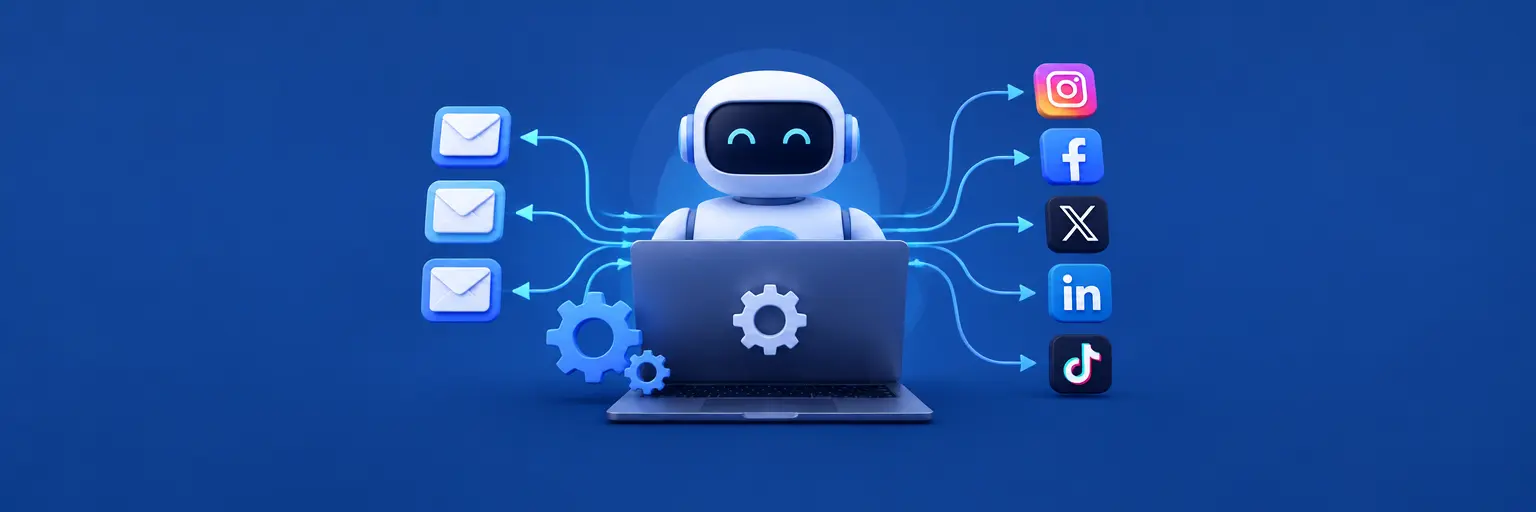
Unlock more free time by automating the repetitive digital chores that eat your day. With email & social media automation, you can schedule posts, filter inboxes, and trigger smart replies on autopilot—so your online presence runs itself while you focus on what truly matters. From drafting templates to curating content calendars, these workflow hacks turn chaotic communication into a seamless, set-and-forget system. Boost productivity, reduce manual clicks, and never miss a follow-up again. Whether you’re a busy professional or a solopreneur, mastering these tools is the ultimate shortcut to effortless efficiency in your daily routine.
😊 Reclaim your time! Learn how to automate social media efficiently, boosting your presence without the endless scrolling. This article reveals simple…
Read article
😊 Reclaim your time! This guide reveals how to automate emails for productivity, from simple setup to sophisticated strategies. Master email automation…
Read article
🤔 Drowning in emails? Reclaim your time! Learn how to automate email filtering efficiently, conquering inbox overload and boosting productivity with simple,…
Read articleWelcome to the ultimate guide for reclaiming your time by automating your most repetitive digital chores. At UltimateLifeHacks, we understand that your inbox and social feeds can become relentless time-sinks. This subcategory focuses on practical, low-effort strategies to batch, schedule, and auto-respond, so you can focus on high-impact work and personal moments. Here, you’ll discover tools, templates, and clever workflows that turn manual drudgery into a self-running system—boosting your productivity and reducing digital burnout.
Email automation starts with setting up intelligent filters that sort, label, and archive messages without your input. You’ll learn how to create rules for newsletters, receipts, and client follow-ups, ensuring only priority emails reach your main inbox. Combine this with auto-reply templates for common queries—like “Where is my order?”—to maintain professional responsiveness even when you’re offline.
Beyond basic filters, we dive into advanced tactics like using Gmail’s nested labels, forwarding certain senders to task managers, and setting up vacation responders with calendar-aware logic. Key benefit: you can shave off 30–60 minutes daily by letting your inbox self-organize. We also cover how to avoid the spam folder while automating, so your replies remain trustworthy. Expect step-by-step walkthroughs for both Gmail and Outlook, plus plugin recommendations for custom workflows.
Never post manually again. We compare top schedulers like Buffer, Hootsuite, and Later, focusing on free tiers and hidden power features. You’ll learn how to bulk upload a week’s worth of posts in one sitting, auto-select optimal posting times based on audience analytics, and recycle evergreen content with a single click. This transforms your social strategy from reactive to proactive.
Our guides also cover cross-posting—how to adapt one image or caption across Instagram, X, LinkedIn, and Facebook without looking lazy. We emphasize consistent branding and engagement windows, plus how to use AI writing assistants to generate captions faster. We’ll share a simple Kanban-style calendar template for planning, and show you how to connect schedulers with Canva for automated graphic resizing. By the end, you’ll have a hands-free social pipeline that posts while you sleep.
Engagement is crucial, but constant commenting and replying can eat your whole day. We explore AI-driven tools that automatically like, comment, and follow relevant accounts in your niche—safely and within platform limits. You’ll also see how to set up keyword-based auto-replies for DMs on Instagram or LinkedIn, ensuring leads get instant responses.
For comment sections, we discuss moderation bots that filter spam, hide offensive words, and auto-pin positive feedback. Important caveat: we stress ethical automation—avoiding fake engagement and keeping your account safe from shadowbanning. We provide a checklist for compliant setup, plus manual review hacks to maintain authenticity. Expect case studies showing how small businesses reduced moderation time by 80% while increasing genuine interactions.
The real magic happens when email and social tools talk to each other. We’ll introduce you to no-code platforms like Zapier, Make, and IFTTT, showing you how to create “if this, then that” triggers. For example: when you receive a specific email label, automatically post a thank-you tweet; or when you publish a blog post, trigger an email blast to your subscribers.
We break down popular automation chains—like capturing new email subscribers into a social media retargeting list, or turning Instagram comments into a spreadsheet for customer feedback. Critical success factor: you’ll learn to test triggers with shortest paths and avoid infinite loops. We also offer a pre-built recipe library for common workflows, saving you hours of setup. This section turns your digital tasks into a cohesive, self-regulating ecosystem.
Automation isn’t set-and-forget; it needs monitoring to improve performance. We cover how to track open rates, click-through rates, and social engagement statistics from your automated emails and posts. You’ll learn to set up simple dashboards using Google Analytics or native platform insights, so you can see which automations are worth keeping.
We also explain A/B testing for subject lines, send times, and caption styles—all within your scheduler’s built-in tools. Key optimization tip: use rolling 30-day data to refine your filters and triggers, removing dead weight. We provide a monthly audit checklist and show you how to pause or modify failing automations without losing your audience. The goal is continuous improvement, turning your automated system into a learning machine that gets smarter every week.
Only if you write stiff templates. Use conversational language, include the recipient’s name, and add a human-sounding fallback. Always offer a “click to chat live” option for complex queries. Test your auto-replies with friends to ensure they feel personal—automation handles the wait, but tone is yours to control.
Yes, but you must stay within Instagram’s unofficial limits—usually under 60 actions per hour. Use reputable tools that mimic human pause intervals and avoid bulk following/unfollowing. Focus on liking relevant content and replying to your own followers, not mass commenting. Always set a daily cap and review activity logs.
For pure Gmail users, the built-in filters and canned responses are completely free. For multi-account or advanced scheduling, try MailerLite’s free tier (up to 1,000 subscribers) or Google Workspace’s vacation responder. If you need trigger-based automations, Zapier’s free plan offers 100 tasks/month—enough for basic chains.
Absolutely, but avoid posting everything at once. Spread scheduled posts across peak engagement times—typically 9 a.m., 1 p.m., and 5 p.m. on weekdays. Use your scheduler’s auto-split feature to stagger content. Also, leave room for real-time engagement on breaking news or trending topics, which scheduling cannot cover.
Always set up test runs with a secondary account before going live. Check your triggers for “only when” conditions to avoid duplicates. Use error alerts via email or Slack from your automation tool. Finally, review your logs weekly to catch mis-fires early—most platforms let you pause automations instantly.