Enhancing Digital Efficiency: Streamlining Digital Communication
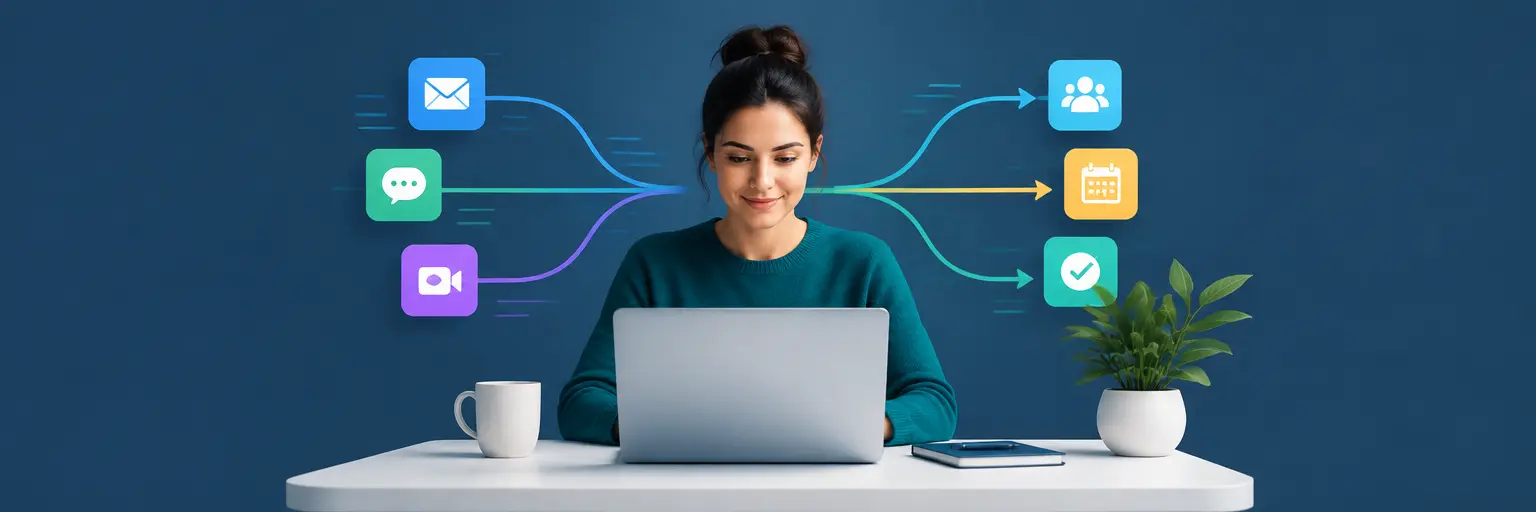
In today’s hyper-connected world, digital communication can either be your greatest productivity ally or your biggest time sink. This subcategory of Digital Efficiency focuses on practical strategies, tools, and habits to cut through email overload, instant message noise, and meeting fatigue. Whether you’re a remote worker, entrepreneur, or busy parent, streamlining how you communicate digitally saves hours weekly and reduces stress. Here, you’ll discover actionable life hacks to centralize messages, automate responses, set communication boundaries, and choose the right channel for every conversation—so you can reclaim focus and respond faster without burning out.
📧 Mastering Inbox Zero Without the Guilt
Email remains the backbone of professional communication, yet it’s also the #1 productivity killer for most people. Instead of obsessing over emptying your inbox daily, learn to implement a triage system that prioritizes action, delegation, or deletion within 60 seconds. Use filters, labels, and scheduled send features to handle routine messages automatically, allowing you to focus only on high-value correspondence. This approach reduces decision fatigue and keeps your email from becoming a chaotic to-do list.
You’ll also discover the “two-minute rule” adapted for email, plus how to batch-check inboxes at set intervals (e.g., 10 AM, 2 PM, 5 PM) instead of constant refreshing. By implementing these hacks, you can cut email time by 40–50% while improving response quality. Expect to learn how to craft concise, action-oriented replies that reduce back-and-forth threads, and how to use canned responses for frequent queries without sounding robotic.
💬 Taming Instant Messaging Overload in Teams
Slack, Microsoft Teams, and WhatsApp are essential for real-time collaboration, but they can fragment your attention with endless pings. This section covers how to set channel etiquette—like using threads for side conversations, muting non-urgent channels, and turning off notifications outside working hours. You’ll learn to use status messages and “do not disturb” modes strategically, ensuring teammates know when you’re in deep work mode.
We’ll also dive into the art of asynchronous communication: sharing short voice notes instead of typing long paragraphs, using emoji reactions for quick confirmations, and documenting decisions in shared wikis rather than chat history. These habits cut down on meeting requests and clarify ownership. Expect practical templates for daily standup messages and rules to prevent “reply-all” chaos, enabling your team to communicate faster while feeling less overwhelmed.
🎯 Choosing the Right Channel: Synchronous vs. Asynchronous
One of the biggest efficiency hacks is knowing when not to call a meeting. This subcategory teaches you a simple framework to decide: use synchronous communication (calls, video, in-person) only for complex problem-solving, brainstorming, or emotional discussions. Everything else—status updates, document reviews, quick questions—can be asynchronous via email, comments, or project management tools. This shift alone can reduce meetings by 30%.
We’ll show you how to create “office hours” for live questions, use shared documents with comment threads for collaborative editing, and leverage tools like Loom or voice memos for short updates. You’ll learn to recognize “meeting zombies” (people who attend just to stay informed) and replace with a concise weekly digest. The result? Fewer interruptions, more deep work, and faster turnaround on non-urgent tasks.
🤖 Automating Routine Communication Workflows
Automation is the secret weapon for digital efficiency. This section explores no-code tools like Zapier, IFTTT, and built-in email rules to handle repetitive tasks. For example, automatically labeling bills, forwarding newsletter subscriptions to a separate folder, or sending a welcome email when someone fills a contact form. You’ll also learn to schedule social media replies and set auto-reminders for follow-ups based on client messages.
We’ll cover smart email snippets and templates for booking appointments, answering FAQs, and confirming orders. Expect step-by-step guides on integrating calendar tools with email to propose times automatically, and using chatbots for basic customer queries on your website. These automations free up 5–10 hours per month and ensure no message gets lost, making your communication faster and more reliable.
🕒 Setting Boundaries for Digital Communication
Streamlining isn’t just about tools—it’s about protecting your attention. This part focuses on creating clear communication hours: when you check messages, when you respond, and when you go offline. Learn to communicate these boundaries to colleagues and clients using auto-responders, status updates, and calendar blocks. For example, set a “response time” expectation (e.g., within 4 business hours) to reduce anxiety on both sides.
We’ll also tackle the habit of “notification addiction” by suggesting visual cues—like turning off badges or using separate devices for work and personal chats. You’ll learn to batch-draft replies, delegate non-urgent messages, and say “no” gracefully to low-priority asks. These habits prevent burnout and improve the quality of your interactions, since you’ll respond with a clear mind rather than in a rushed state.
🔍 Centralizing Communication Across Platforms
If you juggle email, Slack, WhatsApp, and project apps, you’re losing time switching contexts. This subcategory covers unified inbox solutions and best practices to consolidate channels. Tools like Shift, Spike, or Front can pull messages from multiple platforms into one view, allowing you to search and reply without jumping tabs. You’ll also learn to create a single “source of truth” for each project—like using a shared task manager where comments and files live together.
We’ll discuss the pros and cons of keeping personal and professional channels separate, plus how to use “topic-based” channels instead of person-based chats to reduce duplication. Expect tips on migrating from one tool to another without losing history and setting up rules so that urgent messages always raise a visible alert. This integration reduces mental load and ensures you never miss a critical message buried in a less-checked app.
Frequently Asked Questions
How can I stop checking email so often?
Set three fixed times daily to check email (e.g., 10 AM, 2 PM, 5 PM). Turn off push notifications and use a desktop widget that only shows unread count. Train colleagues to expect responses within business hours, not instantly. For urgent matters, they can call or use a separate urgent channel.
What is the best way to cut down meeting time?
Replace status-update meetings with a shared document or project tracker that everyone updates asynchronously. For complex discussions, schedule shorter sessions (25 minutes) with a strict agenda. Challenge every meeting: if it can be an email, a Loom video, or a comment thread, don’t meet. Use async video for quick feedback.
Should I use a chatbot for customer support?
Yes, for repetitive queries like business hours, shipping status, or password resets, a simple rule-based chatbot saves time. Start with 5–10 FAQ answers and escalate to a human for complex issues. Use tools like ManyChat or Tidio to integrate with your email and social media. Always offer a “talk to human” option.
How do I set communication boundaries with my boss?
Be explicit: propose a response-time policy (e.g., “I check messages at 9 AM and 3 PM”), then stick to it. Use your calendar to block “deep work” hours and set your status to “Do Not Disturb” during that time. In your auto-responder, state that you’ll reply within 4 hours. If a matter is urgent, they can call.
What are the best free tools to centralize messaging?
Front offers a free tier for basic email+chat aggregation; Spike converts email into chat-like threads. For a dashboard, use Shift to combine email, Slack, WhatsApp, and calendar. Alternatively, use Notion or Trello as a central hub—link all platforms via webhooks or manual shortcuts. Start with one tool to avoid overcomplicating.