
The GameChanging Tech Gadgets Every Home Office Needs

Ready to transform your home office from chaotic to command central? At UltimateLifeHacks, we're dedicated to helping you conquer your to-do list and reclaim your time. Discover the game-changing impact of the right technology with our deep dive into the Best home office tech gadgets – tools designed to boost your productivity and streamline your workflow. Prepare to be amazed by what's possible!
- Boosting Productivity with the Best Home Office Tech Gadgets in 2024
-
Elevate Your Workflow with Top-Tier Home Office Tech: Monitors & Displays
- Immersive Visuals: Best High-Resolution Monitors for Enhanced Focus (e.g., Dell UltraSharp U2720Q, LG UltraFine Ergo)
- Dual-Screen Setup: Maximize Productivity with the Best Dual Monitor Arms (e.g., Amazon Basics Dual Monitor Stand, VIVO Dual Monitor Stand)
- Expanding Your Workspace: Best Ultrawide Monitors for Seamless Multitasking (e.g., Samsung Odyssey G9, LG 38WN95C-W)
-
Essential Home Office Tech Gadgets for Seamless Communication
- Crystal-Clear Audio: Top Noise-Cancelling Headsets for Professional Calls (e.g., Bose Noise Cancelling Headphones 700, Sony WH-1000XM5)
- High-Quality Webcams: Best Webcams for Sharp Video Conferencing (e.g., Logitech Brio, Razer Kiyo Pro)
- Streamlined Meetings: Best Software for Virtual Collaboration (e.g., Zoom, Microsoft Teams)
- Optimizing Your Home Office Setup with Smart Home Tech Gadgets
- Top Home Office Tech Gadgets for Enhanced Organization and File Management
- Investing in the Best Home Office Tech: A Guide to Maximizing Your ROI
-
Frequently Asked Questions
- What tech gadgets are essential for a productive home office?
- Which gadgets improve focus and reduce distractions in a home office?
- What are some budget-friendly tech gadgets that still offer significant benefits?
- How can technology improve my home office organization?
- Are there any specific tech gadgets recommended for those working remotely?
- Final Reflection: Shaping the Future of Work, One Gadget at a Time
- Unlock Your Productivity: Upgrade Your Home Office Today!
Boosting Productivity with the Best Home Office Tech Gadgets in 2024
Setting up a truly productive home office isn't just about having a desk and a laptop; it's about strategically incorporating technology that streamlines your workflow and enhances your overall well-being. This article dives deep into the game-changing tech gadgets that can transform your home workspace from a source of frustration into a haven of efficiency. We’ll explore the best ergonomic solutions, noise-canceling marvels, and smart assistants that will elevate your productivity and make working from home a genuinely enjoyable experience.
Forget struggling with inefficient setups – discover the cutting-edge tools that will help you conquer your to-do list and achieve peak performance. This definitive guide will help you identify the best home office tech gadgets for your specific needs, ensuring you're investing wisely in tools that will deliver tangible results.
We'll cover everything from ergonomic essentials to smart home integrations, ultimately helping you create the ultimate productive home office environment. Get ready to optimize your workspace and unlock your full potential!
Ergonomic Upgrades: Chairs, Keyboards, and Mice for Optimal Comfort
Investing in ergonomic equipment is crucial for long-term comfort and productivity. Spending hours hunched over a desk can lead to serious physical problems, impacting both your work and your overall health. This section focuses on upgrading your workspace with ergonomic chairs, keyboards, and mice, significantly reducing strain and improving your posture. The right tools can make a world of difference in preventing repetitive strain injuries and promoting a healthier work-life balance. Remember, a comfortable and supportive workspace is the foundation of a productive one.
Say Goodbye to Back Pain: Top Ergonomic Chairs for Long Workdays (e.g., Herman Miller Aeron, Steelcase Leap)
Long workdays demand a chair that prioritizes comfort and support. Investing in a high-quality ergonomic chair is an investment in your health and well-being. Chairs like the Herman Miller Aeron and Steelcase Leap are renowned for their adjustable features, lumbar support, and breathable materials. These chairs are designed to adapt to your body's unique needs, promoting proper posture and reducing back pain.
While these are premium options, several other excellent ergonomic chairs offer similar benefits at various price points. Consider factors like adjustability (height, armrests, lumbar support), material breathability, and overall comfort when making your selection. Proper posture is crucial for preventing long-term health issues and maximizing productivity. Choosing the right chair is a significant step towards a healthier and more efficient home office.
Precision Typing: Best Ergonomic Keyboards for Reduced Strain (e.g., Logitech Ergo K860, Microsoft Sculpt Ergonomic Keyboard)
Ergonomic keyboards are designed to promote a natural hand position, reducing strain and discomfort during extended typing sessions. Keyboards like the Logitech Ergo K860 and Microsoft Sculpt Ergonomic Keyboard feature split designs and curved key layouts that encourage a more natural wrist and hand position. This can significantly reduce the risk of carpal tunnel syndrome and other repetitive strain injuries.
Consider the keyboard's key travel, responsiveness, and overall comfort during extended use. Experimenting with different keyboard types might be necessary to find the perfect fit for your typing style and preferences. Remember, investing in an ergonomic keyboard is an investment in your long-term health and productivity.
Effortless Control: Top-Rated Ergonomic Mice for Enhanced Productivity (e.g., Logitech MX Vertical, Anker Wireless Vertical Ergonomic Mouse)
Similarly, an ergonomic mouse can significantly reduce hand and wrist strain. Vertical mice, like the Logitech MX Vertical and Anker Wireless Vertical Ergonomic Mouse, encourage a more natural hand position, minimizing wrist twisting and strain. These mice often feature customizable buttons, allowing for personalized shortcuts to boost productivity.
Factors to consider when choosing an ergonomic mouse include its shape, size, weight, and button placement. Finding the right mouse can dramatically improve comfort and efficiency during your workday, contributing to a healthier and more productive home office experience. The benefits extend beyond immediate comfort; they contribute to long-term health and overall well-being.
Elevate Your Workflow with Top-Tier Home Office Tech: Monitors & Displays
This section focuses on transforming your home office workspace with cutting-edge monitor and display technology, significantly boosting productivity and comfort. Choosing the right display is crucial for optimizing your workflow and minimizing eye strain. Investing in high-quality monitors is an investment in your efficiency and well-being – a key component of achieving the ultimate home office setup. We'll explore several options to cater to various needs and budgets, all contributing to the title of "best home office tech gadgets."
Immersive Visuals: Best High-Resolution Monitors for Enhanced Focus (e.g., Dell UltraSharp U2720Q, LG UltraFine Ergo)
High-resolution monitors are paramount for detailed work, reducing eye strain and enhancing focus. A sharp, clear image minimizes the cognitive load associated with squinting or straining to see fine details. This translates to increased efficiency and reduced fatigue, especially during prolonged work sessions.
Models like the Dell UltraSharp U2720Q, known for its vibrant colors and exceptional clarity, and the LG UltraFine Ergo, praised for its ergonomic design and stunning resolution, exemplify this category. The difference between a standard monitor and a high-resolution option is significant. Consider the pixel density (measured in pixels per inch or PPI); higher PPI translates to sharper images.
For example, a 4K monitor offers significantly more detail than a 1080p monitor of the same size. Furthermore, features like IPS panels (In-Plane Switching) provide wider viewing angles and more accurate color reproduction, crucial for graphic designers, video editors, and anyone working with visually demanding tasks. The best home office tech gadgets are those that enhance your concentration and comfort.
Dual-Screen Setup: Maximize Productivity with the Best Dual Monitor Arms (e.g., Amazon Basics Dual Monitor Stand, VIVO Dual Monitor Stand)
Expanding your screen real estate with a dual-monitor setup is a game-changer for multitasking. Instead of constantly switching between applications, you can have multiple programs open simultaneously, dramatically increasing efficiency. However, a cluttered desk with two monitors can be counterproductive. This is where dual monitor arms become invaluable.
Products like the Amazon Basics Dual Monitor Stand and the VIVO Dual Monitor Stand offer adjustable height, tilt, and swivel, allowing for personalized ergonomic setups. This improves posture and reduces neck and back strain, contributing to overall well-being and productivity. A well-organized dual-monitor setup can significantly improve workflow.
For instance, you can dedicate one monitor to email and communication, while the other is used for focused work like writing or data analysis. Properly utilizing a dual-monitor setup is a key aspect of achieving the ideal "best home office tech gadgets" experience. The improved organization and streamlined workflow lead to noticeable gains in productivity.
Expanding Your Workspace: Best Ultrawide Monitors for Seamless Multitasking (e.g., Samsung Odyssey G9, LG 38WN95C-W)
Ultrawide monitors offer an even more immersive and expansive workspace, perfect for professionals who juggle multiple applications simultaneously. These monitors boast an aspect ratio significantly wider than the standard 16:9, providing a panoramic view that reduces the need for constant window switching. Models such as the Samsung Odyssey G9, with its impressive curved screen and high refresh rate, and the LG 38WN95C-W, known for its crisp resolution and sleek design, represent the pinnacle of ultrawide monitor technology.
The increased screen real estate allows for seamless multitasking, whether you're comparing documents side-by-side, coding, or working on complex spreadsheets. The immersive experience minimizes distractions and enhances focus, contributing to a more efficient and enjoyable work experience.
Investing in an ultrawide monitor is a significant step toward achieving a truly optimized home office, a crucial component in finding the best home office tech gadgets for your individual needs. The improved workflow and enhanced productivity make this a worthwhile upgrade for serious home office professionals.
Essential Home Office Tech Gadgets for Seamless Communication
This section focuses on the core communication tools that transform a home office from a quiet workspace into a dynamic hub for professional interaction. Effective communication is paramount for productivity, and the right tech gadgets can significantly enhance the quality and efficiency of your virtual interactions. We'll explore the best-in-class options for audio, video, and collaborative software, ensuring you're always connected and prepared.
Choosing the right tools can drastically improve your focus and reduce frustration, contributing to a more productive and enjoyable workday. This is key for optimizing your home office setup and maximizing output with the best home office tech gadgets.
Crystal-Clear Audio: Top Noise-Cancelling Headsets for Professional Calls (e.g., Bose Noise Cancelling Headphones 700, Sony WH-1000XM5)
High-quality audio is non-negotiable for professional calls. Background noise can disrupt calls, leading to misunderstandings and wasted time. Investing in a top-tier noise-canceling headset is an investment in clear communication and professionalism. Consider these key features when selecting a headset:
- Noise Cancellation: Look for headsets with advanced noise cancellation technology that effectively minimizes background distractions. This allows you to focus on the conversation without the interference of barking dogs, noisy neighbors, or even your own typing. The difference between a good and great noise-canceling headset is significant.
- Microphone Quality: A clear microphone is just as crucial as good noise cancellation. Look for headsets with boom microphones or advanced microphone technology that minimizes echo and background noise, ensuring your voice is heard clearly and distinctly.
- Comfort: You'll be wearing this headset for extended periods, so comfort is paramount. Consider factors like earcup size, weight, and headband adjustability. Discomfort can lead to distraction and fatigue.
- Connectivity: Ensure the headset offers seamless connectivity with your devices via Bluetooth or a wired connection, depending on your preference.
Examples of high-performing noise-canceling headsets include the Bose Noise Cancelling Headphones 700 and the Sony WH-1000XM5. Both offer exceptional noise cancellation, high-fidelity audio, and comfortable designs, ensuring a professional and productive calling experience. Remember to read detailed reviews before making a decision, paying close attention to user experiences with different types of background noise.
High-Quality Webcams: Best Webcams for Sharp Video Conferencing (e.g., Logitech Brio, Razer Kiyo Pro)
In today's remote work environment, a high-quality webcam is essential for clear and professional video conferencing. A blurry or poorly lit video feed can detract from your professionalism and make it difficult for others to engage with you. Choosing the right webcam can drastically improve the visual quality of your virtual meetings.
Consider these factors when choosing a webcam:
- Resolution: Opt for a webcam with a high resolution (at least 1080p) for sharp and clear video. Higher resolutions provide a more professional and engaging experience.
- Field of View: The field of view determines how much of your surroundings the webcam captures. A wider field of view is useful for showcasing more of your workspace, while a narrower field of view is better for focusing solely on you.
- Autofocus and Low-Light Performance: A webcam with good autofocus and low-light performance ensures that you always look your best, regardless of lighting conditions. This is especially important if you work in an area with less-than-ideal lighting.
- Microphone Quality: While a dedicated headset is ideal, some webcams offer built-in microphones which can be a suitable option for casual meetings. However, the quality often doesn't match dedicated microphones.
The Logitech Brio and Razer Kiyo Pro are examples of high-performing webcams that offer excellent image quality, advanced features, and reliable performance. The Razer Kiyo Pro, in particular, excels in low-light situations. Remember to check reviews and compare specifications to find the best webcam for your specific needs and budget.
Streamlined Meetings: Best Software for Virtual Collaboration (e.g., Zoom, Microsoft Teams)
Effective communication isn't just about clear audio and video; it's also about the software that facilitates seamless collaboration. Choosing the right video conferencing and collaboration software is crucial for maximizing productivity and efficiency. The best software will depend on your specific needs and preferences, but key features to consider include:
- Ease of Use: The software should be intuitive and easy to navigate, even for those less tech-savvy. A user-friendly interface saves time and frustration.
- Features: Consider features like screen sharing, file sharing, chat functionality, recording capabilities, and integration with other applications. The more integrated your tools, the more streamlined your workflow.
- Security: Security is paramount, especially when discussing sensitive information. Choose software with robust security features to protect your data and privacy. Look for end-to-end encryption and strong password protection.
- Scalability: Consider how many participants you need to support and ensure the software can handle the load without compromising performance.
Popular options like Zoom and Microsoft Teams offer a comprehensive suite of features for virtual collaboration, including screen sharing, chat, recording, and integration with other productivity tools. Evaluate your specific needs and choose the platform that best fits your workflow. Careful consideration of these features will ensure your virtual meetings are efficient and productive, enhancing your overall home office productivity.
Optimizing Your Home Office Setup with Smart Home Tech Gadgets
This section explores how integrating smart home technology can significantly boost your home office productivity, transforming your workspace into a seamlessly efficient and comfortable environment. We'll delve into specific examples of how smart gadgets can enhance various aspects of your workday, ultimately contributing to improved focus, reduced stress, and increased output. Finding the best home office tech gadgets is crucial for optimizing your workflow, and smart home integration is a key component of that process.
Smart Lighting for Enhanced Focus and Productivity (e.g., Philips Hue Smart Bulbs, LIFX Smart Bulbs)
Smart lighting isn't just about convenience; it's a powerful tool for optimizing your circadian rhythm and boosting productivity. The right lighting can significantly impact your energy levels and focus throughout the day. Consider the benefits of smart bulbs like Philips Hue or LIFX. These systems allow you to schedule lighting changes, mimicking natural sunlight patterns. Starting your workday with a gradual increase in light intensity can help wake you up more naturally, promoting alertness and focus. Similarly, a gradual decrease in brightness as your workday ends can signal your brain to wind down, improving sleep quality.
Beyond scheduling, you can adjust the color temperature and brightness of your smart bulbs to suit your specific needs. A cooler, brighter light (around 5000K) is ideal for focused work, while a warmer, dimmer light (around 2700K) is better for relaxing breaks or winding down at the end of the day. This level of control allows for personalized lighting optimization throughout your workday, directly impacting your productivity and well-being.
Data suggests a significant correlation between appropriate lighting and improved cognitive function, making smart lighting a worthwhile investment for any serious home office professional. For example, studies have shown that exposure to brighter light in the morning can suppress melatonin production, leading to increased alertness.
Noise Reduction and Ambient Sound: Best Smart Speakers for Productivity (e.g., Amazon Echo, Google Home)
Maintaining a quiet and focused work environment is paramount for productivity. However, external noises – from traffic to household activity – can be disruptive. Smart speakers like Amazon Echo and Google Home offer a solution beyond just playing music. They can actively contribute to noise reduction by using ambient sound features. These speakers can play calming soundscapes, white noise, or nature sounds, masking distracting noises and creating a more peaceful atmosphere conducive to concentration.
Furthermore, these devices can be integrated with other smart home systems to automate noise control. For instance, you can program your smart speaker to activate a "focus mode" that automatically lowers the volume of other smart devices or adjusts the lighting to minimize distractions. This level of customization allows for creating a truly personalized acoustic environment, tailored to your individual needs and preferences. The benefits are clear: reduced stress, improved concentration, and ultimately, enhanced productivity. The ability to easily switch between focused work and relaxing breaks with a simple voice command significantly improves the overall work experience.
Smart Assistants for Streamlined Task Management (e.g., Amazon Alexa, Google Assistant)
Smart assistants like Amazon Alexa and Google Assistant are more than just voice-activated helpers; they're powerful tools for streamlining your daily tasks and enhancing your overall productivity. These devices can be integrated with various apps and services to manage your schedule, set reminders, create to-do lists, and even control other smart home devices.
Imagine setting reminders for important meetings or deadlines, effortlessly adding tasks to your to-do list, or even dictating emails directly to your smart assistant. This hands-free approach frees up your time and mental energy, allowing you to focus on the tasks at hand without constantly switching between applications or devices. The time saved adds up significantly over the course of a week or month.
Many users report a considerable increase in efficiency after integrating smart assistants into their workflows, highlighting the transformative potential of these devices in modern home office setups. The ability to seamlessly manage your tasks and schedule with voice commands alone significantly reduces cognitive load and contributes to a more relaxed and productive work environment.
Top Home Office Tech Gadgets for Enhanced Organization and File Management
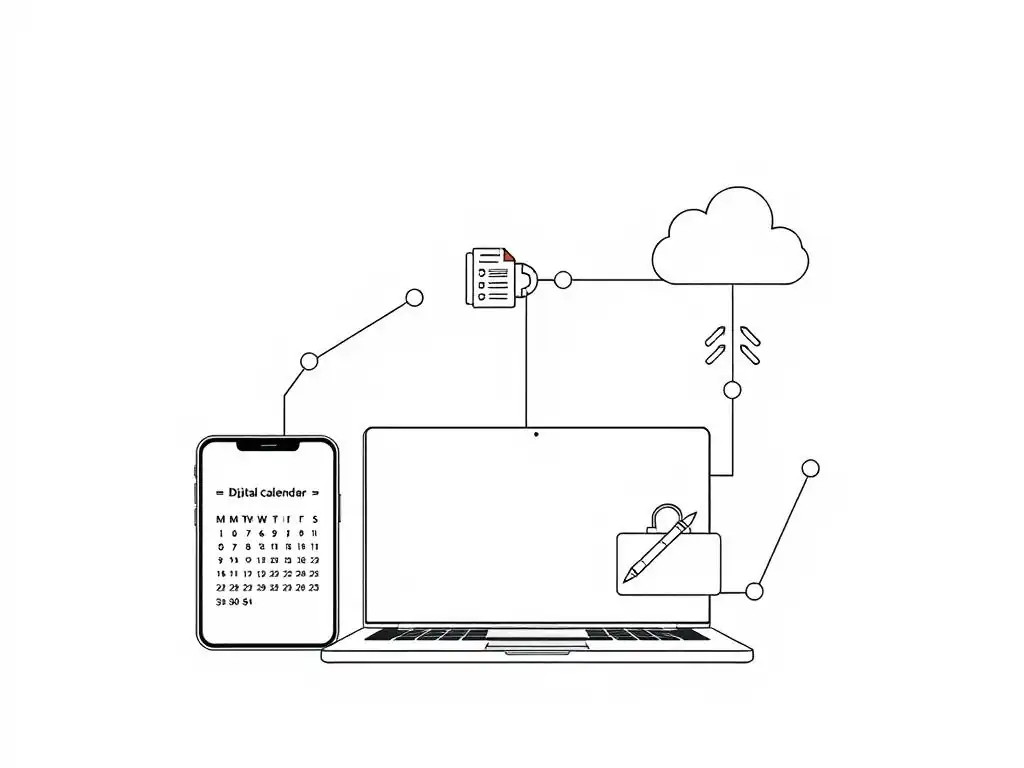
This section dives deep into the best tech gadgets designed to revolutionize your home office organization and file management. We'll explore solutions that streamline workflows, enhance security, and ultimately boost your productivity. Finding the right tools can significantly reduce time spent on administrative tasks, allowing you to focus on what truly matters – achieving your professional goals. Mastering digital organization is key to unlocking peak efficiency in your home workspace, and these gadgets are the key to that mastery. This is about more than just tidiness; it's about optimizing your workflow for peak performance.
Cloud Storage Solutions for Secure Data Backup (e.g., Dropbox, Google Drive, iCloud)
Cloud storage is no longer a luxury; it's a necessity for anyone serious about protecting their data and streamlining their workflow. Services like Dropbox, Google Drive, and iCloud offer robust solutions for backing up crucial documents, photos, and other files. The benefits extend beyond simple backup:
- Accessibility: Access your files from anywhere with an internet connection, on any device. This flexibility is invaluable for remote work or on-the-go access to important information. Imagine needing a specific document while traveling – cloud storage makes this seamless.
- Collaboration: Many cloud services facilitate easy collaboration. Share documents with colleagues or clients, allowing for real-time editing and feedback. This significantly speeds up project completion and improves teamwork.
- Version History: Most services maintain version history, allowing you to revert to previous versions of files if needed. This is a lifesaver for preventing accidental data loss or recovering from mistakes.
- Security: Reputable cloud providers invest heavily in security measures to protect your data from unauthorized access. However, remember to choose a provider with strong security features and consider two-factor authentication for extra protection.
Choosing the right cloud storage solution depends on your specific needs and budget. Consider factors such as storage capacity, collaboration features, and integration with other apps you use. A well-structured cloud storage system is the foundation of effective digital file management.
Document Scanners for Digitalizing Paperwork (e.g., Epson WorkForce ES-300W, Brother ADS-1700W)
Digitalizing your paperwork is a game-changer for home office organization. Instead of dealing with stacks of paper, you can easily search, organize, and share digital copies. Dedicated document scanners, like the Epson WorkForce ES-300W and Brother ADS-1700W, offer significant advantages over simply using a phone camera:
- Higher Resolution Scans: These scanners produce significantly higher resolution scans than most smartphone cameras, resulting in clearer, more readable documents. This is especially critical for detailed documents or those with small print.
- Faster Scanning: Dedicated scanners are much faster than manually photographing each page, saving you valuable time. Some models can scan multiple pages simultaneously, further accelerating the process.
- Automatic Document Feed: Many models feature an automatic document feeder (ADF), allowing you to scan multiple pages without manual intervention. This is a huge time saver for larger projects.
- Optical Character Recognition (OCR): Many modern scanners incorporate OCR technology, which converts scanned documents into searchable text. This means you can easily search for specific keywords within your scanned documents, unlike with simple image files.
Investing in a good document scanner is a significant step towards a paperless home office, leading to increased efficiency and reduced clutter. The initial cost is easily offset by the time and space saved in the long run.
Note-Taking and Organization Apps for Boosting Productivity (e.g., Evernote, OneNote, Notion)
Beyond cloud storage and scanners, effective note-taking and organization apps are crucial for maximizing productivity. Apps like Evernote, OneNote, and Notion offer powerful features for capturing ideas, managing projects, and keeping everything organized:
- Multi-Platform Access: Access your notes from your computer, tablet, and smartphone, ensuring consistency across all your devices. This eliminates the frustration of having notes scattered across different platforms.
- Rich Formatting Options: Go beyond simple text. These apps allow you to incorporate images, audio recordings, web links, and other media into your notes, creating a more comprehensive record of your thoughts and ideas.
- Tagging and Categorization: Use tags and categories to organize your notes effectively, making it easy to find what you need when you need it. A well-organized note-taking system is essential for efficient information retrieval.
- Collaboration Features: Many of these apps facilitate collaboration, allowing you to share notes and work on projects with others. This is especially useful for teamwork and brainstorming sessions.
The best app for you will depend on your individual preferences and workflow. Experiment with a few different options to find the one that best suits your needs. The right note-taking app can become an indispensable tool for managing your thoughts, projects, and overall productivity. Choosing the right one can drastically improve your ability to stay organized and on track.
Investing in the Best Home Office Tech: A Guide to Maximizing Your ROI
This section explores how strategically choosing the right tech gadgets can significantly improve your home office productivity and, ultimately, your return on investment (ROI). While the initial cost might seem high, the long-term benefits—in terms of time saved, efficiency gains, and reduced stress—often far outweigh the expense. Think of it as an investment in yourself and your career.
We'll delve into specific examples to illustrate how different gadgets contribute to a better ROI. The key is to identify your biggest productivity bottlenecks and then select technology that directly addresses those issues. For example, if you spend hours each day on tedious data entry, a high-quality ergonomic keyboard and a powerful, fast computer could dramatically reduce that time, leading to a quicker return on your investment in these 'best home office tech gadgets'.
Budget-Friendly Home Office Tech Gadgets: Value for Money Options
Not everyone has a large budget for new tech. Fortunately, many excellent, affordable gadgets can significantly boost your home office productivity. These value-for-money options provide a great starting point for enhancing your workspace without breaking the bank.
Consider these options:
- Ergonomic Mouse: A well-designed ergonomic mouse can significantly reduce wrist strain and fatigue, preventing costly long-term health issues. Investing in a comfortable mouse is a small price to pay for avoiding potential medical bills and lost workdays. Many excellent models are available for under $30.
- Noise-Cancelling Headphones: These can create a focused work environment, even in a busy household. They block out distractions, allowing you to concentrate and complete tasks more efficiently. Good quality noise-canceling headphones can be found for under $50.
- External Monitor: Even a relatively inexpensive second monitor can dramatically improve your workflow, especially if you work with multiple applications simultaneously. The ability to have multiple documents, spreadsheets, and programs visible at once drastically increases efficiency. A basic external monitor can often be found within a reasonable budget.
- Portable Document Scanner: This gadget can save you countless hours spent manually typing documents or dealing with messy paper piles. Scanning documents directly to your computer significantly streamlines workflow and minimizes errors. Many portable scanners are available at surprisingly affordable price points.
These budget-friendly options represent a significant ROI, offering substantial improvements in comfort, focus, and efficiency for a relatively small initial investment. They are some of the best home office tech gadgets for those on a tighter budget.
For those with a larger budget, investing in premium tech can lead to even greater productivity gains and a faster ROI. This category includes gadgets that offer superior performance, features, and durability.
Examples of high-end home office tech gadgets include:
- High-Resolution Monitor: A high-resolution monitor provides sharper visuals, reducing eye strain and enhancing the overall user experience. The improved clarity can significantly improve the speed and accuracy of your work.
- Ergonomic Keyboard: Investing in a high-quality ergonomic keyboard minimizes strain and fatigue, contributing to better posture and long-term health. The reduction in discomfort translates directly to increased productivity and fewer missed workdays.
- Powerful Laptop or Desktop: A faster processor and ample RAM ensure smooth multitasking and quick response times. This allows you to handle complex tasks without delays, significantly boosting your overall efficiency.
- Premium Noise-Cancelling Headphones: These offer superior noise cancellation, creating an even more immersive and focused work environment compared to budget-friendly options.
While the initial cost is higher, the premium performance of these gadgets often leads to a substantial return on investment by saving time, minimizing errors, and improving overall productivity. The long-term health benefits alone can justify the investment in 'best home office tech gadgets' of this caliber.
Long-Term Cost Savings Through Increased Productivity
The ultimate ROI of investing in the best home office tech gadgets lies in the long-term cost savings associated with increased productivity. By streamlining workflows, minimizing errors, and improving focus, these gadgets contribute to significant time savings.
Consider this:
| Gadget Category | Time Saved per Week (Estimate) | Hourly Rate | Potential Weekly Savings |
|---|---|---|---|
| Ergonomic Keyboard/Mouse | 2 hours | $50 | $100 |
| Noise-Cancelling Headphones | 3 hours | $50 | $150 |
| Second Monitor | 4 hours | $50 | $200 |
Note: These are estimated figures and will vary depending on individual circumstances and hourly rates.
The table above illustrates how even modest improvements in productivity can translate into substantial weekly cost savings. These savings accumulate over time, making the initial investment in home office technology a worthwhile endeavor. By prioritizing the right gadgets, you're not just spending money; you're investing in your future success and financial well-being. This makes selecting the best home office tech gadgets a strategic move towards long-term financial optimization and professional growth.
Frequently Asked Questions
What tech gadgets are essential for a productive home office?
A productive home office needs reliable Wi-Fi, a comfortable ergonomic chair, and a high-quality monitor for comfortable and efficient work. Consider also a good quality keyboard and mouse for better comfort.
Which gadgets improve focus and reduce distractions in a home office?
Noise-cancelling headphones are great for minimizing distractions, while apps like Forest can help you stay focused by gamifying your work sessions. A dedicated workspace free from clutter also helps.
What are some budget-friendly tech gadgets that still offer significant benefits?
A good quality webcam for video calls, a portable external hard drive for backup, and a simple document scanner can all drastically improve your home office setup without breaking the bank.
How can technology improve my home office organization?
Cloud storage services like Google Drive or Dropbox help organize files, while project management software like Asana or Trello aids in task organization and collaboration. Smart home devices can also help automate tasks and improve efficiency.
Are there any specific tech gadgets recommended for those working remotely?
A high-quality microphone is crucial for clear communication during virtual meetings. A docking station can streamline your setup and improve connectivity, while a second monitor significantly enhances productivity for multitasking.
Final Reflection: Shaping the Future of Work, One Gadget at a Time
The seamless integration of technology into our home offices isn't just a trend; it's the foundation of a more productive, efficient, and ultimately, fulfilling work life. The gadgets we've explored – from noise-canceling headphones to ergonomic keyboards and powerful laptops – are not mere luxuries, but essential tools that empower us to navigate the complexities of modern work. They represent a significant shift in how we approach our professional lives, blurring the lines between traditional office spaces and the comfort of our homes.
The impact of these technological advancements extends far beyond individual productivity. They've reshaped our understanding of work-life balance, fostering a more flexible and adaptable work environment. The future of work is not a place, but a state of being.
This quote perfectly encapsulates the transformative power of these gadgets, allowing us to seamlessly transition between professional tasks and personal life, fostering a healthier and more sustainable approach to work. The ongoing evolution of home office technology continues to redefine the very nature of work itself, impacting everything from communication styles to collaborative efforts.
Consider the possibilities. What new heights of productivity can you reach by strategically incorporating these game-changing gadgets into your workspace? Take a moment to reflect on your current setup. Are there areas where you could improve efficiency, comfort, or overall well-being? Embrace the opportunity to invest in yourself and your work environment. The future of your home office, and indeed your career, is waiting to be shaped by the technology at your fingertips.
Unlock Your Productivity: Upgrade Your Home Office Today!
Thanks for exploring the world of innovative home office technology! We hope you found some inspiring gadgets to transform your workspace. Now, let's put that knowledge to work.
- Prioritize your upgrade: Focus on the single gadget from the article that will most significantly improve your workflow, and add it to your cart. Don't overthink it—choose the one that genuinely excites you!
- Share your discoveries: Tell your colleagues or friends about your favorite new gadget. Starting a conversation might even uncover new productivity tips!
- Continue your research: Search online for reviews and comparisons of the gadgets that interest you. You might find better deals or uncover hidden features.
Ready to boost your productivity and create the ultimate home office? What's at the top of your upgrade list?