
The Most Underrated Tech Gadgets for Home Office Productivity


Ready to transform your home office from chaotic to command central? At UltimateLifeHacks, we're dedicated to helping you conquer your to-do list and reclaim your time. This week, we're diving deep into the world of home office tech gadgets, revealing the best and often overlooked tools that will supercharge your productivity. Discover the game-changing devices that will make you wonder how you ever functioned without them – let's unlock your ultimate potential!
- Introduction: Boosting Home Office Efficiency with Smart Tech
- Ergonomic Enhancements: Investing in Your Well-being
- Noise-Cancelling Headphones for Focused Work
- Smart Lighting Solutions for Optimal Productivity
- Software and Subscription Services for Enhanced Workflow
- Power and Connectivity Upgrades for a Seamless Workflow
- Conclusion: Transforming Your Home Office into a Productivity Powerhouse
- Frequently Asked Questions
- Final Reflection: Unlocking Productivity: The Power of the Right Tools
- Unleash Your Home Office Potential: Boost Productivity Today!
Introduction: Boosting Home Office Efficiency with Smart Tech
The modern home office is more than just a desk and a laptop; it's a command center for productivity, creativity, and success. In today's fast-paced world, maximizing efficiency is paramount, and the right technology can be the key to unlocking your full potential. This article dives deep into the often-overlooked tech gadgets that can significantly boost your home office productivity.
We'll explore the unsung heroes of efficiency, revealing hidden productivity gems that might just revolutionize your workflow. Forget the flashy, overhyped gadgets; we're focusing on the practical, reliable tools that deliver tangible results. Get ready to discover the best home office tech gadgets that will help you conquer your to-do list and achieve your goals in 2024 and beyond.
This guide is designed to help you navigate the vast world of home office technology, focusing on those often-overlooked devices that truly make a difference. We’ll be focusing on practical applications and tangible benefits, helping you choose the tech that best suits your individual needs and work style.
Why Upgrade Your Home Office Tech in 2024?
The digital landscape is constantly evolving, and so should your home office setup. Staying current with technology isn't just about keeping up with the Joneses; it's about optimizing your workflow and maximizing your output. Upgrading your tech in 2024 offers several key advantages:
- Increased Efficiency: New gadgets often come with improved speed, functionality, and automation features, streamlining tasks and saving you valuable time. Think about the cumulative time saved over a year by using faster processing speeds or automated tools.
- Enhanced Ergonomics: Modern tech prioritizes ergonomics, reducing strain and improving comfort during long work sessions. Investing in ergonomic accessories can significantly reduce the risk of repetitive strain injuries.
- Improved Collaboration: Many new gadgets facilitate seamless collaboration with colleagues and clients, regardless of location. Tools for video conferencing, file sharing, and project management can significantly improve teamwork.
- Better Organization: From smart note-taking apps to cloud-based storage solutions, modern tech offers superior organization tools, keeping your files, tasks, and projects neatly arranged. This leads to less time searching for information and more time focused on actual work.
- Reduced Stress: A well-organized and efficient workspace can significantly reduce stress and improve overall well-being. By investing in the right tech, you're investing in your mental health.
This section will delve into specific gadgets that often fly under the radar but offer substantial productivity gains. We'll look at categories and examples, highlighting the unique benefits of each. We'll also consider factors such as budget, ease of use, and long-term value to help you make informed decisions. The goal is to provide you with a curated list of the best home office tech gadgets to transform your workspace into a productivity powerhouse.
We will explore both software and hardware solutions, focusing on their practical applications and real-world impact on productivity. Expect detailed reviews and comparisons to help you choose the optimal gadgets for your specific needs. We'll also consider user reviews and expert opinions to ensure we only recommend the most reliable and effective solutions.
Ergonomic Enhancements: Investing in Your Well-being
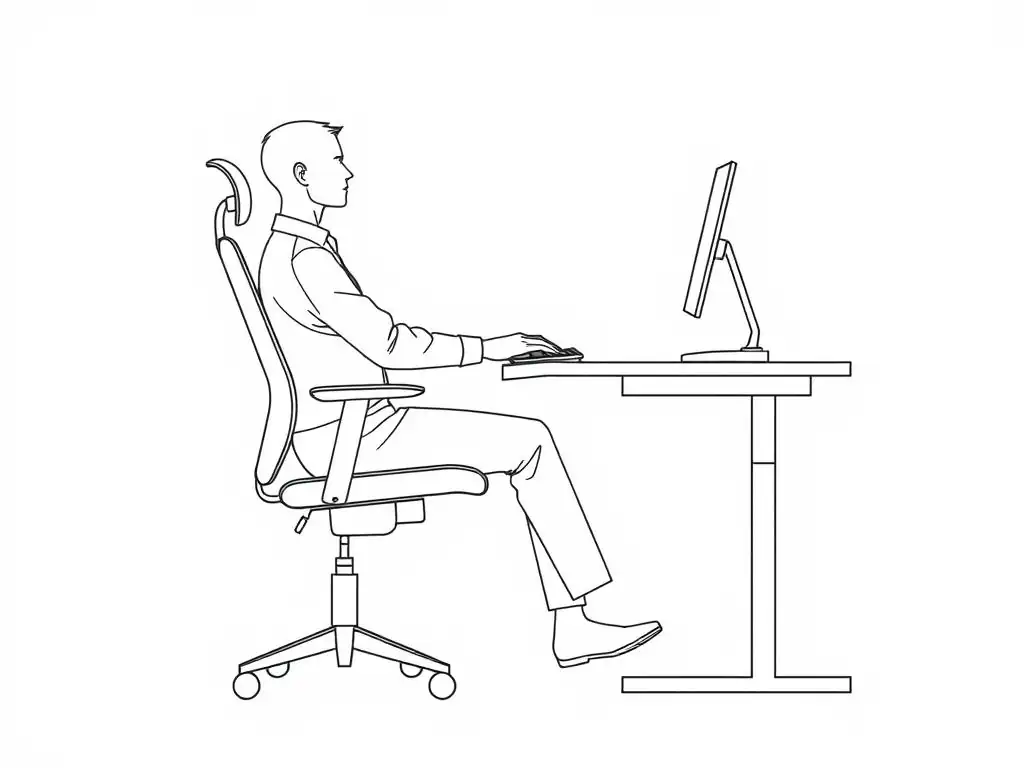
Ergonomics plays a crucial role in maximizing productivity and minimizing discomfort in your home office. Investing in ergonomic equipment isn't just about comfort; it's about preventing long-term health issues like carpal tunnel syndrome, back pain, and eye strain. These issues can significantly impact your work efficiency and overall well-being.
Choosing the right ergonomic tools can dramatically improve your posture, reduce fatigue, and ultimately boost your productivity. This section explores some of the best ergonomic tech gadgets available, focusing on keyboards, mice, and standing desk converters, all key components in creating a truly ergonomic workspace. Selecting the right tools for your specific needs is paramount, so consider factors like hand size, desk space, and budget when making your choices.
Best Ergonomic Keyboards for Reduced Strain: Keychron K8 Pro vs. Logitech Ergonmx
Choosing an ergonomic keyboard is a significant step towards preventing repetitive strain injuries. The Keychron K8 Pro and the Logitech Ergonmx represent two popular approaches to ergonomic keyboard design. The Keychron K8 Pro offers a split design with a customizable layout, allowing for personalized adjustments to fit individual hand positions. This split design encourages a more natural wrist posture, reducing strain on the wrists and forearms.
Its hot-swappable switches allow for further customization of the typing feel, catering to different preferences. On the other hand, the Logitech Ergonmx takes a more pronounced ergonomic approach with a curved, sculpted design that naturally positions the hands and wrists. This design aims to reduce wrist extension and promote a more neutral posture.
| Feature | Keychron K8 Pro | Logitech Ergonmx |
|---|---|---|
| Design | Split, Customizable Layout | Curved, Sculpted |
| Switch Type | Hot-Swappable (various options available) | Proprietary, Low-Profile |
| Connectivity | Bluetooth, Wired (USB-C) | Wired (USB) |
| Price Point | Mid-range | High-end |
| Adjustability | High (layout, switches) | Lower (primarily through the sculpted design) |
| Best for: | Users who prioritize customization and flexibility | Users seeking maximum ergonomic support |
The choice between these two depends on individual needs. The Keychron K8 Pro provides greater adjustability and customization, while the Logitech Ergonmx offers a more aggressive ergonomic design for users prioritizing maximum comfort.
Top-Rated Ergonomic Mice: Logitech MX Vertical vs. Anker Ergonomic Vertical Mouse
Ergonomic mice are designed to promote a more natural hand and wrist position, reducing strain and discomfort. The Logitech MX Vertical and the Anker Ergonomic Vertical Mouse are both popular choices, each with its own set of advantages. The Logitech MX Vertical boasts a unique vertical design that encourages a more natural handshake grip, reducing wrist pronation and strain.
It also offers features like advanced wireless connectivity and multiple device pairing. The Anker Ergonomic Vertical Mouse provides a more affordable alternative with a similarly vertical design, focusing on comfort and reducing wrist strain. However, it may lack some of the advanced features found in the Logitech MX Vertical.
Both mice aim to alleviate common issues associated with traditional mouse use, such as carpal tunnel syndrome and tendonitis. The choice between them often boils down to budget and desired features. The Logitech MX Vertical excels in features and build quality, while the Anker option offers a more budget-friendly solution without sacrificing significant ergonomic benefits.
Standing Desk Converters: FlexiSpot vs. Autonomous SmartDesk – A Detailed Comparison
Standing desk converters offer a cost-effective way to incorporate standing into your workday, improving posture and reducing sedentary behavior. FlexiSpot and Autonomous SmartDesk are two leading brands offering a range of models. FlexiSpot typically offers a wider selection of models at various price points, catering to different budgets and desk sizes. Their converters are known for their ease of use and adjustability. Autonomous SmartDesk, on the other hand, often focuses on higher-end models with advanced features like programmable height presets and improved stability. These features can enhance the user experience but often come at a premium price.
Choosing between FlexiSpot and Autonomous SmartDesk depends on your budget and specific needs. FlexiSpot provides a wider range of options for different budgets, while Autonomous SmartDesk offers a more premium experience with advanced features. Consider factors like weight capacity, ease of use, and desired features when making your decision. Remember to consider the weight of your existing desk and monitor setup to ensure compatibility with the converter's weight capacity. A stable and smoothly operating converter is crucial for a comfortable and productive standing experience.
Noise-Cancelling Headphones for Focused Work
Noise is a productivity killer. The constant hum of traffic, the chatter of neighbors, even the ticking of a clock can disrupt concentration and significantly reduce your work output. Investing in a good pair of noise-cancelling headphones is one of the best investments you can make for a productive home office. These headphones don't just block out distracting sounds; they create a sanctuary of silence, allowing you to fully immerse yourself in your tasks.
This translates directly into improved focus, increased efficiency, and ultimately, a better work-life balance. The "best home office tech gadgets" list is incomplete without them. Choosing the right pair, however, requires careful consideration of several factors, which we'll explore below.
Top Noise-Cancelling Headphones for Home Office Productivity: Sony WH-1000XM5 vs. Bose QuietComfort 45
Two titans of the noise-cancelling headphone world consistently top "best home office tech gadgets" lists: the Sony WH-1000XM5 and the Bose QuietComfort 45. Both offer exceptional noise cancellation, comfortable designs, and long battery life. However, subtle differences exist that might make one a better fit for your specific needs.
The Sony WH-1000XM5 generally boasts slightly superior noise cancellation, particularly in dealing with lower-frequency sounds like airplane engines or rumbling traffic. They also offer a more sophisticated array of features, including advanced adaptive sound control that automatically adjusts noise cancellation based on your environment. However, some users find the Sony headphones to be slightly less comfortable for extended wear than the Bose QC45.
The Bose QuietComfort 45, on the other hand, prioritizes comfort. They are lighter and have a more plush earcup design, which makes them ideal for all-day use. While their noise cancellation is excellent, it's not quite as effective as the Sony's at eliminating low-frequency noise. Bose also emphasizes ease of use, with a simpler interface and a more intuitive app. The choice ultimately depends on whether you prioritize slightly better noise cancellation and features (Sony) or superior comfort (Bose). Both are strong contenders for the title of best noise-cancelling headphones for home office productivity.
Comparing Noise Cancellation Technologies: Active Noise Cancellation (ANC) vs. Hybrid Systems
Understanding the technology behind noise cancellation is crucial for making an informed purchase. Most high-end headphones use Active Noise Cancellation (ANC), which employs microphones to detect ambient sounds and generate opposing sound waves to neutralize them. This is effective against a wide range of frequencies.
However, some models, like the Sony WH-1000XM5, use a hybrid system. This combines ANC with passive noise isolation—the physical blocking of sound by the earcups themselves. Hybrid systems often provide superior noise reduction, particularly in lower frequencies, effectively creating a more immersive and quiet listening experience. The improvement in noise reduction can significantly enhance productivity, especially in noisy home office environments. This is a key factor to consider when researching the "best home office tech gadgets" available.
Improving Focus with Ambient Sound Options: Benefits and Drawbacks
While complete silence is ideal for deep work, sometimes a little ambient sound can be beneficial. Many noise-cancelling headphones offer "transparency mode" or "ambient sound" features. These allow you to hear your surroundings without removing the headphones. This can be useful for staying aware of your environment, hearing important notifications, or even incorporating calming background sounds like nature noises to enhance focus and reduce stress. However, overuse of ambient sound can negate the benefits of noise cancellation and lead to distractions.
The key is finding the right balance. Experiment with different ambient sound levels and settings to determine what works best for you. Some users find that a subtle level of ambient sound can help them stay grounded and focused, while others prefer complete silence for optimal concentration. Ultimately, the best approach is a personalized one, tailored to your individual needs and preferences. Finding that sweet spot can significantly contribute to improved productivity and make your home office a more effective workspace. Consider this a critical aspect of your research into "best home office tech gadgets".
Smart Lighting Solutions for Optimal Productivity

Smart lighting isn't just a trendy addition to your home office; it's a powerful tool for boosting productivity. By carefully controlling the ambiance and brightness of your workspace, you can significantly impact your focus, energy levels, and overall efficiency. This section explores how strategically implemented smart lighting can transform your home office into a productivity powerhouse. We'll examine specific products, the science behind lighting's impact, and seamless integrations with other smart home devices. This is crucial for anyone searching for the best home office tech gadgets to improve their workflow.
Philips Hue Smart Bulbs: Creating the Perfect Work Environment
Philips Hue smart bulbs are a popular choice for many reasons. Their versatility allows for precise control over color temperature and brightness, mimicking natural daylight throughout the day. Starting your workday with a cooler, brighter light (around 6500K) can help you feel more alert and focused, similar to the effect of natural sunlight in the morning. As the day progresses, you can gradually shift to a warmer, softer light (around 2700K) to ease eye strain and promote relaxation before finishing work.
This isn't just about aesthetics; studies have shown a direct correlation between light exposure and circadian rhythm. By mimicking the natural shift in light throughout the day, Philips Hue bulbs can help regulate your body's natural sleep-wake cycle, leading to improved sleep quality and increased energy levels during the day. Furthermore, the ability to schedule lighting changes automates this process, removing the need for manual adjustments and ensuring consistent, optimal lighting throughout your workday. This is a game-changer for those seeking the best home office tech gadgets for enhanced well-being.
Impact of Lighting on Productivity: Color Temperature and Brightness
The impact of lighting on productivity is a well-researched area. Color temperature, measured in Kelvin (K), significantly influences our mood and alertness. Cooler light (higher Kelvin values) is energizing and promotes focus, while warmer light (lower Kelvin values) is relaxing and conducive to winding down. Brightness also plays a crucial role; insufficient light can lead to eye strain and headaches, hindering productivity. Conversely, excessively bright light can be distracting and overwhelming.
Consider this: a study published in the Journal of Environmental Psychology found that employees in offices with natural light reported higher levels of job satisfaction and productivity. While replicating natural light perfectly is impossible, smart lighting systems like Philips Hue allow for a close approximation, offering customizable color temperatures and brightness levels to match your needs and preferences throughout the day. Finding the best home office tech gadgets often involves understanding the subtle yet significant impact of environmental factors like lighting.
Smart Lighting Integrations: Connecting with Alexa or Google Assistant for Voice Control
One of the most compelling aspects of smart lighting is its seamless integration with other smart home devices and voice assistants. Philips Hue, for instance, works flawlessly with both Amazon Alexa and Google Assistant, allowing for hands-free control. Imagine starting your workday simply by saying, "Alexa, turn on my office lights to 6500K," or ending it with, "Okay Google, dim the lights to 2700K." This level of convenience streamlines your routine and minimizes distractions.
Moreover, these integrations open up possibilities for creating complex automation scenarios. For example, you could set up a routine where your lights automatically turn on at a specific time, adjust their brightness throughout the day based on a pre-set schedule, and even change color based on your calendar events. This level of customization further enhances productivity by creating a personalized and optimized work environment. For those seeking the ultimate best home office tech gadgets, seamless integration and automation are key features to consider. This helps optimize your workflow and create a truly efficient and comfortable workspace.
Software and Subscription Services for Enhanced Workflow
This section delves into the digital tools that can significantly boost your home office productivity. While physical gadgets are important, the right software and services form the backbone of an efficient workflow. We'll compare popular options to help you choose the best fit for your needs and budget. Finding the best home office tech gadgets isn't just about hardware; it's about integrating powerful software solutions.
Best Productivity Apps for Home Office: Todoist, Notion, and Asana Compared
Choosing the right task management app is crucial for staying organized and on track. Three leading contenders—Todoist, Notion, and Asana—offer distinct approaches to productivity. Let's compare their strengths and weaknesses:
| Feature | Todoist | Notion | Asana |
|---|---|---|---|
| Core Function | Task management, simple and intuitive | Note-taking, project management, wiki | Project management, teamwork focused |
| Ease of Use | ⭐⭐⭐⭐⭐ (Excellent) | ⭐⭐⭐⭐ (Good, learning curve present) | ⭐⭐⭐ (Average, can be complex for solo users) |
| Collaboration | Good, suitable for small teams | Excellent, robust collaboration features | Excellent, designed for team collaboration |
| Pricing | Free plan available, paid plans offer more features | Free plan available, paid plans unlock more features | Free plan available, paid plans for larger teams |
| Best For | Individuals and small teams needing simple task management | Individuals & teams needing a flexible workspace | Larger teams and complex projects |
Todoist excels in its simplicity and ease of use, making it ideal for individuals or small teams needing straightforward task management. Its intuitive interface and clean design minimize distractions. Notion, on the other hand, is a powerhouse offering a highly customizable workspace that blends note-taking, project management, and wiki functionality.
This versatility makes it perfect for those who need a central hub for all their work-related information. However, its extensive features can lead to a steeper learning curve. Asana, geared towards larger teams and complex projects, provides strong collaboration tools and robust project management capabilities, but its complexity might be overkill for solo users.
Cloud Storage Solutions: Google Drive vs. Dropbox vs. OneDrive – A Detailed Comparison
Cloud storage is essential for backing up your data and accessing files from anywhere. Google Drive, Dropbox, and OneDrive are popular choices, each with its own strengths:
- Google Drive: Tight integration with the Google ecosystem (Gmail, Docs, Sheets, etc.) makes it seamless for users already invested in Google services. Its generous free storage and collaborative features are attractive.
- Dropbox: Known for its user-friendly interface and reliable syncing across devices. It's a strong contender for individuals and small teams who prioritize ease of use and simple file sharing.
- OneDrive: Deep integration with the Microsoft ecosystem (Office 365, Windows, etc.) makes it a natural fit for Windows users. Its version history and file recovery features are particularly valuable.
The "best" option depends on your existing tech stack and collaboration needs. Consider factors like file size limits, collaboration features, and integration with your other software. Choosing the right cloud storage is a crucial aspect of securing your data and optimizing your workflow as part of finding the best home office tech gadgets.
Subscription services can significantly enhance your productivity. Let's examine two examples:
- Grammarly Premium: This writing assistant goes beyond basic grammar and spell checks, offering advanced suggestions for style, tone, and clarity. It's invaluable for anyone who produces written content regularly, improving the quality and efficiency of your writing process. This is especially helpful for those working on reports, emails, or blog posts. It's a great addition to your arsenal of best home office tech gadgets.
- Adobe Creative Cloud: A suite of industry-standard creative applications (Photoshop, Illustrator, InDesign, etc. ), it's essential for professionals in design, photography, and video editing. The subscription model provides access to the latest versions and updates, ensuring you always have the best tools at your disposal. While expensive, the return on investment can be substantial for those who heavily rely on these applications.
Choosing the right subscriptions depends on your profession and individual needs. Carefully assess whether the benefits outweigh the costs before committing to a subscription. Consider free trials to test the services before subscribing. Remember that these are just examples, and many other subscription services can enhance your productivity.
Power and Connectivity Upgrades for a Seamless Workflow
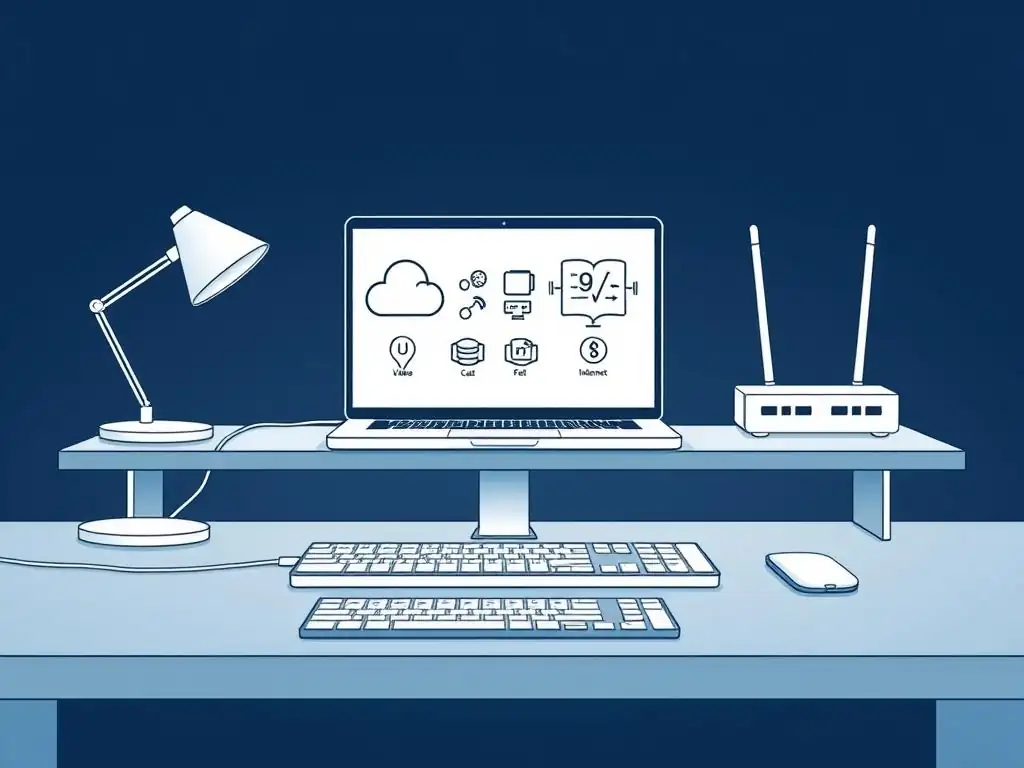
This section delves into crucial infrastructure upgrades for your home office, focusing on reliable power and robust connectivity—essential elements often overlooked but vital for consistent productivity. Ignoring these aspects can lead to frustrating downtime and lost work, significantly impacting your efficiency. Investing wisely in these areas translates directly into a smoother, more productive workday.
Best UPS Systems for Home Office Protection: CyberPower vs. APC
Choosing the right Uninterruptible Power Supply (UPS) is paramount for safeguarding your valuable electronics and preventing data loss from unexpected power outages. Two leading brands frequently compared are CyberPower and APC. Both offer a wide range of UPS systems, catering to various power needs and budgets. However, key differences exist that influence the optimal choice for your home office.
CyberPower often boasts a competitive price point for similar power ratings compared to APC. Their systems frequently include features like surge protection and extended battery runtime options. For example, the CyberPower CP1500PFCLCD offers 1500VA/900W of power, sufficient for most home office setups, at a generally lower cost than a comparable APC unit.
APC, on the other hand, is often lauded for its robust build quality and sophisticated software features, including network management capabilities. Their Smart-UPS line is known for its reliability and advanced power conditioning, crucial for protecting sensitive equipment like servers or high-end computers. The APC Back-UPS Pro BR1500G offers similar power capacity but may come with a higher price tag, reflecting its premium features.
The ultimate decision hinges on your specific needs and budget. If budget is a primary concern and you prioritize sufficient power backup with good surge protection, CyberPower offers a strong value proposition. However, if you require advanced features, superior build quality, and reliable network management, APC's premium offerings are a worthwhile investment. Consider the number and power draw of your devices when making your selection.
High-Speed Internet Solutions: Fiber Optic vs. Cable Internet for Home Offices
Reliable, high-speed internet is no longer a luxury but a necessity for a productive home office. Fiber optic and cable internet are the two dominant contenders, each with distinct advantages and disadvantages. Understanding these differences is crucial for selecting the best solution to maximize your online efficiency and minimize frustrating lag.
Fiber optic internet utilizes strands of glass to transmit data via light signals, resulting in significantly faster download and upload speeds compared to cable internet. This translates to quicker file transfers, seamless video conferencing, and lag-free online collaboration—crucial for maintaining productivity. Fiber optic connections also boast lower latency, crucial for online gaming and real-time applications. However, fiber optic availability is not universal, and installation costs might be higher in some areas.
Cable internet, while generally more widely available, relies on coaxial cables to transmit data, resulting in slower speeds compared to fiber optic. While speeds have improved significantly in recent years, they often fall short of fiber's capabilities, especially during peak usage times. Moreover, cable internet is more susceptible to interference and signal degradation, potentially leading to intermittent connectivity issues. However, cable internet typically offers lower upfront costs and is often readily available in more areas.
The choice depends on your location and budget. If fiber optic is available, its superior speed and reliability make it the superior choice for a productive home office. However, if fiber is unavailable, cable internet remains a viable option, especially if your needs are less demanding. Consider your internet usage patterns –heavy video conferencing or large file transfers benefit greatly from the higher speeds of fiber.
Multi-Port USB Hubs and Docking Stations: Maximizing Connectivity and Efficiency
A cluttered desk is a cluttered mind. Multi-port USB hubs and docking stations offer a streamlined solution to manage multiple devices and peripherals, enhancing both the aesthetics and efficiency of your home office. These devices significantly reduce cable clutter and provide convenient access to essential ports, eliminating the frustration of constantly swapping USB devices.
Multi-port USB hubs offer a simple way to expand the number of available USB ports on your computer. They are readily available in various configurations, from simple 4-port hubs to more sophisticated models with power delivery capabilities. These hubs are ideal for connecting multiple peripherals such as mice, keyboards, external hard drives, and printers without sacrificing valuable desk space.
Docking stations take this concept a step further by offering a centralized connection point for various devices, including displays, network connections, and audio peripherals. They often include multiple USB ports, Ethernet ports, and even video output options (HDMI, DisplayPort). Docking stations significantly simplify the connection process, making it easier to switch between different devices and configurations.
Some advanced docking stations even support charging capabilities, eliminating the need for separate power adapters. The added convenience and reduced cable clutter contribute significantly to an organized and productive work environment. Choosing between a hub and a docking station depends on your specific needs and the number of devices you regularly use.
Conclusion: Transforming Your Home Office into a Productivity Powerhouse
This exploration of underrated tech gadgets for your home office highlights the potential for significant productivity boosts through strategic technology adoption. We've moved beyond the typical "must-have" lists, focusing instead on tools that often get overlooked but offer substantial returns on investment in terms of time saved and efficiency improved.
By carefully considering your individual needs and workflow, you can curate a technological ecosystem that seamlessly integrates into your daily routine, fostering a more focused and productive work environment. Remember, the best home office tech gadgets aren't necessarily the most expensive or flashy; they're the ones that genuinely enhance your ability to accomplish your goals.
Choosing the Right Tech Gadgets for Your Needs
Selecting the right tech gadgets is crucial for maximizing their impact. A one-size-fits-all approach rarely works. Consider your specific workflow and challenges. Are you struggling with managing multiple projects simultaneously? A powerful note-taking app synced across devices might be your solution. Do you find yourself constantly switching between applications? A keyboard with programmable macros could streamline your workflow significantly. Perhaps you're battling distractions; in that case, noise-canceling headphones or a dedicated focus timer app could be game-changers.
Before investing in any gadget, assess its compatibility with your existing setup. Will it integrate smoothly with your operating system and other software? Check reviews and compare features to ensure it aligns with your needs and budget. Don't be afraid to try out free trials or demos before committing to a purchase.
Prioritize quality and reliability over flashy features that you might not actually use. The ultimate goal is to create a seamless and efficient workflow, not to add more complexity. Think critically about how each gadget will contribute to your overall productivity goals. For example, a top-of-the-line ergonomic chair might be a better investment than a fancy, but ultimately distracting, smart desk lamp.
Maximizing Your Investment: Long-Term Productivity Gains
Investing in home office technology is not simply about immediate gains; it's about building a foundation for sustained productivity. The best home office tech gadgets are those that offer long-term value, not just a temporary fix. This means considering durability, software updates, and the potential for future expansion. A high-quality monitor, for instance, will serve you much better over the long haul than a cheaper, less reliable alternative that might need replacing within a year. Similarly, choosing software with robust support and regular updates ensures that your investment remains relevant and functional for years to come.
Consider the lifecycle cost of each gadget. While the initial price might seem high, factoring in the potential savings in time and increased efficiency can significantly alter the cost-benefit analysis. A well-chosen ergonomic keyboard, for instance, might prevent repetitive strain injuries down the line, saving you money on medical expenses and lost productivity. Regular maintenance, such as cleaning your keyboard or updating your software, also contributes to the longevity of your gadgets and maximizes your return on investment. Think of it as an investment in your future self and your overall well-being.
Staying Ahead of the Curve: Future Trends in Home Office Technology
The landscape of home office technology is constantly evolving. Staying informed about emerging trends can help you make informed decisions and ensure your setup remains at the forefront of productivity. AI-powered tools are becoming increasingly sophisticated, offering features like automated transcription, intelligent note-taking, and personalized task management. Expect to see more integration between different devices and platforms, fostering a more seamless and interconnected workflow. Furthermore, advancements in ergonomic design will continue to improve comfort and reduce the risk of workplace injuries.
Virtual and augmented reality technologies are also poised to play a larger role in the future of home offices. These technologies could revolutionize collaboration, training, and even the design of the workspace itself. Keeping an eye on industry publications, tech blogs, and relevant conferences will help you stay abreast of these developments and ensure your home office remains a productivity powerhouse for years to come.
By embracing innovation and continually refining your technological ecosystem, you can maintain a competitive edge and unlock your full potential. The future of work is increasingly shaped by technology; staying informed allows you to harness its power effectively.
Frequently Asked Questions
What makes these gadgets "underrated"?
Many excellent home office gadgets are widely known, but this article focuses on lesser-known tools that offer significant productivity boosts despite flying under the radar. They provide unparalleled efficiency without the hefty price tag of mainstream options.
Are these gadgets expensive?
No, the article highlights gadgets that offer great value for money. While some might have a higher price point than basic options, their enhanced functionality and time-saving capabilities justify the cost in the long run.
What types of gadgets are discussed?
The article covers a range of gadgets, including ergonomic accessories, smart home integration tools, and productivity-enhancing software. It focuses on items that improve various aspects of your home office setup.
Who would benefit most from these gadgets?
Anyone looking to improve their home office productivity and efficiency will find this article helpful. It's especially useful for those working remotely, freelancers, and entrepreneurs.
Where can I find these gadgets?
The article will likely include links or suggest retailers where you can purchase the featured tech gadgets. Check the article for specific purchasing information for each product.
Final Reflection: Unlocking Productivity: The Power of the Right Tools
The quest for a truly productive home office isn't about accumulating gadgets; it's about strategically selecting the tools that amplify your workflow and enhance your well-being. The right technology can transform a chaotic workspace into a sanctuary of efficiency, ultimately leading to a more fulfilling and balanced life. This isn't just about convenience; it's about investing in your success.
The impact of technology on our work lives, and indeed our personal lives, is undeniable. The gadgets discussed in this article represent more than just shiny new devices; they represent a shift in how we approach work, prioritizing comfort, efficiency, and a healthier work-life integration. The key is not to prioritize what's on your schedule, but to schedule your priorities.
– Stephen Covey. This quote perfectly encapsulates the power of intentional technology choices – allowing us to focus on what truly matters. We've moved beyond simply "getting things done" to thoughtfully crafting a work environment that supports our overall well-being.
Consider the impact of these tools on your own life. Which gadget resonated most with you? What aspects of your current home office setup could benefit from an upgrade? Don't just passively consume this information; actively engage with it. Identify your biggest productivity bottlenecks and explore how the technologies highlighted here can help you overcome them. Invest in yourself, your well-being, and your future by creating a home office that truly empowers you to achieve your goals.
Unleash Your Home Office Potential: Boost Productivity Today!
Thanks for exploring the world of often-overlooked tech gadgets! We hope you discovered some helpful tools to significantly improve your home office productivity. Now, let's put that knowledge into action.
- Prioritize your upgrade: Choose the gadget from the article that best suits your current workflow and make it a priority. Order it today – you deserve an upgrade!
- Share your finds: Have a favorite tech tool that wasn't mentioned? Share it with our community in the comments below! Let's collaboratively build the ultimate home office resource.
- Experiment and refine: Don't be afraid to experiment with different setup configurations. Individual preferences greatly influence what works best.
Which productivity-boosting gadget are you most excited to try?