
The Smart Way to Work From Home: Essential Tech Gadgets for Success


Ready to transform your work-from-home experience? At UltimateLifeHacks, we're dedicated to helping you streamline your daily life. This means maximizing productivity and minimizing stress. Discover the secrets to a more efficient workflow with our expert guide on the Best Work From Home Tech. Prepare to unlock a new level of productivity – your journey to a smarter, more effective home office starts now!
-
Best Work From Home Tech: Setting Up Your Ideal Home Office
- Choosing the Right Laptop for Remote Work: MacBook Pro vs. Dell XPS Comparison
- Essential Peripherals: Ergonomic Keyboards, Mice, and Monitors for Maximum Comfort and Productivity
- High-Speed Internet: A Must-Have for Seamless Remote Work – Choosing the Right Plan and Provider
- Noise-Cancelling Headphones: Focus and Productivity Boosters - Top Picks for 2024
-
Boosting Your Work From Home Productivity with Smart Tech
- Smart Home Assistants: Google Home and Amazon Alexa for Streamlined Workflows
- Best Work From Home Tech: Software Solutions – Project Management Tools like Asana and Trello
- Top-Rated Webcams for Crystal-Clear Video Conferencing: Logitech Brio Review
- The Best Wireless Printers for Home Offices: HP Envy and Epson Expression Comparison
-
Maximize Your Remote Work Efficiency: Essential Gadgets for Organization and Time Management
- Digital Note-Taking and Organization: Evernote vs. OneNote – Features and Comparisons
- Smart Clocks and Timers: Optimizing Your Schedule and Avoiding Burnout – Philips Hue Smart Alarm Clock Review
- Best Work From Home Tech: Document Scanners for Efficient Paperless Workflow – Epson WorkForce ES-300W Analysis
- Ergonomic Desk Setup: Investing in Your Health and Comfort for Long-Term Productivity
-
Best Work From Home Tech: Securing Your Home Office Network
- Robust Wi-Fi Routers for Secure and Reliable Connectivity: Netgear Orbi and TP-Link Archer Compared
- VPN Services for Enhanced Online Privacy and Security: NordVPN vs. ExpressVPN
- Password Managers: Protecting Your Data – LastPass and 1Password Review
- Antivirus Software: Essential Protection Against Online Threats - Top Recommendations for 2024
-
Creating a Productive and Comfortable Work From Home Environment
- Best Lighting Solutions for Your Home Office: Impact on Productivity and Well-being
- Ergonomic Chairs: Investing in Your Posture and Comfort for Long Work Hours - Top Ergonomic Chair Recommendations
- Ambient Noise Solutions: Creating a Focused Work Environment – White Noise Machines and Sound Masking
- The Best Work From Home Tech: Improving Your Home Office Aesthetics for a Motivating Workspace
-
Conclusion: Building Your Dream Work From Home Setup
- Budget-Friendly Options for Remote Workers: Affordable Tech Solutions for Maximum Impact
- Investing in Your Future: The Long-Term Benefits of High-Quality Work From Home Technology
- Tips for Maintaining Your Home Office Tech: Troubleshooting and Maintenance
- Resources for Further Learning: Finding More Information on Remote Work Productivity and Technology
-
Frequently Asked Questions
- What tech gadgets are essential for successful work-from-home setups?
- How can I improve my internet connection for better work-from-home productivity?
- What are some budget-friendly options for work-from-home technology?
- How can technology improve my work-from-home efficiency?
- Are there any specific software programs recommended for working from home effectively?
- Final Reflection: Embracing the Future of Work, One Gadget at a Time
- Unleash Your Work-From-Home Potential!
Best Work From Home Tech: Setting Up Your Ideal Home Office
Working from home has become increasingly popular, offering flexibility and autonomy. However, successfully navigating the remote work landscape requires more than just a comfy chair and a strong cup of coffee. To truly thrive in your home office, you need the right technology.
This article explores the essential tech gadgets that can transform your home workspace into a highly productive and comfortable environment, helping you achieve peak performance while working remotely. We'll delve into the best laptops, ergonomic peripherals, and high-speed internet solutions to ensure you're equipped for success. Choosing the right technology is crucial for boosting productivity, reducing stress, and ultimately, making your work-from-home experience significantly more enjoyable and efficient.
This guide focuses on the best work from home tech to help you optimize your remote work setup and conquer your daily tasks with ease. We'll cover everything from powerful laptops to essential peripherals, ensuring you have the tools to excel in your remote work endeavors.
Choosing the Right Laptop for Remote Work: MacBook Pro vs. Dell XPS Comparison
The heart of any successful home office is a reliable and powerful laptop. Two top contenders often debated are the MacBook Pro and the Dell XPS. Both offer exceptional performance and sleek designs, but their strengths lie in different areas.
The MacBook Pro, known for its elegant design and user-friendly macOS operating system, boasts excellent battery life and a vibrant display. Its ecosystem integrates seamlessly with other Apple devices, making it a preferred choice for users already invested in the Apple world. However, MacBooks generally come with a higher price tag.
The Dell XPS, on the other hand, often provides a more powerful processor for a similar price point, making it a strong contender for users who prioritize processing power for demanding tasks such as video editing or 3D rendering. It runs on Windows, offering broader software compatibility. The Dell XPS also frequently offers customizable configurations, allowing users to tailor their specifications to their specific needs.
Ultimately, the "best" laptop depends on individual needs and preferences. Consider factors like budget, operating system preference, required processing power, and desired screen size when making your decision. A detailed comparison table highlighting key features and specifications would further aid in this decision-making process. Below is a simplified example:
| Feature | MacBook Pro | Dell XPS |
|---|---|---|
| Operating System | macOS | Windows |
| Typical Price | Higher | Generally Lower |
| Processor Options | Varies, generally powerful options | Varies, often more powerful options |
| Battery Life | Excellent | Good |
| Screen Quality | Excellent | Excellent |
Choosing between these two powerful machines requires careful consideration of your specific workflow and priorities.
Essential Peripherals: Ergonomic Keyboards, Mice, and Monitors for Maximum Comfort and Productivity
Investing in ergonomic peripherals is crucial for preventing repetitive strain injuries and maximizing productivity. A comfortable setup directly impacts your overall well-being and efficiency throughout the workday.
Ergonomic Keyboards: These keyboards are designed to promote a natural hand position, reducing strain on wrists and fingers. Features like split layouts, curved keycaps, and adjustable height can significantly improve comfort during extended typing sessions. Consider exploring various keyboard types to find what best fits your needs and preferences. Some users prefer mechanical keyboards for their tactile feedback, while others find membrane keyboards more comfortable.
Ergonomic Mice: Similar to keyboards, ergonomic mice are designed to support a natural hand position, minimizing strain on the wrist and hand. Vertical mice, in particular, are known for their ability to reduce wrist strain by encouraging a more neutral wrist posture.
Monitors: A high-quality monitor is essential for eye comfort and productivity. Look for monitors with features like adjustable height, anti-glare coatings, and high resolution to minimize eye strain and improve visual clarity. Consider a larger monitor size for improved multitasking and a more comfortable viewing experience. Multiple monitors can significantly boost productivity for those who work with multiple applications simultaneously. The size and type of monitor should align with your specific work needs and personal preferences.
High-Speed Internet: A Must-Have for Seamless Remote Work – Choosing the Right Plan and Provider
Reliable high-speed internet is paramount for seamless remote work. Slow or unreliable internet can lead to frustration, missed deadlines, and decreased productivity. Consider these factors when choosing a plan:
- Speed: Opt for a plan that provides sufficient upload and download speeds to support your work activities. Video conferencing, large file transfers, and cloud-based applications all require significant bandwidth.
- Reliability: Choose a provider known for its reliability and minimal downtime. Internet outages can severely disrupt your workflow.
- Data Limits: Be mindful of data limits, especially if you frequently use bandwidth-intensive applications. Unlimited data plans offer peace of mind.
- Cost: Balance your budget with your internet needs. While faster speeds are generally more expensive, they can be worth the investment for improved productivity.
Choosing the right internet plan requires careful consideration of individual needs and budget constraints. Research different providers in your area to compare speeds, reliability, and pricing. Consider contacting your current provider to discuss upgrading your plan to better suit your remote work demands.
Noise-Cancelling Headphones: Focus and Productivity Boosters - Top Picks for 2024
Noise-canceling headphones are an absolute must-have for anyone working from home, especially if you share your space with others or live in a bustling environment. The ability to block out distracting noises significantly improves focus and concentration, leading to increased productivity and a more enjoyable work experience. The best work from home tech often includes a solid pair of headphones to create your own personal sanctuary.
Investing in a high-quality pair of noise-canceling headphones isn't just about silencing external sounds; it's about investing in your mental well-being and work performance. Studies have shown a direct correlation between reduced noise levels and improved cognitive function, including enhanced memory and problem-solving skills. In a noisy home environment, this translates to fewer interruptions, smoother workflows, and ultimately, better results.
When choosing noise-canceling headphones for your home office, consider several key factors. Firstly, the level of noise cancellation is crucial. Look for headphones with advanced noise-canceling technology that effectively blocks out a wide range of frequencies, from low-frequency rumbles to high-pitched sounds. Secondly, comfort is paramount, especially for extended use. Choose headphones with comfortable earcups and a lightweight design to prevent fatigue. Thirdly, sound quality matters—you'll want headphones that deliver clear audio for calls and music breaks. Finally, battery life is essential; you don't want your headphones dying mid-meeting.
Top picks for 2024 will likely include models known for their exceptional noise cancellation, comfortable design, and long battery life. While specific models and rankings change rapidly, look for brands consistently praised for these features in reviews and comparisons. Consider factors like your budget and specific needs (e.g., prioritizing crystal-clear call quality or immersive music experience) when making your choice.
Don't hesitate to read numerous in-depth reviews before making your purchase. Choosing the right noise-canceling headphones is a crucial step in optimizing your work-from-home setup and maximizing your productivity. This is arguably some of the best work from home tech you can buy.
Boosting Your Work From Home Productivity with Smart Tech

This section explores how integrating smart technology can significantly enhance your work-from-home experience, improving efficiency and reducing wasted time. We'll focus on specific gadgets and software that offer tangible benefits, transforming your home office into a productivity powerhouse. The best work from home tech isn't just about flashy gadgets; it's about thoughtful integration to streamline your workflow.
Smart Home Assistants: Google Home and Amazon Alexa for Streamlined Workflows
Smart home assistants like Google Home and Amazon Alexa are no longer just novelty devices; they're powerful tools for boosting productivity. Their voice-activated capabilities allow for hands-free task management, freeing up your time and energy. Imagine effortlessly setting reminders for important meetings, creating shopping lists for office supplies, or even controlling your smart lighting to optimize your workspace throughout the day.
For example, you can use a simple voice command to add a task to your to-do list in a connected app like Google Calendar or Todoist. This eliminates the need to manually type the task, saving valuable seconds that add up over time. Furthermore, Alexa or Google Assistant can manage timers, crucial for maintaining focus during work sessions or reminding you to take breaks to avoid burnout.
The ability to control smart home devices, like adjusting the thermostat or turning off lights, adds another layer of convenience, allowing you to focus on your work without interruptions. This seamless integration of smart technology directly contributes to a more efficient and stress-free work-from-home environment. The best work from home tech often involves intuitive solutions that blend seamlessly into your daily routine.
Best Work From Home Tech: Software Solutions – Project Management Tools like Asana and Trello
Efficient project management is critical for maintaining productivity while working remotely. Software solutions like Asana and Trello offer robust features to organize tasks, collaborate with colleagues, and track progress. These tools move beyond simple to-do lists, providing visual representations of projects, allowing for better task prioritization and a clear understanding of deadlines.
Asana, for instance, excels in managing complex projects with multiple team members. Its features include assigning tasks, setting deadlines, and tracking progress using Gantt charts. Trello, on the other hand, utilizes a Kanban-style board, making it ideal for visualizing workflow and managing individual tasks. Both platforms offer integrations with other productivity apps, further enhancing their usefulness. Choosing the right platform depends on your individual needs and team size.
For solopreneurs, Trello's simplicity might be ideal. Larger teams might benefit from Asana's more advanced features. Regardless of your choice, embracing a project management tool is a significant step towards optimizing your work from home efficiency and securing your place amongst those utilizing the best work from home tech. The ability to centralize tasks and track progress is invaluable for maintaining focus and meeting deadlines consistently.
Top-Rated Webcams for Crystal-Clear Video Conferencing: Logitech Brio Review
High-quality video conferencing is essential for maintaining effective communication while working remotely. A top-tier webcam drastically improves the quality of your virtual meetings, ensuring you present a professional image and fostering better collaboration. The Logitech Brio stands out as a leading contender in this space, offering exceptional features that justify its price point.
The Logitech Brio boasts 4K Ultra HD resolution, providing incredibly sharp and detailed video. This level of clarity is particularly beneficial in situations where fine details matter, such as presentations or collaborative design sessions. It also features a wide field of view, accommodating multiple participants or a larger workspace. Furthermore, the Brio incorporates HDR (High Dynamic Range) technology, which optimizes lighting conditions for a more natural and balanced image, even in challenging environments.
Its built-in noise-canceling microphone ensures clear audio, minimizing distractions and promoting effective communication. While other webcams exist, the Logitech Brio's superior image quality and advanced features make it a strong contender for the title of best work from home tech in the video conferencing category, significantly enhancing the professionalism and effectiveness of your virtual interactions. Investing in a high-quality webcam like the Brio is an investment in your professional image and overall productivity.
The Best Wireless Printers for Home Offices: HP Envy and Epson Expression Comparison
Choosing the right wireless printer for your home office can significantly impact your productivity. Two popular contenders often top the lists: HP Envy and Epson Expression printers. Both offer wireless connectivity, but their strengths lie in different areas. Understanding these differences is crucial for selecting the best fit for your specific needs.
The HP Envy series generally boasts faster print speeds, particularly for color documents. This is a significant advantage if you frequently print large volumes or need quick turnaround times for important documents. Many models also integrate seamlessly with mobile devices, making it easy to print documents directly from your smartphone or tablet.
The HP Smart app, accompanying many Envy models, provides intuitive control and management of your printing tasks. However, HP Envy printers can sometimes be pricier than comparable Epson Expression models. Furthermore, while their print quality is generally excellent, some users report slightly higher ink costs over the long term.
Epson Expression printers, on the other hand, often excel in terms of print quality, particularly for photo printing. If you frequently print high-resolution images or require crisp, detailed documents, an Epson Expression might be the better choice. Many models also incorporate features like automatic duplex printing (double-sided printing) which saves paper and reduces your environmental impact. Epson is also frequently praised for its lower ink costs per page compared to HP, although print speeds might be slightly slower. While the user interfaces are generally straightforward, they might not be as feature-rich or intuitive as the HP Smart app.
Ultimately, the "best" wireless printer depends entirely on your individual priorities. Consider the following factors when making your decision:
| Feature | HP Envy | Epson Expression |
|---|---|---|
| Print Speed | Generally Faster | Generally Slower |
| Print Quality | Excellent, good for everyday documents | Excellent, especially for photo printing |
| Ink Cost | Potentially Higher | Potentially Lower |
| Mobile Integration | Typically Strong, via HP Smart App | Varies by Model |
| Price | Generally Higher | Generally Lower |
For users who prioritize speed and seamless mobile integration, the HP Envy series presents a compelling option. However, those who value superior photo printing quality and lower long-term ink costs might find the Epson Expression range more suitable. Carefully weigh these factors against your budget and printing needs to make an informed decision that boosts your work-from-home productivity. Remember to check specific model specifications as features and performance can vary within each series.
Maximize Your Remote Work Efficiency: Essential Gadgets for Organization and Time Management
Working from home presents unique challenges, demanding a high degree of self-discipline and efficient organization. The right technology can significantly boost productivity and help maintain a healthy work-life balance. This section focuses on gadgets designed to streamline your workflow and optimize your time, transforming your home office into a well-oiled, productivity machine. We'll delve into specific examples and highlight their strengths and weaknesses, providing you with the data needed to make informed purchasing decisions related to the best work from home tech.
Digital Note-Taking and Organization: Evernote vs. OneNote – Features and Comparisons
Choosing the right digital note-taking app is crucial for efficient organization and knowledge management. Evernote and OneNote are two popular contenders, each offering a unique set of features. Let's compare them to help you determine which best suits your needs as part of your best work from home tech setup.
Evernote excels in its cross-platform compatibility and powerful search functionality. Its robust tagging system allows for highly granular organization, making it easy to locate specific notes amidst a large collection. However, its free plan has limitations on storage, potentially becoming a constraint for heavy users. Furthermore, the interface can feel somewhat cluttered to new users.
OneNote, on the other hand, boasts a more intuitive interface and excellent integration with other Microsoft products. Its notebook-and-section structure lends itself well to project-based organization. While its search functionality is solid, it's not as powerful as Evernote's. OneNote also offers a generous free plan with ample storage.
| Feature | Evernote | OneNote |
|---|---|---|
| Interface | More complex, can feel cluttered | More intuitive, user-friendly |
| Search | Powerful, highly effective | Solid, but less powerful than Evernote |
| Organization | Tag-based, highly granular | Notebook-and-section based |
| Cross-Platform | Excellent | Good, especially within the Microsoft ecosystem |
| Free Plan | Limited storage | Generous storage |
| Integration | Wide range of integrations | Strong integration with Microsoft products |
Ultimately, the "best" app depends on your individual workflow and preferences. Consider your existing tech ecosystem and organizational style before making a choice. Both Evernote and OneNote represent strong options for enhancing your remote work efficiency.
Smart Clocks and Timers: Optimizing Your Schedule and Avoiding Burnout – Philips Hue Smart Alarm Clock Review
Smart clocks and timers are invaluable tools for managing your time and preventing burnout. They help create structure within your workday, ensuring you dedicate appropriate time to tasks while also scheduling breaks to prevent fatigue. The Philips Hue Smart Alarm Clock, for example, offers a compelling combination of features.
The Philips Hue Smart Alarm Clock goes beyond simply telling time. Its integrated lighting system allows for a gradual and gentle wake-up experience, minimizing the jarring effect of a sudden alarm. This can significantly improve your morning mood and energy levels, setting a positive tone for the entire workday. Furthermore, the app allows for customized alarm settings and integration with other smart home devices, creating a truly personalized experience.
However, the price point is higher than many basic alarm clocks. It's a worthwhile investment for users who value a premium, personalized waking experience. The built-in speaker quality is also noteworthy, allowing for use as a bedside alarm clock and a small speaker.
This type of smart device contributes to a better work-life balance by subtly influencing your daily rhythm, promoting a more natural and less stressful workday. Consider the benefits of a gradual wake-up versus a jarring alarm clock. The long-term effects on your health and productivity are considerable.
Best Work From Home Tech: Document Scanners for Efficient Paperless Workflow – Epson WorkForce ES-300W Analysis
Transitioning to a paperless workflow is a significant step towards improved organization and efficiency. A document scanner, like the Epson WorkForce ES-300W, is an essential tool for this process. This wireless model offers several advantages for remote workers.
The Epson WorkForce ES-300W stands out due to its compact design, wireless connectivity, and fast scanning speeds. Its ability to scan directly to cloud services like Google Drive and Dropbox simplifies the process of digitizing documents and reduces the need for manual file management. The included software also offers OCR (Optical Character Recognition) functionality, allowing you to convert scanned documents into editable text. This is a significant time saver for anyone dealing with a large volume of paper documents.
However, the ES-300W's capacity for handling large stacks of documents is somewhat limited compared to larger, more expensive models. It's best suited for individuals or small teams with moderate scanning needs. The scan quality is excellent for most purposes, but very detailed documents may require a higher-resolution scanner. Analyzing the features of the Epson WorkForce ES-300W provides a concrete example of how the best work from home tech can streamline your workflow and contribute to a more organized and efficient work environment. The transition to a paperless office is a significant step towards optimizing remote work efficiency.
Ergonomic Desk Setup: Investing in Your Health and Comfort for Long-Term Productivity
Working from home doesn't mean sacrificing your physical well-being. A poorly set up workspace can lead to chronic pain, fatigue, and decreased productivity. Investing in an ergonomic desk setup is crucial for maintaining your health and maximizing your efficiency over the long term. This isn't just about comfort; it's about preventing serious health issues like carpal tunnel syndrome, back pain, and eye strain. The best work from home tech isn't just about the latest gadgets; it's about creating a supportive environment for your body.
Consider the height of your desk and chair. Ideally, your elbows should be at a 90-degree angle when typing, and your feet should be flat on the floor. An adjustable-height desk allows you to switch between sitting and standing, promoting better posture and blood circulation. This is a significant upgrade from a standard desk and a worthwhile investment for anyone spending considerable time working remotely. Many adjustable desks offer memory settings to save your preferred heights for different tasks.
Beyond the desk itself, the chair is equally important. A high-quality ergonomic chair with lumbar support is essential. Look for features like adjustable armrests, a breathable mesh back, and a headrest for added comfort during long work sessions. Don't underestimate the impact of a comfortable chair; a poorly supported back will quickly lead to discomfort and reduced concentration. Remember to take regular breaks to stretch and move around, even with the best ergonomic setup.
Finally, consider your monitor placement. Position your monitor at eye level to prevent neck strain. A monitor arm can help you adjust the height and angle of your screen for optimal viewing comfort. For those who work with multiple screens, ensure they are positioned to minimize neck twisting and eye strain.
Proper screen positioning is often overlooked but is a critical component of a truly ergonomic workspace. Investing in these ergonomic elements is an investment in your long-term health and productivity, making it a vital part of your "best work from home tech" arsenal. The initial cost is far outweighed by the benefits of avoiding future health problems and maintaining peak performance.
Best Work From Home Tech: Securing Your Home Office Network
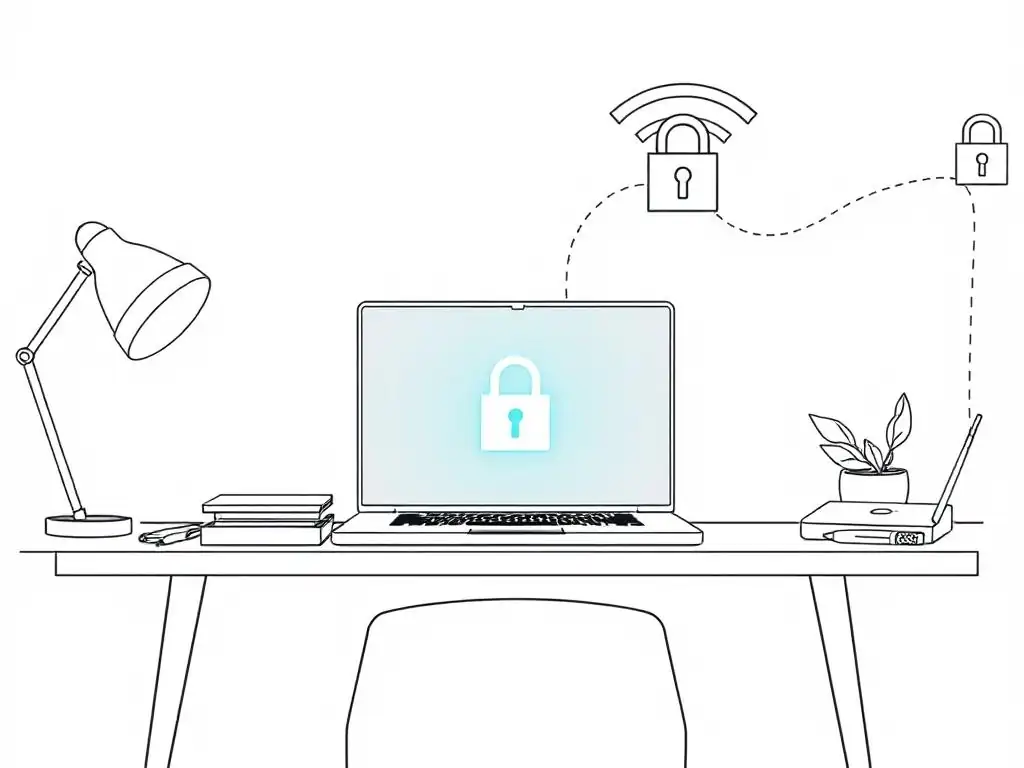
Working from home offers flexibility, but it also presents unique security challenges. A robust and secure home network is paramount for protecting sensitive work data and maintaining online privacy. This section focuses on crucial aspects of securing your home office network, specifically examining essential hardware and software solutions. Investing in the right "best work from home tech" for network security is an investment in your peace of mind and the protection of your professional life.
Robust Wi-Fi Routers for Secure and Reliable Connectivity: Netgear Orbi and TP-Link Archer Compared
Reliable internet connectivity is the lifeblood of any remote work setup. However, simply having an internet connection isn't enough; you need a strong, secure Wi-Fi network. Two popular choices for robust home Wi-Fi routers are the Netgear Orbi and the TP-Link Archer series. Both offer excellent performance, but their strengths lie in different areas.
The Netgear Orbi, known for its mesh Wi-Fi capabilities, excels in larger homes or spaces with complex layouts. Its multiple nodes create a seamless, high-speed network, eliminating dead zones and ensuring consistent connectivity throughout your entire house. This is particularly beneficial if you frequently move around while working from home. Security features usually include robust firewall protection and guest network options.
The TP-Link Archer series, on the other hand, offers a great balance of performance and affordability. While it might not offer the same extensive mesh capabilities as the Orbi, it provides strong Wi-Fi coverage for most average-sized homes. Many models in the Archer line boast advanced security features such as beamforming technology for improved signal strength and quality, and WPA3 encryption for enhanced data protection.
| Feature | Netgear Orbi | TP-Link Archer |
|---|---|---|
| Coverage | Excellent, especially in large homes | Good, suitable for average homes |
| Mesh Capabilities | Yes, multiple nodes for seamless coverage | No, typically a single router |
| Price | Generally more expensive | Generally more affordable |
| Security Features | Robust firewall, guest networks | WPA3 encryption, beamforming |
Choosing between the two depends on your specific needs and budget. If you need extensive coverage in a large home, the Netgear Orbi is the better choice. If you have a smaller home and prioritize affordability without sacrificing performance, the TP-Link Archer series is a solid option. Both represent excellent examples of "best work from home tech" for network infrastructure.
VPN Services for Enhanced Online Privacy and Security: NordVPN vs. ExpressVPN
A Virtual Private Network (VPN) is crucial for securing your online activity, especially when working from home. VPNs encrypt your internet traffic, making it much harder for hackers or your internet service provider (ISP) to intercept your data. Two leading VPN providers are NordVPN and ExpressVPN.
NordVPN is known for its extensive server network, offering a wide range of locations to choose from, thereby increasing your anonymity and potentially improving connection speeds by selecting a server closer geographically. They also provide strong encryption protocols and a strict no-logs policy.
ExpressVPN, on the other hand, prioritizes speed and performance. Their servers are generally faster than many competitors, making them ideal for activities that require high bandwidth, such as video conferencing or large file transfers. They also have a strong reputation for security and privacy.
Choosing between these two depends on your priorities. If speed is paramount, ExpressVPN might be the better choice. If you prioritize a vast server network and a wide selection of locations for enhanced privacy, NordVPN is a strong contender. Both are excellent examples of "best work from home tech" for online security.
Password Managers: Protecting Your Data – LastPass and 1Password Review
In today's digital world, managing multiple passwords securely is a necessity. Password managers help you generate and store strong, unique passwords for all your online accounts, significantly reducing the risk of data breaches. LastPass and 1Password are two popular and highly-rated options.
LastPass offers a freemium model, providing basic features for free while offering premium features like password sharing and advanced security options for a subscription fee. It's known for its ease of use and cross-platform compatibility.
1Password is a premium-only service, but it's known for its robust security features and focus on privacy. It uses end-to-end encryption, meaning that only you can access your passwords. It also offers excellent features for family sharing and team collaboration.
The choice between LastPass and 1Password often comes down to budget and security priorities. LastPass is a good option if you want a balance of free and paid features, while 1Password is a better choice if you prioritize maximum security and privacy and are willing to pay for it. Both are vital components of "best work from home tech" for securing your digital assets.
Antivirus Software: Essential Protection Against Online Threats - Top Recommendations for 2024
Working from home significantly increases your reliance on your internet connection. This means your devices and data become prime targets for cyber threats. A robust antivirus solution is no longer a luxury; it's a necessity for any remote worker. Investing in top-tier antivirus software is crucial for protecting your sensitive work data, personal information, and overall digital well-being. Failing to do so could lead to data breaches, financial losses, and identity theft – all severely impacting your productivity and peace of mind. The best work from home tech setup includes robust security measures.
Choosing the right antivirus can be overwhelming, given the sheer number of options available. However, focusing on key features will help you narrow down your choices. Look for software that offers real-time protection against malware, phishing attempts, and ransomware. Features like a firewall, anti-phishing filters, and secure browsing extensions are also beneficial additions. Many top-rated antivirus programs offer additional features such as password managers, VPN services, and system optimization tools, enhancing your overall digital security and productivity.
For 2024, several antivirus suites stand out for their comprehensive protection and user-friendly interfaces. While specific rankings fluctuate based on independent testing labs like AV-Test and AV-Comparatives, consistent top performers often include well-known names with strong reputations for detection rates and minimal system impact. Consider factors like the operating system compatibility (Windows, macOS, iOS, Android), the level of technical support provided, and the subscription pricing before making your decision.
Remember to read reviews from other users to get a sense of real-world experiences and identify any potential drawbacks. Don't underestimate the value of a reliable antivirus; it's a cornerstone of effective work-from-home security and a key part of the best work from home tech setup. Protecting your data is paramount, and the right antivirus software provides the essential layer of defense you need.
Choosing wisely will save you from potential headaches and significant losses down the line. Consider it an investment in the security and longevity of your remote work setup.
Creating a Productive and Comfortable Work From Home Environment

This section focuses on optimizing your home workspace for maximum productivity and well-being. Working from home offers flexibility, but it requires conscious effort to create an environment conducive to focus and efficiency. Investing in the right technology and ergonomic solutions is crucial for long-term success and avoiding common work-from-home pitfalls like fatigue and discomfort. Choosing the best work from home tech involves careful consideration of your needs and preferences. Let's delve into specific aspects of building your ideal home office.
Best Lighting Solutions for Your Home Office: Impact on Productivity and Well-being
Proper lighting significantly impacts productivity and overall well-being. Poor lighting can lead to eye strain, headaches, and decreased alertness, hindering your ability to focus and complete tasks efficiently. Investing in the right lighting is crucial for a productive home office.
Consider these options for optimal lighting:
- Natural Light: Maximize natural light by positioning your workspace near a window. However, avoid direct sunlight which can cause glare on your screen. Utilize sheer curtains or blinds to control the intensity. Natural light helps regulate your circadian rhythm, improving sleep quality and energy levels throughout the day.
- Task Lighting: Supplement natural light with a task lamp positioned to illuminate your work surface directly. Look for adjustable lamps that allow you to customize the brightness and direction of the light. A good task lamp reduces eye strain and minimizes shadows.
- Ambient Lighting: Use softer, diffused ambient lighting to create a relaxing atmosphere. This can be achieved with floor lamps, wall sconces, or even strategically placed LED strip lights. Avoid harsh overhead lighting which can be tiring and uninviting.
- Color Temperature: Opt for lighting with a color temperature of around 4000K-5000K, which mimics natural daylight and is ideal for focus and productivity. Avoid warmer tones (below 3000K) which can be too relaxing for work, and cooler tones (above 6500K) which can feel harsh and unnatural.
The right lighting significantly contributes to a comfortable and productive work-from-home experience. Remember, the goal is to mimic the lighting conditions of a well-lit office environment, promoting focus and well-being throughout your workday. Investing in quality lighting is a small price to pay for increased productivity and reduced health risks associated with poor lighting.
Ergonomic Chairs: Investing in Your Posture and Comfort for Long Work Hours - Top Ergonomic Chair Recommendations
Sitting for prolonged periods can lead to back pain, neck stiffness, and other musculoskeletal issues. Investing in an ergonomic chair is paramount for maintaining good posture and comfort during long work hours. Choosing the right chair can significantly impact your overall health and productivity.
Here are some key features to look for in an ergonomic chair:
- Adjustable Height: The chair should easily adjust to your height, ensuring your feet are flat on the floor and your thighs are parallel to the ground.
- Lumbar Support: Proper lumbar support is crucial for maintaining the natural curvature of your spine. Look for chairs with adjustable lumbar support to customize the fit.
- Adjustable Armrests: Adjustable armrests allow you to position your arms comfortably while typing or using a mouse, reducing strain on your shoulders and neck.
- Breathable Fabric: Choose a chair with breathable fabric to prevent overheating and discomfort, especially during warmer months.
- Headrest (Optional): A headrest can provide additional support for your neck and head, particularly if you spend a lot of time looking at your computer screen.
Choosing the right ergonomic chair is a significant investment in your long-term health and productivity. Prioritize comfort and adjustability to find a chair that perfectly suits your body type and work style. While price can vary considerably, remember that a comfortable and supportive chair is an investment that pays off in the form of improved health and increased productivity. Investing in the best work from home tech includes prioritizing your health!
Ambient Noise Solutions: Creating a Focused Work Environment – White Noise Machines and Sound Masking
Distracting noises can significantly reduce productivity and focus. Creating a quiet and peaceful work environment is crucial for optimal concentration. While complete silence might not always be achievable, managing ambient noise is key.
Several solutions can help create a more focused work environment:
- White Noise Machines: White noise machines generate a consistent, calming sound that masks other distracting noises. They can be particularly helpful in masking intermittent sounds like traffic or conversations. Many white noise machines offer a variety of sounds beyond just white noise, including pink noise, brown noise, and nature sounds.
- Sound Masking Systems: For more sophisticated noise control, sound masking systems use a network of speakers to create a consistent background sound that masks distracting noises throughout a larger space. These systems are more commonly found in offices but are becoming increasingly popular for home use.
- Earbuds/Headphones: Using noise-canceling headphones or earbuds can significantly reduce distracting noises, allowing you to focus on your work. However, be mindful of prolonged use and take breaks to avoid potential ear strain.
- Strategic Room Placement: If possible, position your workspace away from noisy areas of your home. This simple step can significantly reduce background noise and improve focus.
Creating a peaceful and focused work environment is crucial for productivity. Employing these strategies, whether it's a simple white noise machine or a more comprehensive sound masking system, allows you to control your auditory environment and minimize distractions, contributing to a more efficient and enjoyable work-from-home experience. This is a crucial element of securing the best work from home tech setup.
The Best Work From Home Tech: Improving Your Home Office Aesthetics for a Motivating Workspace
Creating a visually appealing workspace significantly impacts productivity. A cluttered, uninspiring environment can lead to decreased focus and motivation, hindering your work-from-home success. Investing in the right tech can transform your home office from a chaotic mess into a calm, productive haven. This isn't just about functionality; it's about cultivating an environment that fosters creativity and well-being. The best work from home tech isn't just about the tools themselves, but how they contribute to the overall ambiance.
Consider incorporating smart lighting solutions. Smart bulbs allow you to adjust the color temperature and brightness throughout the day, mimicking natural light and reducing eye strain. A warm, inviting light in the evenings can promote relaxation after a long workday, while bright, cool light during the day can boost alertness and focus. This simple change can drastically alter the feel of your home office, making it a more pleasant and productive space.
Beyond lighting, think about incorporating plants. Studies show that plants can reduce stress and improve air quality, contributing to a healthier and more productive work environment. While not strictly "tech," integrating plants into your aesthetic complements the overall goal of creating a calming and efficient workspace. Consider adding a small, stylish hydroponic system for a modern, minimalist touch.
Furthermore, the strategic placement of technology can significantly enhance aesthetics. Instead of a jumble of wires and chargers, invest in a sleek charging station to keep your devices organized and out of sight. This not only improves the visual appeal of your workspace but also enhances its functionality. Similarly, utilizing cable management solutions can dramatically improve the overall look and feel of your office, transforming a cluttered space into a more organized and inviting one.
Think of it as optimizing not just your workflow but also the visual flow of your workspace. The best work from home tech often involves carefully considering these aesthetic aspects for a holistic improvement in productivity. This attention to detail is key to transforming your home office into a truly motivating space.
Conclusion: Building Your Dream Work From Home Setup
This exploration of the best work from home tech has highlighted the crucial role technology plays in creating a productive and enjoyable remote work experience. From ergonomic peripherals enhancing comfort and preventing repetitive strain injuries to powerful processing units ensuring seamless multitasking, the right tools significantly impact your efficiency and overall well-being. Selecting the best tech isn't just about spending money; it's about strategically investing in tools that directly address your specific needs and workflow.
Remember to prioritize features that align with your daily tasks, whether that's high-resolution displays for graphic design or noise-canceling headphones for uninterrupted focus. By carefully curating your home office tech setup, you're not just improving your work life; you're building a foundation for sustained success and a more comfortable, fulfilling remote work journey. Consider this guide your roadmap to optimizing your home workspace and embracing the future of work.
Budget-Friendly Options for Remote Workers: Affordable Tech Solutions for Maximum Impact
Many assume that achieving peak productivity from home requires a hefty investment in top-of-the-line technology. However, numerous budget-friendly options exist that provide significant improvements without breaking the bank. For instance, refurbished laptops or desktops can offer substantial performance at a fraction of the cost of new models. Websites specializing in refurbished electronics often offer warranties, ensuring a degree of quality assurance.
Similarly, exploring open-box or slightly damaged items from reputable retailers can lead to significant savings. Prioritizing essential upgrades, such as a comfortable ergonomic keyboard and mouse, can drastically improve comfort and reduce strain, even on a tighter budget. Consider investing in a high-quality, yet affordable, webcam and microphone for clear video conferencing.
These affordable alternatives, while potentially lacking some premium features, can dramatically enhance your remote work experience without compromising essential functionality. Smart shopping and careful consideration of your needs will allow you to create a productive home office even with limited financial resources. Remember, functionality trumps flashiness when building your ideal work-from-home setup.
Investing in Your Future: The Long-Term Benefits of High-Quality Work From Home Technology
While budget-conscious choices are important, investing in high-quality work-from-home technology offers long-term benefits that extend beyond immediate cost savings. A powerful computer with ample RAM and processing power, for example, not only ensures smooth multitasking but also prevents frustrating slowdowns and crashes, ultimately saving you time and increasing your overall productivity. Similarly, ergonomic chairs and standing desks contribute to better posture and reduced health risks associated with prolonged sitting, leading to improved health and reduced healthcare costs over time.
High-resolution monitors reduce eye strain and improve focus, while noise-canceling headphones create a more peaceful and productive work environment. These seemingly higher upfront costs translate into increased efficiency, improved health, and reduced stress—all contributing to a more sustainable and successful long-term work-from-home experience.
The best work from home tech is an investment in your well-being and future career success. Think of it as an investment in your professional longevity and overall health.
Tips for Maintaining Your Home Office Tech: Troubleshooting and Maintenance
Maintaining your home office technology is crucial for ensuring its longevity and optimal performance. Regular software updates are essential for security and bug fixes. Scheduling routine backups of your important data safeguards against potential data loss. Cleaning your keyboard and mouse regularly prevents the buildup of dust and debris, improving hygiene and functionality. For more complex issues, consider consulting online troubleshooting guides or contacting technical support.
Regularly checking cable connections can prevent unexpected disruptions. Creating a dedicated workspace free from clutter and excessive heat helps maintain the optimal performance of your equipment. Adopting these simple maintenance practices will not only prolong the lifespan of your technology but also prevent costly repairs and downtime, maximizing your productivity and minimizing interruptions. Proactive maintenance is key to getting the most out of your best work from home tech. A little preventative care goes a long way.
Resources for Further Learning: Finding More Information on Remote Work Productivity and Technology
Finding the right tools is only half the battle when it comes to maximizing your work-from-home productivity. Continuous learning and staying updated on the latest technological advancements are crucial for maintaining a competitive edge and ensuring your home office setup remains efficient. There are numerous resources available to help you expand your knowledge and refine your remote work strategies.
One excellent avenue for further learning is through online courses. Platforms like Coursera, edX, and Udemy offer a wide array of courses focusing on remote work best practices, productivity techniques, and the effective utilization of technology in a home office setting. These courses often cover topics ranging from time management and organization to mastering specific software and tools relevant to your profession. Many offer certifications upon completion, adding valuable credentials to your resume. Look for courses specifically mentioning "remote work productivity," "virtual office technology," or "home office efficiency" in their titles and descriptions.
Beyond structured courses, podcasts and blogs dedicated to remote work and productivity are invaluable resources. Many experts share their insights, tips, and tricks for optimizing workflow and creating a thriving home office environment. These platforms often provide shorter, more digestible pieces of information, perfect for fitting into your busy schedule. Seek out podcasts and blogs that focus on technology reviews, productivity hacks, and real-world experiences from remote workers. Pay attention to reviews and testimonials to gauge the credibility of the information presented.
Finally, don't underestimate the power of professional networking. Connecting with other remote workers, either through online communities or in-person meetups (where possible), provides a valuable opportunity for exchanging ideas, sharing resources, and learning from the experiences of others. These networks can provide insights into the latest technologies, problem-solving strategies, and best practices that aren't readily available elsewhere.
Participating in relevant online forums and attending industry events can significantly broaden your understanding of the best work-from-home tech and methodologies. Remember to actively engage in these communities, asking questions and sharing your own experiences to maximize your learning. This collaborative approach enhances your understanding of "best work from home tech" and boosts your overall productivity.
Frequently Asked Questions
What tech gadgets are essential for successful work-from-home setups?
A successful work-from-home setup requires reliable internet, a comfortable and ergonomic workspace, and high-quality communication tools like a good webcam and noise-canceling headphones. Consider also a powerful laptop or desktop depending on your workload.
How can I improve my internet connection for better work-from-home productivity?
Consider upgrading to a faster internet plan, using an Ethernet cable instead of Wi-Fi for a more stable connection, and optimizing your router's placement to minimize interference. Regularly restart your modem and router to resolve minor issues.
What are some budget-friendly options for work-from-home technology?
While premium tech is great, you can build a functional setup affordably. Look for refurbished laptops or desktops, budget-friendly webcams and headsets, and explore free or low-cost productivity software.
How can technology improve my work-from-home efficiency?
Technology boosts efficiency through automation tools, cloud storage for seamless file access, project management software, and communication platforms that streamline collaboration. Consider time-tracking apps to monitor productivity.
Are there any specific software programs recommended for working from home effectively?
Many options exist, depending on your needs. Consider project management tools like Asana or Trello, video conferencing platforms like Zoom or Google Meet, and cloud storage solutions like Google Drive or Dropbox for efficient collaboration and organization.
Final Reflection: Embracing the Future of Work, One Gadget at a Time
The shift to remote work isn't just a trend; it's a fundamental reshaping of how we live and work. The right technology isn't merely a convenience, it's the key to unlocking productivity, connection, and a healthier work-life balance in this new paradigm. This means investing in the tools that empower you, not just those that simply get the job done.
The impact of readily available technology on the modern workplace is undeniable. It has democratized access to opportunities, fostering a more inclusive and flexible work environment. The future of work is not a place, but a connection.
This quote perfectly encapsulates the power of technology to bridge geographical divides and create a more connected and collaborative workforce, regardless of location. The evolution continues, and as technology advances, so too will our ability to seamlessly integrate work and life.
Consider the gadgets discussed in this article – not just as tools, but as investments in your future. Think about how you can leverage them to enhance your productivity, improve your well-being, and ultimately, build a more fulfilling career. What tech upgrade will you make today to empower your work-from-home journey? Take the first step towards a smarter, more efficient, and ultimately, more joyful work experience.
Unleash Your Work-From-Home Potential!
Congratulations on exploring the world of smart home working! We hope you've discovered some fantastic technology to enhance your productivity and comfort. Now let's put that knowledge into practice.
- Prioritize your most important purchase: Consider the single item from the article that would most significantly improve your workday. Order it now—you deserve the upgrade!
- Showcase your workspace: Share a picture of your enhanced home office on social media and tag us! Let's inspire others to create their perfect workspaces.
- Discover more helpful resources: Explore our other articles for even more tips and tricks to boost your efficiency and well-being. We have many more productivity hacks to share!
What technology upgrade are you most eager to implement today to improve your work-from-home experience?