
The Tech That Will Make You Love Working From Home

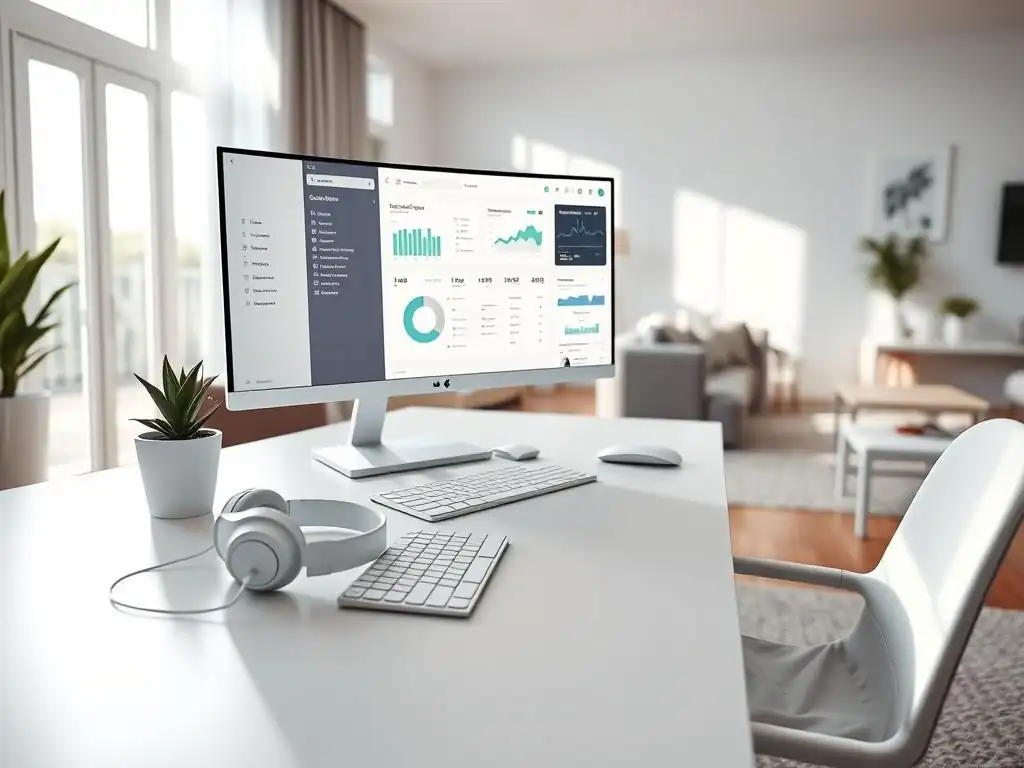
Ready to transform your work-from-home experience? At UltimateLifeHacks, we're dedicated to boosting your productivity and simplifying your life. Discover how the right technology can revolutionize your home office, and unlock unparalleled efficiency. Dive into our latest article on the Best Work From Home Tech – it's time to ditch the distractions and embrace a more streamlined, productive you.
-
Transforming Your Home Office with the Best Work From Home Tech
- Ergonomic Setup: Investing in Your Comfort and Productivity
- Boosting Your Productivity with Top-Tier Work From Home Tech
- Communication and Collaboration: Staying Connected While Working Remotely
- Software and Apps for Seamless Remote Work
- Smart Home Integration for Enhanced Productivity and Well-being
- Choosing the Right Tech for Your Work From Home Style
- Maximizing Your Investment: Long-Term Value and ROI of Work From Home Technology
- Frequently Asked Questions
- Final Reflection: Embracing the Future of Work, From Home
- Unlock Your Work-From-Home Potential!
Transforming Your Home Office with the Best Work From Home Tech
Working from home offers unparalleled flexibility and comfort, but maximizing productivity requires the right tools. This article explores the best tech gadgets designed to elevate your remote work experience, transforming your home office into a haven of efficiency and comfort. We'll delve into ergonomic setups, high-performance computing solutions, and essential accessories that will not only improve your workflow but also enhance your overall well-being while working remotely.
Choosing the right technology is crucial for boosting productivity and avoiding the common pitfalls of working from home, such as discomfort, inefficient workflows, and technological limitations. This guide will help you navigate the world of "Best work from home tech" and select the optimal equipment to meet your specific needs and budget. Let's dive into the tech that will make you love working from home!
Ergonomic Setup: Investing in Your Comfort and Productivity
Investing in an ergonomic setup is paramount for long-term comfort and productivity while working from home. Ignoring ergonomics can lead to serious health issues like back pain, eye strain, and carpal tunnel syndrome. By prioritizing comfort and proper posture, you can significantly improve your focus and efficiency throughout the workday. Let's explore some key components:
Top-Rated Ergonomic Chairs for Long Workdays
Choosing the right chair is arguably the most crucial aspect of an ergonomic setup. Look for chairs with adjustable features like lumbar support, armrests, and seat height. Consider factors such as breathability of the material and the overall sturdiness of the construction. Investing in a high-quality ergonomic chair will pay dividends in the long run, preventing discomfort and promoting healthy posture. Researching reviews and comparing features from different brands will help you make an informed decision tailored to your body type and work style. Remember, a comfortable chair is an investment in your health and productivity.
Standing Desks: Elevate Your Productivity
Standing desks are gaining popularity as a way to combat the sedentary nature of office work. Alternating between sitting and standing throughout the day can significantly improve circulation, reduce back pain, and boost energy levels. Consider adjustable standing desks that allow you to seamlessly transition between sitting and standing positions. These desks often come with memory settings to save your preferred heights. While the initial investment might be higher, the long-term benefits in terms of health and productivity are undeniable. Many users report increased focus and energy when incorporating a standing desk into their workspace.
Essential Accessories: Keyboard Trays, Monitor Arms, and Footrests for Optimal Posture
Beyond chairs and desks, several accessories can further enhance your ergonomic setup. Keyboard trays help maintain a neutral wrist position, reducing strain. Monitor arms allow for optimal screen positioning, reducing neck strain. Footrests provide support and improve posture, especially when using a standing desk. These seemingly small additions can significantly impact your comfort and productivity, making a noticeable difference in your overall work experience. A well-rounded ergonomic setup considers every aspect of your posture and workflow, ensuring a comfortable and efficient work environment.
Boosting Your Productivity with Top-Tier Work From Home Tech
Ergonomics are only half the battle; the right technology is equally crucial for maximizing your work-from-home efficiency. Investing in high-performance hardware can streamline your workflow and significantly reduce frustration.
High-Performance Laptops: A Detailed Comparison for Remote Workers
For mobile professionals, a high-performance laptop is essential. Consider factors like processor speed, RAM, storage capacity, and battery life when making your selection. Compare different models based on your specific needs and budget. A powerful laptop will ensure smooth multitasking and efficient handling of demanding applications. Look for models with features like a comfortable keyboard, a high-resolution display, and a durable build quality. The right laptop can be the cornerstone of your productive work-from-home setup.
Powerful Desktop Computers for Demanding Tasks: Building the Ultimate Home Office Workstation
For users who require maximum processing power, a powerful desktop computer is the ideal choice. Building a custom desktop allows for precise component selection, optimizing performance for specific tasks. Consider investing in a high-end CPU, ample RAM, and a fast SSD for improved loading times and overall system responsiveness. A dedicated graphics card is essential for tasks involving video editing, 3D rendering, or gaming. Building your own desktop allows for customization and scalability, ensuring your workstation can adapt to your evolving needs.
Ultrawide Monitors for Enhanced Efficiency: Maximizing Screen Real Estate
Ultrawide monitors significantly increase screen real estate, allowing for improved multitasking and enhanced workflow efficiency. The expanded horizontal space allows you to view more information simultaneously, reducing the need to constantly switch between windows. This can drastically improve productivity, particularly for tasks involving data analysis, programming, or graphic design. The increased screen real estate provides a more immersive and less cluttered workspace, contributing to a more focused and efficient work experience. The benefits of an ultrawide monitor are readily apparent to those who prioritize efficiency and seamless workflow.
Communication and Collaboration: Staying Connected While Working Remotely
Effective communication is the cornerstone of successful remote work. Staying connected with colleagues, clients, and partners requires the right tools and strategies. Investing in high-quality communication technology is crucial for maintaining productivity and fostering a collaborative environment, even when physically separated. The right tech can bridge the gap between remote team members and ensure everyone stays informed and engaged. This section will explore some key technologies that facilitate seamless communication and collaboration for remote workers.
Noise-Cancelling Headphones for Focused Work
Noise-cancelling headphones are an essential investment for anyone working from home. The ability to block out distracting sounds – from barking dogs and noisy neighbors to the hum of household appliances – significantly improves focus and concentration. This leads to increased productivity and a more enjoyable work experience. Consider features like comfortable earcups for extended wear, a strong microphone for clear calls, and robust noise cancellation technology to effectively mute unwanted background noise.
The difference in concentration levels with and without noise-cancelling headphones is remarkable, especially in busy households. Investing in a good pair is an investment in your peace of mind and overall work performance. Many models offer Bluetooth connectivity for seamless pairing with your computer and smartphone.
High-Quality Webcams for Crystal-Clear Video Calls
Crystal-clear video calls are essential for maintaining a personal connection with colleagues and clients. A high-quality webcam with excellent resolution, a wide field of view, and a good microphone ensures that you are seen and heard clearly during video conferences. Features like autofocus and low-light correction further enhance the video quality, making you look professional even in less-than-ideal lighting conditions.
This is crucial for building rapport and trust in virtual interactions. A poor quality webcam, on the other hand, can lead to misunderstandings and communication breakdowns. The investment in a decent webcam is a small price to pay for professional and efficient virtual communication.
Reliable Internet Connectivity: Choosing the Right Router and Internet Plan for Seamless Workflows
Reliable internet connectivity is paramount for remote work. Slow internet speeds, dropped connections, and high latency can severely disrupt workflows and lead to frustration. Choosing the right internet plan with sufficient bandwidth is crucial, especially if you're handling large files or participating in video conferences. A robust router capable of handling multiple devices and providing a strong signal throughout your home is equally important.
Consider factors like the number of devices connected, the type of internet connection (fiber, cable, DSL), and the range of the router when making your selection. Upgrading your internet plan and router can significantly improve your overall work experience and prevent productivity bottlenecks. A stable internet connection is the backbone of a smooth and efficient remote work setup.
Software and Apps for Seamless Remote Work
Beyond hardware, the right software and applications are essential for streamlining your remote work setup. These tools facilitate communication, collaboration, project management, and data storage, making remote work more efficient and productive. Selecting the right software depends on your individual needs and the size of your team.
Project Management Software: A Comparison for Remote Teams
Efficient project management is critical for remote teams. Project management software provides tools for task assignment, progress tracking, deadline management, and team communication. Various platforms offer different features and functionalities. Some popular options include tools that offer features like Kanban boards, Gantt charts, time tracking, and file sharing. Choosing the right platform involves carefully considering your team's size, project complexity, and budget. The right software can dramatically improve team collaboration and ensure projects are completed on time and within budget. Consider factors like ease of use, integration with other tools, and the level of support provided by the vendor.
Video Conferencing Solutions: Features and Pricing Analysis
Video conferencing is a core component of remote work communication. Various platforms offer a range of features, from basic video calls to advanced functionalities like screen sharing, recording, and virtual backgrounds. Pricing models vary widely, from free plans for individual users to enterprise-level subscriptions for large teams. When choosing a video conferencing solution, consider factors like the number of participants, required features, security protocols, and integration with other tools. A well-chosen platform ensures smooth and efficient virtual meetings, fostering seamless communication and collaboration amongst remote teams. Consider the platform's reliability, ease of use, and its overall user experience.
Cloud Storage and Collaboration Tools: Securely Storing and Sharing Your Work
Securely storing and sharing work files is crucial for remote teams. Cloud storage services provide centralized access to documents, spreadsheets, and other files, allowing team members to collaborate seamlessly on projects. Features like version control, real-time co-editing, and access control ensure that everyone has the latest version of the files and that sensitive data is protected.
Choosing a reliable cloud storage provider with robust security measures is paramount to protecting your valuable data. Consider factors like storage capacity, security features, cost, and ease of integration with other tools. A secure and well-organized cloud storage system is a cornerstone of efficient remote work.
Smart Home Integration for Enhanced Productivity and Well-being
Integrating smart home technology into your home office can significantly boost productivity and improve your overall well-being while working from home. By automating various aspects of your environment, you create a more efficient and comfortable workspace, minimizing distractions and maximizing focus. This interconnectedness allows for seamless control and optimization of your surroundings, leading to a more enjoyable and productive workday. The key is to choose smart home devices that directly address your needs and workflow, avoiding the trap of unnecessary gadgets that can clutter your space and attention.
A well-planned smart home setup should enhance, not complicate, your work-from-home experience. Careful consideration of your personal preferences and work style is crucial for a successful integration. For example, someone who thrives in a brightly lit environment will benefit differently from smart lighting than someone who prefers a dimmer, more calming atmosphere.
Smart Lighting for Optimal Focus
Smart lighting offers unparalleled control over your workspace's ambiance, directly impacting focus and energy levels. Imagine effortlessly adjusting the brightness and color temperature of your office lighting throughout the day to match your circadian rhythm. Starting the day with cooler, brighter light can help you wake up and feel more alert, while gradually shifting to warmer tones in the evening can promote relaxation and a smoother transition to your personal time.
Many smart lighting systems allow for scene creation, enabling you to pre-set lighting configurations optimized for specific tasks. For example, you might create a "focus mode" with bright, cool light and a "relaxation mode" with softer, warmer light. This level of customization contributes significantly to a more productive and comfortable work-from-home environment.
Beyond brightness and color temperature, some advanced systems even offer features like sunrise/sunset simulations, further enhancing the synchronization between your lighting and natural rhythms. The investment in smart lighting can yield substantial returns in terms of improved concentration and overall well-being.
Smart Assistants for Hands-Free Productivity
Smart assistants like Amazon Alexa or Google Assistant are invaluable tools for boosting hands-free productivity in a home office. These virtual assistants can handle a multitude of tasks, freeing up your hands and mind for more critical work. Imagine dictating emails, setting reminders, making calls, or controlling smart home devices—all without lifting a finger.
This hands-free functionality is particularly useful during video calls or when multitasking. The ability to quickly access information, schedule appointments, and manage your calendar through voice commands can significantly streamline your workflow. Furthermore, smart assistants can integrate with other smart home devices, creating a truly interconnected and responsive workspace.
For example, you can ask your assistant to adjust the temperature, dim the lights, or play focus-enhancing music, all while maintaining your concentration on the task at hand. The convenience and efficiency offered by smart assistants translate directly into increased productivity and a less stressful workday. The key is to learn the specific commands and capabilities of your chosen assistant to maximize its potential.
Smart Thermostats for Energy Efficiency and Comfort
Smart thermostats offer a compelling blend of energy efficiency and personalized comfort, crucial elements for a productive and enjoyable work-from-home experience. By learning your daily routines and preferences, a smart thermostat automatically adjusts your home's temperature to optimize energy consumption while maintaining your ideal comfort level. This not only reduces your energy bills but also contributes to a more sustainable lifestyle.
The ability to remotely control the temperature from your smartphone or computer provides ultimate flexibility, allowing you to pre-heat or cool your office before you even start work. Many smart thermostats offer geofencing capabilities, automatically adjusting the temperature based on your location. This means that your home will be at the perfect temperature when you arrive and will automatically switch to energy-saving mode when you are away.
Features like programmable schedules allow you to customize the temperature settings for different times of the day, further optimizing energy use and ensuring consistent comfort throughout your workday. The combination of convenience, cost savings, and environmental benefits makes smart thermostats a worthwhile investment for any home office.
Choosing the Right Tech for Your Work From Home Style
Selecting the best work from home tech hinges on understanding your individual needs and work style. Are you a minimalist who values simplicity, or do you crave a high-tech, immersive workspace? Your budget, job role, and personal preferences will all significantly impact your tech choices. This section helps you navigate these considerations to build a home office setup that boosts productivity and enhances your overall work-from-home experience.
Consider factors like the frequency of video calls, the amount of data processing you handle, and the level of collaboration required in your daily tasks. Choosing wisely ensures you invest in tools that truly amplify your work efficiency, rather than just adding clutter to your home office. Remember, the goal is to create an environment that feels both productive and comfortable.
Budget-Friendly Work From Home Tech Solutions
Not everyone has a hefty budget for high-end tech. Fortunately, many excellent, affordable options can significantly improve your work-from-home setup. A refurbished laptop, for instance, can offer similar performance to a brand new one at a fraction of the cost. Look for certified refurbished options from reputable sellers to ensure quality and warranty coverage. Similarly, a good quality USB headset with a noise-canceling microphone is essential for clear communication during video calls without breaking the bank. Consider open-source software alternatives to expensive proprietary programs. For example, LibreOffice provides comparable functionality to Microsoft Office, completely free of charge.
Here's a sample budget-friendly setup:
| Item | Estimated Cost (USD) | Notes |
|---|---|---|
| Refurbished Laptop | 200-400 | Check reviews carefully before purchasing. |
| USB Headset with Mic | 30-50 | Prioritize noise cancellation for clear calls. |
| External Keyboard & Mouse | 20-40 | Improves ergonomics and comfort during extended use. |
| Cloud Storage (100GB) | 2-5 per month | Essential for data backup and accessibility across devices. |
Remember to factor in internet costs – a reliable internet connection is paramount for smooth remote work. Consider upgrading your plan if necessary to ensure sufficient bandwidth for video conferencing and data transfer. Investing smartly in affordable, high-quality essentials will lay a solid foundation for a productive work-from-home environment.
High-End Work From Home Tech for Professionals
For professionals needing top-tier performance and seamless integration, investing in premium tech is a worthwhile endeavor. A high-resolution monitor significantly reduces eye strain and improves productivity. A powerful desktop computer with a fast processor and ample RAM ensures smooth multitasking and quick processing of large files.
Consider a docking station for easy connection to peripherals and a comfortable ergonomic chair to prevent backaches and improve posture. Noise-canceling headphones are also a worthwhile investment to minimize distractions and enhance focus during calls and work sessions. Think about investing in advanced software, such as professional video editing suites or specialized design programs, depending on your field.
This could include:
- A high-end laptop with a powerful processor and ample RAM.
- A large, high-resolution monitor for improved visual comfort and productivity.
- A comfortable ergonomic chair designed to support proper posture.
- High-quality noise-canceling headphones for uninterrupted focus.
- A fast and reliable internet connection with high bandwidth.
Investing in these high-quality tools can significantly improve workflow, reduce stress, and ultimately lead to increased productivity and professional success. The initial investment pays off in the long run through enhanced efficiency and a more comfortable work environment. Don't forget the importance of robust security software to protect sensitive data.
Essential Gadgets for Specific Remote Work Roles
The best work from home tech varies dramatically depending on your profession. A graphic designer needs vastly different tools than a software engineer or a writer. This section highlights some essential gadgets for specific remote work roles.
- Software Developers: Powerful laptops or desktop computers with high processing power and ample RAM are crucial, along with multiple monitors for efficient coding and debugging. A mechanical keyboard and ergonomic mouse are essential for comfort during prolonged coding sessions. Consider investing in advanced debugging tools and software development platforms.
- Writers & Editors: A comfortable ergonomic setup is paramount. This includes a comfortable chair, external keyboard, and potentially a standing desk converter. Noise-canceling headphones are essential for uninterrupted focus. Grammar and style checking software are also valuable tools. A powerful laptop or desktop is also helpful for managing large documents and research materials.
- Video Editors & Content Creators: High-end laptops or powerful desktop computers with dedicated graphics cards are essential for smooth video editing. A large, high-resolution monitor is crucial for precise color grading and detail viewing. Professional video editing software is a must-have. Fast storage solutions, such as external SSDs, are also needed to manage large video files.
Choosing the right tech involves careful consideration of your specific needs and work style. Remember to research and compare different options before making a purchase. Investing in the right tools can significantly improve your work-from-home experience and boost your productivity. 💻
Maximizing Your Investment: Long-Term Value and ROI of Work From Home Technology
Investing in the right technology for your home office isn't just about immediate convenience; it's a strategic move that impacts your long-term productivity and overall well-being. Choosing wisely ensures a significant return on investment (ROI), translating to increased efficiency, reduced stress, and potentially even higher earning potential. This section delves into the factors that contribute to a strong ROI on your work-from-home tech purchases.
Factors to Consider When Choosing Work From Home Tech
Selecting the best work from home tech requires careful consideration beyond initial cost. Think about the longevity of the equipment, its adaptability to future needs, and its potential impact on your workflow. Here's a breakdown of key factors:
- Durability and Reliability: Investing in robust, reliable equipment minimizes downtime and frustration. A high-quality laptop, for example, will likely require fewer repairs and replacements over time compared to a cheaper alternative. Consider brands known for their durability and customer support. This upfront investment pays off in the long run by preventing costly repairs or replacements.
- Scalability and Future-Proofing: Choose technology that can adapt to your evolving needs. A monitor with multiple ports can accommodate future peripherals. Consider cloud-based software and storage solutions for flexibility and accessibility across devices. Investing in modular furniture also allows for easy adjustments as your workspace evolves.
- Ergonomics and Health: Prioritizing ergonomics is crucial for long-term health and productivity. Investing in an ergonomic chair, adjustable standing desk, and a good quality keyboard and mouse can prevent back pain, eye strain, and other health issues associated with prolonged computer use. These investments directly contribute to improved well-being and sustained productivity. The cost of treating work-related injuries far outweighs the initial investment in ergonomic equipment.
- Software and Subscription Costs: Factor in ongoing software subscriptions and maintenance costs. Some software offers one-time purchases while others require recurring payments. Carefully weigh the costs and benefits of each option to ensure it aligns with your budget and long-term needs. Consider free and open-source alternatives where appropriate to minimize expenses.
- Resale Value: Some tech products hold their value better than others. If you anticipate upgrading your equipment frequently, choosing brands with strong resale markets can help recoup some of your initial investment. Research resale values before making a purchase, especially for high-ticket items like laptops and monitors.
Maintaining and Upgrading Your Home Office Setup
Maintaining and upgrading your home office setup is essential for sustained productivity and maximizing your initial investment. Regular maintenance prevents costly repairs and ensures optimal performance. Here's a structured approach:
- Regular Cleaning: Dust accumulation can affect performance and even damage components. Regularly clean your keyboard, monitor, and other equipment. This simple step significantly extends the lifespan of your technology.
- Software Updates: Keeping your software updated is crucial for security and performance. Regular updates often include bug fixes and performance improvements. Enabling automatic updates is often the easiest way to ensure you are always running the latest version.
- Data Backups: Regularly backing up your data is paramount to avoid data loss. Employ a multi-layered approach using both local and cloud-based backup solutions. This safeguards your valuable work and minimizes the risk of irreversible data loss.
- Strategic Upgrades: Instead of replacing everything at once, prioritize upgrades based on need and cost-effectiveness. Focus on replacing components that are failing or significantly impacting your workflow. This approach avoids unnecessary expenses and allows for more controlled budget management.
This planned approach to your best work from home tech ensures not only immediate benefits but also a long-term return on your investment, contributing to a more productive and comfortable work-from-home experience. 📈
Frequently Asked Questions
What is the best laptop for working from home?
The best laptop depends on your needs, but generally, a lightweight and powerful laptop with a good battery life is ideal. Consider models with at least 16GB of RAM and a fast processor for smooth multitasking. Look for features like a good webcam and comfortable keyboard.
What kind of monitor improves work-from-home productivity?
A large, high-resolution monitor significantly boosts productivity. Consider a 27-inch or larger monitor with a resolution of at least 1440p for sharper visuals and more screen real estate. An adjustable monitor stand can also improve ergonomics.
Which headphones are best for video calls and focus?
Noise-canceling headphones are great for minimizing distractions during video calls and focused work. Look for headphones with a clear microphone for crisp audio. Consider over-ear headphones for better noise isolation.
What is essential tech for a productive home office setup?
Beyond a laptop and monitor, consider a comfortable ergonomic chair, a fast and reliable internet connection, and a good quality webcam and microphone for video conferencing. A separate keyboard and mouse can also improve comfort and productivity.
How can I improve my home office lighting for better focus?
Good lighting is crucial. Avoid harsh overhead lighting and opt for soft, natural light whenever possible. Supplement with a desk lamp that provides adjustable brightness and color temperature. Avoid glare on your screen by strategically positioning your lighting.
Final Reflection: Embracing the Future of Work, From Home
The seamless integration of technology into our lives has fundamentally reshaped the concept of "work," and the best work-from-home tech is leading the charge. No longer a fringe benefit, remote work is becoming the new normal, demanding innovative solutions to maintain productivity, collaboration, and a healthy work-life balance. This shift requires a conscious effort to select and utilize technology that empowers us, not overwhelms us.
The impact of this technological revolution on our personal and professional lives is profound. We've witnessed a blurring of lines between home and office, demanding a re-evaluation of our priorities and how we structure our days. This shift isn't just about convenience; it's about creating a sustainable and fulfilling work experience. The future of work is not a place, but a connection.
This quote perfectly encapsulates the essence of successfully navigating the work-from-home landscape, emphasizing the importance of strong communication and the right tools to facilitate it.
Now, consider your own workspace. What technologies are enhancing your productivity and well-being? What adjustments could you make to optimize your remote work experience? I encourage you to actively curate your tech toolkit, choosing tools that align with your individual needs and work style. Embrace the opportunity to design a work environment that fosters both efficiency and personal fulfillment. The future of work is being written now, and with the right technology, you can write your own successful chapter.
Unlock Your Work-From-Home Potential!
Thanks for exploring the technology that makes remote work enjoyable! You've learned about productivity-boosting tools and ways to improve your well-being—now it's time to apply that knowledge.
- Invest in one game-changing tool: Identify your biggest work-from-home challenge. Is it maintaining focus? Improving organization? Ergonomics? Then choose one technology solution from the article to address it directly. Try it for a week and see the results!
- Share your favorite work-from-home tech tip on social media. Tag #UltimateLifeHacks so we can celebrate your successes!
- Join our community forum (link to be added) to share your experiences and discover even more helpful tips from other users.
Ready to transform your workspace and enhance your work-from-home life? What technological improvement are you most eager to implement today?