
The Cybersecurity Challenge: Staying Ahead of the Curve


Welcome to UltimateLifeHacks, your ultimate resource for practical tips and tricks to conquer your daily routine! Are you ready to unlock a world of increased efficiency and significantly boost your productivity? We know that staying ahead of the curve is crucial, which is why we're diving headfirst into the critical topic of Cybersecurity tips for productivity. Discover how strengthening your digital defenses can actually free up more time and energy for what truly matters. Let's explore the surprising connection between security and seamless productivity – read on to learn more!
- Understanding the Modern Cybersecurity Landscape: Threats to Productivity
- Cybersecurity Tips for Productivity: Protecting Your Digital Life
-
Enhancing Productivity Through Secure Online Habits
- Email Security Best Practices: Avoiding Phishing Scams
- Safe Browsing Habits: Recognizing and Avoiding Malicious Websites
- Secure Online Shopping and Transactions: Protecting Your Financial Information
- Social Media Security: Protecting Your Online Identity
- Mobile Device Security: Protecting Your Smartphone and Tablet
- Advanced Cybersecurity Strategies for Enhanced Productivity
- The Future of Cybersecurity and Productivity: Adapting to Change
-
Frequently Asked Questions
- What are some quick cybersecurity tips to boost my productivity?
- How can I balance cybersecurity with the need for quick access to information?
- What cybersecurity practices help prevent productivity loss due to phishing attacks?
- How can I improve my cybersecurity posture without significantly impacting my workflow?
- Are there any simple steps to protect my devices from malware that won't take up much time?
- Final Reflection: Securing Our Future, One Click at a Time
- Level Up Your Digital Defense Today!
Understanding the Modern Cybersecurity Landscape: Threats to Productivity
The digital age has undeniably boosted productivity, connecting us globally and automating tasks. However, this interconnectedness brings a significant challenge: cybersecurity threats. This article explores the crucial intersection of cybersecurity and productivity, examining how cyberattacks directly impact our efficiency and offering practical cybersecurity tips for productivity. We will delve into the evolving landscape of online threats, analyze their impact on both personal and professional life, and provide a step-by-step guide to identifying and strengthening your personal cybersecurity posture.
Ignoring cybersecurity isn't just risky; it's a productivity killer. By understanding and mitigating these risks, you can reclaim valuable time and energy, focusing on what truly matters: achieving your goals. This guide provides actionable strategies to integrate cybersecurity into your daily routine seamlessly, enhancing both your digital security and overall productivity. Let's explore how to stay ahead of the curve and protect your valuable time and data.
Evolving Cyber Threats: Ransomware, Phishing, and Data Breaches
The threat landscape is constantly evolving, with sophisticated attacks becoming increasingly common. Understanding these threats is the first step towards effective protection. Let's examine three major categories:
- Ransomware: This malicious software encrypts your data, rendering it inaccessible unless a ransom is paid. The impact on productivity is immediate and severe: lost work, disrupted workflows, and significant financial costs. Recovery can take days, weeks, or even months, severely impacting your schedule and potentially causing irreparable damage. The average cost of a ransomware attack to businesses is staggering [specific information pending], highlighting the critical need for preventative measures.
- Phishing: Phishing attacks use deceptive emails or websites to trick individuals into revealing sensitive information like passwords, credit card details, or social security numbers. These attacks are incredibly common and often surprisingly effective. Even a few minutes spent responding to a phishing email can lead to hours, or even days, spent rectifying the damage, not to mention the potential for identity theft and financial loss.
- Data Breaches: Large-scale data breaches, targeting companies and organizations, can have far-reaching consequences. These breaches can expose personal information, leading to identity theft and financial fraud. The resulting cleanup and recovery efforts can be incredibly time-consuming, impacting productivity for individuals and organizations alike. For example, the [Company Name] data breach in [Year] resulted in [specific impact on productivity, e.g., "thousands of employee hours spent on damage control"].
The Impact of Cyberattacks on Personal and Professional Productivity
Cyberattacks don't just affect large corporations; they significantly impact individuals and small businesses too. The consequences extend far beyond financial losses. Consider these impacts:
- Time Loss: Dealing with the aftermath of a cyberattack—reporting the incident, changing passwords, recovering data, and contacting authorities—is incredibly time-consuming. This lost time directly translates to reduced productivity across all areas of life.
- Stress and Anxiety: The emotional toll of a cyberattack can be substantial. The fear of identity theft, financial loss, and reputational damage can lead to stress, anxiety, and decreased focus, further hindering productivity.
- Financial Losses: Beyond direct financial losses from ransomware demands or fraudulent transactions, there are additional costs associated with data recovery, legal fees, and potential business disruptions. These unexpected expenses can further strain resources and hinder productivity.
- Reputational Damage: For businesses, a data breach can severely damage their reputation, leading to lost customers and decreased trust. Rebuilding that trust requires significant time and resources, directly impacting productivity.
Identifying Your Weak Points: A Personal Cybersecurity Audit
Regularly assessing your cybersecurity posture is crucial for preventing attacks. A personal cybersecurity audit helps identify vulnerabilities and strengthen your defenses. Here’s a step-by-step approach:
- Password Management: Are your passwords strong, unique, and regularly updated? Do you use a password manager?
- Software Updates: Are your operating systems, applications, and antivirus software up-to-date? 🤔 Outdated software is a prime target for attackers.
- Phishing Awareness: Can you identify phishing emails? Do you practice safe clicking habits? 🎣
- Data Backup: Do you regularly back up your important data to a secure, offline location? 💾
- Device Security: Are your devices protected with strong passwords or biometric authentication? Do you use multi-factor authentication (MFA) where available? 🔒
- Network Security: Do you use a secure Wi-Fi network? Do you avoid using public Wi-Fi for sensitive tasks?
By proactively addressing these areas, you can significantly improve your cybersecurity posture and protect your productivity from the ever-evolving threats of the digital world. Remember, a proactive approach is key to maintaining a productive and secure digital life. 🛡️
Cybersecurity Tips for Productivity: Protecting Your Digital Life
This section focuses on practical cybersecurity measures that directly enhance your productivity. Neglecting digital security can lead to significant time losses from dealing with data breaches, malware cleanup, and password resets. By implementing these strategies, you'll not only protect your sensitive information but also streamline your workflow and prevent costly disruptions. Let's delve into specific actions you can take to bolster your cybersecurity posture without sacrificing productivity.
Strong Passwords and Password Management Strategies
Strong passwords are the cornerstone of digital security. Weak passwords are easily cracked, opening your accounts to unauthorized access and potentially compromising your productivity. Instead of relying on easily guessable passwords, employ these strategies:
- Length: Aim for passwords at least 12 characters long. Longer passwords are exponentially harder to crack.
- Complexity: Incorporate a mix of uppercase and lowercase letters, numbers, and symbols. Avoid using easily guessable information like birthdays or pet names. A good mnemonic device can help create complex but memorable passwords.
- Uniqueness: Never reuse the same password across multiple accounts. If one account is compromised, the attacker gains access to all accounts using that password.
- Password Managers: Utilize a reputable password manager. These tools generate strong, unique passwords for each account and securely store them, eliminating the need to remember every single password. This saves you considerable time and effort while significantly improving your security.
Consider these password examples: P@$$wOrd123! (weak) vs. &!MyComp1exP@$$wOrd456* (strong). The difference in security is substantial. A password manager can easily generate and manage passwords of the latter's complexity.
Multi-Factor Authentication (MFA): An Essential Security Layer
Multi-factor authentication (MFA) adds an extra layer of security beyond just a password. It requires multiple forms of verification before granting access to an account. This significantly reduces the risk of unauthorized access, even if your password is compromised. MFA is a critical step in safeguarding your productivity by preventing unwanted interruptions and data breaches.
Common MFA methods include:
- One-Time Passwords (OTPs): These are temporary codes generated by an authenticator app or sent via SMS.
- Biometrics: Using fingerprints, facial recognition, or other biometric data for verification.
- Security Keys: Hardware devices that generate unique codes for authentication.
Implementing MFA on all your important accounts – email, banking, social media, etc. – is crucial for maintaining productivity by minimizing the impact of potential security breaches. The small inconvenience of adding an extra authentication step is far outweighed by the protection it provides.
Secure Wi-Fi Practices: Protecting Your Data on Public Networks
Using public Wi-Fi networks can be convenient, but it also exposes your devices and data to significant risks. Unsecured networks are easily accessible to hackers, who can intercept your data, including passwords and sensitive information. This can lead to significant productivity losses. Here's how to mitigate these risks:
- Use a VPN: A Virtual Private Network (VPN) encrypts your internet traffic, making it much harder for hackers to intercept your data even on unsecured networks. This is especially crucial when accessing sensitive information or conducting online transactions on public Wi-Fi.
- Avoid Sensitive Activities: Refrain from accessing sensitive accounts like banking or email on public Wi-Fi. If you must, use a VPN.
- Check Network Security: Look for networks with strong security protocols (WPA2/WPA3) and avoid open or unsecured networks.
- Enable Firewall: Ensure your device's firewall is enabled to block unauthorized access attempts.
By implementing these simple yet effective cybersecurity tips, you can significantly improve your digital security posture and protect your productivity from the threats posed by cyberattacks. Remember, proactive security measures are far more efficient than reactive damage control. Prioritizing cybersecurity is an investment in your time and peace of mind.
Software Updates and Patch Management: Staying Current
Staying current with software updates is paramount for robust cybersecurity and, surprisingly, boosts productivity. Outdated software is riddled with vulnerabilities that hackers exploit. These vulnerabilities aren't just theoretical risks; they represent real pathways for malware infiltration, data breaches, and system crashes. A single successful attack can cost hours, even days, in recovery time, significantly impacting productivity. Imagine the disruption caused by a ransomware attack encrypting your crucial work files, demanding a ransom for their release. This isn't a hypothetical scenario; it's a common reality for businesses and individuals neglecting software updates.
Regular patching closes these security gaps, preventing many attacks before they even begin. Modern operating systems and applications offer automated update features, making this process remarkably simple. Enabling these automatic updates is a crucial first step. However, simply enabling updates isn't enough. You should also periodically check for updates manually, particularly for less frequently updated software or plugins.
This proactive approach ensures that your systems are always running the latest, most secure versions. While some updates might require a brief system restart, the long-term benefits – uninterrupted workflow and the avoidance of costly security incidents – far outweigh the minor inconvenience. Consider scheduling updates during periods of low activity to minimize downtime, further optimizing your workflow. Think of it as preventative maintenance for your digital life; a small investment of time yielding substantial returns in terms of security and productivity.
Regularly Backing Up Your Data: Disaster Recovery Planning
Data loss is a productivity killer. Whether caused by a hardware failure, ransomware attack, accidental deletion, or a natural disaster, losing critical data can bring your workflow to a screeching halt. Recovering from such an event can consume countless hours, potentially costing you deadlines and revenue. This is where regular data backups become crucial, not only for cybersecurity but also for maintaining productivity. A comprehensive backup strategy is your digital insurance policy, ensuring business continuity even in the face of adversity.
There are several methods for backing up your data. Cloud-based backup services offer convenient and automated solutions, often including versioning for easy recovery of previous file versions. Local backups, using external hard drives or network-attached storage (NAS), provide a faster recovery option for smaller datasets. A hybrid approach, combining both cloud and local backups, is often the most robust and reliable strategy.
The key is to establish a routine. Regular, automated backups – ideally daily or even more frequently for critical data – are essential. Test your recovery process periodically to ensure your backups are working correctly and that you can restore your data quickly and efficiently. This testing is not just a precaution; it's a vital component of maintaining productivity.
Knowing that you have a reliable backup system in place provides peace of mind, allowing you to focus on your work without the constant dread of data loss. This peace of mind directly contributes to improved focus and, ultimately, enhanced productivity. Remember, a well-executed backup plan isn't just a cybersecurity measure; it's a productivity booster.
Enhancing Productivity Through Secure Online Habits
Cybersecurity isn't just about preventing catastrophic data breaches; it's fundamentally about protecting your time and energy. Strong cybersecurity practices directly translate to increased productivity by minimizing disruptions caused by malware, phishing attacks, and data loss. This section focuses on practical cybersecurity tips specifically designed to boost your efficiency and streamline your daily workflow. By integrating these habits into your routine, you'll find yourself spending less time dealing with security issues and more time focusing on what truly matters – achieving your goals.
Email Security Best Practices: Avoiding Phishing Scams
Phishing scams are a major productivity drain. Responding to, investigating, or recovering from a phishing attempt can easily consume hours of valuable work time. Proactive measures are crucial. Here's how to significantly reduce your exposure:
- Verify Sender Identity: Never click links or open attachments from unknown senders. Hover over links (without clicking) to see the actual URL – it should match the expected domain. Legitimate companies rarely use generic email addresses like
@gmail.com. - Look for Red Flags: Phishing emails often contain grammatical errors, urgent requests for personal information, or threats. Be wary of emails promising unrealistic rewards or demanding immediate action.
- Enable Two-Factor Authentication (2FA): This adds an extra layer of security, making it significantly harder for phishers to access your account even if they obtain your password. Most email providers offer this feature.
- Regularly Review Your Email Subscriptions: Unsubscribe from unwanted newsletters and promotional emails to reduce the volume of potential phishing attempts in your inbox. A cleaner inbox means less time spent sorting through irrelevant messages.
- Report Suspicious Emails: Most email providers have reporting mechanisms for suspicious emails. Use these tools to help combat phishing and protect others.
Consider this example: A phishing email might appear to be from your bank, urging you to update your account details immediately. By carefully inspecting the sender's email address and the URL of any included links, you can quickly identify the scam and avoid wasting time on unnecessary actions.
Safe Browsing Habits: Recognizing and Avoiding Malicious Websites
Navigating the web securely is paramount for productivity. A single click on a malicious link can unleash malware, leading to system crashes, data theft, and hours of troubleshooting. Here are some vital safe browsing habits:
- Use a Reputable Antivirus and Anti-malware Software: Keep your software updated to protect against the latest threats. Regular scans can help detect and remove malicious programs before they cause significant disruption.
- Be Wary of Pop-up Ads: Many malicious websites use intrusive pop-up ads to trick users into clicking harmful links. Use a pop-up blocker to minimize this risk.
- Check Website Security Certificates: Look for the padlock icon in the address bar, indicating a secure HTTPS connection. This verifies that the website is using encryption to protect your data.
- Avoid Downloading from Untrusted Sources: Only download software and files from official websites or reputable sources. Be especially cautious of cracked software or pirated content, which often contains malware.
- Keep Your Software Updated: Regularly updating your operating system, browser, and other software patches security vulnerabilities that hackers can exploit.
Think of it this way: Just as you wouldn't walk down a dark alley alone at night, you shouldn't casually click on links from unknown sources online. Safe browsing habits are about proactively avoiding risky situations.
Secure Online Shopping and Transactions: Protecting Your Financial Information
Online shopping is convenient, but it also presents significant cybersecurity risks. Protecting your financial information during online transactions is crucial not only for financial security but also for maintaining productivity. Compromised financial data can lead to significant time loss dealing with fraud investigations and recovery efforts.
| Practice | Description | Productivity Benefit |
|---|---|---|
| Use Strong Passwords | Create unique, complex passwords for each online account. | Prevents account takeover and saves time on password resets. |
| Enable 2FA for Online Accounts | Add an extra layer of security to your online banking and shopping accounts. | Significantly reduces the risk of unauthorized access and financial loss. |
| Shop on Secure Websites | Only shop on websites with HTTPS encryption (indicated by a padlock icon in the address bar). | Protects your financial and personal information during transactions. |
| Monitor Bank and Credit Card Statements Regularly | Regularly review your statements to identify any unauthorized transactions promptly. | Enables quick detection and resolution of fraudulent activity, minimizing financial loss. |
| Use Virtual Credit Cards | Consider using virtual credit cards for online purchases to limit your exposure to fraud. | Reduces the risk of large-scale financial damage. |
By implementing these strategies, you'll significantly reduce the risk of online fraud and maintain your productivity by avoiding the considerable time and effort involved in dealing with the aftermath of a security breach. Remember, proactive cybersecurity is an investment in your time and peace of mind.
Social media platforms, while offering incredible connectivity and opportunities for personal and professional growth, present significant cybersecurity risks. Protecting your online identity requires a multi-faceted approach, encompassing careful account management and vigilant online behavior. One crucial step is employing strong, unique passwords for each platform. Avoid easily guessable passwords like birthdays or pet names. Instead, utilize password managers to generate and securely store complex passwords, ensuring each platform has its own distinct credential. This prevents a breach on one platform from compromising others.
Furthermore, regularly review your privacy settings on each social media account. These settings control the visibility of your personal information, posts, and activities. By adjusting these settings to limit access to only your approved contacts, you significantly reduce the risk of unwanted exposure to malicious actors. Be mindful of the information you share publicly; avoid posting sensitive details such as your home address, exact birthdate, or travel plans. Remember, information shared online is often permanent and can be misused.
Another critical aspect is being wary of phishing attempts. These fraudulent attempts often masquerade as legitimate requests from social media platforms or trusted contacts. They may ask for login credentials, personal information, or financial details. Always verify the authenticity of any requests before responding, directly contacting the platform or individual through known and verified channels. Report any suspicious activity immediately to the platform and authorities. Staying informed about the latest phishing techniques and security alerts is crucial for proactive protection. Regularly updating your social media apps also helps patch security vulnerabilities and ensures you have the latest security features.
The use of two-factor authentication (2FA) is paramount. This adds an extra layer of security by requiring a second form of verification, such as a code sent to your phone, beyond your password. Enabling 2FA on all your social media accounts significantly hinders unauthorized access, even if your password is compromised. By diligently adhering to these practices, you can significantly enhance your social media security and protect your online identity.
Mobile Device Security: Protecting Your Smartphone and Tablet
Smartphones and tablets have become indispensable tools, blending personal and professional lives. This integration necessitates robust security measures to protect sensitive data. The most fundamental step is setting up a strong passcode or biometric authentication (fingerprint or facial recognition) to prevent unauthorized access. Avoid simple passcodes and opt for complex alphanumeric combinations, or utilize the more secure biometric options if available. Regularly updating your operating system (OS) is crucial; these updates often include critical security patches that address vulnerabilities exploited by malware. Enable automatic updates to ensure you always have the latest security protections.
Another critical aspect is app management. Download apps only from official app stores (Google Play Store or Apple App Store) to minimize the risk of installing malicious software. Regularly review the permissions granted to each app; if an app requests access to sensitive information like contacts, location, or photos, ensure that access is truly necessary for its functionality. Be cautious about installing apps from unknown sources, as these can often contain malware that can compromise your device and steal your data.
Protecting your mobile device also involves being mindful of public Wi-Fi networks. These networks are often unsecured, making your data vulnerable to interception. Avoid accessing sensitive information like banking apps or online shopping accounts on unsecured public Wi-Fi. Use a Virtual Private Network (VPN) to encrypt your internet traffic and protect your data when using public Wi-Fi. A VPN creates a secure tunnel, shielding your data from prying eyes.
Finally, consider using device management tools offered by your operating system or third-party security providers. These tools can remotely locate, lock, or wipe your device in case of loss or theft, preventing unauthorized access to your sensitive information. Regularly backing up your data to a secure cloud service is also crucial; this ensures you can recover your data if your device is lost, stolen, or damaged. By implementing these comprehensive security practices, you can significantly enhance the protection of your valuable data stored on your mobile devices.
Advanced Cybersecurity Strategies for Enhanced Productivity
This section delves into sophisticated cybersecurity measures that go beyond the basics, focusing on how robust digital defenses directly contribute to increased productivity. Ignoring cybersecurity isn't just risky; it's a massive productivity drain. Data breaches, malware infections, and phishing scams can cost hours, even days, in recovery time, not to mention the potential financial losses. Investing time in advanced security measures is, therefore, an investment in your productivity.
Implementing a Robust Firewall: Protecting Your Network
A firewall acts as the first line of defense against unauthorized network access. Think of it as a sophisticated bouncer for your digital world, carefully screening all incoming and outgoing traffic. A robust firewall isn't just a simple on/off switch; it involves configuring specific rules and settings to optimize its effectiveness. For example, you can customize your firewall to block specific ports commonly exploited by malicious actors, enhancing your protection against various attack vectors. Ignoring these configurations leaves your network vulnerable, leading to potential disruptions and lost productivity.
Effective firewall implementation goes beyond simple installation. It requires understanding different firewall types (hardware, software, cloud-based), choosing the appropriate one for your needs, and regularly updating its ruleset based on evolving threats. Regularly reviewing firewall logs is crucial for identifying and addressing potential security breaches swiftly, minimizing downtime and maximizing productivity. Consider these key aspects:
- Port Blocking: Restrict access to unnecessary ports to minimize attack surfaces.
- Application Control: Allow only authorized applications to access the network.
- Intrusion Detection/Prevention: Implement systems to identify and block malicious activity.
- Regular Updates: Keep your firewall software up-to-date with the latest security patches.
Using Anti-Virus and Anti-Malware Software Effectively
Anti-virus and anti-malware software are crucial components of a comprehensive cybersecurity strategy. However, simply installing these programs isn't enough. Effective usage involves understanding their features and limitations, actively managing their settings, and maintaining regular updates. A neglected anti-virus suite is a liability, not an asset. Regular scans, proactive threat detection, and prompt action on alerts are vital for maintaining a secure and productive environment.
Here's a breakdown of best practices:
| Feature | Best Practice | Impact on Productivity |
|---|---|---|
| Real-time Scanning | Enable real-time protection to prevent immediate threats. | Prevents disruptions caused by immediate malware infections. |
| Scheduled Scans | Schedule regular full system scans, ideally weekly or bi-weekly. | Proactive detection minimizes downtime from malware. |
| Update Frequency | Ensure automatic updates are enabled to receive the latest virus definitions. | Protection against the latest threats. |
| Quarantine Management | Regularly review quarantined files and take appropriate action (delete, restore). | Prevents reinfection and maintains system stability. |
Beyond the basics, consider advanced features like behavioral monitoring, which analyzes application behavior to detect suspicious activities even before known malware signatures are available. This proactive approach minimizes the impact of zero-day exploits, ensuring uninterrupted productivity.
Understanding VPNs and Their Role in Online Security
Virtual Private Networks (VPNs) encrypt your internet traffic, creating a secure tunnel between your device and the VPN server. This is especially crucial when using public Wi-Fi networks or accessing sensitive data remotely. A VPN enhances your online privacy and security, protecting your data from eavesdropping and unauthorized access. This translates directly into increased productivity by ensuring your work remains confidential and secure, even when using less-secure networks.
Consider these factors when choosing and using a VPN:
- Server Location: Opt for servers in regions with strong data protection laws.
- Encryption Protocol: Ensure strong encryption protocols like OpenVPN or WireGuard are used.
- No-Logs Policy: Choose a VPN provider with a strict no-logs policy to protect your privacy.
- Kill Switch: A kill switch will automatically cut your internet connection if the VPN drops, preventing data exposure.
Using a VPN isn't just about security; it's about maintaining control and peace of mind. Knowing your data is protected allows you to focus on your work without the constant worry of potential security breaches, boosting your overall productivity and efficiency. Think of it as an insurance policy against data leaks and cyber threats, a small price to pay for significantly improved productivity and peace of mind.
Cloud Security Best Practices: Protecting Your Data in the Cloud
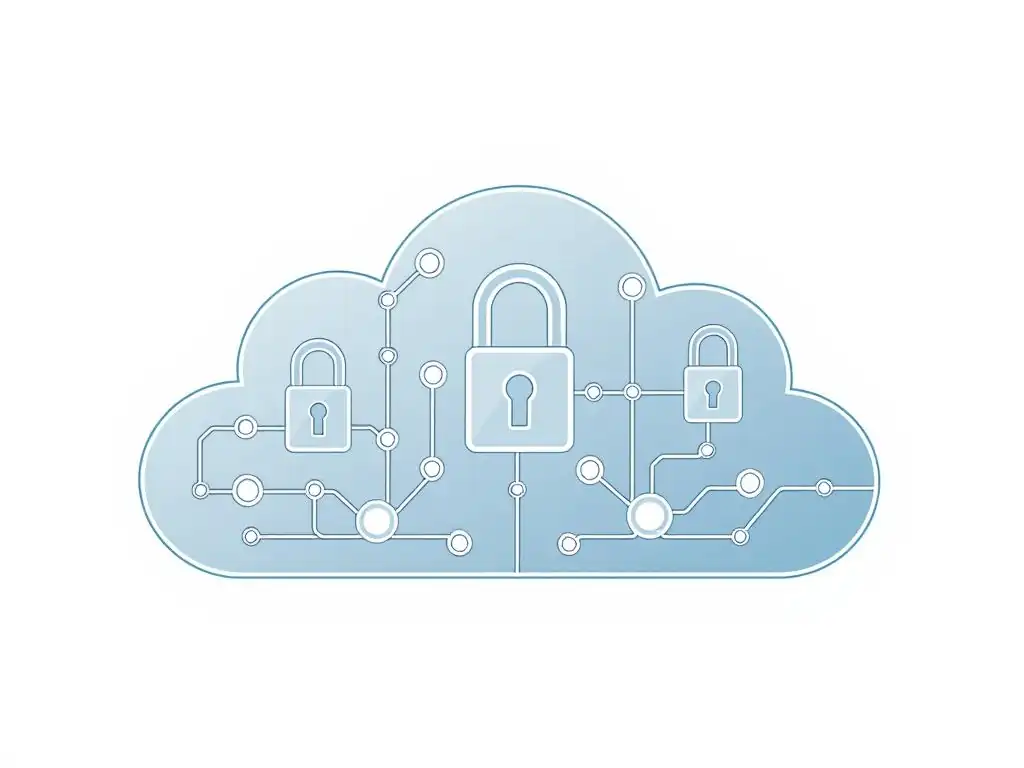
Cloud computing offers unparalleled flexibility and scalability, boosting productivity significantly. However, migrating sensitive data to the cloud introduces new cybersecurity risks. Implementing robust cloud security best practices is crucial for maintaining productivity without compromising data integrity. This involves a multi-layered approach encompassing several key strategies.
Firstly, data encryption is paramount. Both data in transit (using protocols like HTTPS) and data at rest (encrypted within the cloud storage) must be protected. Employing strong encryption keys and regularly rotating them adds an extra layer of security. Consider using services that offer client-side encryption, giving you greater control over your encryption keys. This means you, and not the cloud provider, holds the keys to decrypt your data.
Secondly, access control is vital. Implement the principle of least privilege, granting users only the access they need to perform their tasks. Regularly audit user permissions to identify and revoke any unnecessary access rights. This minimizes the potential damage from compromised accounts. Multi-factor authentication (MFA) is another essential layer, adding an extra hurdle for unauthorized access attempts. Enforce MFA for all users, especially those with administrative privileges.
Thirdly, monitoring and logging are critical for detecting and responding to security incidents. Actively monitor cloud activity for unusual patterns or suspicious behavior. Comprehensive logging allows for detailed analysis of events, aiding in identifying the root cause of security breaches and enabling faster remediation. Consider using Security Information and Event Management (SIEM) tools to centralize and analyze security logs from various sources.
Finally, regular security assessments are vital. Conduct regular penetration testing and vulnerability scans to identify and address potential weaknesses in your cloud infrastructure. Staying updated on the latest cloud security threats and vulnerabilities is also crucial. This proactive approach ensures you're prepared to mitigate emerging risks and maintain a high level of security. Remember, robust cloud security isn't a one-time setup; it's an ongoing process requiring consistent attention and improvement. Neglecting cloud security can severely impact productivity through downtime, data loss, and financial penalties.
Regularly Reviewing and Updating Your Security Measures
Cybersecurity is a dynamic field, constantly evolving with new threats and vulnerabilities emerging daily. Therefore, regularly reviewing and updating your security measures is not just a best practice; it's a necessity for maintaining optimal productivity and protecting your valuable data. This proactive approach significantly reduces your vulnerability to cyberattacks and ensures your security posture remains robust.
A comprehensive review should encompass all aspects of your security infrastructure. This includes examining your firewall rules, access control lists, antivirus software, and intrusion detection systems. Outdated software and configurations represent significant vulnerabilities that attackers can exploit. Regular updates patch these vulnerabilities, minimizing the risk of successful attacks. Consider scheduling automated updates for software and operating systems to ensure timely patching.
Beyond software updates, review your security policies and procedures. Are your password policies strong enough? Do your employees receive regular security awareness training? Are your incident response plans up-to-date and effective? Regular training sessions empower employees to identify and report suspicious activities, forming a crucial part of your overall security strategy. A well-defined incident response plan ensures a swift and coordinated response to security breaches, minimizing potential damage and downtime.
Furthermore, consider implementing a vulnerability scanning program. Regularly scanning your systems for vulnerabilities helps identify weaknesses before attackers can exploit them. This proactive approach allows for timely remediation, preventing potential disruptions to your workflow. Penetration testing, a more advanced form of vulnerability assessment, simulates real-world attacks to identify vulnerabilities that automated scans might miss.
This rigorous testing provides a more comprehensive understanding of your security posture. Remember, consistent review and updates are not merely a cost; they are an investment in the long-term productivity and security of your organization. Neglecting this crucial aspect can lead to significant financial losses, reputational damage, and disruptions to business operations.
The Future of Cybersecurity and Productivity: Adapting to Change
The intersection of cybersecurity and productivity is constantly evolving, demanding proactive adaptation to maintain efficiency without compromising security. The future hinges on a flexible and informed approach, anticipating emerging threats and leveraging technological advancements. Ignoring this dynamic landscape risks significant productivity losses and potential data breaches. This section explores key aspects of this evolving relationship, focusing on emerging threats, the role of AI, and the importance of continuous learning.
Emerging Cyber Threats and How to Prepare
The threat landscape is far from static. New attack vectors emerge regularly, necessitating a proactive, rather than reactive, approach. Consider the rise of sophisticated phishing campaigns that utilize AI to personalize messages, making them harder to detect. These aren't simply email scams; they're tailored attacks designed to exploit individual vulnerabilities. Then there's the increasing prevalence of deepfakes, capable of manipulating audio and video to deceive individuals and organizations, potentially leading to financial losses or reputational damage. Preparing for these threats requires a multi-faceted strategy:
- Enhanced Phishing Awareness Training: Regular training sessions should emphasize identifying subtle cues in emails and messages, focusing on unusual requests, grammatical errors, and suspicious links. Simulations can be incredibly effective in reinforcing these lessons.
- Multi-Factor Authentication (MFA) Implementation: MFA adds an extra layer of security, making it significantly harder for attackers to gain unauthorized access, even if they obtain passwords. It's a simple yet highly effective preventative measure.
- Regular Software Updates: Keeping software updated is crucial in patching vulnerabilities exploited by attackers. Automated updates should be enabled wherever possible to minimize the risk of outdated systems.
- Security Audits and Penetration Testing: Regular security assessments identify weaknesses in your systems and processes, allowing for proactive remediation before attackers can exploit them. This is especially crucial for businesses handling sensitive data.
The Role of Artificial Intelligence in Cybersecurity
Ironically, AI, often associated with cyber threats, also plays a crucial role in enhancing cybersecurity and productivity. AI-powered tools can analyze vast amounts of data to detect anomalies and potential threats far faster and more efficiently than humans alone. This includes identifying malicious code, predicting potential attacks, and automating responses to security incidents. Furthermore, AI can streamline security processes, automating tasks like vulnerability scanning and incident response, freeing up valuable time for security professionals to focus on more strategic initiatives.
However, it's crucial to understand that AI is not a silver bullet. Attackers are also leveraging AI to refine their techniques, creating a continuous arms race. Therefore, a balanced approach is needed, combining human expertise with AI-powered tools for optimal results. The integration of AI within a robust cybersecurity strategy is paramount for future productivity and protection.
Staying Informed: Resources and Best Practices for Continuous Learning
Cybersecurity is a constantly evolving field. Staying informed is not just beneficial; it's essential for maintaining robust protection and maximizing productivity. Continuous learning should be incorporated into every cybersecurity strategy. This includes:
- Subscribing to reputable cybersecurity newsletters and blogs: Staying up-to-date on the latest threats and best practices is crucial. Many organizations offer free resources and insights.
- Participating in online communities and forums: Engaging with other cybersecurity professionals provides valuable insights and networking opportunities. Sharing experiences and knowledge is a cornerstone of continuous improvement.
- Attending industry conferences and webinars: These events offer valuable opportunities to learn from experts and network with peers. The knowledge gained can be directly applied to improve your organization's cybersecurity posture.
- Pursuing relevant certifications: Formal certifications demonstrate a commitment to professional development and enhance your expertise. These certifications often provide structured learning pathways and demonstrate a commitment to best practices.
The effective integration of these cybersecurity tips for productivity requires dedication and a long-term commitment to continuous improvement. Remember, proactive cybersecurity is not just about preventing breaches; it's about optimizing your workflows and ensuring uninterrupted productivity.
Building a Culture of Cybersecurity Awareness
Building a robust cybersecurity posture isn't solely dependent on technical solutions; it's fundamentally about fostering a culture of cybersecurity awareness within your organization or even your personal life. This means proactively educating individuals about potential threats and empowering them to make informed decisions. Ignoring this crucial human element significantly weakens even the most sophisticated technical defenses.
One effective strategy is implementing regular, engaging training programs. These shouldn't be dry, mandated lectures, but rather interactive sessions that simulate real-world scenarios. For example, incorporating phishing simulations can effectively demonstrate the subtle tactics used by malicious actors to gain access to sensitive information. Following these simulations, providing feedback and constructive criticism is crucial for reinforcement and improvement. The goal isn't just to identify vulnerabilities, but to build resilience and critical thinking skills.
Furthermore, clear and concise communication is paramount. Develop a simple, easily understandable cybersecurity policy that outlines acceptable use practices and outlines the consequences of non-compliance. This policy should be readily accessible and regularly reviewed, ensuring everyone understands their role in maintaining a secure environment. Remember, a well-communicated policy minimizes ambiguity and encourages proactive participation in cybersecurity practices. This proactive approach is significantly more effective than reactive measures taken after a breach occurs.
Beyond formal training, consider incorporating informal methods of education. Share relevant cybersecurity news and articles during team meetings or in newsletters. Highlight successful examples of individuals who identified and reported potential threats, fostering a culture of positive reinforcement and encouraging proactive reporting. This collaborative approach creates a sense of shared responsibility, turning cybersecurity from a technical concern into a collective effort.
The more everyone understands the implications of a cybersecurity breach, the more likely they are to actively contribute to preventing one. This holistic approach to cybersecurity awareness is essential for maximizing productivity without compromising security. Remember, a well-informed workforce is a more productive and secure workforce.
Frequently Asked Questions
What are some quick cybersecurity tips to boost my productivity?
Using strong passwords, enabling two-factor authentication, and regularly updating your software are simple yet effective ways to improve your cybersecurity and, indirectly, your productivity by minimizing disruptions from security breaches.
How can I balance cybersecurity with the need for quick access to information?
Prioritize secure cloud storage for sensitive data and utilize password managers to streamline access while maintaining security. Avoid shortcuts that compromise your security for speed.
What cybersecurity practices help prevent productivity loss due to phishing attacks?
Be highly skeptical of unsolicited emails and links. Verify sender identities before clicking anything, and never share personal or financial information via email unless you're completely certain of its legitimacy.
How can I improve my cybersecurity posture without significantly impacting my workflow?
Implement automation where possible; use tools for automatic software updates and password management. Regularly review your security settings for efficiency, rather than letting it become a large time-consuming task.
Are there any simple steps to protect my devices from malware that won't take up much time?
Install reputable antivirus software and keep it updated. Avoid downloading files from untrusted sources and be cautious about clicking on links from unknown senders. Regularly back up your data.
Final Reflection: Securing Our Future, One Click at a Time
The relentless pace of technological advancement has inextricably linked our productivity to the digital realm, making cybersecurity not just a technical concern, but a fundamental pillar of modern life. Ignoring this reality leaves us vulnerable, not only to data breaches and financial loss, but also to the erosion of trust and the disruption of our daily routines. The stakes are simply too high to remain complacent.
The evolving landscape of cyber threats underscores the urgent need for continuous learning and adaptation. We are constantly bombarded with new technologies and sophisticated attack vectors, demanding a proactive and informed approach to online safety. The only constant in the world of cybersecurity is change.
This simple truth highlights the importance of staying informed, updating our practices, and fostering a culture of digital responsibility. The impact of a single breach can ripple outwards, affecting individuals, businesses, and even national security, making personal responsibility a shared societal imperative.
You, the reader, now hold the power to shape your digital destiny. Don't let the complexities of cybersecurity paralyze you; instead, embrace the opportunity to learn and grow. Start by implementing even a few of the practical tips outlined in this article. Regularly update your passwords, be wary of phishing scams, and cultivate a healthy skepticism towards unsolicited online interactions. By taking these small, proactive steps, you are not only protecting yourself but also contributing to a safer and more productive digital world for everyone. Let's navigate the digital frontier together, secure and empowered.
Level Up Your Digital Defense Today!
Thank you for exploring the world of cybersecurity with us! You've gained valuable knowledge to protect your digital life. Ready to put it into action?
- Prioritize Password Security: Immediately change your most important passwords to strong, unique combinations. A password manager can significantly enhance your security.
- Enable Two-Factor Authentication: Add an extra layer of protection against unauthorized access by enabling two-factor authentication (2FA) wherever possible.
- Share Your Knowledge: Help others stay safe online by sharing this article with friends and family. It's a powerful way to make a difference.
What's one small step you'll take right now to improve your digital security?