
The Cybersecurity Mindset: Developing a Proactive Security Approach

Ready to unlock a world of effortless efficiency and reclaim your precious time? At UltimateLifeHacks, we're dedicated to providing you with practical strategies to optimize your daily life. But true optimization extends beyond just productivity; it includes protecting yourself in the digital age. That's why we're diving into Cybersecurity habits for beginners, offering a proactive approach to safeguarding your digital life. Discover how simple changes can make a massive difference—explore the Cybersecurity Mindset now and start building a safer, more efficient you.
-
Building Essential Cybersecurity Habits for Beginners
- Understanding Basic Threats: Phishing, Malware, and Social Engineering
- Password Management: Best Practices and Tools for Strong Passwords
- Recognizing and Avoiding Phishing Attempts: Spotting Red Flags
- Securing Your Devices: Software Updates and Antivirus Protection
- Safe Browsing Habits: Avoiding Malicious Websites and Downloads
- Implementing Proactive Security Measures
-
Advanced Cybersecurity Habits for Enhanced Protection
- Email Security: Filtering Spam and Identifying Suspicious Emails
- Social Media Security: Protecting Your Online Presence
- Cloud Security: Best Practices for Secure Cloud Storage
- Virtual Private Networks (VPNs): Enhancing Online Privacy and Security
- Regularly Reviewing Security Settings: Staying Updated and Aware
-
Developing a Cybersecurity Mindset: Long-Term Strategies
- Staying Informed: Following Cybersecurity News and Trends
- Continuous Learning: Expanding Your Cybersecurity Knowledge
- Reporting Security Incidents: Knowing What to Do in Case of a Breach
- Building a Culture of Security: Protecting Yourself and Your Family
- The Importance of Vigilance: Maintaining a Proactive Approach
-
Frequently Asked Questions
- What are the most basic cybersecurity habits for beginners?
- How can I protect myself from phishing scams?
- What is two-factor authentication (2FA), and why should I use it?
- How often should I update my software and operating systems?
- What are some good resources for learning more about cybersecurity?
- Final Reflection: Cultivating a Cybersecurity Fortress
- Unleash Your Inner Cybersecurity Expert!
Building Essential Cybersecurity Habits for Beginners
In today's hyper-connected world, cybersecurity isn't just a concern for tech experts; it's a fundamental life skill. This guide focuses on developing proactive cybersecurity habits, specifically tailored for beginners. We'll move beyond reactive measures like virus scans and delve into cultivating a security mindset that anticipates and prevents threats. By understanding the common tactics used by cybercriminals and adopting simple, yet effective practices, you can significantly reduce your risk of falling victim to online attacks and protect your valuable digital assets.
This isn't about becoming a cybersecurity professional overnight; it's about building a foundation of good habits that will safeguard your personal information and online experience. Learning these crucial cybersecurity habits for beginners will empower you to navigate the digital landscape with confidence and peace of mind. Let's begin building your digital defense! 🚀
Cybersecurity threats are diverse, but some common attack vectors consistently target individuals. Understanding these threats is the first step towards effective prevention. Let's examine three major categories:
- Phishing: This involves deceptive attempts to acquire sensitive information such as usernames, passwords, and credit card details by masquerading as a trustworthy entity in electronic communication. Phishing attacks often arrive via email, text message, or fraudulent websites mimicking legitimate organizations. Think carefully before clicking links or providing personal information.
- Malware: This encompasses malicious software designed to damage, disrupt, or gain unauthorized access to computer systems. Malware can take many forms, including viruses, worms, Trojans, ransomware, and spyware. These threats can be introduced through infected downloads, compromised websites, or malicious email attachments. Regular software updates and using reputable antivirus software are crucial preventative measures.
- Social Engineering: This manipulative technique exploits human psychology to trick individuals into divulging confidential information or performing actions that compromise security. Social engineers might pose as technical support representatives, bank employees, or even friends, exploiting trust to gain access to sensitive data. Being wary of unsolicited requests and verifying information independently are key defenses.
Think of it like this: imagine your digital life as a house. Phishing is like someone trying to pick your lock, malware is like someone trying to break a window, and social engineering is someone trying to trick you into opening the door. Understanding these threats helps you reinforce your defenses.
Password Management: Best Practices and Tools for Strong Passwords
Strong passwords are the cornerstone of online security. Weak passwords are easily cracked, leaving your accounts vulnerable. Here’s how to create and manage strong passwords effectively:
- Length: Aim for passwords that are at least 12 characters long. Longer passwords are exponentially harder to crack.
- Complexity: Incorporate a mix of uppercase and lowercase letters, numbers, and symbols. Avoid using easily guessable information like birthdays or pet names.
- Uniqueness: Use different passwords for each of your online accounts. If one account is compromised, others remain secure.
- Password Managers: Consider using a reputable password manager to securely store and manage your passwords. These tools generate strong, unique passwords and auto-fill login forms, simplifying the process while significantly enhancing security.
| Feature | Weak Password Example | Strong Password Example |
|---|---|---|
| Length | Password1 | P@ |
| Complexity | 123456 | A1b2C3d4e5F6g7h8! |
| Uniqueness | SamePasswordForAll | UniquePasswordForSite |
Implementing these password management practices significantly reduces your vulnerability to common online attacks. Remember, strong passwords are your first line of defense.
Recognizing and Avoiding Phishing Attempts: Spotting Red Flags
Phishing attempts are becoming increasingly sophisticated, but there are telltale signs to watch out for:
- Suspicious Email Addresses: Carefully examine the sender's email address. Legitimate organizations typically use professional-looking email addresses, not free email services or addresses with misspellings.
- Urgent or Threatening Language: Phishing emails often create a sense of urgency or threaten negative consequences if you don't act immediately. Legitimate communications are rarely this aggressive.
- Suspicious Links: Hover over links before clicking to see the actual URL. Phishing links often lead to fake websites that mimic legitimate ones.
- Grammar and Spelling Errors: Legitimate organizations usually have professional proofreaders. Poor grammar and spelling are common red flags.
- Requests for Personal Information: Legitimate organizations rarely request personal information via email. If you receive such a request, verify its authenticity through official channels.
By carefully scrutinizing emails and websites, you can significantly reduce your chances of falling victim to phishing scams. Remember, when in doubt, it's always best to err on the side of caution and contact the organization directly through verified channels to confirm the authenticity of a communication.
Securing Your Devices: Software Updates and Antivirus Protection
Regular software updates are the cornerstone of a strong cybersecurity defense. Think of it like this: every update patches vulnerabilities that hackers are actively exploiting. Ignoring these updates is like leaving your front door unlocked – an open invitation for trouble. Operating systems, like Windows, macOS, and even your smartphone's OS, regularly release updates addressing security flaws. These updates often include patches for newly discovered vulnerabilities, preventing malicious actors from gaining unauthorized access to your data. Failing to install them leaves your devices vulnerable to malware, ransomware, and other cyber threats.
Beyond updates, robust antivirus software is crucial. A good antivirus program acts as a vigilant guardian, constantly scanning for and neutralizing malware before it can cause damage. It's not enough to simply install it and forget; ensure your antivirus software is up-to-date and its real-time protection is enabled. Regular scans, ideally scheduled automatically, further bolster your defenses.
Consider the different types of antivirus software available – some offer more comprehensive protection than others, including features like firewall management and anti-phishing capabilities. Choosing the right antivirus software depends on your individual needs and the devices you use, but remember, a proactive approach is key. Think of your antivirus software as your first line of defense against malicious attacks. It's the first barrier between your digital life and potential cyber threats.
Safe Browsing Habits: Avoiding Malicious Websites and Downloads
Navigating the internet safely requires cultivating a healthy dose of skepticism and caution. Many malicious websites and downloads masquerade as legitimate content, making it crucial to develop sharp observational skills. Before clicking any link, especially those received via email or text message, carefully examine the URL. Look for inconsistencies, misspellings, or unusual characters that might indicate a phishing attempt. Legitimate websites typically have secure HTTPS connections, indicated by a padlock icon in your browser's address bar. Avoid websites that lack this security protocol, as they are more susceptible to attacks.
When downloading files, only download from trusted sources. Beware of freeware and shareware websites that might bundle malware with seemingly legitimate programs. Always check reviews and ratings before downloading anything, and be wary of unusually low prices or offers that seem too good to be true. These are classic red flags indicating a potential threat.
Remember, your vigilance is your best defense. Think before you click, and always verify the legitimacy of websites and downloads before engaging with them. Developing this habit will significantly reduce your risk of encountering malicious content online. By practicing safe browsing habits, you're actively protecting yourself from a wide array of online threats, from data breaches to malware infections.
Implementing Proactive Security Measures
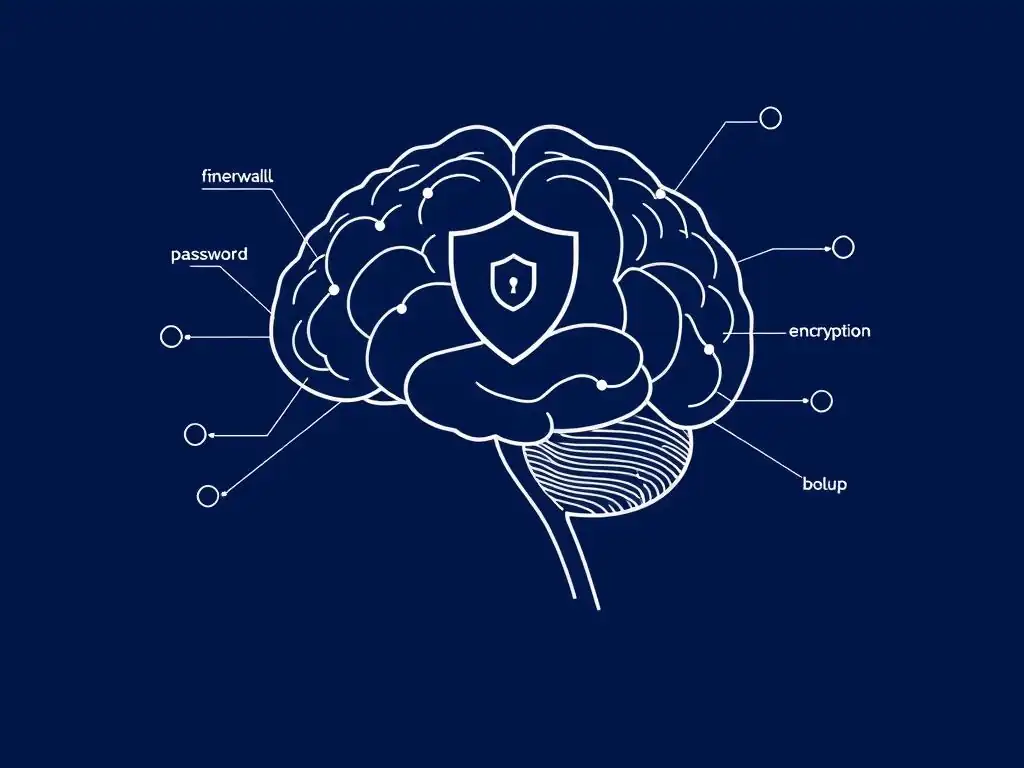
This section delves into practical, actionable steps to bolster your cybersecurity posture. Developing strong cybersecurity habits for beginners often centers around proactive measures, shifting from reactive problem-solving to preventative strategies. By implementing these measures, you significantly reduce your vulnerability to cyber threats and protect your valuable data. Remember, consistent application is key; these aren't one-time fixes but ongoing practices.
Multi-Factor Authentication (MFA): Adding an Extra Layer of Security
Multi-factor authentication (MFA) is arguably the single most effective cybersecurity habit for beginners. It adds a significant layer of protection beyond just a password. Instead of relying solely on something you know (your password), MFA incorporates something you have (like your phone) or something you are (biometrics). This means even if someone gains access to your password, they'll still be blocked without the additional authentication factor.
Think of it like this: your front door has a key (your password). MFA is like adding a security camera (something you have) that records anyone attempting entry, or a fingerprint scanner (something you are) that only allows access to authorized individuals.
Several MFA methods exist:
- Time-based One-Time Passwords (TOTP): These apps, like Google Authenticator or Authy, generate a code that changes every few seconds. You enter this code along with your password to access an account.
- SMS-based MFA: You receive a code via text message to your registered phone number.
- Security Keys: These physical devices plug into your computer or phone and generate a unique code for each login attempt. This is often considered the most secure method.
Implementing MFA across all your important accounts – email, banking, social media – is a crucial step in significantly reducing your risk of account compromise. The small inconvenience is vastly outweighed by the increased security. Activating it is often a simple process within the account settings; check your preferred platforms immediately!
Regular Software Updates: Patching Vulnerabilities
Software updates aren't just about adding new features; they're critical for patching security vulnerabilities. Hackers constantly search for weaknesses in software, and updates often address these flaws before they can be exploited. Ignoring updates leaves your systems vulnerable to malware, data breaches, and other cyberattacks.
Think of it like this: a software update is like patching a hole in your roof. Ignoring it leaves your house exposed to the elements (cyber threats).
Here's a breakdown of best practices:
- Enable automatic updates: Most operating systems and applications offer automatic update options. Enable them to ensure you're always running the latest, most secure versions.
- Update regularly: Even if automatic updates are disabled, make it a habit to check for and install updates at least once a month.
- Prioritize critical updates: Some updates address serious security flaws. These should be prioritized and installed immediately.
Regular software updates are a fundamental aspect of maintaining a secure digital environment. It's a simple yet powerful cybersecurity habit that significantly reduces your exposure to known vulnerabilities. Staying updated is a proactive approach that minimizes potential risks.
Data Backup and Recovery Strategies: Protecting Your Valuable Information
Data loss can be devastating, both personally and professionally. A robust backup and recovery strategy is essential to protect your valuable information from accidental deletion, hardware failure, or malicious attacks. This isn't just about saving files; it's about having a plan to restore them quickly and easily should the need arise.
Consider these key aspects:
| Backup Type | Description | Frequency | Security Considerations |
|---|---|---|---|
| Local Backup | Backing up data to an external hard drive or USB drive connected to your computer. | Weekly or Monthly | Ensure the backup drive is physically secure and regularly backed up itself. |
| Cloud Backup | Backing up data to a remote server. | Daily or Weekly | Choose a reputable provider with strong encryption and security measures. |
| Version Control Systems | Used for code and documents, tracking changes and allowing rollbacks. | Continuously | Secure repositories and access controls are crucial. |
Remember, a successful backup strategy involves multiple backups in different locations. Don't rely solely on a single method. Regular testing of your recovery process is equally crucial. This ensures your backups are working correctly and you can successfully restore your data if necessary. The peace of mind this provides is invaluable. This proactive approach ensures business continuity and minimizes the disruption caused by data loss. Regularly testing your backups is a key element of a robust cybersecurity strategy.
Secure Wi-Fi Practices: Public vs. Private Networks
Using secure Wi-Fi networks is a fundamental cybersecurity habit for beginners. The difference between public and private networks significantly impacts your vulnerability to cyber threats. Public Wi-Fi, often found in cafes, airports, and hotels, is inherently less secure. These networks typically lack robust encryption and authentication mechanisms, making them easy targets for malicious actors who can intercept your data. Think of it like this: Imagine shouting your credit card details across a crowded room – that's essentially what you're doing when transmitting sensitive information over an unsecured public Wi-Fi network.
Conversely, private Wi-Fi networks, like those found in your home or office, offer a much higher level of security. Ideally, these networks should be password-protected using a strong, unique password, and ideally employ WPA2 or WPA3 encryption protocols. Even within a private network, however, vigilance is key. Regularly update your router's firmware to patch security vulnerabilities and consider enabling features like firewall protection to further enhance security. Remember, even a seemingly secure private network can be compromised if weak passwords or outdated software are used. Developing good cybersecurity habits includes regularly assessing your network's security to minimize risks.
Understanding Data Privacy and Online Safety
Data privacy and online safety are intertwined concepts crucial for building strong cybersecurity habits for beginners. Understanding how your personal data is collected, used, and protected online is paramount. Many websites and apps collect vast amounts of data about users, from browsing history to location data and purchase patterns. While some data collection is necessary for functionality, excessive or unwarranted data collection can pose significant risks. This data can be misused for targeted advertising, identity theft, or even more serious crimes.
Practicing online safety involves making informed decisions about what data you share and with whom. Be wary of phishing scams, which attempt to trick you into revealing sensitive information like passwords or credit card details. These scams often arrive via email or text message, disguised as legitimate communications. Always verify the authenticity of emails and websites before clicking on links or entering personal information.
Furthermore, using strong, unique passwords for each online account and enabling two-factor authentication whenever possible significantly strengthens your online security posture. Regularly reviewing your privacy settings on various platforms and limiting the amount of personal information you share online are also vital aspects of maintaining your data privacy and online safety. Remember, a proactive approach to data privacy and online safety is essential for minimizing your digital footprint and protecting yourself from online threats.
Advanced Cybersecurity Habits for Enhanced Protection
This section delves into more sophisticated cybersecurity habits that build upon foundational practices, offering enhanced protection against increasingly complex online threats. These habits move beyond the basics, focusing on proactive measures to safeguard your digital life. Developing these advanced habits will significantly reduce your vulnerability to cyberattacks and data breaches. Remember, consistent vigilance and a proactive approach are key to maintaining robust cybersecurity.
Email Security: Filtering Spam and Identifying Suspicious Emails
Email remains a primary vector for cyberattacks. Learning to effectively filter spam and identify suspicious emails is crucial for preventing phishing attempts, malware infections, and other threats. A strong email security posture involves more than just a spam filter; it requires active engagement and critical thinking.
Many email providers offer robust spam filtering features. However, these filters aren't foolproof. You should regularly review your spam folder to ensure legitimate emails aren't being mistakenly flagged. Conversely, carefully examine emails that land in your inbox, looking for tell-tale signs of phishing or malicious activity.
Here's a checklist for identifying suspicious emails:
- Unexpected Sender: Be wary of emails from unknown or unfamiliar senders.
- Urgent Tone: Phishing emails often create a sense of urgency to pressure you into acting quickly without thinking.
- Generic Greetings: Legitimate emails usually address you by name. Generic greetings like "Dear Customer" should raise red flags.
- Suspicious Links: Hover over links before clicking to see the actual URL. Does it match the sender's domain? Avoid clicking links embedded in suspicious emails.
- Grammar and Spelling Errors: Legitimate organizations typically have professional-quality email communications. Poor grammar and spelling are common in phishing emails.
- Attachments from Unknown Senders: Never open attachments from senders you don't recognize. These attachments can contain malware.
Developing a keen eye for these red flags is essential for effective email security. Regularly review your email provider's security settings to optimize spam filtering and enable two-factor authentication (2FA) for an extra layer of protection. Remember, when in doubt, it's always best to err on the side of caution and avoid interacting with suspicious emails.
Social media platforms offer convenient ways to connect with others, but they also expose you to various security risks. Protecting your online presence on social media requires a proactive approach and a healthy dose of skepticism. Over-sharing personal information can make you a prime target for identity theft and other cybercrimes.
Here are some practical steps to enhance your social media security:
- Privacy Settings: Regularly review and adjust your privacy settings on all social media platforms. Limit who can see your posts, photos, and other personal information.
- Strong Passwords: Use unique, strong passwords for each social media account. Consider using a password manager to help you manage these passwords securely.
- Be Mindful of What You Share: Avoid sharing sensitive information like your address, phone number, or financial details on social media.
- Limit Tagging: Be selective about who can tag you in posts and photos.
- Report Suspicious Activity: Report any suspicious activity or accounts that impersonate you or attempt to scam your friends.
- Enable Two-Factor Authentication (2FA): Enable 2FA whenever possible to add an extra layer of security to your accounts.
By implementing these practices, you can significantly reduce your vulnerability to social media-related security threats and maintain a safer online presence. Remember, your online persona is a reflection of your digital security habits.
Cloud Security: Best Practices for Secure Cloud Storage
Cloud storage offers convenience and accessibility, but it's crucial to adopt best practices to ensure the security of your data. Many cloud providers offer robust security measures, but your own actions play a vital role in protecting your information.
Here's a breakdown of essential cloud security habits:
- Strong Passwords and Authentication: Use strong, unique passwords for each cloud storage account and enable two-factor authentication (2FA) to add an extra layer of security.
- Choose Reputable Providers: Select cloud storage providers with a proven track record of security and data protection.
- Regularly Review Permissions: Periodically check the permissions granted to apps and devices accessing your cloud storage. Revoke access to any apps or devices you no longer use.
- Enable Encryption: Utilize encryption features offered by your cloud provider to protect your data in transit and at rest. This adds an extra layer of security, even if your account is compromised.
- Keep Software Updated: Ensure your devices and the cloud storage applications you use are up-to-date with the latest security patches.
- Backup Your Data: Regularly back up your data to multiple locations, both on and off the cloud, to protect against data loss due to accidental deletion, hardware failure, or other unforeseen circumstances.
By following these best practices, you can significantly improve the security of your cloud storage and protect your valuable data from unauthorized access and potential breaches. Remember, proactive security measures are essential in the cloud environment.
Virtual Private Networks (VPNs): Enhancing Online Privacy and Security
Virtual Private Networks (VPNs) are a cornerstone of advanced cybersecurity, offering a significant boost to online privacy and security for beginners and experts alike. A VPN masks your IP address, encrypting your internet traffic and making it significantly more difficult for hackers, trackers, and even your internet service provider (ISP) to monitor your online activities. This is crucial in today's digital landscape where data breaches are increasingly common. Think of it as a secure tunnel for your data, protecting it from prying eyes.
The benefits extend beyond simple privacy. Using a VPN, especially on public Wi-Fi networks (like those found in cafes or airports), adds a critical layer of protection against man-in-the-middle attacks. These attacks allow malicious actors to intercept your data as it travels between your device and the website you're visiting. A VPN prevents this by encrypting your connection, making it far more difficult for attackers to eavesdrop. Furthermore, a VPN can help you bypass geographical restrictions on certain websites and streaming services, though always ensure you're using a reputable VPN provider that adheres to ethical practices.
Choosing a reliable VPN provider is vital. Look for providers with a strong reputation for security, a no-logs policy (meaning they don't store your browsing data), and robust encryption protocols. Consider factors like speed and server locations, balancing security with usability. Don't be fooled by overly cheap options, as these may compromise security in other ways.
Investing in a good VPN is an investment in your digital safety and peace of mind. It's a proactive cybersecurity habit that significantly enhances your overall online security posture. Regularly using a VPN is a key element in developing robust cybersecurity habits for beginners.
Regularly Reviewing Security Settings: Staying Updated and Aware
Regularly reviewing your security settings across all your devices—computers, smartphones, tablets—is a crucial, often overlooked, cybersecurity habit. This isn't a one-time task; it's an ongoing process that requires consistent attention. Many security threats exploit vulnerabilities in outdated software or poorly configured settings. By regularly checking and updating these settings, you significantly reduce your risk.
Start by checking your operating system for updates. Operating systems regularly release patches that address security vulnerabilities. Enabling automatic updates is highly recommended, but even with automatic updates, it's good practice to manually check periodically for any pending updates. This proactive approach ensures you have the latest security protections in place.
Next, review your application settings. Many applications require individual security configurations. Check password strength requirements, two-factor authentication (2FA) settings, and permission levels for accessing your data. For example, ensure that apps only have access to the data they absolutely need. Reviewing these settings regularly helps you identify and rectify potential security weaknesses before they can be exploited.
Furthermore, examine your privacy settings on social media platforms and other online services. Be mindful of the information you share online and adjust your privacy settings to limit the visibility of your personal data. Regularly reviewing these settings allows you to adapt to changes in the platform's security features and protect your information from unauthorized access. Consistent review of security settings is a fundamental cybersecurity habit for beginners, fostering a proactive and responsible approach to online safety. Remember, staying updated and aware is a continuous journey, not a destination.
Developing a Cybersecurity Mindset: Long-Term Strategies
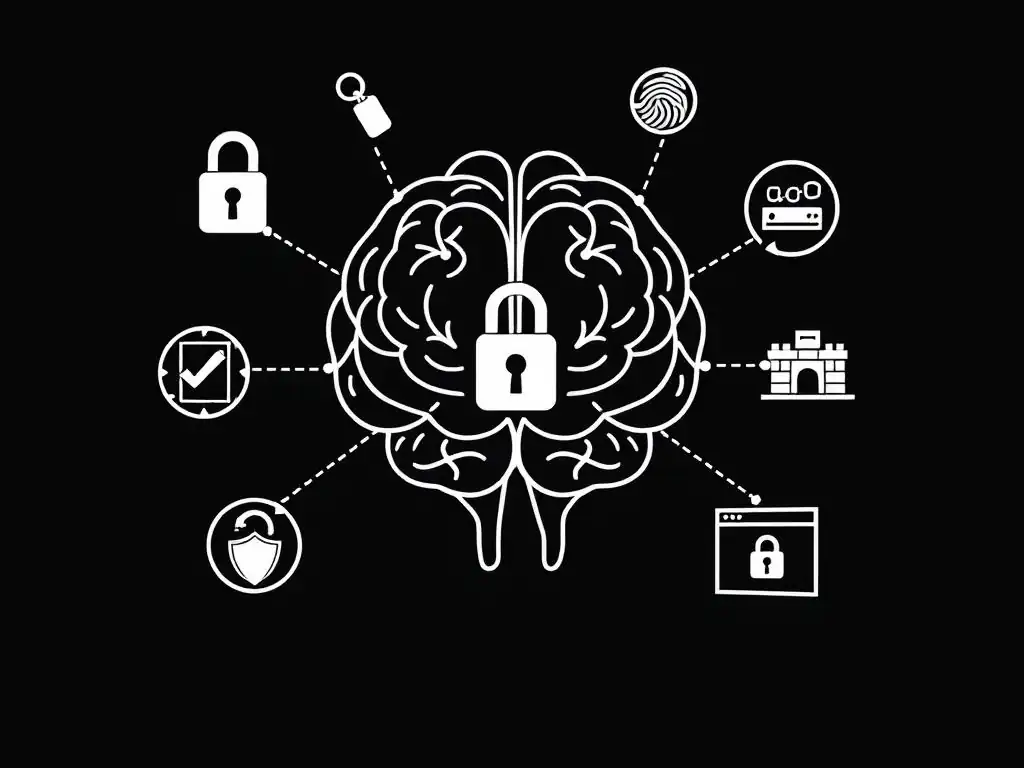
Developing a robust cybersecurity posture isn't a one-time fix; it's a continuous process demanding consistent effort and proactive engagement. Think of it like maintaining a healthy lifestyle – it requires conscious choices and regular upkeep. Neglecting your digital hygiene can lead to significant consequences, from minor inconveniences to devastating data breaches.
This section focuses on establishing long-term strategies for beginners looking to cultivate strong cybersecurity habits. We'll explore how staying informed, continuously learning, and knowing how to respond to incidents are crucial components of a proactive security approach. Building these habits early on will significantly reduce your vulnerability to cyber threats.
Staying Informed: Following Cybersecurity News and Trends
Staying abreast of current cybersecurity threats is paramount. The digital landscape is constantly evolving, with new vulnerabilities and attack vectors emerging regularly. Ignoring these developments leaves you exposed to the latest threats. Consider these actionable steps to stay informed:
- Follow reputable cybersecurity news sources: Many reputable websites and blogs provide up-to-date information on the latest threats, vulnerabilities, and best practices. Regularly reading these sources will keep you informed about emerging trends and potential risks.
- Subscribe to cybersecurity newsletters: Many organizations offer newsletters summarizing key cybersecurity events and developments. This delivers concise, curated information directly to your inbox, saving you time and effort.
- Engage with cybersecurity communities: Online forums and communities offer valuable insights and discussions from cybersecurity professionals and enthusiasts. Participating in these communities allows you to learn from others' experiences and ask questions.
- Understand the latest threats: Familiarize yourself with common threats like phishing, malware, ransomware, and social engineering. Knowing how these attacks work helps you identify and avoid them. For example, understanding how phishing emails are crafted will help you spot suspicious messages more easily.
- Monitor your social media: Be aware of emerging scams and threats circulating on social media platforms. These platforms are often used to spread misinformation and malicious links.
Continuous Learning: Expanding Your Cybersecurity Knowledge
Cybersecurity is a constantly evolving field. What was considered best practice yesterday might be outdated today. Continuous learning is crucial to maintain a strong security posture. Here's how you can expand your knowledge:
- Take online courses: Numerous free and paid online courses cover various aspects of cybersecurity, from basic concepts to advanced techniques. These courses provide structured learning paths and often include hands-on exercises.
- Read cybersecurity books and articles: There are countless resources available in print and online that delve deeper into specific cybersecurity topics. This provides a more in-depth understanding of complex issues.
- Attend webinars and conferences: Webinars and conferences offer opportunities to learn from industry experts and network with other professionals. These events often feature presentations on cutting-edge cybersecurity topics.
- Practice regularly: The best way to learn is by doing. Practice implementing the security measures you learn about. This hands-on experience will solidify your understanding and build confidence. For example, try setting up two-factor authentication on all your important accounts.
- Focus on practical skills: Prioritize learning practical skills applicable to your daily online activities. This includes password management, recognizing phishing attempts, and understanding software updates.
Reporting Security Incidents: Knowing What to Do in Case of a Breach
Even with the best cybersecurity habits, incidents can still occur. Knowing how to respond effectively is crucial to minimizing damage. Here’s what you should do:
- Identify the incident: Determine the nature and scope of the incident. Is it a phishing attempt, a malware infection, or a data breach?
- Contain the damage: Take immediate steps to limit the impact of the incident. This might involve disconnecting from the internet, changing passwords, or running a malware scan.
- Report the incident: Report the incident to the appropriate authorities, such as your internet service provider or the relevant law enforcement agency. Many organizations also have internal incident reporting procedures.
- Document everything: Keep a detailed record of the incident, including dates, times, and actions taken. This documentation is crucial for investigations and future prevention efforts.
- Learn from the experience: After the incident is resolved, analyze what happened and identify areas for improvement in your cybersecurity practices. This helps prevent similar incidents from occurring in the future. For example, if you fell victim to a phishing scam, review your email habits and improve your ability to spot suspicious messages.
This proactive approach to cybersecurity, encompassing staying informed, continuous learning, and effective incident response, forms the foundation of a secure digital life. Remember, consistent effort and vigilance are key to staying ahead of cyber threats. By incorporating these cybersecurity habits for beginners, you’ll significantly enhance your online safety and protect your valuable data.
Building a Culture of Security: Protecting Yourself and Your Family
Developing strong cybersecurity habits isn't just about protecting your personal data; it's about safeguarding your entire family. This requires a proactive, multi-layered approach that involves education, communication, and consistent vigilance. Think of it as building a fortress, not just locking a single door.
One crucial aspect is educating family members, especially children, about online safety. This shouldn't be a single lecture, but an ongoing conversation. Explain the dangers of phishing emails, malicious websites, and social engineering tactics in age-appropriate terms. Teach them to be wary of unsolicited requests for personal information, whether online or via phone.
Emphasize the importance of strong, unique passwords for each account and the risks of sharing passwords with anyone. Regularly review family online accounts and adjust privacy settings as needed. Consider using parental control software to monitor online activity and filter inappropriate content. Remember, a family's digital security is only as strong as its weakest link.
Furthermore, establishing clear rules for online behavior is essential. These rules should cover everything from safe social media practices to responsible device usage. For example, you might establish clear boundaries around screen time, social media interactions, and online purchases. Open communication is key; create a safe space where family members feel comfortable discussing any online concerns or incidents without fear of judgment.
This fosters a culture of trust and shared responsibility, making your family more resilient against cyber threats. Regular family meetings to discuss online safety can reinforce these practices and ensure everyone is on the same page. This proactive approach turns cybersecurity from a technical issue into a shared family value.
The Importance of Vigilance: Maintaining a Proactive Approach
Cybersecurity isn't a one-time fix; it's an ongoing process requiring consistent vigilance. The digital landscape is constantly evolving, with new threats emerging daily. Therefore, a proactive approach is crucial to staying ahead of the curve. This means regularly updating software and operating systems, using strong and unique passwords, and being wary of suspicious emails or links. It also means understanding your own digital footprint and actively managing your privacy settings across various platforms.
Staying informed about the latest cybersecurity threats is vital. Subscribing to reputable cybersecurity news sources and following security experts on social media can help you stay ahead of potential threats. This allows you to recognize and avoid common scams and vulnerabilities. Regularly reviewing your bank statements and credit reports for any unauthorized activity is another crucial step.
Even small, seemingly insignificant anomalies can be early warning signs of a larger breach. Learning to recognize phishing attempts, malware infections, and other common cyber threats allows for swift intervention. Don't underestimate the power of simple measures like enabling two-factor authentication wherever possible; it adds a significant layer of protection against unauthorized access.
This ongoing vigilance, combined with a commitment to continuous learning, is the foundation of a strong cybersecurity posture. Remember, proactive security is not just about reacting to threats; it's about preventing them in the first place. This proactive approach transforms cybersecurity from a reactive chore into an empowering habit.
Frequently Asked Questions
What are the most basic cybersecurity habits for beginners?
The most basic habits include using strong, unique passwords for each account, enabling two-factor authentication wherever possible, and regularly updating your software and operating systems. These simple steps significantly reduce your vulnerability.
How can I protect myself from phishing scams?
Be wary of suspicious emails and links. Never click on links from unknown senders or open attachments from untrusted sources. Verify the sender's identity before interacting with any communication. Think before you click!
What is two-factor authentication (2FA), and why should I use it?
2FA adds an extra layer of security by requiring a second form of verification, such as a code from your phone, in addition to your password. This makes it significantly harder for hackers to access your accounts, even if they obtain your password.
How often should I update my software and operating systems?
You should update your software and operating systems as soon as updates are released. These updates often contain crucial security patches that protect against newly discovered vulnerabilities. Set up automatic updates if possible.
What are some good resources for learning more about cybersecurity?
Many excellent resources are available online, including websites like the National Institute of Standards and Technology (NIST) and reputable cybersecurity blogs. Look for information specifically targeted at beginners to build a solid foundation.
Final Reflection: Cultivating a Cybersecurity Fortress
The digital world is increasingly interconnected, making proactive cybersecurity not just a technical skill, but a fundamental life skill. A lack of awareness leaves individuals and organizations vulnerable to an ever-evolving landscape of threats, from sophisticated phishing scams to devastating ransomware attacks. This vulnerability translates to real-world consequences – financial losses, identity theft, and the erosion of trust.
The shift towards a proactive cybersecurity mindset is not merely a trend; it's a crucial cultural evolution. We are witnessing a growing understanding of the importance of digital hygiene, mirroring the public health campaigns that promote physical well-being. This change is essential for building a safer digital future. Security is a journey, not a destination.
This quote perfectly encapsulates the ongoing nature of cybersecurity, requiring constant vigilance and adaptation. The more we integrate these practices into our daily lives, the more resilient we become against cyber threats.
You, the reader, now hold the power to shape your digital destiny. Don't just passively consume information; actively integrate these cybersecurity habits into your daily routine. Start small – enable two-factor authentication, create strong passwords, and be wary of suspicious emails. By taking these steps, you're not just protecting yourself; you're contributing to a safer, more secure digital community for everyone. Embrace the challenge, build your cybersecurity fortress, and navigate the digital world with confidence and resilience.
Unleash Your Inner Cybersecurity Expert!
Thank you for exploring the world of proactive cybersecurity! You've gained valuable knowledge to significantly improve your digital safety. Ready to put it into action?
- Prioritize your three most vulnerable online accounts and implement at least one new security measure today. This is your most crucial step. For example, consider using a password manager, enabling two-factor authentication, or reviewing your privacy settings.
- Share this article with someone you care about – helping them stay safe online is a rewarding experience.
- Explore resources like [insert relevant resource here] for more practical tips on boosting your overall digital well-being.
What security upgrade are you implementing right now? Let's discuss it in the comments!