
Supercharge Your Digital Workflow: Proven Strategies for Project Efficiency

Welcome to UltimateLifeHacks, your portal to a more efficient and fulfilling life! Are you drowning in digital clutter and struggling to manage your projects effectively? Discover how to dramatically improve your productivity with our expert guide on optimizing your digital project workflow. Uncover proven strategies to streamline your processes, conquer deadlines, and reclaim your valuable time. Ready to unlock your full potential? Let's dive in!
- Understanding Your Current Digital Project Workflow
-
Streamlining Your Digital Project Workflow for Maximum Efficiency
- Implementing Project Management Software: Choosing the Right Tool for Your Needs
- Mastering Task Management Techniques: Prioritization, Delegation, and Time Blocking
- Automating Repetitive Tasks: Leveraging Automation Tools for Increased Productivity
- Optimizing Communication Channels: Improving Collaboration and Information Flow
-
Enhancing Collaboration and Communication in Digital Projects
- Effective Communication Strategies: Fostering Clear and Concise Communication
- Utilizing Collaboration Tools: Boosting Team Productivity and Efficiency
- Managing Remote Teams Effectively: Optimizing Workflow for Distributed Teams
- Building a Strong Team Culture: Fostering Collaboration and Shared Goals
-
Measuring and Improving Your Digital Project Workflow
- Key Performance Indicators (KPIs) for Digital Project Success: Defining Metrics for Success
- Tracking Progress and Identifying Areas for Improvement: Monitoring Workflow Effectiveness
- Regularly Reviewing and Refining Your Workflow: Continuous Improvement Strategies
- Adapting to Change: Flexibility and Agility in Digital Project Management
- Advanced Strategies for Optimizing Digital Project Workflow
-
Frequently Asked Questions
- What is a digital workflow, and why should I optimize it?
- How can I identify bottlenecks in my current digital workflow?
- What tools can help me optimize my digital project workflow?
- How can I improve collaboration within my digital workflow?
- What are some simple changes I can make to immediately improve my digital workflow?
- Final Reflection: Harnessing the Power of Optimized Digital Workflows
- Unleash Your Productivity Potential!
Understanding Your Current Digital Project Workflow
Optimizing your digital project workflow is crucial for boosting productivity and achieving project goals efficiently. This guide provides proven strategies to streamline your digital processes, reduce wasted time, and ultimately, deliver exceptional results. We'll explore how to assess your current workflow, identify bottlenecks, select the right tools, and define clear objectives – all essential steps to supercharge your project management and achieve significant improvements in your overall digital efficiency.
By understanding the nuances of your current system, you can effectively pinpoint areas for improvement and implement targeted solutions to truly optimize digital project workflow. This article will equip you with the knowledge and actionable steps to transform your digital project management from chaotic to controlled, resulting in a significant increase in productivity and a reduction in stress.
Assessing Your Current Processes: Identifying Bottlenecks and Inefficiencies
Before implementing any changes, a thorough assessment of your existing digital project workflow is paramount. This involves identifying the specific steps involved in your projects, from initial ideation to final delivery. Consider using a process mapping tool or simply creating a detailed flowchart to visualize the entire process. Look for areas where tasks seem to slow down or where there's a lot of back-and-forth communication. These are potential bottlenecks.
For example, are there specific software programs that consistently cause delays? Do certain team members frequently experience roadblocks? Is there excessive reliance on email for communication, leading to lost information or misunderstandings? Analyzing these aspects reveals crucial insights into your workflow’s weaknesses. By pinpointing these inefficiencies, you can begin to strategize effective solutions.
Remember, even small adjustments can lead to significant improvements in overall project efficiency. Don't underestimate the power of meticulous observation in this initial assessment phase. This detailed analysis will form the foundation for effective optimization. Consider keeping a log of your daily tasks for a week to track time spent on different activities – this data can be invaluable in identifying time-wasting activities.
Analyzing Tools and Technologies: Are you using the right software?
The tools and technologies you employ significantly impact your digital project workflow. Are you utilizing project management software effectively? Is your communication platform facilitating seamless collaboration, or does it hinder progress? Do you have the right tools for file sharing, version control, and task automation? A critical examination of your current tech stack is essential.
Consider these questions: Is your current project management software capable of handling the complexity of your projects? Does it integrate well with other tools you use? Are your team members comfortable using the software, or is there a steep learning curve hindering productivity? Perhaps you're relying on outdated or inefficient tools. Exploring alternative software options, such as project management platforms offering features like Gantt charts, Kanban boards, and automated workflows, can dramatically improve efficiency. The right tools can automate repetitive tasks, improve collaboration, and provide a centralized hub for all project-related information, significantly optimizing your optimize digital project workflow.
Defining Your Project Goals: Setting Clear Objectives for Optimized Workflow
Before embarking on optimizing your digital project workflow, clearly define your project goals. What are you aiming to achieve? What are the key performance indicators (KPIs) you'll use to measure success? Setting specific, measurable, achievable, relevant, and time-bound (SMART) goals provides a clear direction for your optimization efforts.
For example, instead of a vague goal like "improve efficiency," aim for a more concrete goal like "reduce project completion time by 15% within the next quarter." Or, "increase team collaboration by 20% as measured by the number of collaborative tasks completed within the specified timeframe." These quantifiable goals provide a benchmark against which you can measure the effectiveness of your workflow optimization strategies. This clarity ensures that all your efforts are directed towards achieving meaningful results, ultimately leading to a more efficient and productive digital project workflow.
Without clearly defined goals, optimization efforts can become disjointed and lack focus. Therefore, defining these objectives is the crucial first step towards successfully optimizing your digital project workflow.
Streamlining Your Digital Project Workflow for Maximum Efficiency
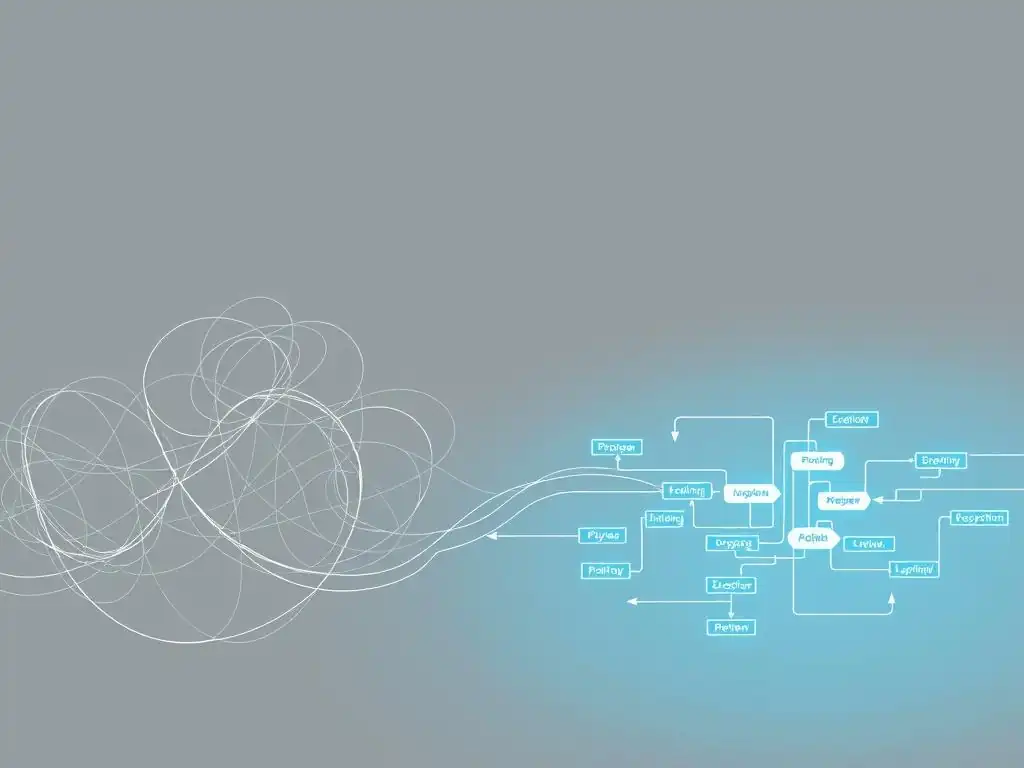
This section focuses on optimizing your digital project workflow to achieve peak efficiency. We'll explore practical strategies to minimize wasted time and maximize output, ultimately helping you to better optimize digital project workflow. By implementing the techniques described below, you can significantly improve your productivity and project completion rates. Remember, a streamlined workflow isn't just about using the right tools; it's about adopting the right mindset and strategies.
Implementing Project Management Software: Choosing the Right Tool for Your Needs
Selecting the right project management software is crucial for optimizing your digital workflow. The ideal tool depends heavily on your specific needs, team size, and project complexity. Consider these factors when making your choice:
- Project Size and Complexity: For small, simple projects, a basic to-do list app might suffice. Larger, more complex projects demanding collaboration and detailed tracking necessitate more robust software with features like Gantt charts, Kanban boards, and resource allocation tools.
- Team Collaboration: If you're working with a team, choose software that facilitates seamless communication and collaboration. Look for features like shared task lists, real-time updates, and integrated communication tools.
- Budget: Project management software comes in various price ranges, from free options with limited features to enterprise-level solutions with extensive functionalities. Align your choice with your budget and anticipated return on investment.
- Integration with Existing Tools: Ideally, your chosen software should integrate smoothly with other tools you already use, such as email clients, calendar apps, and communication platforms. This minimizes disruption and maximizes efficiency.
Consider these examples: For solo entrepreneurs managing a few small projects, a simple task management app like Todoist might be sufficient. For larger teams working on complex projects with multiple dependencies, a more comprehensive solution like Asana or Monday.com might be more appropriate. Careful evaluation of your requirements is key to selecting the best tool to optimize digital project workflow.
Mastering Task Management Techniques: Prioritization, Delegation, and Time Blocking
Effective task management is the backbone of a streamlined digital workflow. Simply using project management software isn't enough; you need to master techniques like prioritization, delegation, and time blocking to truly optimize digital project workflow.
- Prioritization: Employ methods like the Eisenhower Matrix (urgent/important) or MoSCoW method (must have/should have/could have/won't have) to focus your energy on the most critical tasks first. Avoid getting bogged down in less important activities.
- Delegation: Don't be afraid to delegate tasks when appropriate. This frees up your time to focus on higher-level activities and leverages the skills of your team members. Clearly define responsibilities and expectations when delegating.
- Time Blocking: Allocate specific time blocks in your day for focused work on particular tasks. This minimizes context switching and improves concentration, leading to increased productivity. Experiment with different time block durations to find what works best for you. For example, the Pomodoro Technique (25 minutes of focused work followed by a 5-minute break) is a popular and effective method.
Implementing these techniques helps you manage your time effectively, ensuring that you're consistently working on the most important tasks, thereby directly impacting your ability to optimize digital project workflow. Remember, effective task management isn't about doing more; it's about doing the right things effectively.
Automating Repetitive Tasks: Leveraging Automation Tools for Increased Productivity
Automating repetitive tasks is a game-changer for boosting productivity and optimizing your digital workflow. By automating mundane tasks, you free up valuable time to focus on higher-value activities. This is a critical aspect of how to optimize digital project workflow.
Here are some examples of tasks that can be automated:
- Social media posting: Schedule posts in advance using tools like Buffer or Hootsuite.
- Email marketing: Automate email sequences and newsletters using services like Mailchimp or ConvertKit.
- Data entry: Use automation tools like Zapier or IFTTT to automatically transfer data between different applications.
- File organization: Implement automated file-naming conventions and folder structures.
Automating these tasks not only saves time but also reduces the risk of human error. The key is to identify repetitive tasks that consume significant time and explore available automation tools to streamline them. This contributes significantly to optimize digital project workflow and enhances overall efficiency. Remember, even small automation efforts can accumulate into substantial time savings over time. Think of it as investing time to save time – a powerful strategy for long-term productivity gains.
Optimizing Communication Channels: Improving Collaboration and Information Flow
Effective communication is the bedrock of any successful digital project. A streamlined communication strategy minimizes misunderstandings, accelerates decision-making, and fosters a collaborative environment. Ignoring this aspect can lead to delays, duplicated efforts, and ultimately, project failure. Optimizing your communication channels involves carefully considering the tools you use and how you use them.
One crucial aspect is choosing the right platform for different communication needs. Email, while ubiquitous, can become overwhelming and difficult to manage for complex projects. For quick questions and updates, consider using instant messaging platforms like Slack or Microsoft Teams. These tools allow for real-time communication, threaded conversations for context, and the ability to easily share files and updates. For larger discussions or decisions requiring a record, project management software with integrated communication features is highly beneficial. This allows all communication to remain within the context of the project, easily searchable and auditable.
Beyond the choice of platform, establishing clear communication protocols is vital. This includes defining who is responsible for what communication tasks, establishing response times, and creating a system for escalating important issues. For example, a team might agree to respond to urgent messages within 30 minutes, while less urgent inquiries receive a response within 24 hours. This predictability significantly improves team efficiency and reduces frustration.
Furthermore, consider the use of visual communication aids. Instead of lengthy email chains, use diagrams, flowcharts, or short video updates to convey complex information more effectively. A quick screen recording explaining a technical issue is often far more efficient than a lengthy written explanation. This approach is particularly useful for geographically dispersed teams where face-to-face communication is limited.
Remember, the goal is to ensure that everyone has the information they need, when they need it, in a format they can easily understand. By carefully optimizing communication channels and protocols, you can significantly improve collaboration and information flow, leading to a more efficient and successful digital project workflow. This ultimately helps to optimize digital project workflow.
Enhancing Collaboration and Communication in Digital Projects
Optimizing digital project workflow hinges heavily on effective collaboration and communication. A streamlined communication strategy and the right collaborative tools are crucial for success, especially in today's increasingly distributed work environments. Without these, even the most meticulously planned project can quickly derail. This section explores key strategies and tools to enhance team interaction and ensure everyone is on the same page.
Effective Communication Strategies: Fostering Clear and Concise Communication
Clear and concise communication is the bedrock of any successful project. Ambiguity breeds confusion and delays, ultimately impacting efficiency and project delivery. Several strategies can significantly improve communication within a digital project team:
- Establish clear communication protocols: Define preferred communication channels (e.g., instant messaging for quick updates, email for formal announcements, project management software for task assignments), response times, and escalation procedures for critical issues. This structured approach minimizes misunderstandings and ensures timely responses. For example, stipulate that all urgent requests should be communicated via instant messaging with a response expected within 30 minutes.
- Utilize visual aids: Diagrams, flowcharts, and other visual aids can simplify complex information and facilitate understanding. A well-designed project timeline, for instance, provides a clear overview of milestones and deadlines, keeping everyone informed about the project's progress. Using visual aids also helps in reducing the chance of misinterpretations.
- Regular check-ins and updates: Schedule regular team meetings (both synchronous and asynchronous) to discuss progress, address roadblocks, and ensure everyone is aligned. Asynchronous communication, such as using project management tools with built-in commenting features, allows team members to contribute at their convenience, facilitating flexible collaboration.
- Document everything: Maintain a comprehensive record of all decisions, discussions, and updates. This central repository of information serves as a single source of truth, minimizing confusion and allowing new team members to quickly get up to speed. This could be a shared document, a project wiki, or a dedicated section within your project management software. Consider using a version control system to track changes and prevent conflicts.
Utilizing Collaboration Tools: Boosting Team Productivity and Efficiency
Leveraging the right collaboration tools is essential for optimizing digital project workflow. These tools streamline communication, facilitate task management, and enhance overall team productivity. Choosing the right tools depends on your team's specific needs and size. Some popular options include:
| Tool Category | Example Tools | Benefits | Considerations |
|---|---|---|---|
| Project Management | Asana, Trello, Monday.com, Jira | Centralized task management, progress tracking, collaboration features | Cost, learning curve, integration with existing systems |
| Communication | Slack, Microsoft Teams, Google Chat | Instant messaging, file sharing, video conferencing | Potential for information overload if not managed well |
| Document Collaboration | Google Docs, Microsoft Office 365 | Real-time co-editing, version control, seamless collaboration | Requires internet connectivity |
| File Sharing & Storage | Dropbox, Google Drive, OneDrive | Centralized storage, easy file sharing, version history | Security considerations, storage limits |
Effective implementation of these tools requires clear guidelines and training to ensure all team members understand their functionality and best practices. Regularly assess the effectiveness of the tools and adapt as needed. For example, if a tool proves inefficient, don't hesitate to switch to a better alternative.
Managing Remote Teams Effectively: Optimizing Workflow for Distributed Teams
Managing remote teams presents unique challenges to optimizing digital project workflow. However, with the right strategies and tools, remote teams can be just as productive, if not more so, than co-located teams.
- Establish clear roles and responsibilities: Clearly define each team member's role and responsibilities to avoid confusion and duplication of effort. Utilize a Responsibility Assignment Matrix (RAM) to visually represent roles and tasks. This ensures accountability and prevents tasks from falling through the cracks.
- Promote regular communication and connection: Foster a sense of community and connection among team members through virtual coffee breaks, team-building activities, and regular social interactions. This helps maintain morale and fosters stronger working relationships. Consider incorporating fun virtual activities to boost team cohesion.
- Utilize time zone-aware scheduling: Be mindful of time zones when scheduling meetings and setting deadlines. Use project management tools that accommodate multiple time zones to avoid scheduling conflicts and ensure timely completion of tasks. Tools that offer time zone converters can help avoid scheduling mistakes.
- Embrace asynchronous communication: Asynchronous communication, such as using project management tools or email, allows team members to work independently and at their own pace. This flexibility is particularly important for remote teams spread across different time zones. However, ensure clear response times are established to maintain efficiency.
By implementing these strategies and leveraging appropriate technology, you can significantly improve communication, collaboration, and overall efficiency within your digital projects, ultimately optimizing your digital project workflow and achieving better results. Remember that consistent evaluation and adaptation are crucial to maintaining a productive and efficient remote team.
Building a strong team culture is paramount for optimizing a digital project workflow. A collaborative environment where everyone feels valued and understood significantly boosts productivity and reduces friction. This isn't just about assigning tasks; it's about creating a shared sense of purpose and mutual respect. Teams that thrive on collaboration often outperform those operating in silos.
This is because diverse perspectives and skill sets can be harnessed to tackle challenges more effectively. For instance, a project involving website development might benefit from designers, developers, and content writers working together seamlessly, leveraging each other's expertise throughout the process. This collaborative approach leads to more innovative solutions and a higher-quality final product.
One key aspect of building a strong team culture is establishing clear communication channels. Regular team meetings, both formal and informal, are essential. These meetings should be focused and productive, with clear agendas and defined outcomes. Utilizing project management software with integrated communication tools can streamline this process, ensuring everyone is on the same page.
Furthermore, fostering open communication, where team members feel comfortable sharing ideas, concerns, and feedback, is crucial. This involves actively encouraging participation and creating a safe space for constructive criticism. A culture of psychological safety allows individuals to take risks, propose innovative ideas, and admit mistakes without fear of judgment, significantly impacting the overall project success.
Another vital component is defining shared goals and objectives. When every team member understands the overall project vision and their individual contribution to it, they are more likely to remain engaged and motivated. This shared understanding fosters a sense of ownership and accountability, leading to increased efficiency and better results. Regularly reviewing progress towards these goals, celebrating milestones, and providing constructive feedback are all integral to maintaining momentum and ensuring everyone stays aligned with the project's objectives.
The process of setting clear expectations and regularly monitoring progress is fundamental to optimizing your digital project workflow and fostering a culture of success. Ignoring this aspect can lead to confusion, missed deadlines, and ultimately, project failure. Therefore, invest time and effort in building a strong team culture to unlock the full potential of your team. The return on investment in terms of project efficiency and overall team morale is substantial.
Measuring and Improving Your Digital Project Workflow
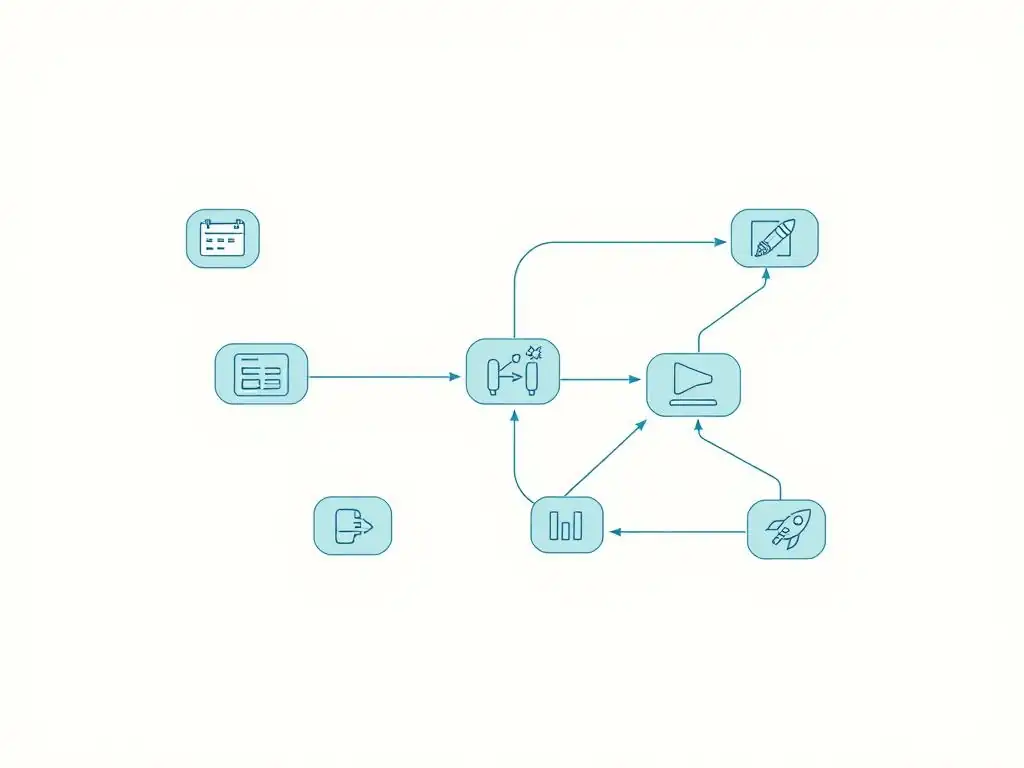
This section delves into the crucial aspects of measuring and subsequently improving your digital project workflow. Optimizing digital project workflow isn't just about implementing new tools; it's about understanding what works and what doesn't, and iteratively refining your processes for maximum efficiency. We'll explore key performance indicators (KPIs), progress tracking methods, and strategies for continuous improvement.
Key Performance Indicators (KPIs) for Digital Project Success: Defining Metrics for Success
Defining the right KPIs is paramount to effectively measuring the success of your digital project workflow. These metrics provide quantifiable data to assess performance, identify bottlenecks, and track progress towards project goals. Instead of relying on vague feelings of productivity, KPIs offer objective insights. Here are some vital KPIs to consider:
- Project Completion Rate: This simple yet powerful metric tracks the percentage of projects completed on time and within budget. A high completion rate indicates a well-oiled workflow. A low rate suggests areas needing immediate attention. For example, a completion rate consistently below 80% might signal problems with task allocation, resource management, or project planning.
- Average Project Duration: Tracking the average time it takes to complete projects of similar scope helps identify inefficiencies. A significant increase in average project duration compared to previous periods might suggest a need to streamline certain processes or improve team collaboration.
- Cycle Time: This KPI measures the time it takes for a task or project to move from initiation to completion. Reducing cycle time directly translates to faster project delivery and improved overall efficiency. Analyzing cycle time for specific tasks can pinpoint bottlenecks.
- Defect Rate: The number of errors or defects discovered during and after project completion is a critical indicator of workflow quality. A high defect rate points towards a need for better quality control measures, improved training, or more robust testing procedures. Aim for a consistently low defect rate to ensure high-quality deliverables.
- Resource Utilization: This KPI assesses how effectively your team and resources are being used. Low resource utilization suggests potential underutilization of talent or resources, while consistently high utilization may indicate burnout risk and the need for better resource allocation strategies.
| KPI | Description | Ideal Range/Target |
|---|---|---|
| Project Completion Rate | Percentage of projects completed on time and within budget | > 85% |
| Average Project Duration | Average time taken to complete projects of similar scope | Continuously decreasing over time |
| Cycle Time | Time taken for a task/project from initiation to completion | Continuously decreasing over time |
| Defect Rate | Number of errors/defects per project | < 5% |
| Resource Utilization | Effectiveness of team and resource usage | 70-85% (avoiding over-utilization and under-utilization) |
By meticulously tracking these KPIs, you gain valuable data to guide optimization efforts and enhance your overall digital project workflow. Remember to choose KPIs relevant to your specific projects and team structure.
Tracking Progress and Identifying Areas for Improvement: Monitoring Workflow Effectiveness
Once you've established your KPIs, the next step is consistently tracking progress and identifying areas for improvement. This involves implementing a robust monitoring system that provides real-time insights into project status and workflow efficiency. Several strategies can be employed:
- Project Management Software: Utilizing tools like Asana, Trello, or Monday.com allows for centralized task management, progress tracking, and collaboration. These platforms often offer built-in reporting features to visualize KPIs and identify bottlenecks.
- Regular Check-ins and Meetings: Scheduled meetings with team members facilitate open communication, progress updates, and early identification of potential roadblocks. These meetings should be focused and action-oriented.
- Time Tracking: Tools like Toggl Track or Clockify provide detailed insights into how time is spent on different tasks. This data helps identify time sinks and areas where productivity can be improved. Analyzing time tracking data alongside KPI performance can reveal crucial correlations.
- Automated Reporting: Many project management tools offer automated reporting capabilities, providing regular updates on KPIs and project progress without manual intervention. This saves time and ensures consistent monitoring.
Implementing these strategies provides a holistic view of your workflow's effectiveness. By consistently analyzing data, you can pinpoint specific areas requiring optimization. For instance, if your time tracking reveals a consistent delay in a particular phase of a project, you can investigate the cause and implement solutions to streamline that specific process.
Regularly Reviewing and Refining Your Workflow: Continuous Improvement Strategies
The journey towards optimizing your digital project workflow is not a one-time event but rather a continuous process of improvement. Regularly reviewing and refining your workflows ensures sustained efficiency and adaptability. Here are some effective strategies:
- Regular Workflow Audits: Conduct periodic audits of your entire workflow, identifying outdated processes, inefficient steps, or areas ripe for automation. These audits should involve input from all team members to gain diverse perspectives.
- Embrace Automation: Automate repetitive tasks wherever possible, freeing up time for more strategic and creative work. Consider using automation tools for tasks like email filtering, social media scheduling, or data entry.
- Feedback Mechanisms: Establish clear channels for feedback from team members on the workflow's effectiveness. Regularly solicit input and incorporate suggestions to improve efficiency and morale.
- A/B Testing: Experiment with different workflows or tools to identify which approaches yield the best results. A/B testing allows for data-driven decision-making based on concrete performance metrics.
- Stay Updated: The digital landscape is constantly evolving. Regularly research and explore new tools and techniques to improve your workflow, ensuring you stay ahead of the curve.
The key to continuous improvement lies in a commitment to data-driven decision-making, regular evaluation, and a willingness to adapt and innovate. By embracing these strategies, you can continually refine your digital project workflow, achieving optimal efficiency and maximizing productivity. Remember, optimizing digital project workflow is an ongoing process, not a destination. The more consistently you review and refine, the more efficient your team will become.
Adapting to Change: Flexibility and Agility in Digital Project Management
Optimizing a digital project workflow isn't a one-time event; it's an ongoing process. The ability to adapt to unforeseen changes and maintain flexibility is crucial for success. Rigid plans often crumble in the face of unexpected challenges, whether it's a sudden shift in client requirements, a technological glitch, or a team member's unavailability. Embracing agility allows you to navigate these complexities effectively. This means incorporating iterative planning, regular check-ins, and a willingness to adjust your strategy as needed.
One effective strategy is to implement a system of flexible milestones. Instead of rigidly defining each step with fixed deadlines, establish broader goals with adaptable timelines. This allows for adjustments without derailing the entire project. For example, instead of setting a hard deadline for the completion of a design phase, you could define a goal like "Achieve a high-fidelity prototype," allowing the team to manage the timeline more effectively based on their progress and any unforeseen obstacles.
Furthermore, fostering a culture of open communication within your team is paramount. Encourage proactive reporting of challenges and potential roadblocks. Regular team meetings, ideally using project management software with real-time collaboration features, facilitate quick responses to changing circumstances. This proactive approach allows for immediate adjustments, preventing minor issues from escalating into major setbacks. Think of it as a form of preventative maintenance for your digital project workflow. Early identification and resolution of problems significantly reduce the likelihood of project delays and cost overruns.
Effective change management also involves clearly defined escalation paths. Knowing who to contact and when is essential. If a problem arises that the team cannot resolve, having a clear process for escalating the issue to a higher level ensures swift action and minimizes downtime.
This structured approach enhances the overall agility of your digital project workflow, enabling smoother adaptation to unexpected changes. Remember, flexibility isn't about abandoning your plan entirely; it's about strategically adjusting your approach to achieve your objectives efficiently, even when faced with unforeseen obstacles. This adaptive approach ultimately contributes to a more robust and efficient digital project workflow.
Advanced Strategies for Optimizing Digital Project Workflow
This section delves into sophisticated techniques to significantly enhance your digital project workflow, moving beyond the basics to achieve peak efficiency and productivity. We'll explore methodologies and tools that empower you to not only manage projects but also to proactively optimize them based on data-driven insights. The goal is to truly optimize digital project workflow and unlock your team's full potential.
Implementing Agile Methodologies: Adapting to Changing Project Requirements
Agile methodologies, like Scrum and Kanban, are renowned for their adaptability. In today's dynamic digital landscape, embracing flexibility is crucial. Agile's iterative approach allows for continuous improvement and responsiveness to evolving project needs. Instead of rigidly adhering to a pre-determined plan, Agile prioritizes collaboration, frequent feedback loops, and the ability to pivot when necessary.
This adaptability is particularly valuable when dealing with complex digital projects where requirements may shift due to technological advancements, client feedback, or unexpected challenges. For example, imagine developing a mobile app. Early user testing might reveal usability issues that necessitate design changes mid-project. An Agile approach allows for seamless incorporation of these changes without derailing the entire project.
Consider this example: A team using Scrum divides their project into short sprints (e.g., two-week iterations). At the end of each sprint, they review their progress, gather feedback, and adjust their approach for the next sprint. This iterative process helps them identify and address problems early on, preventing costly delays and rework later in the project. The result is a more robust and user-friendly app delivered more efficiently. This contrasts sharply with traditional waterfall methodologies, which are less adaptable to change.
The key to successful Agile implementation is establishing clear communication channels, fostering a collaborative team environment, and utilizing appropriate project management tools designed to support Agile principles.
Utilizing Kanban Boards: Visualizing and Managing Workflows
Kanban boards provide a visual representation of your workflow, enabling better understanding and management of tasks. This visual approach significantly improves transparency and facilitates efficient task prioritization and progress tracking. A Kanban board typically consists of columns representing different stages of a project (e.g., "To Do," "In Progress," "Testing," "Done"). Tasks are represented as cards moved across the board as they progress through each stage.
The beauty of Kanban lies in its simplicity and flexibility. It's easily customizable to fit diverse project needs. Furthermore, Kanban promotes a "pull" system, meaning tasks are only started when capacity is available, preventing bottlenecks and promoting a smoother workflow. This avoids the common problem of teams starting too many tasks at once and getting overwhelmed.
Imagine a marketing team using a Kanban board to manage their social media content calendar. Each card represents a social media post, and the columns represent stages like "Idea Generation," "Content Creation," "Review & Approval," and "Scheduled." The visual overview allows the team to quickly identify bottlenecks, prioritize urgent tasks, and ensure a consistent flow of content. This method significantly enhances team coordination and reduces the risk of missed deadlines. The visual nature of a Kanban board also makes it easier for team members to understand the overall project status and their individual contributions.
Leveraging Data Analytics: Gaining Insights into Workflow Performance
Data analytics provides invaluable insights into your digital project workflow, allowing for data-driven optimization. By tracking key metrics like task completion times, project durations, resource allocation, and bottlenecks, you can identify areas for improvement and make informed decisions to enhance efficiency.
For instance, analyzing task completion times can reveal hidden inefficiencies. If a particular type of task consistently takes longer than expected, it might indicate a need for improved training, process refinement, or tool upgrades. Similarly, analyzing resource allocation can highlight potential over- or under-utilization of team members, leading to more balanced workload distribution. The use of project management software with integrated analytics dashboards can greatly simplify this process.
The ability to identify and address these bottlenecks is crucial for optimizing digital project workflow. By using data to inform decisions, you move from reactive problem-solving to proactive optimization, leading to improved project predictability, reduced costs, and increased overall productivity. This data-driven approach is essential for continuous improvement and achieving sustainable efficiency gains in your digital project management. The key is to select the right metrics to track, ensuring they are relevant to your specific goals and workflow.
Building a Culture of Continuous Improvement: Embracing Feedback and Iteration
Optimizing your digital project workflow isn't a one-time fix; it's an ongoing process. Building a culture of continuous improvement within your team is crucial for sustained efficiency. This involves actively seeking and incorporating feedback at every stage of a project. Regular retrospectives, where the team reflects on past projects to identify areas for improvement, are invaluable.
These sessions shouldn't be blame-oriented but rather focused on collaborative problem-solving. For example, a retrospective might reveal that a specific communication tool hindered progress, leading to the adoption of a more effective alternative for future projects. The key is to create a safe space where team members feel comfortable sharing both positive and negative experiences without fear of reprisal.
This feedback loop extends beyond internal team reviews. Gathering feedback from clients or end-users is equally important, particularly in understanding the effectiveness of the final product and identifying areas where the workflow itself could be streamlined to better meet user needs. Consider incorporating user testing into your workflow, allowing for iterative adjustments based on real-time user interactions. For instance, if user testing reveals a cumbersome process for submitting feedback, adjustments to the feedback form or process can be implemented immediately, improving future projects. The iterative nature of this approach allows for constant refinement and optimization of your digital project workflow, leading to increased efficiency and improved project outcomes. Remember, even small adjustments can accumulate into significant improvements over time. Continuous improvement is a marathon, not a sprint, and the rewards are well worth the effort. The successful optimization of digital project workflow requires a commitment to ongoing learning and adaptation.
Furthermore, implementing a system for tracking and analyzing project metrics is vital. By measuring key performance indicators (KPIs) such as project completion times, budget adherence, and client satisfaction, you can identify bottlenecks and areas for improvement with quantifiable data. This data-driven approach enables informed decision-making, ensuring that improvements are targeted and effective.
For instance, consistent delays in a particular project phase might highlight the need for additional resources or a revised process. This analytical approach transforms feedback into actionable steps, fostering a culture of continuous improvement and driving long-term efficiency gains in your digital project workflow. The combination of qualitative feedback (from retrospectives and user testing) and quantitative data (from KPI tracking) provides a comprehensive picture of your workflow's strengths and weaknesses, enabling you to continuously refine and optimize your processes for peak performance.
Frequently Asked Questions
What is a digital workflow, and why should I optimize it?
A digital workflow is the sequence of steps involved in completing a digital project. Optimizing it means streamlining these steps to increase efficiency, reduce errors, and improve overall productivity. This saves you valuable time and resources.
How can I identify bottlenecks in my current digital workflow?
Track your time spent on each task using a timer or project management tool. Look for recurring delays or tasks that consistently take longer than expected. These are likely your workflow bottlenecks.
What tools can help me optimize my digital project workflow?
Many tools can assist, including project management software (Asana, Trello), cloud storage (Google Drive, Dropbox), and collaboration platforms (Slack, Microsoft Teams). Choose tools that suit your needs and integrate well.
How can I improve collaboration within my digital workflow?
Establish clear communication channels, use shared project spaces, and utilize version control systems. Regular check-ins and well-defined roles also significantly improve team collaboration and project success.
What are some simple changes I can make to immediately improve my digital workflow?
Start by organizing your files, creating clear naming conventions, and automating repetitive tasks. Implementing a consistent task management system will also yield immediate improvements in efficiency.
Final Reflection: Harnessing the Power of Optimized Digital Workflows
The relentless pace of the modern digital landscape demands efficiency, and optimizing your project workflow isn't just a suggestion—it's a necessity for survival. Failing to streamline your processes in today's competitive environment means falling behind, losing valuable time and resources, and ultimately, hindering your potential for success. The strategies outlined in this article are not merely theoretical; they are practical tools designed to empower you to take control of your digital projects and achieve remarkable results.
The impact of efficient digital workflows extends far beyond individual productivity; it shapes the very fabric of how we collaborate, innovate, and achieve collective goals. The ability to seamlessly integrate tools, automate repetitive tasks, and foster clear communication is transformative. It's about more than just completing projects faster; it's about creating space for creativity, fostering a sense of accomplishment, and ultimately, contributing to a more fulfilling and productive work life. The key is not to prioritize what's on your schedule, but to schedule your priorities.
– Stephen Covey. This quote perfectly encapsulates the essence of effective workflow management: intentional planning leads to impactful results.
Now, consider your own digital workflow. What areas feel cumbersome or inefficient? What small changes could you implement today to streamline your processes? I challenge you to identify one area for improvement and dedicate time this week to implementing a solution. Start small, track your progress, and celebrate your successes. By embracing the principles of optimized digital workflows, you're not just improving your productivity; you're investing in your future and unlocking your full potential. The journey towards a more efficient and fulfilling digital experience begins with a single, deliberate step.
Unleash Your Productivity Potential!
Thank you for exploring our strategies to enhance your digital workflow! We hope you discovered valuable techniques to boost your project efficiency. Now, let's put that knowledge into practice.
Here's how to take the next step:
- Implement one new strategy from the article this week. Start small—focus on the tip that best fits your current workflow. Even small changes can make a big difference!
- Share your key takeaway on social media using #UltimateLifeHacks and tag a friend who might also find these tips helpful. Let's build a supportive community of productivity enthusiasts!
- Track your progress over the next month. Note how much time you save and any unexpected benefits you discover. This will help solidify your new habits.
Ready to see a significant improvement in your project management? Which strategy are you most eager to try first, and why?