
Transform Your Living Room: The Ultimate Guide to Smart Home Entertainment

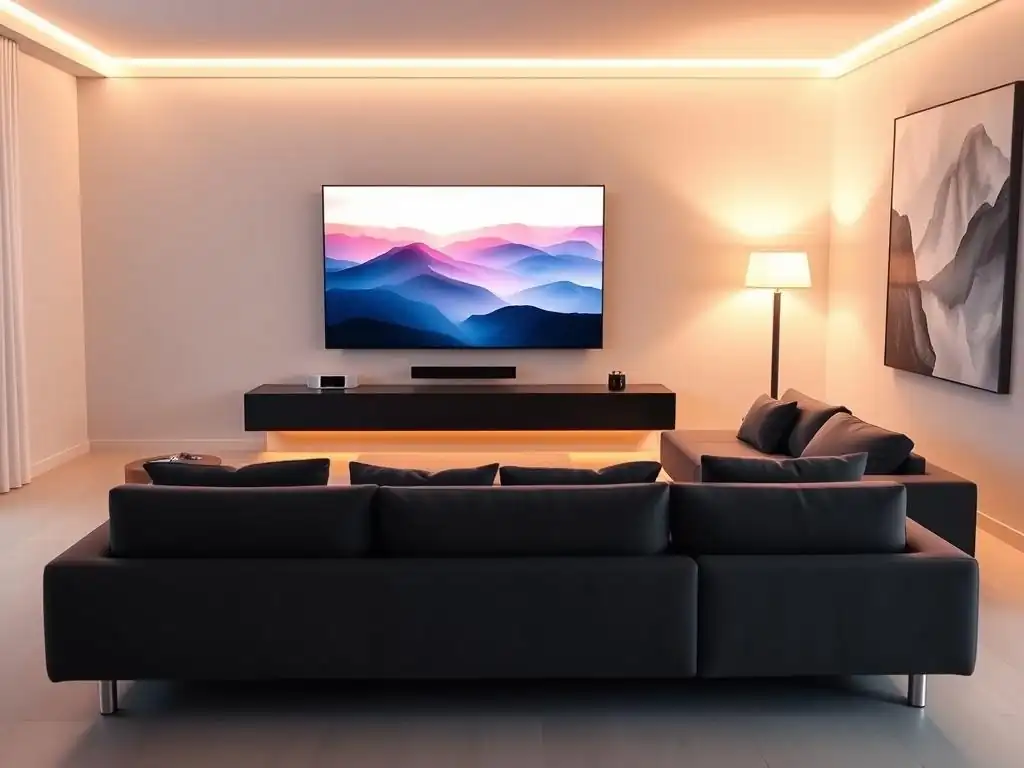
Ready to reclaim your evenings and transform your living space? UltimateLifeHacks delivers practical solutions for a more efficient and enjoyable life. Dive into our comprehensive Smart home entertainment setup guide and discover how to create the ultimate relaxation and entertainment hub—a sanctuary designed for your needs. Uncover the secrets to a streamlined, tech-savvy home entertainment experience; you won't believe how easy it is!
-
Planning Your Smart Home Entertainment Setup: A Step-by-Step Guide
- Assessing Your Current Entertainment Needs and Budget for Smart Home Integration
- Choosing the Right Smart TV: Samsung Neo QLED vs. LG OLED Comparison
- Essential Smart Home Hubs: Amazon Echo vs. Google Home for Seamless Control
- Setting Up Your Wireless Network for Optimal Streaming and Smart Device Performance: Wi-Fi 6E Considerations
- Integrating Smart Speakers and Voice Assistants for Effortless Control
-
Building Your Ultimate Smart Home Entertainment System: Devices and Integrations
- Streaming Services Integration: Netflix, Hulu, Disney+ and More on Your Smart TV
- Smart Lighting Integration: Philips Hue and Setting Ambiance for Movie Nights
- Smart Home Automation for Entertainment: Automating Movie Night with IFTTT or Stringify
- Gaming Integration: Setting up Cloud Gaming Services like GeForce Now and Stadia
- Maximizing Your Smart Home Entertainment Experience: Tips and Tricks
-
The Best Smart Home Entertainment Products of 2024: A Curated Selection
- Top Smart TVs for Immersive Viewing Experiences: Features, Pricing, and Reviews
- Best Smart Soundbars for Exceptional Audio Quality: Bose, Sonos, and Other Top Brands
- High-Quality Streaming Devices: Apple TV 4K vs. Roku Ultra vs. Chromecast with Google TV
- Top Smart Lighting Solutions for Enhanced Ambiance: Philips Hue, LIFX, and More
- Future-Proofing Your Smart Home Entertainment Setup: Preparing for Emerging Technologies
- Frequently Asked Questions
- Final Reflection: Embracing the Future of Home Entertainment
- Unleash Your Smart Home Entertainment Now!
Planning Your Smart Home Entertainment Setup: A Step-by-Step Guide
Transforming your living room into a haven of smart home entertainment isn't just about buying the latest gadgets; it's about creating a seamlessly integrated system that enhances your viewing experience and simplifies your daily routine. This ultimate guide provides a step-by-step approach to building your ideal smart home entertainment setup, focusing on practical considerations, budget management, and the best technology choices to suit your needs. We'll cover everything from assessing your current entertainment needs to choosing the perfect smart TV and integrating smart home hubs for effortless control.
This comprehensive guide will help you navigate the complexities of smart home integration, ensuring you create a truly personalized and enjoyable entertainment experience. Get ready to elevate your living room to the next level of comfort and convenience!
Assessing Your Current Entertainment Needs and Budget for Smart Home Integration
Before diving into the exciting world of smart home entertainment, it's crucial to understand your current needs and set a realistic budget. This foundational step will prevent impulsive purchases and ensure you invest wisely in technology that truly enhances your lifestyle.
Consider these key questions:
- What types of entertainment do you consume most often? Do you primarily watch movies, stream TV shows, play video games, or listen to music? Understanding your preferences will help you prioritize features in your smart home setup. For example, a gamer might prioritize a TV with a low input lag, while a movie enthusiast might focus on picture quality and sound.
- How many people will be using the system? A household with multiple users might require more robust streaming services and a larger TV screen.
- What is your current technology infrastructure? Do you have a reliable high-speed internet connection? What type of audio system do you currently use? Addressing these questions will highlight any necessary upgrades or replacements.
- What is your budget? Smart home entertainment can range from budget-friendly to high-end. Setting a realistic budget will help you narrow down your options and avoid overspending. Consider allocating funds for the TV, sound system, smart home hub, streaming services, and any additional accessories. Remember to factor in potential installation costs.
A well-defined budget and a clear understanding of your needs will make the process of choosing the right components much easier and more efficient. Remember, smart home entertainment should enhance your life, not complicate it!
Choosing the Right Smart TV: Samsung Neo QLED vs. LG OLED Comparison
The heart of any smart home entertainment system is the television. Choosing the right smart TV can significantly impact your viewing experience. Two leading contenders often top the lists: Samsung Neo QLED and LG OLED. Let's compare their key features to help you make an informed decision:
| Feature | Samsung Neo QLED | LG OLED |
|---|---|---|
| Display Technology | Quantum Dot LED with local dimming | Organic Light Emitting Diode (OLED) |
| Brightness | Exceptionally bright, ideal for bright rooms | Excellent contrast, but can be less bright |
| Contrast Ratio | High, but not as high as OLED | Extremely high, delivers perfect blacks |
| Black Levels | Good, but some blooming may occur | Perfect blacks, exceptional detail in shadows |
| Viewing Angles | Good | Excellent |
| Burn-in Risk | None | Potential for burn-in with static images |
| Price | Generally more affordable | Generally more expensive |
Both technologies offer stunning picture quality. Samsung Neo QLED excels in brightness and HDR performance, making it ideal for brightly lit rooms. LG OLED boasts superior contrast and black levels, resulting in incredibly lifelike images, perfect for darker viewing environments. The best choice depends on your individual preferences and viewing conditions. Consider factors like room lighting, viewing distance, and budget when making your decision.
Essential Smart Home Hubs: Amazon Echo vs. Google Home for Seamless Control
Once you have your smart TV, the next step is to integrate it into your broader smart home ecosystem. This is where smart home hubs come in. Amazon Echo and Google Home are two of the most popular options, each with its own strengths and weaknesses.
- Amazon Echo: Known for its extensive compatibility with a wide range of smart devices and its robust voice assistant, Alexa. Echo devices offer a user-friendly interface and a vast library of skills. The integration with other Amazon services, like Prime Video and Music, is seamless.
- Google Home: Boasts strong integration with Google services, such as YouTube TV, Google Play Movies & TV, and Google Assistant. Google Home devices offer a sophisticated voice assistant with powerful search capabilities and a focus on smart home automation.
The choice between Amazon Echo and Google Home often comes down to personal preference and existing technology within your household. Consider which ecosystem already plays a significant role in your digital life. Many users even choose to integrate both systems for broader compatibility and functionality. Ultimately, the best smart home hub is the one that best suits your needs and enhances your overall smart home experience. Remember to consider factors such as voice recognition accuracy, app functionality, and device compatibility before making your decision.
Setting Up Your Wireless Network for Optimal Streaming and Smart Device Performance: Wi-Fi 6E Considerations
Setting up a robust wireless network is paramount for a seamless smart home entertainment experience. Lagging streams, buffering issues, and unresponsive smart devices can quickly turn your entertainment center into a source of frustration. To avoid these pitfalls, careful planning and execution are key. This involves more than simply plugging in a router; it necessitates understanding your network's capabilities and limitations, and choosing the right equipment for your needs.
One crucial aspect is choosing the right Wi-Fi standard. While Wi-Fi 5 (802.11ac) is still widely used, upgrading to Wi-Fi 6 (802.11ax) or even Wi-Fi 6E (802.11ax with 6 GHz band) significantly enhances performance, especially in homes with many connected devices. Wi-Fi 6E, in particular, offers a wider, less congested channel in the 6 GHz band, resulting in faster speeds and lower latency—crucial for high-bandwidth activities like 4K streaming and online gaming. However, ensure all your devices are compatible with the chosen standard before investing.
Beyond the Wi-Fi standard, consider the placement of your router and access points. Strategically positioning these devices minimizes signal interference and dead zones. Thick walls, metal objects, and even large pieces of furniture can significantly impact signal strength. For larger homes or those with complex layouts, a mesh Wi-Fi system is highly recommended. Mesh systems use multiple nodes to create a seamless, extended network, ensuring consistent coverage throughout your living space. This is especially beneficial for multi-room entertainment setups, where devices in different locations need strong, reliable connections.
Furthermore, optimizing your router's settings can dramatically improve performance. This includes regularly updating the firmware to benefit from the latest bug fixes and performance enhancements. You should also adjust the channel width and frequency to minimize interference from neighboring networks. Many routers offer features like Quality of Service (QoS), which allows you to prioritize bandwidth for specific devices or applications, ensuring your streaming services receive preferential treatment over less demanding tasks.
Finally, a strong password and regular security updates are essential to safeguard your network from unauthorized access. A secure network is a reliable network, crucial for the smooth operation of your smart home entertainment system. Investing time in these network optimizations will significantly improve your overall smart home entertainment experience, minimizing frustrating interruptions and maximizing enjoyment.
Integrating Smart Speakers and Voice Assistants for Effortless Control

This section delves into the core of seamless smart home entertainment: voice control. Integrating smart speakers and voice assistants elevates your living room experience from merely convenient to truly effortless. This means less fumbling with remotes and more time enjoying your favorite movies, shows, and music. We'll explore how to leverage the power of voice assistants to maximize your entertainment setup, focusing on two dominant players in the market: Amazon Alexa and Google Assistant.
Hands-Free Control with Amazon Alexa: Setting up Routines and Skills for Entertainment
Amazon Alexa, the ubiquitous voice assistant, offers unparalleled control over your smart home entertainment system. Setting up Alexa for optimal entertainment involves two key steps: creating routines and utilizing relevant skills.
Routines allow you to automate complex actions with a single voice command. For instance, you could create a "Movie Night" routine that dims the lights, turns on your TV, starts Netflix, and sets the thermostat to a comfortable temperature – all with a simple phrase like, "Alexa, start Movie Night." The possibilities are endless; you can tailor routines to your specific preferences and entertainment habits. Experiment with different combinations to find what works best for you. Consider adding actions like adjusting the volume on your soundbar or turning on a specific light scene to enhance the ambiance.
Skills, on the other hand, expand Alexa's functionality by integrating with various entertainment services. Linking your streaming accounts (Netflix, Spotify, etc.) allows you to control playback directly through voice commands. You can request specific songs, playlists, movies, or TV shows without ever touching a remote. Exploring the available skills is crucial to unlocking Alexa’s full entertainment potential. Remember to check for updates regularly to ensure you have access to the latest features and integrations. Properly configuring these skills can significantly improve your smart home entertainment experience.
Google Assistant Integration: Mastering Voice Commands for Music, Movies, and More
Google Assistant presents a compelling alternative to Alexa, boasting its own strengths in smart home entertainment. While the core functionality is similar – voice control of your devices and services – the execution and user experience differ.
Mastering Google Assistant for entertainment involves understanding its nuanced command structure. While similar to Alexa, the specific phrasing and keywords may vary. For example, instead of "Alexa, play [song name]," you might use "Hey Google, play [song name] on Spotify." Experimentation is key; Google Assistant's responsiveness can depend on the clarity and precision of your voice commands.
Google Assistant's integration with Google services provides a seamless experience for users within the Google ecosystem. This includes easy access to YouTube, YouTube Music, and other Google-owned platforms. However, its compatibility with third-party services might differ from Alexa's, so be sure to check compatibility before investing in specific devices or services. Thorough research on compatible apps and services is essential for a smooth setup.
Comparing Smart Speaker Ecosystems: Sonos Arc vs. Bose Smart Soundbar 900
Choosing between different smart speaker ecosystems significantly impacts your overall smart home entertainment setup. This section compares two leading contenders: the Sonos Arc and the Bose Smart Soundbar 900. Both offer excellent sound quality and smart features, but their strengths lie in different areas.
| Feature | Sonos Arc | Bose Smart Soundbar 900 |
|---|---|---|
| Sound Quality | Exceptional spatial audio, Dolby Atmos | Powerful, clear audio, good bass |
| Smart Features | Seamless integration with various services | Strong voice assistant integration (Alexa/Google) |
| Price | Higher price point | More affordable |
| Multi-Room Audio | Excellent multi-room capabilities | Good multi-room capabilities, but less seamless |
| Design | Sleek, modern design | More traditional soundbar design |
The Sonos Arc excels in superior sound quality, particularly with Dolby Atmos support, creating an immersive cinematic experience. However, it commands a higher price. The Bose Smart Soundbar 900 offers a strong balance of sound quality, smart features, and affordability. Ultimately, the best choice depends on your budget and prioritization of sound quality versus features. Consider your personal needs and preferences carefully before making a decision. Both systems offer a noteworthy upgrade to your smart home entertainment setup, delivering a significant enhancement to your listening experience. Remember to consider factors like room size and acoustics when making your selection.
Building Your Ultimate Smart Home Entertainment System: Devices and Integrations
This section delves into the core components of a truly exceptional smart home entertainment setup. We'll explore essential devices and their seamless integration, transforming your living room into a personalized entertainment haven. Mastering these integrations will unlock the full potential of your smart home entertainment, maximizing convenience and enjoyment. Think of this as your definitive smart home entertainment setup guide.
Streaming Services Integration: Netflix, Hulu, Disney+ and More on Your Smart TV
Integrating your favorite streaming services is the cornerstone of any modern smart home entertainment system. The key lies in selecting a smart TV compatible with a wide range of apps. Most modern smart TVs from major brands (Samsung, LG, Sony, etc.) offer built-in support for popular streaming platforms like Netflix, Hulu, Disney+, Amazon Prime Video, HBO Max, and many others. This allows for effortless access to your preferred content without needing additional devices.
Beyond the TV itself, consider the importance of a high-speed internet connection. Buffering is the enemy of a smooth viewing experience. Aim for a minimum download speed of 25 Mbps for a single 4K stream, and higher speeds if you plan on streaming multiple devices simultaneously or using high-resolution formats.
Here's a comparison table to help you choose the best streaming service for your needs:
| Streaming Service | Monthly Price (USD) | Content Highlights | Device Compatibility |
|---|---|---|---|
| Netflix | Varies | Wide range of movies and TV shows, original content | Smart TVs, streaming devices, mobile devices |
| Hulu | Varies | Live TV, on-demand movies and shows | Smart TVs, streaming devices, mobile devices |
| Disney+ | $7.99 | Disney, Pixar, Marvel, Star Wars content | Smart TVs, streaming devices, mobile devices |
| Amazon Prime Video | Included with Prime Membership | Movies, TV shows, original content | Smart TVs, streaming devices, mobile devices |
Remember to check the specific app availability for your chosen smart TV model. Some older models might have limited app support, requiring you to consider alternative streaming solutions such as dedicated streaming devices like Roku, Amazon Fire TV, or Apple TV. These devices often offer broader app compatibility.
Smart Lighting Integration: Philips Hue and Setting Ambiance for Movie Nights
Elevating your movie nights requires more than just a crisp picture and great sound. Smart lighting plays a crucial role in creating the perfect ambiance. Systems like Philips Hue offer a wide range of customizable lighting options, allowing you to adjust brightness, color temperature, and even create dynamic lighting scenes synchronized with your entertainment.
Imagine this: you initiate your movie night routine. With a single command or through automated scheduling, your Philips Hue lights dim to a warm, cinematic glow, enhancing the immersive experience. You can even program specific lighting scenes for different moods: a cool blue hue for a sci-fi thriller, or a warm orange for a cozy romantic comedy.
Beyond the basic functionality, explore the advanced features offered by Philips Hue. Their integration with various smart home platforms allows for complex automation scenarios, as detailed in the next section. Consider adding smart light strips behind your TV for an even more captivating visual spectacle. The possibilities are truly limitless. The key is to experiment and find the lighting settings that best suit your preferences and the type of content you're watching. Don't underestimate the impact carefully chosen lighting can have on your viewing experience!
Smart Home Automation for Entertainment: Automating Movie Night with IFTTT or Stringify
Automating your movie night routine takes smart home entertainment to the next level. Services like IFTTT (If This Then That) and Stringify (now discontinued but with legacy app functionality) allow you to create "applets" or "flows" that automate complex tasks with a single trigger.
For example, you could create an applet that, when you start playing a movie on your smart TV, automatically dims the lights, lowers the blinds, turns off unnecessary appliances, and even sets your thermostat to a comfortable viewing temperature. The possibilities are extensive. You could even integrate your smart speakers to announce the start of the movie or provide additional control over the automated sequence.
Consider the following example using a hypothetical applet on IFTTT:
- IF: Netflix app starts playing on Samsung Smart TV
- THEN:
- Philips Hue lights set to "Movie Night" scene (pre-programmed dim, warm lighting)
- Smart Blinds lower to 50%
- Smart Thermostat sets temperature to 22°C (71.6°F)
- Google Home announces: "Enjoy your movie!"
This level of automation not only enhances convenience but also creates a more immersive and enjoyable entertainment experience. Explore the capabilities of IFTTT or similar automation platforms to create personalized routines perfectly tailored to your preferences. Remember to carefully consider the security implications of connecting various smart home devices and ensure that your chosen platform offers robust security features.
Gaming Integration: Setting up Cloud Gaming Services like GeForce Now and Stadia
Cloud gaming is revolutionizing home entertainment, offering access to high-fidelity gaming without the need for expensive, high-spec hardware. Services like GeForce Now and Stadia stream games directly to your smart TV, transforming your living room into a powerful gaming arena. Setting up these services is surprisingly straightforward, but optimizing them for the best experience requires attention to detail.
First, you'll need a compatible smart TV or streaming device. Many modern smart TVs already support these services through dedicated apps, simplifying the process significantly. If your TV lacks native support, a streaming device like a Chromecast with Google TV, Amazon Fire TV Stick 4K, or Apple TV 4K will likely provide compatibility.
Ensure your chosen device meets the minimum bandwidth requirements; otherwise, you'll encounter frustrating lag and buffering. We recommend a minimum internet speed of 25 Mbps for a smooth gaming experience, although higher speeds are always preferable for higher resolutions and frame rates. Testing your internet speed before diving in is crucial to avoid disappointment.
Once you've confirmed compatibility, installing the GeForce Now or Stadia app is usually a simple matter of navigating your device's app store. After installation, you'll need to create an account or log in if you already have one. This typically involves providing basic information and linking a payment method, as most cloud gaming services operate on a subscription model. GeForce Now offers a free tier with limited access, while Stadia's free tier has been discontinued, requiring a paid subscription for access to its game library. Remember to check the specific requirements and pricing for each service before committing.
After setting up your account, you'll be able to browse and select games. Stadia's library is directly accessible within the app, allowing for seamless purchasing and playing. GeForce Now, on the other hand, links to your existing game libraries on platforms like Steam and Epic Games Store, allowing you to stream games you already own. This means no additional game purchases are necessary if you already have a sizable game collection. However, ensuring your games are compatible with GeForce Now is vital before attempting to stream them.
Finally, optimizing your network settings can significantly improve your gaming experience. Prioritize your gaming device on your home network to ensure it receives ample bandwidth. Consider using a wired Ethernet connection instead of Wi-Fi for a more stable and reliable connection, especially during intense gaming sessions.
Disabling other bandwidth-intensive activities, such as video streaming or large file downloads, during gameplay will further enhance performance and minimize lag. A well-optimized network is the key to unlocking the full potential of cloud gaming services, transforming your living room into a truly immersive gaming haven. Remember, consistent high-speed internet is the backbone of a smooth and enjoyable cloud gaming experience.
Maximizing Your Smart Home Entertainment Experience: Tips and Tricks

This section delves into practical strategies to elevate your smart home entertainment setup beyond the basics, focusing on maximizing usability and enjoyment. We'll explore techniques to enhance your viewing and listening experience, ensuring your investment delivers optimal returns. This guide will help you transform your living room into a truly personalized entertainment haven.
Troubleshooting Common Smart Home Entertainment Issues: Wi-Fi Connectivity and Device Compatibility
A seamless smart home entertainment experience hinges on reliable Wi-Fi connectivity and compatible devices. Let's address common hurdles and their solutions. Poor Wi-Fi signal strength is a frequent culprit. Weak signals lead to buffering, lag, and dropped connections, disrupting movie nights and gaming sessions. Consider these solutions:
- Placement of your router: Is your router centrally located? Obstructions like walls and furniture can significantly weaken the signal. Relocating your router to a more central and open position can dramatically improve coverage.
- Wi-Fi extender or mesh network: For larger homes or those with many walls, a Wi-Fi extender or a mesh network system can greatly extend your network's reach and eliminate dead zones. A mesh network, in particular, offers superior performance and stability compared to a single extender.
- Check device compatibility: Before purchasing smart home entertainment devices, verify their compatibility with your existing network and other smart devices. Incompatible devices can lead to connectivity issues and frustrating integration problems. Look for specifications that clearly state compatibility with your router's Wi-Fi standard (e.g., Wi-Fi 6, Wi-Fi 5) and operating system.
- Restart your devices: Sometimes, a simple restart of your router, smart TV, and other devices can resolve temporary glitches affecting connectivity.
Addressing these points proactively ensures a smoother, more enjoyable smart home entertainment experience. Remember, a strong and consistent Wi-Fi signal is the foundation of a successful smart home setup. Regularly checking your network's performance using your router's interface or a network analyzer app can help identify and prevent potential issues before they disrupt your entertainment.
Optimizing Audio and Video Quality: Setting up a Surround Sound System and Calibrating Your Display
Achieving optimal audio and video quality is crucial for an immersive entertainment experience. This section focuses on practical steps to enhance both aspects significantly.
Surround Sound Setup: A well-configured surround sound system transforms your living room into a cinematic powerhouse. Proper speaker placement is paramount. Follow the manufacturer's instructions carefully, paying close attention to speaker distances and angles. Room acoustics also play a significant role. Experiment with speaker placement to find the sweet spot that minimizes sound reflections and maximizes clarity. Consider using room correction software or hardware to further optimize sound quality based on your specific room’s characteristics.
Display Calibration: A properly calibrated display ensures accurate color reproduction, contrast, and brightness. Many modern TVs offer built-in calibration tools; utilize these features for optimal results. Alternatively, you can use professional calibration tools or hire a professional calibrator for a more precise adjustment. Calibration improves the overall viewing experience by ensuring colors are vibrant and accurate, and details are crisp and clear. This is particularly important for HDR content, which requires precise calibration to display its full potential.
Personalizing Your Smart Home Entertainment Setup: Creating Custom Scenes and Routines
Personalization is key to maximizing your smart home entertainment experience. Most smart home systems allow you to create custom scenes and routines that automate various aspects of your entertainment setup. This saves time and enhances convenience.
Let's explore how to create personalized scenes and routines:
- Custom Scenes: Imagine a single button press instantly dimming the lights, turning on your TV, and launching your favorite streaming service. This is the power of custom scenes. Most smart home platforms allow you to define specific states for multiple devices with a single command. For example, a "Movie Night" scene could dim the lights to 10%, turn on your sound system, and start Netflix.
- Automated Routines: Routines take automation a step further by triggering actions based on time or other events. A "Good Morning" routine could automatically turn on the TV to your favorite news channel at a specific time, while a "Bedtime" routine could switch off all entertainment devices and turn on a calming nightlight. The possibilities are endless, limited only by your imagination and the capabilities of your smart home system.
By implementing these tips and tricks, you can transform your smart home entertainment experience from merely functional to truly exceptional. Remember, the goal is to create a personalized and enjoyable atmosphere that enhances your leisure time. Experiment with different settings, explore advanced features, and adapt your setup to meet your specific needs and preferences. This journey of optimization is an ongoing process, and each improvement contributes to a more rewarding entertainment experience.
The Best Smart Home Entertainment Products of 2024: A Curated Selection
This section provides a curated list of top-performing smart home entertainment products available in 2024. We've focused on devices offering a balance of cutting-edge technology, user-friendliness, and value for money. This selection will help you build a truly immersive and enjoyable smart home entertainment setup. Remember, the perfect setup depends on individual needs and preferences, so consider your specific requirements before making any purchases. This guide aims to streamline the decision-making process by highlighting some of the best options currently on the market. We've categorized the products for easy navigation, focusing on key features and performance aspects.
Top Smart TVs for Immersive Viewing Experiences: Features, Pricing, and Reviews
Choosing the right smart TV is paramount for a stellar home entertainment experience. Several leading brands offer models with impressive features, but the best one for you depends on factors like screen size, resolution, and smart features. Here's a quick overview of some top contenders in different price ranges:
- High-End: Brands like LG and Samsung consistently deliver exceptional picture quality with features like OLED displays, HDR support (High Dynamic Range), and advanced processing for stunning visuals. Expect to pay a premium, but the viewing experience is truly immersive. These models often boast advanced gaming features as well, making them ideal for gamers.
- Mid-Range: Brands such as TCL and Hisense offer excellent value for money with high resolution displays (4K and even 8K in some models) and a suite of smart features. These TVs provide a substantial upgrade over standard models without breaking the bank. They are a great option for those looking for a balanced combination of performance and price.
- Budget-Friendly: While sacrificing some premium features, budget-friendly options from brands like Vizio and Toshiba still offer decent picture quality and smart capabilities. These are perfect for those on a tighter budget who still want to enjoy the benefits of a smart TV.
| Brand | Model Example | Resolution | Key Features | Approximate Price Range (USD) |
|---|---|---|---|---|
| LG | LG C3 OLED | 4K, 8K | OLED display, HDR, Dolby Vision, webOS | $1500 - $5000+ |
| Samsung | Samsung QN90B | 4K, 8K | QLED display, HDR, Neo QLED, Tizen OS | $1200 - $4000+ |
| TCL | TCL 6-Series | 4K | QLED display, HDR, Roku OS | $600 - $1500 |
| Hisense | Hisense U8H | 4K | Mini-LED, HDR, Google TV | $800 - $2000 |
| Vizio | Vizio D-Series | 4K | HDR, SmartCast OS | $400 - $800 |
Remember to check reviews and compare specifications before making a purchase to ensure the TV aligns with your specific needs and budget. Consider factors such as screen size relative to your viewing distance for optimal viewing comfort.
Best Smart Soundbars for Exceptional Audio Quality: Bose, Sonos, and Other Top Brands
A great smart soundbar significantly elevates your home cinema experience. These compact devices deliver immersive surround sound, often exceeding the audio capabilities of built-in TV speakers. Top brands like Bose, Sonos, and others offer a wide range of options with varying features and price points.
Sonos soundbars are known for their seamless integration into multi-room audio systems, allowing you to control your entire home audio setup from a single app. Bose offers powerful soundbars with clear dialogue and deep bass, perfect for movie nights. Other brands such as Samsung and JBL also provide competitive options, often bundled with a subwoofer and rear speakers for a true surround sound experience. Consider your budget and the size of your living room when choosing a soundbar to ensure optimal sound placement and performance. Many offer Dolby Atmos support for a truly cinematic audio experience.
High-Quality Streaming Devices: Apple TV 4K vs. Roku Ultra vs. Chromecast with Google TV
Streaming devices are essential for accessing a vast library of movies, shows, and other content. Apple TV 4K, Roku Ultra, and Chromecast with Google TV are three popular choices, each with its own strengths and weaknesses.
The Apple TV 4K excels in its seamless integration with other Apple devices and its high-quality video playback. Roku Ultra boasts a user-friendly interface and wide app support. Chromecast with Google TV offers a simple and intuitive experience with excellent voice search capabilities. The best choice depends on your existing ecosystem and personal preferences.
Consider factors such as app compatibility, remote control features, and voice assistant integration when making your decision. All three offer 4K resolution support and HDR capabilities for enhanced viewing. Each also offers different subscription options, so check which streaming services you regularly use and ensure compatibility before committing to a purchase.
Top Smart Lighting Solutions for Enhanced Ambiance: Philips Hue, LIFX, and More
Creating the perfect ambiance for your home entertainment setup is crucial for an immersive experience. Smart lighting plays a pivotal role in achieving this, allowing you to adjust the lighting to complement the mood of your movie, game, or music. This section explores some of the leading smart lighting solutions available in 2024, focusing on their features and benefits for enhancing your smart home entertainment.
One of the most popular and established names in smart lighting is Philips Hue. Hue offers a wide range of bulbs, light strips, and even lamps, all controllable via a user-friendly app. The system boasts a vast color palette, allowing for incredibly precise color temperature adjustments, perfect for setting the scene for any occasion.
For example, you can switch to warm, inviting tones for a cozy movie night, or vibrant, energetic colors for a lively gaming session. Furthermore, Hue integrates seamlessly with other smart home ecosystems, like Google Assistant and Amazon Alexa, for effortless voice control. The system's robust app also allows for scheduling and automation, enabling you to create personalized lighting routines tailored to your entertainment preferences.
For instance, you can program your lights to dim automatically as a movie starts, creating a truly cinematic experience. The extensive range of products ensures compatibility with various fixtures throughout your living room, promoting a unified smart lighting setup.
Another strong contender in the smart lighting market is LIFX. Known for its innovative features and sleek designs, LIFX offers a compelling alternative to Philips Hue. LIFX bulbs boast impressive brightness levels and a wide range of color options, comparable to Hue. However, LIFX distinguishes itself with features like built-in infrared capabilities for enhanced gaming experiences—think enhanced visibility in dark game scenes—and support for advanced effects such as dynamic lighting that reacts to the audio playing in your living room.
While the app might not be as feature-rich as the Hue app, its ease of use and integration with popular smart home assistants make it a user-friendly option. The price point for LIFX products is generally competitive, making it a viable option for those seeking a high-quality smart lighting solution without breaking the bank. Consider LIFX if dynamic lighting effects are a high priority for your entertainment setup.
Beyond Philips Hue and LIFX, the market offers a multitude of other smart lighting options, each with its own strengths and weaknesses. Some brands focus on specific functionalities, like specialized color temperature ranges or integration with particular smart home platforms. Others prioritize energy efficiency or unique design aesthetics. Before making a purchase, it's recommended to research different brands and compare features to find the best fit for your specific needs and budget.
Factors to consider include the number of bulbs needed, desired color range, app functionality, and level of smart home integration. Reading reviews and comparing specifications will help you make an informed decision and build a smart home entertainment setup that perfectly matches your preferences. Remember, the right smart lighting can truly elevate your entertainment experience, transforming your living room into a personalized, immersive space.
Future-Proofing Your Smart Home Entertainment Setup: Preparing for Emerging Technologies

This section focuses on strategies to ensure your smart home entertainment system remains cutting-edge and adaptable to the rapidly evolving technological landscape. Investing in a smart home entertainment system is a significant undertaking; therefore, forward-thinking planning is crucial to maximize your return and minimize future upgrades. We’ll explore key emerging technologies and how to incorporate them into your current or future setup. This will help you create a truly future-proofed, enjoyable, and efficient smart home entertainment experience.
The Rise of 8K Televisions and Their Impact on Home Entertainment
The resolution race continues, and 8K televisions are slowly but surely making their way into the mainstream. While 4K remains the current standard, 8K offers a significant jump in detail and clarity, providing an unparalleled viewing experience. However, the impact extends beyond just sharper images. Consider these points when planning your 8K integration:
- Bandwidth Requirements: 8K video streams require significantly more bandwidth than 4K. Ensure your internet connection can handle the increased data demands. Consider upgrading to a gigabit internet plan or higher for a smooth, buffer-free experience. A wired connection is always preferable to Wi-Fi for optimal performance.
- Content Availability: While 8K content is growing, it's still not as widely available as 4K. Consider this factor when deciding whether to invest in 8K now or wait for greater content availability. Streaming services are gradually adding 8K content, but native 8K discs are still relatively rare.
- Cost Considerations: 8K televisions, along with compatible source devices, are currently more expensive than their 4K counterparts. Weigh the cost against the benefits and determine if the jump in resolution justifies the higher price tag for your needs.
- Display Size: The impact of 8K is most noticeable on larger screens. A smaller 8K TV might not offer a significant improvement over a high-quality 4K screen. Consider the size of your living room and the viewing distance when making your purchase.
Integration with Next-Generation Gaming Consoles: PlayStation 5 and Xbox Series X
The PlayStation 5 and Xbox Series X represent a significant leap forward in gaming technology. Their capabilities, including ray tracing and high frame rates, demand a high-performance display and a robust network infrastructure. Seamless integration into your smart home entertainment system requires careful consideration of several factors:
- HDMI 2.1: These consoles leverage the capabilities of HDMI 2.1, which supports higher bandwidths and refresh rates essential for optimal performance. Ensure your TV and other components support HDMI 2.1 for a truly next-gen gaming experience.
- High-Speed Internet: Online gaming requires a stable and high-speed internet connection. Lag can significantly impact gameplay, so a reliable connection is crucial. Consider using a wired connection for your console to minimize latency.
- Sound System Integration: Immersive audio is a key component of next-gen gaming. Consider integrating your gaming console with a high-quality sound system, such as a Dolby Atmos soundbar or a surround sound setup, to enhance your gaming experience.
Exploring the Potential of AI-Powered Entertainment Recommendations and Personalization
Artificial intelligence is rapidly transforming the way we consume entertainment. AI-powered platforms are becoming increasingly sophisticated in their ability to personalize recommendations and curate content based on individual preferences. This personalization extends beyond simple genre suggestions:
- Content Discovery: AI algorithms can analyze your viewing habits and preferences to suggest movies, shows, and music you might enjoy, even if they fall outside your usual viewing patterns. This helps discover hidden gems and expands your entertainment horizons.
- Automated Playlist Creation: Music streaming services utilize AI to create personalized playlists based on your listening history and preferences. This feature simplifies the process of finding new music and building customized playlists for different moods and occasions.
- Smart Home Integration: AI-powered assistants can integrate with your smart home entertainment system to automate tasks like turning on the TV, adjusting the volume, and selecting specific content based on voice commands. This enhances convenience and streamlines the entertainment experience.
- Predictive Features: Some services are developing AI features that predict what you might want to watch next, even before you've finished your current program. This proactive approach minimizes the time spent searching for content and enhances the overall viewing experience. This is an area ripe for future development and improvements.
This proactive approach to integrating emerging technologies ensures your smart home entertainment setup remains at the forefront of innovation, providing years of enjoyment and seamless entertainment. Remember to always check for compatibility before purchasing new equipment to avoid any potential issues.
Frequently Asked Questions
What is a smart home entertainment setup?
A smart home entertainment setup integrates technology to control and automate your home theater experience. This includes features like voice control, smart lighting, and automated devices to enhance your viewing experience. It simplifies operations and offers increased convenience.
How much does a smart home entertainment system cost?
The cost varies greatly depending on your needs and choices. A basic setup could cost a few hundred dollars, while a more advanced system with high-end components can easily reach thousands. Consider your budget and prioritize features accordingly.
What are the key components of a smart home entertainment setup?
Essential components include a smart TV, a streaming device (like Roku or Apple TV), a soundbar or home theater system, and a smart home hub (like Google Home or Amazon Alexa) for voice control and integration.
How do I control my smart home entertainment system?
You can control your system using a smartphone app, a remote control, or through voice commands. Many systems offer integration with virtual assistants like Alexa or Google Assistant for hands-free operation.
What are the benefits of a smart home entertainment setup?
Benefits include enhanced convenience, improved sound and picture quality, seamless integration with other smart home devices, and automation of tasks like adjusting lighting or starting your movie with a single voice command. It offers a more enjoyable and personalized experience.
Final Reflection: Embracing the Future of Home Entertainment
The seamless integration of technology into our living spaces is no longer a futuristic fantasy; it's the present reality. Smart home entertainment systems are rapidly transforming how we consume media, connect with loved ones, and even manage our daily routines, offering unparalleled convenience and personalized experiences. This shift represents a fundamental change in how we interact with our homes and the world beyond.
The journey from bulky entertainment centers to sleek, voice-activated systems has been remarkable, and I've personally witnessed the transformative power of a well-designed smart home setup. The ability to control lighting, music, and temperature with a simple voice command is more than just convenience; it's about creating an atmosphere that perfectly complements any mood or activity. The future isn't something we enter. The future is something we create.
This quote resonates deeply as we actively shape our home environments through the integration of smart technology.
Now, it's your turn to take the reins. Consider how you can personalize your own smart home entertainment experience. Don't just passively consume technology; actively design your living space to reflect your unique needs and desires. Begin by identifying your entertainment priorities, researching compatible devices, and gradually integrating smart features into your home. The journey towards a truly personalized and connected home entertainment system is a rewarding one, filled with endless possibilities for innovation and enjoyment. Embrace the future, and transform your living room into a haven of comfort, convenience, and cutting-edge entertainment.
Unleash Your Smart Home Entertainment Now!
Thanks for exploring the world of smart home entertainment! You've unlocked the potential to transform your living room into a personalized entertainment hub. Now it's time to put that knowledge to work.
Here's how to get started:
- Design your dream setup: Grab a pen and paper, or use your favorite design app, to sketch your ideal smart home entertainment system. Consider lighting, sound, and control features to create a truly personalized space. This is your chance to build something unique!
- Choose your devices: Research devices that fit your design and budget. Check online reviews and compare features before making any purchases.
- Share your progress: We'd love to see your smart home projects! Share your plans and progress on social media using #UltimateLifeHacksSmartHome.
Ready to turn your living room into a tech-savvy haven? What's the first smart home entertainment feature you're most excited to add?