
Effortless Digital Workflow: How to Automate Tasks and Maximize Results


Welcome to UltimateLifeHacks, your destination for practical strategies to conquer daily chaos and unlock peak productivity. Are you ready to reclaim your time and energy? This website is dedicated to helping you streamline your life, and we're diving right in with our latest article on how to automate tasks and build an effortless digital workflow. Discover the secrets to maximizing your results by harnessing the power of automation – you'll be amazed at what you can achieve. Let's get started!
- Understanding Your Digital Workflow: Identifying Areas for Automation
-
Automating Tasks in Your Digital Workflow: Practical Strategies
- Email Management Automation: Filtering, scheduling, and automated responses.
- Social Media Automation: Scheduling posts and engaging with followers.
- Project Management Automation: Task assignment, progress tracking, and collaboration tools.
- Document Management Automation: Automating file organization and workflows.
- Data Entry Automation: Utilizing software and tools for efficient data input.
- Choosing the Right Automation Tools for Your Needs
- Maximizing Results with Automated Digital Workflows
- Advanced Automation Techniques for Digital Workflows
- The Future of Automated Digital Workflows
- Frequently Asked Questions
- Final Reflection: The Enduring Power of Automated Efficiency
- Unleash Your Productivity: Automate Today!
Understanding Your Digital Workflow: Identifying Areas for Automation
Automating tasks within your digital workflow is no longer a luxury—it's a necessity for maximizing productivity and minimizing wasted time in today's fast-paced digital world. This article will guide you through a strategic approach to identifying, prioritizing, and implementing automation solutions to streamline your digital processes and achieve effortless efficiency. We'll explore practical methods for assessing your current workflow, pinpointing repetitive tasks ripe for automation, and focusing your efforts on the areas that will yield the biggest impact.
Mastering this process will transform how you manage your digital life, freeing up valuable time and mental energy for more strategic and creative endeavors. Successfully automating your digital workflow means reclaiming control of your time and boosting overall productivity—leading to a significant improvement in work-life balance and a reduction in daily stress. Let's dive in and learn how to automate tasks digital workflow effectively.
Assessing Current Processes: Where are bottlenecks?
Before diving into automation, a thorough understanding of your current digital workflow is crucial. This involves meticulously examining each step of your processes, from receiving emails to completing projects. Ask yourself these key questions:
- What software and tools do I use daily? List all applications, platforms, and services involved in your workflow.
- What are the most time-consuming tasks? Identify tasks that consistently eat up significant chunks of your day. Time tracking software can be invaluable here.
- Where do things frequently get stuck or delayed? Pinpoint bottlenecks—points in your workflow where tasks pile up or progress slows down significantly. These are prime candidates for automation.
- Are there manual steps that could be automated? Look for repetitive actions, such as data entry, file organization, or email management, that could be handled by software or scripts.
- What are the pain points in my current system? Identify areas of frustration or inefficiency that impact your overall productivity and morale.
Consider using a flowchart or process map to visually represent your workflow. This allows for easier identification of bottlenecks and areas for improvement. For example, if you spend hours each week manually entering data from spreadsheets into a CRM, that's a clear bottleneck ripe for automation. Similarly, if email management consumes a disproportionate amount of your time, exploring automation solutions like email filters and automated responses should be a high priority. Analyzing your current processes with a critical eye is the first step towards building a more efficient and automated digital workflow.
Identifying Repetitive Tasks: Prime candidates for automation.
Once you've identified bottlenecks, focus on repetitive tasks. These are the low-hanging fruit of automation. These are tasks you perform repeatedly with minimal variation. Examples include:
- Scheduling social media posts: Many platforms offer scheduling tools, eliminating the need for manual posting.
- Sending automated email responses: Set up automated responses for common inquiries or confirmations.
- Data entry: Explore software that can automate data entry from various sources.
- File organization: Utilize folder structures and automated file-naming conventions.
- Backup and synchronization: Implement cloud-based solutions for automatic backups and synchronization.
By focusing on these repetitive tasks, you can free up significant time and mental energy. The key is to identify tasks that are both repetitive and time-consuming. Don't waste time automating tasks that only take a few minutes to complete manually. Prioritize tasks that significantly impact your overall productivity. Remember to document each repetitive task, along with the time it currently takes to complete it, to get a clear picture of the potential time savings automation can offer. A detailed log of repetitive tasks will help you prioritize and measure the effectiveness of your automation efforts.
Prioritizing Automation Opportunities: Focus on high-impact tasks.
Not all automation opportunities are created equal. Prioritize tasks based on their impact on your overall productivity and efficiency. Use the Pareto Principle (the 80/20 rule) as a guide: focus on the 20% of tasks that yield 80% of the results. This might involve:
| Task | Time Saved (Estimate) | Impact on Productivity | Priority |
|---|---|---|---|
| Automated Email Responses | 1 hour/week | High | High |
| Social Media Scheduling | 30 minutes/week | Medium | Medium |
| Data Entry Automation | 2 hours/week | High | High |
This table provides a framework for prioritizing. Prioritize high-impact tasks that free up significant time and allow you to focus on higher-value activities. Remember to regularly review and adjust your priorities as your workflow evolves and new automation opportunities emerge. 📈 By focusing on the high-impact tasks first, you'll see the most significant improvements in your productivity and overall efficiency in the shortest amount of time. This strategic approach ensures that your automation efforts are focused where they matter most.
Automating Tasks in Your Digital Workflow: Practical Strategies
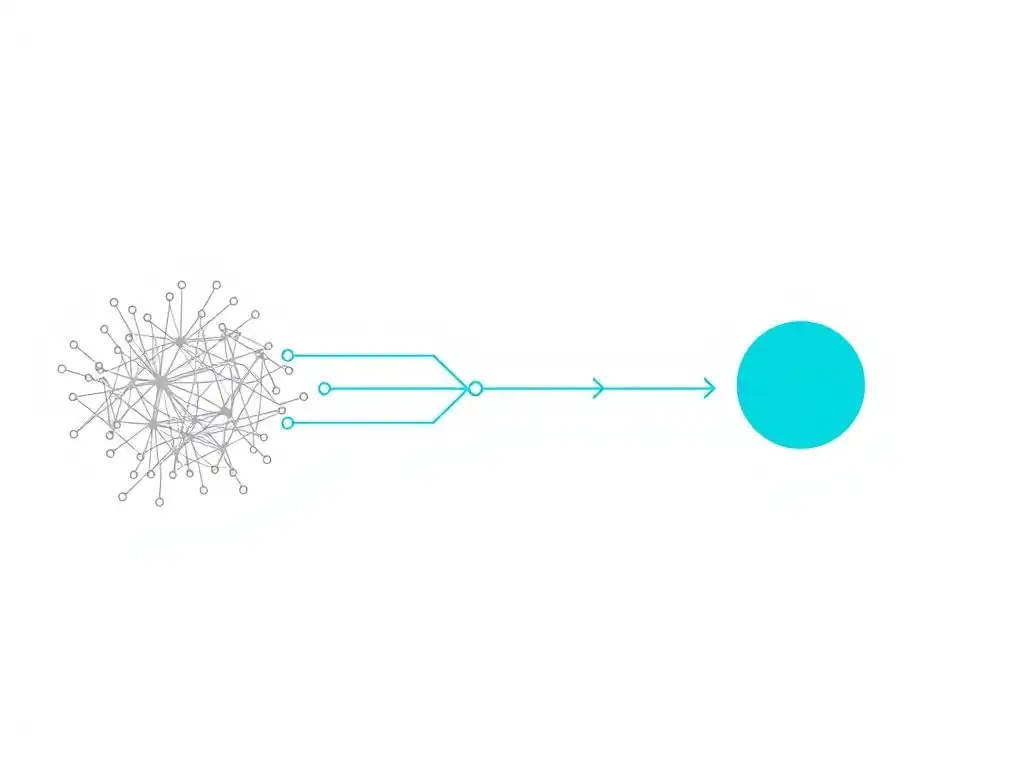
This section dives deep into practical strategies for automating tasks within your digital workflow, ultimately saving you time and boosting productivity. We'll explore specific tools and techniques to streamline various aspects of your digital life, focusing on how to effectively "automate tasks digital workflow" and achieve maximum results. The aim is to help you transition from reactive task management to a proactive, automated system.
Email Management Automation: Filtering, scheduling, and automated responses.
Email overload is a common productivity killer. Automating your email management can significantly reduce stress and free up valuable time. The key is a multi-pronged approach combining filtering, scheduling, and automated responses.
First, filtering helps categorize incoming emails. Most email providers offer robust filtering rules. You can automatically sort emails by sender, subject line keywords (like "invoice," "order confirmation," or "newsletter"), or even the presence of specific words within the email body. This allows you to prioritize important messages while relegating less urgent ones to specific folders for later review. For example, you can automatically archive newsletters to a designated folder, preventing them from cluttering your inbox.
Next, scheduling allows you to send emails at optimal times. Instead of sending emails immediately, schedule them for when your recipients are most likely to see them. This can improve open and response rates, leading to increased efficiency in your communication. Tools like scheduling add-ons for your email client can facilitate this process.
Finally, automated responses are invaluable for managing out-of-office situations or handling frequently asked questions. Setting up an automated response for common inquiries saves you time and ensures prompt communication, even when you're unavailable. Consider creating canned responses for frequently asked questions to further streamline your email interactions. For instance, you could set up an automated response for customers inquiring about shipping times.
Proper implementation of these three strategies – filtering, scheduling, and automated responses – can significantly reduce email-related stress and improve your overall digital workflow efficiency. The time saved can be reallocated to higher-priority tasks, boosting your productivity and overall effectiveness.
Effective social media management requires consistent engagement. However, manually posting and interacting across multiple platforms can be incredibly time-consuming. This is where social media automation tools become indispensable for automating tasks digital workflow related to social media.
Scheduling posts in advance is a fundamental aspect of social media automation. Numerous platforms and tools allow you to schedule posts across various networks (like Facebook, Twitter, Instagram, and LinkedIn) from a single dashboard. This ensures a consistent stream of content without requiring daily manual updates. This consistency is crucial for maintaining engagement and building a strong online presence. Consider using tools that allow you to analyze optimal posting times, further maximizing your reach and engagement.
Beyond scheduling posts, automation extends to engaging with followers. Tools can help you automatically like, comment, and even respond to comments on your posts. This level of automation should be approached carefully, however; authentic engagement is crucial. Over-reliance on automation can lead to inauthentic interactions and potentially harm your brand image. Focus on automating routine actions while retaining a human touch in your responses to ensure genuine connections with your audience.
Project Management Automation: Task assignment, progress tracking, and collaboration tools.
Project management often involves numerous tasks, deadlines, and collaborators. Automating various aspects of project management can streamline workflows and improve team collaboration.
Automating task assignment streamlines project kickoff. Project management tools often offer features to automatically assign tasks based on team member skills and availability. This ensures tasks are distributed efficiently, reducing the chance of bottlenecks and delays. Furthermore, progress tracking can be automated using tools that automatically update task statuses based on completed milestones or deadlines. This provides real-time visibility into project progress, enabling proactive intervention if any delays occur.
Collaboration tools play a vital role in automating teamwork. Tools allowing for real-time communication, shared document editing, and centralized task management facilitate seamless collaboration among team members. This reduces the need for lengthy email chains and ensures everyone is on the same page. The result is a more efficient and effective workflow, leading to faster project completion and improved overall team productivity. Careful selection of tools that integrate seamlessly with your existing workflow is key for maximizing efficiency.
Document Management Automation: Automating file organization and workflows.
Automating your document management is a cornerstone of a streamlined digital workflow. Manually organizing files is time-consuming and prone to errors. Implementing automation significantly boosts efficiency and reduces the risk of misplacing crucial documents. Consider these key strategies:
First, establish a consistent file-naming convention. This seemingly small step drastically improves searchability and organization. Instead of haphazardly naming files, utilize a system incorporating dates, project names, and keywords. For example, instead of "report.docx," use "2024-10-27_ProjectX_FinalReport.docx". This allows for easy sorting and retrieval.
Second, leverage cloud storage and automation tools. Services like Dropbox, Google Drive, and OneDrive offer features that automatically organize files based on pre-defined rules. You can set up folders for different projects or clients and configure the system to move newly uploaded files to their appropriate locations. This eliminates the need for manual sorting and dramatically reduces the time spent on file management.
Third, explore optical character recognition (OCR) software. OCR technology can automatically extract text from scanned documents and images, making them searchable and easily integrated into your digital workflow. This is particularly useful for archiving physical documents or processing large volumes of paperwork. Imagine the time saved by automatically converting stacks of invoices into searchable digital files!
Finally, consider implementing a document management system (DMS). A DMS provides a centralized repository for all your documents, offering advanced features such as version control, access control, and workflow automation. A well-implemented DMS can streamline collaboration, improve security, and significantly reduce the administrative overhead associated with document management. Choosing the right DMS will depend on your specific needs and budget, but the long-term benefits often outweigh the initial investment. Investing in a robust DMS is a strategic move towards a truly automated document workflow.
Data Entry Automation: Utilizing software and tools for efficient data input.
Manual data entry is tedious, error-prone, and a significant drain on productivity. Automating this process is crucial for optimizing your digital workflow and freeing up valuable time for more strategic tasks. Several effective strategies exist for automating data entry:
Firstly, utilize Optical Character Recognition (OCR) software. As mentioned earlier, OCR is not limited to document management. It can also automate data entry from various sources like invoices, forms, and receipts. Many OCR tools offer integration with spreadsheet software, allowing for direct import of extracted data. This eliminates the need for manual typing and significantly reduces the chance of human error.
Secondly, explore Robotic Process Automation (RPA) tools. RPA software can automate repetitive data entry tasks by mimicking human actions. It can interact with different applications, extract data, and input it into the required fields. This is particularly useful for tasks involving multiple systems or complex data transformations. For example, RPA can automatically extract data from an email, process it, and update a database, all without human intervention.
Thirdly, leverage data integration tools and APIs. Many applications offer Application Programming Interfaces (APIs) that allow for automated data transfer between systems. By integrating your different applications, you can automate the flow of data, eliminating the need for manual entry. For instance, you could automatically update your CRM system with data from your e-commerce platform, ensuring data consistency and eliminating manual updates.
Finally, consider using specialized data entry software. Several software solutions are specifically designed to automate data entry from various sources. These tools often offer features like intelligent character recognition (ICR), data validation, and error correction, further enhancing accuracy and efficiency. Choosing the right software depends on the type and volume of data you need to process, but the return on investment in terms of time saved is often substantial. The shift from manual to automated data entry is a significant step towards a truly efficient digital workflow.
Choosing the Right Automation Tools for Your Needs
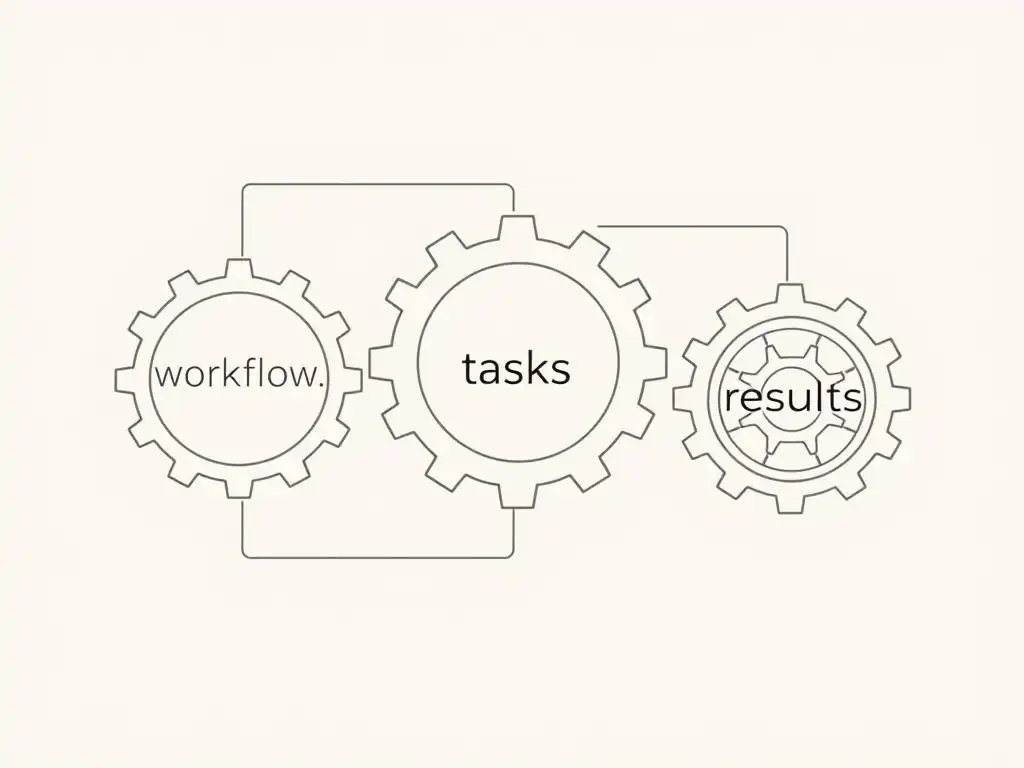
Automating your digital workflow requires careful consideration of the available tools. The market is saturated with options, each promising efficiency gains, but not all are created equal. Selecting the right automation software is crucial for maximizing your return on investment (ROI) and avoiding frustration. The key is to match your specific needs and resources to the capabilities of the software. This involves a thorough evaluation of several key factors.
Selecting Automation Software: Factors to consider (budget, features, integration).
Choosing the right automation software hinges on three primary considerations: budget, features, and integration capabilities. Let's delve into each:
Budget: Automation tools range from free, limited-functionality options to enterprise-grade solutions with hefty price tags. Before you even begin browsing, determine your budget. Consider not only the initial cost but also ongoing subscription fees, potential add-on costs, and the total cost of ownership (TCO). A free tool might seem attractive initially, but if it lacks crucial features or scalability, it could ultimately cost you more in time and lost productivity. A budget-conscious approach may involve starting with a less expensive option and upgrading as your needs evolve.
Features: The features offered by different automation tools vary significantly. Some specialize in specific tasks, such as email marketing automation or social media scheduling. Others offer a broader range of functionalities, including task management, project tracking, and data analysis. Create a list of your essential needs. What tasks do you want to automate?
Do you require robust reporting and analytics capabilities? Do you need integrations with other software you already use? Answering these questions will help you narrow down your choices. For example, if you heavily rely on Google Workspace, an automation tool with native Google integration would be highly beneficial.
Integration: Seamless workflow integration is paramount. The best automation tool is one that plays nicely with your existing software ecosystem. Consider whether the tool integrates with your CRM, email client, project management software, and other essential applications. A lack of integration can lead to data silos and manual workarounds, negating the benefits of automation. Look for tools that offer APIs (Application Programming Interfaces) or pre-built integrations with the platforms you utilize. Prioritize tools that support common data formats like CSV and JSON for easier data exchange.
Integrating Automation Tools: Seamless workflow integration for maximum efficiency.
Once you've selected your automation software, the next crucial step is seamless integration into your existing digital workflow. This isn't just about connecting different tools; it's about optimizing the entire process for maximum efficiency. A poorly integrated system can create bottlenecks and negate the time-saving benefits of automation.
Effective integration requires a structured approach. Begin by mapping out your current workflow, identifying the specific tasks you want to automate. Then, carefully examine the integration capabilities of your chosen automation tool. Does it offer pre-built connectors for your existing software? If not, you may need to explore custom integrations using APIs, which might require technical expertise or the assistance of a developer.
Consider the data flow. How will data be transferred between different tools? Will you need to use intermediary services or platforms? Ensure data integrity by implementing error handling and data validation mechanisms. Regularly monitor the integrated system to identify and address any bottlenecks or inefficiencies. Continuous optimization is essential for maintaining a smooth and efficient automated workflow. For example, if you're automating email marketing, ensure that the automation tool seamlessly integrates with your email service provider to prevent errors and ensure accurate delivery.
Learning Automation Software: Tips and resources for efficient onboarding.
Learning any new software can be a challenge, but with the right approach, mastering your chosen automation tool can be relatively straightforward. Effective onboarding is key to maximizing its potential and avoiding frustration.
Start with the basics. Most automation platforms offer comprehensive documentation, tutorials, and training resources. Take advantage of these resources. Begin by familiarizing yourself with the user interface, key features, and fundamental functionalities. Don't try to learn everything at once; focus on mastering one feature or function at a time.
Practice with small, manageable tasks. Don't immediately attempt to automate your entire workflow. Start with a small, easily defined task, such as automating email responses or scheduling social media posts. This will allow you to gain experience and confidence before tackling more complex automation processes. Many platforms offer sandbox environments or demo accounts for practice, allowing you to experiment without affecting your live data.
Utilize online communities and forums. Connect with other users of the same automation software. Online communities and forums are invaluable resources for troubleshooting problems, finding tips and tricks, and sharing best practices. These communities can provide support and guidance when you encounter challenges. Remember, patience and persistence are key. Learning new software takes time and effort. Don't be discouraged if you encounter difficulties; seek help from available resources and keep practicing.
Maximizing Results with Automated Digital Workflows
This section delves into the crucial aspects of maximizing the benefits derived from implementing automated digital workflows. Successfully automating tasks is only half the battle; understanding how to monitor, measure, and scale your automated systems is key to reaping long-term productivity gains and ensuring sustainable efficiency. Ignoring these steps can lead to wasted resources and a failure to fully realize the potential of your automation efforts. Let's explore how to optimize your automated digital workflow for maximum impact.
Monitoring and Optimization: Tracking progress and making adjustments.
Effective monitoring is the cornerstone of a successful automated digital workflow. It's not enough to simply set up automation; you need a system in place to track its performance, identify bottlenecks, and make necessary adjustments. This involves several key steps. First, define clear Key Performance Indicators (KPIs). What metrics will you use to measure the success of your automation? Examples include:
- Task completion rate: The percentage of tasks successfully completed by the automated system.
- Time saved: The reduction in time spent on manual tasks.
- Error rate: The frequency of errors or failures in the automated process.
- Resource utilization: How efficiently the automated system is using computing resources (CPU, memory, etc. ).
Second, implement a robust monitoring system. This could involve using built-in tools within your automation software, integrating with analytics platforms, or even creating custom dashboards. Regularly reviewing these KPIs will allow you to identify areas for improvement. For instance, if your task completion rate is consistently low, it might indicate a flaw in your automation logic or a need for data cleanup. If the error rate is high, you might need to refine your error handling mechanisms.
Third, be prepared to iterate and adapt. Automation isn't a "set it and forget it" process. Continuously analyze your monitoring data and make adjustments to your workflow as needed. This might involve tweaking automation rules, adding new automation steps, or even completely redesigning parts of your workflow. The goal is continuous improvement and optimization. Remember that achieving peak efficiency often involves a process of trial and error, refinement and adjustment.
Measuring Productivity Gains: Quantifying the impact of automation.
Quantifying the impact of your automated digital workflow is essential for justifying the investment of time and resources. Simply feeling like things are running smoother isn't enough; you need concrete data to demonstrate the return on investment (ROI). This involves meticulously tracking key metrics before and after implementing automation. For example:
| Metric | Before Automation (Average) | After Automation (Average) | Improvement |
|---|---|---|---|
| Time spent on task X | 2 hours | 15 minutes | 75% |
| Number of errors | 5 per week | 1 per week | 80% |
| Number of tasks completed per week | 10 | 20 | 100% |
This table provides a clear and concise overview of the productivity gains achieved. You can use similar tables to track the impact of automation across different tasks and areas of your workflow. Furthermore, consider using tools that can automatically track these metrics, saving you the manual effort of data collection. This allows you to focus on analyzing the results and identifying areas for further optimization. Remember, quantifiable results are crucial for demonstrating the value of automation to stakeholders and securing further investment in automation projects.
Scaling Your Automated Workflow: Adapting to future growth and evolving needs.
As your business grows and your needs evolve, your automated digital workflow must be able to scale accordingly. This requires careful planning and a flexible design. Consider these key aspects:
- Modular Design: Build your automation in a modular fashion, so you can easily add or remove components as needed. Avoid creating a monolithic system that's difficult to modify.
- Scalable Infrastructure: Ensure your infrastructure (servers, databases, etc.) can handle increased workloads as your automation processes expand. Cloud-based solutions often offer greater scalability than on-premise systems.
- Future-Proofing: Design your automation with future growth in mind. Anticipate potential changes in your business processes and ensure your automation can adapt to them.
- Regular Review and Updates: Schedule regular reviews of your automated workflow to identify areas that need improvement or updating. Technology is constantly evolving, and your automation should keep pace.
By proactively planning for scalability, you can ensure your automated digital workflow remains efficient and effective as your business grows, ultimately maximizing your return on investment and driving continued productivity gains. Remember that a scalable, adaptable workflow is an investment in the future of your productivity and efficiency.
Troubleshooting Common Automation Issues: Identifying and resolving problems.
Automating your digital workflow offers significant advantages, but it's not without its potential pitfalls. Successfully navigating the automation process requires a proactive approach to troubleshooting. Common issues range from simple configuration errors to more complex integration problems. Let's explore some frequent challenges and effective solutions.
One common problem is incorrect data mapping. Automation tools often rely on transferring data between different applications. If the fields aren't correctly mapped—for example, if the "customer name" field in one application isn't properly linked to the corresponding field in another—the automation will fail or produce inaccurate results. Careful review of the data mapping configuration is crucial, paying close attention to data types and formats. Double-checking each connection point is a simple but effective preventative measure.
Another frequent issue stems from incompatible software versions or APIs. Automation often involves integrating different software applications, and ensuring compatibility is paramount. Outdated software or changes in API specifications can disrupt the automated workflow. Regularly updating software and checking for API changes is essential. Maintaining a detailed log of software versions used in the automation process helps in identifying the source of incompatibility issues. For example, a recent update to your CRM software might break the integration with your email marketing platform, requiring adjustments to the automation script.
Sometimes, the problem isn't with the software itself, but with the data quality. Automation thrives on clean, consistent data. If the data fed into the automation system contains errors, inconsistencies, or missing values, the automation process will likely produce inaccurate or incomplete results.
Implementing robust data validation and cleansing procedures before the data enters the automation process is crucial. This might involve using data cleaning tools to identify and correct errors or implementing stricter data entry procedures. For instance, implementing data validation rules in a spreadsheet before importing it into your automation software can prevent a cascade of downstream errors.
Finally, unexpected errors and exceptions can occur. While most automation tools provide error handling mechanisms, unexpected situations might still arise. Thorough logging and monitoring of the automation process is essential for identifying these issues.
A well-designed monitoring system will alert you to any errors or exceptions, allowing you to quickly address the problem before it impacts your workflow significantly. Analyzing the logs can pinpoint the specific point of failure and provide valuable insight into the cause of the error, allowing for targeted solutions and preventative measures. This requires understanding the error messages generated by the automation software and using this information to make appropriate adjustments to the automation scripts or processes.
Advanced Automation Techniques for Digital Workflows
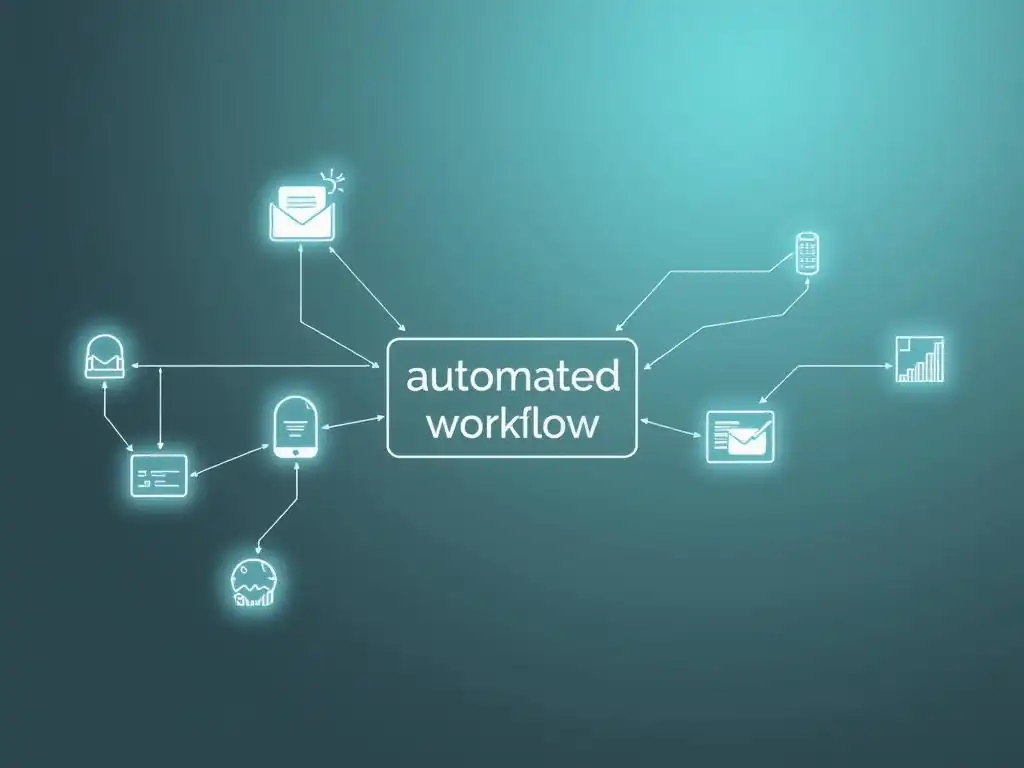
This section delves into more sophisticated methods for automating your digital workflow, moving beyond basic automation tools to explore powerful techniques that can significantly boost your productivity and efficiency. We'll examine strategies that allow for hyper-personalized automation and leverage the power of artificial intelligence. Mastering these techniques will allow you to truly automate tasks digital workflow to its fullest potential.
Zapier and IFTTT Integration: Advanced automation techniques.
Zapier and IFTTT (If This Then That) are popular automation tools, but their capabilities extend far beyond simple single-step automations. By understanding their more advanced features, you can create complex, multi-step workflows that streamline your entire digital ecosystem. For instance, instead of simply connecting your email to a task management app, you can build a workflow that:
- Triggers when a specific email keyword is detected.
- Extracts data from the email (e.g., the sender's name, subject line, or specific phrases).
- Creates a task in your task manager with that extracted data pre-filled.
- Adds the email as an attachment to the task.
- Sends a notification to a collaboration platform.
This intricate workflow, achievable with Zapier's or IFTTT's advanced features (like filters, data extraction, and multiple app integrations), significantly reduces manual data entry and improves team collaboration. The key is to meticulously plan your workflow, identifying all necessary steps and data points before starting the automation process. Careful planning is crucial for effective automate tasks digital workflow implementation. Consider using flowcharts to visualize the process and ensure its smooth operation. Experimentation is also key; test different configurations and refine your automation based on real-world usage.
Custom Scripting and APIs: Creating personalized automation solutions.
For highly specific or complex automation needs, custom scripting and API integrations provide unparalleled flexibility. This approach requires programming skills but offers the most control and customization. Imagine a scenario where you need to automate a process that involves multiple unique steps and data sources not supported by pre-built automation tools. A custom script, perhaps using Python with relevant API libraries, can be written to directly interact with these data sources, perform the necessary manipulations, and execute the desired actions.
For example, a script could automatically pull data from a sales CRM, process it, and generate customized reports in a specific format, all without manual intervention. This level of customization allows for the creation of truly unique and efficient workflows tailored to your specific needs. The initial investment in learning scripting and API integration might seem significant, but the long-term benefits in terms of efficiency and productivity far outweigh the initial effort. The possibilities for automate tasks digital workflow are virtually limitless with this method.
AI-Powered Automation: Leveraging artificial intelligence for advanced task automation.
Artificial intelligence is rapidly transforming the landscape of automation. AI-powered tools can handle tasks previously deemed too complex for automation, such as:
- Intelligent data entry: AI can extract information from unstructured data (e.g., images, scanned documents) with high accuracy, reducing manual data entry significantly.
- Predictive analysis: AI can analyze past data to predict future trends, allowing for proactive automation based on anticipated needs.
- Natural language processing (NLP): NLP enables automation based on natural language commands, making automation more accessible and intuitive.
For example, an AI-powered tool could automatically categorize incoming emails based on their content, prioritize urgent messages, and even respond to routine inquiries automatically, freeing up valuable time for more critical tasks. Integrating AI into your digital workflow requires careful consideration of data privacy and security, but the potential for enhancing efficiency and productivity is immense. The future of automate tasks digital workflow is inextricably linked with the advancements in AI technology. Staying informed about the latest AI-powered automation tools and techniques is crucial for maximizing your productivity.
The Future of Automated Digital Workflows
The future of automated digital workflows is bright, promising unprecedented levels of efficiency and productivity. We're moving beyond simple task automation towards intelligent systems that learn, adapt, and even anticipate our needs. This evolution hinges on several key factors, including advancements in artificial intelligence, the increasing availability of robust APIs, and a growing understanding of how to effectively integrate automation into existing processes.
The potential for increased free time, reduced errors, and enhanced decision-making is substantial. Successfully navigating this future requires a proactive approach, embracing new technologies and strategies to maximize the benefits of automation. Let's explore some of the key trends shaping this exciting landscape.
Emerging Trends in Automation: Keeping up with the latest advancements.
The field of automation is constantly evolving. Staying ahead of the curve requires continuous learning and adaptation. Several key trends are currently shaping the future of automated digital workflows:
- Hyperautomation: This involves combining multiple automation technologies, such as Robotic Process Automation (RPA), Artificial Intelligence (AI), and Machine Learning (ML), to automate complex, end-to-end business processes. Imagine a system that not only automatically sends invoices but also analyzes payment patterns to predict potential delays and proactively address them. This level of sophistication is becoming increasingly achievable.
- Intelligent Automation: This goes beyond simple rule-based automation. Intelligent automation leverages AI and ML to enable systems to learn from data, adapt to changing circumstances, and make decisions autonomously. For example, an intelligent system might learn to prioritize tasks based on urgency and importance, optimizing your workflow in real-time.
- Low-code/No-code Platforms: These platforms are making automation accessible to a wider range of users, regardless of their technical expertise. This democratization of automation empowers individuals and teams to build customized workflows without needing extensive programming skills. This ease of access is a significant driver of wider automation adoption.
- Integration with IoT: The Internet of Things (IoT) is generating vast amounts of data that can be leveraged for automation. By integrating IoT devices into automated workflows, businesses can create even more efficient and responsive systems. Think smart home devices that automatically adjust lighting and temperature based on occupancy and preferences. This integration represents a significant leap towards truly intelligent, connected systems.
The successful implementation of these trends requires careful planning and execution. Understanding the specific needs of your workflow and selecting the right tools and technologies are critical steps in this process. A phased approach, starting with smaller, manageable automation projects, can help mitigate risk and ensure successful implementation.
The Role of AI in Streamlining Digital Workflows: Future predictions.
Artificial intelligence (AI) is poised to revolutionize digital workflows, enabling unprecedented levels of automation and efficiency. AI-powered systems can analyze vast amounts of data to identify patterns, predict future outcomes, and automate complex tasks that were previously impossible to automate. This leads to significant improvements in accuracy, speed, and decision-making.
Here are some key predictions regarding the role of AI in streamlining digital workflows:
- Increased use of AI-powered chatbots: Chatbots will become increasingly sophisticated, capable of handling a wider range of customer inquiries and automating more complex tasks, freeing up human agents to focus on more strategic activities.
- Predictive analytics for workflow optimization: AI will enable businesses to predict bottlenecks and optimize workflows proactively, minimizing delays and improving overall efficiency. This predictive capability will be essential for maintaining a competitive edge in a fast-paced business environment.
- Automated decision-making: AI will empower businesses to automate more complex decision-making processes, leading to faster and more informed decisions. This will be particularly valuable in areas such as risk management and fraud detection.
- Personalized automation: AI will enable the creation of personalized automated workflows tailored to the specific needs of individual users, maximizing efficiency and productivity for everyone.
The integration of AI into digital workflows requires careful consideration of ethical implications and data privacy concerns. Ensuring responsible AI development and deployment is crucial to avoid unintended consequences. The benefits of AI are substantial, but responsible implementation is key to unlocking its full potential.
Building a Sustainable Automated System: Long-term strategies for success.
Building a sustainable automated system requires a long-term perspective and a commitment to continuous improvement. It's not enough to simply automate individual tasks; you need to create a cohesive system that integrates seamlessly with your existing processes and adapts to changing needs.
Key strategies for building a sustainable automated system include:
- Modular design: Design your automated system in a modular fashion, allowing for easy updates and additions as your needs evolve. This flexibility is essential for adapting to changing technologies and business requirements.
- Regular monitoring and evaluation: Continuously monitor the performance of your automated system and evaluate its effectiveness. Identify areas for improvement and make necessary adjustments to optimize efficiency and accuracy. This ongoing evaluation is crucial for ensuring long-term success.
- Robust error handling: Implement robust error handling mechanisms to prevent disruptions and ensure the system's continued operation. This includes mechanisms for detecting and correcting errors, as well as procedures for handling unexpected events.
- Scalability and flexibility: Design your system to be scalable and flexible, allowing it to handle increasing workloads and adapt to changing business needs. This ensures that your automated system can grow with your business.
- Investing in employee training: Ensure your employees are adequately trained to use and maintain the automated system. This includes providing training on new technologies and processes, as well as ongoing support and mentorship. Investing in training is crucial for ensuring the long-term success of the automated system.
Building a sustainable automated system is an ongoing process that requires careful planning, execution, and continuous improvement. By adopting these strategies, businesses can unlock the full potential of automation and achieve long-term success.
Frequently Asked Questions
What is a digital workflow, and why should I automate it?
A digital workflow is the sequence of steps involved in completing a task using digital tools. Automating it saves you time and effort, reduces errors, and improves overall efficiency, allowing you to focus on higher-level tasks.
How can I automate tasks within my digital workflow?
You can automate tasks using various tools like automation software, productivity apps, and integrated platforms. Consider using Zapier, IFTTT, or Make to connect different apps and automate repetitive actions.
What types of tasks are best suited for automation?
Tasks that are repetitive, time-consuming, and involve consistent steps are ideal candidates for automation. Examples include scheduling social media posts, sending email reminders, or backing up files.
What are the potential challenges of automating tasks?
Initial setup can be time-consuming, and you might need to invest in software or learn new tools. Also, unexpected errors might occur, so regular monitoring and adjustments are crucial.
How can I measure the success of my automated digital workflow?
Track key performance indicators (KPIs) like time saved, error reduction, and increased productivity. Compare your results before and after automation to assess the impact on your overall efficiency and bottom line.
Final Reflection: The Enduring Power of Automated Efficiency
The relentless pace of the digital age demands efficiency, and the ability to automate tasks is no longer a luxury—it's a necessity. Failing to embrace automation in our digital workflows is akin to navigating a modern highway with a horse and buggy; it's possible, but incredibly inefficient and ultimately unsustainable. The strategies outlined in this article, from streamlining repetitive processes to leveraging powerful automation tools, are crucial for navigating the complexities of the modern digital landscape.
The impact of automation extends far beyond increased productivity; it fundamentally reshapes how we interact with technology and our work. It frees up valuable time and mental energy, allowing us to focus on higher-level tasks that require creativity and critical thinking. This shift is not merely about saving time; it's about fostering a more fulfilling and sustainable work-life balance. The key is not to prioritize what's on your schedule, but to schedule your priorities.
– Stephen Covey. This quote perfectly encapsulates the power of automation to help us focus on what truly matters.
Now, consider your own digital workflow. Where are the bottlenecks? What repetitive tasks drain your energy and time? I encourage you to take the lessons from this article and actively implement at least one automation strategy into your daily routine. Start small, experiment with different tools, and observe the positive impact on your productivity and overall well-being. Embrace the power of automation, not as a replacement for human ingenuity, but as a powerful tool to amplify it. The future of work is automated, and by mastering these techniques, you are positioning yourself for success in this evolving landscape.
Unleash Your Productivity: Automate Today!
Thank you for exploring the world of effortless digital workflows! We hope you've discovered valuable strategies to boost your productivity. Now it's time to put your new knowledge into practice.
Here's how to get started:
- Prioritize one automation: Identify the most time-consuming task in your workflow and begin researching automation tools. Even small improvements can make a significant difference.
- Explore a new app: Try a free trial or watch a tutorial of a productivity app that interests you. You might discover a new favorite tool!
- Share your successes: Tell us (or someone else!) about your automation experiences – what worked well, what didn't, and what you learned. Inspire others to optimize their workday!
What task will you automate first today?