
Smart Home Security Systems: The Ultimate Guide to Protecting Your Castle

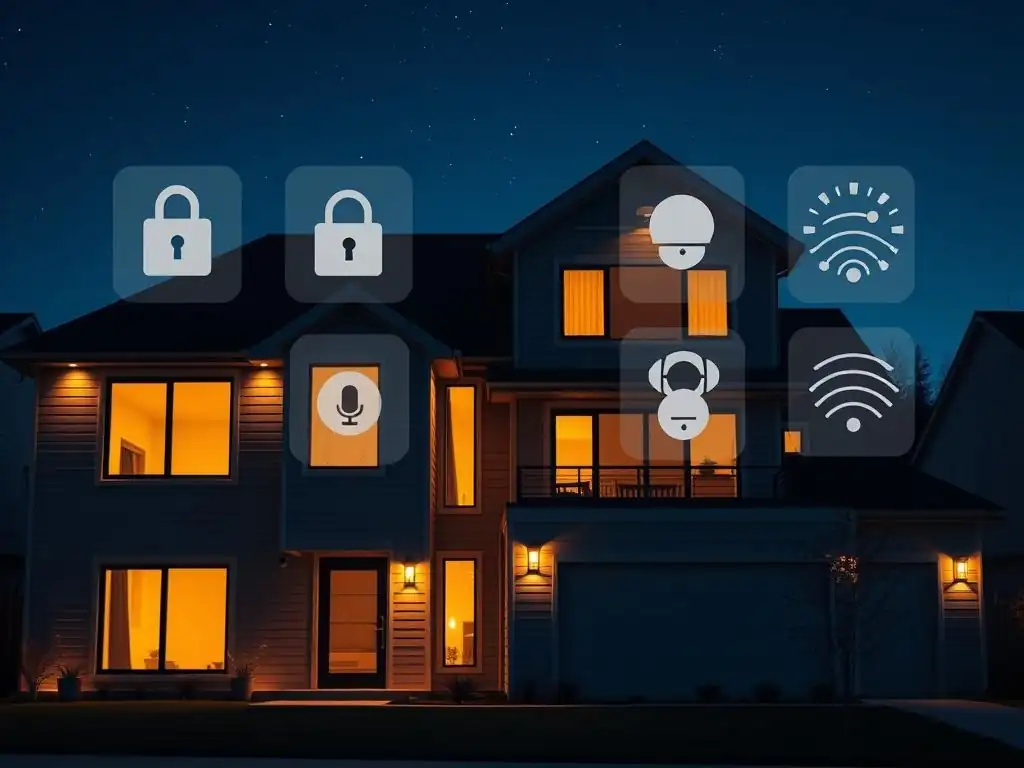
Ready to unlock a world of effortless efficiency and unparalleled security? Welcome to UltimateLifeHacks, your gateway to practical tips and game-changing strategies for optimizing your daily life. We're diving deep into the crucial topic of Smart Home Security System Reviews, helping you choose the perfect system to safeguard your home and loved ones. Discover how the right technology can transform your sense of security and reclaim precious time – let's explore the ultimate guide to protecting your castle!
-
Understanding Your Smart Home Security Needs
- Assessing Your Home's Vulnerability: Identifying Security Gaps
- Choosing the Right Smart Home Security System: Wired vs. Wireless
- DIY Smart Home Security vs. Professional Installation: A Cost-Benefit Analysis
- Key Features to Look For in a Top-Rated Smart Home Security System: Camera Resolution, Motion Detection, and More
-
Top Smart Home Security System Reviews: 2024's Best Options
- Ring Alarm System Review: Comprehensive Home Security with Smart Features
- SimpliSafe Home Security System Review: Wireless and Customizable Protection
- Abode Smart Home Security System Review: Flexible and Customizable Security Solutions
- Eufy Security System Review: Focus on Privacy and Local Storage
- Smart Home Security System Installation and Setup Guide
- Maximizing Your Smart Home Security System's Effectiveness
- Smart Home Security System FAQs and Troubleshooting Tips
- The Future of Smart Home Security Systems: Emerging Technologies and Trends
-
Frequently Asked Questions
- What is a smart home security system?
- How much do smart home security systems cost?
- What are the key features to look for in a smart home security system?
- How easy are smart home security systems to install and use?
- How do smart home security systems improve home security compared to traditional systems?
- Final Reflection: Securing Our Future, One Smart Home at a Time
- Unlock Your Home's Full Security Potential!
Understanding Your Smart Home Security Needs
Protecting your home and family is paramount, and in today's technologically advanced world, smart home security systems offer an unparalleled level of protection and peace of mind. This ultimate guide delves into the intricacies of choosing and implementing a smart home security system tailored to your specific needs, helping you navigate the complexities of system types, installation options, and features to ensure you're selecting the best possible solution for your "castle."
We'll explore various aspects, from evaluating your home's vulnerabilities to understanding the differences between DIY and professionally installed systems, all while keeping in mind the crucial factor of cost-effectiveness. This comprehensive review will equip you with the knowledge necessary to make informed decisions when choosing a smart home security system, ultimately helping you achieve optimal security and protection.
We'll be focusing on practical applications and real-world examples to make the process of selecting the right system as straightforward and stress-free as possible. This guide aims to help you find the best smart home security system for your needs, covering everything from basic setups to advanced features, so let's get started!
Assessing Your Home's Vulnerability: Identifying Security Gaps
Before investing in a smart home security system, it's crucial to understand your home's vulnerabilities. A thorough assessment will pinpoint potential weaknesses and guide your choice of system features. Consider these key areas:
- Exterior: Are your windows and doors secure? Do you have adequate outdoor lighting? Are there any easily accessible entry points, such as poorly maintained fences or overgrown landscaping? A simple walk around your property, noting potential weaknesses, is a great starting point.
- Interior: Consider the layout of your home. Are there blind spots where intruders could easily hide? What are the most valuable items in your home, and are they adequately protected? Think about access points within your home; are there any unsecured doors or windows leading to less-used areas?
- Technology: Are you currently using any security measures? If so, what are their limitations? This could include traditional alarm systems, security cameras, or even simple door locks. Understanding your existing technology is vital in determining the best way to integrate a smart home security system.
This assessment is more than just a checklist; it's a chance to proactively identify and address potential risks. The more thorough your evaluation, the more effective your security system will be. Remember, a well-planned security strategy considers all potential entry points and vulnerabilities. Consider creating a simple map of your home, highlighting these areas. This will be invaluable when planning your system's layout.
Choosing the Right Smart Home Security System: Wired vs. Wireless
Once you've assessed your home's vulnerabilities, it's time to consider the type of smart home security system that best suits your needs. The primary choice lies between wired and wireless systems:
| Feature | Wired System | Wireless System |
|---|---|---|
| Installation | More complex, often requiring professional help | Relatively easy, often DIY-friendly |
| Reliability | Generally more reliable, less susceptible to interference | Can be affected by interference, signal strength |
| Cost | Typically more expensive upfront | Generally less expensive upfront |
| Flexibility | Less flexible in terms of placement of sensors | More flexible, allowing for easier placement |
| Scalability | Can be difficult to expand | Easier to expand and upgrade |
Wired systems offer superior reliability due to their direct connection, but they require professional installation and can be more expensive. Wireless systems provide greater flexibility and ease of installation, making them a popular choice for DIY enthusiasts. However, their reliability can be impacted by signal strength and interference. The best choice depends on your technical skills, budget, and the specific needs of your home. Consider factors such as the size of your home and the number of sensors you'll need when making this decision.
DIY Smart Home Security vs. Professional Installation: A Cost-Benefit Analysis
The decision between DIY installation and professional installation involves weighing costs, convenience, and security. DIY installation offers significant cost savings, but requires technical expertise and time. Professional installation ensures a properly functioning system, optimized for your home's specific needs, but comes with a higher upfront cost.
A DIY system might be suitable for tech-savvy individuals comfortable with wiring and networking. However, a professional installation guarantees a seamless, integrated system and often provides ongoing support and maintenance. The cost-benefit analysis should consider factors like the complexity of the system, your technical skills, and the long-term value of professional support. A poorly installed system, even a high-quality one, can be ineffective. Weighing these factors carefully will help you determine the best approach for your needs. Remember to factor in potential hidden costs such as additional equipment or unexpected technical issues.
Key Features to Look For in a Top-Rated Smart Home Security System: Camera Resolution, Motion Detection, and More
Choosing a smart home security system requires careful consideration of several key features. A system's effectiveness hinges on its ability to detect threats, record clear evidence, and provide timely alerts. Let's delve into the crucial aspects you should prioritize when reviewing smart home security system options.
Camera Resolution: High-resolution cameras are paramount for capturing clear images and videos, crucial for identifying intruders and providing detailed evidence to law enforcement. Look for systems boasting at least 1080p (Full HD) resolution, but ideally, consider 4K Ultra HD for superior clarity, especially in low-light conditions. A higher resolution allows for clearer facial recognition, license plate identification, and overall better scene detail. The difference between a 720p and a 1080p camera can be significant, particularly when zooming in on recorded footage. Investing in higher resolution translates to more reliable identification and a stronger case in case of an incident.
Motion Detection: This feature is fundamental for triggering alerts and recording events. Effective motion detection minimizes false alarms while ensuring you're notified of genuine threats. Look for systems with adjustable sensitivity settings, allowing you to fine-tune the system to your environment. Consider systems with advanced motion detection algorithms that can differentiate between people, pets, and other moving objects, reducing nuisance alerts caused by swaying trees or passing animals. Some advanced systems even offer zone-based motion detection, enabling you to specify areas within your property where motion detection is active.
Night Vision: A critical feature often overlooked is night vision capability. Many burglaries occur at night, making night vision an essential component of a robust smart home security system. Infrared (IR) night vision is standard, but look for systems with improved low-light performance and wider field-of-view for optimal nighttime surveillance. The quality of night vision can significantly impact the usefulness of the recorded footage, so ensure it's a strong point of the system you choose. Consider the range of the night vision as well – a longer range will provide coverage of a larger area around your property.
Two-Way Audio: This feature allows you to communicate with anyone near the camera, whether it's a delivery person, a family member, or an unwanted visitor. Two-way audio can deter potential intruders by letting them know they're being monitored and can also be used to communicate with family members remotely. Clear audio quality is essential for effective communication, so ensure the system you choose offers crisp and clear audio transmission. Consider the range of the audio as well, ensuring it's suitable for the area covered by the camera.
Smart Integrations: A truly smart home security system seamlessly integrates with other smart home devices and platforms. Check for compatibility with popular smart home ecosystems like Amazon Alexa, Google Home, or Apple HomeKit. This integration allows for voice control, automated responses, and centralized management of your security system alongside other smart home devices. Such integration provides a more holistic and user-friendly experience, enhancing overall home security management. The ability to control your system via a mobile app is also crucial for remote monitoring and management.
Top Smart Home Security System Reviews: 2024's Best Options

This section dives deep into the leading smart home security systems available in 2024, providing comprehensive reviews to help you choose the best system for your needs. We'll analyze features, pricing, and user experiences to give you a clear picture of what each system offers. This guide aims to provide you with the information you need to make an informed decision when selecting a smart home security system, fulfilling your search for "smart home security system reviews".
Ring Alarm System Review: Comprehensive Home Security with Smart Features
The Ring Alarm System is a popular choice, known for its ease of use and seamless integration with other smart home devices. Its comprehensive features and strong brand recognition make it a compelling option for many homeowners.
Ring Alarm System Features: Integration with Alexa, Doorbell Compatibility, and App Functionality
The Ring Alarm system boasts impressive integration with Amazon Alexa, allowing for voice control of your security system. You can arm and disarm the system, check the status of sensors, and even receive alerts through your Alexa-enabled devices. Seamless compatibility with Ring doorbells provides a unified security experience, allowing you to monitor your property from your smartphone, regardless of location. The intuitive mobile app offers real-time alerts, remote access, and system management capabilities, providing complete control over your home security.
The app also allows for user management, enabling you to add or remove users with different access levels. This granular control is a significant plus for families or shared living spaces. Furthermore, the system's compatibility extends to various smart home ecosystems, enhancing its versatility and appeal.
Ring Alarm System Pricing & Plans: Cost Breakdown and Value Proposition
Ring offers a tiered pricing structure, allowing customers to choose a plan that best fits their budget and security needs. The base system typically includes a base station, contact sensors, and motion detectors, with additional devices available for purchase à la carte. Monitoring plans range from basic self-monitoring to professional monitoring with 24/7 support, including police and fire dispatch.
The cost of professional monitoring varies depending on the chosen plan and features, adding a recurring monthly expense. Considering the features and the level of professional monitoring available, the value proposition is generally considered strong, especially for those prioritizing ease of use and smart home integration. A detailed breakdown of pricing and plans is crucial for a comprehensive comparison, and we recommend checking the official Ring website for the most up-to-date pricing information.
Ring Alarm System Pros and Cons: User Experiences and Expert Opinions
Based on numerous user reviews and expert opinions, the Ring Alarm System consistently receives high marks for its user-friendly interface and reliable performance. Many users praise its seamless integration with other Ring devices and its robust mobile app. However, some users have reported occasional connectivity issues and a relatively high price point compared to other systems, particularly for professional monitoring plans.
The system's reliance on a strong internet connection is also a potential drawback in areas with unreliable internet service. Weighing the pros and cons, the Ring Alarm System emerges as a solid choice for users prioritizing ease of use, smart home integration, and a strong brand reputation, but potential buyers should carefully consider the cost and reliance on a stable internet connection.
SimpliSafe Home Security System Review: Wireless and Customizable Protection
SimpliSafe presents a strong competitor in the smart home security market, emphasizing wireless installation and customizable packages tailored to individual needs. This system focuses on ease of setup and flexibility, making it an attractive option for DIY enthusiasts and those seeking a more budget-friendly alternative.
SimpliSafe System Features: Professional Monitoring Options, 24/7 Support, and Easy Setup
SimpliSafe’s primary selling point is its wireless design. This eliminates the need for professional installation, saving homeowners significant upfront costs. The system is easily expandable, allowing users to add sensors and cameras as needed, customizing their protection to suit their specific requirements. Professional monitoring options are available, providing 24/7 support and rapid response to emergencies.
This feature offers peace of mind, particularly for those living alone or with vulnerable family members. The system’s straightforward setup process is lauded by many users, making it accessible even to those with limited technical expertise. The intuitive app provides real-time alerts and remote control over the system’s functionality.
SimpliSafe Pricing and Plans: Comparison with Ring and Other Competitors
SimpliSafe's pricing strategy focuses on offering flexible packages. Customers can choose from various bundles containing different numbers of sensors and cameras, allowing them to tailor their purchase to their specific needs and budget. Compared to Ring, SimpliSafe often offers more affordable entry-level packages, but professional monitoring costs may vary. A detailed comparison of pricing across different providers requires thorough research and analysis of current market offerings.
SimpliSafe Pros and Cons: Customer Reviews and Expert Analysis
SimpliSafe consistently receives positive feedback for its ease of installation and customizable packages. Many users praise the wireless design and the intuitive app. However, some users report occasional false alarms and a less robust smart home integration compared to Ring.
The lack of built-in camera options in some packages is another potential drawback, necessitating separate purchases. Expert reviews generally highlight the system's affordability and ease of use, but emphasize the need to carefully evaluate the chosen package to ensure it meets individual security needs. Overall, SimpliSafe provides a strong value proposition for those prioritizing a simple, customizable, and budget-friendly smart home security solution.
Abode Smart Home Security System Review: Flexible and Customizable Security Solutions
Abode's smart home security system stands out for its flexibility and customization options. Unlike many systems that lock you into specific monitoring plans, Abode offers a compelling self-monitoring option, giving users more control over their security and potentially saving them money in the long run. This system caters to a wide range of user needs, from those seeking basic protection to tech-savvy individuals who want extensive smart home integrations. The system's modular design allows users to add components as needed, making it a scalable solution that can grow with your security requirements.
This adaptability makes it a strong contender in the smart home security system reviews landscape. The emphasis on user choice and control is a key differentiator in a market often dominated by subscription-heavy models. Abode empowers users to build a system that perfectly suits their home and lifestyle.
Abode System Features: Self-Monitoring Options, Z-Wave Compatibility, and Smart Home Integrations
The Abode system boasts a robust feature set. Its self-monitoring capabilities are a significant advantage, allowing users to receive alerts directly to their smartphones without paying for a professional monitoring service. This is a cost-effective option for budget-conscious homeowners. Furthermore, its Z-Wave compatibility ensures seamless integration with a wide array of smart home devices.
This interoperability extends to other popular platforms, enabling users to control their security system alongside other smart home functionalities through a centralized app. This integration with other smart devices enhances convenience and creates a more unified, automated home environment. Features such as geofencing, which automatically arms or disarms the system based on your location, add another layer of convenience and security. The system also offers a range of sensors, including door/window sensors, motion detectors, and keypads, allowing for comprehensive coverage throughout the house.
Abode System Pricing & Plans: Detailed Cost Breakdown and Value Assessment
Abode offers various pricing tiers, providing flexibility to match different budgets and security needs. The initial investment covers the central hub and a starter kit of sensors. Additional sensors and cameras can be purchased separately, allowing users to customize their system's capabilities. The self-monitoring option is particularly attractive as it eliminates recurring monthly fees associated with professional monitoring.
However, users can opt for professional monitoring plans if preferred, providing an additional layer of security and response capabilities. The pricing structure is transparent and competitive, offering a good balance between cost and features. A thorough cost-benefit analysis is crucial when comparing Abode to other smart home security systems. Considering the self-monitoring option, Abode often presents a superior value proposition.
Abode System Pros and Cons: User Feedback and Performance Evaluation
Based on user feedback and performance evaluations, Abode receives high marks for its ease of use and customization. Many users appreciate the self-monitoring option and the extensive smart home integrations. The system's reliability and responsiveness are also frequently praised. However, some users have reported occasional connectivity issues, and the app could benefit from further refinement in terms of user interface and functionality.
The lack of built-in cellular backup in some models is also a point of contention for some users who desire uninterrupted connectivity even during power outages. Overall, the positive feedback outweighs the negative, making Abode a strong contender in the smart home security market. The system's strengths lie in its flexibility and cost-effectiveness, while its weaknesses are mostly minor and addressable.
Eufy Security System Review: Focus on Privacy and Local Storage
Eufy's smart home security system prioritizes user privacy and local storage. Unlike cloud-based systems, Eufy stores video recordings locally on a home base station, eliminating concerns about data breaches and third-party access to your security footage. This focus on privacy is a significant selling point for users concerned about data security and surveillance. The system's design philosophy emphasizes control and security, putting the user in charge of their data and offering peace of mind. In the growing market of smart home security system reviews, this emphasis on local storage represents a unique and attractive feature.
Eufy System Features: Local Storage, AI-Powered Features, and HomeKit Compatibility
Eufy's system features robust local storage capabilities, ensuring that your video recordings remain secure on your property. Its AI-powered features, such as person detection and facial recognition, enhance the system's effectiveness in identifying potential threats. This AI integration helps reduce false alarms while providing more targeted alerts.
Furthermore, HomeKit compatibility allows for seamless integration with Apple's smart home ecosystem, offering users a convenient and unified control experience. The system also offers a range of camera options, including indoor and outdoor cameras with varying features, allowing users to customize their surveillance needs. The combination of local storage and AI functionality makes Eufy a compelling option for users who value both privacy and advanced security features.
Eufy System Pricing and Plans: Cost Analysis and Value Comparison
Eufy offers a competitive pricing structure, with various camera and sensor packages available to suit different budgets and home sizes. The absence of recurring cloud storage fees is a significant cost advantage compared to systems that rely on cloud storage. This upfront cost model offers long-term savings and predictable expenses. A comprehensive comparison with other systems in the market reveals that Eufy frequently offers a superior value proposition, particularly for users who prioritize privacy and local data storage. The pricing structure is transparent, with clearly stated costs for the hardware and any optional accessories.
Eufy System Pros and Cons: User Feedback Summary
User feedback on Eufy systems is generally positive, with many praising the system's ease of setup and use. The focus on local storage and privacy is frequently highlighted as a major advantage. The AI-powered features are also well-received, providing accurate detection and reducing false alarms. However, some users have reported occasional connectivity issues, particularly with older models.
The limited range of some sensors is another minor drawback cited by some users. Overall, the positive aspects of Eufy's system, particularly its privacy-focused design and competitive pricing, outweigh the minor drawbacks. The system's strong points make it a worthwhile consideration in the landscape of smart home security system reviews.
Smart Home Security System Installation and Setup Guide
This section provides a detailed, step-by-step guide to installing a smart home security system, focusing on common challenges and offering solutions for a smooth setup. Remember, specific instructions will vary depending on the smart home security system brand and model you've chosen. Always refer to your system's included manual for precise guidance.
Step-by-Step Guide to Installing Your Chosen Smart Home Security System
Installing your smart home security system is easier than you might think. Most systems follow a similar pattern, focusing on strategically placing sensors and cameras. Let's break down a typical installation process:
- Planning Your System Layout: Before you even open the box, carefully map out where you want to place each component. Consider areas prone to break-ins (doors, windows), high-traffic zones (living room, hallways), and blind spots. Think about power outlets, Wi-Fi signal strength, and potential obstructions. This initial planning minimizes installation time and frustration.
- Mounting Sensors and Cameras: Most sensors use adhesive strips for easy installation on doors and windows. Ensure surfaces are clean and dry for optimal adhesion. Cameras typically require mounting hardware, often screws, that need to be secured into walls or ceilings. Use a stud finder to ensure stability and avoid damaging drywall. Consider aesthetics; discreet placement minimizes visibility to potential intruders.
- Connecting the Control Panel (Hub): The control panel, or hub, is the central unit that connects all your devices. It usually requires a power connection and often needs to be placed in a central location with a strong Wi-Fi signal. Avoid placing it in areas with significant interference, like near microwaves or large metal objects.
- Testing Your System: Once everything is installed, test each component individually. Open and close doors and windows to ensure the sensors are registering properly. Check camera feeds and ensure they are clear and functioning as expected. A thorough test minimizes issues later. This is crucial for ensuring reliable smart home security system performance.
- Troubleshooting Common Issues: During installation, you might encounter problems. Common issues include weak Wi-Fi signals, sensor malfunctions, or difficulty pairing devices. Consult your system's troubleshooting guide or online support resources for solutions. Many systems offer diagnostic tools within their apps to pinpoint specific problems.
Connecting Your Smart Home Security System to Your Wi-Fi Network
Connecting your system to your home's Wi-Fi is essential for remote access and monitoring. This process usually involves using the system's app. Here's a general overview:
- Locate Your Wi-Fi Network Name (SSID) and Password: You'll need this information to connect your system. Double-check for accuracy as incorrect input will prevent connection.
- Follow the App's Instructions: The app will guide you through the Wi-Fi connection process step-by-step. This usually involves selecting your network from a list and entering your password.
- Troubleshooting Wi-Fi Connectivity: If you encounter issues, ensure your router is functioning correctly and that your system is within range of your Wi-Fi signal. Restarting both your router and the system's hub can often resolve temporary glitches. Consider a Wi-Fi extender if necessary to improve signal strength in areas with weak coverage. This is a common problem for smart home security system reviews.
Configuring Smart Home Security System App Settings and Preferences
The app is the control center for your smart home security system. Take the time to configure its settings to optimize its functionality and meet your needs. Here are some key areas to customize:
- Notification Settings: Tailor your notification preferences. You can choose which events trigger alerts (e.g., door opening, motion detection), the notification method (push notifications, email, SMS), and the time of day for alerts. Avoid overwhelming yourself with unnecessary notifications.
- User Management: If multiple family members will use the system, create individual user accounts. Assign different access levels to control who can view cameras, arm/disarm the system, and receive alerts. This ensures security and privacy.
- Geofencing: Enable geofencing to automatically arm or disarm your system based on your smartphone's location. This provides a convenient layer of automation.
- Automation Rules: Many systems offer automation options. You can set up rules to trigger actions based on specific events (e.g., turn on lights when a motion sensor is triggered). This adds another level of security and convenience.
Remember, customizing your smart home security system app settings enhances its effectiveness and personalizes your security experience. Regular review and adjustment of these settings are recommended to maintain optimal performance and address evolving needs.
Testing Your Smart Home Security System: Ensuring Optimal Performance
After the installation and setup of your smart home security system, thorough testing is crucial to guarantee optimal performance and peace of mind. This isn't just about checking if the system powers on; it's about verifying every component functions correctly and integrates seamlessly. Neglecting this step could leave you vulnerable to security breaches or false alarms.
One of the first steps involves testing each individual sensor. This includes door and window sensors, motion detectors, and any other peripherals you've integrated. Trigger each sensor manually and verify that the system registers the event correctly.
Check your app or control panel to confirm that the alerts are displayed accurately and in a timely manner. Note the response time – a significant delay could indicate a connectivity issue or a faulty sensor requiring attention. For example, if your front door sensor fails to register when the door is opened, you'll need to troubleshoot the sensor itself, its wiring (if applicable), or its connection to the central hub.
Next, test the system's alarm functionality. Trigger a simulated alarm—either through the app or by manually triggering a sensor—to ensure the siren activates at the correct volume and for the appropriate duration. Verify that the notification alerts reach your smartphone and any other designated devices. This is a vital test, as a malfunctioning alarm could render your security system ineffective during a real emergency. Consider testing different alarm modes, if your system offers them, such as a silent alarm that sends alerts without triggering the siren.
Beyond individual components, test the system's overall connectivity. Check the strength and stability of your Wi-Fi signal, as this is the backbone of most smart home security systems. A weak or unstable connection can lead to dropped alerts, delayed responses, and even system failures. Consider using a Wi-Fi analyzer app to identify potential interference or dead zones within your home.
If necessary, adjust your router's placement or consider adding a Wi-Fi extender to improve coverage. Regularly check your internet connection speed, ensuring it's sufficient for your system's needs. A slow internet connection can hinder the system's ability to communicate with the cloud and send timely alerts.
Finally, don't forget to test your system's backup power source, if equipped. Simulate a power outage to ensure the system remains operational and continues to monitor your home. This is particularly important in areas prone to power interruptions. Confirm that your backup battery is adequately charged and that the system seamlessly switches over to battery power without any disruption in functionality.
This will provide you with the confidence that your system will continue to protect your home even during unexpected power failures. Regularly check the battery's charge level and replace it as needed to maintain optimal performance. Keeping a detailed log of your tests and noting any issues encountered can be helpful for future troubleshooting and maintenance. This proactive approach to testing ensures your smart home security system remains a reliable safeguard for your home and family.
Maximizing Your Smart Home Security System's Effectiveness
This section delves into practical strategies to optimize your smart home security system's performance and ensure maximum protection for your home and family. We'll explore ways to leverage the system's capabilities beyond basic alarm functionality, transforming it into a truly effective guardian of your property. Remember, a smart home security system is only as good as its implementation and ongoing maintenance.
Utilizing Smart Home Security System Integrations with Other Smart Devices
One of the most significant advantages of a smart home security system lies in its ability to integrate with other smart devices. This interconnectedness creates a powerful, synergistic effect, enhancing both security and convenience. For example, integrating your security system with smart lighting can automatically illuminate your exterior when motion is detected, deterring potential intruders. This proactive approach, often unavailable with traditional security systems, significantly improves your home's security posture.
Furthermore, consider integrating with smart locks. This allows for remote locking and unlocking, providing peace of mind when you're away from home. Imagine receiving an alert that a door was unlocked and being able to remotely secure it – a feature only possible with a well-integrated smart home ecosystem. This seamless integration significantly boosts the overall effectiveness of your smart home security strategy.
Beyond lighting and locks, consider integrating with smart thermostats. These can be programmed to mimic occupancy even when you're away, further deterring potential burglars who might look for signs of an empty house. This seemingly small detail adds a layer of complexity that significantly reduces vulnerability. The integration possibilities are virtually limitless, depending on your specific smart home setup and chosen devices. Think of it as creating a comprehensive, interconnected web of security, where each device enhances the capabilities of the others.
Setting Up Automated Security Routines and Schedules
Automation is key to maximizing the efficiency and effectiveness of your smart home security system. Pre-programmed routines and schedules can significantly reduce your workload and enhance your security. For instance, you can schedule your system to automatically arm itself at night and disarm in the morning, eliminating the need for manual intervention. This consistency is crucial for maintaining a high level of security.
Beyond basic arming and disarming, consider setting up automated responses to specific events. For example, you can program your system to send you an immediate notification if a door or window sensor is triggered, allowing for swift response to any potential intrusion. This immediate feedback is a critical component of effective security.
Consider also setting up geofencing. This feature automatically arms or disarms your system based on your smartphone's location. This eliminates the need to remember to arm or disarm manually, providing an extra layer of convenience and security. Automated routines and schedules, therefore, are not just convenient features; they are integral parts of a robust and effective smart home security strategy. They provide a consistent and reliable security layer that's difficult to replicate manually.
Best Practices for Maintaining Your Smart Home Security System
Regular maintenance is critical to ensuring your smart home security system continues to operate effectively. This involves more than just checking batteries; it entails a proactive approach to system optimization and troubleshooting. Begin by regularly reviewing your system's logs to identify any unusual activity or potential issues. This proactive monitoring can identify problems before they escalate into significant security breaches.
Another crucial aspect is software updates. Manufacturers regularly release updates that address vulnerabilities and improve system performance. These updates are essential for maintaining the security and stability of your system. Ignoring updates can leave your system vulnerable to exploits, undermining the entire security infrastructure.
Finally, conduct periodic tests of your system's components. This includes checking sensors, cameras, and sirens to ensure they are functioning correctly. A system test might involve simulating an intrusion to verify the system's response. This proactive approach ensures your system is prepared to respond effectively in a real-world scenario. Regular maintenance, therefore, is not an optional extra; it's an essential part of ensuring the ongoing effectiveness of your smart home security investment. Failing to maintain your system could render it ineffective, negating its protective benefits.
Understanding the Importance of Regular Software Updates for Security Patches
Regular software updates are the bedrock of a robust smart home security system. Think of your system's software as its immune system; updates are the vaccines protecting against emerging threats. These updates aren't just about adding new features; they primarily focus on patching security vulnerabilities that hackers could exploit. Failing to update your system leaves it exposed to a range of risks, from unauthorized access to data breaches and even complete system compromise. Outdated software is like leaving your front door unlocked – an open invitation for trouble.
Consider the real-world implications. A compromised system could lead to the theft of personal information, such as financial details or addresses, which could have serious consequences for your identity and financial security. Furthermore, control over your smart home devices could be usurped, potentially leading to the manipulation of your lighting, thermostat, or even security cameras themselves. Imagine a scenario where a malicious actor gains control of your security cameras, using them for surveillance or even to intimidate you. This is a very real possibility with neglected software updates.
Manufacturers are constantly working to identify and address vulnerabilities. These updates are often released swiftly following the discovery of a security flaw, making timely updates crucial. The process itself is usually straightforward, often involving a simple notification on your smartphone app or a prompt within the system's interface. Taking a few minutes to perform these updates can save you hours, days, or even weeks of dealing with the aftermath of a security breach.
The peace of mind gained from knowing your system is protected against the latest threats is invaluable. Prioritizing regular software updates is not merely a technical detail; it's a fundamental aspect of responsible smart home ownership and a key component in maximizing the effectiveness of your smart home security system review. Regular updates are inexpensive insurance against costly and stressful security incidents.
Smart Home Security System FAQs and Troubleshooting Tips
This section addresses frequently asked questions and provides practical troubleshooting advice for common issues encountered with smart home security systems. We'll explore solutions to connectivity problems and address concerns about data privacy and security, helping you maximize your system's effectiveness and peace of mind. Remember, a well-maintained smart home security system is your best defense against unwanted intrusions and potential threats.
Common Smart Home Security System Problems and Solutions
Smart home security systems, while offering incredible convenience and advanced features, can sometimes present challenges. Let's examine some of the most frequently reported problems and their solutions:
- False Alarms: False alarms are a common nuisance. These can stem from pet movement triggering sensors, faulty sensors, or even strong winds activating outdoor detectors. Solutions include:
- Pet-immune sensors: Invest in sensors specifically designed to ignore pets below a certain weight or size.
- Sensor placement: Carefully position sensors to minimize false triggers. Avoid placing them in areas with high traffic from pets or where they might be easily bumped.
- Regular testing and maintenance: Periodically test all sensors to ensure they're functioning correctly. Clean sensors regularly to remove dust and debris that might interfere with their operation.
- Professional system check: If false alarms persist, contact a professional installer for a thorough system check.
- System malfunctions: Occasional glitches can disrupt the system's functionality. This might manifest as unresponsive devices, delayed notifications, or a complete system shutdown. Possible solutions include:
- Check power sources: Ensure all devices are properly powered and that there are no power outages affecting the system.
- Restart devices: Try restarting individual components, starting with the central hub. Sometimes a simple reboot resolves minor software issues.
- Check internet connectivity: A weak or unstable internet connection is a common cause of system malfunctions. Ensure your router is functioning properly and consider upgrading your internet plan if necessary.
- Software updates: Keep your system's software updated to the latest version. Manufacturers frequently release updates that address bugs and improve performance.
- Battery Issues: Low battery warnings are a clear indicator of needing attention. Ignoring them can lead to system failures. Solutions are simple:
- Replace batteries promptly: Replace batteries as soon as low battery warnings appear. Use high-quality batteries for optimal performance.
- Check battery type: Ensure you're using the correct type and size of batteries recommended by the manufacturer.
- Consider rechargeable options: Explore rechargeable battery options for some components to minimize battery waste and save money in the long run.
Troubleshooting Connectivity Issues with Your Smart Home Security System
Connectivity problems are among the most frustrating issues with smart home security systems. These problems can range from intermittent connectivity to complete loss of connection. Here's a breakdown of troubleshooting steps:
- Check your Wi-Fi network: Ensure your Wi-Fi router is functioning correctly and that your security system is connected to the correct network. A weak Wi-Fi signal can significantly impact performance. Consider using a Wi-Fi extender to boost the signal in areas with weak coverage.
- Router settings: Verify that your router's firewall isn't blocking communication with your security system. You might need to add your system's IP address to the router's whitelist.
- Internet connection: Test your internet connection speed. A slow internet connection can cause delays in notifications and affect the overall responsiveness of your system.
- Device compatibility: Make sure all your devices are compatible with each other and with your chosen smart home security system. Check the manufacturer's website for a list of compatible devices.
- Reboot your router and security hub: Sometimes, a simple reboot can resolve connectivity issues. Unplug your router and security hub from the power outlet, wait for 30 seconds, and then plug them back in.
- Check for interference: Electronic devices or other wireless signals can interfere with your security system's connection. Try moving your router or security hub to a location with less interference.
- Contact your service provider: If you've tried all the above steps and still have connectivity problems, contact your internet service provider or the manufacturer of your smart home security system for assistance.
Addressing Concerns About Smart Home Security System Privacy and Data Security
Privacy and data security are paramount concerns when considering a smart home security system. Addressing these concerns proactively ensures a secure and trustworthy setup.
- Data encryption: Choose a system that utilizes strong end-to-end encryption to protect your data from unauthorized access. Look for systems that encrypt video footage and other sensitive information both in transit and at rest.
- Data storage: Understand where your data is stored and how long it's retained. Opt for systems that offer options for local storage, allowing you to maintain control over your data.
- Access control: Carefully manage who has access to your system and its data. Use strong passwords and enable two-factor authentication whenever possible. Regularly review and update user permissions.
- Transparency and privacy policies: Thoroughly review the manufacturer's privacy policy before installing the system. Understand what data is collected, how it's used, and with whom it's shared.
- Regular software updates: Keeping the system's software up-to-date is crucial for patching security vulnerabilities. Manufacturers regularly release updates to address potential security flaws.
- Third-party integrations: Be cautious when integrating your smart home security system with third-party apps or services. Only integrate with reputable providers and carefully review their privacy policies. Consider the potential risks associated with granting access to your system to external parties.
By carefully considering these factors and implementing appropriate security measures, you can significantly mitigate the risks associated with using a smart home security system and enjoy the benefits of enhanced security without compromising your privacy. Remember, proactive security management is key to a secure and worry-free smart home environment.
The Future of Smart Home Security Systems: Emerging Technologies and Trends
The smart home security system market is constantly evolving, driven by advancements in technology and a growing demand for enhanced security features. We're moving beyond basic motion sensors and alarm systems towards a more proactive and intelligent approach to home protection. This section will explore some of the key emerging technologies and trends shaping the future of smart home security. This is crucial for anyone looking for the best smart home security system reviews and making informed purchasing decisions.
AI-Powered Security Features: Enhanced Threat Detection and Prevention
Artificial intelligence (AI) is revolutionizing smart home security systems. AI-powered features go beyond simple motion detection, offering sophisticated threat assessment and prevention capabilities. For instance, advanced AI algorithms can differentiate between a harmless pet and an intruder, significantly reducing false alarms.
This is a significant improvement over older systems that often triggered alerts for benign movements. Furthermore, AI can learn your routines and adapt accordingly, identifying unusual activity patterns that might indicate a potential threat. This proactive approach significantly improves the effectiveness of security systems.
Consider, for example, the system learning that you usually leave home at 7:30 am but one day you leave at 6:00 am; this might trigger a notification, potentially alerting you to a forgotten appointment or a potential security risk. This level of personalized threat detection is only possible with AI-driven systems. The development of AI in smart home security systems is a key element when reviewing smart home security systems and selecting the best option.
Many systems now incorporate facial recognition technology, allowing you to identify visitors and receive alerts only for unauthorized individuals. This functionality also enables the system to automatically unlock the door for trusted family members or even automatically alert emergency services in case of a detected fall or medical emergency. The integration of AI is not just about improving security; it's about creating a smarter, more responsive and proactive home security experience. The best smart home security system reviews will highlight the sophistication of their AI features.
Integration with Other Smart Home Ecosystems: Seamless Home Automation and Control
Modern smart home security systems are increasingly designed for seamless integration with other smart home devices and ecosystems. This interconnectedness provides a holistic approach to home security and automation. For example, a smart security system can be linked to smart lighting, enabling automated lighting changes based on detected activity. An intruder detected in the backyard might trigger the exterior lights to turn on, deterring potential threats.
Similarly, it can integrate with smart locks, allowing remote access control and automated locking/unlocking based on scheduled events or user location. These interconnections create a comprehensive and coordinated security network. The best smart home security systems offer flexible integration options, accommodating various smart home platforms and devices.
This integration extends beyond security; it enhances convenience and automation throughout the home. Imagine a system that automatically adjusts the thermostat based on occupancy detection, or one that sends you a notification when a window is left open. These features not only improve security but also contribute to energy efficiency and overall home management. When comparing different systems, it's crucial to consider the scope and ease of integration with your existing smart home infrastructure. Understanding these integrations is a critical part of any smart home security system reviews.
The Role of Smart Home Security Systems in Preventing Crime
Smart home security systems play a significant role in crime prevention, acting as both a deterrent and a rapid response mechanism. The mere presence of a visible security system can deter potential criminals. Studies have shown a considerable decrease in burglaries in homes equipped with security systems. This deterrent effect is enhanced by features like loud alarms and bright exterior lighting triggered by detected intrusions. Beyond deterrence, these systems provide immediate notification to homeowners and authorities, allowing for swift intervention and potentially preventing significant losses or harm.
Furthermore, the data collected by these systems can be invaluable in criminal investigations. Recorded video footage can provide crucial evidence to law enforcement, assisting in identifying and apprehending perpetrators. The ability to remotely monitor your home and receive real-time alerts allows for proactive responses, potentially preventing crimes from escalating.
When reviewing smart home security systems, the effectiveness of their crime prevention features should be a top priority. The integration of features like two-factor authentication, secure cloud storage, and advanced encryption further enhances the system's ability to protect your home and data. The prevention of crime is at the heart of any comprehensive smart home security system reviews.
Frequently Asked Questions
What is a smart home security system?
A smart home security system is a network of interconnected devices designed to protect your home. These systems often include features like remote monitoring, video surveillance, and intrusion detection, all controllable through a smartphone app. They offer a significant upgrade over traditional security systems.
How much do smart home security systems cost?
The cost varies greatly depending on the features and brand. You can find basic systems for under $100, while more advanced systems with professional monitoring can cost hundreds of dollars per year. Consider your budget and needs when choosing a system.
What are the key features to look for in a smart home security system?
Essential features include reliable internet connectivity, high-quality cameras with night vision, motion detection, and easy-to-use mobile app. Consider additional features like smart locks, door/window sensors, and 24/7 professional monitoring based on your specific needs and budget.
How easy are smart home security systems to install and use?
Most systems are designed for DIY installation, with clear instructions and user-friendly apps. However, some advanced features might require professional installation. Ease of use varies by brand, so read customer reviews to gauge user experience.
How do smart home security systems improve home security compared to traditional systems?
Smart home systems offer remote access and control, enhanced monitoring capabilities, and often more affordable options than traditional systems. They also provide features like automated alerts, integration with other smart home devices, and better video quality for increased security and peace of mind.
Final Reflection: Securing Our Future, One Smart Home at a Time
The rise of smart home security systems isn't just a technological advancement; it's a fundamental shift in how we perceive and protect our personal sanctuaries. We've explored the diverse landscape of systems, from simple DIY kits to sophisticated, AI-powered solutions, highlighting the crucial role they play in safeguarding our homes and loved ones in an increasingly interconnected world. This isn't merely about convenience; it's about peace of mind in a time of growing uncertainty.
The impact of smart home security extends far beyond individual households; it's reshaping community safety and influencing public policy debates surrounding privacy and data security. The ease of access to advanced security features, once the privilege of the wealthy, is now democratizing protection, empowering individuals to take control of their safety. The feeling of security is not merely the absence of fear, but the presence of confidence.
This quote underscores the profound psychological impact of feeling safe and secure within one's own home, a feeling that smart home security systems are increasingly helping to cultivate.
Consider the implications of this technological revolution. What steps will you take to enhance your home's security? Will you explore the options we've discussed, perhaps starting with a simple upgrade or investing in a more comprehensive system? The journey to a safer, more secure home begins with informed choices and a proactive approach. Don't wait for an incident to occur; take control of your safety today and build a future where peace of mind is a standard, not a luxury.
Unlock Your Home's Full Security Potential!
Thank you for exploring smart home security with us! You've learned valuable ways to protect your most precious asset. Ready to take the next step?
- Identify and Address Weaknesses: Begin by assessing your home's vulnerabilities, such as poorly lit areas or easily accessible entry points. Develop a plan to improve security, even starting with one small change this week.
- Share this Guide: Help your friends and family enhance their home security by sharing this information. A little preventative care can make a big difference!
- Explore Advanced Security Features: Consider adding smart home technologies, such as video doorbells or motion detectors, for enhanced peace of mind.
What's one small security improvement you'll make today to feel safer at home?