
Say Goodbye to Spreadsheets: Automate Your Budgeting with These Proven Methods

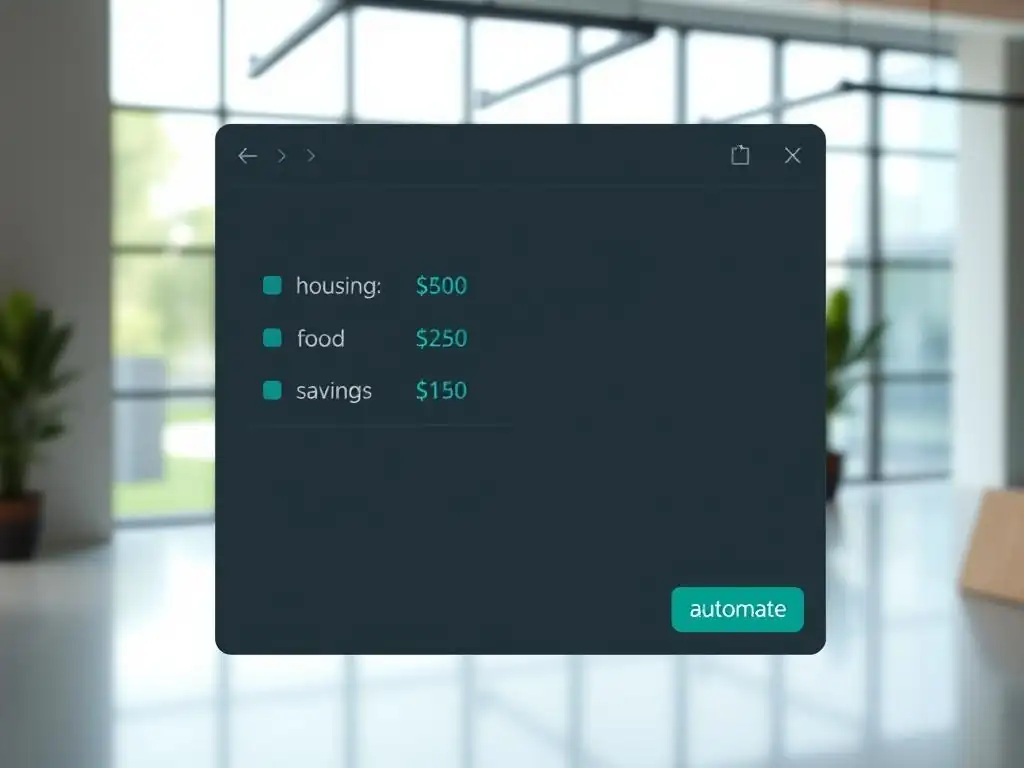
Ready to reclaim your time and conquer your finances? At UltimateLifeHacks, we're dedicated to simplifying your life through practical strategies and proven techniques. This isn't just about another productivity tip; it's about transforming how you manage your money. Discover how to automate budget spreadsheets easily and unlock a new level of financial freedom. Let's explore the secrets to streamlined budgeting – and finally say goodbye to those endless spreadsheets!
-
The Pain Points of Manual Budgeting with Spreadsheets
- Time-Consuming Data Entry and Manual Calculations for Budget Spreadsheets
- Inaccurate Budgeting Due to Human Error in Spreadsheet Management
- Difficulty in Tracking Expenses and Analyzing Spending Patterns with Spreadsheets
- Lack of Real-time Budget Monitoring with Traditional Spreadsheet Methods
- The Frustration of Inflexible Spreadsheet Budget Templates
- Automate Budget Spreadsheets Easily: Exploring Automation Solutions
- Advanced Techniques for Automated Budget Management
-
Mastering Automated Budgeting: Tips and Best Practices
- Setting Realistic Budget Goals and Expectations
- Regularly Reviewing and Adjusting Your Automated Budget System
- Staying Secure and Protecting Your Financial Data During Automation
- The Benefits of Automated Budgeting for Long-Term Financial Success
- Overcoming Common Challenges in Automating Your Budget
- From Spreadsheet Chaos to Automated Financial Freedom: A Seamless Transition
- Frequently Asked Questions
- Final Reflection: Embracing the Automated Future of Budgeting
- Unlock Your Financial Freedom: Take Control of Your Budget Today!
The Pain Points of Manual Budgeting with Spreadsheets
Manually managing your budget using spreadsheets can feel like navigating a labyrinth blindfolded. The allure of a seemingly simple solution – a grid of cells promising financial clarity – often masks a reality fraught with time-consuming tasks, potential errors, and limited analytical capabilities. This article delves into the common frustrations associated with spreadsheet-based budgeting and presents proven methods to automate this crucial aspect of personal finance, ultimately freeing up your time and enhancing your financial well-being.
We'll explore how to effortlessly transition from manual spreadsheet management to automated systems that provide accurate insights and streamline your financial planning. Learning to automate budget spreadsheets easily will significantly improve your financial health and reduce stress associated with money management. This guide focuses on practical strategies for automating your budget, addressing the key challenges faced by many individuals and families.
Time-Consuming Data Entry and Manual Calculations for Budget Spreadsheets
Let's face it: manually entering every transaction, meticulously categorizing expenses, and calculating balances in a spreadsheet is incredibly time-consuming. Consider this scenario: you receive bank statements, credit card statements, and various receipts throughout the month. Manually transferring this information into your spreadsheet, ensuring accuracy, and then performing calculations to determine your net income, spending in various categories, and remaining budget – it's a tedious process that eats into valuable time.
This manual process is not only slow but also prone to errors, as we'll discuss in the following section. The amount of time spent on data entry alone could be better used on more productive tasks or simply enjoying your free time. Automating this process can save you hours each month, allowing you to focus on other essential aspects of your life and financial planning.
Inaccurate Budgeting Due to Human Error in Spreadsheet Management
Human error is inevitable. Even the most meticulous individuals can make mistakes when manually inputting data, performing calculations, or updating formulas in a spreadsheet. A simple typo, a misplaced decimal point, or an incorrect formula can lead to inaccurate budget figures, potentially causing significant financial miscalculations. These errors can result in overspending, unexpected debt, or a false sense of financial security.
Imagine the frustration of discovering a significant discrepancy in your budget only to realize it stems from a simple data entry error. This not only undermines your financial planning but also wastes precious time spent correcting the mistake. Automating your budgeting significantly minimizes the risk of human error, providing more reliable and accurate financial data.
Difficulty in Tracking Expenses and Analyzing Spending Patterns with Spreadsheets
Spreadsheets, while offering basic functionalities, often lack the sophisticated analytical tools needed for in-depth expense tracking and insightful spending pattern analysis. Manually sifting through numerous rows and columns to identify spending trends, create insightful charts, and understand your financial behavior is challenging and time-consuming. You might struggle to easily pinpoint areas where you can cut expenses or identify unexpected spending patterns.
This lack of intuitive analysis can hinder your ability to make informed financial decisions and optimize your budget effectively. Automated budgeting tools, on the other hand, often come equipped with robust reporting and analytics features, providing clear visualizations of your spending habits and helping you make data-driven financial choices. This empowers you to take control of your finances and achieve your financial goals more efficiently.
Lack of Real-time Budget Monitoring with Traditional Spreadsheet Methods

Manually updating spreadsheets to reflect your spending habits is a tedious and time-consuming process. Imagine this scenario: you've meticulously entered all your expenses for the week into your budget spreadsheet. You're feeling quite accomplished... until you realize you forgot to account for that unexpected coffee shop visit or the impulsive online purchase. Now you have to find the correct entry, adjust the figures, recalculate totals, and potentially update charts and graphs.
This process is not only frustrating, but it also prevents you from having a clear, real-time understanding of your financial status. Traditional spreadsheet methods offer a delayed, static view of your budget, making it difficult to make informed, timely financial decisions. The lack of real-time updates means you might only discover you're overspending weeks or even months later, hindering your ability to proactively adjust your spending habits.
You're essentially playing catch-up with your finances, rather than being in control of them. This reactive approach can lead to increased stress and potentially harmful financial consequences. Automating your budget eliminates this lag, providing immediate feedback and allowing for agile adjustments to your financial plan.
The Frustration of Inflexible Spreadsheet Budget Templates
Many freely available or pre-designed spreadsheet budget templates lack the flexibility to adapt to individual financial needs. Perhaps you need to track specific expenses not included in the template, like childcare costs or subscription services. Or maybe the template's categorization doesn't align with your spending habits. Trying to force your financial life into a rigid, pre-defined structure can be incredibly frustrating.
You might end up spending more time trying to adapt the template than actually using it, defeating the purpose of budgeting in the first place. Furthermore, these templates often lack the sophisticated features found in dedicated budgeting software. For example, they might not offer automated expense categorization, insightful visualizations, or the ability to link to bank accounts for seamless data import.
This inflexibility limits your ability to gain valuable insights into your spending patterns and make data-driven decisions about your financial future. The result is a cumbersome, frustrating budgeting experience that often leads to abandonment of the process altogether. Choosing a more adaptable budgeting solution, whether it's purpose-built software or a programmable automation system, offers the flexibility to create a budgeting system tailored specifically to your needs, making the process far more efficient and enjoyable.
Automate Budget Spreadsheets Easily: Exploring Automation Solutions
This section dives deep into practical methods for automating your budget spreadsheets, freeing you from manual data entry and tedious calculations. We'll explore various automation solutions, focusing on how to seamlessly integrate them into your existing financial management practices. Automating your budget isn't just about convenience; it's about gaining valuable insights into your spending habits and making informed financial decisions. This process will ultimately help you better achieve your financial goals and easily automate budget spreadsheets.
Budgeting Apps: Streamlining Your Finances with Automated Tools
Budgeting apps offer a powerful way to automate many aspects of budget management. These apps often integrate directly with your bank accounts, automatically importing transactions and categorizing them. This eliminates the need for manual data entry, a significant time saver for anyone managing a personal budget. Many also offer features like budgeting tools, expense tracking, and financial goal setting. This allows for a holistic approach to personal finance management, moving beyond simply automating budget spreadsheets.
Top 5 Budget Apps for Effortless Budget Automation
Choosing the right budgeting app can be overwhelming, given the sheer number of options available. Here's a curated list of five popular apps known for their user-friendly interfaces and robust automation features:
| App Name | Key Features | Pros | Cons |
|---|---|---|---|
| Mint | Transaction import, budgeting, expense tracking | Easy to use, free version available | Limited customization options for some users |
| Personal Capital | Investment tracking, retirement planning, budgeting | Comprehensive features, excellent for long-term financial planning | Steeper learning curve than some other apps |
| YNAB (You Need A Budget) | Zero-based budgeting, goal setting, debt tracking | Powerful budgeting methodology, highly customizable | Requires a subscription, steeper learning curve for beginners |
| EveryDollar | Simple budgeting, expense tracking, debt snowball | Easy to use, great for beginners | Fewer advanced features compared to some competitors |
| Goodbudget | Envelope budgeting system, expense tracking | Visual budgeting approach, helps control spending | May require more manual input than other automated options |
Note: The features and pricing of these apps can change, so always check the latest information on their respective websites.
Choosing the Right Budgeting App Based on Your Needs and Preferences
Selecting the best budgeting app depends on your individual financial needs and preferences. Consider factors such as:
- Ease of use: How comfortable are you with technology? Some apps have simpler interfaces than others.
- Features: Do you need basic budgeting tools or more advanced features like investment tracking or debt management?
- Cost: Many apps offer free versions with limited features, while others require a subscription.
- Integration: Does the app integrate with your bank accounts and other financial tools?
- Data security: Ensure the app uses robust security measures to protect your financial information. This is crucial when automating budget spreadsheets and handling sensitive financial data.
Choosing the right app is a crucial step in automating your budget effectively and ensuring your financial data is safe and secure.
Connecting Your Bank Accounts for Automated Transaction Import
Connecting your bank accounts to your chosen budgeting app is essential for automating transaction imports. This typically involves providing your bank's login credentials, enabling the app to securely access your transaction history. Most reputable apps use encryption and other security protocols to protect your data.
Data Security and Privacy Concerns When Automating Budget Tracking
While automating your budget offers significant advantages, it's crucial to address data security and privacy concerns. Always choose reputable apps with a proven track record of protecting user data. Look for apps that use encryption and follow industry best practices for data security. Remember to review the app's privacy policy carefully before connecting your bank accounts. Protecting your financial information should be a top priority when automating budget spreadsheets.
Setting up Automated Transactions Imports: A Step-by-Step Guide
The specific steps for setting up automated transaction imports vary depending on the budgeting app you choose. However, the general process usually involves these steps:
- Download and install the app: Download the app from your device's app store or website.
- Create an account: Create a free account or subscribe to a paid plan.
- Connect your bank accounts: Enter your bank's login credentials securely. The app will usually guide you through the process.
- Authorize access: Approve the app's request to access your transaction history.
- Review and categorize transactions: The app may require you to review and categorize some transactions, especially initially.
- Enable automated imports: Configure the app to automatically import transactions at regular intervals (daily, weekly, or monthly).
By following these steps, you can streamline your budget management and enjoy the benefits of automated transaction imports. This will significantly reduce the time and effort required to maintain an accurate and up-to-date budget. Remember to regularly review your imported transactions to ensure accuracy and identify any potential discrepancies. This is an essential part of effectively automating budget spreadsheets.
Personal Finance Software: Advanced Budget Automation and Financial Planning
Personal finance software offers a robust solution for automating your budget spreadsheets and taking control of your finances. These applications go beyond simple expense tracking; they provide sophisticated tools for budgeting, forecasting, and even financial planning. By automating data entry and calculations, these programs free up significant time and mental energy that would otherwise be spent manually managing spreadsheets. Many platforms offer features like automatic import of transactions from linked bank accounts and credit cards, eliminating the tedious process of manual data entry.
This level of automation reduces the risk of human error, leading to more accurate budget projections and financial insights. Moreover, these tools typically offer insightful reporting features, providing a clear and comprehensive overview of your financial health, allowing for data-driven decision-making about spending and saving habits. The ability to visualize your financial data through charts and graphs enhances understanding and makes identifying areas for improvement much easier.
Beyond basic budgeting, many sophisticated personal finance programs incorporate features like investment tracking, tax planning tools, and debt management strategies, providing a holistic approach to personal financial management. This comprehensive approach helps users not only automate their budget but also build a comprehensive financial plan for the future. The advantages of using personal finance software extend far beyond simple spreadsheet automation, offering a complete solution for managing and improving your financial well-being.
Key Features to Look for in Personal Finance Software for Budget Automation
Choosing the right personal finance software requires careful consideration of its features. For effective budget automation, several key features are crucial. Automatic transaction import is paramount, saving you considerable time and effort. Look for software that seamlessly integrates with your bank accounts and credit cards to automatically download transaction data. Categorization and tagging capabilities are essential for accurate budget tracking.
The software should allow you to easily categorize transactions and add custom tags for better organization and analysis. Customizable budgeting tools are another vital feature. The ability to set custom budget categories, goals, and alerts ensures the software aligns perfectly with your specific financial needs and preferences. Robust reporting and visualization tools are essential for understanding your financial data. Clear charts and graphs illustrating spending patterns, income vs. expenses, and other key metrics are vital for effective financial management.
Security and data privacy should be a top priority. Ensure the software provider employs robust security measures to protect your sensitive financial information. Finally, user-friendliness and intuitive design are critical for a positive user experience. The software should be easy to navigate and understand, even for individuals with limited technical expertise. By focusing on these key features, you can select personal finance software that effectively automates your budget spreadsheets and empowers you to take control of your financial future.
Comparing Personal Finance Software Options: A Detailed Analysis
The market offers a wide variety of personal finance software options, each with its strengths and weaknesses. A detailed comparison is crucial to find the best fit for your individual needs and preferences. Some popular choices include [Software Name A], known for its robust features and extensive reporting capabilities, and [Software Name B], which excels in user-friendliness and intuitive design. [Software Name C] might be preferable for those seeking advanced investment tracking features.
When comparing options, consider factors like the level of automation offered, the range of supported financial institutions, the availability of mobile apps, and the overall cost. Some software options offer free plans with limited features, while others require a paid subscription for full access to all functionalities. Consider the specific features you need, such as automatic transaction categorization, bill payment reminders, or investment portfolio tracking, and choose the software that best aligns with your budget and requirements. Reading user reviews and comparing pricing plans can also provide valuable insights.
Remember that the "best" software is subjective and depends on your individual needs and preferences. Thorough research and comparison are essential before making a decision to ensure you select a tool that effectively automates your budget spreadsheets and enhances your financial management capabilities. This careful evaluation will ultimately contribute to improved financial health and peace of mind.
Advanced Techniques for Automated Budget Management

This section delves into more sophisticated methods for automating your budget, moving beyond basic app integrations to leverage powerful tools and APIs for truly seamless financial management. We'll explore how to create custom reports and dashboards for insightful budget analysis, ultimately empowering you to make data-driven decisions about your finances. Mastering these techniques will significantly enhance your ability to automate budget spreadsheets easily.
APIs (Application Programming Interfaces) are the backbone of many automation solutions. They allow different applications to communicate and exchange data. IFTTT (If This Then That) is a user-friendly platform that simplifies the process of connecting these APIs, creating automated workflows based on specified triggers and actions.
For example, you could set up an IFTTT applet that automatically categorizes transactions from your bank account based on keywords in the description, then transfers this categorized data to your budgeting app. This eliminates the manual tagging often required in spreadsheet-based budgeting, saving you considerable time and effort. This is a crucial step in learning how to automate budget spreadsheets easily.
Automate Budget Spreadsheets Easily Using IFTTT Applet Examples
Let's look at a few practical IFTTT applet examples:
- Applet 1: If a new transaction appears in your bank account with the keyword "Groceries," then add that transaction amount to a designated "Groceries" category in your budgeting app (assuming the app offers API integration).
- Applet 2: If your credit card payment is processed, then send a notification to your email or preferred messaging app confirming the payment and the remaining balance. This provides a real-time update on your credit card debt.
- Applet 3: If your monthly income is deposited into your checking account, then automatically allocate funds to various budget categories (e.g., savings, bills, entertainment) according to your pre-defined percentages.
Connecting Different Apps for Seamless Budget Automation
The true power of API integration lies in connecting multiple apps to create a holistic financial ecosystem. Imagine linking your bank account, credit card accounts, investment platforms, and budgeting app. Through carefully configured IFTTT applets or similar automation tools, you can achieve a level of financial management previously only possible with extensive manual effort. This interconnected system provides a single source of truth for your financial data, ensuring accuracy and eliminating the risk of discrepancies across multiple spreadsheets or applications. This is key to automating budget spreadsheets easily.
Creating Custom Automated Reports and Dashboards for Budget Analysis
While automated transaction tracking is invaluable, the real benefit comes from analyzing the data to gain actionable insights. Many budgeting apps offer basic reporting features, but creating custom reports tailored to your specific needs provides a deeper understanding of your spending habits. Using tools that integrate with your budgeting app's API, you can generate automated reports showing trends over time, identifying areas of overspending, or visualizing your progress towards financial goals. This allows for a much more thorough understanding of your financial health than simply looking at raw numbers in a spreadsheet.
Visualizing Your Budget Data: Charts and Graphs for Better Understanding
Numerical data can be overwhelming. Visualizations transform raw numbers into easily digestible insights. Automated reports should incorporate charts and graphs to illustrate spending patterns, income versus expenses, and progress towards saving goals. For example, a bar chart comparing spending across different categories can quickly highlight areas needing attention. A line graph displaying your net worth over time provides a powerful visual representation of your financial progress. These visualizations are essential for effective budget analysis and are easily created using appropriate data visualization tools that integrate with your chosen budgeting software.
Using Automated Reports to Identify Areas for Improvement in Your Budget
The ultimate goal of automating your budget is to improve your financial well-being. Regularly reviewing automated reports allows you to identify areas for improvement. For instance, consistently high spending in a particular category (e.g., dining out) might signal a need to adjust your budget allocation or change your spending habits.
By analyzing your data objectively, you can make informed decisions to optimize your budget, achieve your financial goals, and ultimately live a more financially secure life. This detailed analysis is significantly easier when you have automated the process of gathering and presenting the data, making the entire process of automating budget spreadsheets easily achievable.
Mastering Automated Budgeting: Tips and Best Practices
Automating your budget is a significant step towards improved financial health, but simply setting up the automation isn't enough. Success hinges on understanding and implementing best practices. This section focuses on refining your automated budgeting system for optimal results and long-term financial well-being. Effectively automating budget spreadsheets easily requires more than just software; it necessitates a strategic approach.
Setting Realistic Budget Goals and Expectations
Before diving into automation, define clear, achievable budget goals. Avoid setting overly ambitious targets that lead to frustration and abandonment. Start by analyzing your current spending habits. Track your expenses for a month or two to understand where your money goes. Categorize your spending (housing, transportation, food, entertainment, etc.) to identify areas for potential savings. This data-driven approach is crucial for setting realistic expectations.
For example, if you're currently spending $500 a month on entertainment, aiming to drastically cut it to $100 overnight is unrealistic. A more achievable goal might be to reduce it to $400 in the first month, then $350 the next, gradually adjusting your spending habits. Remember, consistency is key. Small, incremental changes are more sustainable than drastic cuts.
Using budgeting apps with automated categorization features can significantly simplify this process. These apps often provide visual representations of your spending, making it easier to identify areas needing attention. This visual feedback loop is essential for maintaining motivation and achieving your financial goals.
Regularly Reviewing and Adjusting Your Automated Budget System
Automating your budget isn't a "set it and forget it" process. Regular review and adjustment are critical to ensure your system remains relevant and effective. Life changes—unexpected expenses, salary increases, or shifts in priorities—require modifications to your budget. Schedule regular reviews (monthly or quarterly) to assess your progress, identify discrepancies between planned and actual spending, and make necessary adjustments.
Consider these points during your review:
- Unforeseen expenses: Did unexpected costs arise? How can you better account for them in the future?
- Savings progress: Are you on track to meet your savings goals? If not, what adjustments are needed?
- Spending patterns: Are there any spending habits you want to change? How can you automate adjustments to reflect these changes?
- Software updates: Has your budgeting software been updated? Are there new features you can leverage for better automation?
A proactive approach to reviewing and adjusting your automated budget system ensures its long-term effectiveness and helps you stay on top of your finances. This continuous improvement cycle is vital for truly automating budget spreadsheets easily and efficiently.
Staying Secure and Protecting Your Financial Data During Automation
Automating your budget involves entrusting sensitive financial data to software and online platforms. Protecting this information is paramount. Choose reputable budgeting apps and services with robust security measures, including encryption and two-factor authentication. Never use public Wi-Fi to access your financial accounts or budgeting apps.
Furthermore, regularly review your account statements and transactions for any unauthorized activity. Be vigilant about phishing scams and suspicious emails or text messages requesting your financial information. Consider using strong, unique passwords for all your financial accounts and employing a password manager to keep track of them securely. Remember, the security of your financial data is non-negotiable. Prioritize security practices to ensure peace of mind while enjoying the benefits of automated budgeting. The ease of automating budget spreadsheets shouldn't come at the cost of your financial security.
The Benefits of Automated Budgeting for Long-Term Financial Success
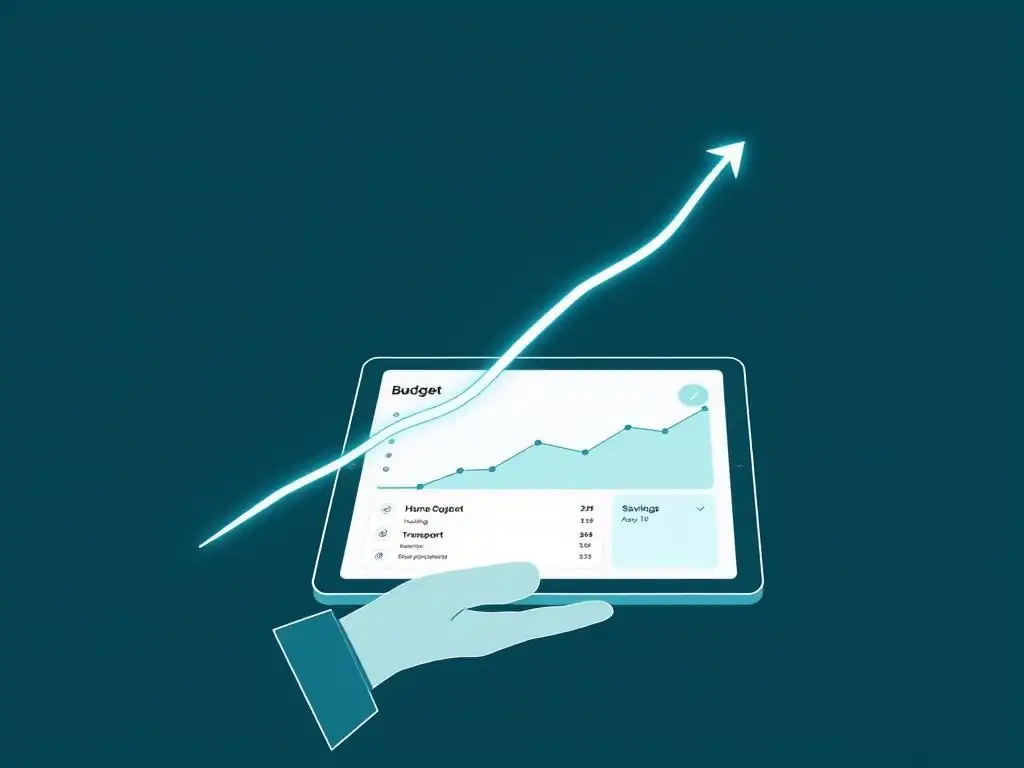
Automating your budget offers a plethora of advantages that extend far beyond simple convenience. It paves the way for long-term financial health and stability, fostering better financial habits and reducing the stress often associated with managing personal finances. One key benefit is the significant time savings. Manually updating spreadsheets, categorizing transactions, and reconciling accounts can be incredibly time-consuming. Automation frees up this valuable time, allowing you to focus on other important aspects of your life, such as career development, personal relationships, or pursuing hobbies.
Furthermore, automated budgeting promotes accuracy. Human error is inevitable when manually handling large amounts of financial data. Automated systems minimize these errors, ensuring your budget reflects your actual spending with greater precision. This accuracy is crucial for informed decision-making, allowing you to identify areas for improvement and make necessary adjustments to your spending habits. This leads to better financial planning, enabling you to confidently set and achieve financial goals, whether it's saving for a down payment on a house, paying off debt, or investing for retirement.
Beyond the immediate benefits, automated budgeting cultivates better financial awareness. By regularly monitoring your automated budget, you gain a clearer picture of your spending patterns, identifying potential areas of overspending and opportunities for savings. This continuous feedback loop fosters responsible financial behavior and promotes long-term financial success. The improved financial clarity also reduces financial anxiety.
Knowing exactly where your money is going and having a clear plan for managing your finances significantly reduces stress and provides a sense of control over your financial future. This peace of mind is invaluable for overall well-being. In short, automating your budget isn't just about convenience; it's a strategic investment in your long-term financial well-being.
Overcoming Common Challenges in Automating Your Budget
While the benefits of automated budgeting are undeniable, implementing such a system can present certain challenges. One common hurdle is the initial setup. Connecting your bank accounts, configuring categories, and setting up automated rules can seem daunting at first. However, many budgeting apps offer intuitive interfaces and helpful tutorials to simplify this process. Taking the time to thoroughly understand the features of your chosen software is crucial for a smooth transition. Remember to start small and gradually incorporate more features as you become comfortable with the system.
Another potential challenge is the issue of data security. Entrusting your financial information to a third-party app requires careful consideration of security measures. Choose reputable apps with robust security protocols, including encryption and two-factor authentication. Regularly review your app's security settings and be vigilant about potential phishing scams or unauthorized access attempts.
Finally, some individuals may struggle with adapting to a new system. Switching from manual budgeting to automation requires a change in mindset and routine. It’s essential to be patient with yourself and allow time to adjust to the new process. Experiment with different apps and features to find a system that best suits your needs and preferences.
Don't be afraid to seek help from customer support or online communities if you encounter difficulties. Remember, the goal is to simplify your financial management, not to add more complexity. By proactively addressing these challenges, you can successfully automate your budget and reap the significant rewards it offers. The initial investment of time and effort will undoubtedly pay off in the long run.
From Spreadsheet Chaos to Automated Financial Freedom: A Seamless Transition
Migrating from manual spreadsheet budgeting to automated systems can feel daunting, but a strategic approach ensures a smooth transition and avoids data loss. The key is to prioritize accuracy and minimize disruption to your existing financial overview. This process isn't about abandoning your current budget entirely; it's about integrating automation to enhance its efficiency.
Migrating Your Existing Budget Data to an Automated System
The first step in automating your budget is transferring your existing data. This is crucial for maintaining a continuous record of your spending and income. Don't underestimate the importance of this step; accuracy here is paramount.
Several methods exist depending on your chosen automation tool. Many budgeting apps offer import features from common spreadsheet formats like CSV or XLSX. Carefully review the import instructions provided by your chosen app to ensure a successful transfer. Manually verifying the imported data is highly recommended. This might seem tedious, but it's far less time-consuming than correcting errors later.
Consider breaking down the import process into manageable chunks. Instead of importing your entire spreadsheet history at once, try importing data month by month. This allows for easier error detection and correction. Furthermore, it helps to avoid overwhelming the system, especially if you have a large dataset spanning several years.
Remember to back up your spreadsheet data before importing it into any new system. This precaution safeguards against potential data loss during the transfer.
A common mistake is assuming a seamless, automatic transfer. Often, manual adjustments are needed. Be prepared to allocate time for data cleaning and reconciliation—identifying and correcting any discrepancies between your spreadsheet and the automated system. This meticulous approach ensures the accuracy of your automated budget from the outset.
Gradually Implementing Automated Budgeting to Avoid Overwhelm
Jumping headfirst into full automation can be overwhelming. A phased approach is more effective. Start by automating one aspect of your budget, perhaps tracking income from a single source or categorizing a specific type of expense. This incremental approach allows you to familiarize yourself with the new system and identify potential issues early on.
For instance, begin by automating the import of your bank transactions. Many budgeting apps offer direct connections to your bank accounts, automatically downloading transaction data. This eliminates the manual entry of transactions, a significant time saver. Once comfortable with this, gradually add other features, like automated bill payment reminders or expense categorization.
Think of it like learning a new skill – start with the basics and gradually increase the complexity. This method reduces the likelihood of feeling overwhelmed and ensures a smoother transition to fully automated budgeting. Remember, the goal is to improve your budgeting process, not to make it more complicated. Small, incremental steps lead to lasting success.
Long-Term Strategies for Maintaining an Automated Budgeting System
Maintaining an automated budgeting system requires ongoing attention, but the effort is far less than manual budgeting. Regularly review your automated budget to ensure its accuracy and effectiveness. Check for any discrepancies between your automated records and your actual bank statements. This process helps to catch any errors early on.
Consider setting up regular reminders to review your budget. A weekly or monthly review is often sufficient to maintain accuracy and identify any areas needing adjustment. This proactive approach helps to prevent minor issues from escalating into significant problems.
Regularly update your budgeting software to ensure you have access to the latest features and security updates. Software updates often include improvements and bug fixes, leading to a more reliable and efficient budgeting system. This ensures your financial data is secure and the system functions optimally. Staying up-to-date is crucial for long-term success with automated budgeting. Automate budget spreadsheets easily and efficiently with consistent attention.
The Ultimate Guide to Effortless Budget Management
Automating your budget spreadsheets easily isn't just about saving time; it's about gaining a profound understanding of your finances and achieving lasting financial freedom. This ultimate guide will walk you through the process, equipping you with the knowledge and strategies to seamlessly transition from chaotic spreadsheets to a streamlined, automated budgeting system. We'll explore various methods, focusing on simplicity and effectiveness, ensuring even those with limited tech skills can successfully automate their budget.
Remember, the goal isn't just automation for automation's sake; it's about creating a system that empowers you to make informed financial decisions and achieve your financial goals. This will significantly reduce the mental load associated with tracking expenses and budgeting, leading to less stress and more financial clarity.
The first step towards effortless budget management is choosing the right tools. Many budgeting apps and software solutions are available, each offering a unique set of features. Consider factors like ease of use, integration with your bank accounts, reporting capabilities, and cost when making your selection. Some platforms offer free plans with limited functionality, while others require paid subscriptions for access to advanced features.
Carefully evaluate your needs and budget before committing to a particular tool. Don't be afraid to try out free trials or demos to ensure the platform is the right fit for your financial management style. This initial investment of time will pay dividends in the long run.
Once you've selected your budgeting tool, the next crucial step involves setting up your budget categories. Categorizing your expenses accurately is fundamental to effective budget management. Create categories that align with your spending habits, ensuring you have a clear overview of where your money is going. Common categories include housing, transportation, groceries, utilities, entertainment, and debt payments.
However, you may need more specific categories depending on your individual spending patterns. For instance, you might subdivide "entertainment" into "dining out," "movies," and "subscriptions." The more granular your categories, the better your understanding of your finances. Regularly review and adjust your categories as needed to reflect changes in your spending habits.
Finally, consistent monitoring and adjustment are key to maintaining an effective automated budget. Regularly review your automated budget reports to identify trends and areas where you might be overspending. This process provides valuable insights into your financial health and empowers you to make necessary adjustments to your spending habits. The beauty of automation is that it provides real-time data, allowing for immediate course correction.
Don't be afraid to tweak your budget categories or spending limits as your circumstances change. The goal is to create a dynamic system that adapts to your evolving financial needs and goals. This continuous feedback loop is vital for long-term financial success. Remember, automating your budget is a journey, not a destination; continuous monitoring and adjustments are essential for lasting success.
Frequently Asked Questions
How can I automate my budget spreadsheet easily?
Several methods exist to automate your budget. You can use budgeting apps with automatic import features, connect your bank accounts, or use spreadsheet software with built-in formulas and scripting capabilities. Explore options that best fit your tech skills.
What are the benefits of automating my budget?
Automating your budget saves you significant time and reduces the risk of human error. It provides real-time insights into your spending habits, allowing for better financial management and informed decision-making.
Which budgeting apps are best for automation?
Many apps offer excellent automation features, including Mint, YNAB (You Need A Budget), and Personal Capital. Consider your needs and preferences when choosing, paying attention to features like account linking and reporting.
Can I automate my budget using only a spreadsheet program like Excel or Google Sheets?
Yes, you can! Formulas like SUM, IF, and VLOOKUP can automate calculations. More advanced automation can be achieved using macros or scripting languages like VBA (for Excel) or Google Apps Script.
Is automating my budget secure?
Using reputable budgeting apps and strong passwords is crucial. Ensure the app uses encryption to protect your data. When using spreadsheet automation, be mindful of where you store your files and back them up regularly.
Final Reflection: Embracing the Automated Future of Budgeting
The relentless pace of modern life demands efficient solutions, and nowhere is this more crucial than in managing personal finances. Saying goodbye to cumbersome spreadsheets isn't just about convenience; it's about reclaiming valuable time and gaining a clearer, more insightful view of your financial health. This shift towards automation isn't a luxury, it's a necessity for navigating the complexities of today's economic landscape.
The transition from manual budgeting to automated systems represents a significant cultural shift, mirroring a broader societal embrace of technology to streamline daily tasks. We've moved from meticulously tracking expenses in physical ledgers to leveraging sophisticated software that provides real-time insights and predictive analytics. This evolution underscores the growing importance of financial literacy and the power of technology to empower individuals. The best way to predict the future is to create it.
- Peter Drucker. This quote rings true when considering how proactive budgeting, facilitated by automation, allows us to shape our financial destinies.
You now possess the knowledge and tools to embark on this journey towards automated budgeting. Consider the time you'll save, the stress you'll alleviate, and the newfound clarity you'll gain in managing your finances. Don't just passively read about these methods; actively explore the options presented, choose the system that best suits your needs, and begin building a more secure and prosperous financial future. The power to control your financial narrative is in your hands.
Unlock Your Financial Freedom: Take Control of Your Budget Today!
Thank you for exploring smarter budgeting strategies! We hope you discovered valuable insights to simplify your finances and reduce the stress of managing your money. Now, let's put that knowledge into action.
- Automate at least one aspect of your budget: Start small! Integrate a budgeting app or automated savings technique into your financial routine this week. This single step can significantly reduce your budgeting workload.
- Share your key takeaway: What was the most surprising or helpful tip you learned today? Share it on social media and tag #UltimateLifeHacks – let's inspire others to achieve financial freedom!
- Join our supportive community: Want extra support and accountability? Join our online community to connect with like-minded individuals and share your progress as you work towards mastering your budget. Details will be announced on our homepage.
Ready to replace spreadsheets with a more efficient and less stressful budgeting approach? What's your first step toward achieving financial peace of mind?