Cooking Made Easy: Kitchen Automation Hacks for Busy People
😊 Reclaim your evenings! Automate cooking for busy people with these simple kitchen automation hacks. Streamline meal prep, reduce stress, and enjoy…
Read article
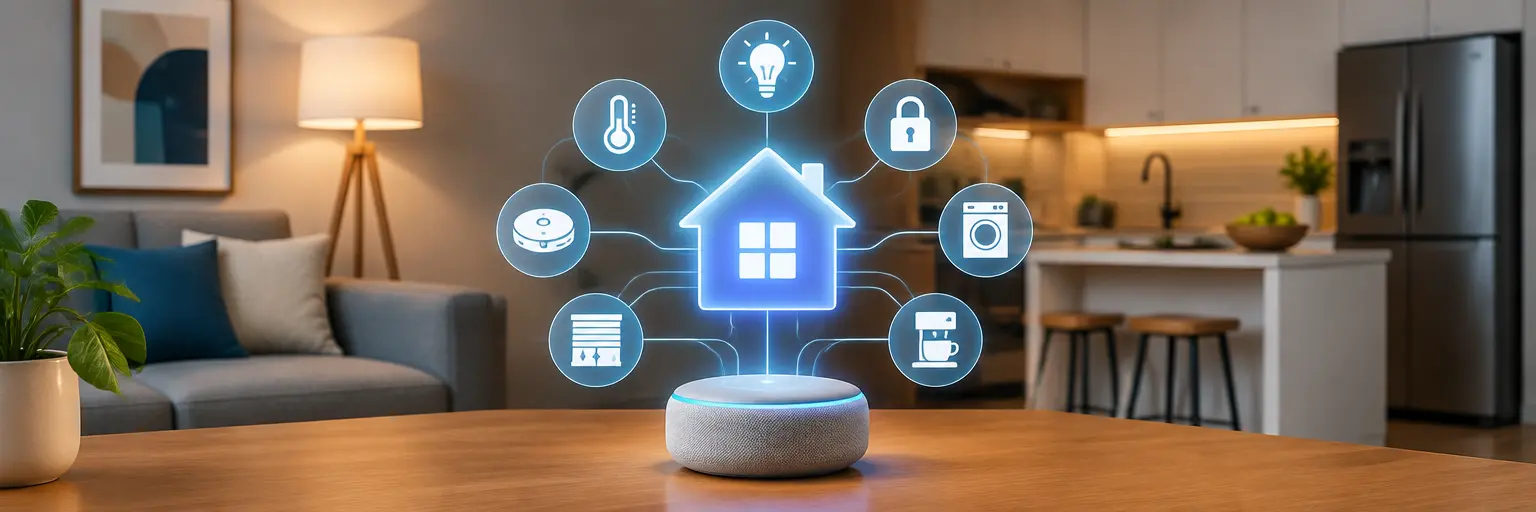
Transform your living space into a smart, self-managing haven with these home automation hacks that slash daily drudgery and reclaim precious hours. From voice-controlled lighting and automated cleaning schedules to smart thermostats that learn your preferences, discover how to streamline household tasks effortlessly. Whether you’re a tech newbie or a savvy enthusiast, these practical, budget-friendly tricks help you optimize routines, reduce energy waste, and boost convenience—all while creating a more comfortable, efficient home. Unlock the secrets to effortless living and turn mundane chores into automated wins.
😊 Reclaim your evenings! Automate cooking for busy people with these simple kitchen automation hacks. Streamline meal prep, reduce stress, and enjoy…
Read article
😊 Unlock significant smart home automation energy savings and boost your budget with simple, automated adjustments. Optimize lighting, heating, and appliances for…
Read article
😊 Automate childproofing home safety with smart tech! This article reveals simple automation hacks – from smart locks to outlet covers –…
Read articleWelcome to the ultimate guide for turning your living space into a self-managing haven. Under the Automation & Efficiency category, this subcategory focuses on practical, low-cost, and scalable home automation hacks that eliminate repetitive chores, reduce decision fatigue, and free up hours each week. Whether you are a renter or a homeowner, you will discover smart plugs, sensors, routines, and voice commands that work with your existing devices. Our goal is to help you build a “set-and-forget” home using simple tools, without requiring advanced coding or expensive hubs. Let’s dive into actionable strategies that save time, energy, and mental bandwidth—starting today.
Smart plugs and switches are the easiest entry point for automating any appliance. By replacing a standard outlet with a Wi-Fi-enabled plug, you can control lamps, coffee makers, fans, and even slow cookers via app, voice, or schedule. For example, set your bedside lamp to gradually brighten at 6:30 AM, simulating a sunrise, or program your space heater to turn off 30 minutes after you leave for work. These devices cost under $20 each and install in seconds—no electrician required.
For maximum efficiency, group multiple plugs into “scenes” like “Morning Routine” or “Movie Night.” Use energy monitoring plugs to identify vampire loads (devices draining power in standby) and schedule them off overnight. Pair with a smart speaker (Alexa, Google Home) to trigger actions hands-free. Remember to choose plugs that support local automation (e.g., Tuya, Zigbee) so they still work if your internet drops. This simple layer can cut your electricity bill by 10-15% and eliminate “did I leave the iron on?” anxiety permanently.
Time-based routines are the heart of household task automation. Instead of manually turning off lights, locking doors, or starting the dishwasher, you can set precise triggers. For instance, create a “Goodnight” routine that turns off all lights, locks smart locks, sets the thermostat to 68°F, and plays white noise—all from a single voice command or at 10 PM. Morning routines can start your espresso machine, open blinds, and preheat the bathroom floor warmer.
Use conditional logic to make routines smarter: “If no motion detected in hallway for 10 minutes after 11 PM, turn off hallway lights.” Many apps like IFTTT, Home Assistant, or Apple Shortcuts allow this without coding. For recurring chores, schedule a robot vacuum to run every weekday at 9 AM while you are at work, and remind your smart speaker to “start the laundry” when you begin your workout. The key is starting small—automate one task per week and gradually expand. Over a month, you will reclaim 3+ hours weekly.
Voice assistants transform your home into a command center. With Amazon Echo, Google Nest, or Apple HomePod, you can say “Hey Siri, start the robot vacuum” or “Alexa, turn on the porch light” and instantly offload a physical action. Integration with smart displays allows you to see security camera feeds, check who’s at the door, or view your shopping list while cooking. Commands can also trigger multi-step routines: “OK Google, I’m home” unlocks the door, adjusts lighting, and plays your favorite playlist.
Beyond basic commands, use custom voice macros for frequent tasks. For example, “begin cleanup” could tell the vacuum to start and the robot mop to wait for 30 minutes. Additionally, app-based controls let you manage tasks remotely—start the dishwasher from the office, or check if the garage door is closed while on vacation. To avoid “smart fatigue,” only voice-activate tasks you repeat daily. Train household members to use consistent commands (e.g., “lights off” not “turn off the lights”) and you’ll see adoption skyrocket.
Sensors automate tasks based on presence, motion, light, humidity, or temperature—making your home truly reactive. Motion sensors in hallways can turn on lights for 2 minutes when you pass at night, then off automatically. Door/window sensors can alert you (or trigger your AC to turn off) when left open. Humidity sensors in bathrooms can activate exhaust fans to prevent mold, while light sensors dim blinds when the sun is too strong. These sensors integrate with platforms like SmartThings or Home Assistant.
Most powerful is the presence-based routine: when everyone leaves (geofencing via phone), the thermostat sets to eco mode, lights turn off, and the security system arms. When the first person arrives, the house preheats and unlocks. For pet owners, a sensor-triggered feeder can dispense food at set times, and a water leak sensor under the sink can cut off the main valve. While sensors add a bit of upfront cost ($15-30 each), they pay off in utility savings and accident prevention. Begin with one sensor in your most used room and expand based on observed patterns.
Robot vacuum and mop combinations are the poster child for automated chores. Modern models (Roborock, Roomba) map your floor, avoid obstacles, and empty themselves. Pair them with spot-cleaning schedules after meal times and threshold strips to keep them in zones. Advanced units also act as mobile cameras for pet watching. For laundry, smart washing machines (LG, Samsung) let you start/stop cycles from an app and notify you when done, so you never forget clothes in the washer.
Even older appliances can be retrofitted: add a smart plug to a crockpot to start cooking at noon, or a smart bulb inside the oven to signal preheat completion. Smart irrigation controllers for garden watering adjust based on rainfall and soil moisture—saving up to 30% water. The trick is to prioritize high-frequency tasks: vacuuming, mopping, watering, and laundry reminders cover 80% of household drudgery. Once these are automated, you can tackle advanced projects like automatic coffee grinders, trash compactor reminders, or smart fan speed that reacts to room temperature.
Not necessarily. Many smart plugs and sensors work directly with Alexa, Google Home, or Apple HomeKit via Wi-Fi. A hub becomes beneficial when you mix Zigbee/Z-Wave devices or want complex automation that works offline. Start without a hub; if you hit limitations, add a $40 hub later—it’s still cheaper than a proprietary solution.
No. In fact, smart plugs with energy monitoring can reduce phantom load by cutting power to idle devices. Scheduled thermostat adjusts (e.g., 4°F setback at night) saves up to 10% on HVAC costs. The tiny draw from smart devices (typically 1-3 watts each) is negligible compared to savings from automated light turn-off and efficient scheduling.
Most devices retain their last schedule, so scheduled lights and plugs will still work. Voice commands and remote app control will be unavailable. For critical tasks (e.g., water leak shutoff), choose devices with local fallback or battery backup. Many Zigbee sensors operate locally via a hub even without internet.
Absolutely. Use plug-in smart plugs, battery-operated sensors, and adhesive mounts—none require permanent installation. For lights, replace bulbs (you can swap back). Avoid wiring smart switches unless your landlord approves. When you move, simply unplug devices and reset them to factory settings; most take under 5 minutes to remove.
Focus on your existing devices: if you use Android, Google Home pairs best; for iPhone users, HomeKit offers deeper integration and privacy. Alexa has the widest device compatibility and third-party skill support. If unsure, buy a basic Echo Dot (~$30) and experiment; you can always switch ecosystems later since most smart devices support both.