
Secure Your Sanctuary: A StepbyStep Guide to Smart Home Security Installation

Ready to transform your house into a fortress of tranquility? At UltimateLifeHacks, we're dedicated to simplifying your life and boosting your productivity. This means securing what matters most – your home. Dive into our comprehensive Smart Home Security Installation Guide and discover how to effortlessly enhance your safety and peace of mind. Learn the secrets to a truly secure sanctuary – your journey to a smarter, safer home begins now!
- Understanding Your Smart Home Security Needs: Planning the Perfect System
-
Step-by-Step Smart Home Security Installation Guide: A Practical Approach
- Step 1: Planning Your Smart Home Security Network: Wi-Fi Optimization for Seamless Connectivity
- Step 2: Installing the Smart Home Security Hub: Connecting to Your Internet and Power Source
- Step 3: Setting Up Smart Door/Window Sensors: Placement Strategies for Optimal Detection
- Step 4: Installing Smart Security Cameras: Strategic Placement for Comprehensive Coverage (Indoor and Outdoor Camera Placement)
- Step 5: Configuring Smart Locks: Keypad Installation and Access Management (August Smart Lock vs. Schlage Encode)
- Step 6: Connecting Your Smart Home Security System to Your Smartphone: Downloading the App and Setting Up Notifications
- Step 7: Testing Your Smart Home Security System: Running Through Simulated Scenarios
-
Optimizing Your Smart Home Security System for Maximum Protection
- Smart Home Security System Integration: Connecting with Other Smart Devices (Example: Smart Lighting Integration with Alarm System)
- Utilizing Smart Home Security System Features: Remote Access, Geofencing, and Automation
- Monitoring Your Smart Home Security System: Regularly Checking for Updates and System Performance
- Professional Smart Home Security System Monitoring: Weighing the Pros and Cons of Professional Services
- Troubleshooting Common Smart Home Security Installation Problems
- Maintaining Your Smart Home Security System: Long-Term Protection and Peace of Mind
- Conclusion: Enjoying the Benefits of a Secure and Smart Home
-
Frequently Asked Questions
- What tools do I need for smart home security installation?
- How long does it typically take to install a smart home security system?
- Do I need professional help to install a smart home security system?
- How can I ensure my smart home security system is truly secure?
- What are the ongoing costs associated with a smart home security system?
- Final Reflection: Building a Fortress of Peace of Mind
- Unlock Your Smart Home's Full Potential!
Understanding Your Smart Home Security Needs: Planning the Perfect System
Securing your home is paramount, and in today's technologically advanced world, smart home security systems offer an unparalleled level of protection and peace of mind. This comprehensive guide will walk you through the process of smart home security installation, empowering you to create a secure sanctuary tailored to your specific needs and budget. We'll cover everything from assessing your home's vulnerabilities to choosing the right system and optimizing your setup for maximum effectiveness. By the end, you'll be equipped to confidently install and manage your own smart home security system, transforming your house into a fortress of tranquility.
This guide focuses on providing a practical, step-by-step approach to smart home security installation, making the process manageable and understandable even for those with limited technical experience. Let's begin building your secure and efficient smart home! 🏠
Assessing Your Home's Vulnerability: Identifying Security Weak Points
Before investing in a smart home security system, it's crucial to understand your home's vulnerabilities. A thorough assessment will inform your system choices and ensure you address the most critical security risks. This involves identifying potential entry points, such as windows, doors, and less obvious access points like poorly lit areas or overgrown landscaping.
Consider these key factors when assessing your home's vulnerability:
- Exterior: Examine all exterior doors and windows for weaknesses. Are locks sturdy? Are windows easily accessible from the ground? Are there any poorly lit areas that could provide cover for intruders? Note the presence of any potential climbing points, such as trees or fences close to windows.
- Interior: Assess interior access points, such as sliding glass doors or poorly secured basement entrances. Consider the layout of your home and identify any blind spots where cameras might be needed. Think about potential hiding places for intruders.
- Neighborhood: Take your surroundings into account. Is your neighborhood prone to break-ins? This information can influence your choice of security system features, such as motion sensors and outdoor cameras.
By meticulously identifying these weak points, you can strategically deploy your smart home security system's components for maximum effectiveness. Remember, a well-planned system is the foundation of a secure home. Don't underestimate the value of a thorough assessment – it's the first step towards a safer and more secure living environment.
Choosing the Right Smart Home Security System: Ring Alarm vs. SimpliSafe vs. Abode
The market offers a variety of smart home security systems, each with its own strengths and weaknesses. Choosing the right system depends on several factors, including your budget, the size of your home, and your desired level of customization. Let's compare three popular options: Ring Alarm, SimpliSafe, and Abode.
| Feature | Ring Alarm | SimpliSafe | Abode |
|---|---|---|---|
| Professional Monitoring | Available (subscription required) | Available (subscription required) | Available (subscription required) |
| DIY Installation | Yes | Yes | Yes |
| Cellular Backup | Available (subscription required) | Available (subscription required) | Available (subscription required) |
| Smart Home Integration | Good (works with Alexa, Google Assistant) | Moderate (limited integrations) | Excellent (wide range of integrations) |
| Customization | Moderate | Moderate | High |
| Price Range | $200 - $500+ | $200 - $500+ | $300 - $600+ |
This table provides a general overview. Detailed specifications and pricing may vary. Thoroughly research each system's features to ensure it meets your specific security needs. Remember to consider factors beyond just price, such as ease of use, app functionality, and customer support.
Budget-Friendly Smart Home Security: Balancing Features and Cost
Implementing a robust smart home security system doesn't necessitate breaking the bank. You can achieve a good level of security without compromising your budget by carefully selecting features and prioritizing essential components.
Consider these strategies for budget-friendly smart home security:
- DIY Installation: Opting for DIY installation can significantly reduce professional installation costs. Many systems offer straightforward installation guides and support.
- Prioritize Essential Features: Focus on core security elements like door/window sensors, motion detectors, and a base station with a loud siren. Add more advanced features like cameras and smart locks gradually as your budget allows.
- Utilize Existing Infrastructure: If you already have a smart home ecosystem (e.g., smart speakers or lighting), leverage its capabilities for security integration, reducing the need for additional hardware.
- Explore Starter Kits: Many manufacturers offer affordable starter kits that provide a solid foundation for your system. You can expand the system later as needed.
- Consider Monthly Monitoring Costs: Factor in the ongoing cost of professional monitoring services. While valuable, it's an additional expense to budget for.
By carefully planning and prioritizing, you can build a cost-effective smart home security system that provides adequate protection for your home and family. Remember, a basic system is better than no system at all. Prioritize essential elements first, and gradually expand your system as your budget and needs evolve.
Essential Smart Home Security Features: Cameras, Sensors, and Smart Locks
Choosing the right smart home security features is crucial for building a robust and effective system. This involves carefully considering your specific needs and the layout of your home. Let's delve into some essential components:
Cameras are the eyes of your smart home security system. High-definition cameras, both indoor and outdoor, provide real-time monitoring and recording capabilities. Look for features like night vision, motion detection, and two-way audio. Night vision is essential for monitoring activity even in low-light conditions. Motion detection triggers recordings or alerts only when motion is detected, minimizing false alarms and saving storage space.
Two-way audio allows you to communicate with anyone near the camera, deterring potential intruders or checking on family members. Consider strategically placing cameras to cover entry points, vulnerable areas, and high-traffic zones. For example, placing a camera near the front door, back door, and garage can significantly enhance security. Consider also the benefits of pan and tilt cameras that can cover a wider area.
Sensors are the silent guardians of your smart home security. Door and window sensors detect unauthorized entry attempts, instantly sending alerts to your smartphone. Motion sensors detect movement within a specific area, providing an extra layer of security. Consider using glass break sensors for added protection against forced entry.
The strategic placement of sensors is paramount. Installing sensors on all exterior doors and windows is a great starting point. However, consider also installing sensors on interior doors leading to bedrooms or other sensitive areas, especially if you have children or valuables stored there. Think about high-traffic areas such as hallways or stairwells where motion sensors could be beneficial.
Smart locks offer a significant upgrade to traditional door locks. They allow you to remotely lock and unlock your doors, granting access to family members or service providers even when you're not home. Many smart locks also offer features like keypads for code access, eliminating the need to carry physical keys.
Some models integrate with your smart home security system, providing alerts if the lock is tampered with or unlocked unexpectedly. Consider the different types of smart locks available, such as those that replace your existing deadbolt, or those that work alongside your existing lock. Think about the convenience and security features that are most important to you, and choose the smart lock that best fits your lifestyle and home security needs.
For example, a smart lock with a keypad can be beneficial for families with children who need to enter the house independently. A smart lock that integrates with your existing security system provides an added layer of security and convenience.
Step-by-Step Smart Home Security Installation Guide: A Practical Approach
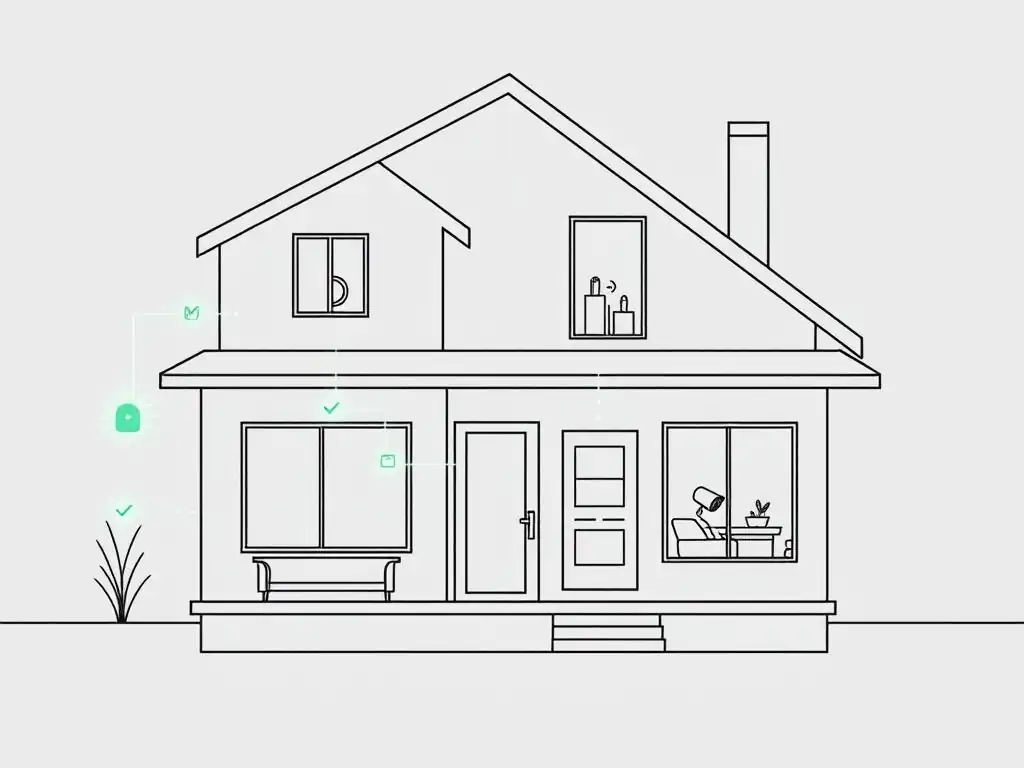
This section provides a detailed, step-by-step guide for installing a smart home security system. We'll cover essential planning, installation procedures, and placement strategies to ensure optimal performance and peace of mind. This guide is designed to empower you to take control of your home security, offering practical advice for a smooth and efficient smart home security installation. Remember, a well-planned and correctly installed system is crucial for effective smart home security.
Step 1: Planning Your Smart Home Security Network: Wi-Fi Optimization for Seamless Connectivity
Before you even unpack your smart home security devices, meticulous planning is key for a successful smart home security installation. A strong and reliable Wi-Fi network is the backbone of your entire system. Weak signals or dead zones can severely compromise the functionality of your sensors, cameras, and other connected devices. This can lead to missed alerts, unreliable performance, and ultimately, a compromised security system.
Here's how to optimize your Wi-Fi for a robust smart home security network:
- Assess your Wi-Fi coverage: Walk through your home, paying close attention to areas where you plan to install sensors (doors, windows, etc.) and cameras. Use a Wi-Fi analyzer app on your smartphone to identify areas with weak signals or interference. Note the signal strength (measured in dBm – the higher the number, the better).
- Upgrade your router if necessary: If your Wi-Fi analysis reveals significant dead zones or weak signals in critical areas, consider upgrading to a router with better range and performance. Look for features like MU-MIMO (Multi-User Multiple Input and Multiple Output) and beamforming, which improve signal strength and efficiency.
- Optimize router placement: Position your router centrally in your home, away from walls and other electronic devices that may interfere with the signal. Experiment with different locations to find the optimal spot for the best coverage. Consider using a Wi-Fi extender or mesh network system for larger homes or areas with significant obstacles.
- Choose the correct Wi-Fi band: Most modern routers offer both 2.4 GHz and 5 GHz bands. The 2.4 GHz band offers better range but slower speeds, while the 5 GHz band offers faster speeds but shorter range. For your smart home security system, a balance is crucial. Prioritize reliable connectivity over speed. Many systems operate optimally on the 2.4 GHz band due to its better penetration through walls.
- Secure your Wi-Fi network: Use a strong and unique password for your Wi-Fi network to prevent unauthorized access. Enable WPA2 or WPA3 encryption for enhanced security. Regularly update your router's firmware to patch security vulnerabilities. This is a critical aspect of your overall smart home security installation, protecting your system from potential hacking.
Step 2: Installing the Smart Home Security Hub: Connecting to Your Internet and Power Source
The smart home security hub is the central control unit of your system. It acts as the brain, communicating with all your connected devices and sending alerts to your smartphone. Proper installation of the hub is crucial for the seamless operation of your entire smart home security network.
The installation process typically involves these steps:
- Unpack the hub and review the instructions: Carefully unpack all components and thoroughly read the manufacturer’s instructions. Familiarize yourself with the ports and connections.
- Connect the hub to your power source: Plug the hub into a readily accessible power outlet. Avoid placing it in areas prone to power outages or surges.
- Connect the hub to your internet: This is usually done via Ethernet cable for the most stable connection. Some hubs also offer Wi-Fi connectivity, but a wired connection is generally preferred for reliability, especially for critical security applications.
- Download and install the mobile app: Download the manufacturer's mobile app from your smartphone's app store. Follow the in-app instructions to register your hub and connect it to your Wi-Fi network.
- Test the connection: Once connected, test the hub's functionality by checking its internet connection and ensuring it can communicate with your smartphone. This verification step is essential for a successful smart home security installation. If you encounter any issues, refer to the manufacturer's troubleshooting guide or contact their customer support.
Step 3: Setting Up Smart Door/Window Sensors: Placement Strategies for Optimal Detection
Smart door and window sensors are crucial components of your smart home security system. Their correct placement is essential for reliable detection of intrusions. Improper placement can lead to false alarms or missed detections, rendering your system ineffective.
Here are some key considerations for optimal sensor placement:
- Choose the right location: Sensors should be placed on the door or window frame, as close to the hinges as possible, to detect even slight movements. Avoid placing them on areas that might be easily obstructed or tampered with.
- Ensure proper alignment: Ensure that the sensor's magnetic contact is properly aligned with its counterpart. A slight misalignment can prevent the sensor from working correctly.
- Avoid obstacles: Keep the sensor area free of any obstacles that might interfere with the magnetic connection. This includes curtains, rugs, and other items that might impede the sensor's ability to detect opening and closing.
- Test the sensors: After installation, test each sensor by opening and closing the door or window. Verify that the system correctly registers the event on your mobile app. This final test is critical for a comprehensive smart home security installation.
- Consider multiple sensors: For larger doors or windows, consider using multiple sensors for enhanced detection. This redundancy adds an extra layer of security to your smart home security installation. This is especially crucial for entry points like the front door and sliding glass doors.
Remember, a successful smart home security installation requires careful planning, precise execution, and regular testing. By following these steps, you can significantly improve the effectiveness of your system and enhance the security of your home.
Step 4: Installing Smart Security Cameras: Strategic Placement for Comprehensive Coverage (Indoor and Outdoor Camera Placement)
Strategic placement of your smart security cameras is paramount for achieving comprehensive coverage of your home's interior and exterior. Poorly positioned cameras can leave blind spots, rendering your system less effective. Consider these factors for optimal camera placement:
First, indoor camera placement should prioritize areas with high traffic and valuable possessions. Living rooms, hallways, and entryways are excellent choices. Placement should also consider minimizing blind spots. For instance, a camera positioned in a corner can offer wider coverage than one placed centrally against a wall.
Consider using multiple cameras in larger rooms to ensure complete visibility. Remember to place cameras at a height that avoids obstruction from furniture or other objects. A good rule of thumb is to position cameras at approximately eye level or slightly higher. Additionally, consider the camera's field of view; wider angles provide broader coverage, but may reduce the detail in the recorded footage.
Next, outdoor camera placement requires careful consideration of weather resistance and visibility. Choose weatherproof cameras designed to withstand various conditions. Strategically position outdoor cameras to monitor entry points like doors, windows, and garages. Consider the lighting conditions; cameras with night vision capabilities are essential for low-light situations.
Placement should also account for potential obstructions such as overgrown bushes or trees. To maximize effectiveness, consider installing cameras in pairs or groups to provide overlapping coverage and minimize blind spots. Remember to check local laws and regulations regarding camera placement before installation. Improper placement can lead to privacy concerns for neighbors or even legal issues.
Step 5: Configuring Smart Locks: Keypad Installation and Access Management (August Smart Lock vs. Schlage Encode)
Smart locks offer a convenient and secure way to manage access to your home. Installation and configuration vary depending on the chosen lock, but the process generally involves a few key steps. Let's compare two popular models: the August Smart Lock and the Schlage Encode.
The August Smart Lock typically installs over your existing deadbolt, requiring minimal modifications. This makes it a relatively easy installation, even for DIY enthusiasts. The August app allows for remote locking and unlocking, as well as creating virtual keys for guests or family members. Access management is straightforward, allowing you to grant or revoke access with ease. The app often provides notifications about lock activity, enhancing security awareness. However, the August Smart Lock relies on your existing deadbolt, so its security is partially dependent on the quality of the existing mechanism.
The Schlage Encode, on the other hand, is a complete smart lock replacement. It offers a built-in keypad for keyless entry, eliminating the need for a physical key. This model typically requires a bit more technical expertise for installation, as it involves replacing your existing deadbolt. Schlage Encode also offers robust access management features, including creating temporary codes for guests and managing user access remotely via the app.
The keypad provides an additional layer of security, eliminating the risk of lost or stolen keys. However, the more complex installation process may be a deterrent for some users. Consider the level of technical expertise you have before choosing between the two. Both offer excellent security, but their ease of installation and specific features may influence your decision.
Step 6: Connecting Your Smart Home Security System to Your Smartphone: Downloading the App and Setting Up Notifications
Connecting your smart home security system to your smartphone is crucial for remote monitoring and control. This typically involves downloading the manufacturer's app and following the provided instructions. The process generally starts with creating an account and then adding your security devices to the system.
Once the app is downloaded and your account is set up, you'll need to connect your security devices. This usually involves a step-by-step process guided by the app, often including connecting to your home's Wi-Fi network. The app will provide instructions on how to pair your devices, ensuring that they communicate with the central hub or cloud service. After successful device pairing, you can customize your notification settings.
Most apps allow you to receive alerts for various events, such as door or window openings, motion detection, or system malfunctions. You can tailor these notifications to your preferences, choosing the types of events that warrant an alert. Regularly check your app for any system updates or security patches to ensure optimal performance and security of your smart home system.
Failing to keep your app and system updated can create vulnerabilities. Remember to review your notification settings periodically, adjusting them as your needs and preferences evolve. This allows you to maintain a balance between staying informed and avoiding notification overload.
Step 7: Testing Your Smart Home Security System: Running Through Simulated Scenarios
After completing the installation, thoroughly testing your smart home security system is crucial. A robust test ensures all components function correctly and that you understand the system's capabilities before relying on it for your home's protection. Don't just assume everything works; actively test each feature. This proactive approach can prevent potential vulnerabilities from being exploited in a real-world emergency. Failing to test adequately could leave you unprepared and vulnerable.
This testing phase goes beyond simply checking if the system powers on. It involves simulating various scenarios to identify any weaknesses or malfunctions. Think of it as a dress rehearsal for a real security event. The more scenarios you simulate, the better prepared you will be. For example, you might simulate a power outage to confirm your backup battery functions as expected. A successful test should provide confidence in your system's reliability.
Consider these simulated scenarios:
- Simulated Intrusion: Trigger your motion sensors and door/window sensors to ensure they send alerts to your smartphone and to your monitoring service (if applicable). Note the response time and the accuracy of the location identification. Were false alarms triggered? If so, investigate the cause and make adjustments to sensor placement or sensitivity settings. A well-placed and properly configured sensor is key to minimizing false alarms.
- Simulated Power Outage: Disconnect the power to your system to confirm the backup battery operates correctly. Check if the system continues to monitor and record events. The duration of the backup power should be clearly stated in your system's documentation. Consider the length of a typical power outage in your area when evaluating the sufficiency of your backup power.
- Simulated Alarm Activation: Manually trigger your alarm system using the control panel or your smartphone app. Observe the alarm's sound level and its effectiveness in deterring potential intruders. Verify that the alarm signals are properly transmitted to your monitoring center (if applicable) and the authorities. Ensure you understand the alarm's different modes and how to disarm it quickly and safely. Practicing this several times will build your confidence and familiarity with the system.
- Testing Connectivity: Disconnect and reconnect your internet connection to verify the system's ability to reconnect and resume normal operation. This test is crucial for systems that rely on internet connectivity for remote access and monitoring. Consider the impact of internet outages on your overall system's effectiveness. Perhaps you need a secondary communication method for critical alerts.
- Smartphone App Functionality: Thoroughly test all features of your smartphone app, including receiving notifications, arming/disarming the system, viewing live camera feeds, and reviewing recorded events. Ensure the app's user interface is intuitive and easy to navigate during a stressful situation. Many systems offer detailed tutorials within the app itself. Take advantage of these resources.
By systematically testing each of these scenarios, you can identify and address any potential vulnerabilities before a real security incident occurs. Remember, a well-tested smart home security system is a proactive investment in your family's safety and peace of mind.
Optimizing Your Smart Home Security System for Maximum Protection
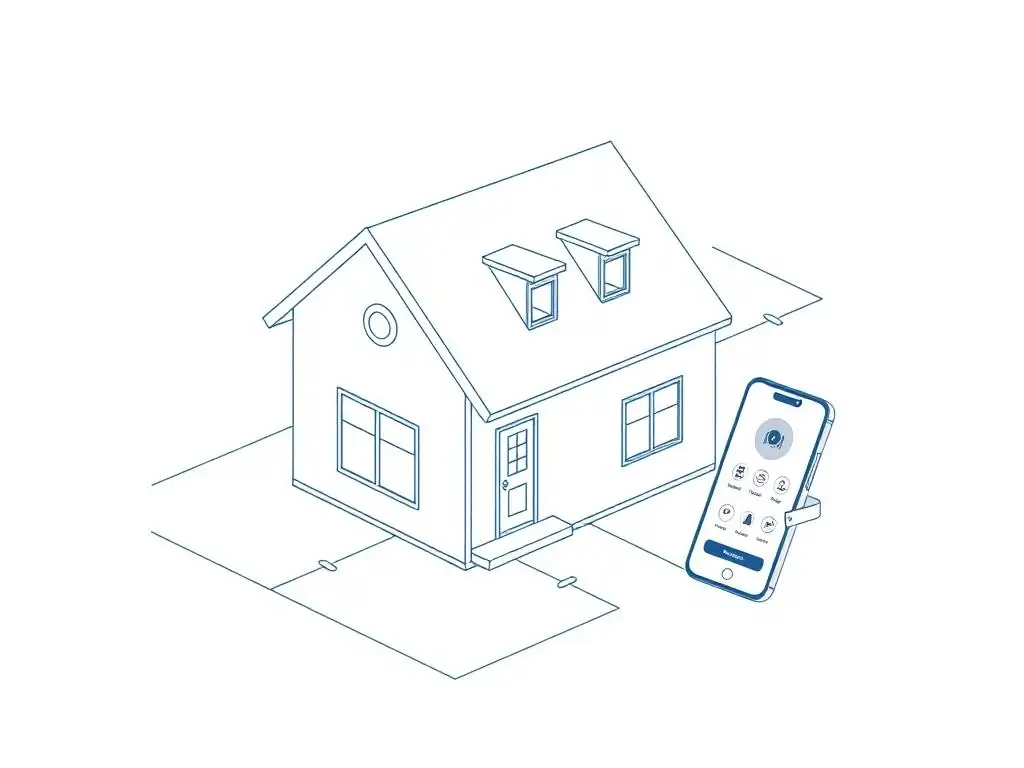
This section delves into strategies to enhance the effectiveness of your smart home security system beyond basic installation. We'll explore advanced features and best practices to maximize protection and peace of mind. Remember, a well-optimized system is the cornerstone of a truly secure smart home. This guide focuses on practical steps you can take to improve your smart home security installation and get the most out of your investment. Proper configuration and ongoing maintenance are key to achieving optimal security.
Smart Home Security System Integration: Connecting with Other Smart Devices (Example: Smart Lighting Integration with Alarm System)
Seamless integration with other smart devices dramatically boosts your home's security capabilities. Consider the synergy between your security system and smart lighting. For instance, you can program your lights to automatically switch on when the alarm is triggered, creating a deterrent effect and potentially alerting neighbors to a potential intrusion. This integration provides multiple layers of security beyond a simple alarm notification.
Think beyond lighting. Smart locks can be integrated to automatically lock upon alarm activation, preventing unauthorized entry. Similarly, smart cameras can be triggered by the alarm, providing visual confirmation of any activity. This interconnected approach transforms your smart home into a coordinated security ecosystem. The possibilities for enhancing your smart home security installation are vast; explore the compatibility of your chosen system with other smart devices in your home to unlock their potential for enhanced security. Proper configuration and testing are crucial to ensure seamless integration.
For example, a well-integrated system might involve:
- Alarm Trigger: Your security system detects an intrusion.
- Lighting Activation: Smart lights throughout the house automatically illuminate at full brightness.
- Camera Activation: Integrated security cameras begin recording and sending alerts to your smartphone.
- Lock Engagement: Smart locks on exterior doors automatically engage.
This coordinated response significantly increases the chances of deterring intruders and providing crucial evidence in case of an incident. The key is to carefully plan your integration strategy during the smart home security installation process.
Utilizing Smart Home Security System Features: Remote Access, Geofencing, and Automation
Modern smart home security systems offer a plethora of features designed to enhance security and convenience. Understanding and effectively utilizing these features is crucial for maximizing your system's potential. Let's explore some key capabilities:
- Remote Access: This allows you to monitor your home's security status from anywhere with an internet connection. Check the status of your doors, windows, and alarm system, and receive instant notifications of any unusual activity. This feature provides peace of mind whether you're at work, on vacation, or simply running errands.
- Geofencing: This feature uses GPS to create virtual boundaries around your home. Your system can automatically arm or disarm based on your phone's location. For instance, the system automatically disarms as you approach your home and arms itself when you leave. This adds a layer of convenience and security, ensuring your system is always active when needed.
- Automation: Automate various security tasks to streamline your routine and enhance protection. Set schedules for arming and disarming, create custom automations that trigger based on specific events (like sunset), or integrate with other smart devices for a fully automated security system. Careful planning during the smart home security installation is essential for leveraging automation effectively.
Monitoring Your Smart Home Security System: Regularly Checking for Updates and System Performance
Maintaining your smart home security system is as crucial as its initial installation. Regular monitoring ensures optimal performance and identifies potential vulnerabilities before they become problems. A proactive approach is key to a secure smart home.
Here's a checklist for ongoing system maintenance:
- Software Updates: Regularly check for and install software updates for your security system and all integrated devices. These updates often include critical security patches and performance enhancements. Ignoring updates leaves your system vulnerable to exploitation.
- System Tests: Periodically test all aspects of your system, including sensors, cameras, and alarms. This ensures everything functions correctly and identifies any potential malfunctions early on. A regular test schedule (e.g., monthly) is highly recommended.
- Battery Checks: Check the battery levels of your wireless devices, such as door/window sensors and key fobs. Low batteries can compromise the system's effectiveness. Replace batteries promptly as needed.
- Network Monitoring: Ensure a stable internet connection for reliable system performance and remote access. Network issues can significantly impact your system’s functionality. Regularly check your router's performance and consider using a dedicated network for your security system if possible.
By following these guidelines, you significantly enhance the effectiveness of your smart home security installation and enjoy a safer, more secure living environment. Remember, a well-maintained system is your best defense against potential threats.
Professional Smart Home Security System Monitoring: Weighing the Pros and Cons of Professional Services
Professional monitoring services offer a significant enhancement to your smart home security system, providing an extra layer of protection beyond the capabilities of DIY solutions. However, the decision to subscribe to these services requires careful consideration of the associated costs and benefits.
One of the most compelling advantages of professional monitoring is the immediate response to emergencies. If your system detects an intrusion, fire, or carbon monoxide leak, a monitoring center is alerted instantly. They can then dispatch emergency services, potentially saving lives and property. This rapid response is crucial, especially during nighttime hours or when you're away from home. Consider the peace of mind this offers – knowing that help is just a sensor trigger away. This is a significant benefit, particularly for families with young children or elderly relatives living alone.
Furthermore, professional monitoring often includes features beyond basic emergency response. Many services provide features such as 24/7 technical support, assisting with troubleshooting system issues or providing guidance on system optimization. This proactive support can prevent minor problems from escalating into major security breaches. Some services also offer features like remote access and control, allowing you to manage your system from anywhere with an internet connection, even if you are traveling internationally.
However, professional monitoring comes with a recurring monthly fee, which can add up over time. The cost varies widely depending on the provider and the specific features included in the package. Before committing to a service, it's crucial to compare prices and features from multiple providers to ensure you are getting the best value for your money. Carefully review the contract terms and conditions, paying close attention to cancellation policies and potential hidden fees.
Another factor to consider is the reliability of the monitoring service itself. While most reputable providers maintain high standards, occasional service interruptions or delays can occur. Researching the provider's track record and reading customer reviews can help you gauge the reliability of their service. Consider asking about their backup systems in case of power outages or other disruptions. A robust backup system is critical for ensuring continuous monitoring.
Professional smart home security system monitoring offers invaluable peace of mind and enhanced protection. However, the decision to subscribe to these services necessitates a careful evaluation of the associated costs, features, and the reliability of the provider. Weighing the pros and cons based on your individual needs and budget is essential to making an informed decision that best secures your sanctuary.
Troubleshooting Common Smart Home Security Installation Problems
This section delves into the most frequently encountered problems during smart home security installation, offering practical solutions to get your system up and running smoothly. We'll cover Wi-Fi connectivity issues, sensor malfunctions, and camera problems, providing detailed troubleshooting steps for each. Remember, a properly functioning smart home security system is paramount for peace of mind.
Smart Home Security System Wi-Fi Connectivity Issues: Resolving Network Problems
A common hurdle in smart home security installation is establishing reliable Wi-Fi connectivity for your devices. Weak signals, incorrect network settings, and router compatibility issues are frequent culprits. Let's address these individually.
First, signal strength is crucial. Most smart home security devices rely on your home's Wi-Fi network for communication. If your router is far from the security devices, or if there are physical obstructions (thick walls, metal objects), the signal will be weakened, leading to connectivity problems. Consider using a Wi-Fi extender or mesh network to boost the signal in areas with weak coverage. For example, if your security camera is in a basement or far corner of your house, a strategically placed extender can significantly improve performance.
Next, ensure your network settings are correctly configured. Double-check that you've entered the correct Wi-Fi password during the device setup process. Even a minor typo can prevent connection. Furthermore, some routers employ advanced security features like MAC address filtering. If your router has this enabled, you might need to add the MAC addresses of your smart home security devices to the whitelist to allow them to connect. This information is typically found on a sticker on the device itself.
Finally, router compatibility can also play a role. Older routers might lack the necessary bandwidth or protocols to support the demands of a modern smart home security system. If you're experiencing persistent connectivity issues, consider upgrading to a newer router that supports the latest Wi-Fi standards (like Wi-Fi 6 or Wi-Fi 6E) for optimal performance. A router with a robust 5 GHz band is also highly recommended for minimizing interference and maximizing speed.
Smart Home Security Sensor Malfunctions: Identifying and Addressing Sensor Issues
Smart home security sensors, such as door/window sensors, motion detectors, and glass break detectors, are essential components of a comprehensive security system. However, these sensors can sometimes malfunction, leading to false alarms or missed detections. Let's examine how to troubleshoot these problems.
One common cause of sensor malfunction is battery depletion. Many sensors are battery-powered, and low batteries can lead to intermittent or complete sensor failure. Regularly check the battery levels of your sensors and replace them as needed. A simple task list can help you stay on top of this maintenance:
- [ ] Check door/window sensor batteries monthly.
- [ ] Check motion detector batteries every three months.
- [ ] Check other sensor batteries as recommended by the manufacturer.
Another issue is incorrect placement or installation. Sensors need to be properly positioned to function effectively. For example, a door/window sensor should be firmly attached to the frame and door/window, ensuring a proper seal. A motion detector should be placed where it can effectively detect movement without being obstructed by furniture or other objects. Refer to the manufacturer's instructions for optimal placement guidelines.
Finally, environmental factors such as extreme temperatures, humidity, or dust can also affect sensor performance. Ensure your sensors are operating within their specified environmental parameters to avoid malfunctions. Cleaning sensors regularly can also improve reliability. For example, dusting off a motion sensor lens could resolve detection problems.
Smart Home Security Camera Issues: Troubleshooting Video and Audio Problems
Smart home security cameras provide a crucial visual deterrent and allow for remote monitoring. However, video and audio problems can significantly hamper their effectiveness.
Poor video quality can stem from several sources. A weak Wi-Fi signal, as discussed earlier, is a common culprit. Ensure your camera has a strong and stable connection to your router. Additionally, check the camera's lens for any obstructions or smudges that could affect image clarity. Cleaning the lens with a microfiber cloth can often resolve this. Low-light conditions can also affect video quality. Consider using cameras with night vision capabilities for optimal performance in dimly lit areas.
Audio problems, such as crackling or no sound at all, are also common. First, check the camera's microphone to ensure it isn't obstructed or damaged. Similar to the video quality, a weak Wi-Fi signal can also lead to audio dropouts or poor quality. Furthermore, ensure your camera's audio settings are correctly configured within the app or software you're using to monitor it. In some cases, background noise can interfere with audio transmission, so consider adjusting the camera's location to reduce environmental noise.
Troubleshooting these issues proactively will ensure your smart home security system functions optimally, providing the security and peace of mind you deserve. Remember that consulting your system's manual is always beneficial for specific troubleshooting steps and product-specific information.
Maintaining Your Smart Home Security System: Long-Term Protection and Peace of Mind
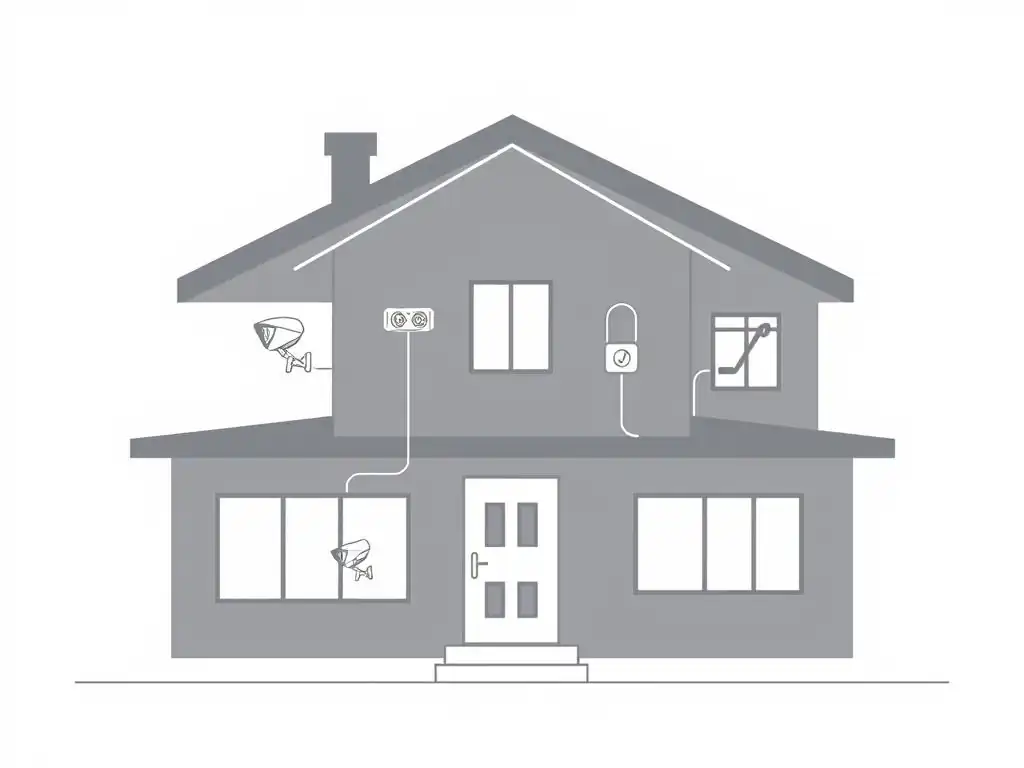
Maintaining a robust smart home security system isn't a one-time task; it's an ongoing commitment to safeguarding your home and loved ones. Regular maintenance ensures optimal performance, extends the lifespan of your equipment, and prevents vulnerabilities that could compromise your security. Think of it as preventative maintenance for your digital fortress. Ignoring these steps could leave you vulnerable to security breaches and system failures, negating the very benefits you initially sought with your smart home security installation. This section details essential maintenance practices to keep your system running smoothly and effectively for years to come.
Regular Software Updates: Ensuring Optimal Performance and Security Patches
Regular software updates are paramount for maintaining the security and functionality of your smart home security system. These updates often include critical security patches that address newly discovered vulnerabilities, preventing hackers from exploiting weaknesses in your system's software. Furthermore, updates often introduce performance enhancements, bug fixes, and new features that improve the overall user experience and system efficiency. Neglecting updates leaves your system exposed to potential threats and can lead to malfunctions and decreased reliability.
Think of it like updating the operating system on your phone or computer – crucial for optimal performance and security. Manufacturers frequently release updates to address security flaws and improve system performance. These updates often include fixes for known bugs, improvements to the user interface, and enhancements to features like motion detection and facial recognition.
Here's a practical checklist to ensure you're staying up-to-date:
- Check for updates regularly: Most smart home security systems will notify you of available updates, but it’s good practice to manually check at least once a month.
- Install updates promptly: Don't delay installing updates. The sooner you apply them, the sooner your system is protected against potential vulnerabilities.
- Read release notes: Before installing, review the release notes to understand the changes and improvements included in the update. This can help you troubleshoot any issues that may arise.
- Schedule automatic updates (if available): Many systems allow you to schedule automatic updates, ensuring your system remains consistently updated without manual intervention. This is the most convenient and effective method.
Battery Replacement and Maintenance: Keeping Your System Running Smoothly
Many components of your smart home security system, such as wireless sensors, cameras, and keypads, rely on batteries. Regular battery replacement is crucial to ensure continuous operation and prevent system failures. Depleted batteries can lead to false alarms, missed alerts, and ultimately, compromised security. Different devices have different battery life expectancies, ranging from 6 months to several years depending on usage and battery type. Consult your user manuals for specific recommendations.
Here's a practical approach to battery maintenance:
- Keep track of battery life: Note the approximate lifespan of your batteries and set reminders for replacement. Use a calendar, a spreadsheet, or a dedicated app to manage this.
- Use high-quality batteries: Opt for reputable brands known for their longevity and reliability. Cheap batteries can fail prematurely, leading to unexpected downtime.
- Test batteries regularly: Periodically check the battery levels on your devices using the system's app or by visually inspecting the battery compartment.
- Replace batteries promptly: Don't wait until a device stops working completely. Replace batteries as soon as they fall below a certain threshold to avoid interruptions.
- Proper disposal: Dispose of used batteries responsibly, according to local regulations. Many retailers offer battery recycling programs.
Professional Maintenance: Scheduling Regular Checkups for Your Smart Home Security System
While you can handle much of the routine maintenance yourself, scheduling periodic professional checkups is highly recommended. A qualified technician can perform a comprehensive inspection of your system, identifying potential problems you might miss. They can check for loose connections, faulty sensors, and software glitches that could compromise your security. They can also provide valuable advice on optimizing your system's performance and address any questions or concerns you might have.
Consider professional maintenance as an investment in your home's security and peace of mind. The cost of a professional checkup is far outweighed by the potential cost of a security breach or system failure.
Here are some key benefits of professional maintenance:
- Comprehensive system inspection: Technicians conduct thorough inspections, identifying potential issues before they escalate.
- Expert troubleshooting: They can diagnose and resolve complex problems that might be beyond your technical expertise.
- Firmware updates: They can ensure your system is running the latest firmware, enhancing security and performance.
- System optimization: They can offer recommendations to improve the efficiency and effectiveness of your smart home security system.
- Preventative maintenance: Regular checkups can prevent future problems, saving you time and money in the long run.
Regular maintenance is a crucial aspect of owning a smart home security system. By following these guidelines, you can significantly improve the lifespan, performance, and overall security of your system, ensuring your home remains a safe and secure sanctuary. 🏠🛡️
Conclusion: Enjoying the Benefits of a Secure and Smart Home
This comprehensive guide has walked you through the intricacies of smart home security installation, equipping you with the knowledge to transform your house into a secure sanctuary. Successfully completing your smart home security installation offers numerous advantages beyond simply deterring intruders. It provides peace of mind, knowing your loved ones and possessions are protected, even when you're away. This enhanced security translates to a more relaxed and enjoyable lifestyle, allowing you to focus on what truly matters.
The Value of Smart Home Security: Protecting Your Family and Belongings
The investment in a smart home security system offers significant returns in terms of safety and security. Beyond the obvious deterrent effect of visible security cameras and alarm systems, smart home security provides a proactive approach to protection. Consider the following:
- Immediate Alerts: Real-time notifications, sent directly to your smartphone, allow for swift responses to potential threats. This immediacy can be crucial in minimizing damage or injury. Imagine receiving an alert about an open door or a triggered motion sensor—you can take action immediately, even remotely.
- Remote Monitoring: Whether you're at work, on vacation, or simply running errands, you maintain constant vigilance over your home. Check in anytime, anywhere, offering reassurance and control. This capability is particularly valuable for families with children or elderly parents living alone.
- Comprehensive Coverage: Smart home security systems are not limited to just doors and windows. Many systems incorporate motion detectors, smoke alarms, and carbon monoxide detectors, providing holistic protection against a wide range of threats. This integrated approach ensures a higher level of safety and security.
- Deterrent Effect: Visible security cameras and strategically placed sensors act as a strong visual deterrent to potential criminals. The presence of a smart home security system significantly reduces the likelihood of break-ins. Studies show a marked decrease in burglaries in homes with visible security systems.
- Evidence Collection: In the unfortunate event of a break-in, the recorded footage from your security cameras provides invaluable evidence for law enforcement, increasing the chances of apprehending the perpetrator and recovering stolen items. This detailed record can be crucial in insurance claims as well.
Future-Proofing Your Smart Home Security: Adapting to Evolving Technology
The field of smart home technology is constantly evolving. To ensure your system remains effective and up-to-date, consider these strategies for future-proofing your investment:
- Choosing Scalable Systems: Opt for a system that allows for easy expansion and upgrades. This might involve adding more cameras, sensors, or integrating new smart home devices as your needs change or new technologies emerge. Flexibility is key.
- Regular Software Updates: Keep your system's software updated to benefit from bug fixes, enhanced features, and improved security protocols. Regular updates are essential to maintaining optimal performance and protecting against vulnerabilities.
- Investing in High-Quality Components: While the initial cost might be higher, investing in reputable brands and durable components will pay off in the long run, minimizing the need for frequent replacements and ensuring longevity. Prioritize reliability and quality.
- Staying Informed: Keep abreast of the latest advancements in smart home security technology. Reading industry publications, attending webinars, or following relevant experts on social media can help you identify opportunities to enhance your system's capabilities and address emerging threats. Continuous learning is key to maintaining a robust security posture.
- Professional Monitoring: Consider professional monitoring services for added peace of mind. These services provide 24/7 surveillance and rapid response to emergencies, ensuring immediate assistance when needed. This proactive approach offers an extra layer of security.
The successful completion of your smart home security installation is just the beginning. By understanding the value of your system and proactively adapting to technological advancements, you can enjoy the long-term benefits of a secure and smart home, providing lasting peace of mind for you and your family. 🏠 🔑 🛡️
Frequently Asked Questions
What tools do I need for smart home security installation?
You'll need basic hand tools like screwdrivers (Phillips and flathead), a drill (possibly), wire strippers/crimpers (depending on the system), and a ladder if installing cameras or sensors high up. Consult your system's manual for a complete list.
How long does it typically take to install a smart home security system?
Installation time varies greatly depending on the system's complexity and the size of your home. A simple system might take a few hours, while a more extensive setup could take a full day or longer. Plan your time accordingly.
Do I need professional help to install a smart home security system?
While many systems are DIY-friendly, professional installation offers peace of mind and ensures proper setup. Consider professional help if you're uncomfortable with wiring or complex configurations. It's a worthwhile investment for complex systems.
How can I ensure my smart home security system is truly secure?
Use strong, unique passwords, enable two-factor authentication, and keep your system's firmware updated. Regularly check your system's logs for any suspicious activity. Choose reputable brands with strong security features.
What are the ongoing costs associated with a smart home security system?
Expect monthly subscription fees for monitoring services (optional but recommended) and potentially recurring costs for cloud storage of video footage. Factor these ongoing costs into your budget before purchasing a system. Compare pricing plans before committing.
Final Reflection: Building a Fortress of Peace of Mind
The pursuit of a secure home environment is no longer a luxury; it's a fundamental necessity in our increasingly interconnected world. The rise of smart technology offers unprecedented opportunities to enhance our safety and peace of mind, transforming the traditional notion of home security into a proactive and personalized experience. This guide has aimed to demystify the process of smart home security installation, empowering you to take control of your safety.
The impact of smart home security extends far beyond the technological advancements themselves. It represents a shift in our relationship with our homes, fostering a sense of control and security that resonates deeply. It's about more than just deterring intruders; it's about creating a sanctuary where we feel safe, protected, and empowered to live our lives without constant worry. The feeling of security is one of the greatest comforts of life.
This quote, though not directly about smart home technology, perfectly captures the emotional core of why we invest in securing our homes.
Now, consider the steps outlined in this guide. Reflect on your own home environment and identify areas where you can enhance your security. Perhaps it's installing a smart lock, integrating a security camera system, or simply improving your existing alarm system. Don't wait for an incident to motivate you; take proactive steps today to build a secure and comforting sanctuary for yourself and your loved ones. The journey towards a safer home begins with a single, informed decision. Embrace the power of technology to safeguard what matters most.
Unlock Your Smart Home's Full Potential!
Thank you for taking the time to learn how to enhance your home security! We hope this guide has empowered you to take control of your home's safety. Now, let's put your new knowledge into practice.
- Prioritize your smart home security system installation: This is the foundation for peace of mind. Begin with essential components, such as door sensors and a security camera system, and gradually expand from there.
- Share your experiences: Let us and other readers know about any challenges you faced and how you overcame them in the comments below. This helps build a supportive community of security-conscious homeowners.
- Explore additional resources: Learn more about smart home integration by exploring our other articles on advanced security systems and automation techniques.
Ready to transform your home into a secure haven? What smart home security feature are you most excited to install first?