
Smart Home Security Cameras: Protecting Your Home Inside and Out

Ready to transform your daily life? At UltimateLifeHacks, we're dedicated to providing you with the most effective and practical strategies for boosting productivity and simplifying your routine. But what about the security of your most valuable asset – your home? This is where our latest guide, "Smart Home Security Camera Tips," comes in. Discover surprising insights and simple yet powerful techniques to maximize your home's security using smart technology. Unlock the secrets to a safer, more efficient, and ultimately, better life – explore now!
-
Understanding Your Smart Home Security Camera Needs
- Assessing Your Home's Security Vulnerabilities: Identifying Blind Spots and High-Risk Areas
- Choosing the Right Camera Type: Indoor vs. Outdoor Smart Home Security Cameras
- Essential Features for Optimal Smart Home Security Camera Performance: Night Vision, Motion Detection, Two-Way Audio
- Budget Considerations for Smart Home Security Camera Systems: Balancing Features and Cost
- Top Smart Home Security Cameras: A Comparative Review
-
Setting Up Your Smart Home Security Camera System: A Step-by-Step Guide
- Installing Your Smart Home Security Camera: Wireless vs. Wired Connections
- Configuring Your Smart Home Security Camera App: Connecting to Wi-Fi and Personalizing Settings
- Optimizing Camera Placement for Maximum Coverage: Strategic Positioning for Optimal Security
- Integrating with Other Smart Home Devices: Creating a Unified Security Ecosystem (e.g., with Google Home or Alexa)
-
Enhancing Your Smart Home Security Camera System: Advanced Features and Tips
- Utilizing Advanced Motion Detection Settings: Customizing Sensitivity and Zones for Reduced False Alarms
- Leveraging Cloud Storage and Local Storage Options: Ensuring Data Security and Accessibility
- Receiving Real-Time Alerts and Notifications: Staying Informed of Potential Threats
- Smart Home Security Camera App Features: Remote Access, Live View, and Playback Options
-
Maximizing Your Smart Home Security Camera Investment: Beyond Basic Monitoring
- Integrating with Professional Monitoring Services: Adding an Extra Layer of Protection
- Using Smart Home Security Cameras for Deterrence: Visible Cameras as a Visual Deterrent
- Exploring Advanced Features: Facial Recognition, Person Detection, and Package Detection
- Maintaining Your Smart Home Security Camera System: Regular Maintenance and Software Updates
-
Troubleshooting Common Smart Home Security Camera Issues
- Resolving Connectivity Problems: Troubleshooting Wi-Fi Issues and Network Connectivity
- Dealing with Poor Image Quality: Adjusting Settings and Addressing Environmental Factors
- Addressing False Alarms: Optimizing Motion Detection Settings and Camera Placement
- Troubleshooting Common App Issues: Addressing Glitches and Software Errors
- The Future of Smart Home Security Cameras: Emerging Technologies and Trends
- Conclusion: Securing Your Home with the Right Smart Home Security Camera System
-
Frequently Asked Questions
- What are the essential features to look for when buying a smart home security camera?
- How can I improve the security of my smart home security camera system?
- What are some tips for optimal camera placement to maximize coverage?
- Can I integrate my smart home security cameras with other smart home devices?
- What should I do if my smart home security camera is offline or malfunctioning?
- Final Reflection: Securing Our Future, One Smart Camera at a Time
- Unlock Your Home's Peace of Mind: Take Charge of Your Security Today!
Understanding Your Smart Home Security Camera Needs
Smart home security cameras have become indispensable tools for enhancing home safety and peace of mind. This comprehensive guide delves into the crucial aspects of selecting and utilizing smart home security cameras effectively, providing practical tips and insights to optimize your home's security. We'll explore how to assess your home's vulnerabilities, choose the right camera type for your specific needs, and leverage essential features for optimal performance.
Understanding these key elements will empower you to build a robust and reliable smart home security system that protects your property and loved ones. This guide is designed to help you master "smart home security camera tips" and transform your home into a secure haven. We'll focus on practical applications and actionable advice, ensuring you can confidently navigate the world of smart home security.
Assessing Your Home's Security Vulnerabilities: Identifying Blind Spots and High-Risk Areas
Before investing in smart home security cameras, thoroughly assess your home's security vulnerabilities. This involves identifying blind spots – areas not covered by existing security measures – and high-risk areas prone to potential intrusions. Consider the following:
- Exterior Perimeter: Walk around your property, noting potential entry points like poorly lit areas, unlocked gates, or easily accessible windows. Draw a simple sketch of your home, marking these vulnerable points.
- Interior Layout: Analyze your home's interior layout, identifying areas that are typically out of sight or less frequently monitored. This might include hallways, basements, or garages.
- High-Value Items: Consider the location of high-value items like jewelry, electronics, or cash. Cameras strategically placed near these items can act as a significant deterrent.
- Neighborhood Context: Observe your neighborhood's security landscape. Is your neighborhood known for high crime rates? This informs your camera placement strategy and might necessitate additional security measures.
By carefully analyzing these aspects, you can create a prioritized list of areas requiring camera coverage. Remember, a well-placed camera is far more effective than numerous cameras deployed haphazardly. Prioritize strategic placement over sheer quantity. This meticulous assessment will ensure your investment in smart home security cameras is both effective and efficient.
Choosing the Right Camera Type: Indoor vs. Outdoor Smart Home Security Cameras
Smart home security cameras are broadly categorized into indoor and outdoor models. The choice depends heavily on your specific needs and the environment where the camera will be deployed. Here's a breakdown of the key differences:
| Feature | Indoor Camera | Outdoor Camera |
|---|---|---|
| Environment | Suitable for indoor use only | Designed to withstand harsh weather conditions |
| Durability | Less durable, susceptible to damage from water | More durable, weatherproof casing |
| Power Source | Typically powered by AC adapter | Often powered by AC adapter or battery |
| Image Quality | Varies depending on model and resolution | Varies depending on model and resolution |
| Features | May lack features like infrared night vision | Often includes infrared night vision and more robust features |
Understanding these differences is crucial for making an informed purchasing decision. For example, an outdoor camera needs to withstand extreme temperatures, rain, and sunlight. Indoor cameras, on the other hand, prioritize image quality and ease of use within a controlled environment. Consider your specific requirements to maximize the effectiveness of your camera system.
Essential Features for Optimal Smart Home Security Camera Performance: Night Vision, Motion Detection, Two-Way Audio
Several key features significantly enhance the performance and usability of smart home security cameras. These features provide crucial functionalities for effective monitoring and deterring potential threats.
- Night Vision: Infrared night vision is essential for capturing clear images in low-light conditions. This ensures round-the-clock monitoring, even at night. Look for cameras with effective night vision capabilities, measured by the range of infrared illumination.
- Motion Detection: Motion detection is a crucial feature that triggers recording or alerts when movement is detected within the camera's field of view. This feature helps to minimize storage space and allows for immediate notification of suspicious activity. Configure sensitivity settings carefully to avoid false alarms.
- Two-Way Audio: Two-way audio enables communication through the camera, allowing you to speak to individuals within the camera's range. This feature can be invaluable for deterring intruders or communicating with family members. Clear audio quality is paramount for this feature's effectiveness.
These features, when combined effectively, create a powerful and versatile smart home security system. Consider your specific needs and budget when selecting cameras with these crucial features. Remember to carefully configure settings to optimize performance and minimize false alarms. Prioritizing these key features will significantly enhance your home's security.
Budget Considerations for Smart Home Security Camera Systems: Balancing Features and Cost
Choosing a smart home security camera system involves careful consideration of your budget. The market offers a vast range of options, from basic models costing under $50 to sophisticated systems exceeding $1000. Understanding the features you truly need versus those that are nice-to-haves is crucial for making a financially sound decision. Don't be swayed by flashy marketing; prioritize features that directly address your security concerns.
For instance, if your primary concern is deterring potential intruders, a camera with a bright, visible LED light and a noticeable housing might be sufficient. These generally come at a lower price point than cameras boasting advanced AI-powered features like facial recognition or object detection. However, if you value features like continuous recording or cloud storage for longer-term video retention, be prepared to invest more. These features often require subscription services, adding to the overall cost of ownership beyond the initial purchase price.
Consider the number of cameras you need. A single camera might suffice for monitoring a main entrance, but comprehensive coverage of your property may require a multi-camera system, significantly increasing the upfront cost. Also, factor in potential recurring expenses such as cloud storage subscriptions, professional monitoring fees (if opting for this service), and the cost of replacing cameras or system components over time.
A well-researched budget will prevent unexpected expenses and ensure you select a system that fits your long-term financial plan. Remember to compare the total cost of ownership (TCO) across different systems, not just the initial purchase price. This holistic approach will help you make an informed decision that provides excellent security without breaking the bank.
Consider creating a spreadsheet to compare different models and their associated costs over a three-to-five-year period to visualize the true financial impact. This meticulous planning will ensure your smart home security investment is both effective and affordable.
Top Smart Home Security Cameras: A Comparative Review
This section dives deep into three popular smart home security cameras, comparing their features, advantages, disadvantages, and pricing to help you make an informed decision for your home security needs. Choosing the right camera can significantly impact your peace of mind and the effectiveness of your smart home security system. Remember, the best camera depends on your specific needs and budget.
Arlo Pro 4: Features, Pros, Cons, and Pricing
The Arlo Pro 4 is a prominent player in the wireless smart home security camera market. Its key selling point is its exceptional versatility and feature-rich design.
Arlo Pro 4 boasts a 2K HDR video resolution, providing incredibly crisp and clear footage, even in low-light conditions thanks to its integrated spotlight. It offers a wide 160° diagonal view, minimizing blind spots. Furthermore, the camera features advanced motion detection with customizable activity zones, allowing you to pinpoint specific areas of interest. This significantly reduces false alarms triggered by unwanted movements like swaying trees or passing animals. Integration with other smart home devices and platforms is seamless, offering a robust ecosystem for comprehensive home security.
Pros:
- Excellent 2K HDR video quality.
- Powerful spotlight and siren.
- Advanced motion detection with activity zones.
- Long battery life (up to 6 months depending on usage).
- Wide range of compatibility with other smart home systems.
Cons:
- Higher initial cost compared to some competitors.
- Subscription required for cloud storage and some advanced features. While the camera offers local storage options, cloud storage is generally recommended for reliable access and backup.
- Requires a strong and consistent Wi-Fi connection for optimal performance.
Pricing: The price varies depending on the retailer and any bundled offers, but expect to pay in the range of [specific pricing range pending] for a single camera. Multi-camera systems will, of course, cost more.
Google Nest Cam (Battery): Features, Pros, Cons, and Pricing
The Google Nest Cam (Battery) offers a compelling balance of features, ease of use, and affordability. Its battery-powered design provides flexibility in placement, eliminating the need for nearby power outlets.
This camera provides 1080p Full HD video, delivering clear and detailed footage. It boasts intelligent features like person detection, which sends notifications only when a person is detected, significantly reducing false alarms. The Nest Cam integrates seamlessly with other Google devices and services, making it a natural fit for existing Google ecosystems. The camera's compact size and sleek design make it unobtrusive, blending seamlessly into various home environments.
Pros:
- Easy setup and intuitive interface.
- Person detection reduces false alarms.
- Seamless integration with Google ecosystem.
- Battery powered for flexible placement.
- Relatively affordable compared to high-end options.
Cons:
- Lower resolution than some competitors (1080p vs 2K).
- Battery life can vary depending on usage and settings; expect to recharge every few months.
- Subscription is required for cloud storage and some advanced features.
Pricing: The Google Nest Cam (Battery) typically falls within the price range of [specific pricing range pending] for a single unit.
Blink Mini: Features, Pros, Cons, and Pricing
The Blink Mini is a budget-friendly option that doesn't compromise on essential features. Designed for indoor use, it offers a simple yet effective solution for basic home security monitoring.
While offering only 1080p HD video, the Blink Mini provides surprisingly clear footage. It’s notable for its incredibly long battery life, often lasting for months on a single set of batteries. Its compact design allows for discreet placement, and setup is straightforward. It integrates with the Amazon Alexa ecosystem, enabling voice control and integration with other compatible smart devices.
Pros:
- Very affordable price point.
- Extremely long battery life.
- Easy to set up and use.
- Works with Alexa.
Cons:
- No night vision (requires adequate ambient lighting).
- Limited advanced features compared to higher-end cameras.
- No local storage; cloud storage is essential.
Pricing: The Blink Mini is usually one of the most affordable options, often priced around [specific pricing range pending] per camera. This makes it an attractive choice for those on a tight budget or seeking a simple solution for monitoring specific areas.
This comparison provides a starting point for your research. Remember to consider your individual needs, budget, and desired features when selecting the best smart home security camera for your home. Consider factors like resolution, night vision, battery life, cloud storage options, and smart home integration before making a purchase. Happy securing! 🏠🔒
Comparing Key Features: A Detailed Comparison Table of Top Smart Home Security Cameras
Choosing the right smart home security camera can feel overwhelming given the sheer number of options available. To help you navigate this, we've compiled a detailed comparison of some of the top contenders, focusing on key features that directly impact your home security. This table allows for a side-by-side analysis, enabling you to identify the camera best suited to your specific needs and budget. Remember that technology is constantly evolving, so always check for the latest specifications before purchasing. Pricing can also fluctuate depending on retailer and promotions.
| Feature | Camera Model A | Camera Model B | Camera Model C | Camera Model D | Considerations |
|---|---|---|---|---|---|
| Resolution | 1080p Full HD | 4K Ultra HD | 1440p QHD | 1080p Full HD | Higher resolution offers greater detail and clarity. |
| Night Vision | Up to 30 feet | Up to 50 feet | Up to 40 feet | Up to 25 feet | Crucial for effective monitoring in low-light conditions. |
| Field of View (FOV) | 110° | 130° | 120° | 90° | Wider FOV covers a larger area. |
| Two-Way Audio | Yes | Yes | Yes | Yes | Allows for communication with visitors or pets. |
| Motion Detection | Yes, adjustable | Yes, with zones | Yes, with AI | Yes, basic | Customizable zones and AI-powered detection enhance accuracy. |
| Cloud Storage (Subscription) | Yes, tiered plans | Yes, tiered plans | Yes, included (limited) | No, microSD only | Consider storage costs and capacity limitations. |
| Local Storage | microSD card | microSD card | microSD card | microSD card | Provides backup storage in case of network issues. |
| Integration with other Smart Home devices | Works with [Platform A] and [Platform B] | Works with [Platform C] and [Platform D] | Works with [Platform E] and [Platform F] | Works with [Platform G] only | Seamless integration enhances smart home functionality. |
| Price Range | $[Price Range A] | $[Price Range B] | $[Price Range C] | $[Price Range D] | Budget plays a significant role in your choice. |
Understanding the nuances of each feature is critical for making an informed decision. For instance, while 4K resolution offers superior image quality, it might not be necessary for all users. Similarly, the availability of cloud storage, and its associated cost, is a key factor to consider, especially for long-term video retention.
The integration with other smart home systems can significantly improve the overall functionality of your security setup, allowing for centralized control and automation. Finally, don't underestimate the importance of reliable night vision and a wide field of view, particularly for outdoor cameras. By carefully evaluating these factors, you can choose the smart home security camera that best meets your individual needs and enhances your home's security.
Remember to read detailed reviews and check customer feedback before making a final purchase to ensure you are getting a high-quality and reliable product. This detailed comparison of smart home security camera tips will help you make an informed decision.
Setting Up Your Smart Home Security Camera System: A Step-by-Step Guide
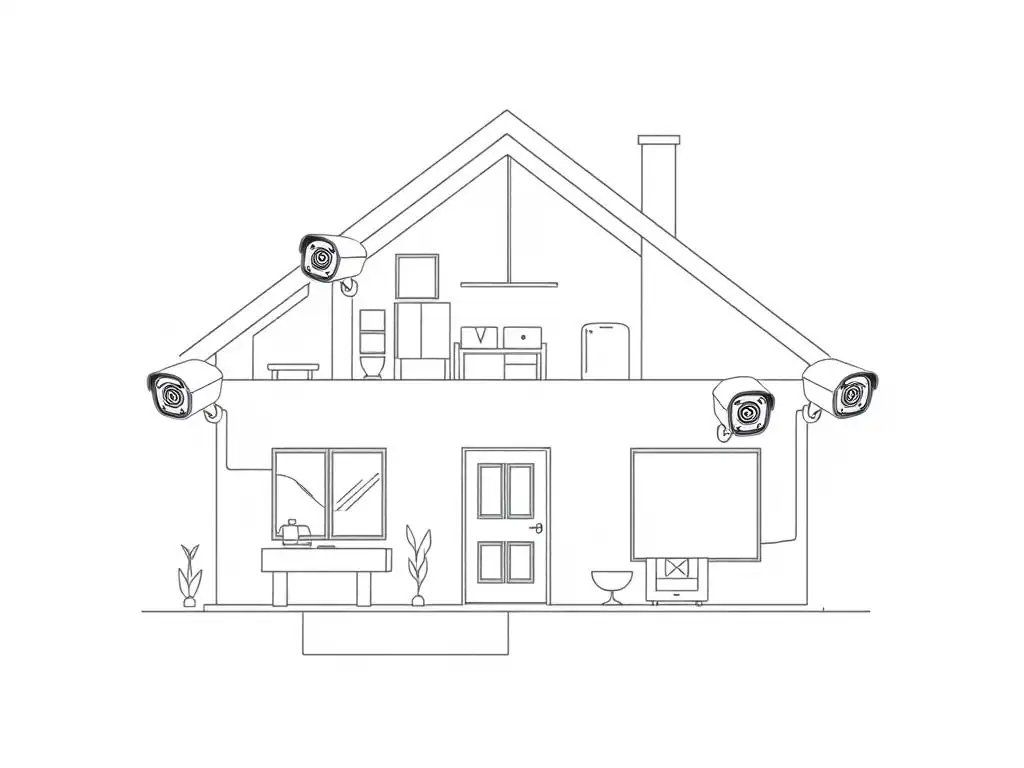
This section details the process of setting up your smart home security camera system, providing crucial steps for a smooth and effective installation. We'll cover everything from initial hardware setup to optimizing the camera's placement for maximum security. Mastering these steps will significantly enhance your home's protection and give you peace of mind. Remember, a properly configured smart home security camera system is your first line of defense against potential threats.
Installing Your Smart Home Security Camera: Wireless vs. Wired Connections
Choosing between a wireless and wired connection for your smart home security camera is a critical first step. Each option presents distinct advantages and disadvantages, impacting your system's reliability and performance.
Wireless connections offer unparalleled convenience. Simply plug in your camera, connect to your Wi-Fi network via the accompanying app, and you're ready to go. This ease of installation makes them ideal for renters or those averse to complex wiring. However, wireless signals can be susceptible to interference from other devices, leading to connectivity issues or dropped frames. Range can also be a limitation, especially in larger homes with thick walls.
Wired connections, on the other hand, provide a more stable and reliable connection. They're less prone to interference and offer a consistently strong signal, ensuring uninterrupted video streaming. This is particularly important for critical security applications where dropped frames could be detrimental. However, wired installations require more technical expertise and may involve drilling holes and running cables, making them less convenient for some users.
The optimal choice depends on your specific needs and technical skills. Consider factors such as the size of your home, the presence of existing network infrastructure, and your tolerance for potential connectivity issues when making your decision. For example, a smaller apartment with a strong Wi-Fi signal might be perfectly suited to a wireless camera, while a large house with multiple floors might benefit from the reliability of a wired system.
Configuring Your Smart Home Security Camera App: Connecting to Wi-Fi and Personalizing Settings
Once your camera is physically installed, the next crucial step involves configuring the accompanying mobile application. This app is the control center for your smart home security camera, offering a range of features and customization options. A properly configured app ensures optimal performance and allows you to tailor the camera's functionality to your specific needs.
The first step is connecting your camera to your home's Wi-Fi network. Most apps provide clear, step-by-step instructions for this process, typically involving entering your Wi-Fi password and selecting your network from a list of available connections. Ensure your Wi-Fi signal is strong in the camera's location to avoid connectivity problems.
Following the Wi-Fi connection, personalize your camera's settings. This includes configuring features such as motion detection sensitivity, recording schedules, notification settings (email, push notifications), and video quality. Adjusting these settings allows you to optimize the camera's performance and reduce false alarms. For instance, setting a higher motion detection sensitivity might increase the number of notifications, while a lower setting could miss important events.
Finding the right balance is key. Many apps also allow you to customize the camera's field of view, enabling you to focus on specific areas of your property. Experiment with these settings to find the optimal configuration for your home and security needs.
Optimizing Camera Placement for Maximum Coverage: Strategic Positioning for Optimal Security
Strategic camera placement is paramount for maximizing your smart home security camera's effectiveness. Poorly placed cameras can lead to blind spots, hindering their ability to detect and record important events. Careful consideration of your home's layout and potential security vulnerabilities is crucial for optimal protection.
Consider the following factors when choosing camera locations:
- High-traffic areas: Position cameras to cover entrances, exits, windows, and other areas where intruders are most likely to gain access.
- Blind spots: Identify and eliminate blind spots by strategically placing multiple cameras to provide overlapping coverage.
- Lighting conditions: Ensure cameras have adequate lighting, especially at night. Consider cameras with night vision capabilities for optimal performance in low-light conditions.
- Obstructions: Avoid placing cameras where they might be obstructed by trees, bushes, or other objects.
- Power sources: Ensure easy access to power sources for wired cameras or strategically position wireless cameras within range of your Wi-Fi router.
Use a combination of indoor and outdoor cameras to create a comprehensive security system. For example, an outdoor camera facing your front door can deter potential intruders, while an indoor camera can monitor activity inside your home. Remember, the goal is to create a layered security system that offers maximum protection from all angles.
By carefully considering these factors, you can optimize your camera placement to ensure comprehensive coverage and enhance your home's security. Remember to regularly review and adjust camera placement as needed to account for changes in your home environment or security needs. A proactive approach to camera placement will significantly improve the effectiveness of your smart home security camera system.
Integrating with Other Smart Home Devices: Creating a Unified Security Ecosystem (e.g., with Google Home or Alexa)
Integrating your smart home security camera with other smart home devices significantly enhances your home's security and convenience. This creates a unified ecosystem where all your smart devices work together seamlessly, providing a more comprehensive and responsive security system. For instance, linking your camera to a smart speaker like Google Home or Amazon Alexa allows for voice control. You can verbally request a live feed from your camera, check the status of your system, or even trigger alerts based on specific events. This hands-free control is particularly useful when your hands are full or in emergency situations.
The benefits extend beyond voice control. Imagine a scenario where your smart security camera detects motion. This trigger could automatically activate other smart home devices, such as turning on your smart lights to deter intruders or sending an alert to your smartphone, along with a live video feed. Some systems allow for even more sophisticated integrations, such as automatically locking your smart doors upon detection of an unusual event.
Compatibility is a key factor to consider. Before purchasing a smart home security camera, ensure it's compatible with your existing smart home ecosystem. Check the manufacturer's specifications to see which platforms (Google Assistant, Amazon Alexa, Apple HomeKit, etc.) the camera supports. Many cameras offer a variety of integrations, providing flexibility and choice.
However, some may be limited to specific platforms, so it’s crucial to check compatibility before committing to a purchase. Choosing a camera that seamlessly integrates with your existing setup will save you time and effort, avoiding compatibility issues and ensuring smooth operation within your smart home security network. This cohesive approach leads to a more efficient and responsive smart home security system, offering a superior level of protection and peace of mind. Investing time in researching compatibility will ultimately lead to a more streamlined and effective smart home security experience.
Enhancing Your Smart Home Security Camera System: Advanced Features and Tips
This section delves into advanced features and practical tips to maximize the effectiveness of your smart home security camera system, going beyond the basics of installation and setup. Optimizing these settings will significantly improve your home security and reduce the frustration of false alarms. We'll explore how to fine-tune your system for optimal performance, focusing on key areas to enhance your overall smart home security camera experience. Remember, a well-configured system is a proactive system.
Utilizing Advanced Motion Detection Settings: Customizing Sensitivity and Zones for Reduced False Alarms
Motion detection is a core feature of any smart home security camera, but poorly configured settings can lead to a deluge of useless alerts. Understanding and adjusting your camera's sensitivity and defining motion detection zones are crucial for minimizing false alarms caused by pets, swaying trees, or other non-threatening movements.
Many smart home security cameras allow you to adjust motion detection sensitivity on a scale, often ranging from low to high. A lower sensitivity setting reduces the likelihood of triggering an alert for minor movements, while a higher sensitivity increases the likelihood of capturing even subtle changes. Experimentation is key; start with a medium setting and adjust based on your environment.
Furthermore, defining custom motion detection zones allows you to pinpoint specific areas of interest within your camera's field of view. For example, you might focus on your front door and driveway, ignoring areas like your backyard where rustling leaves are more likely to trigger false alarms. This targeted approach dramatically improves the accuracy of your system and allows for more meaningful alerts. Consider the unique layout of your home and the potential for movement – a busy street might require a less sensitive setting than a quiet residential area.
By carefully balancing sensitivity and zone selection, you can create a highly effective smart home security camera system that alerts you only to genuine threats, saving you time and reducing alarm fatigue. This optimization is a key element in effective smart home security camera tips.
Leveraging Cloud Storage and Local Storage Options: Ensuring Data Security and Accessibility
The storage of your security camera footage is paramount. Most modern systems offer a combination of cloud storage and local storage options, each with its own advantages and disadvantages. Understanding these options is crucial for ensuring both data security and accessibility.
Cloud storage provides remote access to your footage, allowing you to view recordings from anywhere with an internet connection. This is invaluable for reviewing events when you're away from home. However, cloud storage often comes with a subscription fee, and reliance on a third-party service introduces potential security concerns, albeit generally mitigated by strong encryption protocols. Always choose a reputable provider with a proven track record of data security.
Local storage, typically using an SD card or a network-attached storage (NAS) device, offers an alternative. This method bypasses the need for a subscription and keeps your data on your property. However, local storage limits remote access, meaning you can only review footage when you're physically at home. Furthermore, local storage is vulnerable to theft or damage.
The ideal solution often involves a hybrid approach, combining cloud storage for remote access and local storage for redundancy and offline access. This ensures your footage is both accessible and protected, providing a robust smart home security camera solution. Consider the cost, security implications, and your personal needs when making your storage decisions.
Receiving Real-Time Alerts and Notifications: Staying Informed of Potential Threats
Real-time alerts are the lifeblood of a proactive smart home security camera system. The ability to receive immediate notifications of suspicious activity can significantly reduce response times in the event of a security breach.
Most smart home security camera systems offer a range of notification methods, including push notifications to your smartphone, email alerts, and even SMS messages. Configure these settings to receive alerts that are timely and relevant to your situation. You can customize the types of events that trigger an alert, such as motion detection, sound detection, or tampering detection.
Consider the frequency of alerts you receive. Too many alerts can lead to alert fatigue, causing you to ignore important notifications. Fine-tune your settings to avoid this, focusing on the most critical alerts. You might choose to receive alerts only for high-priority events, like the detection of a person or a significant sound, while ignoring less critical events. The goal is to receive timely alerts without being overwhelmed. This careful management of notifications is a vital part of effective smart home security camera tips. Remember to regularly test your notification settings to ensure they are functioning correctly.
Smart Home Security Camera App Features: Remote Access, Live View, and Playback Options
Smart home security camera apps are the control centers of your surveillance system, offering a range of features beyond basic viewing. Understanding and utilizing these features is crucial for maximizing your smart home security camera's effectiveness. Let's delve into some key functionalities.
Remote access is arguably the most important feature. The ability to check in on your home from anywhere in the world, using your smartphone or tablet, provides incredible peace of mind. This is particularly useful when you're traveling, at work, or simply want to ensure everything is alright while you're out running errands. Many apps offer real-time notifications, sending alerts directly to your device when motion is detected or unusual activity is identified.
This proactive approach allows you to respond quickly to potential threats. The level of remote access can vary; some apps may only allow live viewing, while others offer features like two-way audio, allowing you to speak to anyone near the camera. This can be helpful for deterring intruders or communicating with family members.
Live view capabilities are essential for real-time monitoring. High-quality video streams, even at night with infrared capabilities, allow you to see what's happening at your home in real-time. Many apps provide options for adjusting the video quality to balance image clarity with data usage.
This is especially important if you're using your mobile data connection to access the live stream. Consider the camera's field of view when selecting your placement; a wider field of view will allow you to monitor a larger area, while a narrower field of view might be more suitable for specific areas of interest, such as entrances or particularly vulnerable points.
Playback options are equally vital for reviewing past events. Most apps allow you to review recorded footage, often with a convenient timeline interface. This is invaluable for identifying potential security breaches, confirming deliveries, or simply reminiscing about the day's events. Cloud storage is often integrated, meaning your recordings are safely backed up and accessible even if your camera's local storage is compromised.
However, cloud storage usually comes at an extra cost, so be sure to factor this into your budget when selecting a smart home security camera system. Remember to check the storage capacity and retention policies to ensure you have sufficient storage for your needs. Some systems allow you to download recordings to your personal devices for archiving or further analysis. Understanding these playback options is crucial for effective investigation and evidence gathering if needed.
Maximizing Your Smart Home Security Camera Investment: Beyond Basic Monitoring
This section delves into strategies to fully leverage your smart home security camera system, moving beyond simple live viewing and recording. Optimizing your investment involves understanding and utilizing advanced features and integrating your cameras into a broader security strategy. We'll explore ways to extract maximum value and enhance your home's overall security posture with your smart home security camera tips.
Integrating with Professional Monitoring Services: Adding an Extra Layer of Protection
Professional monitoring services provide a significant upgrade to basic smart home security camera functionality. Instead of solely relying on self-monitoring through app notifications, professional monitoring adds a layer of proactive security. These services typically offer 24/7 surveillance of your camera feeds. When an event—like motion detection or a triggered alarm—occurs, trained professionals immediately assess the situation. This can involve contacting emergency services (police, fire department) if necessary, significantly reducing response times in critical situations.
The cost of professional monitoring varies depending on the provider and the level of service. Some packages offer basic monitoring with alerts only, while others provide dispatch to emergency services. Consider factors like your budget, the level of security you require, and the specific features offered by each provider when making your decision. For example, some services offer advanced features like automated responses to specific events, such as dispatching a security patrol to your residence if suspicious activity is detected.
Choosing a reputable provider with a proven track record is crucial. Look for companies with transparent pricing and positive customer reviews before committing. Remember, the peace of mind provided by professional monitoring is often worth the investment, especially for high-value homes or those in areas with higher crime rates.
Using Smart Home Security Cameras for Deterrence: Visible Cameras as a Visual Deterrent
Smart home security cameras aren't just for recording incidents; their mere presence can act as a potent deterrent. The visibility of cameras, especially those prominently displayed, significantly reduces the likelihood of attempted burglaries or vandalism. Intruders are far less likely to target a home visibly protected by a security system.
Studies have shown a substantial decrease in crime rates in areas with visible security cameras. This is due to the psychological effect of deterring potential criminals. The visibility of cameras can be enhanced by using strategically placed cameras with noticeable housing and potentially adding external camera warning signs. Consider the placement of cameras to maximize visibility from the street or key entry points.
Positioning cameras in high-traffic areas, such as driveways, walkways, and near entrances, will increase their deterrent effect. While completely eliminating crime is impossible, increasing the perceived risk through visible security measures is a highly effective strategy. Remember, even the presence of a dummy camera can sometimes be enough to deter opportunistic criminals.
Exploring Advanced Features: Facial Recognition, Person Detection, and Package Detection
Modern smart home security cameras offer an array of advanced features that significantly enhance their functionality and utility beyond basic motion detection. These features can provide more accurate alerts and offer greater control over your security system, optimizing your smart home security camera tips.
- Facial Recognition: This feature allows the camera to identify known faces, differentiating between family members, friends, and strangers. This results in more targeted notifications, avoiding false alarms triggered by familiar faces. You can receive alerts only when unfamiliar individuals are detected, greatly reducing notification fatigue.
- Person Detection: This feature goes beyond simple motion detection by specifically identifying human movement. Unlike motion detection, which can be triggered by pets, leaves, or other objects, person detection ensures that you only receive notifications when a person is detected. This significantly reduces false alarms, providing a more efficient and accurate security system.
- Package Detection: This feature is particularly useful for e-commerce shoppers. The camera can identify when a package is delivered to your doorstep, alerting you immediately. This allows you to track deliveries and potentially reduce the risk of package theft.
These advanced features, while often requiring a subscription or higher-end camera models, significantly enhance the value and effectiveness of your smart home security system, offering a more intelligent and proactive approach to home security. Consider the features that best suit your needs and budget when choosing your smart home security cameras.
Maintaining Your Smart Home Security Camera System: Regular Maintenance and Software Updates
Regular maintenance is crucial for ensuring your smart home security camera system operates at peak performance and continues to provide reliable protection. Neglecting maintenance can lead to decreased video quality, system malfunctions, and even security vulnerabilities. Think of it like regularly servicing your car – preventative care significantly reduces the risk of costly repairs down the line.
One of the most important aspects of maintenance is keeping your camera's firmware updated. Manufacturers regularly release software updates that address bugs, improve performance, and often add new features. These updates frequently include crucial security patches that protect against potential hacking attempts. Failing to update your firmware leaves your system vulnerable to exploitation, potentially compromising your home's security and privacy.
Check your camera's settings regularly for update notifications and install them promptly. Many systems will even notify you automatically, making the process straightforward. However, always check the release notes before updating to understand any potential changes or disruptions to your system's functionality.
Beyond software updates, physical maintenance is also vital. This includes regularly cleaning the camera lens. Dust, dirt, and debris can significantly impact video quality, blurring images and hindering the camera's ability to accurately capture details. Use a microfiber cloth to gently wipe the lens, avoiding harsh chemicals or abrasive materials that could scratch the surface.
For outdoor cameras, seasonal maintenance is particularly important. Leaves, snow, or ice can obstruct the camera's view or damage its components. Regularly inspect and clean the camera housing and ensure that any protective coverings are intact and functioning correctly. Consider using a waterproof cover or enclosure during periods of heavy rain or snowfall, particularly if your camera lacks a robust weatherproof rating.
Another important aspect of maintenance is reviewing your camera's storage capacity. Many systems record footage locally, either on an SD card or a built-in hard drive. Make sure you have sufficient storage to accommodate your recording needs. Regularly check your storage levels and either delete older footage or upgrade your storage solution to prevent recording interruptions.
Remember, reviewing your recorded footage periodically can help you identify any potential issues with your camera's performance or detect any unusual activity. This proactive approach allows for timely intervention and prevents potential security breaches from going unnoticed. A well-maintained system is a reliable system, providing you with the peace of mind you deserve. Don't underestimate the importance of proactive maintenance; it’s an investment in your home’s security.
Troubleshooting Common Smart Home Security Camera Issues
This section dives deep into resolving common problems encountered with smart home security cameras, providing practical solutions to enhance your home's security and peace of mind. We'll cover connectivity issues, poor image quality, and the bane of many smart home users: false alarms. By understanding these common problems and their solutions, you can significantly improve the effectiveness of your smart home security camera system. Remember, a properly functioning system is crucial for effective home protection and proactive security management.
Resolving Connectivity Problems: Troubleshooting Wi-Fi Issues and Network Connectivity
Connectivity problems are the most frequent complaints among smart home security camera users. A camera offline renders it useless for security purposes. Let's tackle some common causes and solutions:
- Weak Wi-Fi Signal: This is the most common culprit. A weak signal leads to dropped connections, buffering, and ultimately, an unusable camera. The solution? Improve your Wi-Fi signal strength. Consider these steps:
- Placement: Move your router closer to the camera or strategically place a Wi-Fi extender to boost the signal in areas with poor coverage.
- Obstacles: Identify and remove obstacles like thick walls, metal objects, and large furniture that might interfere with the signal.
- Channel Interference: Use a Wi-Fi analyzer app to identify less congested Wi-Fi channels and switch your router to one with less interference.
- Incorrect Network Credentials: Double-check that you've entered the correct Wi-Fi password and network name (SSID) during the camera's setup. A simple typo can prevent connectivity. Re-enter the credentials carefully, ensuring accuracy.
- Network Congestion: Too many devices connected to your network can lead to slow speeds and dropped connections. Prioritize bandwidth allocation to your security cameras. Consider upgrading your internet plan if necessary. Monitor your network usage to identify bandwidth hogs.
- Router Problems: A faulty or outdated router can also cause connectivity issues. Try restarting your router. If problems persist, consider upgrading to a newer, more powerful model. This is a crucial step for optimal
smart home security cameraperformance.
Dealing with Poor Image Quality: Adjusting Settings and Addressing Environmental Factors
Poor image quality can significantly hinder the effectiveness of your security system. Blurry footage is useless for identifying intruders or recording important events. Let's explore the common causes and how to fix them:
- Low Light Conditions: Many cameras struggle in low-light environments. Adjust your camera's night vision settings or consider adding supplemental lighting, such as motion-activated lights, to improve visibility. Infrared (IR) LEDs are crucial for night vision capabilities in many
smart home security cameramodels. - Incorrect Focus: Ensure your camera is properly focused. Many cameras have adjustable focus settings that allow you to fine-tune the image clarity. Consult your camera's manual for instructions on how to adjust the focus.
- Lens Dirt or Smudges: A dirty lens can significantly impact image quality. Regularly clean the lens with a microfiber cloth to remove dust, smudges, and fingerprints.
- Compression Settings: High compression settings can save storage space but can also reduce image quality. Experiment with different compression levels to find a balance between storage and image quality. This is a key aspect of optimizing your camera's performance and ensuring clear recordings.
- Camera Placement: The angle and position of your camera can affect image quality. Experiment with different placements to find the optimal position for clear, unobstructed views.
Addressing False Alarms: Optimizing Motion Detection Settings and Camera Placement
False alarms are incredibly frustrating and can lead to a sense of security complacency. Let's explore how to minimize them:
- Sensitivity Settings: Adjust the motion detection sensitivity settings on your camera. A highly sensitive setting can trigger alarms from minor movements like swaying trees or passing animals. Lowering the sensitivity can significantly reduce false alarms.
- Motion Zones: Many cameras allow you to define specific motion detection zones. Instead of monitoring the entire field of view, focus on areas of interest, such as entrances, windows, and pathways. This targeted approach dramatically reduces false alarms triggered by irrelevant movement.
- Camera Placement: Carefully consider the camera's placement. Avoid placing cameras in areas prone to triggering false alarms, such as near windows that catch breezes or areas with frequent animal activity. Strategic placement is key to effective
smart home security cameramanagement. - Filtering: Utilize features like object filtering to ignore specific movements, such as those caused by pets or insects. This can significantly reduce the number of false alarms caused by unwanted motion detection. This is often a customizable setting within your camera's app.
By addressing these common issues, you can ensure your smart home security cameras provide reliable and effective protection for your home. Remember, regular maintenance and adjustments are key to maximizing their effectiveness and minimizing frustration.
Troubleshooting Common App Issues: Addressing Glitches and Software Errors
Smart home security camera apps are the control centers of your system, and glitches can leave you feeling vulnerable. Troubleshooting app issues often involves a systematic approach, starting with the simplest solutions and progressing to more involved steps. Many problems stem from simple connectivity issues or outdated software. Let's explore some common problems and their solutions.
One frequent issue is the inability to connect to the camera feed. This often results in a frozen or blank screen within the app. Before panicking, ensure your smartphone or tablet has a stable internet connection. A weak Wi-Fi signal can significantly impact the app's performance. Try moving closer to your router or restarting your router and modem to refresh the connection.
Sometimes, simply closing and reopening the app can resolve temporary glitches. If the problem persists, check if your camera's Wi-Fi connection is stable. The camera might have lost its connection to your network, requiring you to re-establish the connection through the app's setup process. This often involves entering your Wi-Fi password again.
Another common problem is receiving error messages within the app. These messages can vary, ranging from generic "connection failed" notifications to more specific error codes. Carefully read the error message; it often provides clues about the problem's root cause. For example, an error indicating a server issue usually means the problem lies with the camera manufacturer's servers and requires patience while they resolve the outage.
However, if the error message points to a local network issue, you should check your router and Wi-Fi settings again. Sometimes, uninstalling and reinstalling the app can clear corrupted files and resolve the error. Remember to back up any important settings before uninstalling.
Finally, app updates are crucial for maintaining optimal performance and security. Outdated apps often contain bugs that have been fixed in newer versions. Regularly check your app store for updates and install them promptly. These updates frequently include bug fixes, performance improvements, and new features that enhance the overall user experience and security of your smart home security system.
Keeping your app updated is a simple yet highly effective way to prevent many common app-related issues. A proactive approach to app maintenance is a key element of efficient smart home security camera management. Remember to also check for updates to the firmware of your camera itself; these updates often address hardware and software compatibility problems that can manifest as app issues.
The Future of Smart Home Security Cameras: Emerging Technologies and Trends
The smart home security camera market is constantly evolving, driven by advancements in artificial intelligence (AI), cloud computing, and sensor technology. This section explores the key emerging trends shaping the future of home security. We'll delve into how these innovations are improving the capabilities and reliability of smart home security systems, ultimately offering users greater peace of mind and enhanced protection.
Understanding these trends is crucial for anyone seeking to optimize their home security setup and stay ahead of potential threats. This includes not only improved hardware but also more sophisticated software and data analysis capabilities. We'll examine these advancements with a focus on their practical applications and implications for homeowners.
AI-Powered Security Features: Advanced Threat Detection and Analysis
AI is revolutionizing smart home security cameras, moving beyond simple motion detection. Modern AI algorithms can now differentiate between harmless movements, like pets or rustling leaves, and genuine threats, such as intruders. This significantly reduces false alarms, a common frustration with older systems.
For example, some advanced cameras can identify specific objects, like packages left on your porch, and send you targeted notifications. This level of sophistication minimizes distractions and ensures you only receive alerts for critical events. Furthermore, AI-powered analytics can analyze video footage to identify patterns and potential risks, providing proactive insights into your home's security posture.
Imagine a system that learns your daily routines and flags unusual activity outside your normal schedule; this proactive approach represents a significant leap forward in home security technology. The implementation of deep learning models further enhances accuracy and the ability to adapt to changing environments. This means the system continually improves its ability to differentiate between threats and non-threats over time, becoming more effective with each passing day.
Integration with Other Smart Home Systems: Enhanced Home Automation and Security
The true power of smart home security cameras lies in their seamless integration with other smart home devices. This interconnectedness creates a holistic security ecosystem, enhancing both convenience and protection. For instance, you can program your smart lights to automatically illuminate when a camera detects motion, deterring potential intruders. Similarly, integration with smart locks allows you to remotely unlock your door for authorized personnel, such as family members or service providers, while simultaneously receiving a notification on your phone.
This level of control and automation provides a significant layer of security, enhancing your overall home safety strategy. The possibilities are virtually limitless, allowing for customized security solutions tailored to your specific needs and preferences. Effective integration is not just about convenience; it’s about creating a synergistic system where every component works together to maximize your home's security.
Increased Cybersecurity Measures: Protecting Your Data and Privacy
As smart home security cameras become more sophisticated, the importance of robust cybersecurity measures cannot be overstated. Protecting your data and privacy is paramount. Leading manufacturers are increasingly incorporating advanced encryption protocols and secure cloud storage solutions to safeguard your video footage and personal information. Two-factor authentication, regular software updates, and tamper-proof hardware are becoming standard features, mitigating the risk of unauthorized access. Moreover, advancements in data anonymization techniques are helping to protect user privacy while still enabling effective security analysis.
Choosing reputable brands with a strong commitment to data security is crucial. Remember to regularly review your camera's security settings and ensure your firmware is up-to-date to benefit from the latest security patches. Staying informed about potential vulnerabilities and best practices is essential for maintaining a secure and private smart home environment. Ignoring these aspects could compromise the very security you’re trying to achieve.
Conclusion: Securing Your Home with the Right Smart Home Security Camera System
This section summarizes the key takeaways from our exploration of smart home security cameras and offers final advice on building a robust home security system. Choosing the right system isn't just about purchasing the latest technology; it's about understanding your specific needs and tailoring your approach accordingly. Remember, a layered approach to security, combining various smart home security camera tips and strategies, offers the most comprehensive protection.
Choosing the Best Smart Home Security Camera for Your Needs: Recap of Key Considerations
Selecting the perfect smart home security camera involves careful consideration of several factors. Let's recap the key elements discussed previously:
- Budget: Smart home security cameras range significantly in price. Determine your budget before you start shopping to avoid impulse purchases. Consider the long-term costs, including subscription fees for cloud storage and potential replacement costs.
- Features: Prioritize features based on your individual needs. Do you need night vision? Two-way audio? Motion detection? Consider the importance of features like pan and tilt functionality, weatherproofing (for outdoor cameras), and integration with other smart home devices. A camera with advanced AI features like facial recognition might be appealing, but also consider the privacy implications.
- Installation: Easy installation is a significant factor, especially for those without prior experience. Look for cameras with straightforward setup instructions and user-friendly apps. Consider the placement of your cameras – strategically positioning them is crucial for optimal coverage.
- Storage and Privacy: Understand how your camera stores recorded footage. Cloud storage offers convenience but involves ongoing subscription fees and data privacy concerns. Local storage via an SD card offers more privacy but requires manual management. Familiarize yourself with the camera manufacturer's privacy policy.
- Integration: Consider how the camera integrates with your existing smart home ecosystem. Seamless integration with other devices like smart speakers or home automation systems can greatly enhance functionality and convenience. For example, being able to view your camera feed on your smart display or receive alerts on your smartphone is a valuable feature.
| Feature | Importance Level (High/Medium/Low) | Example |
|---|---|---|
| Night Vision | High | Crucial for nighttime monitoring |
| Motion Detection | High | Essential for timely alerts |
| Two-Way Audio | Medium | Useful for deterring intruders |
| Cloud Storage | Medium | Convenient but consider data privacy |
| Local Storage | Medium | More privacy but requires manual backup |
| Pan & Tilt | Low | Adds flexibility but not essential for all |
Remember to always read reviews before purchasing and compare features across different models. Don't be afraid to invest in a slightly more expensive option if it offers significantly better features and reliability.
Investing in Your Peace of Mind: The Value of a Comprehensive Home Security Solution
Investing in a smart home security camera system is more than just a financial outlay; it's an investment in your peace of mind. The ability to monitor your home remotely, receive instant alerts, and deter potential intruders offers significant value that transcends the initial cost. The feeling of security and safety provided by a well-implemented system is priceless. Consider the potential costs associated with a home break-in, including property damage, loss of valuables, and emotional distress—a comprehensive security system can significantly mitigate these risks.
Beyond the immediate benefits, a smart home security camera system can also provide valuable evidence in case of an incident. High-quality footage can assist law enforcement in investigations and potentially help with insurance claims. Furthermore, some systems offer features like professional monitoring services, providing an additional layer of protection and response in emergency situations. While these services often come with extra fees, the added security and reassurance they offer can be well worth the investment.
Ultimately, the best smart home security system is one that meets your individual needs and provides you with the confidence and security you deserve. Remember to regularly review and update your security protocols to maintain optimal protection. 🏡 Don't underestimate the value of proactive security measures; they are your best defense against potential threats.
Frequently Asked Questions
What are the essential features to look for when buying a smart home security camera?
Consider cameras with high-resolution video, night vision, motion detection, and two-way audio. Cloud storage or local storage options are also crucial for reliable recording.
How can I improve the security of my smart home security camera system?
Use strong, unique passwords for each device and your Wi-Fi network. Enable two-factor authentication where possible, and regularly update the firmware of your cameras.
What are some tips for optimal camera placement to maximize coverage?
Position cameras to cover entry points like doors and windows. Consider blind spots and aim for overlapping fields of view for complete coverage. Place cameras at a height that avoids obstruction.
Can I integrate my smart home security cameras with other smart home devices?
Many cameras are compatible with popular smart home ecosystems like Google Home and Amazon Alexa. This allows for voice control, integration with other smart devices, and enhanced home automation.
What should I do if my smart home security camera is offline or malfunctioning?
First, check your internet connection and power supply. Restart the camera and your router. If the problem persists, consult the manufacturer's support documentation or contact customer service.
Final Reflection: Securing Our Future, One Smart Camera at a Time
The rise of smart home technology has fundamentally altered our approach to security, and the smart home security camera stands at the forefront of this revolution. No longer a luxury, these devices are becoming essential tools for safeguarding our homes and loved ones, offering a level of protection previously unimaginable. Their impact extends far beyond simple surveillance, impacting our sense of safety and influencing how we interact with our living spaces.
The pervasiveness of smart cameras reflects a broader societal shift towards proactive security measures. We are increasingly aware of the vulnerabilities in our homes and the importance of preventative measures. This heightened awareness, fueled by rising crime rates and technological advancements, has created a market demanding sophisticated, user-friendly security solutions. The feeling of security is a fundamental human need, and technology is increasingly providing the means to meet that need.
This quote encapsulates the core reason behind the growing popularity of smart home security cameras – the desire for peace of mind and a sense of control over our personal environments.
Consider the implications of this technology. You now have the power to monitor your home remotely, receive instant alerts of suspicious activity, and even deter potential intruders with strategically placed cameras. But this power comes with responsibility.
Think critically about your privacy settings, the ethical implications of constant surveillance, and the potential for misuse. Take the time to learn about the best practices discussed in this article, and actively engage in creating a secure and safe home environment for yourself and your family. The future of home security is in our hands, and by making informed choices, we can build a safer and more secure world, one smart camera at a time.
Unlock Your Home's Peace of Mind: Take Charge of Your Security Today!
Thank you for learning about enhancing your home security! You're now equipped to create a safer, more comfortable living environment. Ready to put your new knowledge into practice?
- Install or upgrade your home security system. This is the crucial first step. Prioritize addressing the vulnerabilities you identified.
- Share this information with friends and family. Helping them protect their homes is a rewarding way to use what you've learned.
- Explore advanced security features. Smart home integration and facial recognition technology can significantly improve both security and convenience.
What security improvements will you make this week? Share your experience in the comments!