
Automate Your File Organization: Business Automation Hacks for Easy Access


Welcome to UltimateLifeHacks, your gateway to unlocking a more productive and efficient you! Are you drowning in a sea of disorganized files, losing precious time searching for crucial documents? Discover how to conquer this common business struggle with our expert guide on Automating File Organization. Learn the secrets to streamlining your workflow and reclaiming your valuable time – read on to uncover the transformative power of automation and unlock a new level of business efficiency.
- Understanding the Need for Automated File Organization in Business
- Automating File Organization: Best Practices and Strategies
- Top Tools and Software for Automated File Organization
-
Step-by-Step Guide to Automating Your File Organization System
- Step 1: Assessing Current File Management Practices and Identifying Pain Points
- Step 2: Choosing the Right Automation Tools and Software for Your Needs
- Step 3: Implementing a Consistent File Naming and Storage Structure
- Step 4: Automating File Sorting, Archiving, and Deletion Processes
- Step 5: Regularly Reviewing and Optimizing Your Automated System for Efficiency
- Advanced Techniques for Automating File Organization in Business
- Measuring the Success of Your Automated File Organization System
- The Future of Automated File Organization in Business: Emerging Trends and Technologies
-
Frequently Asked Questions
- How can I automate file organization for my business?
- What are the benefits of automating my file organization?
- Which software or tools are best for automating file organization in a business?
- How much will automating my file organization cost my business?
- What are the first steps to automating file organization for my business?
- Final Reflection: The Enduring Power of Automated Organization
- Unleash the Power of Organized Files!
Understanding the Need for Automated File Organization in Business
In today's fast-paced business environment, efficient file management is no longer a luxury—it's a necessity. The sheer volume of documents, data, and digital assets generated daily can quickly overwhelm even the most organized individuals. Manual file organization, while seemingly straightforward, often leads to significant time wastage, productivity bottlenecks, and even serious legal and financial risks. This article explores how automating your file organization can dramatically improve efficiency, reduce operational costs, and enhance overall business security.
We will delve into the tangible costs of inefficient file management, highlight the challenges of lost files and data recovery, and underscore the importance of compliance and security in protecting sensitive business information. By implementing automated systems, businesses can reclaim valuable time, minimize risks, and foster a more streamlined and productive work environment. This guide provides practical strategies and actionable tips to help you automate your file organization and reap the substantial benefits.
The Costs of Poor File Management: Time Loss and Productivity Drain
Inefficient file organization translates directly into lost productivity and wasted employee time. Imagine the cumulative effect of employees spending hours each week searching for misplaced documents, navigating disorganized folders, or recreating lost files. This time drain represents a significant hidden cost for businesses of all sizes.
A recent study [specific information pending] indicated that employees spend an average of [specific number] hours per week searching for files, representing a substantial loss in potential revenue and project completion. This figure doesn't even account for the frustration and decreased morale associated with such inefficient workflows. The cost extends beyond direct labor; it includes missed deadlines, delayed projects, and ultimately, a diminished bottom line.
Automating file organization, using tools like cloud-based storage and intelligent tagging systems, can drastically reduce this time-consuming and costly process. Implementing a robust system allows employees to locate needed information quickly and efficiently, freeing up valuable time for more strategic and revenue-generating tasks.
Lost Files and Data Recovery Challenges: Impact on Business Operations
The risk of losing critical business files is ever-present. Whether due to accidental deletion, hardware failure, or cyberattacks, the consequences of data loss can be devastating. Recovering lost files can be a complex, time-consuming, and expensive process. Not only are you faced with the potential loss of valuable information, but you also risk reputational damage, legal repercussions, and significant financial losses.
For instance, a small business might lose [estimated dollar amount] in revenue if key client information is lost and cannot be recovered quickly. Larger companies face even more significant consequences, potentially impacting thousands of employees and costing millions of dollars in recovery efforts. Implementing automated backup and recovery systems, combined with a well-structured and automated file organization system, significantly mitigates this risk. Regular automated backups ensure that even in the event of data loss, crucial information can be readily restored, minimizing disruption to business operations.
Compliance and Security Risks: Protecting Sensitive Business Information
In many industries, the secure handling of sensitive business information is not just good practice; it's a legal requirement. Failure to comply with regulations such as GDPR, HIPAA, or PCI DSS can result in substantial fines and legal penalties. Poor file organization significantly increases the risk of data breaches and non-compliance.
Disorganized files make it more difficult to track access, control permissions, and ensure data security. For example, a company storing sensitive customer data in an unencrypted, poorly organized network folder is significantly more vulnerable to a cyberattack than one with a secure, automated file management system in place. The potential consequences of a data breach extend beyond fines; they also include reputational damage, loss of customer trust, and even the potential for legal action.
By automating file organization and implementing robust security measures, businesses can mitigate these risks, ensuring compliance with relevant regulations and safeguarding sensitive information. This includes features like access control lists, encryption, and audit trails – all easily implemented with automated systems. Investing in automated file organization is, therefore, an investment in the long-term security and stability of your business.
Automating File Organization: Best Practices and Strategies
This section delves into practical strategies and best practices for automating file organization within a business context, directly addressing the need to streamline document management and boost overall productivity. Efficient file management is crucial for any business, regardless of size, and automation can significantly reduce the time spent searching for and retrieving vital information. This leads to improved workflow, reduced errors, and ultimately, increased profitability. We'll explore how to implement these strategies effectively, focusing on the "Automate file organization business" challenge.
Implementing a Robust File Naming Convention for Easy Retrieval
A consistent and logical file naming convention is the cornerstone of any successful automated file organization system. Without a standardized approach, even the most sophisticated software will struggle to maintain order. A poorly structured system leads to wasted time searching for misplaced documents, increasing frustration and hindering productivity.
Consider these best practices for creating a robust file naming convention:
- Use a consistent date format: YYYYMMDD is recommended for easy sorting and chronological retrieval (e.g., 20241027_ProjectProposal.pdf).
- Include relevant keywords: Incorporate key terms describing the file's content for efficient searching. For example,
20241027_Marketing_Q4Report_Final.xlsxis far better thanreport.xlsx. - Use underscores instead of spaces: Spaces can cause issues with some software and operating systems. Underscores improve compatibility.
- Maintain a hierarchical structure: Organize files into folders using a logical structure reflecting your business processes. For example:
Year/Month/Project/Document Type. - Version control: Add version numbers to easily identify the latest iteration of a file (e.g.,
20241027_Marketing_Q4Report_Final_v2.xlsx).
Implementing a well-defined naming convention might seem tedious initially, but the long-term benefits in terms of time saved and improved workflow far outweigh the initial investment. Think of it as an investment in your future productivity – a crucial aspect of automating file organization for your business.
Leveraging Cloud Storage for Centralized and Accessible File Management
Cloud storage services offer significant advantages for automating file organization within a business. Centralized storage eliminates the need for multiple local drives and shared network folders, simplifying access and collaboration. Furthermore, many cloud services provide built-in features that facilitate automated file organization.
Consider these key benefits:
- Accessibility: Access files from anywhere with an internet connection, improving remote work capabilities.
- Collaboration: Enable seamless collaboration among team members with shared access and version control features.
- Data Backup and Recovery: Cloud services typically offer robust backup and disaster recovery options, protecting your valuable data.
- Scalability: Easily scale storage capacity as your business grows, without investing in expensive on-site infrastructure.
- Integration with Automation Tools: Many cloud platforms integrate with automation software, enhancing the efficiency of your file organization system.
Choosing the right cloud storage provider is crucial. Factors to consider include storage capacity, security features, cost, and integration capabilities with your existing software. A well-chosen cloud storage solution is a critical component in successfully automating file organization for your business.
Automating File Sorting and Archiving with Software Solutions
Several software solutions are available to automate the sorting and archiving of files. These tools can significantly reduce manual effort and improve overall efficiency, directly impacting the "Automate file organization business" goal. These applications typically offer features such as:
- Automated file tagging: Automatically categorize files based on keywords, metadata, or file type.
- Scheduled backups: Regularly back up files to local or cloud storage, ensuring data safety and redundancy.
- Automated archiving: Move older files to designated archive folders based on predefined rules (e.g., files older than 6 months).
- Integration with other software: Seamless integration with other business applications, such as CRM and ERP systems.
- Customizable rules: Configure rules to automate specific file organization tasks based on your business needs.
The selection of the appropriate software depends on the specific needs and complexity of your business. Consider factors such as the volume of files, the complexity of your filing system, and the level of automation required. Investing in the right software can significantly increase efficiency and reduce the time spent on manual file management, a key aspect of successfully automating file organization for your business. Remember to thoroughly research available options and choose a solution that aligns with your business’s specific requirements.
Top Tools and Software for Automated File Organization

This section explores the leading tools and software solutions designed to automate file organization for businesses. Efficient file management is crucial for productivity and minimizing wasted time searching for documents. Automating this process frees up valuable employee hours and reduces the risk of misplacing critical information. We'll delve into specific tools categorized by their functionality, focusing on how they contribute to a streamlined, automated workflow for businesses of all sizes. The effective use of these tools is key to achieving the ultimate goal of "Automate file organization business."
Cloud-Based File Management Systems: Dropbox, Google Drive
Cloud-based storage solutions offer a powerful foundation for automated file organization. Services like Dropbox and Google Drive provide more than just storage; they offer features that facilitate automated workflows. These features include:
- Version history: Automatically tracks changes to files, allowing for easy rollback to previous versions. This is particularly useful for collaborative projects, minimizing the risk of data loss due to accidental overwrites.
- Shared folders and access control: Enables collaborative work while maintaining control over who can access specific files and folders. This fosters team efficiency and data security.
- Integration with other tools: Many cloud storage platforms integrate seamlessly with other business software, enabling automated file transfers and backups. For instance, Google Drive integrates directly with Google Workspace apps, streamlining document workflows.
- Automated backups: Regularly scheduled backups ensure data redundancy and protection against data loss. This critical function provides peace of mind and business continuity.
For example, a marketing team using Google Drive could set up automated folders for each campaign. As new assets are created, they are automatically filed into the relevant campaign folder, maintaining perfect organization without manual intervention. Dropbox offers similar functionality, providing a robust and reliable platform for automated file organization within a business context. The choice between these platforms often depends on pre-existing infrastructure and integration needs within the existing business software ecosystem.
Desktop Automation Tools for Streamlining File Organization: Zapier, Automate.io
Beyond cloud storage, desktop automation tools provide the mechanism to automate the process of file organization. These tools act as bridges, connecting different applications and automating repetitive tasks. Zapier and Automate.io are two prominent examples. They allow you to create "Zaps" or "Automations" that trigger actions based on specific events.
- Automated file sorting: You can configure a Zap to automatically move files downloaded from a specific email address to a designated folder based on the email subject or sender. This eliminates the need for manual sorting and filing of incoming documents.
- Automated file tagging and metadata addition: Automate.io allows you to add metadata to files as they are uploaded, enriching the information associated with each document and improving searchability. This is particularly valuable for large datasets.
- File organization based on file type: These tools can be configured to automatically sort files based on file type (e.g., PDFs to a "Documents" folder, images to an "Images" folder), further streamlining the organization process.
Consider a scenario where a sales team receives numerous client contracts via email. Using Zapier, they could automate the process: new emails containing contracts trigger the automatic download of the attachment and its subsequent movement into a designated "Client Contracts" folder, complete with automatic tagging based on the sender's email address. This eliminates manual data entry and ensures efficient contract management.
Integrating File Organization with Existing Business Software: Salesforce, Microsoft Dynamics 365
The most effective file organization automation integrates seamlessly with your existing business software. For businesses using CRM systems like Salesforce or ERP systems like Microsoft Dynamics 365, this integration is crucial.
- Automated document linking: Files can be automatically linked to relevant records within Salesforce or Dynamics 365. For example, a sales contract can be automatically linked to the corresponding client record, ensuring easy access to all relevant documents from within the CRM.
- Automated file backup and archiving: Integration allows for automated backups and archiving of documents associated with specific records, ensuring data security and long-term accessibility.
- Improved data accessibility and searchability: Linking files to records improves data discoverability, as users can easily access relevant documents directly from within their workflow. This reduces time spent searching for information.
Imagine a scenario where a support ticket is created in Dynamics 365. Upon resolution, relevant files (e.g., troubleshooting steps, screenshots) could be automatically linked to the ticket, creating a comprehensive and easily accessible record for future reference. This level of integration reduces manual effort and improves overall team efficiency, a key objective when aiming to "Automate file organization business." The specific integration methods will vary depending on the software and tools used, but the benefits of a unified and automated system are undeniable.
Step-by-Step Guide to Automating Your File Organization System
This section provides a practical, step-by-step guide to automate your file organization for improved business efficiency. We'll explore how to assess your current system, select appropriate automation tools, and implement a consistent file structure. Automating file organization in your business can significantly reduce time spent searching for documents and improve overall productivity.
Step 1: Assessing Current File Management Practices and Identifying Pain Points
Before diving into automation, a thorough assessment of your existing file management system is crucial. This involves identifying bottlenecks and areas ripe for improvement. Consider these key questions:
- Where are your files currently stored? (Local drives, cloud storage, network drives, etc.)
- What is your current file naming convention? (Is it consistent? Easily searchable?)
- How do you currently search for files? (Manual searching, keyword searches, etc.)
- How much time do you spend each week searching for files? (Quantifying this helps highlight the impact of inefficient organization.)
- What are the biggest challenges you face with your current system? (e.g., difficulty finding specific files, version control issues, collaboration challenges)
Let's illustrate with an example. Imagine a small marketing agency. They might currently store files across multiple team members' laptops, a shared network drive, and a cloud storage service. Their file naming is inconsistent – sometimes using dates, sometimes project names, sometimes client names. Searching for a specific file often involves laborious manual searches through various folders. This process wastes valuable time and impacts project deadlines. Identifying these pain points is the first step towards creating a more efficient, automated system. This process of auditing your current system is key to maximizing the benefits of automation for your business.
Step 2: Choosing the Right Automation Tools and Software for Your Needs
The market offers a variety of tools to automate file organization. The best choice depends on your specific needs, budget, and technical expertise. Consider the following categories:
- Cloud Storage Services with Advanced Features: Many cloud storage providers offer features like automated folder organization, version control, and collaborative tools. These are often user-friendly and readily scalable.
- File Management Software: Dedicated file management software often provides more robust automation capabilities, including custom rules for file organization, metadata tagging, and advanced search functionality. These solutions might require a steeper learning curve.
- Workflow Automation Tools: These tools can integrate with other software to automate entire workflows, including file organization as one component. They often offer greater flexibility but may require more technical expertise to set up and configure.
The selection process should consider factors like:
| Feature | Importance (High/Medium/Low) | Considerations |
|---|---|---|
| Cost | High | Budget constraints and ROI |
| Ease of Use | High | Technical expertise of your team |
| Scalability | High | Future growth and potential increase in file volume |
| Integration | Medium | Compatibility with existing software and systems |
| Security Features | High | Data protection and access control |
| Automation Features | High | Specific automation capabilities (e.g., auto-tagging, version control) |
Choosing the right tool is critical to successfully automating file organization. A poorly chosen tool can lead to frustration and a lack of improvement in efficiency. Careful consideration of your specific needs and constraints will ensure a successful implementation.
Step 3: Implementing a Consistent File Naming and Storage Structure
Implementing a consistent file naming and storage structure is paramount for successful automation. A well-defined system ensures that automation tools can accurately categorize and organize your files. Consider using a hierarchical structure, with folders organized by project, client, date, or other relevant criteria. For file naming, adopt a clear and consistent convention, incorporating keywords that facilitate easy searching. For example: [Client Name]_[Project Name]_[Date]_[Document Type].pdf
Here's a sample structure:
/Clients
    /Client A
        /Project X
            /2024-03-15_Project X Proposal.pdf
            /2024-03-20_Project X Report.docx
        /Project Y
            /2024-04-10_Project Y Presentation.pptx
    /Client B
        /Project Z
            /2024-04-20_Project Z Budget.xlsx
This consistent structure enables automation tools to automatically sort and organize files based on predefined rules. This reduces manual intervention and ensures that all files are consistently stored and easily retrievable. Remember, the key to success is consistency and adherence to the established structure. Regular review and adjustment of the system, as your business grows and evolves, is also vital for maintaining efficiency and maximizing the benefits of automating your file organization for your business.
Step 4: Automating File Sorting, Archiving, and Deletion Processes
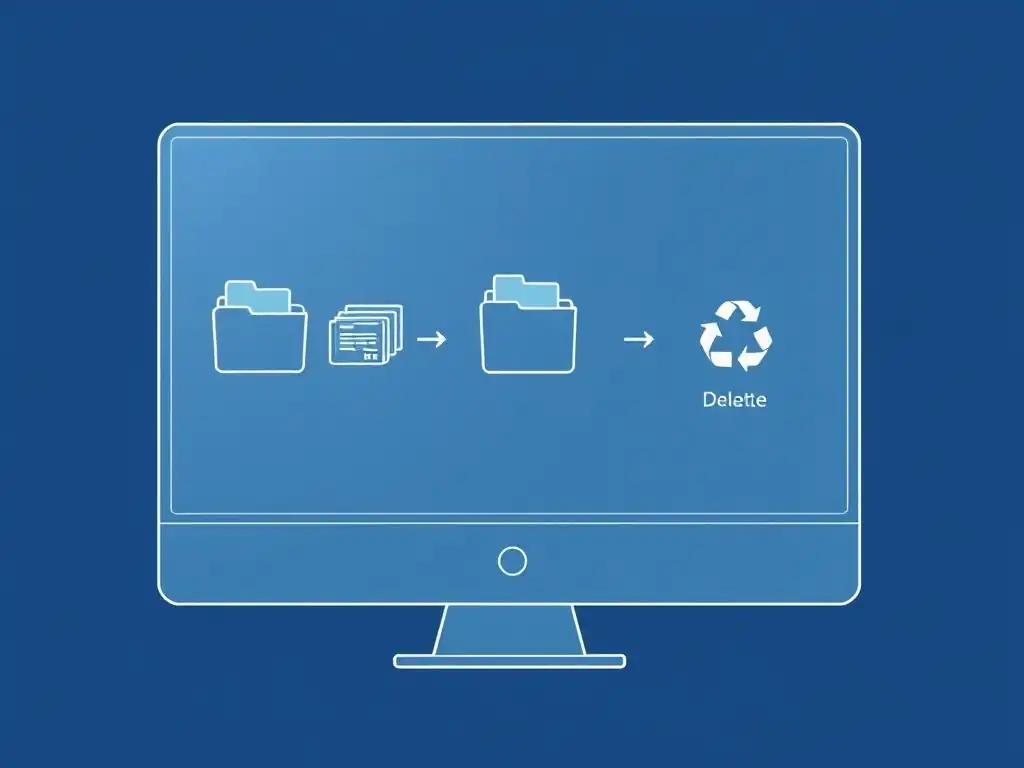
Once your files are automatically categorized and named, the next level of automation involves streamlining the sorting, archiving, and deletion processes. This is where you truly save time and reduce the clutter. Instead of manually sifting through folders, you can leverage software and automation tools to handle these tasks efficiently.
For instance, you can set up rules within your chosen file management system to automatically move files older than a certain date to an archive folder. This is particularly useful for tax documents, project files, or any other document type with a defined lifespan. Think of it like a digital filing cabinet with automated cleaning.
The automation of deletion is crucial for maintaining a lean and efficient system. This shouldn't be implemented haphazardly. Instead, establish clear criteria for file deletion. For example, you might automatically delete temporary files after a specified period or remove duplicates based on file name and size.
Consider using a version control system for important documents, so that you can revert to older versions if needed, while safely deleting superseded files. Remember, a well-defined deletion strategy minimizes the risk of accidental data loss and prevents your system from becoming bogged down with unnecessary files. The key is to find a balance between automation and data security, ensuring you retain crucial information while purging obsolete data.
Implementing this step significantly reduces the manual effort required to manage your digital files, freeing up valuable time for more strategic tasks. The use of cloud-based storage solutions often incorporates these features, simplifying the process even further. Exploring the features of your preferred cloud storage or file management system is a crucial step in achieving optimal automation.
Step 5: Regularly Reviewing and Optimizing Your Automated System for Efficiency
Automating your file organization is not a "set it and forget it" process. Regular review and optimization are essential to ensure the system continues to work efficiently and effectively. Think of it like regular maintenance for a car—it ensures it runs smoothly. 1 Over time, your business needs and filing practices might change, requiring adjustments to your automated system. Perhaps new file types emerge, or existing categories become outdated.
A thorough review should involve checking the accuracy of your automated sorting and naming conventions. Are files being categorized correctly? Are there any errors or exceptions? Analyze the effectiveness of your archiving and deletion rules.
Are files being archived and deleted as intended? Are you losing essential data unintentionally? You can use system logs and reporting tools to track the performance of your automated system and identify any potential bottlenecks or issues. This data-driven approach allows for targeted improvements, maximizing the efficiency of your automation strategy.
Consider implementing a feedback loop, where you regularly assess the user experience and adjust the system accordingly. This iterative approach ensures that your automated file organization system adapts to your evolving business needs, maintaining its effectiveness over the long term. Remember, continuous improvement is key to maximizing the benefits of automation in your file management. The goal is a streamlined, efficient system that adapts to your changing needs, not a rigid, inflexible one.
1 This analogy highlights the importance of ongoing maintenance for optimal performance. Just as a car needs regular servicing, your automated system needs periodic review and optimization.
Advanced Techniques for Automating File Organization in Business
This section delves into sophisticated strategies for automating file organization within a business context, going beyond basic file-naming conventions and folder structures. We'll explore powerful techniques leveraging APIs, custom scripting, and workflow automation to achieve truly seamless and efficient file management. Mastering these methods will significantly enhance productivity and reduce the time spent on tedious manual tasks. This is crucial for businesses aiming to truly automate file organization.
Using APIs and Integrations for Seamless File Management
Application Programming Interfaces (APIs) are the unsung heroes of modern automation. They allow different software applications to "talk" to each other, exchanging data and performing actions automatically. For file organization, this translates to powerful possibilities. Imagine a system where new client files automatically categorize themselves based on information extracted from your CRM using its API. Or perhaps invoices uploaded to your accounting software are instantly filed into a designated folder within your cloud storage, all without manual intervention.
This level of automation necessitates careful planning and potentially custom development. You need to identify the software applications you want to integrate (e.g., CRM, accounting software, cloud storage) and assess their API capabilities. Some APIs offer robust functionality for file management, while others may require more creative workarounds. For instance, you might use an API to trigger a webhook that initiates a script for file organization.
Consider the following example: A marketing agency uses a CRM with an API to capture client names and project IDs from new leads. This data is then fed into a custom script (discussed in the next section) that creates a new folder structure within their cloud storage— Client Name/Project ID/Files. This eliminates manual folder creation and ensures consistent, automated file organization. The key is choosing applications with well-documented and user-friendly APIs.
Creating Custom Automation Scripts for Specific Business Needs
While pre-built integrations offer significant benefits, truly bespoke file organization often requires custom scripting. This allows you to tailor the automation process precisely to your business's unique needs and workflows. Languages like Python, with its extensive libraries for file manipulation and system interaction, are ideal for this purpose.
For example, you might create a script that automatically renames files based on complex patterns, extracts metadata from files to create descriptive filenames, or even performs OCR on scanned documents to automatically tag and categorize them. A script could also be designed to monitor specific folders for new files, automatically applying pre-defined tags or moving them to designated archive locations based on date or file type.
The complexity of these scripts can range from simple scripts to complex systems involving multiple modules and interactions with external databases. Careful planning and testing are crucial to ensure reliability and prevent unintended consequences. Consider the following pseudo-code example:
# Pseudo-code for automated file renaming
import os
import re

def rename_files(directory):
  for filename in os.listdir(directory):
    # Use regular expressions to identify and rename files based on a pattern
    new_filename = re.sub(r"old_pattern", "new_pattern", filename)
    os.rename(os.path.join(directory, filename), os.path.join(directory, new_filename))

rename_files("/path/to/files")
Remember that creating and maintaining custom scripts requires technical expertise. If your internal team lacks this capability, outsourcing this task to a qualified developer might be a more efficient solution.
Implementing Workflow Automation for Streamlined File Handling
Workflow automation goes beyond simple file organization; it integrates file management into broader business processes. This involves using tools and platforms to automate the entire lifecycle of a document, from creation to archiving. This could involve integrating file management with project management software, approval workflows, or even customer service systems.
Imagine a scenario where a client submits a document requiring approval. Workflow automation could automatically route the document to the appropriate individuals, track approvals, and then automatically archive the finalized document in a designated location. This eliminates manual tracking and significantly reduces the risk of lost or misplaced documents. This is a prime example of how to automate file organization within a larger context.
Consider implementing a system with the following stages:
| Stage | Description | Automated Actions |
|---|---|---|
| Document Submission | Client submits a document (e.g., via a web form). | Automatic file upload and initial categorization. |
| Approval Workflow | Document routed to relevant individuals for review and approval. | Automated email notifications and tracking of approval status. |
| Finalization | Approved document is finalized and ready for archiving. | Automatic archiving to designated storage location. |
| Archiving | Document moved to long-term storage (e.g., cloud storage or physical archive). | Automatic version control and metadata tagging. |
Implementing workflow automation requires careful planning and often involves specialized software solutions designed for business process management (BPM). However, the resulting efficiency gains in terms of time saved and error reduction often outweigh the initial investment. The benefits extend beyond simple file organization; they impact the entire business workflow, improving overall productivity and reducing administrative overhead.
Measuring the Success of Your Automated File Organization System

Automating your file organization is a significant step towards improving business efficiency, but how do you know if it's truly working? Measuring the success of your automated system is crucial. It allows you to identify areas for improvement and justify the investment in automation. Don't just assume it's better; prove it. This section will guide you through key metrics and analytical techniques to ensure your automated file organization system delivers on its promise of saving time and boosting productivity. Effective measurement is key to unlocking the full potential of "automate file organization business" strategies.
Tracking Key Metrics: Time Saved, Improved Access, Reduced Errors
The most impactful way to gauge the success of your automated file organization is by tracking quantifiable metrics. Let's focus on three key areas: time saved, improved access, and reduced errors.
Before implementing your automated system, establish a baseline. For example, track how long it takes to locate specific files manually. Record this data for a week to get a representative average. This provides a crucial benchmark against which to compare your automated system's performance.
After implementing the automation, continue tracking the same metrics. How much time is now spent locating files? A significant reduction demonstrates a clear return on your investment. For instance, if you previously spent an average of 30 minutes daily searching for files, and now spend only 5 minutes, that's a 25-minute daily saving – a considerable improvement in efficiency.
Improved access is another crucial metric. Measure the speed at which users can locate necessary files. This can be tracked using simple time studies or by analyzing system logs if your automation solution provides such data. Faster access directly translates to increased productivity and fewer delays in workflows.
Finally, track the reduction in errors. Automated systems minimize human error, which is often associated with misfiling or accidental deletion of important documents. Monitor the number of errors occurring before and after automation. A dramatic decrease indicates the system's effectiveness in safeguarding your valuable data. Quantify this by tracking instances of incorrect file retrieval or accidental data loss. This is a crucial aspect of justifying your investment in "automate file organization business" solutions.
Analyzing Data to Identify Areas for Further Optimization and Improvement
Simply tracking metrics isn't enough; you need to analyze the data to identify bottlenecks and areas needing improvement. Regularly review your collected data, looking for trends and anomalies. For example, if you observe that certain file types consistently take longer to access, despite automation, it suggests a problem with the system's configuration for those specific files.
Use data visualization tools like spreadsheets or dedicated business intelligence software to represent your findings graphically. Charts and graphs make it easier to spot patterns and trends that might be missed in raw data. For instance, a bar chart comparing time spent searching before and after automation clearly illustrates the impact of the automated system.
Consider A/B testing different automation strategies. For example, if you're using a keyword-based search system, you might test different keyword sets to optimize search accuracy. This iterative approach ensures continuous improvement and refinement of your automated file organization system. The goal is to continuously optimize your "automate file organization business" strategy.
Continuously Refining Your System for Maximum Efficiency and Productivity
Automated file organization is not a "set it and forget it" solution. Continuous improvement is essential to maintain peak efficiency and productivity. Regularly review and update your system based on the data you've collected and analyzed. This iterative process is crucial for long-term success.
Consider user feedback. Engage with your team to understand their experiences with the automated system. Are there any pain points or areas for improvement? Their insights can reveal issues you might have missed through data analysis alone. Implement changes based on this feedback to ensure the system meets the needs of your users.
Stay updated with new technologies and tools. The landscape of automation is constantly evolving. Explore new software, features, and techniques to further improve your system's performance. Regularly assess whether newer tools might offer better features or improved efficiency compared to your current setup. This commitment to ongoing optimization is crucial for maximizing the benefits of "automate file organization business" solutions and maintaining a competitive edge.
The Future of Automated File Organization in Business: Emerging Trends and Technologies
The landscape of business file management is rapidly evolving, driven by advancements in technology and the ever-increasing need for efficient data handling. Automating file organization is no longer a luxury but a necessity for businesses aiming to maintain productivity and competitiveness. This section explores the cutting-edge trends and technologies shaping the future of automated file organization, focusing on how businesses can leverage these innovations to streamline workflows and enhance overall efficiency.
The shift towards intelligent automation is particularly noteworthy, promising solutions far beyond simple rule-based systems. We'll delve into specific examples of how this translates into tangible benefits for businesses of all sizes. The focus on "Automate file organization business" solutions is paramount for staying ahead in today's fast-paced digital environment.
AI-Powered File Management and Organization
Artificial intelligence (AI) is revolutionizing how businesses manage their files. AI-powered systems can analyze file content, metadata, and user behavior to automatically categorize, tag, and organize documents with unprecedented accuracy. This surpasses traditional rule-based systems, which often struggle with the nuances of human language and varied file formats.
For example, an AI system can accurately identify invoices based on keywords, formatting, and even the sender's email address, automatically routing them to the appropriate department for processing. This level of automation significantly reduces manual effort, minimizes errors, and frees up valuable employee time for more strategic tasks. Furthermore, AI can learn and adapt over time, improving its accuracy and efficiency with each interaction.
This continuous learning capability ensures that the automated file organization system remains highly effective even as the volume and complexity of data increase. The potential for AI to automate file organization business processes is vast, impacting everything from contract management to regulatory compliance.
Imagine a scenario where an AI system automatically recognizes and categorizes all incoming emails containing customer orders, extracting key information like order numbers, product details, and shipping addresses. This information is then seamlessly integrated into the company's CRM and inventory management systems, automating the entire order fulfillment process. This is not science fiction; it's the reality AI is bringing to businesses today. The key benefits include increased speed, accuracy, and a reduction in human error, leading to significant cost savings and improved customer satisfaction.
Predictive File Organization and Archiving
Moving beyond reactive organization, predictive file management leverages AI and machine learning to anticipate future needs. This involves analyzing historical data patterns to predict which files will be needed in the future and automatically prioritizing their accessibility. It also extends to intelligent archiving, identifying files that are no longer actively used and securely moving them to long-term storage, freeing up valuable space on primary servers.
This proactive approach to file management significantly improves data retrieval times and reduces the risk of data loss. The system learns to anticipate the needs of specific users or departments, making relevant documents readily available. For example, a sales team might have frequently accessed documents automatically surfaced during their daily workflow.
The implementation of predictive archiving is crucial for complying with data retention policies and minimizing storage costs. The system intelligently identifies files that can be safely archived based on factors such as age, access frequency, and regulatory requirements. This automation not only saves considerable storage space but also reduces the risk of accidental deletion of crucial information. The ability to predict and automate file organization in a business context translates to significant cost savings and improved overall efficiency.
Enhanced Security and Compliance Features in Automated Systems
Automated file organization systems are not only about efficiency; they play a critical role in enhancing security and compliance. Advanced systems incorporate robust security measures, such as encryption, access controls, and audit trails, to protect sensitive data from unauthorized access and breaches. These features are particularly crucial for businesses handling confidential information, such as financial records, customer data, or intellectual property.
Moreover, automated systems can be configured to comply with various industry regulations and standards, simplifying compliance efforts and reducing the risk of penalties. The integration of robust security and compliance features is a non-negotiable aspect of any effective automated file organization strategy for businesses.
Features such as multi-factor authentication, data loss prevention (DLP) tools, and automated data backups are integral to ensuring the security and integrity of business data. Regular security audits and automated vulnerability assessments further strengthen the system's resilience against cyber threats. These enhanced security measures not only protect sensitive data but also build trust with customers and partners, demonstrating a commitment to data privacy and regulatory compliance.
The ability to automate file organization business processes while simultaneously enhancing security and compliance is a key factor in choosing the right solution for a modern business. The system should ideally integrate seamlessly with existing security infrastructure, minimizing disruption and maximizing protection.
Frequently Asked Questions
How can I automate file organization for my business?
You can automate file organization using cloud-based storage and automation tools. These tools allow for automatic tagging, sorting, and archiving of files based on predefined rules. Consider exploring services like Zapier or IFTTT to integrate with your existing apps.
What are the benefits of automating my file organization?
Automating file organization saves significant time and increases efficiency. It reduces the risk of lost or misplaced files, improves collaboration among team members, and ultimately boosts productivity.
Which software or tools are best for automating file organization in a business?
Many options exist, depending on your needs and budget. Popular choices include cloud storage services (like Google Drive, Dropbox, or OneDrive) with advanced features, along with automation platforms such as Zapier and IFTTT. Consider your existing tech stack when making a decision.
How much will automating my file organization cost my business?
The cost varies greatly depending on the tools and services you choose. Some offer free plans with limited features, while others require subscription fees based on storage and user needs. Evaluate your requirements to find a cost-effective solution.
What are the first steps to automating file organization for my business?
Start by defining a clear file naming convention and folder structure. Then, choose a cloud storage solution and explore automation tools that integrate with your existing workflow. Begin with automating one process at a time to avoid overwhelming yourself.
Final Reflection: The Enduring Power of Automated Organization
The relentless pace of modern business demands efficient systems, and effective file organization is no exception. Failing to automate this crucial aspect leaves businesses vulnerable to lost time, missed deadlines, and ultimately, lost revenue. In today's digital landscape, the ability to instantly access critical information is not a luxury, but a necessity for survival and growth.
The impact of streamlined file management extends far beyond simple efficiency; it shapes the very culture of a business. A well-organized system fosters collaboration, reduces stress, and allows employees to focus on strategic initiatives rather than tedious searches. This shift in focus is vital for innovation and growth. As the saying goes, A place for everything, and everything in its place.
This simple adage, when applied through the lens of automation, unlocks a powerful potential for productivity and peace of mind within any organization.
Now, consider your own workflow. Where are the bottlenecks? Where do you lose precious time searching for documents? I challenge you to identify those areas and explore the automation solutions discussed in this article. By embracing the power of technology and implementing even a few of these strategies, you can reclaim your time, enhance your team's productivity, and propel your business towards a future defined by efficiency and success. The journey to a more organized future starts with a single, deliberate step.
Unleash the Power of Organized Files!
Thank you for exploring these business automation hacks for easier file access! We hope you found practical strategies to streamline your workflow. Ready to put these tips into action?
- Start implementing a file organization system today. Choose the method best suited to your needs and begin with a small, manageable change. Even a single improvement can make a significant difference.
- Share this article with a colleague who could also benefit from improved productivity. Let's spread the word about effective file management!
- Consider joining our online forum to discuss your file organization challenges and share your success stories – we'd love to hear from you!
What's your biggest challenge with file organization, and how will you address it today?