
Don't Just Respond, React: Automate Your Customer Service for Proactive Support


Welcome to UltimateLifeHacks, your destination for practical tips and tricks to conquer daily life! Are you drowning in customer service requests, wishing for a more efficient and proactive approach? Then discover how to dramatically improve your customer interactions by learning how to Automate customer service proactively. Dive in and unlock the secrets to streamlining your workflow and freeing up valuable time – it's time to take control and transform your productivity!
- Understanding Proactive Customer Service Automation
- Key Strategies to Automate Customer Service Proactively
- Choosing the Right Tools for Proactive Customer Service Automation
- Measuring the Success of Your Proactive Customer Service Automation
- Advanced Techniques for Proactive Customer Service Automation
-
Frequently Asked Questions
- What does "proactive customer service automation" mean?
- How can I automate my customer service proactively?
- What are the benefits of proactive customer service automation?
- Is proactive customer service automation suitable for all businesses?
- What are some common pitfalls to avoid when automating customer service?
- Final Reflection: The Proactive Power of Automated Customer Service
- Unlock Proactive Customer Service: Automate Your Way to Success
Understanding Proactive Customer Service Automation
In today's fast-paced business environment, providing exceptional customer service is no longer a luxury—it's a necessity. But simply responding to customer inquiries isn't enough to thrive. To truly excel, businesses must embrace a proactive approach, anticipating customer needs and addressing potential issues before they escalate. This article delves into the world of proactive customer service automation, exploring how businesses can leverage technology to enhance customer experiences, boost efficiency, and ultimately, drive growth.
We'll explore strategies for implementing automated systems that not only react to customer concerns but also anticipate and solve problems proactively, saving time and resources while fostering stronger customer relationships. This shift from reactive to proactive support is crucial for staying competitive and building a loyal customer base in the age of instant communication and high expectations. Learn how to automate customer service proactively and transform your business's customer support strategy.
The Shift from Reactive to Proactive Support
Traditionally, customer service operated on a reactive model. Customers contacted support when they encountered a problem, and agents responded accordingly. This approach, while functional, is inherently limited. It's like playing defense – constantly putting out fires instead of preventing them. Proactive customer service, on the other hand, is about playing offense. It involves anticipating potential problems and taking steps to address them before they impact customers. This might involve:
- Predictive analytics: Identifying patterns in customer behavior to anticipate issues.
- Automated notifications: Proactively informing customers of potential delays or disruptions.
- Personalized support: Tailoring communication and assistance based on individual customer data.
- Self-service resources: Providing comprehensive FAQs, tutorials, and knowledge bases easily accessible to customers.
This shift requires a change in mindset and a strategic investment in technology. The goal is not to replace human interaction entirely, but to augment it with automation, empowering support agents to focus on more complex issues and build stronger relationships with customers. This leads to increased efficiency and improved customer satisfaction.
Defining Proactive Customer Service Automation Strategies
Implementing proactive customer service automation involves a multifaceted approach. Effective strategies often include:
- Chatbots: Intelligent chatbots can handle routine inquiries, provide instant support 24/7, and even escalate complex issues to human agents seamlessly.
- Automated email responses: Setting up automated email responses for common questions or confirmations can significantly reduce response times and free up agents' time.
- Personalized email campaigns: Using customer data to send targeted emails about new products, relevant promotions, or helpful resources.
- Social media monitoring: Tracking social media mentions of your brand to identify and address customer concerns or feedback promptly.
- CRM integration: Connecting your customer service automation tools with your CRM system to provide a holistic view of customer interactions and personalize support.
The key to success lies in choosing the right tools and strategies to align with your specific business needs and customer profiles. A well-planned approach considers the customer journey and integrates automation at various touchpoints to create a seamless and positive experience.
Benefits of Implementing Proactive Customer Service Automation
The benefits of implementing proactive customer service automation are substantial and far-reaching:
| Benefit | Description | Measurable Impact |
|---|---|---|
| Improved Customer Satisfaction | Faster response times, personalized support, and proactive problem-solving lead to happier customers. | Higher customer satisfaction scores (CSAT), NPS scores |
| Increased Efficiency | Automation handles routine tasks, freeing up agents to focus on complex issues and strategic initiatives. | Reduced average handling time (AHT), increased agent productivity |
| Reduced Costs | Lower labor costs, fewer escalated issues, and improved first-contact resolution contribute to cost savings. | Lower customer service operational expenses |
| Enhanced Brand Reputation | Proactive support demonstrates a commitment to customer care, building trust and loyalty. | Improved brand perception, increased customer retention |
| Improved Scalability | Automation easily scales to accommodate growing customer bases and fluctuating demand. | Ability to handle increased volume without significant resource increases |
Implementing proactive customer service automation is not simply about adopting new technology; it's about fundamentally changing how you approach customer interaction. By shifting from a reactive to a proactive model, businesses can unlock significant improvements in efficiency, customer satisfaction, and overall profitability. The journey to truly automate customer service proactively requires careful planning and strategic implementation, but the rewards are well worth the effort. 🎉
Key Strategies to Automate Customer Service Proactively
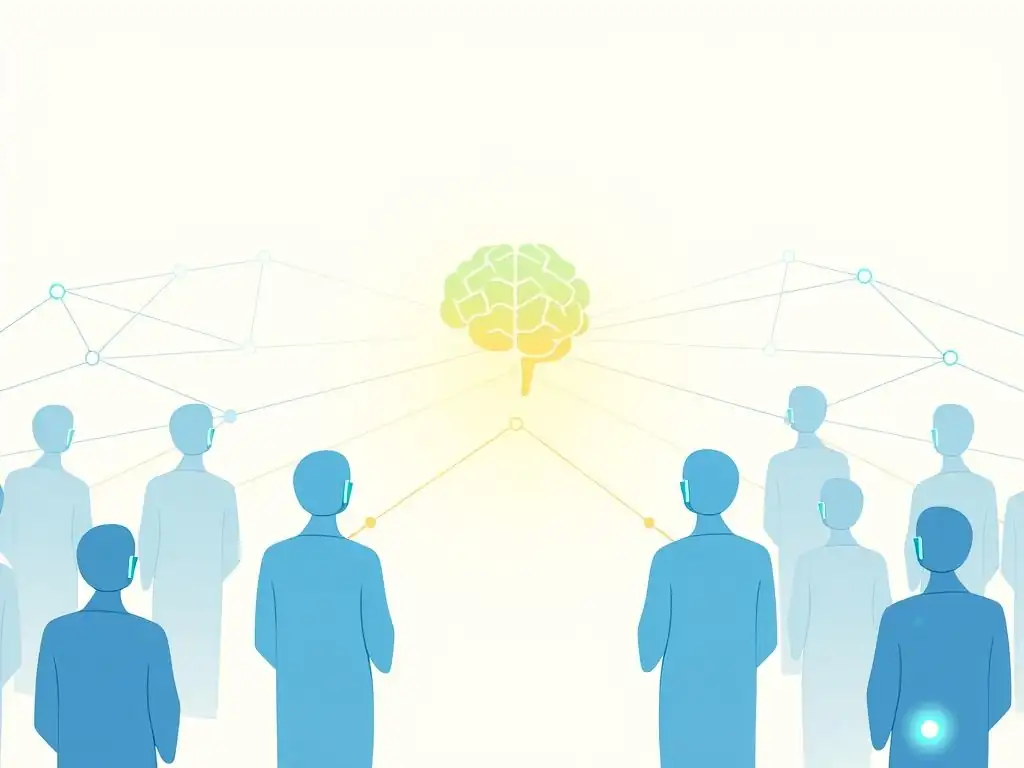
This section delves into practical strategies for proactively automating your customer service, transforming reactive support into a predictive and efficient system. By implementing these techniques, you can significantly reduce response times, improve customer satisfaction, and free up your human agents to handle more complex issues. This proactive approach to customer service automation is key to optimizing your business operations and gaining a competitive edge. Remember, the goal isn't to replace human interaction entirely, but to augment it with intelligent automation, leading to a smoother and more effective customer experience.
Automating Responses to Frequently Asked Questions (FAQs)
Automating responses to Frequently Asked Questions (FAQs) is a cornerstone of proactive customer service automation. Many customer inquiries revolve around common issues—shipping times, return policies, product specifications, etc. Instead of having agents repeatedly answer these questions, implement a system that automatically provides answers. This can be achieved through several methods:
- Knowledge Base Integration: Develop a comprehensive knowledge base containing detailed answers to FAQs. This knowledge base can then be integrated with your website's search function or chatbot, allowing customers to quickly find the information they need without human intervention. A well-structured knowledge base, categorized logically and updated regularly, is crucial for success.
- Automated Email Responses: Set up automated email responses triggered by specific keywords or phrases in customer emails. For example, if a customer emails about "order tracking," an automated response can instantly provide a link to their order status page. This immediate response improves customer satisfaction and reduces the workload on your support team.
- Interactive FAQs on your Website: Instead of a simple list, create an interactive FAQ section. This could involve a search function, filtering options, or even a chatbot interface that guides users to the relevant answers. The goal is to make finding information as easy and intuitive as possible.
Consider this example: A clothing retailer receives numerous emails daily asking about shipping times. By automating an email response that includes estimated delivery times based on the customer's location and order details, they can instantly resolve this common query, freeing up agents to deal with more complex requests. The key is to make the automated response helpful, accurate, and professional, mirroring the tone and style of your brand. Regularly review and update your automated responses to maintain accuracy and relevance.
Leveraging Chatbots for Instantaneous Support
Chatbots represent a significant advancement in proactive customer service automation. These AI-powered tools can provide 24/7 support, instantly answering customer questions and resolving simple issues. Effective chatbot implementation requires careful planning and consideration:
- Natural Language Processing (NLP): Ensure your chatbot utilizes advanced NLP capabilities to understand and respond to a wide range of customer inquiries, even those phrased differently. The better your chatbot understands natural language, the more effectively it can serve your customers.
- Integration with other Systems: Connect your chatbot to your CRM, order management system, and knowledge base to provide seamless and accurate information. This allows the chatbot to access real-time data, such as order status or account information, providing a more personalized experience.
- Human Handoff: Design your chatbot to seamlessly transfer complex or unusual queries to a human agent. This prevents frustrating customer experiences and ensures that all issues are eventually resolved. A smooth handoff process is vital for maintaining a positive customer experience.
For instance, a bank could utilize a chatbot to answer common questions about account balances, transaction history, and branch locations. More complex issues, such as disputing a charge or opening a new account, could be automatically transferred to a human representative. This blend of automation and human interaction provides efficient, immediate support while ensuring that customers receive the appropriate level of attention. Regularly analyze chatbot interactions to identify areas for improvement and refine its capabilities.
Implementing Automated Email Responses and Drip Campaigns
Automated email responses and drip campaigns are powerful tools for proactive customer service and nurturing leads. These tools can provide timely information, guide customers through the sales process, and address potential issues before they escalate:
- Automated Welcome Emails: Send automated welcome emails to new customers or subscribers, providing them with important information, such as account details, product tutorials, or promotional offers. This sets a positive tone and encourages engagement.
- Order Confirmation and Shipping Updates: Automate email notifications for order confirmations, shipping updates, and delivery confirmations. This keeps customers informed and reduces the number of inquiries about order status.
- Post-Purchase Follow-Ups: Send automated follow-up emails after a purchase to check customer satisfaction, offer support, and encourage repeat business. This shows you care and builds customer loyalty.
- Drip Campaigns: Design drip campaigns to nurture leads and provide valuable information over time. For example, a software company could send a series of emails explaining the features of their product, addressing common concerns, and ultimately encouraging a purchase.
Consider a scenario where an e-commerce store sends an automated email to a customer who hasn't completed their purchase. This email could offer a discount code or highlight the benefits of the product, potentially converting a hesitant customer into a paying one. The key is to personalize these emails and ensure that they provide real value to the recipient. Regularly track the performance of your email campaigns and adjust your strategy based on the results. This data-driven approach ensures that your automated emails are as effective as possible.
Social media has become a central hub for customer interaction. Customers often voice their opinions, ask questions, and express concerns publicly on platforms like Twitter, Facebook, and Instagram. Ignoring these interactions can lead to negative brand perception and lost opportunities. Proactive automation using social media monitoring tools allows businesses to identify and address customer needs before they escalate into major issues. These tools track mentions of your brand, keywords related to your products or services, and even sentiment analysis to gauge customer satisfaction.
For example, imagine a company selling high-end coffee makers. Their social media monitoring tool detects a surge in negative tweets mentioning their product's difficulty with cleaning. Instead of waiting for formal complaints, the company can proactively engage.
An automated response could be sent to users expressing concerns, offering troubleshooting tips, and even providing a link to a helpful video tutorial or a dedicated customer support page. This swift, personalized response demonstrates care and prevents the negative sentiment from spreading further. Furthermore, the data gathered from social media monitoring can inform product improvements and future marketing strategies.
By analyzing the frequency and nature of customer concerns, the company can identify areas needing attention, leading to enhanced product design and improved customer satisfaction. This proactive approach transforms a potential PR crisis into an opportunity for improvement and stronger customer relationships. The key is to set up alerts for relevant keywords and phrases to ensure timely responses and to carefully craft automated messages that are empathetic and helpful.
Personalized Automated Messages Based on Customer Behavior
Generic automated responses can feel impersonal and frustrating for customers. To truly leverage automation for proactive customer service, personalization is crucial. By analyzing customer behavior and purchase history, businesses can tailor automated messages to individual needs and preferences. This involves integrating your CRM (Customer Relationship Management) system with your customer service automation tools.
For instance, an e-commerce store selling clothing might send an automated email to a customer who recently purchased a winter coat. This email could proactively offer related products like scarves, gloves, or hats, based on their past purchase. Alternatively, if a customer abandons their online shopping cart, an automated email can be triggered, reminding them of the items they left behind and offering a small discount to incentivize completion of the purchase.
This personalized approach demonstrates an understanding of individual customer preferences and increases the likelihood of positive interactions. The data-driven approach allows for segmentation of customers, enabling the creation of specific automated messages tailored to different customer segments, such as new customers, loyal customers, or customers who have expressed specific needs or preferences.
This level of personalization significantly improves the customer experience and fosters loyalty, making proactive automation a powerful tool for enhancing customer relationships and driving business growth. The implementation requires careful consideration of data privacy regulations and the ethical implications of using customer data.
Choosing the Right Tools for Proactive Customer Service Automation
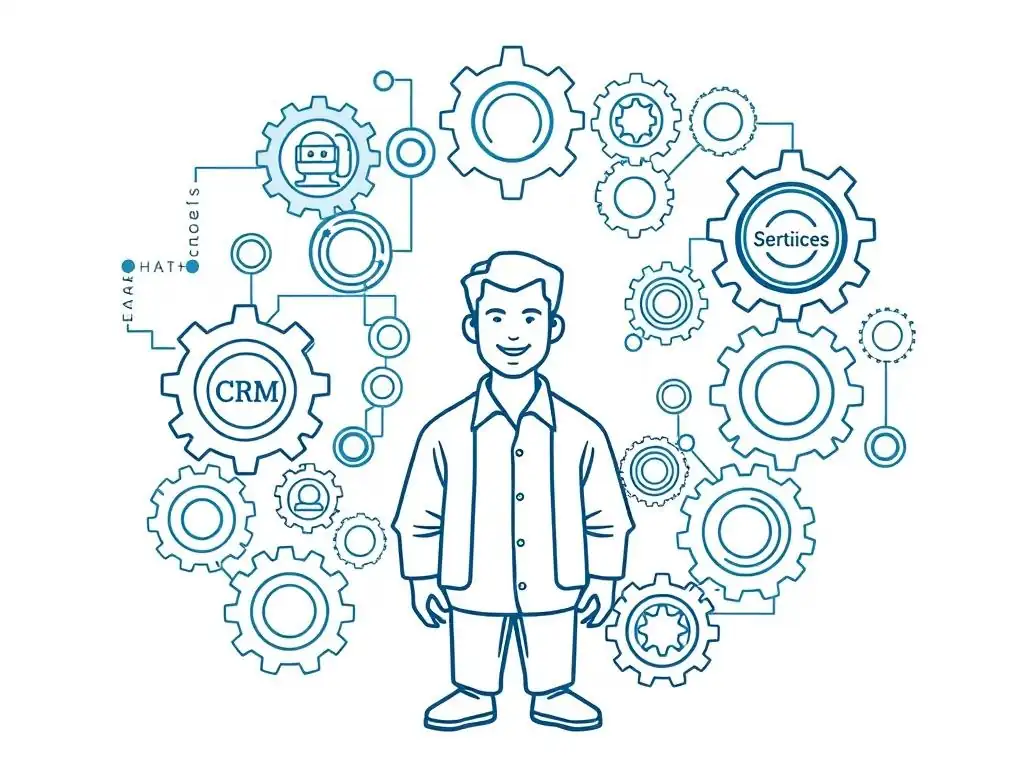
Automating customer service proactively requires a strategic selection of tools that integrate seamlessly and cater to your specific business needs. The wrong tools can lead to more problems than solutions, hindering efficiency instead of enhancing it. Choosing wisely means considering scalability, integration capabilities, and the level of customization offered. Don't just focus on the initial cost; consider the long-term implications, including maintenance, updates, and potential training requirements for your team. The key is to find a balance between functionality and ease of use. A powerful system that's too complex to operate effectively is ultimately useless.
Selecting the Best Chatbot Platform for Your Business Needs
Selecting a chatbot platform is a critical first step in automating proactive customer service. The market offers a plethora of options, each with varying capabilities and pricing structures. Consider these factors:
- Natural Language Processing (NLP) capabilities: The chatbot should understand and respond appropriately to a wide range of user inputs, including slang, misspellings, and colloquialisms. Advanced NLP ensures more natural and effective interactions, improving customer satisfaction. Look for platforms that offer robust NLP engines and continuous learning capabilities.
- Integration with existing systems: Seamless integration with your CRM, help desk software, and other business tools is vital. A siloed chatbot will only offer limited benefits. Choose a platform that offers robust APIs and pre-built integrations to avoid extensive custom development.
- Customization options: Your chatbot should reflect your brand's personality and voice. Look for platforms that allow for extensive customization of the chatbot's appearance, responses, and overall conversational flow. This customization helps create a consistent and engaging brand experience.
- Analytics and reporting: Track the performance of your chatbot to identify areas for improvement. A good platform provides detailed analytics on key metrics such as customer satisfaction, resolution rates, and common user queries. This data-driven approach allows for continuous optimization of your chatbot's performance.
For example, a small business might benefit from a simpler, more affordable chatbot with basic NLP capabilities, while a large enterprise might require a more sophisticated platform with advanced features and robust integrations. The right platform will significantly improve your ability to automate customer service proactively.
Integrating CRM Systems for Seamless Automation
Integrating your chatbot and other automation tools with your Customer Relationship Management (CRM) system is crucial for proactive customer service. This integration enables a holistic view of each customer, allowing for personalized interactions and targeted support. Without this integration, you lose the valuable context that a CRM provides, resulting in less effective automation.
Consider these integration points:
- Data synchronization: Ensure seamless flow of customer data between the chatbot and your CRM. This includes information such as contact details, purchase history, and past interactions. Real-time data synchronization ensures that the chatbot always has access to the most up-to-date information.
- Lead generation and qualification: Use the chatbot to qualify leads by gathering essential information and routing them to the appropriate sales representatives. This automation saves time and resources while improving lead conversion rates.
- Personalized messaging: Use CRM data to personalize chatbot interactions. For example, the chatbot can address customers by name and offer personalized recommendations based on their past purchases or browsing history. This level of personalization significantly improves customer engagement.
- Automated follow-ups: Automate follow-up messages based on specific customer actions or events. For example, the chatbot can send automated emails after a purchase, reminding customers about their warranty or offering additional support. This proactive approach fosters customer loyalty and reduces support tickets.
Utilizing Help Desk Software for Efficient Ticket Management
Proactive customer service automation is not just about chatbots; it's about streamlining your entire support workflow. Integrating your automation tools with your help desk software is essential for efficient ticket management. This integration facilitates automation of routine tasks, freeing up your support team to focus on more complex issues.
Here's how help desk software enhances proactive automation:
- Automated ticket routing: Automatically route incoming tickets based on predefined rules and keywords. This ensures that tickets are assigned to the most appropriate support agents, minimizing response times.
- Automated responses: Create automated responses for frequently asked questions (FAQs). This reduces the workload on your support team and provides instant answers to customers.
- Ticket prioritization: Prioritize tickets based on severity and customer importance. This ensures that critical issues are addressed promptly, improving customer satisfaction.
- Performance monitoring: Track key metrics such as ticket resolution time, customer satisfaction, and agent productivity. This data-driven approach allows for continuous improvement of your support processes and helps you refine your proactive automation strategies. Using this data, you can identify trends and proactively address potential issues before they impact a larger number of customers, further enhancing your ability to automate customer service proactively.
Exploring Email Marketing Automation Tools for Proactive Communication
Email marketing automation is a cornerstone of proactive customer service. It allows you to nurture leads, provide timely support, and build stronger customer relationships, all without constant manual intervention. The key is to choose a tool that integrates seamlessly with your existing systems and offers the features you need. Don't just focus on the bells and whistles; consider your specific requirements and scale.
Many robust platforms offer a wide array of features beyond basic email blasts. Look for tools that provide capabilities like automated email sequences triggered by specific customer actions (e.g., abandoned cart emails, welcome series for new subscribers, or follow-up emails after a purchase). Segmentation capabilities are also crucial for personalized communication. The ability to segment your audience based on demographics, purchase history, or engagement levels allows you to send targeted messages that resonate with individual customer needs, significantly improving open and click-through rates.
Consider the importance of A/B testing. A good email marketing automation platform will allow you to test different subject lines, email content, and send times to optimize your campaigns for maximum impact. This data-driven approach is vital for continually refining your communication strategy and achieving better results. Analyze your campaign performance regularly to understand what works best for your audience and adapt your approach accordingly. This iterative process is key to optimizing your proactive customer service efforts via email.
Furthermore, integration with other tools is paramount. Seamless integration with your CRM (Customer Relationship Management) system is essential for accessing customer data and personalizing communication. Look for platforms that integrate with popular CRMs like Salesforce, HubSpot, or Zoho CRM. This integration streamlines workflow, ensuring that your automated emails are always contextually relevant and up-to-date.
Don't underestimate the power of a well-integrated system for a truly proactive and efficient customer service strategy. The right tool will not only automate your communication but also enhance its effectiveness. Remember, the goal is not just to send emails; it's to build lasting relationships and provide exceptional support.
Measuring the Success of Your Proactive Customer Service Automation

Proactive customer service automation, while offering significant advantages, requires careful monitoring to ensure its effectiveness. Simply implementing automated systems isn't enough; you need a robust system for measuring its impact on key business metrics. This section details how to effectively track and analyze the performance of your proactive customer service automation strategy, allowing you to optimize and refine it for maximum impact. The goal is not just to automate customer service proactively, but to automate customer service proactively and effectively.
Key Performance Indicators (KPIs) for Proactive Customer Service
Measuring the success of proactive customer service automation relies on identifying and tracking the right Key Performance Indicators (KPIs). These KPIs should go beyond simple response times and ticket resolution rates, focusing instead on the proactive nature of your interventions. Here are some crucial KPIs to consider:
- Proactive Contact Rate: This metric measures the percentage of customers contacted proactively before they initiate contact. A higher rate indicates a more effective proactive strategy. For example, if you've identified 100 customers at risk of churning based on usage patterns, and you successfully contacted 80, your proactive contact rate is 80%.
- First Contact Resolution (FCR) Rate for Proactive Contacts: This measures the percentage of issues resolved during the initial proactive contact. A high FCR rate demonstrates the effectiveness of your automated solutions in addressing customer needs preemptively. Aim for an FCR rate comparable to or exceeding your overall FCR rate.
- Reduction in Reactive Support Tickets: This KPI tracks the decrease in support tickets generated by customers after implementing proactive automation. A significant reduction indicates that your proactive measures are effectively preventing issues from escalating. For instance, a 20% decrease in reactive tickets after implementation signifies a successful automation strategy.
- Customer Satisfaction (CSAT) Score for Proactive Interactions: Measure customer satisfaction specifically for interactions initiated proactively. This provides valuable insight into the quality and helpfulness of your automated interventions. A high CSAT score suggests that customers appreciate the proactive support.
- Average Handling Time (AHT) for Proactive Interactions: While minimizing AHT is always desirable, this KPI should be considered in conjunction with other metrics. A slightly higher AHT for proactive interactions might be acceptable if it leads to higher FCR and CSAT scores.
| KPI | Description | Target | Measurement Method |
|---|---|---|---|
| Proactive Contact Rate | Percentage of customers contacted proactively before they reach out. | >70% | Track automated outreach and successful contacts. |
| FCR Rate for Proactive Contacts | Percentage of issues resolved during the first proactive contact. | ≥ Overall FCR Rate | Analyze resolution data for proactively initiated interactions. |
| Reduction in Reactive Support Tickets | Percentage decrease in reactive support tickets after implementing proactive automation. | >15% | Compare ticket volumes before and after implementation. |
| CSAT Score for Proactive Interactions | Customer satisfaction score specifically for proactively initiated interactions. | >4.5 (out of 5) | Collect feedback through surveys or in-app ratings. |
| AHT for Proactive Interactions | Average handling time for proactively initiated interactions. | [Data pending] | Monitor the duration of proactive interactions. |
Tracking Customer Satisfaction and Engagement Metrics
Tracking customer satisfaction and engagement is paramount to evaluating the effectiveness of your proactive customer service automation. Simply automating processes isn't enough; you need to ensure these automated processes are improving the customer experience. This requires a multi-faceted approach.
Beyond the CSAT score mentioned above, consider:
- Net Promoter Score (NPS): This measures customer loyalty and willingness to recommend your service. A higher NPS score indicates stronger customer relationships, partly influenced by the quality of proactive support.
- Customer Effort Score (CES): This gauges how easy it is for customers to interact with your automated system. A high CES score suggests a user-friendly and efficient automated experience.
- Customer Churn Rate: Monitor your churn rate to see if proactive automation is helping to retain customers. A decrease in churn indicates that your proactive interventions are effectively addressing customer needs and preventing churn.
Implementing regular customer surveys, both proactively and reactively, is crucial. These surveys should be concise and focused on specific aspects of the proactive support experience. Analyzing the qualitative feedback from these surveys can provide invaluable insights into areas for improvement. For example, open-ended questions can reveal unexpected issues or opportunities for enhancement. The emojis 👍 and 👎 can be used in surveys to quickly gauge sentiment.
Analyzing Data to Improve Automation Strategies
Data analysis is the cornerstone of optimizing your proactive customer service automation. Regularly review your KPIs, paying close attention to trends and anomalies. This analysis should not be a one-time event; it should be an ongoing process integrated into your workflow.
- Identify Bottlenecks: Analyze your data to pinpoint areas where your automation is falling short. Are certain types of issues not being addressed effectively? Are there delays in the automated response process? Addressing these bottlenecks will improve efficiency and effectiveness.
- Refine Automation Rules: Based on your data analysis, adjust your automation rules to better target customer needs. This might involve refining the triggers for proactive interventions or improving the content and delivery of automated messages.
- A/B Testing: Experiment with different automation strategies through A/B testing. This involves testing two different versions of your automation process to determine which performs better based on your chosen KPIs. For example, you could test different messaging approaches or different timing for proactive outreach.
- Continuous Improvement: Treat the optimization of your proactive customer service automation as a continuous process. Regularly review your data, make adjustments, and repeat the process. This iterative approach is key to maximizing the effectiveness of your automation strategy. Remember, the goal is not just to automate, but to automate customer service proactively and continuously improve the process.
Refining Your Approach Based on Performance Data
Analyzing the performance data from your proactive customer service automation is crucial for continuous improvement. Don't just set it and forget it! Regularly reviewing your results allows you to identify what's working well and what needs adjustment. This iterative process is key to maximizing the effectiveness of your automation strategy and achieving a truly proactive customer service experience. Think of it as a continuous feedback loop, constantly refining your approach based on real-world interactions.
For example, let's say you've implemented an automated email sequence triggered by specific customer behaviors, such as abandoning their shopping cart. By tracking metrics like open rates, click-through rates, and conversion rates, you can assess the effectiveness of this sequence. If open rates are low, you might need to refine your subject lines to be more compelling. If click-through rates are low, you might need to improve the call to action within the email. A low conversion rate might indicate a need to adjust the offer or the overall messaging within the email sequence.
Another important aspect is understanding which customer segments are responding best to your proactive automation. Are certain demographics or customer types more receptive to automated messages than others? This type of granular analysis allows you to tailor your automation strategies to specific groups, maximizing impact and minimizing wasted effort. Perhaps younger demographics respond better to shorter, more concise messages delivered via social media, while older demographics prefer more detailed emails. Analyzing your data will reveal these crucial nuances.
Furthermore, monitoring customer feedback, including surveys and direct responses to automated messages, is essential. Negative feedback can highlight areas for improvement in your automation process. For instance, if customers consistently complain about receiving irrelevant messages, it's a clear signal that your automation triggers need recalibration. This feedback loop allows you to refine not only the what of your automation, but also the when and how.
By consistently analyzing your data and actively seeking customer feedback, you can ensure your proactive customer service automation is truly effective and contributes positively to customer satisfaction and loyalty. Remember, the goal is not just automation for automation's sake; it's about enhancing the customer experience. Data-driven refinement is the key to achieving this goal.
Advanced Techniques for Proactive Customer Service Automation
This section delves into sophisticated strategies to elevate your proactive customer service automation beyond the basics. We'll explore how predictive analytics, personalized recommendations, and AI-powered sentiment analysis can transform your customer interactions, leading to increased satisfaction and loyalty. Successfully automating customer service proactively requires a nuanced understanding of customer behavior and the ability to anticipate their needs before they even articulate them.
Predictive Analytics for Anticipating Customer Needs
Predictive analytics uses historical data to forecast future trends and behaviors. In the context of customer service, this means leveraging past interactions, purchase history, and website activity to anticipate potential issues or needs. For example, analyzing past support tickets might reveal a surge in inquiries regarding a specific product feature around a particular time of year. This insight allows you to proactively create FAQs, tutorials, or even automated email campaigns addressing these anticipated concerns before customers reach out.
Imagine a software company noticing a spike in help requests related to a new update a week before its official release. Using predictive analytics, they could preemptively deploy an automated email series guiding users through the update process, including troubleshooting tips and FAQs. This proactive approach significantly reduces the volume of incoming support tickets and enhances customer satisfaction. The key here is to identify patterns and trends indicative of future support needs.
This requires robust data collection and analysis capabilities, potentially involving sophisticated machine learning algorithms. Effective implementation relies heavily on the quality and comprehensiveness of the data used for analysis. Insufficient or flawed data will lead to inaccurate predictions and ineffective proactive measures.
Implementing Personalized Recommendations and Offers
Personalization is key to effective proactive customer service. By leveraging customer data, you can deliver tailored recommendations and offers that address individual needs and preferences. This goes beyond simply suggesting related products; it involves understanding the customer's journey and anticipating their next steps.
Consider an e-commerce platform tracking a customer's browsing history and adding items to their cart but not completing the purchase. Proactive automation could send a personalized email reminder, offering a discount code or highlighting the benefits of the abandoned items. This targeted approach increases the likelihood of conversion and demonstrates a customer-centric approach. Similarly, a subscription service could analyze customer usage patterns to proactively suggest upgrades or additional features tailored to their specific needs.
The effectiveness of personalized recommendations hinges on the accuracy and relevance of the data used. Poor data quality can lead to irrelevant or even annoying suggestions, which can negatively impact the customer experience. Therefore, data hygiene and robust segmentation strategies are crucial for successful implementation.
Utilizing AI-Powered Sentiment Analysis for Proactive Issue Resolution
AI-powered sentiment analysis tools can analyze customer feedback from various sources – emails, social media posts, online reviews – to identify negative sentiment or emerging problems. By monitoring this sentiment in real-time, businesses can proactively address potential issues before they escalate.
For example, if a sentiment analysis tool detects a surge in negative comments regarding a particular product's performance on social media, the company can swiftly deploy a targeted communication strategy. This might involve addressing concerns directly on the platform, launching an investigation into the reported issue, or even initiating a proactive recall or software patch. The speed and efficiency of this response are crucial in mitigating negative publicity and preserving customer trust.
The accuracy of sentiment analysis, however, is dependent on the sophistication of the AI algorithm and the quality of the data it's trained on. Incorrect interpretation of sentiment can lead to inappropriate responses and potentially worsen the situation. Therefore, careful selection and ongoing monitoring of sentiment analysis tools are essential.
The benefits of proactively addressing negative sentiment outweigh the costs of implementing and maintaining such tools. It allows for damage control and improvement of products and services before significant reputational damage occurs.
Integrating Customer Feedback Mechanisms for Continuous Improvement
Integrating customer feedback mechanisms is crucial for proactively improving your automated customer service. Simply automating responses isn't enough; you need a system to understand what's working, what's not, and where improvements are needed. This iterative process allows for continuous optimization of your automated workflows and ensures your automated responses remain relevant and effective. Ignoring feedback leads to a stagnant system, unable to adapt to evolving customer needs and pain points.
One effective strategy is to incorporate post-interaction surveys within your automated system. These surveys could be short, utilizing a rating scale (e.g., 1-5 stars) accompanied by an optional text field for detailed comments. This allows customers to quickly express their satisfaction while also providing valuable qualitative data for analysis. Analyzing this data can reveal trends, common issues, and areas needing immediate attention, enabling a proactive approach to problem-solving. For instance, consistently low ratings on a specific automated response might indicate a need for revision or a more human touch in that particular scenario.
Another powerful method involves using sentiment analysis tools. These tools analyze customer feedback (from surveys, emails, or social media) to determine the overall sentiment – positive, negative, or neutral. By tracking sentiment trends over time, businesses can proactively identify potential problems before they escalate. A sudden drop in positive sentiment, for example, could signal a glitch in the automated system or a broader dissatisfaction with a specific product or service. This allows for swift intervention and prevents negative experiences from snowballing.
Furthermore, integrating feedback directly into your automation system allows for dynamic adjustments. For instance, if sentiment analysis reveals a negative trend related to a particular automated response, the system can be programmed to flag this response for review and potential modification. This creates a closed-loop system where customer feedback directly informs and improves the automated service, leading to a truly proactive and customer-centric approach.
The key is to ensure the feedback loop is seamless and efficient, making the process of collecting, analyzing, and implementing changes as streamlined as possible. This continuous improvement cycle is vital for maintaining a high level of customer satisfaction and ensuring the long-term success of your automated customer service strategy. Regularly reviewing and updating your automated responses based on collected feedback is not just good practice; it's essential for staying ahead of the curve and meeting the ever-changing expectations of your customers.
Frequently Asked Questions
What does "proactive customer service automation" mean?
Proactive automation means anticipating customer needs and addressing them before they even contact you. This involves using tools like chatbots and automated emails to provide timely assistance and solutions. It's about preventing problems, not just reacting to them.
How can I automate my customer service proactively?
You can use various tools such as chatbots, automated email responses, and knowledge base systems. These can provide instant answers to common questions, track order status, and even offer personalized recommendations. Integration with CRM is key for a seamless experience.
What are the benefits of proactive customer service automation?
Proactive automation leads to increased customer satisfaction, reduced response times, and lower support costs. It also frees up your human agents to handle more complex issues, improving overall efficiency and team morale.
Is proactive customer service automation suitable for all businesses?
While beneficial for many, the suitability depends on your business size and complexity. Smaller businesses might start with simpler automation, while larger ones could benefit from more sophisticated systems. Consider your customer base and their needs when making a decision.
What are some common pitfalls to avoid when automating customer service?
Avoid overly complex or impersonal automation. Ensure your systems are easy to use and provide accurate information. Always have a human fallback option for complex or sensitive issues. Regularly review and update your automated systems to maintain accuracy and relevance.
Final Reflection: The Proactive Power of Automated Customer Service
The future of customer service isn't just about reacting to problems; it's about anticipating them. Businesses that fail to embrace proactive automation risk falling behind in a landscape where instant, personalized support is the new expectation. Ignoring this shift is not only detrimental to customer satisfaction but also to the bottom line.
The integration of AI-driven tools into customer service has fundamentally altered the customer experience, shifting the power dynamic from reactive problem-solving to proactive relationship building. This change has been profound, impacting everything from brand loyalty to operational efficiency. The best customer service is no service at all,
a saying often attributed to various sources, highlights the ideal of seamless, proactive support that anticipates needs before they become issues. This proactive approach, facilitated by automation, allows businesses to build stronger relationships and foster genuine customer loyalty.
You now possess the knowledge to transform your customer service strategy. Consider the ways you can leverage automation to not only resolve issues swiftly but also to anticipate and address potential problems before they arise. Don't just react to complaints; proactively engage with your customers, anticipate their needs, and build a loyal following through personalized, efficient support. The future of customer service is here, and it's proactive. Embrace it.
Unlock Proactive Customer Service: Automate Your Way to Success
Thank you for exploring the power of automated customer service! You've learned how to transform reactive support into a proactive, efficient system. Now, let's put this knowledge into action.
Here's how to get started:
- Implement an automation today: Begin by selecting one automation from the article—perhaps a chatbot or automated email sequence—that will have the greatest positive impact on your customer service. Even small steps can make a significant difference.
- Share your success: Tell us about your experience with customer service automation on UltimateLifeHacks.org's comments section! Share what worked best and what surprised you. Let's build a community of proactive support champions.
- Explore advanced tools: Consider integrating your chosen automation with your CRM to create a truly seamless customer experience. Think about how this integration could improve your daily workflow.
What's the first automation you'll implement, and why?