
Cut the Cord: The Best Streaming Sticks and Boxes for a CableFree Life

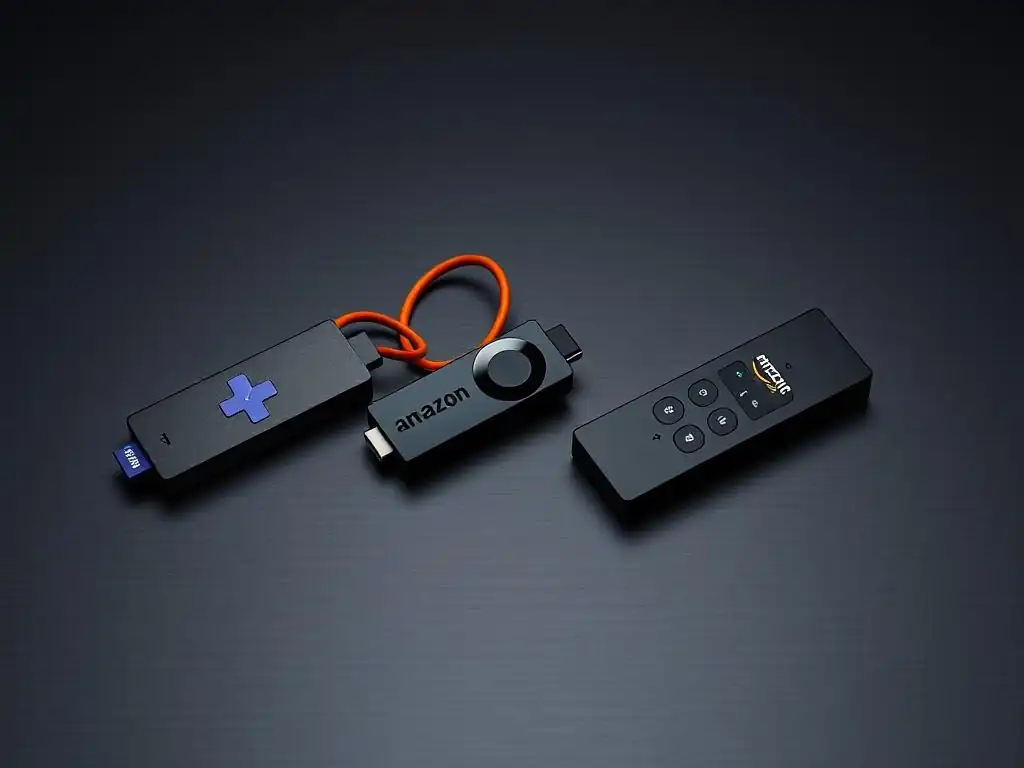
Tired of endless cable bills and limited channel options? Then you've come to the right place! At UltimateLifeHacks, we're dedicated to helping you reclaim your time and boost your productivity. Discover how to effortlessly navigate the world of cord-cutting with our expert guide on the Best streaming stick for cord cutters, unlocking a world of entertainment and freedom. Dive in and learn how to create a smarter, more efficient life – starting today!
- Why Choose a Streaming Stick or Box? Ditching Cable TV and Embracing Cord-Cutting
-
Top 5 Best Streaming Sticks for Cord Cutters in 2024
- Amazon Fire TV Stick 4K Max: A Powerful and Affordable Option for Cord Cutters
- Roku Streaming Stick 4K+: A User-Friendly Choice for Seamless Streaming
- Google Chromecast with Google TV: Smart Streaming with Google Assistant Integration
- Apple TV 4K: The Premium Choice for Apple Ecosystem Users
- NVIDIA Shield TV Pro: The Powerhouse for Gamers and High-End Streaming
- Best Streaming Boxes for Cord Cutters: More Power, More Features
- Setting Up Your Streaming Stick or Box: A Step-by-Step Guide
- Maximizing Your Cord-Cutting Experience: Tips and Tricks
- Conclusion: Embrace the Freedom of Cord-Cutting with the Right Streaming Device
- Frequently Asked Questions
- Final Reflection: Embracing the Freedom of Cord-Cutting
- Unleash Your Streaming Freedom!
Why Choose a Streaming Stick or Box? Ditching Cable TV and Embracing Cord-Cutting
Tired of hefty cable bills and endless channel surfing with little to watch? The overwhelming majority of households are now realizing the benefits of cutting the cord and embracing the world of streaming entertainment. This comprehensive guide explores the best streaming sticks and boxes available, helping you navigate the options and find the perfect device to transform your home entertainment experience.
We'll delve into the advantages of a cable-free lifestyle, compare streaming sticks and boxes, and highlight the key features to consider before making your purchase. Choosing the right streaming device is a crucial step in optimizing your home entertainment setup and maximizing your viewing pleasure while simultaneously saving money and reclaiming valuable time. This article will equip you with the knowledge to make an informed decision and achieve that coveted cable-free life, answering the burning question: what is the best streaming stick for cord cutters?
The Benefits of a Cable-Free Lifestyle: Saving Money and Time
Cutting the cord offers significant advantages beyond simply eliminating monthly cable bills. The financial savings can be substantial, often amounting to hundreds, if not thousands, of dollars annually. This allows for increased financial flexibility, enabling you to allocate those funds towards other priorities, such as travel, investments, or simply saving for the future. Beyond the financial benefits, a cable-free lifestyle also saves considerable time.
No more endless scrolling through channels filled with advertisements and repetitive programming. Instead, you gain control over your viewing experience, accessing only the content that interests you. This translates to a more efficient use of your leisure time, allowing you to focus on activities you enjoy, boosting your overall productivity and well-being.
Consider this: the average person spends [Specific data pending on average hours spent watching TV per week] hours per week watching television. By carefully selecting your streaming services, you can drastically reduce that time, replacing mindless channel surfing with targeted entertainment. The convenience alone is a significant factor for many cord-cutters.
Choosing the Right Streaming Device: Sticks vs. Boxes - A Comparison
The market offers a wide array of streaming devices, primarily categorized into streaming sticks and boxes. Each type presents unique advantages and disadvantages. Streaming sticks, like the popular Amazon Fire TV Stick and Google Chromecast with Google TV, are compact and easily plugged into your TV's HDMI port. Their portability is a key advantage, making them ideal for multiple TV setups or travel. However, they often have less processing power and fewer storage options compared to their box counterparts.
Streaming boxes, such as the Apple TV 4K and Roku Ultra, are generally more powerful, offering enhanced processing capabilities, more storage space, and often supporting higher resolutions. They usually come with more advanced features, including improved remote controls and enhanced gaming capabilities. The choice between a stick and a box often depends on your budget, technical requirements, and personal preferences. A detailed comparison table below summarizes the key differences:
| Feature | Streaming Stick | Streaming Box |
|---|---|---|
| Size | Compact, portable | Larger, less portable |
| Processing Power | Typically less powerful | Typically more powerful |
| Storage | Limited storage | More storage options |
| Price | Generally more affordable | Generally more expensive |
| Remote Control | Basic remote | Often enhanced features (voice control, etc.) |
Top Features to Consider When Selecting Your Streaming Device: 4K, HDR, Voice Control
When selecting a streaming device, several key features should guide your decision. Resolution is paramount, with 4K Ultra HD becoming the standard for high-quality viewing. 4K resolution provides four times the detail of 1080p, resulting in a significantly sharper and more immersive viewing experience.
High Dynamic Range (HDR) technology further enhances the picture quality, delivering a wider range of colors and improved contrast, creating a more realistic and visually stunning image. Voice control is another increasingly popular feature, allowing you to easily search for content, control playback, and manage other smart home devices using simple voice commands. This hands-free operation adds a significant layer of convenience, making navigation intuitive and user-friendly.
Other features to consider include the availability of apps, ease of use, and remote control functionality. Choosing a device with a comprehensive app library ensures access to your preferred streaming services, while user-friendliness simplifies navigation and setup, minimizing frustration and maximizing enjoyment. The best streaming stick for cord cutters should seamlessly integrate into your existing home entertainment setup and provide a hassle-free, enjoyable viewing experience.
Top 5 Best Streaming Sticks for Cord Cutters in 2024
This section dives deep into the top contenders for the title of "best streaming stick for cord cutters" in 2024. We'll analyze key features, performance, user experiences, and ultimately, help you choose the perfect device to ditch cable and embrace a world of on-demand entertainment. We'll focus on ease of use, app selection, picture quality, and value for money – all crucial factors for the discerning cord-cutter. Remember, the "best" streaming stick depends on your individual needs and preferences.
Amazon Fire TV Stick 4K Max: A Powerful and Affordable Option for Cord Cutters
The Amazon Fire TV Stick 4K Max presents a compelling proposition for cord-cutters seeking a balance between performance and affordability. Its 4K Ultra HD streaming capability, coupled with a vibrant selection of apps and services, makes it a strong contender in the crowded streaming market. Let's delve into the specifics:
Amazon Fire TV Stick 4K Max: Features, Pros, and Cons
The Fire TV Stick 4K Max boasts a potent processor ensuring smooth navigation and minimal buffering. Key features include:
- 4K Ultra HD Streaming: Enjoy crisp, clear visuals with support for Dolby Vision, HDR, and HDR10+.
- Wi-Fi 6 Support: Experience faster streaming speeds and reduced latency.
- Alexa Voice Remote: Use your voice to search for content, control playback, and launch apps effortlessly.
- Extensive App Library: Access a vast library of streaming services, including Netflix, Hulu, Disney+, and more.
- Live TV Options: Integrate with live TV streaming services for a comprehensive entertainment package.
Pros:
- Affordable Price: Offers excellent value for its features and performance.
- Powerful Processor: Ensures smooth and responsive navigation.
- Alexa Integration: Provides convenient voice control functionality.
- Vast App Selection: Access to a wide range of streaming apps and services.
Cons:
- Amazon-centric Ecosystem: Heavily integrated with Amazon services, which might be a drawback for some users.
- Advertisements: Some free content includes advertisements. This can be mitigated with an Amazon Prime subscription.
Amazon Fire TV Stick 4K Max: Best Use Cases and User Reviews
The Amazon Fire TV Stick 4K Max excels for users who prioritize affordability, performance, and seamless Alexa integration. Its vast app library and support for 4K Ultra HD streaming make it ideal for casual and avid streamers alike. User reviews generally praise its ease of use, responsiveness, and value for money. However, some users express concerns about the Amazon-centric interface and the presence of ads in free content. Overall, the overwhelmingly positive user feedback solidifies its position as a top choice for many cord-cutters seeking a budget-friendly yet powerful streaming solution.
Roku Streaming Stick 4K+: A User-Friendly Choice for Seamless Streaming
The Roku Streaming Stick 4K+ is renowned for its user-friendly interface and extensive app compatibility. It offers a smooth streaming experience and a simple setup process, making it an excellent option for those new to the world of cord-cutting.
Roku Streaming Stick 4K+: Features, Pros, and Cons
The Roku Streaming Stick 4K+ stands out with its intuitive interface and broad app support. Key features include:
- 4K Ultra HD Streaming: Enjoy high-definition visuals with support for HDR.
- Private Listening: Listen to audio through headphones without disturbing others.
- Simple Interface: Easy-to-navigate interface caters to both novice and experienced users.
- Extensive Channel Selection: Access a huge library of streaming channels and services.
- Roku OS: Known for its stability and regular updates.
Pros:
- User-Friendly Interface: Simple and intuitive interface for effortless navigation.
- Extensive Channel Selection: Access to a vast array of streaming services.
- Reliable Performance: Known for its stable and reliable performance.
- Regular Updates: Benefits from consistent software updates and improvements.
Cons:
- Slightly Higher Price: Generally more expensive compared to some competitors.
- Limited Voice Control: Voice control functionality is not as robust as some alternatives.
Roku Streaming Stick 4K+: Best Use Cases and User Reviews
The Roku Streaming Stick 4K+ is perfect for users who value simplicity and a vast app selection. Its intuitive interface makes it ideal for those less tech-savvy, while its robust performance ensures a smooth streaming experience. User reviews consistently highlight its ease of use, extensive channel selection, and reliable performance. The slightly higher price point is often offset by its user-friendliness and reliability, making it a popular choice among cord-cutters seeking a hassle-free streaming experience. Many users praise the "smooth as silk" streaming experience and its quick setup.
Google Chromecast with Google TV: Smart Streaming with Google Assistant Integration
The Google Chromecast with Google TV offers a compelling blend of affordability and smart features, making it a strong contender for the title of "best streaming stick for cord cutters". Its intuitive interface, powered by Google TV, provides a personalized viewing experience tailored to your preferences. The integration with the Google Assistant is a significant advantage, allowing for seamless voice control over playback, searches, and smart home devices.
This hands-free control significantly enhances usability, especially for users who prefer a minimalist approach to their entertainment setup. The Chromecast's ability to cast content directly from Android devices adds another layer of convenience, transforming your smartphone or tablet into a powerful remote control. Furthermore, the device boasts a growing library of apps, ensuring access to a wide range of streaming services, from Netflix and Disney+ to niche platforms catering to specific interests.
This extensive app support is a crucial factor for cord-cutters seeking a comprehensive replacement for traditional cable television. The compact design ensures it doesn't clutter your entertainment center, making it an aesthetically pleasing addition to any setup.
Google Chromecast with Google TV: Features, Pros, and Cons
The Google Chromecast with Google TV boasts several key features: a user-friendly interface with personalized recommendations, 4K HDR support for stunning visuals, Dolby Vision compatibility for enhanced picture quality, and a remote with dedicated buttons for Netflix and YouTube. It seamlessly integrates with other Google services and devices, providing a cohesive smart home experience.
Pros:
- Affordable price point compared to competitors.
- Excellent Google Assistant integration for voice control.
- Wide range of app support.
- Supports 4K HDR and Dolby Vision.
- Easy setup and user-friendly interface.
Cons:
- Some users report occasional buffering issues depending on internet speed.
- Game support is less robust than some competing devices.
- The remote, while functional, isn't as premium feeling as some alternatives.
Google Chromecast with Google TV: Best Use Cases and User Reviews
The Google Chromecast with Google TV is ideally suited for users who prioritize affordability, seamless Google integration, and a user-friendly interface. Its voice control capabilities make it particularly appealing to users with limited mobility or those who prefer a hands-free experience. Many user reviews praise its ease of use and the personalized recommendations provided by Google TV.
However, users with high-bandwidth streaming demands or those who are avid gamers may find its performance lacking compared to more powerful devices. Overall, user reviews suggest a high level of satisfaction for casual streaming users seeking a cost-effective and convenient solution. The Chromecast's consistently positive ratings on major online retailers indicate a generally positive user experience.
The Apple TV 4K positions itself as a premium streaming device, appealing particularly to users deeply invested in the Apple ecosystem. Its seamless integration with iPhones, iPads, and Macs offers a level of convenience unmatched by many competitors. The device's high-end specifications, including support for high-resolution video and immersive audio formats, cater to users who demand the best possible viewing and listening experience. The Apple TV app store offers a curated selection of high-quality apps, ensuring access to a wide variety of streaming services and games.
The intuitive user interface, characteristic of Apple's design philosophy, is known for its clean aesthetics and ease of navigation, making it a joy to use. The remote is also noteworthy for its sleek design and responsive controls. Furthermore, the device's focus on privacy and security is a considerable advantage for users concerned about data protection.
Apple TV 4K: Features, Pros, and Cons
The Apple TV 4K is packed with features: a powerful A15 Bionic chip for smooth performance, support for 4K HDR video with Dolby Vision and HDR10+, high-fidelity audio support including Dolby Atmos, and a sleek and responsive remote with a dedicated Siri button. Its integration with Apple services like Apple Music, Apple Arcade, and Apple Fitness+ provides a cohesive experience for Apple users.
Pros:
- Exceptional performance thanks to the powerful A15 Bionic chip.
- Seamless integration with other Apple devices.
- High-quality video and audio support.
- Curated app store with a focus on quality.
- Excellent privacy and security features.
Cons:
- Significantly more expensive than many competing devices.
- Limited app compatibility compared to Android-based devices.
- Some users find the remote's size and design less ergonomic than other remotes.
Apple TV 4K: Best Use Cases and User Reviews
The Apple TV 4K is the perfect choice for users who are already heavily invested in the Apple ecosystem and prioritize a premium streaming experience. Its seamless integration with other Apple devices, its high-quality video and audio capabilities, and its focus on privacy make it an attractive option for those willing to pay a premium price for a superior user experience. User reviews consistently praise its performance, ease of use, and overall aesthetic appeal.
However, the higher price point and limited app compatibility compared to Android-based devices are frequently cited as drawbacks. Despite this, positive user feedback consistently highlights the superior performance and seamless Apple ecosystem integration as key selling points.
NVIDIA Shield TV Pro: The Powerhouse for Gamers and High-End Streaming
The NVIDIA Shield TV Pro isn't just another streaming stick; it's a powerhouse designed for serious entertainment enthusiasts, particularly gamers. Its robust hardware and advanced features set it apart from the competition, offering a premium streaming experience unmatched by many competitors. This device caters to users who demand the highest quality visuals and seamless performance, even when handling demanding 4K HDR content and complex games. The Shield TV Pro's strength lies in its ability to handle high-bandwidth streaming without buffering or lag, ensuring a smooth and enjoyable viewing experience.
Its ability to upscale lower-resolution content to near 4K quality is also a significant advantage. This makes it ideal for users with a library of older movies and shows they want to enjoy in improved resolution. The inclusion of a powerful processor also ensures smooth navigation through menus and applications, enhancing the overall user experience.
NVIDIA Shield TV Pro: Features, Pros, and Cons
Let's delve into the specifics of what makes the NVIDIA Shield TV Pro tick. The device boasts a powerful Tegra X1+ processor, ensuring smooth performance even with demanding applications and games. It supports Dolby Vision and HDR, delivering stunning visuals. The AI-powered upscaling feature significantly improves the quality of lower-resolution content. The built-in Google Assistant provides hands-free voice control, simplifying navigation and searches. Furthermore, the Shield TV Pro offers a vast app library, giving access to numerous streaming services and games.
| Feature | Pro | Con |
|---|---|---|
| Processing Power | Extremely powerful Tegra X1+ processor | Higher price point than other streaming sticks |
| Upscaling | Excellent AI-powered upscaling | Requires a fast internet connection for optimal performance |
| App Selection | Extensive app library | Some niche apps might be missing |
| Gaming | Supports high-end gaming | May not be necessary for casual streamers |
| Voice Control | Built-in Google Assistant | Voice recognition can be inconsistent at times |
NVIDIA Shield TV Pro: Best Use Cases and User Reviews
The NVIDIA Shield TV Pro shines in several specific scenarios. Gamers will appreciate its powerful processor and access to the GeForce Now cloud gaming service. Users who prioritize high-quality video and audio will appreciate the support for Dolby Vision and HDR. Those with a large collection of older movies and shows will benefit from the AI-powered upscaling feature. Furthermore, the device's robust hardware ensures smooth performance even with demanding applications.
User reviews consistently praise the Shield TV Pro's performance and features. Many users highlight the seamless streaming experience, even with 4K HDR content. The AI upscaling is frequently lauded for significantly improving the quality of older movies and shows. However, some users find the price point to be a significant drawback.
Others mention occasional issues with the voice recognition capabilities of the Google Assistant. Despite these minor drawbacks, the overwhelming majority of user reviews are positive, praising the Shield TV Pro as a top-tier streaming device for demanding users. The consensus is that while it's a more expensive option, the superior performance and features justify the cost for many. The device consistently receives high ratings for its overall performance and user experience, solidifying its position as a premium choice for the discerning streamer and gamer.
Best Streaming Boxes for Cord Cutters: More Power, More Features
Streaming boxes offer a significant upgrade over streaming sticks, boasting more processing power, enhanced storage, and often superior features. They're ideal for users who demand a smoother, more responsive streaming experience, particularly those who frequently stream 4K content or utilize demanding apps. While often slightly more expensive upfront, the improved performance can justify the cost for many cord-cutters. Let's delve into some top contenders in this category.
Apple TV 4K: A Powerful Streaming Box with a Robust App Library
The Apple TV 4K stands out for its seamless integration within the Apple ecosystem and its polished user interface. Its powerful processor ensures smooth navigation and playback, even with high-resolution content. The App Store offers a vast selection of streaming services, ensuring access to a wide variety of content. Furthermore, its support for Dolby Vision and Atmos provides a truly immersive viewing experience for those with compatible setups.
Apple TV 4K: Advanced Features and Superior Performance
The Apple TV 4K distinguishes itself through several key features. Its A15 Bionic chip delivers exceptional performance, resulting in quicker app loading times and smoother video playback, especially beneficial for demanding 4K HDR content. The intuitive tvOS interface is easy to navigate, even for less tech-savvy users. Moreover, features like AirPlay 2 allow for easy screen mirroring from Apple devices, enhancing its versatility.
The inclusion of a dedicated game controller port also opens up opportunities for casual gaming. Its support for HDR (High Dynamic Range) significantly enhances picture quality, providing richer colors and greater contrast. This superior performance makes it a top choice for those prioritizing a premium streaming experience.
Apple TV 4K: Price Comparison and Value Proposition
While the Apple TV 4K sits at the higher end of the price spectrum compared to some competitors, its robust features and superior performance justify the cost for many users. The value proposition lies in its seamless integration with the Apple ecosystem, its powerful hardware, and its commitment to providing a premium user experience. A direct price comparison with other streaming boxes reveals a premium but justified price point, considering the overall quality and features offered.
Consider comparing models with similar specifications to ascertain whether the premium price is warranted for your specific needs and budget. The longevity and performance of the device should also be factored into the overall value proposition.
Amazon Fire TV Cube: Voice Control and Hands-Free Convenience
The Amazon Fire TV Cube stands out for its hands-free voice control capabilities, making it a particularly convenient option for those who prefer a more intuitive and less hands-on approach to navigation. Its integration with Alexa allows for voice-based searches, app launching, and smart home control, offering a level of convenience not found in many competitors.
Amazon Fire TV Cube: Hands-Free Control and Smart Home Integration
The hands-free functionality of the Fire TV Cube is its defining characteristic. Users can simply speak commands to launch apps, search for content, adjust the volume, and even control other compatible smart home devices. This hands-free control significantly enhances usability, particularly for those with mobility limitations or who prefer a more streamlined interaction.
Seamless integration with other Alexa-enabled devices within your smart home ecosystem further enhances its appeal. The Cube acts as a central hub, allowing you to manage various aspects of your smart home environment directly through voice commands. This functionality contributes significantly to the overall user experience, making it a convenient choice for those heavily invested in smart home technology.
Amazon Fire TV Cube: Price Comparison and Value Proposition
The Amazon Fire TV Cube often offers a competitive price point, particularly when considering its advanced voice control capabilities and smart home integration. Compared to other streaming boxes with similar specifications, the added convenience of hands-free operation might outweigh any slight price difference for many users. The value proposition is clear: convenience and smart home integration are key selling points.
A detailed price comparison with competing models, considering both features and performance, is crucial in determining the overall value. Remember to assess your individual needs and prioritize the features that are most important to you when making your decision. The long-term cost savings from enhanced convenience should also be considered.
NVIDIA Shield TV Pro: The Ultimate Streaming Box for Cord Cutters and Tech Enthusiasts
The NVIDIA Shield TV Pro isn't just a streaming box; it's a powerhouse of entertainment and gaming capabilities, making it a top contender for those seeking a premium cord-cutting experience. Its robust hardware significantly surpasses many competitors, offering a smoother, more responsive interface and the ability to handle demanding 4K HDR content with ease. This translates to a superior viewing experience, free from the buffering and lag often associated with less powerful devices.
Furthermore, its advanced features cater to tech-savvy users who appreciate customization and control over their home entertainment setup. The Shield TV Pro's commitment to both software and hardware excellence sets it apart in the crowded market of streaming devices, making it a worthwhile investment for those willing to pay a premium for unparalleled performance and features. Its versatility extends beyond streaming, making it an ideal choice for users who value a multi-functional device.
NVIDIA Shield TV Pro: Gaming Capabilities and High-End Specs
The NVIDIA Shield TV Pro boasts impressive gaming capabilities, thanks to its powerful Tegra X1+ processor and access to the GeForce Now cloud gaming service. This allows users to stream high-fidelity PC games directly to their television, eliminating the need for a separate gaming console. The experience is surprisingly smooth, with minimal latency, making it a viable alternative for casual and even some hardcore gamers.
Beyond gaming, the high-end specifications ensure seamless 4K HDR streaming, supporting Dolby Vision and HDR10+ for vibrant, lifelike visuals. The device also handles complex audio formats with aplomb, delivering rich, immersive soundscapes that elevate the entire entertainment experience.
Its expandable storage allows for a considerable library of games and apps, maximizing its versatility and value as a central hub for all forms of digital entertainment. This combination of gaming prowess and high-end streaming capabilities solidifies its position as a top-tier choice for tech enthusiasts and gamers seeking a complete entertainment solution.
NVIDIA Shield TV Pro: Price Comparison and Value Proposition
While the NVIDIA Shield TV Pro commands a higher price point than many other streaming boxes, its superior performance and features justify the cost for many users. A direct comparison with budget-friendly options reveals a significant difference in processing power and gaming capabilities. The enhanced user experience, the ability to stream high-fidelity games, and the support for advanced audio-visual formats all contribute to a more immersive and satisfying entertainment experience.
Consider the long-term value: a device that offers consistent performance and remains relevant for years, thanks to regular software updates, makes the initial investment worthwhile. Although a more expensive upfront cost is involved compared to competitors, the premium price reflects the advanced technology and superior performance the Shield TV Pro provides.
Ultimately, the value proposition hinges on the user's priorities: those who prioritize gaming and uncompromising performance will find the Shield TV Pro's price justified by its exceptional capabilities. For users who primarily focus on basic streaming, however, a more budget-friendly option might suffice.
Setting Up Your Streaming Stick or Box: A Step-by-Step Guide
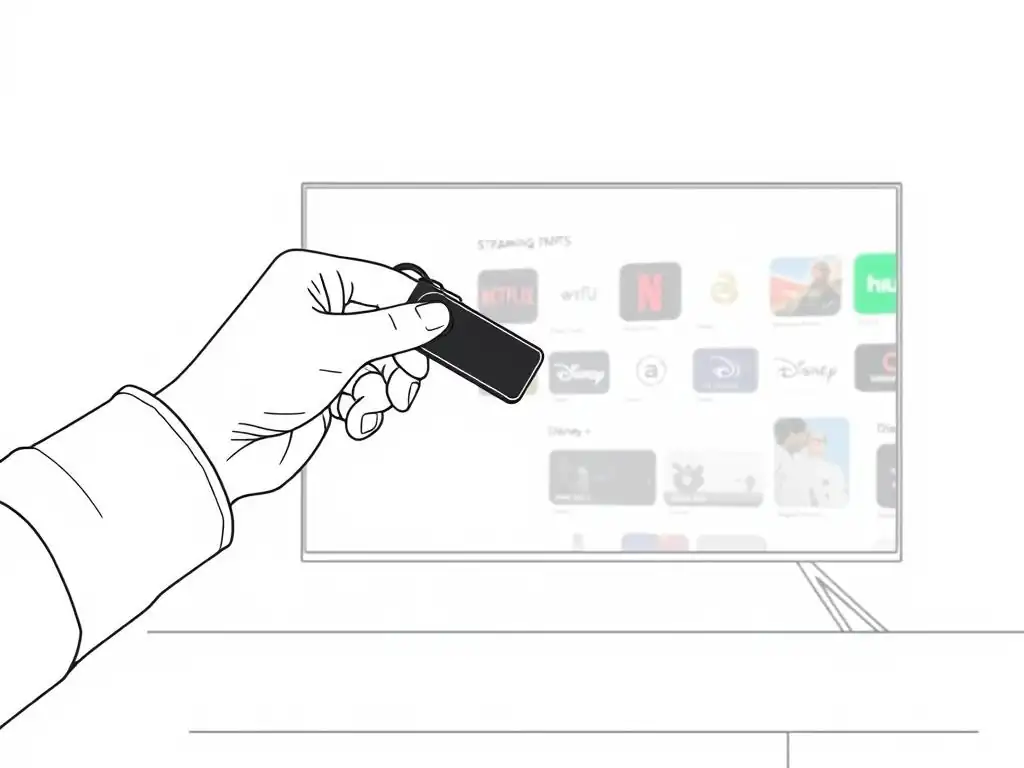
This section provides a comprehensive guide to setting up your new streaming device, ensuring a smooth transition to a cable-free life. We'll cover the process from initial unboxing to enjoying your favorite shows. Remember, specific steps might vary slightly depending on the brand and model of your streaming stick or box, so always refer to the manufacturer's instructions if needed. The goal is to get you streaming your favorite content quickly and easily – the best streaming stick for cord cutters should be easy to use!
Connecting Your Streaming Device to Your TV and Internet
The first step in your cord-cutting journey involves physically connecting your streaming device to your television and your home network. This typically involves three simple steps:
- Connecting to your TV: Most streaming sticks connect directly to an available HDMI port on your television. Simply plug the stick into the port. Some boxes may require an HDMI cable, which is usually included in the packaging. Ensure your TV is turned on and set to the correct HDMI input. You should see the device's startup screen on your TV.
- Powering the Device: Streaming sticks generally draw power directly from the TV's USB port. However, some devices require a separate power adapter, which will usually be included in the box. Plug in the power adapter if needed.
- Connecting to Wi-Fi: Once powered on, your streaming device will prompt you to connect to your home Wi-Fi network. You'll need to select your network from the list and enter your Wi-Fi password. A strong and stable internet connection is crucial for optimal streaming quality; consider upgrading your internet plan if necessary for the best streaming stick for cord cutters experience. A minimum speed of 15 Mbps is generally recommended for HD streaming, while 4K streaming requires significantly higher speeds (at least 25 Mbps, ideally more).
Downloading and Setting Up Your Favorite Streaming Apps (Netflix, Hulu, Disney+, etc.)
After successfully connecting your device to your TV and internet, it's time to download and set up your preferred streaming apps. This process is usually straightforward and intuitive.
Most streaming devices come pre-loaded with popular apps like Netflix, Hulu, Disney+, Amazon Prime Video, and YouTube. However, you can also download additional apps from the device's app store, which is typically accessible from the home screen. The process generally involves:
- Navigating to the App Store: Locate the app store icon (often depicted as a shopping bag or a colorful icon) on your device's home screen.
- Searching for Apps: Use the search function to find the specific streaming apps you want to add.
- Downloading and Installing: Select the app and click "Download" or "Install." The app will download and install automatically.
- Signing In: Once installed, launch the app and sign in using your existing account credentials. If you don't have an account, you'll need to create one.
This process allows you to customize your streaming experience with the exact services you want and need. Remember to check for app updates regularly to ensure optimal performance and access to the latest features. Consider apps beyond the major players; many niche streaming services offer specialized content that may appeal to your interests, making your best streaming stick for cord cutters even better.
Troubleshooting Common Streaming Issues
Even with the best streaming stick for cord cutters, occasional technical glitches can occur. Here are some common issues and their solutions:
| Issue | Possible Cause | Solution |
|---|---|---|
| No picture/sound | Incorrect HDMI input selected on TV; Power issue | Check TV's input settings; ensure the device is properly powered. |
| Poor streaming quality | Weak Wi-Fi signal; Low internet speed | Move closer to your router; upgrade your internet plan. |
| App crashes | App bug; Outdated app | Force-quit the app; check for updates or reinstall the app. |
| Connection issues | Incorrect Wi-Fi password; Network problems | Double-check your password; contact your internet service provider. |
| Remote control issues | Low batteries; Remote interference | Replace batteries; move the remote closer to the device, avoiding obstructions. |
Remember to consult your device's user manual for more specific troubleshooting steps. Many issues can be easily resolved by following simple instructions, ensuring a seamless and enjoyable streaming experience. Choosing the right streaming stick is only half the battle; knowing how to troubleshoot common problems will make your cable-free life much easier.
Maximizing Your Cord-Cutting Experience: Tips and Tricks
Cutting the cord is a significant step towards a more streamlined and potentially cost-effective entertainment setup. However, simply swapping cable for a streaming device isn't enough to fully maximize your experience. This section focuses on strategies to enhance your cable-free life beyond just choosing the best streaming stick for cord cutters. We'll explore ways to optimize your viewing habits and ensure you're getting the most out of your investment.
Finding the Best Streaming Services for Your Needs
Choosing the right streaming services is crucial for a satisfying cord-cutting experience. It's about finding the perfect balance between cost and content. Don't fall into the trap of subscribing to every service; instead, carefully analyze your viewing habits. What genres do you enjoy most? Are there specific shows or movies you absolutely must have access to?
Consider creating a spreadsheet to track your favorite shows and movies. Research which streaming services offer them. You might discover that a few strategically chosen services provide a comprehensive library tailored to your preferences, avoiding unnecessary subscription fees.
For example, if you're a huge fan of documentaries, you might prioritize a service like Netflix or Discovery+, while a love for classic films might lead you to Criterion Channel. A detailed analysis of your viewing habits will help you avoid overspending on redundant content. Remember, the best streaming stick for cord cutters is only as good as the content it delivers.
Managing Your Streaming Subscriptions to Avoid Overspending
The allure of numerous streaming services can quickly lead to subscription fatigue and budget strain. Proactive management is key to avoiding this. One effective strategy is to treat streaming subscriptions like any other monthly bill – budget for them explicitly. Track your spending using budgeting apps or spreadsheets, and set a monthly limit.
Another approach is to employ a "rotating subscription" model. Instead of maintaining multiple subscriptions simultaneously, cycle through them. Subscribe to one service for a month or two, then switch to another, ensuring you catch up on your must-see content before canceling. This approach allows you to access a wider variety of content without the financial burden of simultaneous subscriptions. This is especially useful if you're primarily interested in specific limited-series or movies. Think of it as a curated viewing experience, ensuring you get the most value from your streaming budget.
Exploring Free Streaming Options and Alternatives
While paid streaming services dominate the market, several free options can supplement your entertainment without breaking the bank. These free services often include advertising but can offer a surprising amount of high-quality content. However, it’s important to manage expectations; free services typically have smaller libraries and may include more ads than their paid counterparts.
Remember, free doesn't always equate to inferior. Many free streaming platforms offer classic movies, independent films, and even some original programming. Exploring these options can diversify your viewing experience and provide a cost-effective complement to your paid subscriptions. This strategy is a great way to discover hidden gems and expand your entertainment horizons without significantly impacting your budget. A smart combination of paid and free streaming services is often the best strategy to find the best streaming stick for cord cutters and the best overall value.
Conclusion: Embrace the Freedom of Cord-Cutting with the Right Streaming Device
Choosing the best streaming stick for cord cutters can feel overwhelming with so many options available. However, by carefully considering your needs – budget, desired streaming services, and technical proficiency – you can find the perfect device to liberate yourself from the shackles of cable television. This decision isn't just about saving money; it's about gaining control over your entertainment experience, accessing a wider variety of content, and enjoying the flexibility of on-demand viewing. The transition to a cable-free life offers unparalleled freedom and convenience.
Recap of Top Recommendations for Different Budgets and Needs
This section provides a concise summary of top-performing streaming devices categorized by budget and specific needs. Remember, the "best" device is subjective and depends on individual preferences.
| Device Category | Recommended Device(s) | Key Features | Price Range | Ideal User Profile |
|---|---|---|---|---|
| Budget-Friendly | [Specific Budget Stick Name Pending], [Another Budget Option Pending] | Ease of use, access to popular streaming services. | Under $50 | Users prioritizing affordability and essential streaming apps. |
| Mid-Range | [Specific Mid-Range Stick Name Pending], [Another Mid-Range Option Pending] | Enhanced processing power, improved picture quality, potentially 4K support. | $50 - $100 | Users seeking a balance between price and features. |
| High-End/Premium | [Specific High-End Stick Name Pending], [Another High-End Option Pending] | 4K Ultra HD resolution, HDR support, advanced features like voice control. | Over $100 | Users demanding the best possible picture quality and advanced features. |
| Gaming Focused | [Specific Gaming Stick Name Pending] | Strong processing power, compatibility with cloud gaming services. | $75 - $150 | Gamers who want to stream games and access streaming services. |
Remember to check for the latest deals and promotions before making your final purchase! Choosing the right device is crucial for a seamless and enjoyable cord-cutting experience. Don't let the sheer number of options paralyze you; focus on your priorities and make an informed decision.
Future Trends in Streaming Technology and Cord-Cutting
The cord-cutting revolution is far from over; in fact, it's constantly evolving. Several exciting trends are shaping the future of streaming technology and will further enhance the cord-cutting experience:
- Increased Competition: Expect even more streaming services to enter the market, leading to greater competition and potentially lower prices. This also means a wider variety of content to choose from.
- Improved Streaming Quality: Higher resolutions (like 8K) and advanced technologies like HDR (High Dynamic Range) and Dolby Vision will become more prevalent, providing even more immersive viewing experiences.
- AI-Powered Personalization: Artificial intelligence will play a larger role in personalizing recommendations, making it easier to discover new shows and movies that match your tastes. Expect smarter search functions and more intuitive interfaces.
- Integration with Smart Home Ecosystems: Streaming devices will become even more tightly integrated with other smart home devices, allowing for seamless control and automation of your entertainment setup. Imagine controlling your streaming device with your voice assistant or integrating it into your smart home routines.
- Cloud Gaming's Rise: The growth of cloud gaming services will blur the lines between traditional gaming consoles and streaming devices, offering an increasingly compelling alternative for gamers.
The future of cord-cutting is bright, promising a more personalized, affordable, and technologically advanced entertainment experience. By staying informed about these trends, you can ensure you're always ahead of the curve and maximizing your cable-free lifestyle. The journey to a truly optimized streaming setup is an ongoing process, so stay tuned for more updates and advancements!
Frequently Asked Questions
What is the best streaming stick for cord cutters?
The "best" streaming stick depends on your needs and budget. However, devices like the Amazon Fire TV Stick 4K Max and the Roku Streaming Stick 4K+ consistently receive high marks for their performance, features, and value. Consider your preferred streaming services when making your choice.
Are streaming sticks more affordable than cable?
Yes, generally streaming sticks offer significant cost savings compared to traditional cable television subscriptions. The initial cost is low, and monthly subscription fees for streaming services are usually much less than cable packages.
What are the main differences between streaming sticks and streaming boxes?
Streaming sticks are smaller and more portable, plugging directly into your TV's HDMI port. Streaming boxes are larger and typically offer more processing power and storage, potentially resulting in faster performance and more app options.
Do I need a fast internet connection for streaming sticks?
Yes, a reliable high-speed internet connection is crucial for a smooth streaming experience. Buffering and poor video quality are common issues with slow internet speeds. Consider your internet speed before purchasing a streaming stick.
Which streaming stick has the most apps?
While app availability varies slightly, both Roku and Amazon Fire TV platforms offer extensive app libraries, including most major streaming services. The specific apps available can change over time, so it's best to check the app stores directly before making a purchase.
Final Reflection: Embracing the Freedom of Cord-Cutting
The digital revolution has irrevocably changed how we consume entertainment, and the rise of streaming services represents a seismic shift away from traditional cable television. This freedom, once a distant dream for many, is now a tangible reality, accessible through a plethora of affordable and powerful streaming devices. The best streaming stick for cord cutters isn't just a gadget; it's a gateway to a personalized, on-demand entertainment experience.
The impact of cord-cutting extends far beyond individual viewing habits; it's reshaping the entire media landscape. The power dynamic between viewers and content creators is shifting, with consumers demanding more control and flexibility. This movement towards personalized entertainment reflects a broader cultural shift towards individual autonomy and customization. The future of television is not about channels, it's about content.
This simple statement encapsulates the core of the cord-cutting revolution, and its implications are far-reaching and still unfolding.
Consider the possibilities: no more hefty cable bills, no more endless channel surfing, and no more being beholden to a pre-determined schedule. You, the viewer, are now in control. Take the leap; explore the options presented in this article, and discover the streaming device that best suits your needs and budget. Embrace the freedom, curate your own entertainment experience, and unlock a world of possibilities beyond the limitations of traditional cable television. The future of entertainment is in your hands.
Unleash Your Streaming Freedom!
Thanks for joining us on this journey to a cable-free life! We hope you've found the perfect streaming solution. Now, let's ditch those hefty cable bills for good.
- Start your free trial today! This is your chance to experience the freedom of on-demand entertainment without any commitment.
- Share your favorite streaming discoveries with us and other cord-cutters in the comments below—let's build a community of savvy streamers!
- Explore a new genre or director this week and expand your entertainment horizons!
Ready to embrace a life of seamless entertainment and cost savings? What's the first show you'll binge-watch now that you're free from cable?