
The Complete Guide to Automated Bill Payments


Welcome to UltimateLifeHacks, your destination for practical strategies to conquer daily chaos and unlock a more efficient you! Are you tired of juggling bills and missing deadlines? Discover how to effortlessly automate bill payments easily and reclaim precious time for what truly matters. Dive into our Complete Guide to Automated Bill Payments and unlock the secrets to a smoother, stress-free financial life. Let's transform your routine, one automated payment at a time!
- Understanding the Benefits of Automating Bill Payments
- Choosing the Right Automated Bill Payment Method
- Setting Up Your Automated Bill Payment System
-
Security and Best Practices for Automated Bill Payments
- Protecting Your Financial Information: Safeguarding Against Fraud and Identity Theft
- Monitoring Your Accounts Regularly: Checking for Unauthorized Activity
- Understanding Your Bank's Security Measures: Ensuring Secure Transactions
- Reviewing Your Automated Payment Schedule Periodically: Making Adjustments as Needed
-
Troubleshooting Common Issues with Automated Bill Payments
- Dealing with Payment Errors: Resolving Issues with Rejected or Delayed Payments
- Updating Payment Information: Modifying Account Details and Payment Methods
- Canceling or Modifying Automated Payments: Adjusting Your Payment Schedule
- Contacting Customer Support: Seeking Assistance When Needed
- Dealing with Declined Payments: Identifying and Resolving the Root Cause
- Troubleshooting Recurring Payment Problems: Long-Term Solutions
-
Advanced Strategies for Automating Bill Payments
- Automating Irregular Bills: Handling Payments that Aren't Due Regularly
- Utilizing Budgeting Apps for Automated Payments: Integration and Optimization
- Using Personal Finance Software for Comprehensive Bill Payment Management
- Creating a Centralized Dashboard for All Your Bills: Monitoring and Tracking Easily
- Frequently Asked Questions
- Final Reflection: Mastering Financial Freedom Through Automation
- Unlock Your Financial Freedom: Take Control of Your Bills Today!
Understanding the Benefits of Automating Bill Payments
Automating your bill payments is more than just a convenience; it's a strategic move towards a more efficient and stress-free financial life. This complete guide will walk you through the process of automating your bill payments, highlighting the numerous benefits and providing practical steps to get started. In today's fast-paced world, streamlining your finances is crucial for maintaining control and achieving your financial goals.
Automating bill payments allows you to reclaim valuable time, reduce the risk of late payments, and potentially even improve your credit score. We'll explore how to automate payments easily and securely, ensuring you have peace of mind knowing your bills are handled automatically and efficiently. This guide is designed for everyone, from those new to personal finance automation to seasoned users looking to refine their systems.
Let's dive into the numerous advantages of automating your bills and discover how to seamlessly integrate this practice into your daily life. The ultimate goal? To empower you to easily automate bill payments and achieve greater financial freedom.
Save Time and Reduce Stress: Automating Your Finances for a Simpler Life
Manually paying bills consumes significant time and mental energy. Imagine the hours spent each month logging into various accounts, tracking due dates, and ensuring payments are processed on time. This constant juggling act can lead to significant stress and even missed payments. Automating your bill payments eliminates this hassle. By setting up automatic payments, you free up valuable time that can be dedicated to more important aspects of your life – pursuing hobbies, spending time with loved ones, or focusing on your career.
The reduction in stress alone is a significant benefit. Think of it as reclaiming control of your schedule and reducing the mental load associated with managing your finances. This translates into a more relaxed and productive lifestyle. The peace of mind knowing your bills are handled automatically is invaluable. 🌍 This simple automation can significantly improve your overall well-being.
Improve Your Credit Score: The Impact of On-Time Payments
Your credit score is a crucial factor in various financial decisions, from securing loans to obtaining favorable interest rates. One of the most significant factors influencing your credit score is your payment history. Late payments can severely damage your credit, making it harder to access credit in the future and potentially leading to higher interest rates. Automating your bill payments significantly reduces the risk of late payments.
By scheduling payments in advance, you ensure that your bills are paid on time, every time. This consistency in payment history positively impacts your credit score, leading to better financial opportunities and potentially saving you money in the long run. A higher credit score translates to improved financial health and greater financial freedom. 💰 It's a win-win situation: less stress and better credit.
Prevent Late Fees and Penalties: The Cost of Missed Payments
Late payment fees and penalties can add up quickly, significantly impacting your budget. Even a single missed payment can result in substantial charges that could have been easily avoided. These unexpected expenses can strain your finances and create unnecessary financial burdens. Automating your bill payments acts as a safety net, ensuring that payments are made promptly, preventing these costly penalties.
Consider the potential savings over time – the accumulated late fees avoided through automation can be substantial. Think of it as a form of passive income generation, simply by automating a routine task. This proactive approach to bill payments contributes significantly to responsible financial management and helps maintain a healthy financial status. Furthermore, avoiding late payments protects your credit score, as mentioned earlier, creating a positive feedback loop for improved financial well-being.
Enhanced Budget Control: Tracking Expenses with Automated Systems
Automating your bill payments significantly improves your budget control. Manually tracking expenses is tedious and prone to errors; a missed payment or a wrongly recorded amount can throw off your entire budget. Automated systems, however, provide a clear, accurate, and readily accessible record of all your outgoing payments.
This detailed history allows for more effective budget analysis, enabling you to identify areas where you're overspending and make informed adjustments. For example, by reviewing your automated payment history, you might notice that your monthly dining expenses consistently exceed your allocated budget, prompting you to explore cost-saving options like cooking more meals at home or choosing more affordable restaurants.
The accuracy of automated systems is a key advantage. Human error is eliminated, providing a reliable foundation for your financial planning. Many automated payment platforms offer detailed reports and visualizations, making it easy to understand your spending patterns over time. Some even categorize transactions automatically, further simplifying the process of analyzing your expenses.
This level of detail allows for more precise budgeting and forecasting, empowering you to make better financial decisions and avoid unexpected shortfalls. You can easily identify seasonal spending spikes, such as increased holiday expenses or higher utility bills during the summer months, and plan accordingly. This proactive approach to managing finances significantly reduces financial stress and improves overall financial well-being. The ability to effortlessly track and analyze your spending habits is a significant benefit of automating bill payments, contributing to a healthier and more stable financial future.
Choosing the Right Automated Bill Payment Method
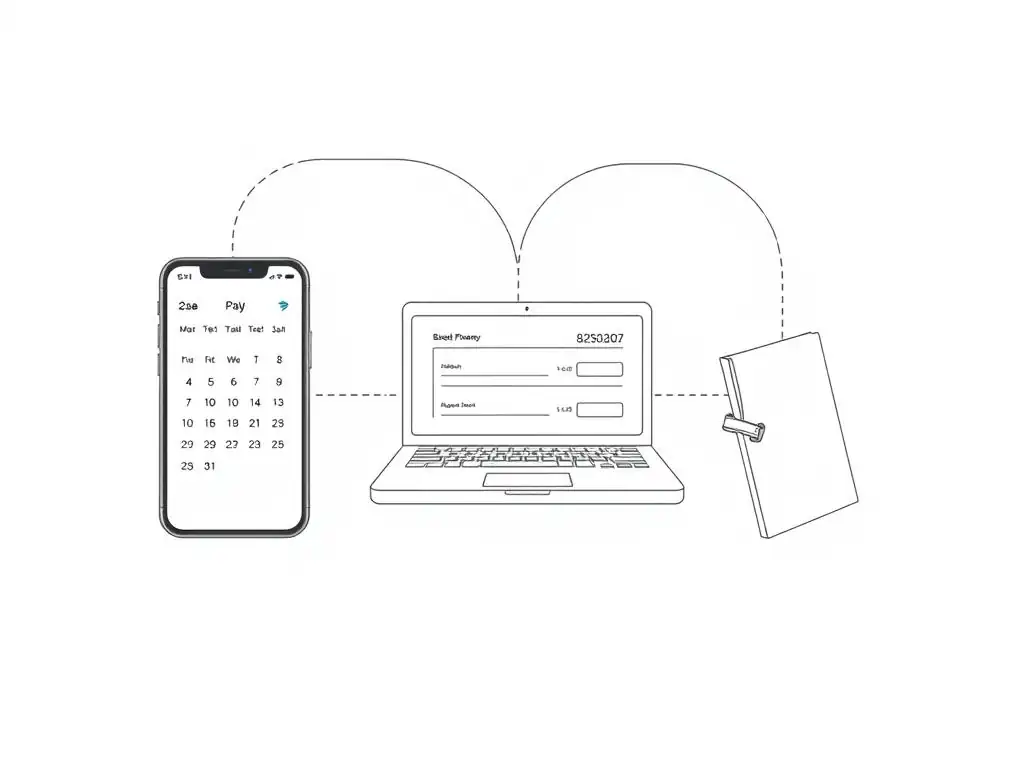
Choosing the optimal method for automating your bill payments hinges on several factors: your comfort level with technology, the types of bills you pay, and the features offered by different payment systems. A streamlined approach significantly reduces the risk of late payments and frees up valuable time. Let's explore the key considerations.
Setting Up Automated Payments Through Your Bank: A Step-by-Step Guide
Many banks offer automated bill payment services directly through their online banking platforms. This method is often preferred for its simplicity and security, as payments are processed through a trusted financial institution. Here's a step-by-step guide:
- Log in to your online banking account: Access your account using your secure credentials. Ensure you're using a trusted network to prevent security breaches.
- Locate the "Bill Pay" or "Automated Payments" section: This is usually found under the "Payments" or "Services" tab. The exact location may vary depending on your bank's interface.
- Add a payee: You'll need to enter the biller's name and account number precisely. Double-check this information to prevent payment errors. Some banks allow you to search for payees by name, which simplifies the process.
- Schedule your payments: Specify the payment amount, frequency (e.g., monthly, weekly), and the date you want the payment to be processed. Many systems allow for one-time payments or recurring payments. Carefully review the payment schedule to avoid any discrepancies.
- Confirm and review: Before submitting, thoroughly review all the payment details to ensure accuracy. A small mistake can lead to late payment fees or other complications.
- Monitor your transactions: Regularly check your online banking account to confirm that payments are being processed as scheduled. This proactive approach helps catch any potential issues promptly.
This method offers a high level of security and convenience. However, it's crucial to regularly review your payment schedule and account balances to prevent unexpected overdrafts. Remember to update your account information if your bank details change.
Utilizing Online Bill Pay Systems: Platform Comparisons and Features
Beyond bank-provided services, several dedicated online bill pay platforms offer comprehensive features and integrations. These platforms often provide a centralized location to manage all your bills, regardless of the biller. A key advantage is the ability to consolidate multiple payments into a single interface.
| Platform | Key Features | Pros | Cons |
|---|---|---|---|
| Platform A | Recurring payments, email notifications, mobile app | Centralized bill management, user-friendly interface | Potential monthly fees, limited biller support |
| Platform B | Budgeting tools, payment scheduling, security features | Robust security, detailed transaction history | Steeper learning curve, less intuitive interface |
| Platform C | Multiple payment methods, international bill pay | Flexibility, global payment capabilities | More complex setup, higher transaction fees potentially |
Choosing the right platform depends on your individual needs and preferences. Consider factors like ease of use, security features, and the range of supported billers. Many platforms offer free trials, allowing you to test their features before committing to a subscription. Carefully compare features and pricing before making a decision to automate bill payments easily.
Automating Payments Directly with Billers: Specific Instructions for Different Companies
Many companies allow you to automate payments directly through their websites or mobile apps. This method eliminates the intermediary step of using a bank or third-party platform. However, it requires setting up separate automated payments for each biller. The specific steps may vary depending on the company, but generally involve:
- Logging into your account: Access your account using your credentials on the biller's website or app.
- Navigating to the "Payment" or "Billing" section: This is typically found under "Account," "My Account," or a similar heading.
- Selecting "Automated Payments" or a similar option: This initiates the setup process for automated payments.
- Providing payment information: You'll need to provide your bank account details or credit card information.
- Setting up payment frequency and amount: Specify how often you want to make payments and the amount for each payment.
- Confirming and reviewing: Before finalizing, carefully review all the payment information to ensure accuracy.
Important Note: Always verify the security of the website or app before entering your sensitive financial information. Look for HTTPS and security certifications to ensure a secure connection. For example, [Specific instructions for setting up automated payments with Company X pending], [Specific instructions for setting up automated payments with Company Y pending], and [Specific instructions for setting up automated payments with Company Z pending]. This approach offers a high level of control but necessitates managing multiple accounts. Remember to regularly review your payment settings to ensure accuracy and avoid any issues.
Mobile App Payment Options: Convenience and Security Considerations
Mobile banking apps have revolutionized how we manage our finances, and automating bill payments through these apps is incredibly convenient. Many major banks and credit unions offer robust bill pay features directly within their apps. This allows you to schedule recurring payments, set up one-time payments, and often receive payment confirmations and notifications directly within the app. The convenience factor is undeniable; you can manage your bills from anywhere with an internet connection, at any time of day.
However, convenience must be balanced with security concerns. While most reputable banking apps employ strong encryption and security protocols, it's crucial to understand the potential risks. Using public Wi-Fi to access your banking app, for example, could expose your information to interception. Always ensure you're connected to a secure network when managing your finances via a mobile app. Furthermore, be wary of phishing scams that might mimic legitimate banking apps.
Verify the app's authenticity before entering any sensitive information. Regularly review your app's security settings and enable features like two-factor authentication (2FA) for an extra layer of protection. This extra step significantly reduces the risk of unauthorized access, even if someone obtains your login credentials. Remember, your bank will never ask for your password or other sensitive information via text message or email.
Choosing a mobile app for automated bill payments requires careful consideration of both the app's features and its security measures. Look for apps with strong user reviews regarding security and reliability. Read the app's privacy policy to understand how your data is handled and protected. Don't hesitate to contact your bank's customer support if you have any questions or concerns about the security of their mobile app's bill payment system.
Proactive security measures are essential to ensure the seamless and secure automation of your bill payments. The ease of automating bill payments shouldn't come at the cost of compromising your financial security. A balanced approach, prioritizing both convenience and security, is key to successfully automating bill payments easily.
Setting Up Your Automated Bill Payment System
This section details the straightforward process of establishing an automated bill payment system, focusing on the crucial initial steps and ongoing maintenance. Automating bill payments easily is achievable with careful planning and execution, ultimately saving you time and reducing stress. This system will help you automate bill payments easily and efficiently.
Gathering Necessary Information: Account Numbers, Payment Amounts, Due Dates
Before you can automate anything, you need the right data. This involves collecting essential information for each of your recurring bills. This seemingly simple step is crucial for a smooth and successful automation process. Failing to gather this information accurately can lead to missed payments and potential late fees.
The key pieces of information you'll need include:
- Account Numbers: Locate your account number for each biller. This is usually found on your monthly statement or on the biller's website within your online account. Double-check the accuracy of these numbers, as even a single digit error can cause payment failure.
- Payment Amounts: Determine the typical payment amount for each bill. For variable bills (like utilities), consider using the average amount from the past few months or setting a slightly higher amount to ensure sufficient funds. Always review your bills to ensure accuracy and adjust the automated payment as necessary.
- Due Dates: Note the due date for each bill. This allows you to schedule your automated payments to arrive a few days before the due date, providing a buffer against potential processing delays. Consider using a calendar or spreadsheet to track these dates effectively.
Here's a sample table to help you organize this information:
| Biller | Account Number | Payment Amount | Due Date |
|---|---|---|---|
| Electricity | 1234567890 | $150 | 15th of Month |
| Credit Card | 9876543210 | $200 | 22nd of Month |
| Internet Service | 0123456789 | $60 | 1st of Month |
| Mortgage | 5555555555 | $1200 | 10th of Month |
Remember to review and update this information regularly, as payment amounts and due dates can sometimes change.
Scheduling Recurring Payments: Setting Up Automated Payments for Regular Bills
Once you've gathered the necessary information, you can begin scheduling recurring payments. Most billers offer online payment portals that allow you to set up automatic payments. This feature eliminates the need for manual payments each month, freeing up your time and mental energy.
The process typically involves logging into your online account with the biller, navigating to the payment section, and selecting the "auto-pay" or "recurring payment" option. You'll then need to enter the payment details you gathered in the previous step: account number, payment amount, and payment method (checking account or credit card).
Some billers might offer different payment frequencies (e.g., weekly, bi-weekly, monthly). Choose the frequency that best aligns with your billing cycle. Always confirm the payment method and amount before setting up the automated payment. Many systems allow for easy modification or cancellation of the recurring payment should you need to make changes later.
Setting Up Payment Reminders and Alerts: Avoiding Missed Payments
Even with automated payments, it's wise to set up reminders and alerts to ensure everything runs smoothly. This extra layer of security helps prevent missed payments due to unforeseen circumstances, such as insufficient funds or changes in billing information.
Many banking apps and online bill payment platforms offer features such as email or text message notifications confirming successful payments or alerting you to potential issues. Take advantage of these features to stay informed and proactively address any problems.
Consider also setting up calendar reminders for your bill due dates. While your payments are automated, this provides an additional check and allows you to monitor your account balances. This simple precaution helps you maintain control and prevent any potential financial setbacks. Remember, proactive monitoring is key to successfully automating bill payments easily and preventing any unexpected surprises.
Choosing Payment Methods: Checking Accounts vs. Credit Cards vs. Debit Cards
Choosing the right payment method for your automated bill payments is crucial for maximizing efficiency and minimizing potential risks. Each option – checking accounts, credit cards, and debit cards – presents unique advantages and disadvantages. Understanding these nuances will help you select the best fit for your financial situation and bill payment preferences.
Let's delve into the specifics of each payment method:
Checking Accounts: Using your checking account for automated bill payments offers a straightforward and secure approach. Funds are directly debited from your account, eliminating the need for manual intervention. This method is generally preferred for its simplicity and the avoidance of interest charges. However, it requires sufficient funds in your account to prevent overdraft fees, a significant drawback if you're not meticulously tracking your balance.
Overdrafts can lead to hefty penalties, significantly impacting your finances. Therefore, diligent budgeting and account monitoring are essential when automating payments from your checking account. Consider setting up email or text alerts to notify you of low balances to proactively prevent overdraft situations. Many banks also offer features that allow you to schedule payments well in advance, providing ample time to ensure sufficient funds are available.
Credit Cards: Automating bill payments using a credit card can offer several benefits, particularly for building credit history and earning rewards points or cashback. Paying your bills on time with a credit card demonstrates responsible credit management, which can positively impact your credit score. Furthermore, some credit cards offer rewards programs that can provide valuable perks, such as airline miles or cash back, for everyday purchases. However, the convenience of credit cards comes with the responsibility of managing debt effectively.
Failing to pay your credit card balance in full each month can result in accumulating high-interest charges, eroding any potential benefits. Careful budgeting and disciplined repayment strategies are vital to avoid falling into debt traps when utilizing credit cards for automated payments. Always ensure you understand the interest rate and minimum payment requirements before enrolling in automated payments via credit card.
Debit Cards: Debit cards offer a middle ground between checking accounts and credit cards. Like checking accounts, payments are directly debited from your linked bank account. However, unlike checking accounts, some debit cards offer fraud protection and dispute resolution services, providing an additional layer of security. This can be particularly useful in case of unauthorized transactions or billing errors.
Furthermore, many debit cards offer rewards programs, albeit often less generous than those offered by premium credit cards. The main drawback of debit cards for automated bill payments is the potential for overdraft fees if you don't maintain sufficient funds in your account, mirroring the risk associated with using a checking account. Careful monitoring of your account balance is therefore crucial to avoid incurring unexpected charges. Consider setting up alerts to receive notifications about low balances.
The optimal payment method for automating bill payments depends on your individual financial habits and priorities. Consider your budgeting skills, risk tolerance, and the potential rewards or penalties associated with each option before making your decision. Careful planning and proactive monitoring are key to ensuring a smooth and efficient automated bill payment system, regardless of the chosen method. Automating bill payments easily requires careful consideration and planning.
Security and Best Practices for Automated Bill Payments
Automating bill payments offers unparalleled convenience, but it's crucial to prioritize security to avoid potential financial pitfalls. This section details essential security measures and best practices to ensure the smooth and safe automation of your bill payments. Mastering these techniques will help you confidently "automate bill payments easily" while minimizing risks.
Protecting Your Financial Information: Safeguarding Against Fraud and Identity Theft
Protecting your financial information is paramount when automating bill payments. Cybercriminals constantly seek vulnerabilities, so proactive measures are essential. Consider these steps:
- Strong Passwords: Utilize unique, complex passwords for each online account. Avoid easily guessable passwords like birthdays or pet names. A password manager can help generate and securely store strong passwords. Think of it as adding another layer of security to your "automate bill payments easily" strategy.
- Two-Factor Authentication (2FA): Enable 2FA whenever possible. This adds an extra layer of security, requiring a second verification method (like a code sent to your phone) in addition to your password. This significantly reduces the risk of unauthorized access, even if your password is compromised.
- Regular Password Changes: Change your passwords regularly, ideally every 90 days, for all accounts linked to automated bill payments. This limits the window of opportunity for hackers.
- Monitor Your Credit Reports: Regularly check your credit reports for any suspicious activity. Services like [Specific credit monitoring service name pending] can alert you to potential identity theft or fraud. This proactive approach is vital for maintaining financial security in the automated payment landscape.
- Beware of Phishing Scams: Be vigilant against phishing emails or text messages that attempt to steal your login credentials. Legitimate companies will never ask for your password or banking information via email. Remember, automating your bill payments shouldn't make you more vulnerable; it should make your life easier. Report any suspicious emails immediately.
Consistent monitoring is key to detecting and preventing fraudulent activity. Regularly review your bank and credit card statements for any unauthorized transactions. Even with automated bill payments, manual checks are crucial for catching anomalies.
- Set up Alerts: Configure email or text alerts for any unusual account activity, such as large transactions or login attempts from unfamiliar locations. This proactive measure ensures you're immediately notified of potential issues.
- Reconcile Statements: Compare your bank and credit card statements to your automated payment records. This reconciliation process helps identify discrepancies and potential errors or fraudulent activity. Consider using budgeting apps to streamline this process.
- Review Payment History: Periodically review your automated payment history to ensure all payments are processed correctly and on time. This provides a comprehensive overview of your financial activity.
- Check for Duplicate Payments: Occasionally, automated systems might process duplicate payments. Regular checks prevent unnecessary charges and financial losses. This step is particularly important when dealing with multiple payment systems.
This diligent monitoring significantly enhances your ability to "automate bill payments easily" and safely.
Understanding Your Bank's Security Measures: Ensuring Secure Transactions
Your bank plays a crucial role in securing your automated bill payments. Understanding their security protocols is vital for minimizing risk.
- Encryption: Ensure your bank utilizes robust encryption technology to protect your financial data during transmission. Look for indicators like "https" in the URL and security badges on the website.
- Fraud Protection: Inquire about your bank's fraud protection policies and procedures. Many banks offer additional layers of protection against unauthorized transactions.
- Customer Support: Familiarize yourself with your bank's customer support channels. Knowing how to contact them quickly in case of an emergency is crucial. Have their phone number and online support readily available.
- Account Alerts: Utilize all the account alert options offered by your bank. These alerts can provide real-time notifications of suspicious activity, enabling prompt action.
By understanding and leveraging your bank's security features, you can further enhance your ability to "automate bill payments easily" while maintaining a high level of security. Remember, a multi-layered approach to security is the most effective strategy. 💰
Reviewing Your Automated Payment Schedule Periodically: Making Adjustments as Needed
Regularly reviewing your automated bill payment schedule is crucial for maintaining control and preventing potential issues. Think of it as a preventative maintenance check for your financial system. Failing to do so can lead to missed payments, overdrafts, and unnecessary stress. Ideally, you should conduct a thorough review at least once a quarter, or even monthly if you have a complex financial situation with numerous recurring payments.
This review shouldn't be a rushed affair. Take the time to carefully examine each automated payment. Verify that the payment amount is still accurate. Many bills fluctuate – energy costs during summer months, for example, are often higher than in winter. Similarly, subscription services might increase their fees with little notice. By reviewing your schedule, you can catch these changes and adjust your automated payments accordingly, avoiding late fees or service disruptions.
Furthermore, consider your overall financial situation. Have your income or expenses changed significantly? Perhaps you've received a raise or taken on additional debt. These shifts can impact your ability to meet your automated payment obligations. A periodic review allows you to assess your financial health and make necessary adjustments to your payment plan, ensuring you remain financially stable. This proactive approach prevents you from being caught off guard by unexpected financial challenges.
Don't underestimate the power of a simple spreadsheet or a dedicated financial management app to track your automated payments. These tools can help you visualize your entire financial picture, making it easier to spot potential problems and make timely adjustments. Remember, automating your bill payments is about simplifying your life, not creating additional headaches. Regular review is the key to harnessing the true benefits of this technology.
Consider setting a recurring calendar reminder to ensure you don't overlook this important task. A few minutes each quarter can save you considerable time, money, and stress in the long run. Proactive financial management is a key element of successfully automating bill payments easily.
Troubleshooting Common Issues with Automated Bill Payments
Automating bill payments offers significant convenience, but occasional glitches can arise. Understanding how to troubleshoot these issues is crucial for maintaining smooth financial management. This section will equip you with the knowledge to navigate common problems and ensure your automated payments run flawlessly. Remember, proactive monitoring is key to preventing larger issues down the line. Successfully automating bill payments easily requires vigilance and a proactive approach.
Dealing with Payment Errors: Resolving Issues with Rejected or Delayed Payments
Payment errors in automated systems can stem from various sources. A common cause is insufficient funds in your designated account. Always ensure you have sufficient funds available several days before the scheduled payment date to avoid rejection. Other potential issues include incorrect account numbers, expired cards, or changes to your billing information that haven't been updated in your payment system.
When a payment is rejected or delayed, you'll typically receive a notification from your bank or the payment service provider. These notifications often provide a detailed explanation of the error. Carefully review this information to identify the root cause.
Here's a breakdown of common scenarios and their solutions:
| Error Type | Potential Cause | Solution |
|---|---|---|
| Insufficient Funds | Low account balance | Ensure sufficient funds are available before the payment due date. |
| Incorrect Account Number | Typographical error in account details | Verify all account details (account number, routing number, etc.) for accuracy. |
| Expired Payment Method | Credit card or bank account expiration | Update your payment method with a valid and unexpired option. |
| Billing Information Discrepancy | Changes in your billing address or account details | Update your payment information in your automated payment system. |
| System Glitch | Temporary outage or technical problem | Contact your bank or payment service provider for assistance. |
Remember to always keep your contact information updated with your bank and payment providers to ensure timely communication regarding any payment issues. Proactive monitoring can help you identify and resolve problems before they escalate. Don't hesitate to reach out to customer support if you're unsure how to proceed.
Updating Payment Information: Modifying Account Details and Payment Methods
Keeping your payment information up-to-date is paramount for successful automated bill payments. Changes in your bank account, credit card details, or billing address require prompt updates to avoid payment failures. The process for updating this information varies depending on the payment platform you use, but generally involves accessing your account settings and making the necessary modifications.
For example, if you move and your billing address changes, you must update this information with each biller individually, as well as within your automated payment system. Failing to do so could lead to payments being sent to the wrong address and potentially impacting your credit score. Similarly, if you get a new credit card, you'll need to update the information in your payment system to prevent future payment failures.
Many platforms allow for seamless updates, often with verification procedures to ensure security. Always review the updated information carefully to confirm accuracy before saving the changes. Consider setting reminders to periodically review your payment information to ensure everything remains current and accurate. Regular checks can prevent unexpected payment disruptions.
Canceling or Modifying Automated Payments: Adjusting Your Payment Schedule
The flexibility to cancel or modify automated payments is a key advantage of the system. Whether you need to temporarily suspend payments, change the payment amount, or switch to a different payment method, most platforms offer tools to manage these adjustments. The process is usually straightforward, involving logging into your account and navigating to the relevant section for managing scheduled payments.
For instance, if you're going on vacation and anticipate insufficient funds, you can temporarily suspend payments for a specific period. Similarly, if your budget changes and you need to adjust payment amounts, you can typically modify the scheduled payment directly through the interface. Always ensure you carefully review the changes before confirming them. Unexpected changes can lead to missed payments and potential late fees.
Remember to check the specific instructions and guidelines provided by your bank or payment platform for detailed instructions on how to cancel or modify payments. Understanding these processes empowers you to maintain complete control over your automated bill payment system. Proactive management minimizes the risk of unforeseen financial disruptions.
Contacting Customer Support: Seeking Assistance When Needed
When automating bill payments, encountering occasional hiccups is normal. Perhaps a payment failed, or you're unsure why a specific bill hasn't been processed. Knowing how to effectively contact your bank or payment provider's customer support is crucial for resolving these issues swiftly. Don't hesitate to reach out; proactive communication often prevents minor problems from escalating into significant financial headaches.
Before contacting support, gather necessary information. This includes your account number, the date of the transaction in question, the amount involved, and any error messages received. Having this readily available will significantly speed up the resolution process. Many providers offer multiple contact methods, such as phone, email, and online chat. Choose the method that best suits your preference and urgency. If you opt for a phone call, be prepared to potentially wait on hold; consider calling during off-peak hours for a quicker response.
When interacting with customer support representatives, be polite and clear in explaining your issue. Avoid using jargon or technical terms that they may not understand. Clearly state the problem and the steps you've already taken to troubleshoot it. Remember to listen attentively to their instructions and ask clarifying questions if needed. If the issue isn't resolved immediately, request a follow-up and obtain a reference number for tracking purposes.
Keep detailed records of all communications, including dates, times, and the names of the representatives you spoke with. This documentation can prove invaluable if further assistance is required. Properly documenting your interactions with customer support is a key element in successfully automating your bill payments and avoiding future complications. Remember, effective communication is key to a smooth and efficient automated bill payment experience.
Dealing with Declined Payments: Identifying and Resolving the Root Cause
A declined payment can be frustrating, but understanding the underlying reasons is the first step towards a solution. Several factors can contribute to declined payments, ranging from insufficient funds in your account to incorrect account information. Before contacting your bank or payment provider, carefully review your account balance to ensure sufficient funds are available to cover the payment.
Next, verify that the payment information you provided is accurate. Double-check the account number, routing number (if applicable), and any other relevant details. Even a minor typo can lead to a declined payment. If the information is correct, consider checking for any holds or restrictions placed on your account. Your bank might have temporarily frozen your account due to suspected fraudulent activity or other reasons. Contacting your bank directly to clarify any account restrictions is crucial.
Some payment providers may impose limits on the number or value of automated payments processed within a specific timeframe. Exceeding these limits could trigger a decline. Review your provider's terms and conditions to determine if you've reached any such limits.
Furthermore, certain types of bills, such as those from international vendors or certain utility companies, may be prone to higher rates of declined payments due to processing complexities. Understanding these potential issues is crucial for proactive management of your automated payment system. By systematically investigating these potential causes, you can efficiently resolve declined payments and maintain a smooth, automated bill payment process.
Troubleshooting Recurring Payment Problems: Long-Term Solutions
Recurring payment issues, unlike isolated incidents, require a more systematic approach to troubleshooting and resolution. If you're experiencing repeated failures with automated payments, it's essential to identify the underlying pattern and address the root cause to prevent future disruptions. Keep a detailed log of each failed payment, noting the date, time, amount, and any error messages received. This record can help pinpoint recurring patterns or trends. For example, are payments consistently failing on specific days of the week, or are certain vendors more prone to problems?
Analyzing payment patterns can be extremely helpful. If you notice a correlation between failed payments and certain vendors or dates, you can investigate further. Are there known issues with the vendor's payment processing system? Have there been recent changes to your account details or payment method? Sometimes, changes to your bank's system or the vendor's processing procedures can lead to recurring problems.
Consider reviewing your automated payment setup with each vendor. Ensure that the payment details are accurate and up-to-date. Many payment platforms allow you to review and update payment information directly within the platform.
If the problems persist, consider switching to an alternative payment method or contacting the vendor's customer support directly to address any potential issues on their end. Proactive monitoring, meticulous record-keeping, and thorough investigation are key to effectively troubleshooting recurring payment problems and ensuring the long-term success of your automated bill payment system. Remember that persistence and attention to detail are crucial in resolving these types of issues.
Advanced Strategies for Automating Bill Payments
This section delves into more sophisticated techniques to streamline your bill payment automation, moving beyond the basics of setting up recurring payments. We'll explore strategies to handle irregular bills, leverage budgeting apps, and utilize powerful personal finance software for comprehensive management. Mastering these techniques will truly help you automate bill payments easily and efficiently.
Automating Irregular Bills: Handling Payments that Aren't Due Regularly
Many bills aren't conveniently scheduled for monthly payments. Quarterly property taxes, biannual insurance premiums, and even irregular subscription fees can disrupt your automated payment system. Successfully automating these irregular bills requires a proactive approach. One effective strategy is to create manual reminders in your calendar or use a dedicated task management app. For example, you could set reminders 10 days before the due date for each irregular bill. This provides ample time to initiate the payment, ensuring you avoid late fees.
Another powerful approach is to utilize bill payment features within personal finance software. Many programs allow you to schedule one-time payments with specific due dates, mirroring the functionality of recurring payments but for irregular expenses. This ensures these payments are handled just as smoothly as your regular monthly bills. Some software can even pull due dates directly from your bank statements or online accounts, further reducing manual effort. This reduces the risk of forgetting these payments entirely, a common problem when managing multiple irregular bills simultaneously.
Finally, consider creating a separate dedicated savings account for irregular bill payments. By setting up automatic transfers to this account throughout the year, you gradually accumulate the funds needed for these larger, less frequent payments. This method eliminates the last-minute scramble to find the funds when the payment is due, simplifying the process and reducing stress. Think of it as a "bill payment buffer" – a proactive approach to financial stability.
Utilizing Budgeting Apps for Automated Payments: Integration and Optimization
Budgeting apps offer a powerful way to centralize and optimize your bill payment automation. Many apps seamlessly integrate with your bank accounts and credit cards, allowing you to monitor your spending and schedule payments directly within the app. This centralized view provides a clear picture of your financial health and makes managing multiple accounts much easier. This integration simplifies the process of "automate bill payments easily," especially for those with numerous accounts.
However, the effectiveness depends heavily on the app's features. Look for apps that offer robust automation capabilities, such as the ability to:
- Schedule recurring payments directly from the app.
- Categorize transactions automatically to track your spending.
- Send payment reminders and notifications.
- Integrate with multiple financial institutions.
For example, some apps allow you to set up rules—if your checking account balance exceeds a certain threshold, automatically allocate funds to cover upcoming bills. This proactive approach prevents overspending and ensures sufficient funds are available for timely payments. This is especially beneficial for managing irregular income streams, adding another layer to easily automating bill payments.
Using Personal Finance Software for Comprehensive Bill Payment Management
Personal finance software offers the most comprehensive solution for automating bill payments easily. These programs provide a centralized dashboard to manage all your financial accounts, track your spending, and automate payments across multiple platforms. Unlike budgeting apps that primarily focus on budgeting and spending tracking, personal finance software often includes more advanced features specifically designed for bill payment management.
These features can include:
| Feature | Description | Benefits |
|---|---|---|
| Bill Aggregation | Collects and displays all your bills in one place. | Reduces the time spent searching for bills and due dates. |
| Automated Payment Scheduling | Allows you to schedule recurring and one-time payments. | Eliminates manual payment entry and reduces the risk of missed payments. |
| Payment Reminders | Sends alerts before bills are due. | Prevents late fees and ensures timely payments. |
| Budgeting and Forecasting | Tracks your spending and predicts future expenses to help you manage your finances effectively. | Helps you avoid overspending and ensures you have enough funds for your bills. |
| Security and Encryption | Protects your financial data with robust security measures. | Ensures your financial information is safe and secure. |
Choosing the right software depends on your specific needs and preferences. Some programs are more suitable for beginners, while others offer more advanced features for experienced users. Regardless of your choice, the ability to "automate bill payments easily" and comprehensively manage your finances is a significant advantage. The time saved and reduced stress are invaluable benefits.
Creating a Centralized Dashboard for All Your Bills: Monitoring and Tracking Easily
Managing multiple automated bill payments can feel overwhelming if you're not organized. A centralized dashboard provides a single, easily accessible point to monitor all your automated payments. This eliminates the need to log into numerous websites or apps, saving you valuable time and reducing the risk of overlooking important details. Think of it as a command center for your finances.
Several methods exist for creating this centralized dashboard. Some individuals find success using a simple spreadsheet program like Microsoft Excel or Google Sheets. Columns can be dedicated to biller names, due dates, payment amounts, account numbers, and any relevant notes. This approach offers maximum customization and control. However, it requires manual input and updating, potentially leading to errors if not meticulously maintained. The benefit, though, is the complete transparency and control you have over the data. You can easily add formulas to track total monthly expenses or flag upcoming payments.
Alternatively, numerous budgeting apps offer features to aggregate and track bills. Many of these apps integrate directly with your bank accounts, automatically importing transaction data and categorizing expenses. This significantly reduces the manual effort required to maintain a comprehensive record.
Features like email alerts for upcoming payments and customizable reports further enhance the monitoring capabilities. While this automated approach is convenient, it's crucial to carefully review the app's security measures and privacy policy before entrusting your financial data. Not all apps are created equal, and some may have limitations in terms of the number of accounts they can handle or the types of bills they support.
Regardless of the chosen method – spreadsheet or budgeting app – the key is consistency. Regularly review your dashboard to ensure accuracy and identify any potential issues. This proactive approach minimizes the risk of missed payments and allows for timely intervention if discrepancies arise. For example, if a payment is consistently late, this could indicate a problem with the automated payment setup or a change in billing information.
Addressing these issues promptly prevents late fees and maintains your positive credit history. The peace of mind that comes with knowing you have a clear overview of your finances is invaluable. This level of control empowers you to make informed financial decisions and contributes significantly to a more stress-free life.
Frequently Asked Questions
What are the benefits of automating my bill payments?
Automating bill payments saves you time and effort, reduces the risk of late payments and associated fees, and improves your financial organization. It simplifies your life and reduces stress.
How do I automate my bill payments?
Most banks and credit unions offer online bill pay services. You can also use third-party apps that connect to your accounts and automate payments. Consider setting up recurring payments for consistent bills.
Is automating bill payments safe and secure?
Yes, reputable banks and apps use encryption and security protocols to protect your financial information. Choose established services and monitor your accounts regularly for any discrepancies.
What types of bills can I automate?
You can automate payments for most recurring bills, such as utilities (electricity, gas, water), internet, phone, insurance, and loan payments. However, some bills may require manual payment.
What if I need to cancel or change an automated payment?
Most services allow you to easily modify or cancel automated payments through their online portals or mobile apps. Check your provider's instructions for specific steps. Always review your settings periodically.
Final Reflection: Mastering Financial Freedom Through Automation
The ability to automate bill payments isn't just a convenience; it's a cornerstone of modern financial stability. In a world increasingly demanding efficient management of resources, the strategies outlined in this guide offer a powerful pathway to reclaiming your time and reducing financial stress. This isn't simply about ticking off tasks; it's about building a proactive and secure financial future.
The shift towards automated bill payments reflects a broader societal change – a move towards streamlined processes and increased reliance on technology for everyday tasks. This trend underscores the growing importance of financial literacy and the need for accessible tools that empower individuals to manage their finances effectively. Time is the most valuable asset we have, and automating bill payments is a powerful way to reclaim it.
This simple truth resonates deeply, highlighting the profound impact of even small changes on our overall well-being.
Now, consider how you can integrate these strategies into your own life. Think about the time you could regain, the stress you could alleviate, and the peace of mind you could achieve by taking control of your bill payments. Don't just read about automation; become automated. Embrace the simplicity, security, and freedom that comes with effortlessly managing your finances. Start today, and experience the transformative power of effortless financial control.
Unlock Your Financial Freedom: Take Control of Your Bills Today!
Thank you for exploring ways to automate your bill payments! We hope this guide has provided you with the tools to simplify your finances and free up valuable time. Now, let's put that knowledge into practice.
- Prioritize and automate: Begin by identifying your three most important recurring bills and setting up automatic payments. This simple step can significantly reduce stress and improve your financial organization.
- Explore additional automation options: Consider automating other regular expenses, such as subscriptions or contributions to savings accounts. Even small automated savings can accumulate substantially over time.
- Share your bill payment strategies: Tell us—or your friends—about the automation methods that have worked best for you! What innovative solutions have you discovered?
What bill are you most eager to automate, and why?