
Is Your Smart Home Security Vulnerable? Common Mistakes and How to Fix Them

Ready to unlock a more efficient and secure life? At UltimateLifeHacks, we're dedicated to helping you optimize your daily routines. But are you making costly mistakes that compromise your peace of mind? This article dives deep into common smart home security flaws, revealing surprising vulnerabilities you may not even know exist. Discover how to avoid these pitfalls and transform your smart home into an impenetrable fortress – let's get started!
-
Understanding Smart Home Security Vulnerabilities: Common Mistakes Homeowners Make
- Weak or Default Passwords: A Major Smart Home Security Risk
- Unpatched Software: Leaving Your Smart Home Open to Attacks
- Neglecting Two-Factor Authentication (2FA): A Critical Oversight
- Public Wi-Fi and Smart Home Security: A Recipe for Disaster
- Ignoring Smart Home Camera Blind Spots: Vulnerabilities in Your Smart Home Surveillance
-
Fixing Your Smart Home Security: Practical Steps to Enhance Protection
- Strengthening Passwords and Implementing Password Management Strategies
- Updating Firmware and Software Regularly: A Proactive Approach to Security
- Enabling Two-Factor Authentication (2FA) on All Smart Home Devices
- Securing Your Home Network: Protecting Against Unauthorized Access
- Optimizing Smart Home Camera Placement and Monitoring
- Investing in Advanced Security Features: Next-Level Smart Home Protection
- Advanced Smart Home Security Measures for Ultimate Protection
- Recommended Smart Home Security Products for Enhanced Protection
- Conclusion: A Secure and Smart Home is Within Reach
-
Frequently Asked Questions
- What are some common smart home security mistakes people make?
- How can I improve the security of my smart home Wi-Fi network?
- Are smart home devices inherently less secure than traditional security systems?
- What should I do if I suspect my smart home system has been compromised?
- What are some practical steps to enhance my smart home's overall security?
- Final Reflection: Securing Your Digital Sanctuary
- Secure Your Smart Home: Take Control Now!
Understanding Smart Home Security Vulnerabilities: Common Mistakes Homeowners Make
The allure of a smart home—seamless automation, enhanced convenience, and remote control—is undeniable. However, this technological advancement introduces a new layer of security concerns. While smart home devices promise increased safety and security, many homeowners unknowingly compromise their systems through simple oversights. This article delves into common smart home security mistakes, exploring the vulnerabilities they create and providing practical solutions to bolster your home's defenses.
We'll examine the most prevalent errors, focusing on how to identify and rectify them, ultimately helping you create a truly secure and efficient smart home environment. Ignoring these vulnerabilities can leave you exposed to various threats, from unauthorized access and data breaches to physical intrusions. Understanding these risks is the first step towards mitigating them and enjoying the benefits of smart technology without compromising your peace of mind. Let's explore the most critical areas where many homeowners fall short.
Weak or Default Passwords: A Major Smart Home Security Risk
Many smart home devices arrive with default passwords or encourage users to choose simple, easily guessable combinations. This is a critical vulnerability. Think of it like leaving your front door unlocked—an open invitation for intruders. Default passwords are often publicly available, making your system an easy target for hackers.
A weak password, even if not default, provides minimal protection against sophisticated attacks or brute-force attempts. The consequences of using weak passwords can range from unauthorized access to your devices and network, to complete control of your smart home ecosystem, including potentially compromising connected security cameras, door locks, and even appliances. This could lead to identity theft, financial losses, and even physical endangerment.
Choosing Strong Passwords for Smart Home Devices: Best Practices and Password Managers
Creating strong, unique passwords for each smart home device is paramount. A strong password should be:
- Long: At least 12 characters.
- Complex: A mix of uppercase and lowercase letters, numbers, and symbols.
- Unique: Different from passwords used for other accounts.
Example of a Strong Password:
P@$$wOrd_Sm@rtH0m3!
Remembering numerous complex passwords can be challenging. This is where password managers become invaluable. These tools generate, store, and manage your passwords securely, eliminating the need to memorize them while significantly enhancing your security posture. Using a reputable password manager is a crucial step in securing your smart home. Remember to protect your password manager's master password with utmost care, as compromising it would compromise all your other passwords.
Unpatched Software: Leaving Your Smart Home Open to Attacks
Outdated software is another significant vulnerability. Manufacturers regularly release firmware updates that address security flaws and bugs. Failing to update your devices leaves them susceptible to known exploits that hackers can use to gain unauthorized access. This is especially critical for security devices like smart locks, cameras, and alarm systems. A simple vulnerability in one device can compromise the entire network. The consequences of neglecting software updates can be severe, ranging from data breaches to complete system compromise.
Regularly Updating Firmware on Smart Home Devices: A Simple Security Checklist
Creating a routine for updating your smart home devices' firmware is essential. Here's a simple checklist:
- [ ] Check for updates regularly: Most devices will notify you of available updates, but proactively checking is crucial.
- [ ] Prioritize security updates: Focus on updates explicitly addressing security vulnerabilities.
- [ ] Schedule updates: Set aside time each month to update all your smart home devices.
- [ ] Keep track of updates: Maintain a record of which devices have been updated and when.
This proactive approach significantly reduces your risk of exploitation and helps maintain the integrity of your smart home security system. Remember, a secure smart home requires consistent vigilance and proactive maintenance. Ignoring updates is akin to ignoring potential threats.
Neglecting Two-Factor Authentication (2FA): A Critical Oversight
Two-factor authentication (2FA) is a cornerstone of robust smart home security, yet many homeowners overlook its importance. This critical oversight leaves your system vulnerable to unauthorized access, even if your passwords are strong. 2FA adds an extra layer of protection by requiring a second form of verification beyond your password, such as a code sent to your phone or email, a biometric scan (fingerprint or facial recognition), or a security key. Without 2FA, a hacker who gains access to your password—perhaps through phishing or a data breach—can immediately control your smart home devices.
This could range from simply turning off your lights to more serious consequences like remotely disabling your security system or accessing your home surveillance cameras. The potential for misuse is significant, impacting both your privacy and personal safety. Consider the real-world scenario of a thief gaining access to your smart lock; with only a password, they could easily enter your home.
2FA would prevent this, adding that crucial extra layer of security to thwart unauthorized access. Ignoring 2FA is like leaving your front door unlocked—a simple, easily preventable mistake with potentially devastating consequences. Prioritizing 2FA is essential for mitigating these risks and securing your smart home effectively.
Enabling 2FA on All Smart Home Devices and Accounts: Step-by-Step Guide for Enhanced Security
Implementing 2FA across your smart home ecosystem might seem daunting, but it's a straightforward process that significantly strengthens your security posture. Here's a step-by-step guide:
- Identify all your smart home devices and accounts: This includes your smart home hub (e.g., Amazon Echo, Google Home), individual smart devices (lights, locks, thermostats), and any associated apps or online accounts. Make a list to ensure you don't miss anything.
- Check each device and account for 2FA options: Most modern smart home devices and services offer 2FA. Look for settings related to "security," "two-factor authentication," or "multi-factor authentication." The exact wording may vary.
- Choose your preferred 2FA method: Many platforms offer multiple options, including authenticator apps (Google Authenticator, Authy), SMS codes, email codes, and security keys. Authenticator apps are generally considered the most secure.
- Enable 2FA for each account and device: Follow the on-screen instructions provided by each platform. This usually involves entering your password and then setting up your chosen 2FA method.
- Test your 2FA setup: After enabling 2FA, try logging in or accessing your devices to confirm that the second verification step works correctly.
- Regularly review and update your 2FA settings: Check periodically to ensure your contact information and chosen method are still accurate and secure. This helps prevent issues if your phone is lost or your email is compromised. Consider using a password manager to securely store your master passwords and keep track of your 2FA setup for all your connected devices.
Public Wi-Fi and Smart Home Security: A Recipe for Disaster
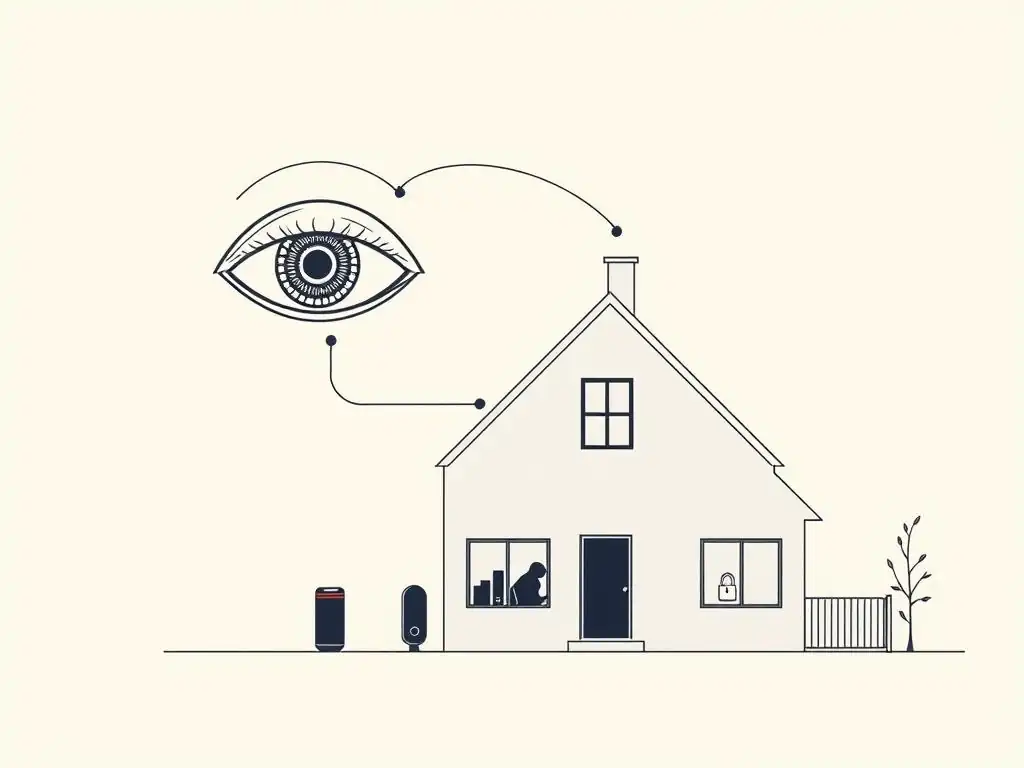
Connecting your smart home devices to public Wi-Fi networks is a major security risk. Public Wi-Fi networks are often unsecured and easily accessible to hackers. This means that anyone on the same network could potentially intercept your data, including your smart home credentials and personal information. Imagine connecting your smart home hub to a coffee shop's Wi-Fi; a malicious actor could potentially gain access to your entire system, controlling your devices and potentially compromising your security cameras.
This is particularly concerning given that many smart home devices use default passwords or easily guessable credentials. Using public Wi-Fi for your smart home exposes your network to man-in-the-middle attacks, where hackers intercept communication between your devices and the internet. This allows them to steal data, inject malware, or even take control of your devices remotely.
The consequences could range from minor inconveniences to significant privacy breaches and financial losses. Avoid using public Wi-Fi for controlling your smart home devices at all costs; the risk far outweighs any convenience. Instead, rely on your secure home network for reliable and safe smart home operation.
Securing Your Smart Home Network: Using a VPN and Strong Router Passwords
Protecting your smart home network requires a multi-layered approach. A crucial aspect is using a strong, unique password for your router and employing a Virtual Private Network (VPN). Weak router passwords are like an open invitation for hackers. They are frequently targeted, with many default passwords readily available online.
Changing your router password to a complex, unique passphrase is a fundamental step in securing your network. This passphrase should be different from any other password you use and should ideally incorporate a mix of uppercase and lowercase letters, numbers, and symbols. A VPN creates an encrypted tunnel between your devices and the internet, protecting your data from prying eyes, even on a public Wi-Fi network (though you should still avoid using public Wi-Fi for your smart home). By encrypting your internet traffic, a VPN prevents hackers from intercepting your data, including sensitive information related to your smart home devices.
Consider using a reputable VPN service with strong encryption protocols. Combining a strong router password with a VPN provides a powerful defense against common network vulnerabilities, effectively safeguarding your smart home from unauthorized access and data breaches. Remember, regular updates to your router's firmware are also crucial to patching security vulnerabilities.
Ignoring Smart Home Camera Blind Spots: Vulnerabilities in Your Smart Home Surveillance
Smart home cameras offer a significant boost to home security, providing real-time monitoring and recording capabilities. However, many homeowners unknowingly leave themselves vulnerable by neglecting a critical aspect of camera placement: blind spots. These areas, unseen by your cameras, create easy access points for intruders. A seemingly secure smart home system can be easily compromised if strategic blind spots aren't addressed.
For example, a camera pointed at the front door might miss a side window or a back alley access point, leaving those areas vulnerable to unauthorized entry. Intruders are often aware of these vulnerabilities and actively seek them out. They will exploit gaps in surveillance to enter discreetly and avoid detection. This is why a comprehensive understanding of your home's layout and potential blind spots is paramount.
Failing to account for these blind spots significantly diminishes the effectiveness of your entire smart home security system, rendering the investment in expensive equipment largely ineffective. Criminals are becoming increasingly sophisticated, using readily available information and techniques to identify and exploit these vulnerabilities. The consequences of ignoring these blind spots can range from minor inconveniences like package theft to severe incidents such as home invasion and robbery. Therefore, a proactive approach to identifying and mitigating blind spots is essential for effective smart home security.
Optimizing Smart Home Camera Placement: Minimizing Blind Spots and Maximizing Coverage
Effectively addressing blind spots requires careful planning and strategic camera placement. Start by creating a detailed floor plan of your home, marking all windows, doors, and potential access points. 1 Consider using different camera types to maximize coverage. For instance, a combination of wide-angle cameras for broader surveillance and pan-tilt-zoom (PTZ) cameras for targeted monitoring can create a robust security system. PTZ cameras allow you to remotely adjust the camera angle, addressing blind spots as needed. Think about the height of your cameras; placing them too low might only capture lower portions of a room or entryway. Similarly, cameras placed too high might miss activity at ground level. Ideally, cameras should be placed at a height that provides a balanced view of the area they're monitoring. Furthermore, consider adding additional cameras strategically to cover those blind spots identified in the initial assessment. For example, a camera positioned to monitor the backyard might need to be supplemented with a second camera to cover the less visible side areas or the back alley, if applicable. Remember to account for obstacles that might obstruct the camera's view, such as large plants, furniture, or even weather conditions like heavy snow. Regular inspection and adjustments to camera angles can help maintain optimal coverage and minimize blind spots over time. This proactive approach ensures that your smart home security system remains effective and adapts to changing conditions. Finally, integrating your smart home cameras with other security features, such as motion sensors and smart lighting, can create a layered security system that further reduces vulnerabilities.
1 Consider using readily available home design software or even drawing a simple sketch to visualize your home's layout and potential vulnerabilities.
Fixing Your Smart Home Security: Practical Steps to Enhance Protection
This section delves into actionable steps you can take to bolster your smart home security, mitigating the vulnerabilities often overlooked. We'll explore practical solutions to common smart home security mistakes, transforming your connected home from a potential target into a secure haven. Remember, proactive security measures are key to preventing breaches and protecting your privacy. Let's get started.
Strengthening Passwords and Implementing Password Management Strategies
Weak passwords are a major entry point for hackers targeting smart home systems. Many users rely on easily guessable passwords, such as "1234" or "password," leaving their devices vulnerable. This is a critical smart home security mistake. To enhance your security, you must adopt strong, unique passwords for each device. Simply using a different variation of the same password across multiple devices is insufficient; a breach on one device could compromise them all.
Using Password Managers and Unique Passwords for Each Device
Employing a password manager is crucial for generating and securely storing complex passwords. These tools create virtually uncrackable passwords and automatically fill them in, eliminating the need to remember them all. Consider these key features when choosing a password manager:
- Strong Encryption: Look for a manager using robust encryption algorithms like AES-256 to protect your password database.
- Multi-Factor Authentication (MFA): MFA adds an extra layer of security, requiring more than just a password to access your account.
- Cross-Platform Compatibility: Ensure the manager works seamlessly across all your devices (computers, smartphones, tablets).
- Auto-Fill Functionality: This feature automatically fills in your login credentials, saving you time and ensuring consistent use of strong passwords.
A good password manager is an investment in your overall digital security, not just your smart home. It's a simple yet highly effective way to avoid many common smart home security mistakes.
Updating Firmware and Software Regularly: A Proactive Approach to Security
Outdated firmware and software are breeding grounds for vulnerabilities. Manufacturers regularly release updates that patch security flaws, addressing potential entry points for malicious actors. Neglecting these updates is a significant smart home security mistake that leaves your devices open to exploitation. Failing to update exposes your network and potentially your personal data to serious risks.
Scheduling Automatic Updates for Seamless Smart Home Security Maintenance
Many smart home devices offer automatic update features. Activating this option ensures your system remains up-to-date with the latest security patches without requiring manual intervention. This proactive approach minimizes the risk of vulnerabilities and significantly enhances your overall smart home security. Here's a simple checklist for ensuring smooth automatic updates:
- Check Device Settings: Locate the settings menu of each smart home device and enable automatic updates.
- Monitor Update Notifications: Pay attention to any notifications regarding updates and address them promptly.
- Maintain a Stable Internet Connection: A reliable internet connection is essential for successful automatic updates.
- Regularly Review Security Settings: Even with automatic updates, periodically review your devices' security settings to ensure everything is functioning correctly. This is particularly important after major software releases.
Remember, staying vigilant and proactive in updating your smart home's software is not just a best practice; it's a necessity in today's increasingly interconnected world. Ignoring updates is one of the most common and easily avoidable smart home security mistakes.
Enabling Two-Factor Authentication (2FA) on All Smart Home Devices
Two-factor authentication (2FA) adds an extra layer of security to your smart home devices, making it significantly harder for unauthorized individuals to access your systems. Even if someone manages to obtain your password, they'll still need access to your phone or another secondary verification method to gain entry. This dramatically reduces the risk of account breaches and subsequent control over your devices.
Think of it as a digital deadbolt on top of your existing smart lock. Implementing 2FA is a crucial step in bolstering your overall smart home security. Failing to do so leaves your devices vulnerable to attacks, potentially leading to significant compromises of your privacy and home safety.
Consider the consequences: unauthorized access to your cameras, control of your smart appliances, or even manipulation of your smart thermostat. These aren't just inconveniences; they represent genuine security risks. Therefore, actively enabling 2FA on every single smart home device you own is paramount.
Setting up 2FA for Various Smart Home Brands
The process of setting up 2FA varies slightly depending on the manufacturer and specific device. However, the general principle remains the same. Most smart home brands offer 2FA through options like authenticator apps (Google Authenticator, Authy), SMS codes, or email verification. For example, with a popular brand like [Brand A], you usually navigate to the device's settings within their mobile app, then locate the "Security" or "Account" section.
There, you'll find an option to enable 2FA. You'll then be prompted to choose your preferred verification method and follow the on-screen instructions. [Brand B] might use a slightly different interface, but the core functionality remains consistent. Often, you'll need to scan a QR code with your authenticator app, or enter a code sent via SMS or email.
It's important to consult the specific instructions provided by each manufacturer for your individual devices. Remember, consistency is key; ensure 2FA is activated on all your smart home devices, regardless of brand. Regularly check the security settings of your devices and update your authentication methods to maintain optimal security.
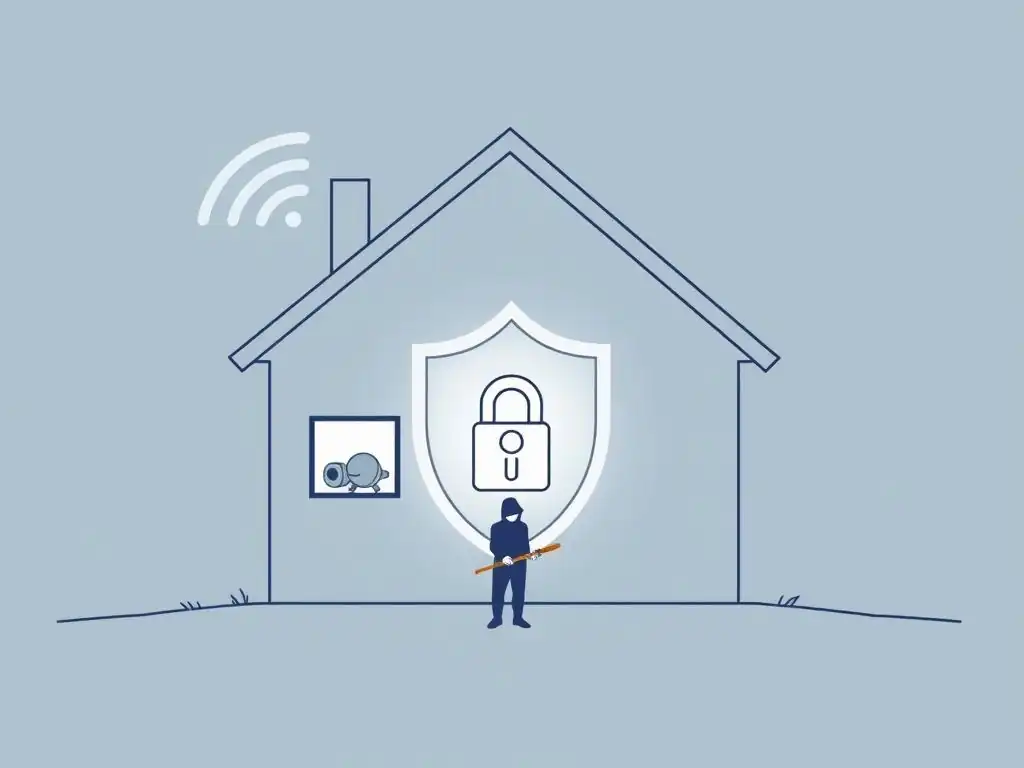
Your home network serves as the central nervous system of your smart home. A compromised network opens the door to unauthorized access to all your connected devices, potentially exposing sensitive data and compromising your security. Securing your home network is arguably just as critical, if not more so, than securing individual devices. A strong, well-protected network forms the bedrock of a secure smart home ecosystem. Think of it as the fortress walls protecting your smart home castle.
Without proper network security, even the most secure individual devices are vulnerable. Hackers can potentially intercept data transmitted between your devices and the internet, potentially stealing personal information or taking control of your smart home appliances. This is a significant risk that cannot be overlooked. Protecting your network requires a multi-pronged approach, starting with strong passwords and robust encryption.
Using Strong Wi-Fi Passwords and Enabling Network Encryption (WPA2/WPA3)
The first and most crucial step is to create a strong and unique Wi-Fi password. Avoid easily guessable passwords like "password123" or your birthday. Instead, opt for a complex password that combines uppercase and lowercase letters, numbers, and symbols. Aim for a password length of at least 12 characters.
Password managers can help you generate and securely store these complex passwords. Equally important is enabling robust network encryption. WPA2/WPA3 are the current industry standards, providing strong protection against unauthorized access. Ensure your router is configured to use one of these protocols.
Outdated encryption protocols, like WEP, offer significantly weaker protection and should be avoided at all costs. Consider regularly changing your Wi-Fi password as an additional security measure, especially if you suspect any unauthorized access attempts. A strong password and robust encryption significantly reduce the risk of network breaches, providing a more secure environment for your smart home devices. Don't underestimate the importance of these seemingly simple steps; they are fundamental to maintaining a robust and secure smart home network.
Optimizing Smart Home Camera Placement and Monitoring
Smart home camera placement is crucial for effective security. Poorly positioned cameras leave vulnerabilities, rendering your system less effective than intended. Strategic placement maximizes coverage and minimizes blind spots, ensuring comprehensive monitoring of your property. Consider these factors when positioning your cameras:
Strategic Placement of Cameras for Complete Home Coverage and Blind Spot Elimination
Effective camera placement requires a holistic approach. Think about potential entry points – doors, windows, and garages – as primary locations. Placing cameras near these points allows for immediate detection of unauthorized access attempts. However, don't neglect less obvious areas. Backyards, side alleys, and even high vantage points can offer valuable perspectives.
Consider using a combination of camera types: indoor and outdoor, wired and wireless. Wireless cameras offer flexibility in placement, while wired cameras provide more reliable power and connection. High-definition cameras with night vision are essential for round-the-clock monitoring, regardless of lighting conditions. Remember to account for angles and fields of view. Overlapping coverage from multiple cameras minimizes blind spots and ensures comprehensive monitoring.
Regularly review camera footage to identify potential blind spots and adjust placement as needed. A well-planned camera system should provide complete coverage of your property's perimeter and interior. Don't forget to consider the placement of cameras in relation to lighting sources to avoid glare and ensure optimal image quality. Strategic placement is key to maximizing the effectiveness of your smart home security cameras and achieving comprehensive home coverage.
Investing in Advanced Security Features: Next-Level Smart Home Protection
Beyond basic camera systems, several advanced security features significantly enhance your smart home's protection. These features often integrate seamlessly with existing systems, providing an extra layer of security and peace of mind. Upgrading your system with these advanced technologies is a worthwhile investment in your home's safety. The cost of implementing these features is often outweighed by the increased security and potential cost savings from preventing burglaries or other incidents.
Exploring Smart Home Security Systems with Advanced Features
Advanced smart home security systems offer a wide range of features beyond basic camera surveillance. Consider systems with integrated alarm systems that trigger alerts upon detecting unauthorized entry or unusual activity. These systems often include motion sensors, door/window sensors, and glass break detectors. Look for systems with smart locks that allow for remote locking and unlocking, providing additional control and security.
Facial recognition technology can identify known individuals, differentiating between family members and intruders. Some systems offer advanced analytics, such as identifying unusual patterns or behaviors that might indicate a threat. Integration with other smart home devices, such as lighting and appliances, allows for automated responses to security events. For example, upon detecting an intrusion, the system could automatically activate lights and sound an alarm, deterring potential intruders.
Consider features like two-factor authentication for added account security and encryption for protecting your data. The availability and specifics of these advanced features vary greatly between different smart home security systems, so thorough research is essential before making a purchase. Choosing a system with robust security features, regular software updates, and reputable customer support is vital for ensuring long-term protection and peace of mind. Investing in these advanced features transforms your smart home security system from a basic monitoring tool to a comprehensive, proactive security solution.
Advanced Smart Home Security Measures for Ultimate Protection
This section delves into advanced strategies to bolster your smart home security beyond the basics. While password management and firmware updates are crucial first steps, true peace of mind requires a proactive and layered approach to security. We'll explore network segmentation and intrusion detection/prevention systems to significantly reduce your vulnerability to sophisticated attacks targeting your smart home ecosystem. Understanding and implementing these measures will elevate your smart home security to a new level of protection, mitigating risks associated with common smart home security mistakes.
Network Segmentation: Isolating Smart Home Devices from Your Main Network
Network segmentation is a crucial step in fortifying your smart home security. It involves dividing your network into smaller, isolated segments, limiting the impact of a potential breach. If a hacker compromises a device on one segment, they won't automatically gain access to your entire network, including sensitive data like financial records or personal information stored on your main computers.
This strategy significantly reduces the attack surface and minimizes the potential damage from a successful intrusion. Think of it like creating firewalls within your network, preventing the spread of a "fire" (malware or unauthorized access). This is particularly important given the increasing number of smart home security mistakes related to network vulnerabilities.
This approach is more effective than relying solely on a single router firewall. While a router firewall provides a basic level of protection, segmenting your network adds another layer of defense, making it far more difficult for attackers to penetrate your system. The isolation of smart home devices prevents potential vulnerabilities from cascading across your entire network.
Creating Guest Networks for Smart Home Devices: Enhancing Security and Privacy
One effective method of network segmentation is creating a separate guest network specifically for your smart home devices. This isolates them from your primary network where sensitive data resides. This prevents a compromised smart device from accessing your personal computers, financial information, or other crucial data. Guest networks typically offer limited access privileges, restricting the ability of devices connected to them to communicate with other parts of your network. This is a simple yet powerful technique to minimize the impact of common smart home security mistakes related to device vulnerabilities.
Consider the example of a compromised smart thermostat. On a segmented network, its potential for malicious activity is confined to the guest network. It cannot access your main network or other sensitive devices. This isolation significantly reduces the risk of a widespread attack. Furthermore, utilizing a guest network enhances privacy by preventing devices from accessing or sharing data beyond their intended function.
Intrusion Detection Systems (IDS) and Intrusion Prevention Systems (IPS): Proactive Security Measures
Intrusion Detection Systems (IDS) and Intrusion Prevention Systems (IPS) represent a more advanced layer of smart home security. These systems actively monitor network traffic for suspicious activity, providing an early warning system against potential threats. An IDS detects malicious activity and alerts you, while an IPS actively blocks or prevents malicious traffic from reaching your network. Implementing these systems significantly reduces your vulnerability, protecting against sophisticated attacks that might bypass simpler security measures. They are particularly useful in identifying and mitigating the consequences of common smart home security mistakes.
Think of an IDS as a security guard monitoring your network for unusual behavior. It flags suspicious events, providing you with valuable insights into potential threats. An IPS, on the other hand, acts as a more proactive security system, actively preventing threats before they can cause damage. By combining both systems, you create a robust defense mechanism against a wide range of cyber threats.
Implementing IDS/IPS for Advanced Threat Detection and Prevention
Implementing an IDS/IPS requires careful planning and configuration. You'll need to choose a system that's compatible with your existing network infrastructure and fits your specific security needs. Consider factors such as the type of traffic you want to monitor, the level of protection you require, and the complexity of the system's management.
Some systems offer comprehensive dashboards and reporting features, providing detailed insights into network activity and potential threats. Proper configuration is crucial; a poorly configured system might generate false positives or miss actual threats. Careful consideration of these factors will significantly enhance the effectiveness of your smart home security, mitigating many common smart home security mistakes.
Choosing between a hardware-based or software-based solution depends on your technical expertise and budget. Hardware-based solutions often provide more robust performance and are less susceptible to resource limitations. Software-based solutions can be more flexible and easier to manage, but their performance may depend on the power of your existing computer systems. Regardless of your choice, regular updates and maintenance are essential to ensure the ongoing effectiveness of your IDS/IPS. This proactive approach to security is vital in mitigating the ever-evolving threats to your smart home.
Recommended Smart Home Security Products for Enhanced Protection
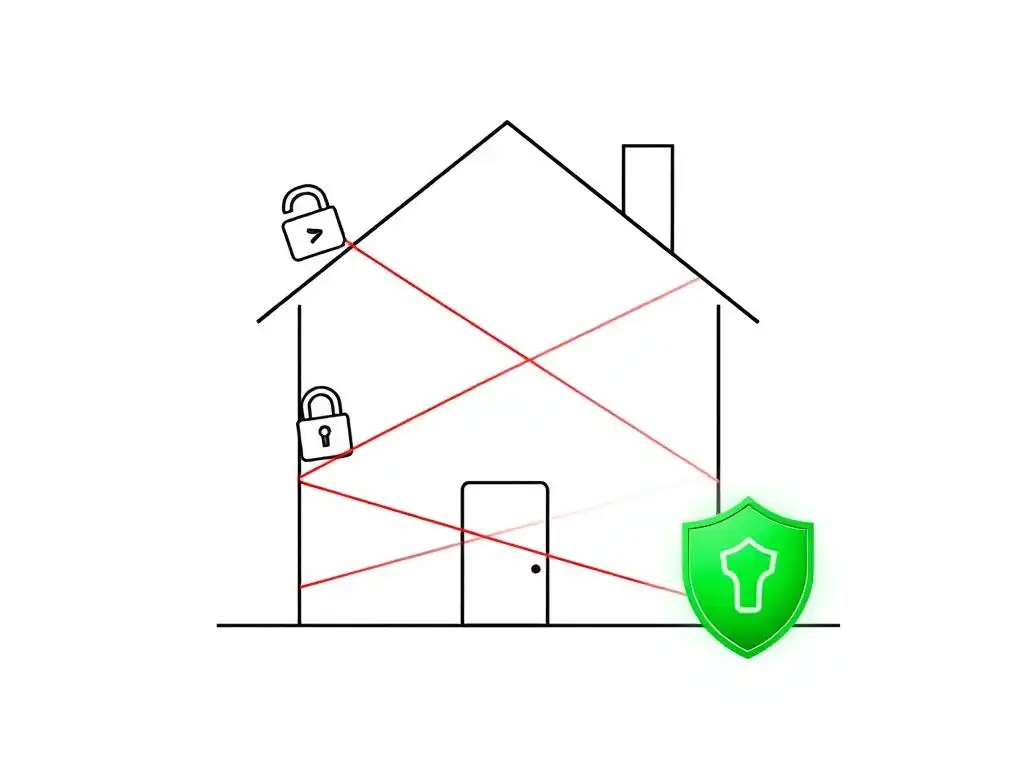
This section delves into specific smart home security products that can significantly bolster your home's defenses against potential threats. Choosing the right equipment is crucial for effective smart home security; a poorly chosen system can leave you vulnerable despite the investment. We'll explore top-rated cameras and comprehensive security systems, highlighting their key features and benefits to help you make informed decisions. Remember, layering your security with diverse technologies provides the strongest protection. Investing in robust smart home security is an investment in peace of mind.
Top-Rated Smart Home Security Cameras with Advanced Features
Smart home security cameras are the cornerstone of many modern security systems. Their ability to remotely monitor your property, record events, and even integrate with other smart devices makes them invaluable. However, not all cameras are created equal. Consider these features when making your selection: high-resolution video, night vision, wide-angle lenses, motion detection, two-way audio, cloud storage options, and local storage capabilities. The best cameras offer a blend of these features, providing comprehensive surveillance.
List and review of specific smart home cameras
| Camera Model | Key Features | Pros | Cons | Price Range |
|---|---|---|---|---|
| [Camera Model 1 Name] | 4K resolution, AI-powered person detection, 24/7 recording, cloud & local storage | Excellent image quality, reliable detection, versatile storage options | Potentially higher subscription costs for cloud storage | $[Price Range] |
| [Camera Model 2 Name] | Wide-angle lens, night vision, two-way audio, motion alerts, affordable price | Cost-effective, user-friendly, good basic features | Lower resolution compared to premium models | $[Price Range] |
| [Camera Model 3 Name] | Pan & tilt functionality, weatherproof design, siren alarm, integration with other smart home devices | Excellent outdoor security, versatile functionality, smart home integration | May require a subscription for advanced features like cloud recording | $[Price Range] |
Remember to carefully consider your specific needs and budget when choosing a smart home camera. For example, if you have a large property, a wide-angle lens or multiple cameras might be necessary. If outdoor security is a priority, a weatherproof model is essential.
Robust Smart Home Security Systems with Comprehensive Features
Moving beyond individual components, a comprehensive smart home security system offers a more integrated and robust solution. These systems often include a central hub, multiple sensors (door/window sensors, motion detectors), cameras, and potentially smart locks. The advantage lies in the interconnectedness—a triggered alarm from a door sensor can instantly send alerts to your phone and trigger recording on nearby cameras. This holistic approach significantly enhances your overall security posture. Look for systems offering features like professional monitoring services, geofencing, and easy integration with other smart home devices. The best systems are intuitive, reliable, and scalable to your needs.
List and review of specific smart home security systems
Choosing the right smart home security system requires careful consideration of your home's layout, your budget, and your desired level of security. Some systems are better suited for smaller homes, while others offer more advanced features and greater scalability for larger properties. Professional monitoring services offer an additional layer of security, but come with a monthly subscription fee. Weighing the pros and cons of these features is crucial for finding the perfect fit.
Consider these factors when evaluating different systems: the number of sensors included, the type of sensors (door/window, motion, glass break), the availability of professional monitoring, the ease of use of the mobile app, and the system's compatibility with other smart home devices. A well-integrated system seamlessly blends into your existing smart home ecosystem, enhancing both security and convenience. The investment in a robust system is a significant step towards creating a safer and more secure home environment.
Don't underestimate the value of professional monitoring; in many cases, it's the difference between a timely response to a break-in and a significant loss. Remember, a well-planned and implemented smart home security system is your best defense against potential threats.
Advanced Network Security Solutions for Enhanced Smart Home Protection
Protecting your smart home network is crucial for overall security. While individual smart devices offer varying levels of protection, a robust network security strategy forms the bedrock of a secure smart home environment. Failing to prioritize network security leaves your entire system vulnerable, even if individual devices are well-protected. Think of it like this: a single weak link in a chain can break the entire thing.
Similarly, a vulnerable network can compromise even the most secure smart devices connected to it. This is why investing in advanced network security solutions is not just recommended, but essential for comprehensive smart home protection. Ignoring this aspect exposes your home to a wide range of threats, from data breaches and unauthorized access to more serious issues like identity theft and even physical home invasion. A layered approach, combining various security measures, is far more effective than relying on a single solution.
A strong password policy is only the first step. Many smart home users rely solely on default passwords or easily guessable combinations, creating a significant vulnerability. This is a common mistake that significantly compromises smart home security. Beyond passwords, consider implementing robust firewalls, intrusion detection systems, and virtual private networks (VPNs) to add layers of protection.
These advanced solutions monitor network traffic, identify suspicious activity, and encrypt your data, making it significantly harder for hackers to access your network and the devices connected to it. Regular software updates for your router and other network devices are also crucial, as these updates often include security patches to address known vulnerabilities. Neglecting these updates leaves your network exposed to exploits that could be easily patched. Remember, a proactive approach to network security is far more effective and cost-efficient than reacting to a security breach after it occurs.
List and review of specific network security solutions
Several excellent network security solutions exist to bolster your smart home's defenses. Choosing the right one depends on your specific needs and technical expertise. Some solutions are easier to implement than others, while some offer more granular control and advanced features.
| Solution Type | Specific Example(s) | Pros | Cons |
|---|---|---|---|
| Next-Generation Firewall (NGFW) | [Specific NGFW examples pending] | Advanced threat detection, intrusion prevention, application control. | Can be more complex to configure than basic firewalls; higher initial cost. |
| Intrusion Detection/Prevention System (IDS/IPS) | [Specific IDS/IPS examples pending] | Real-time monitoring for malicious activity, automated response to threats. | Can generate false positives; requires expertise for optimal configuration. |
| VPN Router | [Specific VPN router examples pending] | Encrypts all network traffic, masking your IP address and protecting data. | Can slightly reduce network speed; requires subscription for some services. |
| Network Security Software | [Specific network security software examples pending] | Offers various security features, including malware protection and parental controls. | Can impact system performance if not optimized; may require a subscription. |
Remember that selecting the right network security solution is a crucial part of securing your smart home. Consider factors such as your budget, technical expertise, and the level of security you require when making your decision. It's also important to remember that no single solution is foolproof. A multi-layered approach, combining several solutions, provides the most effective protection against a wide range of threats. Regularly reviewing and updating your security measures is also key to maintaining a secure smart home environment. This proactive approach to security is crucial to mitigate risks and protect your valuable data and privacy.
Conclusion: A Secure and Smart Home is Within Reach
Securing your smart home doesn't have to be an overwhelming task. By understanding the common vulnerabilities and implementing the preventative measures discussed, you can significantly reduce your risk of becoming a victim of smart home security breaches. Remember, a proactive approach is key. Regularly updating your devices, employing strong and unique passwords, and leveraging the security features built into your smart home ecosystem are all crucial steps towards achieving a truly secure and convenient smart home experience.
Don't underestimate the power of simple, yet effective, security practices. A little vigilance can go a long way in protecting your privacy and valuable assets. The investment in time and effort is minimal compared to the potential consequences of a security lapse. Investing in your smart home security is an investment in your peace of mind.
Taking Control of Your Smart Home Security: A Summary of Key Steps
This section summarizes the key steps to bolster your smart home security, preventing common mistakes that compromise your privacy and safety. Think of this as your personalized smart home security checklist.
- Strong and Unique Passwords: This is the cornerstone of any effective security strategy. Use strong, unique passwords for each device and account. Consider a password manager to help you generate and securely store these passwords. Avoid easily guessable passwords like "password123".
- Regular Software Updates: Outdated software is a prime target for hackers. Enable automatic updates on all your smart home devices to ensure you always have the latest security patches. This simple act can significantly reduce your vulnerability.
- Two-Factor Authentication (2FA): Wherever possible, enable 2FA for all your accounts. This adds an extra layer of security, making it much harder for unauthorized individuals to access your devices and data, even if they obtain your password.
- Secure Wi-Fi Network: Use a strong, unique password for your Wi-Fi network and enable WPA2 or WPA3 encryption. Regularly check your connected devices to ensure no unauthorized devices have joined your network.
- Device Security Settings: Familiarize yourself with the security settings of each smart home device. Many devices offer features like guest access controls, allowing you to limit access to specific functionalities or users. Utilize these features to fine-tune your security posture.
- Regular Security Audits: Periodically review your smart home security setup. Check for vulnerabilities, update passwords, and ensure all devices are properly configured. A proactive approach to security is far more effective than a reactive one.
- Physical Security: Don't overlook the importance of physical security. Consider using physical locks on doors and windows, even if you have smart locks. This provides an additional layer of protection in case of a power outage or hacking attempt.
By diligently following these steps, you can significantly improve your smart home security and enjoy the benefits of a connected home without compromising your safety and privacy. Remember, security is an ongoing process, not a one-time fix. Stay informed about the latest security threats and best practices to maintain a secure smart home environment. A proactive and informed approach is the best defense against smart home security mistakes. Think of it as a continuous journey, not a destination. The effort is worth the peace of mind.
Frequently Asked Questions
What are some common smart home security mistakes people make?
Many people fail to change default passwords, neglect to update firmware, or don't utilize two-factor authentication. These oversights significantly weaken security.
How can I improve the security of my smart home Wi-Fi network?
Use a strong, unique password, enable WPA3 encryption, and regularly update your router's firmware. Consider a separate network for IoT devices.
Are smart home devices inherently less secure than traditional security systems?
Not necessarily. Modern smart home devices can be very secure, but their security is only as good as the user's configuration and practices. Regular updates and strong passwords are crucial.
What should I do if I suspect my smart home system has been compromised?
Immediately change all passwords, disconnect any compromised devices from the network, and run a malware scan. Consider contacting the manufacturer and law enforcement if necessary.
What are some practical steps to enhance my smart home's overall security?
Implement multi-factor authentication where available, use a virtual private network (VPN) for enhanced privacy, and regularly review and update your security settings.
Final Reflection: Securing Your Digital Sanctuary
The rise of smart home technology has brought unparalleled convenience, but it's also ushered in a new era of security vulnerabilities. Ignoring these risks leaves your home and personal data exposed to potential threats, a chilling reality in today's interconnected world. We've explored common pitfalls, from weak passwords to unsecured Wi-Fi networks, highlighting the urgent need for proactive security measures.
The pervasive nature of smart home devices means that the implications of poor security extend far beyond individual inconvenience. These vulnerabilities can lead to identity theft, financial loss, and even physical harm. The ease with which a compromised system can be exploited underscores the importance of digital literacy and responsible technology usage. The greatest threat to our planet is the belief that someone else will save it.
– Robert Swan. This sentiment applies equally to our digital lives; we cannot rely on others to secure our smart homes; we must take ownership of our digital security.
Consider the information presented within this article. Reflect on your own smart home setup. Are your passwords strong and unique? Have you updated your devices' firmware recently? Take the time to audit your security practices. Don't wait for a breach to occur; proactively safeguard your digital sanctuary today. By taking simple, yet crucial steps, you can transform your smart home from a potential target into a secure and comfortable haven.
Secure Your Smart Home: Take Control Now!
Thank you for learning about smart home security! You now have the knowledge to significantly improve your home's protection. Ready to put it into practice?
Here's how to get started:
- Prioritize strong, unique passwords: Changing your router and smart device passwords immediately to strong, unique combinations drastically reduces your vulnerability.
- Enable two-factor authentication: Adding this extra layer of security makes it significantly harder for hackers to access your systems.
- Share this advice: Helping others is a great way to build a safer community! Share this article with friends and family who could benefit from these tips.
What's the first step you'll take today to boost your smart home security?