Stop Scrolling, Start Living: How to Tame Your Social Media Addiction
🤔 Reclaim your time and mental clarity. This article reveals practical strategies to conquer your social media addiction and boost productivity. Quit…
Read article

Master your focus in a hyper-connected world with our proven digital distraction management strategies. From silencing smartphone pings and taming browser tab chaos to building deep-work rituals, we reveal science-backed hacks that reclaim hours of lost productivity every day. Learn mindfulness techniques, app-blocking tools, and environment tweaks that cut notification noise by 90% and double your concentration span. Transform your workspace into a flow-state sanctuary—no willpower required. Stop scrolling, start achieving with actionable steps you can implement in minutes. Unlock the secret to sustained attention, reduce stress, and complete tasks 2x faster. Your brain deserves a break from the chaos—take control today!
🤔 Reclaim your time and mental clarity. This article reveals practical strategies to conquer your social media addiction and boost productivity. Quit…
Read article
🤔 Drowning in digital distractions? Learn proven strategies to quiet digital noise, boost focus, and reclaim your productivity. Discover practical techniques to…
Read article
🤔 Is constant phone checking derailing your goals? This article delivers practical phone productivity time management tips to reclaim your focus and…
Read articleIn an always-online world, the average person checks their phone over 96 times a day, costing nearly 2.5 hours of lost productivity. The subcategory Minimizing Distractions: Digital Distraction Management at UltimateLifeHacks is your strategic toolkit for reclaiming attention, reducing cognitive load, and building a workflow that resists the pull of notifications, social media, and endless tabs. You’ll discover actionable, science-backed hacks to turn your devices from enemy into ally—without quitting technology cold turkey. Expect practical methods, browser extensions, and habit loops that you can implement within minutes.
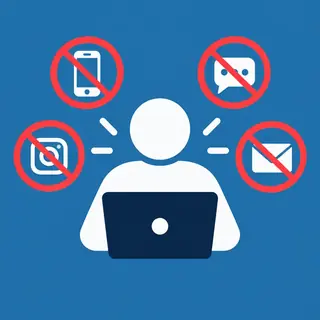
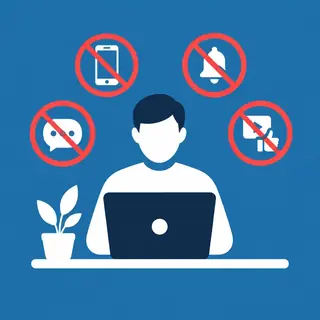
Notifications are the primary gateway to distraction, with each ping triggering a dopamine spike that disrupts deep flow. Here, you’ll learn the “Zero-Badge” system: a step-by-step audit to disable all non-essential alerts on your phone, desktop, and watch. We guide you through scheduling “notification windows” (e.g., checking email only at 10 AM and 3 PM) and using Focus Mode on iOS or Digital Wellbeing on Android to batch interruptions.
Beyond simple muting, you’ll master context-aware silencing—automating your device to turn off alerts when your calendar shows focused work blocks. You’ll also discover how to use “Do Not Disturb” as a default, not an exception, and how to train family and colleagues to respect your “red light” hours. One clever hack: changing notification sounds to subtle vibrations reduces the anxiety loop, making you less likely to pick up the phone reflexively.
A cluttered browser is a distracted mind—research shows that having 20+ open tabs increases stress and decreases working memory. This section provides a “Tab Diet” protocol: how to use extensions like OneTab or Toby to compress sessions, and why you should treat tabs as “open projects” rather than passive memory. You’ll learn the 5-Tab Rule: only keep active tasks open, archive everything else, and use a bookmarking system with tags.
We also cover “single-tasking” browser profiles—creating separate Chrome profiles for work, personal, and leisure to prevent cross-contamination. Using “site blockers” like Freedom or Cold Turkey, you’ll set “kill lists” for news, social media, and video platforms during peak productivity times. Expect a 15-minute decluttering checklist that resets your digital workspace, plus a habit of “browser shutdown” at end of day to clear mental residue.
Distraction management isn’t just about blocking; it’s about proactive scheduling. Here, we dive into app-based time-boxing using tools like Forest, Pomofocus, or Toggl Track. You’ll learn how to structure your day into 25-minute focused sprints with intentional 5-minute breaks, and how to assign each sprint a “one-in-one-out” rule—only one task per block.
More advanced, we cover “deep work” automation: syncing your calendar with Focus apps that auto-lock distracting apps during scheduled sessions. We also explain the “afternoon energy dip” trick—using a low-cognitive-load playlist (e.g., brown noise or lofi) triggered by an app to signal your brain’s shift. You’ll also find a comparison of the best free vs. paid distraction-blocking apps, including their hidden features like “social media picking” (forcing you to type a reason before accessing a site).
Your physical environment dictates your digital habits. This section focuses on hardware friction—making distractions physically harder to reach. Simple hacks include moving your phone charger to another room, using a physical phone lockbox during deep work, or placing your laptop in “kiosk mode” with keyboard shortcuts to hide the dock. We also explore “grayscale mode” to reduce the visual allure of colorful icons.
Further, you’ll learn about dual-monitor traps—why having a second monitor for chat apps is counterproductive, and how to use a single display with virtual desktops instead. We’ll guide you through setting up “command center” workspaces (e.g., only email on one desktop, only writing on another) using macOS Spaces or Windows Task View. Lastly, we cover the “30-second rule”: placing your charging station in an inconvenient spot so every pickup requires effort, which cuts impulse checking by 40%.
Distraction is a habit, and you can retrain your brain. This section covers mindful attention practices sprinkled into your workflow—like the “5-4-3-2-1 grounding” before starting a task, or the “urge surfing” technique to observe the urge to check Instagram without acting. We’ll teach you a 2-minute “centering pause” that resets your prefrontal cortex before each work block.
You’ll also adopt a “distraction journal” to log every time you veer off-task, noting the trigger (boredom, anxiety, fatigue). After 3 days, you’ll spot patterns and pre-empt them—for example, if you always shop online at 3 PM, schedule a 10-minute “digital snack” at 2:50 PM to satisfy that craving. We include breathing exercises that increase focus duration, and a nightly “digital sunset” routine—no screens 30 minutes before bed to improve sleep and next-day attention.
Most users notice a 30% reduction in phone pickups within 3 days of implementing notification blocks and tab limits. For deeper habit change (e.g., automatic focus routines), allow 2 weeks of consistent practice. The key is to start with one tweak, like turning off all non-essential notifications, and build from there.
Yes for basic blocking—free extensions like LeechBlock or built-in Focus modes handle 80% of needs. Paid tools like Freedom offer better cross-device syncing and more granular schedules (e.g., block only news sites but allow work docs). Start free, upgrade only if you need advanced control.
Use a separate “work profile” on your phone or a browser extension that allows scheduled access (e.g., only 30 minutes at 1 PM). Better yet, use a social media scheduler like Buffer to post without logging into your main feed. Compartmentalizing prevents spontaneous scrolling.
Absolutely—set your phone to allow calls from your “Favorites” or specific contacts (e.g., family) to bypass Do Not Disturb. On iOS, use “Allow Calls From” and on Android, enable “Priority Only” with selected numbers. All other notifications stay blocked.
Not when done correctly—it’s about intentionality, not deprivation. You set your own rules and schedule breaks. Many users feel relief, not restriction, because they’re no longer slaves to every ping. The goal is to make technology serve you, not have you serve it.