Maximizing Productivity at Work: Effective Communication
In the fast-paced world of modern business, effective communication is the engine that drives workplace productivity. Without clear, concise, and purposeful exchanges, even the best productivity hacks fall flat. This subcategory within UltimateLifeHacks focuses on transforming how you interact with colleagues, managers, and clients to eliminate misunderstandings, reduce back-and-forth emails, and fast-track decision-making. By mastering these skills, you’ll reclaim hours each week and create a smoother, more collaborative work environment.
💬 Mastering Asynchronous Communication for Deep Work
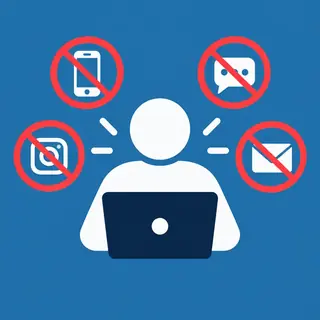
In hybrid and remote work settings, asynchronous communication—like email, Slack messages, and project updates—can either save or drain your day. The key is to write messages that require zero follow-up clarification. Use the "BLUF" (Bottom Line Up Front) method, state the action item clearly, and include deadlines in the subject line. This prevents the dreaded "quick question" that breaks your focus and derails your productivity.
Expect to learn how to batch your message checking to twice daily, set response-time expectations with your team, and leverage shared documents for real-time collaboration without interrupting anyone. By treating every written message as a mini-project with a clear deliverable, you’ll reduce cognitive overhead and protect your deep work blocks. This approach also builds trust, as teammates know you respect their time and focus.
🎯 Active Listening Techniques That Cut Meeting Time in Half
Most meetings drag on because participants are waiting to speak, not listening. Active listening is a productivity weapon: when you truly hear what’s said, you ask sharper questions, identify hidden risks, and reach decisions faster. Techniques like paraphrasing key points, summarizing action items immediately, and using "what I heard is…" to confirm understanding prevent costly rework later.
You’ll discover how to run a "stand-up" style check-in that forces concise updates, and how to end every meeting with a 90-second recap that assigns owners and due dates. This subcategory also covers how to politely redirect ramblers and how to use silence as a tool to let introverts contribute. Mastering these skills means fewer follow-up meetings and more time for actual execution.
📧 Email Etiquette That Respects Your Inbox Zero Goal
Email remains the top time-sink for professionals. Effective communication here means writing emails that are either acted on instantly or filed without a second thought. Learn the "3-sentence rule" for internal updates, the "one-ask-per-email" principle, and the art of writing subject lines that signal urgency without yelling. You’ll also learn to set up automated filters that sort incoming messages into "act", "wait", and "archive" folders.
This section provides templates for decline requests, status updates, and delegation emails that sound professional yet save you ten minutes each. Additionally, you’ll master the "reply-all apocalypse" prevention by teaching your team to use 'cc' thoughtfully. Expect a workflow where your inbox reaches zero by 10 AM daily, freeing your afternoon for high-value tasks that boost your productivity metrics.
🤝 Feedback Loops That Accelerate Project Completion
Vague feedback is the silent killer of momentum. Effective feedback communication turns critiques into actionable steps. Learn the SBI (Situation-Behavior-Impact) model to deliver feedback that is specific, factual, and solution-oriented—whether praising a job well done or redirecting a missed deadline. This reduces defensive reactions and shortens revision cycles significantly.
You’ll also learn how to create a lightweight "feedback cadence" with your team, such as a 10-minute weekly check-in focused only on blockers and wins. The goal is to catch issues early, before they cascade into days of rework. This subcategory includes scripts for requesting clarity on ambiguous tasks and for saying "no" to scope creep without damaging relationships. The result is smoother workflows and faster project completion.
📊 Visual Communication Tools to Replace Long Texts
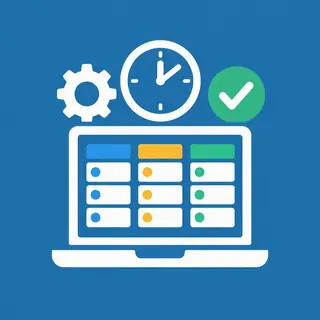
Sometimes a diagram beats a paragraph. Visual communication—flowcharts, kanban boards, and annotated screenshots—dramatically cuts down on misinterpretation. Learn to use simple tools like Loom for quick screen recordings, Miro for collaborative whiteboards, and even emojis in Slack to convey tone without lengthy explanations. This is especially valuable for cross-functional teams where jargon differs.
Expect templates for creating a one-page project brief that replaces a 5-page document, and a standard format for bug reports that includes repro steps and expected vs. actual results. You’ll also learn how to use color coding in shared trackers to instantly signal status (green, yellow, red) without a single status meeting. This visual-first approach reduces reading time, speeds up alignment, and makes your communication unforgettable.
Frequently Asked Questions
How does effective communication directly boost productivity?
Effective communication reduces the number of clarifications, revisions, and redundant meetings. When messages are clear and action-oriented, tasks move forward immediately without waiting for follow-ups. This eliminates downtime and errors, allowing you to complete more work in less time while maintaining higher quality.
What is the quickest win to improve workplace communication?
Adopt the BLUF (Bottom Line Up Front) method for every email and Slack message. Put the action item and deadline in the first sentence. This forces both you and the reader to focus on the essential ask, cutting average decision time by 30% and reducing misinterpretation.
Can silence be part of effective communication?
Yes, intentional pauses during meetings allow introverts to process and contribute. Studies show that waiting 5 seconds after a question increases quality responses by 40%. Silence also signals that you’re listening, not just waiting for your turn to speak, which builds respect and reduces useless chatter.
How do I handle a colleague who communicates poorly?
Gently model good behavior by asking targeted questions like, "What is the specific deliverable and due date?" Use phrase like, "To save you time, could you send me a one-line summary?" This nudges them toward clarity without confrontation, and you’ll both benefit from less back-and-forth.
What is the best way to communicate over a complex project?
Use a shared visual tool like a kanban board or a one-page diagram. Break tasks into modular chunks with clear owners and dependencies. Then hold a 15-minute kickoff meeting to walk through the visual, not a multi-page document. This ensures everyone has the same mental model and reduces errors.