Minimizing Distractions: Creating a Focus Workspace
In a world buzzing with notifications, clutter, and constant interruptions, your ability to concentrate is your most valuable productivity asset. This subcategory dives deep into the science and practical steps of designing a physical and digital environment that shields your attention and amplifies deep work. By mastering the art of a distraction-free workspace, you’ll not only complete tasks faster but also reduce mental fatigue and reclaim hours of lost time each week. Whether you work from home, in a noisy office, or in a coffee shop, these strategies convert any corner into a fortress of focus.
🖥️ Digital Decluttering: Taming Notifications and Tabs
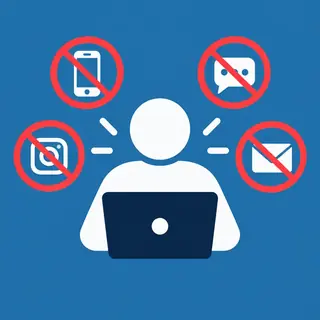
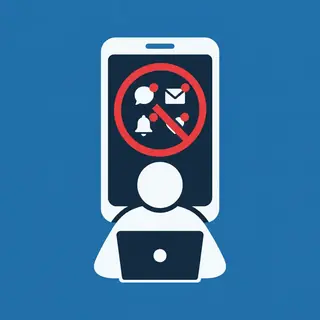
Your screen is often the loudest distraction in the room. Research shows it takes an average of 23 minutes to refocus after a single notification. This section teaches you how to systematically silence non-essential alerts, use browser extensions to block distracting sites, and organize your taskbar and desktop into a visual hierarchy. You’ll learn the “two-tab rule” and how to schedule notification batching, so your tools serve you—not the other way around. By turning off visual and auditory noise, you create a clean digital canvas where your primary task commands your full attention.
Expect actionable steps like setting “Do Not Disturb” modes on all devices, unsubscribing from promotional emails, and using focus timers that automatically shift your phone to grayscale. We also explore how to use virtual desktops to separate work, personal, and creative projects, reducing the urge to switch contexts. The goal is to make your default screen state a single, focused application. With these tweaks, you’ll cut digital interruptions by up to 80%, dramatically increasing your output without extra effort.
🧠 Psychological Triggers: Training Your Brain for Deep Work
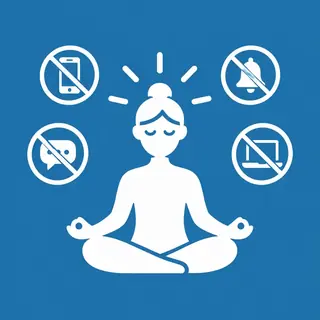
Distraction is often a habit, not a circumstance. This H3 focuses on the mental cues that signal your brain it’s time to concentrate. You’ll learn about the “start-up ritual”—a consistent sequence of actions (like brewing tea, putting on headphones, or physically shutting your door) that tells your mind, “Work begins now.” We also cover the concept of environmental anchoring, where you use the same lamp, candle, or playlist exclusively for focused sessions. Over time, these sensory triggers create Pavlovian responses that make entering deep work feel automatic.
Additionally, we address the urge to multitask and how to reframe boredom as a productive signal. You’ll practice the “5-second rule” to re-engage when your mind wanders, and learn to schedule distraction breaks strategically—not randomly. By understanding your brain’s reward system, you can replace the dopamine hit of checking social media with the satisfaction of completing a milestone. These psychological shifts are the foundation for a workspace that truly works with you, not against you.
🪑 Physical Setup: Ergonomics and Sensory Control
Your body’s comfort directly influences your mental clarity. A poorly positioned chair, dim lighting, or a cold room can subconsciously nudge you toward procrastination. This section walks you through optimal monitor height, seating posture, and lighting temperature—cool white for analytical tasks, warm yellow for creative thinking. We also dive into noise management: when white noise, brown noise, or complete silence works best, and how to pick the right pair of headphones certified for noise cancellation. Moreover, you’ll learn to control your workspace’s air quality and temperature (aim for 72°F) for peak cognitive performance.
Organization is another pillar: we teach the “clean desk protocol,” which recommends keeping only your current task’s materials within arm’s reach. Visual clutter increases cortisol levels, so a minimal physical environment reduces stress and improves focus longevity. You’ll discover the power of vertical space, cable management, and adding a single plant for biophilic calm. By tuning these physical factors, you lower the barrier to starting difficult tasks and sustain attention for longer stretches without headaches or fatigue.
⏳ Time Blocking and Focus Rituals
Your workspace isn’t just a place; it’s a time container. Here, we merge environment with scheduling to create temporal boundaries that protect your deep work. Learn the flowchart of time blocking: design 90-minute sprint sessions on a physical calendar, and use a visual timer (like a kitchen hourglass) to stay accountable. We also introduce the “shutdown ritual”—a 10-minute end-of-day checklist that clears your mind and workspace, signaling your brain it’s safe to stop. This dramatically reduces after-hours rumination and prepares you for a fresh start tomorrow.
You’ll also discover the “two-day rule” for unscheduled notes: if a distraction isn’t urgent, park it in a “later” list and review it in the morning. We cover how to align your workspace setup with your natural circadian rhythm—for instance, moving to a walking desk during afternoon slumps. Combining these timers with your physical arrangement creates a holistic system where your environment and schedule reinforce each other. The result is a predictable, repeatable flow that turns focus from a struggle into a default state.
🛠️ Tools and Tech: Apps That Protect Your Attention
The right technology can be your silent bodyguard. This H3 reviews a curated list of distraction-blocking apps (such as Cold Turkey, Freedom, and Forest) that hard-block websites and apps during scheduled periods. We compare their features, costs, and reliability, plus how to set up “focus profiles” on your router to pause internet access for entire categories. For physical workspaces, we cover smart plugs that dim lights or turn on “Focus” playlists at a set time. You’ll also learn about noise-sensing gadgets that monitor ambient decibel levels and alert you when interruptions accumulate.
Beyond blocking, we explain how to use project management boards (like Trello or Notion) to visually limit work-in-progress tasks to three, preventing overwhelming to-do lists. For those using voice assistants, we show you how to create “interruption-free” time windows using routines. Every tool mentioned is chosen for its low learning curve and high effectiveness, ensuring no tech-induced distraction replaces the ones you removed. By curating your digital arsenal, you build an invisible fence that keeps your focus intact from morning to night.
Frequently Asked Questions
How long does it take to adapt to a distraction-free workspace?
Most people notice a difference within 3–5 days, but full habit formation takes about 21 days. Start with one change, like silencing notifications, then add new elements weekly. Keep a focus journal to track your improvement, and be patient—your brain needs time to unlearn constant checking. Consistency beats intensity.
Can I use a fan or white noise to block office chatter?
Yes. White noise, brown noise, or calming soundscapes work well for masking intermittent voices. Use a dedicated app or machine set to a consistent volume—just don’t make it too loud. For total silence, use foam earplugs. Test different options to see which reduces your anticipation of interruptions most.
What if I work in a shared space without control over the environment?
Focus on your personal zone: use noise-canceling headphones, a small desk divider, and a privacy screen. Set clear signals to coworkers, like a “Focus Mode” sign or wearing a specific hat. Also, negotiate scheduled quiet hours—even 30–60 minutes helps. For digital noise, use a hotspot instead of office Wi-Fi to block distracting sites.
Are there any ergonomic changes that specifically reduce distraction?
Yes. Position your monitor directly in front of your eyes to reduce neck strain, which causes restlessness. Use a footrest to improve circulation and prevent fidgeting. Place your chair at a height where your elbows rest at 90 degrees—this reduces shoulder tension, a major source of subconscious discomfort that leads to mind-wandering.
How do I handle unavoidable interruptions like calls or emergencies?
Build “buffer time” into your schedule—10–15 minutes after each focus block to handle unexpected requests. Use an auto-reply system for emails and set a policy that urgent calls must ring twice before you pick up. For true emergencies, have a panic button that opens a “deep focus” mode on your computer, silencing all non-critical apps instantly.