Master Your Day with Time Management Tips
Welcome to the Time Management Tips hub—your go-to resource inside the Productivity Hacks category at UltimateLifeHacks. Here, we break down the science and art of scheduling, prioritizing, and focusing so you can reclaim hours every week. Whether you’re a busy professional, a student juggling deadlines, or a parent managing a household, these actionable strategies will help you stop feeling overwhelmed and start feeling in control. Expect practical, no-fluff advice you can implement today, all designed to boost efficiency and reduce stress.
⏳ Prioritization Frameworks That Actually Work
Learning to say “no” is only half the battle; the other half is knowing what deserves your attention first. The Eisenhower Matrix divides tasks into urgent, important, both, or neither—helping you instantly spot what to do, delegate, schedule, or delete. Similarly, the 1-3-5 Method encourages you to pick one big task, three medium ones, and five small ones daily, preventing overcommitment. These frameworks shift your focus from busywork to high-impact actions.
When you apply these systems, you’ll notice a dramatic drop in decision fatigue. Instead of constantly asking “what’s next?”, you’ll have a clear map. Start with the MIT (Most Important Task) rule: identify your top three outcomes each morning and tackle the hardest one first. This ensures that even if your day gets derailed, you’ve already made meaningful progress. Pair these tools with a weekly review to adjust priorities, and you’ll build a sustainable rhythm that compounds over time.
📅 Batch Processing & Time Blocking Secrets
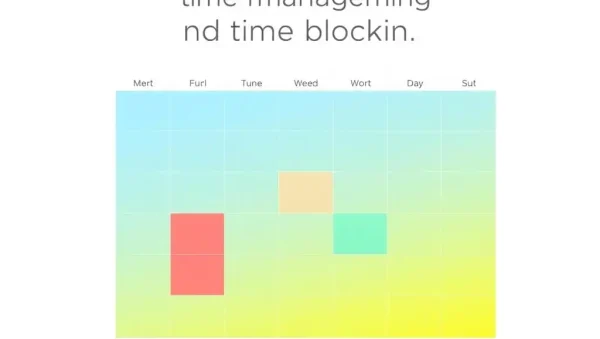
Context switching is the silent killer of productivity—it can eat up to 40% of your mental energy. Time blocking solves this by assigning specific hours to specific types of work (e.g., emails from 9-10 a.m., creative writing from 10-12 p.m.). Batch processing takes this further by grouping similar tasks together, like making all your phone calls in one sitting. This reduces the friction of shifting gears and allows your brain to stay in a focused “mode” longer.
To implement this, start with just two blocks per day: one for deep work and one for shallow tasks. Use your calendar as a commitment device, not just a reminder. Add buffer time between blocks to handle overruns or unexpected requests. Over a week, you’ll notice fewer interruptions and more finished tasks. For remote workers, this technique is especially powerful because it creates a structured workday amidst home distractions. Experiment with block lengths (60–90 minutes works best for most) and tweak based on your energy levels.
⚡ Defeating Procrastination with Micro-Habits
Procrastination rarely stems from laziness—it’s usually a fear of failure or feeling overwhelmed. The 2-Minute Rule helps you break the cycle: if a task takes less than two minutes, do it immediately. For bigger tasks, use the 5-Minute Start: commit to working for just five minutes, and you’ll often continue because starting is the hardest part. Another powerful trick is implementation intentions—pre-deciding when, where, and how you’ll do something (e.g., “I’ll write my report at my desk at 3 p.m.”).
Often, procrastination is a habit loop of avoidance. Replace it with a reward system: after completing a dreaded task, allow yourself a treat—like a short walk or a favorite snack. Also, break down large projects into tiny, clear next actions (e.g., “open the document and write the title” instead of “start the report”). This reduces the perceived effort. Track your triggers—if you often delay when feeling anxious, practice a quick breathing exercise first. Over time, these micro-habits rewire your brain to embrace action over avoidance.
📱 Digital Tools & Apps to Automate Scheduling
Your smartphone can be your best ally or worst enemy. Choose apps that automate routine decisions: Todoist for task lists with reminders, Google Calendar for color-coded time blocks, and RescueTime to auto-track where your minutes go. For project management, Notion or Trello can centralize notes, deadlines, and checklists. Also, leverage pomodoro timers (like Focus Booster) to enforce 25-minute sprints, followed by short breaks—this keeps your mind fresh and prevents burnout.
The key is not to hoard apps but to curate a minimal stack that integrates well. Set up automated recurring alerts for daily must-dos (e.g., morning review, end-of-day shutdown). Use email filters to auto-label and skip low-priority messages, freeing your inbox for real work. For scheduling meetings, tools like Calendly eliminate back-and-forth emailing. Remember: every automation saves you a few minutes—over a month, that adds up to hours you can reinvest in high-value tasks or rest.
🧠 Energy Management vs. Time Management
You can’t manage time; you only manage your energy within it. Chronotypes matter—early birds peak in the morning, night owls in the evening. Schedule your hardest cognitive work during your personal peak, and save routine tasks for when you naturally dip. Also, integrate ultradian rhythms: work in 90-minute cycles, then take a 15–20 minute break. This aligns with your brain’s natural focus span, improving retention and creativity.
Physical energy is the fuel for productivity. Prioritize sleep (7–9 hours), hydration, and short movement breaks—even a 5-minute stretch restores attention. Strategic downtime like a lunch walk or a power nap (10–20 minutes) can double afternoon output. Also, learn to manage emotional energy by scheduling difficult conversations when you feel calm, not frazzled. When you treat energy as a renewable resource, you’ll stop feeling guilty about breaks and instead use them as performance enhancers.
Frequently Asked Questions
What is the best time management tip for beginners?
Start with the 2-Minute Rule—do any task that takes under two minutes immediately. Then, add one time block each day for your most important work. This builds momentum without overwhelming you. Consistency beats intensity; even 30 minutes of focused planning daily can transform your week.
How do I stop multitasking when I have many tasks?
Commit to single-tasking using the Pomodoro Technique: work on one task for 25 minutes, then break. Set a timer and close other tabs. If you feel distracted, write down the intrusive thought on a “parking lot” sheet to address later. Over time, your brain will retrain to focus deeply.
Can time management apps really save me time?
Yes, but only if you use them consistently. Apps like Todoist or RescueTime reduce mental load by tracking and reminding you. However, avoid overcomplicating—pick one to two tools, set them up once, and review your weekly stats. The real saving comes from reducing decision fatigue, not from the app itself.
What should I do if I consistently miss my time blocks?
Re-evaluate your block length—maybe 90 minutes is too long. Shorten to 20–30 minutes and add a buffer. Also, move your most important block to your peak energy time. Use a visual timer or alarm to signal start/end. If you miss, don’t punish yourself; simply reschedule and learn why the block failed (e.g., interruptions, low energy).
How do I balance work and personal time effectively?
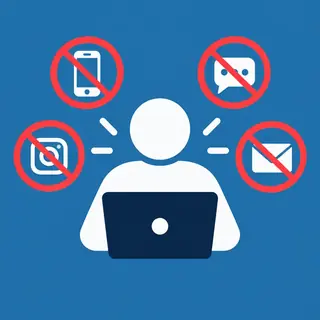
Apply the “shutdown ritual”: at the end of your workday, list your top three tasks for tomorrow, then switch off notifications. Guard your personal time like a non-negotiable appointment. Use separate calendars for work and life, and cross-block family meals or exercise. This boundary boosts both focus and relaxation.