Elevate Your Instagram Game: MustKnow Smartphone Photo Editing Hacks
🤔 Transform your Instagram feed! This article reveals the best Instagram photo editing hacks for stunning visuals, using only your smartphone. Save…
Read article
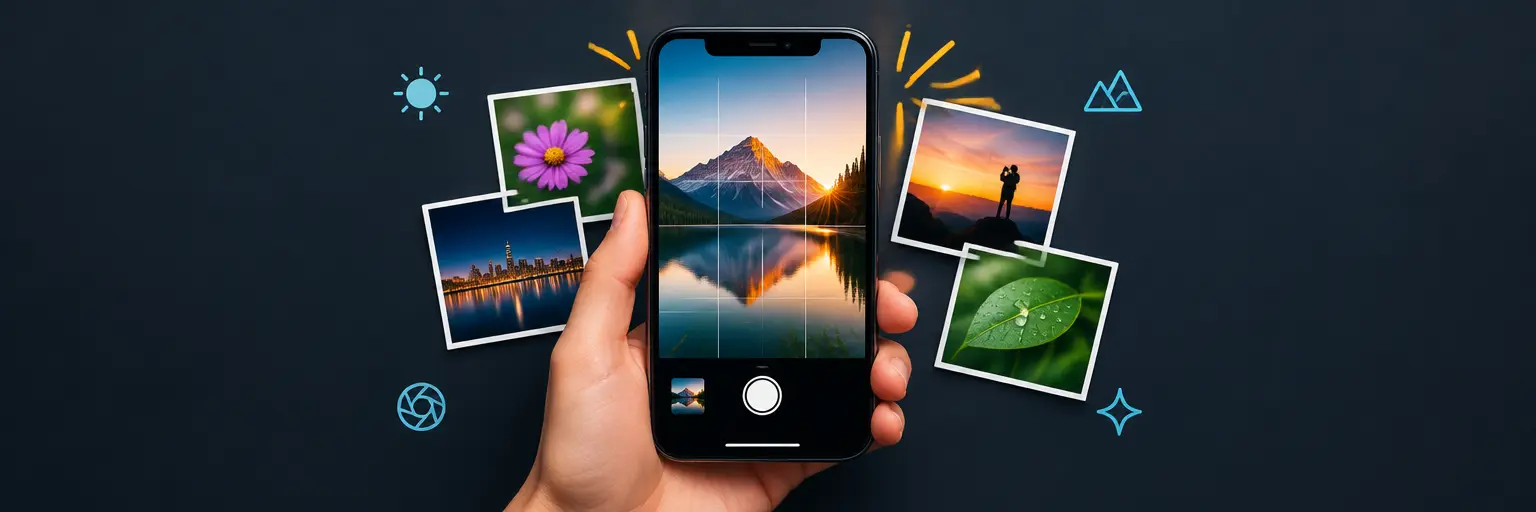
Unlock the hidden potential of your pocket-sized camera with these Smartphone Photography Hacks—practical, creative tricks that turn everyday shots into stunning visuals without any fancy gear. From mastering natural light and using grid lines for perfect composition to cleaning your lens with a simple microfiber cloth and tapping to lock exposure, these easy techniques save you time and frustration while delivering professional-looking results. Discover how to use portrait mode for dramatic depth, leverage HDR for balanced landscapes, and even shoot through water droplets or use your earbuds as a remote shutter for crisp, shake-free photos. Whether you’re capturing sunsets, food, or family moments, these life hacks help you optimize your daily routine by making photo editing obsolete—get the shot right in-camera, every time. Perfect for beginners and pros alike, these tips ensure you never miss a moment again, all with the device already in your pocket.
🤔 Transform your Instagram feed! This article reveals the best Instagram photo editing hacks for stunning visuals, using only your smartphone. Save…
Read article
😉 Instantly improve phone picture quality with these pro photography hacks! Learn simple tricks to elevate your smartphone photos, saving you time…
Read article
😊 Transform your blurry snapshots into stunning photos! This article delivers essential beginner smartphone photography tips, offering quick, practical hacks to elevate…
Read articleYour smartphone is more than a communication tool—it’s a pocket-sized professional camera waiting to be unleashed. In this subcategory of Tech & Digital Hacks, we reveal creative, low-cost techniques to transform ordinary snapshots into stunning, share-worthy visuals. From mastering natural light to hacking manual settings, these smartphone photography hacks will save you time, boost your creativity, and optimize your daily content creation without needing expensive gear. Whether you’re a social media enthusiast or a busy professional, these practical tips will elevate every frame you capture.
Natural light is the most powerful, free tool for smartphone photography. The “golden hour”—just after sunrise or before sunset—offers soft, warm tones that flatter any subject. Position yourself with the sun behind you, or use window light indoors for a diffused, professional effect. For harsh midday sun, create your own shade using a hat or a piece of white paper to bounce light onto your subject. These hacks eliminate the need for flash or reflectors, saving you time and ensuring consistent, vibrant results.
Key strategy: Turn your phone’s HDR mode on for high-contrast scenes, but experiment with it off for moody silhouettes. The built-in edit tool can further adjust exposure, but starting with great light reduces post-processing work. Remember, avoid direct flash—it flattens features and creates harsh shadows. Instead, use a friend’s phone as a second light source or a car’s headlights for creative rim lighting, proving that any light source can be hacked for artistic effect.
Most users never tap the “Pro” or “Manual” mode buried in their camera app. Unlock this hidden gem to control ISO, shutter speed, and focus manually. For crisp low-light shots, raise the ISO slightly (but avoid pixelation above 800 on most phones) and slow the shutter speed, but keep the phone steady or use a stack of books as a tripod. Similarly, tapping to lock focus on a subject allows for dramatic bokeh blur, even without a portrait mode hack—just move closer to the subject.
Pro tip: Change your video resolution to 4K at 60fps for smooth slow-motion clips, even if you then export at lower quality. Your phone’s stock editing software often hides “shadows” and “highlights” sliders—these work wonders on underexposed images. Don’t forget grid lines (enable in settings) to follow the rule of thirds, instantly improving composition and making every shot feel balanced and intentional, all without downloading a single app.
Skip paid subscriptions—free apps like Snapseed, Lightroom Mobile, and VSCO offer professional-grade tools. Start with “selective adjustments” in Snapseed to brighten only your subject’s face while leaving the background dim, creating a dramatic focal point. For color grading, use Lightroom’s “color mix” to boost oranges in skin tones or deepen blue skies in one tap. These hacks turn a boring photo into a branded, aesthetic feed without any design skills.
Workflow shortcut: Create a preset (or “look”) in Lightroom and apply it to all batch edits—this slashes editing time from minutes to seconds. Overlay textures like rain drops or light leaks (free from Pixlr) add moody vibes to flat images. Always export at the highest quality, but compress for social media using apps like CapCut for video covers. The result: your smartphone hacks rival DSLR outputs, optimizing your daily posting schedule with consistent, high-quality visuals.
Forget buying expensive lenses—hack your own. A drop of water on your lens acts as a macro lens for tiny details like flower petals. Wrap a rubber band around your phone and slide a magazine cutout over the lens for a homemade color filter. To stabilize long-exposure shots of city lights, rest your phone on a rolled-up sock or a water bottle cap. These zero-cost hacks let you capture unique perspectives, from close-up textures to light trails, without spending a cent.
Stabilization trick: Use the voice command “Cheese” or a 3-second self-timer to avoid touch-induced blur when shooting on a table. For gentle panning shots, hold your phone with both hands and rotate your entire torso—this reduces shake more than moving just your wrists. If you have a second phone, use it as a remote trigger via free apps like Camra or Dscvr, enabling hands-free group shots and sharp night photography that feels like professional gear.
Composition is 80% of a great photo, and your camera’s basics can be hacked. Use the “selfie mirror” front camera to frame yourself accurately—most phones show a mirrored preview, so flip the saved image to correct text direction. For landscapes, hold your phone vertically and tilt it slightly upward to make mountains or skyscrapers appear taller. Leading lines—like a road or a row of trees—draw the viewer’s eye; just position them along the grid’s intersections.
Rule-breaking hack: Sometimes a crooked horizon adds drama—use edit tools to rotate slightly, then crop to fill the frame. For portraits, place the subject’s eyes on the top third line, never the center, to create natural tension. Fill the frame entirely by walking closer rather than using digital zoom, which degrades quality. Finally, shoot in “raw” format if your phone supports it (like on iPhones with third-party apps) to retain highlight and shadow details, giving you infinite flexibility in post-processing.
Yes, but only slightly—manual mode uses the same sensor but may increase screen-on time for adjustments. To optimize, lower your screen brightness and close background apps. For long shoots, enable airplane mode or carry a power bank. Short bursts in Pro mode are fine, but for continuous shooting, switch back to auto to save energy while still reaping most benefits.
For most social media and personal use, absolutely—modern phones match DSLR output in good light. DSLRs still win on extreme zoom and low-light noise, but hacks like lens attachments and raw editing close the gap. If you prioritize portability and instant sharing, your smartphone with these tips is your best daily companion for photography.
Start with Snapseed—it’s intuitive, offers advanced controls like selective adjustments, and is completely free with no watermark. Its “Stacks” feature lets you undo edits non-destructively. Pair it with VSCO for film-like presets, but keep your workflow to one app to avoid over-editing. For quick fixes, your phone’s native editor is surprisingly capable for cropping and exposure tweaks.
Stabilize your phone against a solid surface—a wall, a ledge, or even a pile of books. Use the 3-second timer or volume button as a shutter to avoid touch shake. Keep your elbows tucked to your body, and breathe out as you tap shoot. If your phone has Night Mode, enable it, but keep the phone still for several seconds; otherwise, raise ISO to 1600 and accept minor grain for a brighter shot.
Yes—all composition and lighting tips apply to video. Shoot in horizontal orientation for YouTube or vertical for TikTok/Reels, locked to 4K if possible. Use the free app CapCut for cutting, and add speed ramps for dynamic transitions. To stabilize handheld footage, walk with bent knees and hold the phone with two hands, or use a rubber band trick to mount your phone on a water bottle for a makeshift gimbal.