Beyond Basic Passwords: Advanced Security Hacks for Maximum Protection
🤔 Tired of weak passwords? This article unveils strong password security hacks to bolster your online defenses, saving you time and stress…
Read article
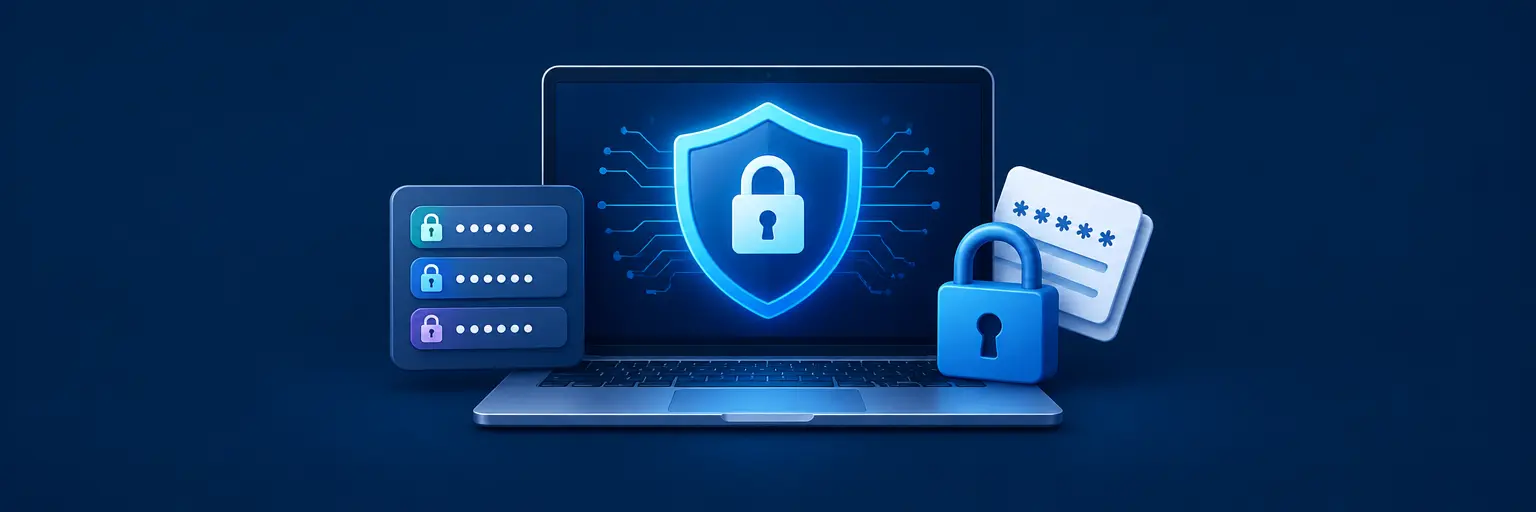
Lock down your digital life with proven password management strategies and security hacks that eliminate guesswork, boost your online safety, and save you precious time every single day. From creating unbreakable passphrases to leveraging two-factor authentication and secure vaults, these actionable tips turn cybersecurity from a chore into a seamless, automated habit. Stop reusing weak passwords and start protecting your accounts like a pro—without sacrificing speed or convenience.
🤔 Tired of weak passwords? This article unveils strong password security hacks to bolster your online defenses, saving you time and stress…
Read article
😎 Stop data breaches! This article reveals crucial strong password hacks for 2024, boosting your online security and saving you time &…
Read article
🤔 Tired of juggling countless passwords? Master password management hacks are here to save the day! Learn simple, effective strategies to secure…
Read articleWelcome to the ultimate guide for fortifying your digital life without the headaches. This subcategory of Tech & Digital Hacks focuses on practical, actionable cybersecurity hacks that go beyond the basics—think password hygiene, multi-factor authentication, and secure vault strategies. Whether you're a busy professional or a casual user, these tips will save you time, reduce anxiety, and protect your personal data from evolving threats. Let’s transform your online security from a chore into a seamless part of your daily routine.
Password managers are the cornerstone of modern digital hygiene, eliminating the need to remember dozens of unique passwords. By using a single master password, you unlock a vault that stores and auto-fills credentials across all devices. This not only boosts security but also saves precious minutes each day. Choose a reputable manager like Bitwarden, 1Password, or Dashlane, and enable browser extensions for frictionless logins. Key benefit: you’ll never reuse weak passwords again, drastically reducing your vulnerability to credential stuffing attacks.
Start by migrating your most critical accounts—email, banking, and social media—into the vault. Use the built-in generator to create complex, 16-character passwords with mixed symbols. Set up biometric unlock on your phone and a strong master passphrase (e.g., a sentence with numbers). Many managers also flag compromised passwords and prompt you to update them, turning security into a proactive habit. With these hacks, you’ll achieve both convenience and peace of mind, making security a zero-effort background task.
Passwords alone are no longer enough—MFA adds a critical second layer that blocks 99% of automated attacks. Use authenticator apps like Google Authenticator or Authy instead of SMS, as SIM swapping remains a real threat. For high-value accounts, consider hardware keys like YubiKey, which provide phishing-resistant verification. Pro tip: prioritize MFA for email, financial services, and cloud storage, as these are your digital “master keys.”
To streamline MFA, store backup codes securely in your password manager and enable “remember this device” where safe. Many services now support passkeys—a passwordless option that uses biometrics or PINs, making logins faster and more secure. Adopt a “something you have” (phone/key) plus “something you are” (fingerprint) approach. This simple upgrade takes less than 10 minutes per account and dramatically reduces your risk of account takeover. Make MFA a non-negotiable rule for every login you care about.
Forget random gibberish—passphrases combine memorability with strength. Use a sequence of four or five unrelated words, plus numbers and symbols, like “BlueCactus!42SummerLake.” Length matters more than complexity: a 20-character passphrase is exponentially harder to crack than an 8-character random one. Strategy: think of a vivid mental image or a short story to anchor the phrase in memory, eliminating the urge to write it down. This is a top cybersecurity hack for password management.
Avoid using personal information like birthdays or pet names, as attackers can easily scrape social media. Test your passphrase’s strength with tools like the Bitwarden Strength Checker, aiming for “excellent.” For accounts you rarely use, let your password manager generate them; for your master passphrase, practice it daily for a week. This hybrid approach balances security with usability, ensuring you never face a lockout. Remember: a strong passphrase is your first line of defense for password management.
Old accounts with reused passwords are a ticking time bomb. Use services like Have I Been Pwned to check if your email has appeared in data breaches. Then, systematically delete or secure dormant accounts using tools like AccountKiller or just a manual review. Actionable hack: set a yearly “digital declutter” alarm to update passwords and close unused subscriptions. This reduces your attack surface and simplifies you’s management burden.
Update your security questions to fake answers (stored in your password manager) or disable them entirely if possible. Review app permissions on your phone and revoke access for anything unused. Enable login alerts to monitor suspicious activity instantly. By pruning your online presence, you not only boost security but also make your digital life more efficient. Fewer accounts mean fewer passwords to track, aligning perfectly with UltimateLifeHacks’ goal of optimizing daily routines.
Your router is the gateway to all devices—a weak one undoes every password hack. Change the default admin credentials, enable WPA3 encryption, and disable WPS (Wi-Fi Protected Setup). Advanced move: create a separate guest network for IoT devices like smart TVs or thermostats, isolating them from your main computers. This prevents a compromised smart bulb from accessing your files. Regularly update router firmware to patch known vulnerabilities.
Use a strong, unique passphrase for your Wi-Fi (apply the passphrase rules above) and hide your SSID if you prefer stealth. Consider a VPN for public Wi-Fi, but for home, focus on router settings. Also, enable network-level firewall and turn off remote management access. These cybersecurity hacks are quick to implement—most take under 15 minutes—and yield immense long-term protection for your personal data, ensuring your daily routines remain uninterrupted by cyber threats.
Adopting a reputable password manager is the single highest-impact action. It enables unique, complex passwords for every site without mental overhead, and it centralizes security. Pair it with a strong master passphrase and MFA for near-complete protection against common attacks.
Yes, top-tier managers use zero-knowledge encryption, meaning even the company cannot see your vault. Data is encrypted locally with strong algorithms (AES-256) and synced with your master password only. The biggest risk is phishing your master passphrase, so always enable MFA on your manager account.
With a password manager, you only need to change passwords after a data breach or if you suspect compromise. Routine changes are outdated—they encourage weaker choices. Instead, rely on breach alerts and update only affected accounts promptly. This saves time and improves security.
Visit Have I Been Pwned and enter your email address; it instantly lists compromises from known breaches. You can also enable its breach notification service to receive alerts. For broader coverage, use your password manager’s built-in security dashboard, which scans your vault for compromised or reused passwords.
No—reusing any password, even a strong one, creates a domino effect. If one site is breached, attackers will try those credentials across banking, email, and social platforms. A password manager makes unique passwords effortless, so reuse is never necessary. Treat each account as independent to stay safe.