The Secret to a Less Stressful Life: Digital Organization Tips
😊 Conquer digital chaos and reclaim your sanity! This article reveals practical, time-saving strategies to organize your digital life, significantly reducing stress…
Read article

Struggling with a chaotic digital life? You’re not alone—and the fix is simpler than you think. Our Digital Organization Tips are designed to help you declutter your devices, streamline your workflows, and reclaim hours of lost time every week. From taming your email inbox and mastering cloud storage to creating foolproof file-naming systems and automating repetitive tasks, these actionable strategies turn digital chaos into calm, productive order. Whether you’re a busy professional, a student juggling multiple projects, or just someone tired of endless scrolling to find that one document, our hacks focus on practical, quick wins that stick. Say goodbye to overwhelming tabs, cluttered desktops, and forgotten passwords—and hello to a smoother, faster, and more efficient digital routine. Dive in, pick a tip, and watch your productivity soar without the tech overwhelm. Start optimizing today!
😊 Conquer digital chaos and reclaim your sanity! This article reveals practical, time-saving strategies to organize your digital life, significantly reducing stress…
Read article
😊Master your digital life with secure digital life hacks! This guide reveals simple yet powerful strategies to safeguard your data and privacy,…
Read article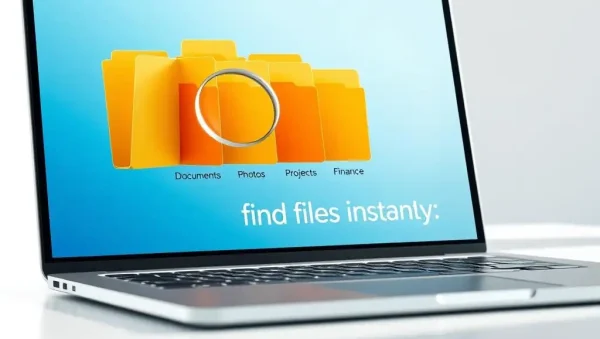
😊 Reclaim your precious time! Learn foolproof methods to find files instantly, eliminating frustrating searches. Discover simple, yet powerful techniques to boost…
Read article
😊A cluttered computer desktop equals a cluttered mind. Learn how to organize your computer desktop efficiently, boosting productivity and reclaiming valuable time.…
Read article
😊 Drowning in browser tabs? Reclaim your focus! This article delivers expert strategies to manage browser tabs efficiently, boosting productivity and simplifying…
Read article
🤔 Mastering fast digital search techniques is key to reclaiming your time. This article reveals simple, yet powerful strategies to dramatically improve…
Read articleWelcome to the Digital Organization Tips hub at UltimateLifeHacks, where we transform digital chaos into streamlined efficiency. Here, you will discover actionable strategies, tools, and routines to declutter your devices, files, email, and online workflows. Whether you’re drowning in downloads, overwhelmed by tabs, or struggling with scattered notes, these curated hacks help you reclaim time and mental clarity. Our focus is on practical, sustainable systems—not perfection—so you can boost productivity and reduce digital stress in minutes a day.
Start by conquering your desktop, downloads folder, and cloud storage. Our tips guide you through a bulk file audit, teaching you to sort, rename, and archive with a simple 3-folder rule (Active, Archive, Delete). You’ll learn to use searchable naming conventions (e.g., YYYY-MM-DD_Project) and folder hierarchies that mirror your workflow, not your whims.
Beyond cleaning, we cover automation tools like Hazel (Mac) or File Juggler (Windows) to sort new files automatically. Expect practical advice on purging duplicate photos, clearing cache, and setting a weekly 15-minute “maintenance slot.” This subcategory ensures every click leads to the correct file in seconds, freeing your brain for bigger tasks.
Your inbox is a productivity killer if left untamed. Learn the 2-minute rule (act, delegate, or delete immediately) and how to create filters and labels that route emails directly into projects. We teach you batch processing—checking email only twice daily—and how to unsubscribe ruthlessly from marketing lists.
For advanced users, we explore snooze and schedule send features, plus templates for common replies. Expect strategies to turn your inbox into a to-do list, using flags and pinned messages effectively. By implementing these hacks, you’ll cut email time by 30-50%, reduce anxiety, and never miss a critical deadline again.
Capture every idea without losing it later. Our tips compare popular tools like Notion, Evernote, and Apple Notes, but more importantly, we teach consistency frameworks—like the PARA method (Projects, Areas, Resources, Archives). You’ll learn to create a single searchable inbox for all notes, then organize them weekly.
We also cover linking notes for a personal knowledge graph (Obsidian-style) and using voice-to-text for quick capture. Expect guidance on naming conventions, tags vs. folders, and a 10-minute daily review to turn scattered thoughts into actionable plans. This system ensures your second brain works for you, not against you.
Tired of forgotten passwords? Discover the one-password-master strategy using reputable managers (LastPass, Bitwarden). We show you how to organize logins, generate strong unique codes, and set up two-factor authentication without losing your mind. Plus, secure storage for important documents—encrypted cloud vaults vs. offline drives.
Beyond passwords, learn to manage digital receipts, contracts, and media libraries. We cover tagging and metadata for easy retrieval, plus backup schedules (the 3-2-1 rule) to protect your assets. This subcategory turns a chaotic digital closet into a well-labeled, searchable archive, giving you peace of mind and instant access.
Are you constantly overwhelmed by 50 open tabs? We offer tab management hacks—using extensions like OneTab or tab groups to batch sessions. Learn to bookmark with intentionality, create a “read later” folder, and use keyboard shortcuts to switch contexts quickly. This reduces mental clutter and speeds up your workflow.
We also dive into digital workspace ergonomics: organizing multiple monitors, using virtual desktops, and setting up distraction-free writing modes. Expect tips on desktop icons, taskbar pinning, and automation (like AutoHotkey) for repetitive actions. By the end, you’ll have a calm, fast browser experience that supports deep focus and effortless multitasking.
Most users feel immediate relief after a 30-minute cleanup, but full system integration takes about 1-2 weeks of daily practice. Consistency matters more than perfection—start with one folder or inbox, then expand. Expect a 20-30% productivity boost within the first month.
Absolutely. Free tools like Google Drive, Notion (free tier), and Bitwarden cover 80% of needs. For heavy users, paid upgrades add automation and storage, but our tips work with free versions too. Prioritize good habits over premium features.
Do a quick weekly review (10 minutes) and a deep declutter monthly. Schedule a “digital clean day” every quarter to purge duplicates and archive old projects. Routine maintenance prevents pileup and makes large overhauls unnecessary.
Yes. A cluttered digital space increases cognitive load and anxiety. By decluttering, you reduce visual noise, find files faster, and minimize multitasking. Users report better sleep and higher satisfaction after implementing these systems.
Start by clearing your desktop and downloads folder—delete or archive everything older than 60 days. Then, set up one folder structure for documents and one password manager. Don’t tackle everything at once; build momentum with small wins.